Practice Better

Practice Better review

All-in-one practice management for health and wellness practitioners in private practice.

By Ciroapp Editorial Team · Updated Sep 16, 2026

Commission may apply at no extra cost

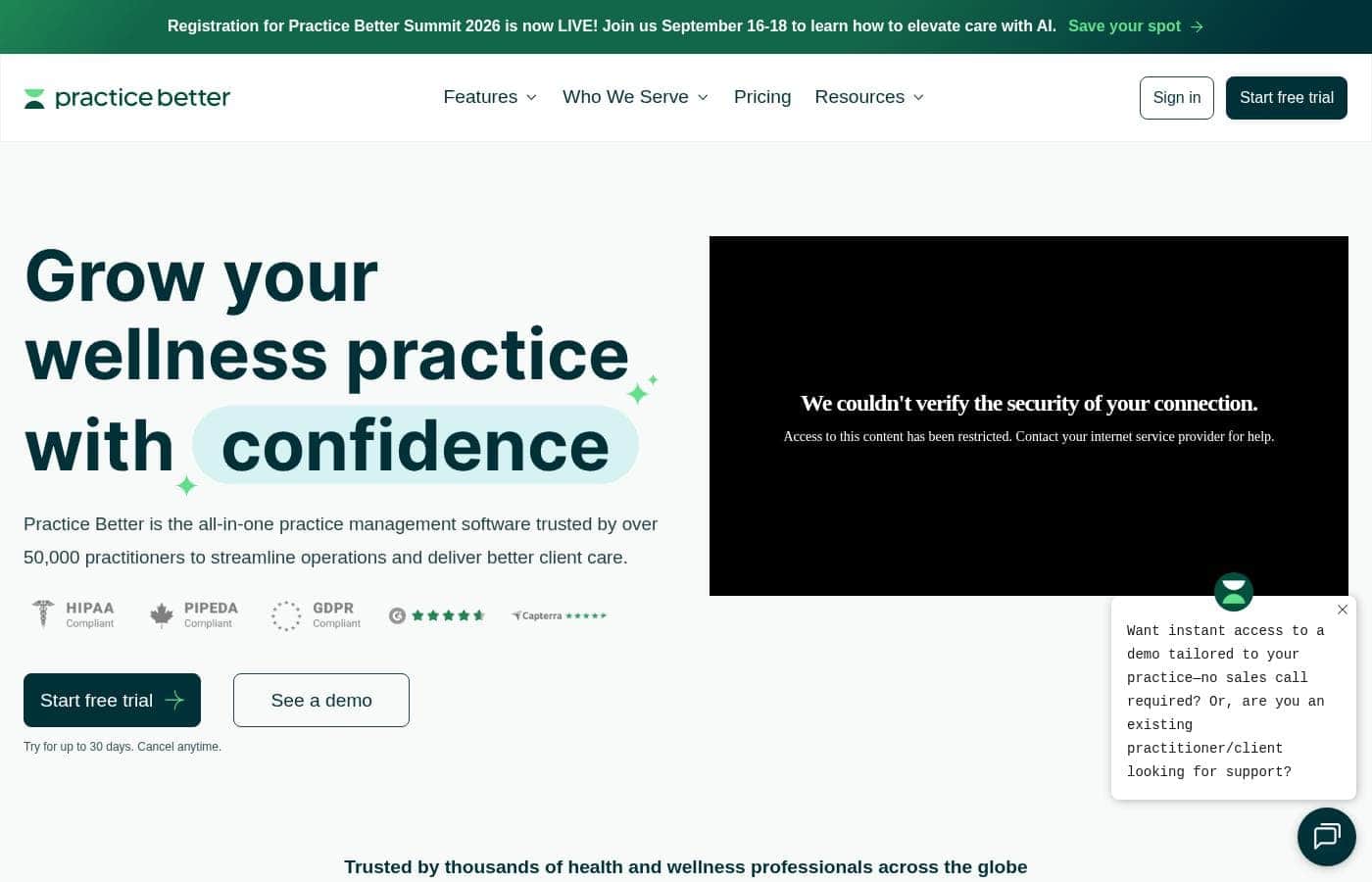
Practice Better homepage screenshot

At a glance

Quick overview for Practice Better: rating, pricing summary, key features, and highlights.
Vendor page checked Oct 12, 2026

Ciroapp score

3.9/ 5

Practice Better bundles scheduling, client records, programs, telehealth, and payments into one platform, and a free plan makes it easy to start. Individual modules aren't as deep as dedicated tools, and public pricing detail is thin. Overall, it's a practical pick for solo and small wellness practices that want fewer subscriptions.

Pros

  • Pros:Genuinely all-in-one — scheduling, charting, programs, telehealth, and payments live in the same system, which can replace several separate subscriptions.
  • Pros:A free plan and free trial make it realistic to start without upfront cost, which suits practitioners still building a caseload.
  • Pros:The client portal shifts work to clients — self-service booking, digital intake forms, and program access cut scheduling email and paperwork.

Cons

  • Cons:Because the platform spans many functions, individual modules such as accounting or marketing are lighter than dedicated point solutions, so some practices will still need outside tools.
  • Cons:Practices with complex clinical charting needs or insurance and claims-heavy billing may find a dedicated EMR/EHR a better match; verify fit before migrating records.
  • Cons:The breadth of features means an initial setup investment — configuring services, forms, templates, and automations takes time before the workflow runs itself.
Best for
  • Solo nutritionists, dietitians, and health coaches starting a private practice who want booking, intake forms, and a client portal without upfront cost (free plan available).
  • Small wellness clinics with multiple practitioners that want one shared system for scheduling, charting, and payments instead of separate tools per function.
  • Coaches who sell structured multi-week programs or group challenges and need scheduled content delivery, participant tracking, and automated follow-up.
This section is a summary. Detailed sections about features, use cases, pricing, and reviews follow below.

What is Practice Better?

Practice Better is a cloud-based practice management platform built for health and wellness practitioners — nutritionists, dietitians, health coaches, and similar professionals — who run their own private practices. It consolidates scheduling, client records, program delivery, billing, and client communication into a single workspace instead of a patchwork of separate apps. With a free plan and paid tiers, it targets everyone from newly certified coaches to established small clinics.

Practice Better combines a practitioner back office with a client-facing portal in one system. Practitioners manage availability, appointments, session notes, client documents, packages, and payments, while clients use the portal to book sessions, complete intake forms and questionnaires, follow programs and protocols, and message their practitioner. The result is a single source of truth for each client relationship, from first intake form through ongoing follow-up.

Should you choose Practice Better?

Quick buyer guidance before you compare plans or click through.

Choose it if

  • Solo nutritionists, dietitians, and health coaches starting a private practice who want booking, intake forms, and a client portal without upfront cost (free plan available).
  • Small wellness clinics with multiple practitioners that want one shared system for scheduling, charting, and payments instead of separate tools per function.
  • Coaches who sell structured multi-week programs or group challenges and need scheduled content delivery, participant tracking, and automated follow-up.
  • Virtual-first practitioners who want telehealth video sessions, digital intake, and program delivery inside a single platform.

Skip it if

  • Hospitals and medically complex practices that need hospital-grade EHR capabilities, lab integrations, or heavy insurance claims processing — a dedicated EMR/EHR fits better.
  • Users who only need a lightweight standalone booking calendar and have no interest in charting, programs, or a client portal.
  • Teams whose primary need is deep accounting, marketing automation, or marketplace course selling, since dedicated tools serve those functions more fully.

Next steps before buying

  1. 1Sign up for the free plan or free trial at practicebetter.io and explore the practitioner dashboard and client portal side by side.
  2. 2Configure your core setup: services, availability, pricing or packages, and your booking and cancellation policies so clients can book online.
  3. 3Build your intake forms and session note templates, then invite two or three pilot clients to run the full workflow — booking, intake, a session, and program assignment — before migrating your whole client list.
  4. 4Review the pricing page to compare tiers against your caseload and decide when the free plan stops covering your needs.

Practice Better Key Features

✨ Client Portal and Self-Service

Each client gets a portal where they can book their own appointments, complete intake forms and questionnaires, and access the recommendations, handouts, and programs their practitioner shares. Clients can also log food, journals, or other metrics, giving practitioners structured data between sessions. This self-service layer cuts down on scheduling emails and paperwork back-and-forth.

✨ Scheduling, Sessions, and Telehealth

Practitioners define services, availability, and packages, and clients book directly into open slots. The platform supports single sessions, packages, and group sessions, with automated reminders to reduce no-shows. Built-in video sessions let practitioners deliver telehealth without a separate conferencing tool.

✨ Charting and Client Records

Session notes, templates, file storage, and a client timeline keep each client's history organized and searchable. Practitioners can document sessions consistently using note templates and attach supporting documents to the client record. Because notes sit alongside scheduling and programs, the full client context is available during every appointment.

✨ Programs, Protocols, and Content Delivery

Practitioners can build structured programs and protocols — including steps, resources, and recommendations — and enroll clients or groups. Content can be released on a schedule, so multi-week programs unfold automatically. This makes it practical to deliver signature programs repeatedly without rebuilding materials for each client.

✨ Payments and Automation

Invoicing and payment collection are handled in the platform, so packages and sessions can be sold and tracked in one place. Automated workflows handle appointment reminders, program check-ins, and follow-up messages based on triggers. For a solo practitioner, this replaces much of the manual admin that normally eats into billable hours.

Use Cases

💡 Launching a Solo Coaching or Nutrition Practice

A newly certified health coach can start on the free plan, set up services and availability, and share a booking link with early clients. Intake forms, session notes, and the client portal give the practice a professional footprint from day one, and paid features can be added as the client list grows.

💡 Delivering Structured Programs and Group Challenges

Practitioners running multi-week programs can enroll participants, release content on a schedule, and track journals or check-ins in one place. Automation handles reminders and follow-ups, so a cohort of clients can move through the same program without the practitioner manually nudging each person.

💡 Streamlining an Established Wellness Clinic

A small clinic with several practitioners can centralize scheduling, charting, and payments that were previously split across separate tools. Shared client records keep every practitioner up to date, while the client portal reduces front-desk work around booking and paperwork.

💡 Running a Virtual-First Practice

For practitioners who see clients entirely online, built-in video sessions, digital intake, and electronic program delivery cover the full remote workflow. Clients never need to visit an office, and all documentation stays organized in the platform rather than scattered across email and drives.

Practice Better pricing

Prices not verified yet — see the vendor page.

Practice Better's pricing page

Practice Better pricing page screenshotView pricing page screenshot

Price history

Tracking prices since Sep 30, 2026. No price change detected yet.

Pricing types: Free plan, Free trial, Monthly subscription, Yearly subscription, One-time payment, Usage-based pricing

Pricing notes

Practice Better pricing: Plans from $0/month Billing options: Free plan, Free trial, Monthly subscription, Yearly subscription, One-time payment, Usage-based pricing

Email me when Practice Better changes price

One email when we detect a price change on the vendor's pricing page. No newsletter, no deals. Unsubscribe in one click.

User Reviews

No reviews yet.

Write a Review

Write a Review for Practice Better
0/100 characters
0/2000 characters

Why use Practice Better?

Most private practices start by stitching together a booking tool, video calls, email, spreadsheets, and a payment processor, which creates admin overhead and information gaps. Practice Better reduces that friction by keeping intake, scheduling, notes, programs, and client messaging in one place, with automation for reminders and follow-ups.

For solo practitioners and small teams, that means fewer no-shows, cleaner records, and a more professional client experience without paying for five separate subscriptions.

Practice Better alternatives

Other tools in the Learning Management System category

View all Learning Management System tools
Learnworlds

Learnworlds

Learning Management System4.4/5

LearnWorlds is an AI-powered LMS designed for course creators who want to run a profitable online school from a single platform. It combines course content, sales, and marketing tools in one place and is trusted by 12,000+ customers worldwide. It supports interactive videos, ebooks, 1:1 & group sessions, assessments, certificates, SCORMs, and surveys. It also offers 50+ designer-made templates to launch your site quickly, plus white-label branding and flexible course pathways.

INE

INE

Learning Management System4/5

INE is an online training platform for IT professionals and the organizations they work for. It covers networking, cybersecurity, cloud, and data science through courses, learning paths, practice labs, and its own certifications. The site describes a continuous 'learn by doing' model built on four steps: assess skills, train, practice in labs, and certify. It serves individuals, Fortune 500 companies, and government agencies worldwide.

OnlineCourseHost

OnlineCourseHost

Learning Management System4/5

OnlineCourseHost is an all-in-one platform for creating, hosting, and selling online courses. It serves individual course creators and organizations that want either a public course website or a private course academy. The platform includes a Course Builder, Website Builder, Community, and AI tools, plus built-in email marketing, an affiliate program, shareable digital certificates, and global payments.

Adobe Learning Manager

Adobe Learning Manager

Learning Management System3.9/5

Adobe Learning Manager (ALM) is a security-focused Learning Management System designed for enterprise scalability. It helps organizations deliver tailored training experiences consistently across devices. You can use ALM to manage sophisticated programs for employees, partners, and customers. The system delivers custom learning experiences backed by robust security and features that support virtually unlimited users.

Teachable

Teachable

Learning Management System3.9/5

Teachable provides an intuitive, no-code platform for launching an online school. You can quickly create multiple product types designed to meet your audience's needs. This focused approach ensures your customization fits your specific brand and audience. The platform supports diverse offerings designed for monetization flexibility. These include comprehensive online courses and helpful digital downloads like ebooks or templates. You can also offer personalized coaching sessions and build recurring revenue through value-driven memberships. Plus, you can cultivate engagement using the private Community feature.

Podia

Podia

Learning Management System3.9/5

Podia is an integrated platform designed specifically for solo business owners, creators, coaches, and consultants. It streamlines the process of making money online by combining your necessary tools into one seamless experience. Over 150,000 entrepreneurs currently rely on Podia to grow their business and manage their sales. It removes technical frustrations so you can focus only on creating valuable content.

Practice Better FAQ

Does Practice Better have a free plan or free trial?

Yes. The listing shows plans starting at $0/month, with both a free plan and a free trial available, plus monthly and yearly billing options on paid tiers. The free plan is a practical way to test the practitioner dashboard and client portal before committing, though advanced features require upgrading to a paid tier — check the pricing page for current limits and tier details.

What types of practitioners is Practice Better built for?

It is aimed at health and wellness practitioners in private practice — such as nutritionists, dietitians, and health coaches — rather than hospital-scale medical organizations. If your practice needs scheduling, client intake, session notes, program delivery, and client communication in one place, it is designed for that workflow. Highly specialized clinical or insurance-driven billing needs may require a dedicated EMR instead.

Can clients access their own records and book appointments themselves?

Yes. Each client gets portal access where they can book sessions into your available slots, complete intake forms and questionnaires, follow assigned programs and protocols, submit journals or logs, and message you. This self-service model reduces the back-and-forth that normally fills a practitioner's admin time.

Ready to try Practice Better? Check out the official site or pricing.

Are you Practice Better? Claim this listing · Get the badge