Pabbly Form Builder

Pabbly Form Builder review

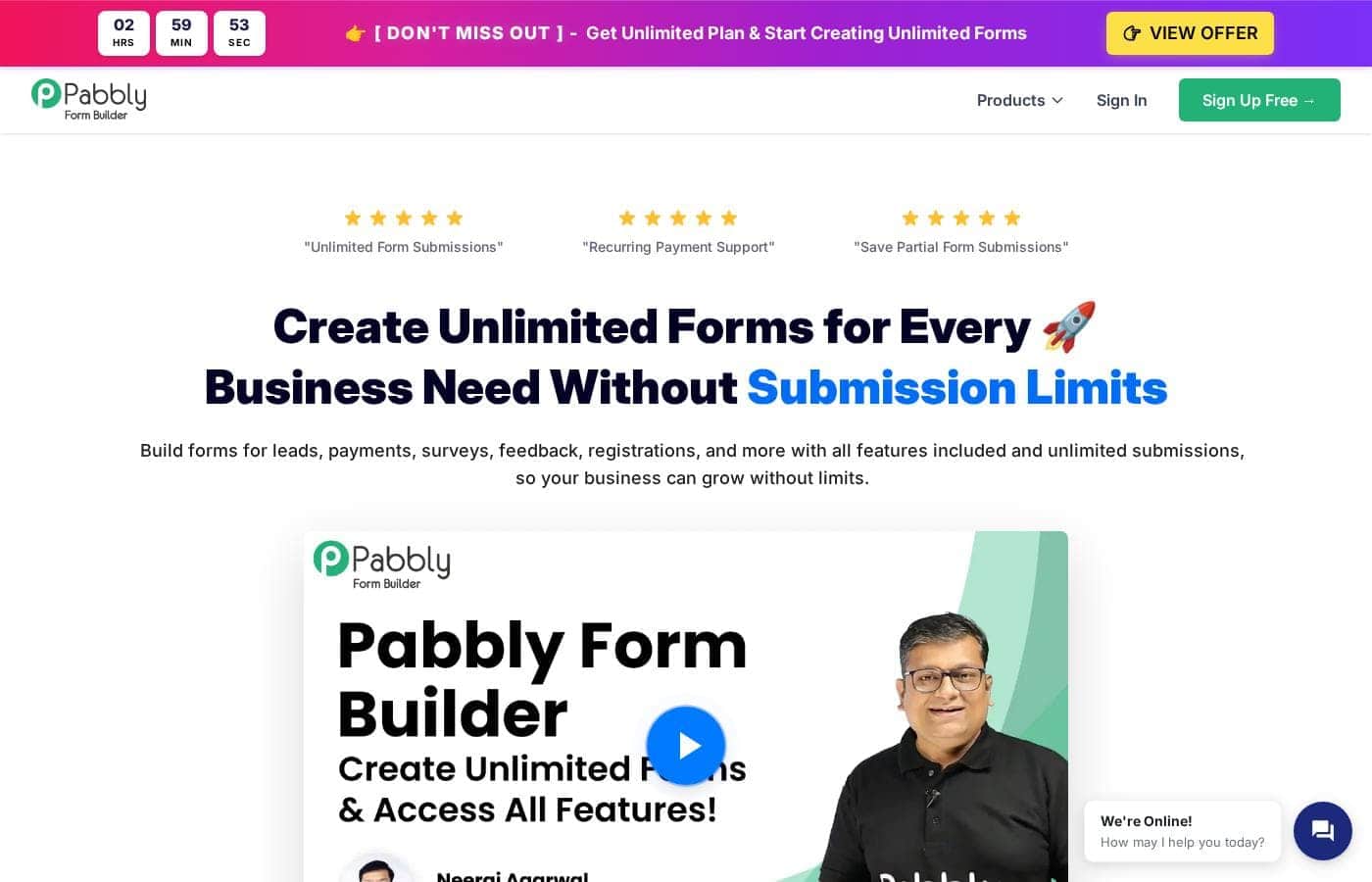
Flat-rate form building with unlimited submissions, payments, and team members.

Pabbly Form Builder costs from $79/mo · 3 plans · Free plan available · prices checked Oct 13, 2026

By Ciroapp Editorial Team · Updated Sep 16, 2026

Commission may apply at no extra cost

Pabbly Form Builder homepage screenshot

At a glance

Quick overview for Pabbly Form Builder: rating, pricing summary, key features, and highlights.
Pricing verified Oct 13, 2026

Ciroapp score

4.1/ 5

Pabbly Form Builder delivers genuinely flat-rate pricing with unlimited submissions, built-in Stripe and PayPal payments, and partial-submission lead capture on every paid plan. The catch is murky pricing: the Standard plan's cost is hidden, and the Unlimited price appears as both $79 and $59. Overall, it's a solid pick for steady form volume if you verify the checkout price first.

Pros

  • Pros:Flat-rate unlimited pricing — the $79/month Unlimited plan removes caps on forms, monthly submissions, file uploads, storage, fields per form, and team members — with no per-response overage fees, unlike JotForm's $129/month Gold plan which caps forms, submissions, users, and storage.
  • Pros:Payments are built into every tier, including the free plan — collect one-time or recurring payments through Stripe or PayPal directly from forms, with no transaction limits or extra processing fees listed on the top plan.
  • Pros:Partial submissions recover abandoned leads — if someone abandons the form halfway, their contact details are saved, so nearly-lost leads remain follow-up opportunities — a feature many competitors reserve for higher tiers.

Cons

  • Cons:'Unlimited' carries a fair usage policy — heavy users approaching the limits receive a heads-up and may be charged for additional usage, and the FAQ confirms top-tier users can face extra charges — so the flat rate isn't truly uncapped for high-volume senders.
  • Cons:Pricing is inconsistent on Pabbly's own pages — the comparison table lists the Unlimited plan at $79/month while the FAQ cites $59/month with all Pabbly products bundled, so buyers must verify the actual checkout price. The Standard plan's price isn't shown at all.
  • Cons:The free plan is very restricted — only 1 form, 100 submissions, up to $100 in received payments, and no email notifications, webhooks, autoresponders, or team members — most businesses collecting payments or needing alerts will outgrow it quickly.
Best for
  • Small businesses collecting leads, surveys, and feedback without per-response fees
  • Event organizers selling tickets and managing registrations through forms
  • Schools and training providers handling admission or application forms
Free trial
Yes
Money-back guarantee
Yes — 30 days
This section is a summary. Detailed sections about features, use cases, pricing, and reviews follow below.

What is Pabbly Form Builder?

Most form tools charge more as you grow. Hit a submission cap, and your forms stop collecting leads until you upgrade. Pabbly Form Builder flips that model.

You get unlimited submissions, unlimited file uploads, and unlimited team members on paid plans, with payments built in through Stripe and PayPal.

Pabbly Form Builder is an online form builder for creating lead, payment, survey, registration, and feedback forms without code. You drag fields into place, pick a template, and share a link or embed the form on your site. Paid plans remove submission caps and add tools like conditional logic and autoresponders.

It suits small businesses, event organizers, schools, and teams that collect steady responses and don't want per-submission pricing.

Should you choose Pabbly Form Builder?

Quick buyer guidance before you compare plans or click through.

Choose it if

  • High-volume collectors — paid plans advertise unlimited monthly submissions with no overage fees
  • Anyone who wants forms embedded as full-page, popup, tabbed, or shared-link formats
  • Automation-minded users — paid plans include webhooks, autoresponders, and automatic replies
  • Security-conscious organizations that need SOC2 Type 2 or ISO 27001:2022 alignment
  • Budget planners who prefer one flat monthly price over tiered usage billing

Skip it if

  • Buyers who need payment gateways beyond Stripe and PayPal — the site lists only those two
  • Very light users — the free plan allows just 1 form, 100 submissions, and no email notifications, webhooks, or autoresponders
  • Price-sensitive shoppers who want certainty — the page lists $79/month for Unlimited in one place and $59/month in its FAQ, so confirm at checkout
  • Extremely heavy users — "unlimited" forms carry a fair-use policy, and the FAQ says top-tier users can be charged for additional usage
  • Growing sellers on lower tiers — Standard caps you at 3 forms and $500 in received payments

Next steps before buying

  1. 1Start on the free plan to test the builder first — remember it allows only 1 form and 100 submissions, with no email notifications.
  2. 2Verify current pricing at checkout, since the site shows both $79/month (comparison table) and $59/month (FAQ) for unlimited access.
  3. 3Confirm Stripe or PayPal covers your payment needs, including any recurring billing you plan to run.
  4. 4Read the fair-use terms behind "unlimited" so there are no surprises if your volume spikes.
  5. 5Use the 30-day money-back guarantee to trial paid features before fully committing.

Ease of use

Setup looks straightforward. The builder is drag-and-drop with no coding, and pre-built templates cover common needs like orders, job applications, and registrations. Pabbly backs the product with 12,274+ video tutorials and a support ticket forum. Most people should manage a basic form quickly; payment and webhook setup just takes a little more attention.

Pabbly Form Builder Key Features

🚀 Build Forms by Dragging, Not Coding

You don't need technical skills to build a form here. Just drag fields into place and your form takes shape in minutes. Start from scratch or pick a pre-built template for orders, job applications, or registrations.

When you're done, share a link or paste an embed code onto your site.

💳 Collect Payments Straight From Your Forms

Stripe and PayPal come built in, so you can collect money without extra tools. Set up one-time charges or recurring billing, and payments go straight through your existing gateway accounts. There are no transaction limits or extra fees, which makes this handy when payment volume keeps climbing.

✨ Smarter Forms That Adapt and Recover

Conditional logic shows or hides fields based on each answer, so people only see questions that apply to them. Field validation keeps emails, numbers, and dates clean. And if someone abandons the form halfway, partial submissions save their contact details, so an almost-lost lead still becomes a follow-up.

✨ Automatic Replies and Team Alerts

Paid plans let you automate the follow-up. Autoresponders send a personalized confirmation the moment someone submits, and email notifications can hit multiple inboxes at once. You can also turn on webhooks to push form data into other services.

Set it once, and every response gets handled for you.

✨ Publish Your Form Anywhere

One form, many ways to share it. Copy a code snippet into your website, or just send a direct link. Embedding styles include:

  • Full-page forms
  • Popup forms
  • Sliding (tabbed) forms

After submission, redirect people to a custom thank-you page. Analytics then track views, submissions, and conversion rates, so you can see what's working.

Use Cases

🎯 Capture Every Lead

Run lead forms on your site and let partial submissions save contact details from people who don't finish. Autoresponders can follow up for you.

Expected outcome: fewer lost leads from abandoned forms.

🎟️ Sell Tickets & Take Registrations

Event organizers can sell tickets and take sign-ups through forms with Stripe or PayPal built in. Use scheduling to open and close forms on set dates.

Expected outcome: registrations and payments handled in one place.

🎓 Handle Admissions & Applications

Schools and training providers can build admission or application forms from templates. Just drag fields into place — no code needed. Forms also work in multiple languages.

Expected outcome: applications collected in one dashboard.

👥 Collaborate as One Team

Agencies and small businesses can invite everyone into one account — team members are unlimited on paid plans. Build forms together and keep submissions in one spot.

Tip: Start on the free plan to test the builder first.

Pabbly Form Builder pricing

From$79/mo

  • 3 plans
  • Free plan available

Prices checked on Oct 13, 2026 from Pabbly Form Builder's pricing page

Pabbly Form Builder pricing page screenshotView pricing page screenshot
PlanBilled monthlyBilled annuallyIncludes
Free
Free
—
No team members, email notifications, webhooks, or autoresponders; 5 submission reports
  • 1 form
  • 100 submissions
  • Receive up to $100 in payments
  • Unlimited file uploads and embedding
  • Multi-page forms, themes, star rating
  • +2
Standard
See vendor page
See vendor page
3 forms, $500 payment cap, 50 submission reports, Pabbly branding
  • 3 forms
  • Unlimited submissions
  • Receive up to $500 in payments
  • Unlimited team members and file uploads
  • Email notifications, autoresponders, webhooks
  • +1
Unlimited
$79/mo
—
Fair usage policy applies; heavy users can request a custom plan
  • Unlimited forms (fair usage applies)
  • Unlimited submissions and payments
  • Unlimited team members, file uploads, submission reports
  • Custom branding
  • PayPal, Stripe, webhooks, autoresponders

Price history

Tracking prices since Oct 1, 2026. No price change detected yet.

Pricing types: Free plan, Monthly subscription, Usage-based pricing

Pricing notes

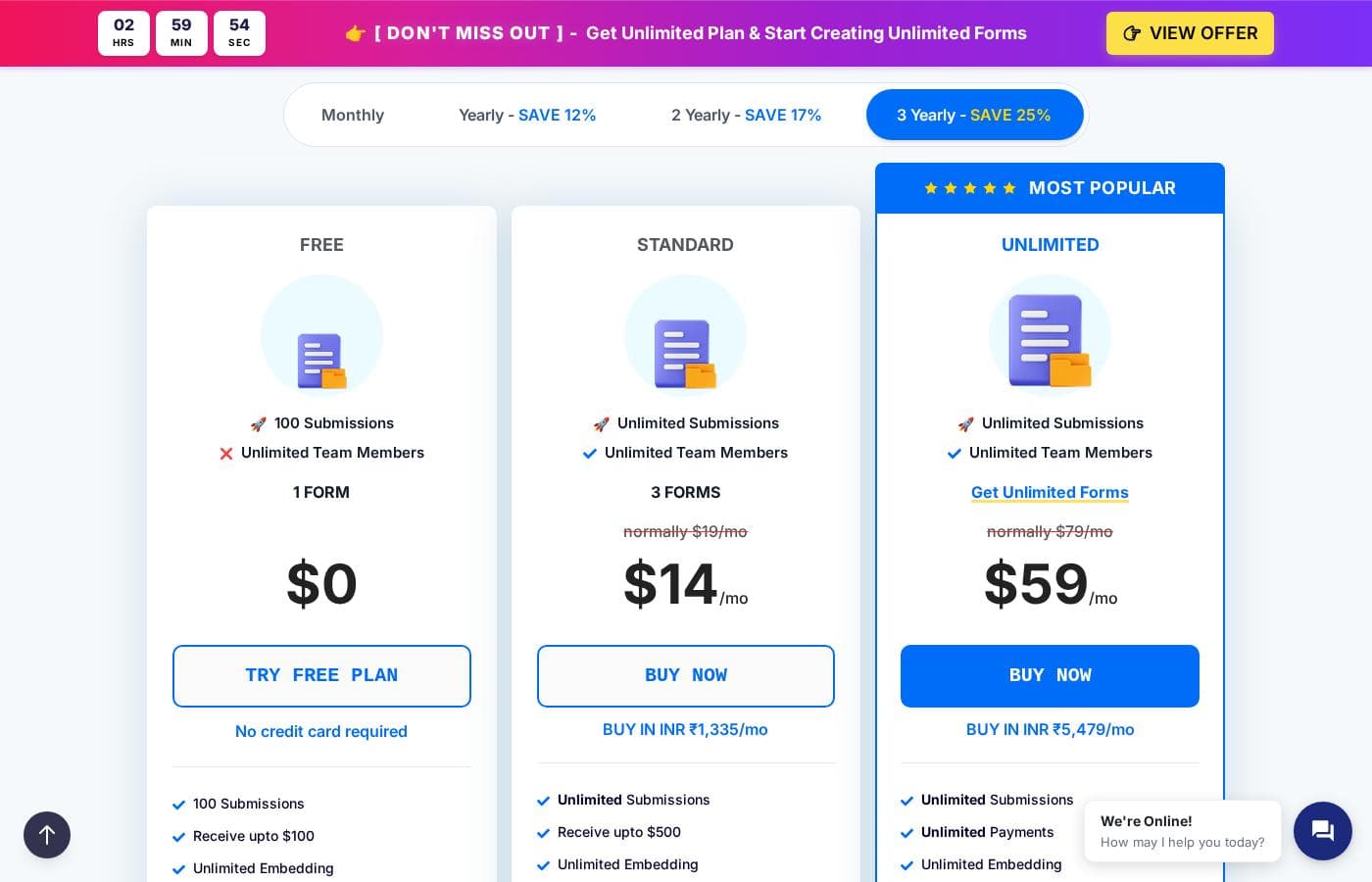
Pabbly Form Builder offers a free plan, a Standard plan, and an Unlimited plan at $79/month (also cited as $59/month in their FAQ for full unlimited access). All paid plans include unlimited submissions and unlimited team members.

Pabbly Form Builder has three plans: Free at $0, Standard, and Unlimited at $79 per month, and every tier includes unlimited submissions.

Here's a quick look at what each plan offers.

Free

Price: $0 Best For: Testing the platform with a single simple form Refund Policy: Not applicable on a free plan Other Features:

  • 1 form with 100 submissions
  • Receive up to $100 in payments via PayPal or Stripe
  • Unlimited file uploads and unlimited embedding
  • 5 submission reports, multi-page forms, and form themes

This plan is a genuine way to try things out. You get the drag-and-drop builder, conditional redirects, and form scheduling at no cost. Just note that email notifications, autoresponders, webhooks, and team members stay locked until you upgrade. If you're collecting payments or need alerts, you'll likely outgrow this tier quickly.

Standard

Best For: Small teams running a few active forms Other Features:

  • 3 forms with unlimited submissions
  • Receive up to $500 in payments
  • Unlimited team members and unlimited file uploads
  • Email notifications, autoresponders, webhooks, and 50 submission reports

Standard is the sensible middle ground. You keep unlimited submissions but cap payments at $500 and forms at 3, which suits solo operators or small businesses with a handful of forms. If you sell through your forms regularly or want your own branding, the top tier is the better fit.

Unlimited

Price: $79 per month Best For: Growing businesses that want every limit removed Other Features:

  • Unlimited forms, submissions, and payments (fair usage applies)
  • Unlimited team members, file uploads, and submission reports
  • Custom branding with your own logo
  • All integrations: PayPal, Stripe, webhooks, autoresponders

This is the flagship plan and the page's clear focus. You pay one flat monthly price and never worry about overage fees, capped storage, or per-user charges — a big contrast to competitors like JotForm's $129/month Gold plan. If you only run one or two basic forms, don't pay for this tier; stick with Free or Standard.

A few practical notes before you buy. Pabbly applies a fair usage policy on unlimited features, though the company says 99% of users never come close to the limits, and heavier users can request a custom plan. The FAQ also mentions $59/month for unlimited access with all Pabbly products bundled, so it's worth double-checking the exact checkout price. There's no separate trial period, but the Free plan acts as one, and paid plans carry a 30-day money-back guarantee — if you're not satisfied in the first month, you can request a full refund.
Cost calculator

Estimate what Pabbly Form Builder costs for your team.

Billing
Per month
$79
Per year
$948

Unlimited states no user limit: shown as one price for the whole account. Check the price for 5 users with the vendor. Estimate based on published list prices, before taxes, add-ons and discounts.

How to pay less for Pabbly Form Builder

  • Start on the free plan and upgrade only when you hit its limits.
  • A free trial is available: test it before you pay.
  • 30-day money-back guarantee if it does not fit.
  • Cheaper tools in this category start at $16/mo.
Start free trial

Email me when Pabbly Form Builder changes price

One email when we detect a price change on the vendor's pricing page. No newsletter, no deals. Unsubscribe in one click.

User Reviews

No reviews yet.

Write a Review

Write a Review for Pabbly Form Builder
0/100 characters
0/2000 characters

Why use Pabbly Form Builder?

If your form volume keeps growing, flat-rate unlimited pricing changes the math. You stop watching a submission counter and start focusing on the leads and payments coming in. Based on what Pabbly publishes, here's where this tool earns its keep:

  • Unlimited where it counts: The Unlimited plan covers unlimited forms, monthly submissions, file uploads, storage, fields per form, and team members — no per-response fees.
  • Payments are built in: Collect one-time or recurring payments through Stripe or PayPal straight from your forms, with no transaction limits listed on the top plan.
  • You keep half-filled leads: Partial submissions capture contact details even when someone abandons the form, so abandoned entries still become follow-up opportunities.
  • Security credentials are verifiable: Pabbly holds SOC2 Type 2 compliance and ISO 27001:2022 certification, which matters if you handle client or customer data.
  • Lower listed cost than capped rivals: Pabbly's site prices its Unlimited plan at $79/month, compared with JotForm's $129/month Gold plan that caps forms, submissions, users, and storage.
  • Low-risk way to test: Start free, then use the 30-day money-back guarantee if paid features don't fit.

Pabbly Form Builder alternatives

Other tools in the Online Form Builder category

View all Online Form Builder tools
Cognito Forms

Cognito Forms

Online Form Builder4/5From $24/mo

Cognito Forms provides a comprehensive platform for centralizing data collection and automating vital business processes. It's built to support key departments, including Human Resources, Marketing, Sales, IT, and Project Management. This service is dedicated to helping teams create an effective digital transformation strategy. Organizations can use it to streamline both internal and external operations with greater efficiency and consistency.

Wufoo

Wufoo

Online Form Builder3.9/5From $16/mo

Wufoo is an extremely powerful online form builder trusted by over three million users and many popular brands. You can easily create the forms you need to collect valuable data, files, and payments. The builder provides an easy-to-use experience, complete with templates, galleries, and robust reporting tools. It’s designed to let you customize forms to your heart's delight. Whether you are a webmaster or a marketing manager, the goal is to provide a flexible tool that integrates immediately into your existing framework.

involve.me

involve.me

Online Form Builder3.9/5From $29/mo

involve.me is a unified funnel platform that gives businesses all the tools they need to grow. It is highly rated and already used by more than 4,500 companies worldwide, helping them boost conversions. This platform lets you combine various elements—like forms, quizzes, surveys, and calculators—into a single, cohesive funnels 📈. Best of all, you can build and tweak everything by chatting with an AI Agent, requiring zero code or learning curve.

Jotform

Jotform

Online Form Builder4.1/5

Jotform is known as the easiest online form builder available today. You can create professional-looking forms quickly in just minutes. It's built for anyone who needs to manage data efficiently without needing to code. Over 30 million users worldwide already trust Jotform to handle their form needs.

Formaloo

Formaloo

Online Form Builder3.5/5

Formaloo provides a set of powerful, user-friendly survey tools designed specifically for effectiveness. It helps you collect the feedback you need without unnecessary friction. Marketing teams looking to transform insights into real results will find this platform perfect. You're ready to start building impactful campaigns today!

Pabbly Form Builder FAQ

How much does Pabbly Form Builder cost?

Pabbly Form Builder's cheapest paid plan, Unlimited, costs $79 per month. Prices checked on Oct 13, 2026 from the vendor's pricing page.

Does Pabbly Form Builder have a free plan?

Yes. Pabbly Form Builder has a free plan (Free); paid plans start at $79 per month.

Does Pabbly Form Builder offer a free trial or a money-back guarantee?

Pabbly Form Builder offers a free trial. It has a 30-day money-back guarantee.

Has Pabbly Form Builder's price changed recently?

No. We have not detected a price change since we started tracking on Oct 1, 2026.

What happens if I exceed the fair usage limits on the Unlimited plan?

Pabbly emails you a heads-up as you near the limits and may charge for additional usage. If you expect heavy volume, contact their team. They'll build a custom plan for high-usage accounts.

Can I create forms in languages other than English?

Yes. Pabbly supports creating forms in multiple languages, so you can build one form and share it with audiences in different regions. It's handy for global teams and multilingual customers.

What support and training resources can I expect?

You get 12,274+ video tutorials covering the features, plus a ticket forum for technical help. There's no published response-time guarantee, so raise questions early if you're working to a deadline.

Can I view and export my form submissions?

Yes. You manage submissions from your dashboard, and paid plans include reports you can view or export. Standard gives you 50 reports, Unlimited is unlimited, and the Free plan only shows your first five.

Ready to try Pabbly Form Builder? Check out the official site or pricing.

Are you Pabbly Form Builder? Claim this listing · Get the badge