Jotform

Jotform

Powerful forms get it done.

#2 dans Online Form Builder
1 min read · Updated 10/5/2025
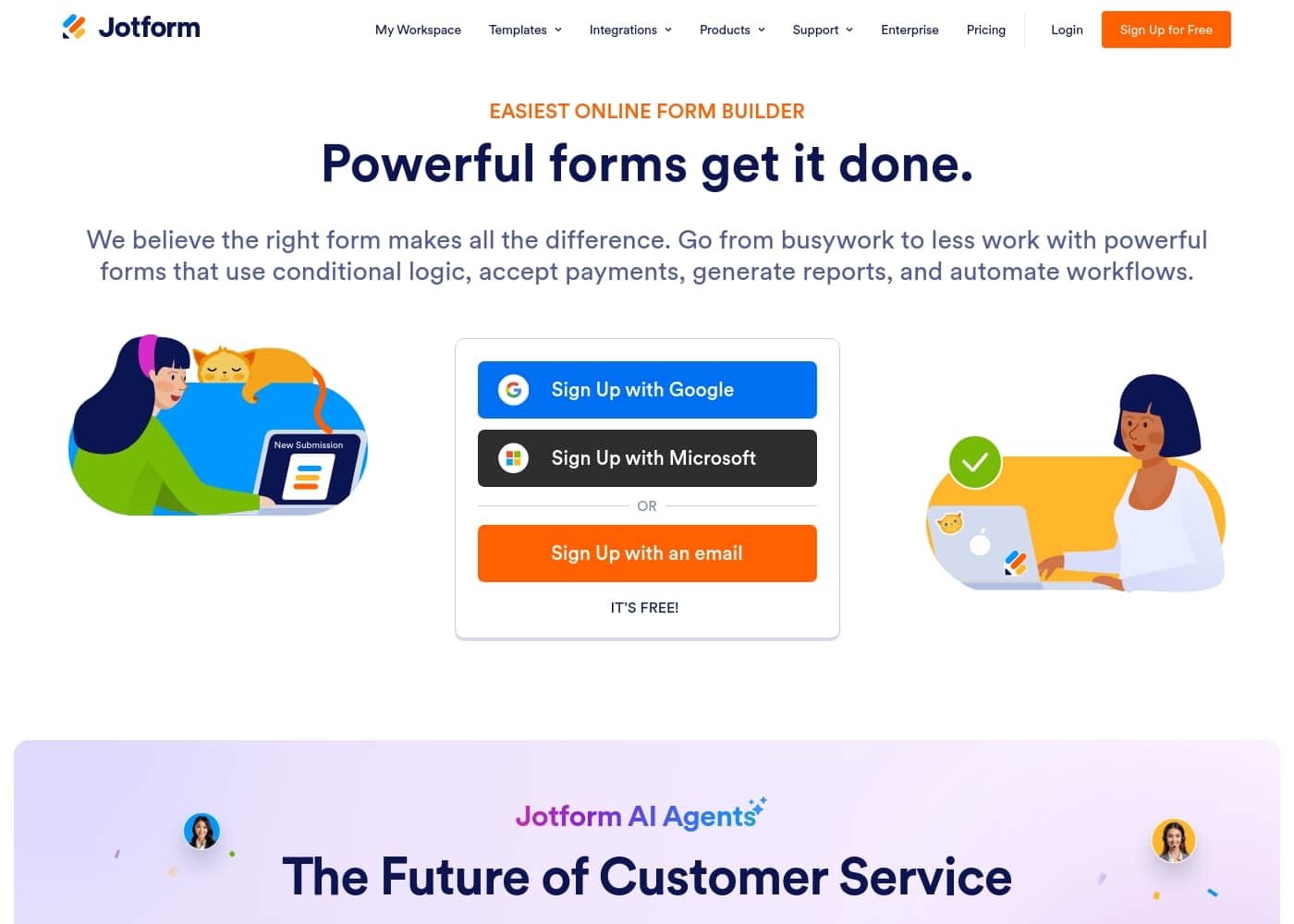
Jotform homepage screenshot

At a glance

Quick overview for Jotform: rating, pricing summary, key features, and highlights.

Ciroapp review

4.6
Highly intuitive, feature-rich form automation.

We found Jotform to be an exceptionally user-friendly form builder that democratizes complex data collection through its drag-and-drop interface and powerful features. Overall, we believe it provides outstanding value, combining robust capabilities with excellent workflow automation for businesses large and small.

Pros

  • Pro:Intuitive, user-friendly interface simplifies form creation without technical skills.
  • Pro:Robust, permanently free Starter plan is ideal for individual users and new startups.
  • Pro:Seamless integrations with over 150 third-party apps automate crucial data tasks.
  • Pro:Powerful conditional logic and customization options create dynamic, tailored forms.

Cons

  • Con:Exact pricing for Bronze, Silver, and Gold paid tiers is not explicitly listed publicly.
  • Con:Some users report slow customer service response times when troubleshooting specific technical bugs.
  • Con:Specific Enterprise features, like Data Residency, can carry a very high custom price.
  • Con:Occasional reliability issues (e.g., missed submissions or feature glitches) have been reported by some long-term users.
Money-back guarantee
Yes — 30 days
Range: Free to Custom QuoteFree plan, Monthly subscription, Yearly subscription, Quote based
This section is a summary. Detailed sections about features, use cases, pricing, and reviews follow below.

Jotform review, pricing, features, pros & cons

Are you tired of forms that create more busywork than they solve? Jotform helps you move from busywork toward less work using powerful digital forms. It makes a difference when your forms automatically accept payments and automate workflows.

What is Jotform?

Jotform is known as the easiest online form builder available today. You can create professional-looking forms quickly in just minutes. It's built for anyone who needs to manage data efficiently without needing to code.

Over 30 million users worldwide already trust Jotform to handle their form needs. ✅

Jotform Key Features

✨ Easy Form Building with Zero Coding

You can quickly build the form you need in minutes. Jotform is known as the easiest online form builder available today. You don't need any coding skills to create professional forms. The intuitive online Form Builder makes the entire process simple.

Once your form is created, you can easily style it to match your company's brand. You are free to use your own logo, specific fonts, and brand colors. This customization ensures the finished product looks completely professional and integrates smoothly with your existing visual identity.

✨ Powerful Workflow Automation

Jotform helps you move from busywork to less work using smart, powerful features. You can utilize conditional logic to build dynamic forms that respond to user inputs. This automation capability ensures your forms are true tools for efficiency.

These automated forms help streamline your operations by managing complex tasks. You can automate key workflows immediately upon submission. This functionality also allows you to successfully generate the necessary reports for your business, ensuring data management is simple.

✨ Seamless Payment Collection

Your forms can collect online payments seamlessly without needing to redirect users to external sites. Jotform allows you to get paid directly through your form submission. This is perfect for simplifying financial transactions.

This capability works whether you are accepting an ongoing fee or receiving a donation. It is also ideal if you are selling a product online. Getting paid directly through the form ensures efficiency and keeps your crucial business operations centralized.

✨ Integrate Everything with 150+ Apps

Jotform offers 150+ powerful integrations that automatically connect your form data to other services. This eliminates the need for manual data transfer, saving you time. This ensures your form acts as a reliable bridge between data collection and your operational backend.

Automatically send form submissions directly to your essential business applications. Integrate your form with services like these:

  • Email marketing solutions
  • CRMs (Customer Relationship Management)
  • Cloud storage apps

✨ Planning for the Future with AI Agents

Jotform is actively working on the future of customer service using new technology. They are developing AI Agents that will improve how you manage customer inquiries. These agents promise instant and continuous responsiveness.

Imagine responding instantly to any customer, anytime, anywhere. This forthcoming technology ensures that support and assistance are available worldwide, improving customer experience.

Use Cases

✨ Streamlining Lead Generation

Need to collect valuable customer data during your next marketing campaign? You can quickly build a professional-looking form using our powerful online Form Builder. You're able to style the form instantly with your specific logo, fonts, and brand colors.

This ensures a consistent, polished look for your potential clients.

⚙️ Automating Complex Internal Workflows

Your internal processes often require different data based on initial choices. Jotform helps you handle complex tasks swiftly. Use conditional logic to build dynamic forms that adjust automatically. These forms help you eliminate typical busywork and automate key steps for your colleagues.

Expected outcome: Less time spent manually routing submissions.

💳 Accepting Fees and Collecting Donations

Don't install complicated software just to get paid. Whether you are selling a product or simply accepting a registration fee, you can collect payment directly through your form. This seamless process handles transactions easily for you.

Tip: Nonprofits can apply for a 50% discount on paid plans, reducing costs for donation drives.

🔗 Connecting Data to Your Existing Apps

The information you collect needs to reach the right systems immediately. Jotform offers over 150 powerful integrations to make this happen. Set up your form so submissions automatically move to your CRM, project management board, or email marketing service.

Process Flow:

  1. User submits data via form.
  2. Jotform automatically sends data to your integrated app.
  3. Your team begins working on the project or lead.

🔒 Ensuring Data Security and Compliance

If your organization handles sensitive information, security is critical. Jotform offers solutions for improved security, including encrypted data collection. If you need the highest level of trust, Gold and Enterprise plans allow access to optional HIPAA compliance features.

Your data integrity is always a priority.

⏱️ Building a Form in Minutes

Are you tired of forms that take hours to design and code? The Jotform online Form Builder lets you create exactly what you need quickly. Since you don't need to code, anyone on your team can create a professional tool right away.

Focus less on setup and more on gathering important data.

Pricing Overview for Jotform

Pricing range
Free to Custom Quote
Pricing types
Free plan, Monthly subscription, Yearly subscription, Quote based
Money-back guarantee
Yes — 30 days

Jotform offers a flexible tiered structure, starting with a permanent free Starter plan. Paid subscriptions (Bronze, Silver, Gold) are available monthly or yearly, with costs scaling based on increased submission and storage limits.

Enterprise plans are customized for large organizations.

Plans & Pricing

Starter

MonthlyFree
YearlyFree
Includes Jotform branding; limits require an upgrade when exceeded.
  • Includes all standard features
  • Form templates, payment integrations, and widgets available

Bronze

MonthlyNot explicitly stated
YearlyNot explicitly stated
Generous limits; Higher capacity than Starter.
  • Lowest-priced paid plan
  • Removes Jotform branding

Silver

MonthlyNot explicitly stated
YearlyNot explicitly stated
Higher limits than Bronze; Allows scaling data management.
  • Best value for small to mid-tier businesses
  • Removes Jotform branding

Gold

MonthlyNot explicitly stated
YearlyNot explicitly stated
Highest limits (non-Enterprise).
  • Highest standard limits
  • Optional HIPAA compliance features
  • Removes Jotform branding

Enterprise

MonthlyCustom Pricing
YearlyCustom Pricing
Custom limits based on organizational needs.
  • Multiuser plan
  • Enhanced security and custom domains
  • Single Sign-On (SSO) and HIPAA features

Jotform costs between Free and Not explicitly stated per Not explicitly stated with 5 plans: Starter at Free, Bronze at Not explicitly stated, Silver at Not explicitly stated, Gold at Not explicitly stated, and Enterprise at Custom Pricing.

Jotform offers a range of options suitable for individuals up to large enterprises. We structure our standard plans to scale comfortably with your growing usage needs.

Starter

Price: Free Websites Supported: Not explicitly stated Best For: Individuals or small teams just starting data collection. Refund Policy: Not explicitly stated Other Features:

  • Standard features included (form templates, payment integrations, widgets).
  • You must upgrade to increase limits.
  • Forms and documents include Jotform branding.

This free plan is a powerful way to try Jotform and access all the core functionality. It is perfect if you are new to data collection or have basic personal needs. You can easily switch to a paid plan later when your requirements grow.

Bronze

Price: Not explicitly stated Websites Supported: Not explicitly stated Best For: Startups or freelancers hitting the ground running. Refund Policy: 30-day money-back guarantee Other Features:

  • Lowest-priced paid plan that offers increased limits.
  • Generous capacity for managing your business smoothly.
  • Removes Jotform branding from forms and documents.

Choose the Bronze plan if you are a busy freelancer or startup needing more capacity than the free tier. This plan serves as your entry point to higher limits and paid features.

Silver

Price: Not explicitly stated Websites Supported: Not explicitly stated Best For: Small to mid-tier businesses. Refund Policy: 30-day money-back guarantee Other Features:

  • Provides the best value for growing businesses.
  • Allows your team to scale data management effectively.
  • Higher submission and storage limits than the Bronze plan.

The Silver plan is designed for organizations experiencing growth that need robust data solutions. It provides an excellent balance of scalability and features, ensuring your systems maintain peak efficiency.

Gold

Price: Not explicitly stated Websites Supported: Not explicitly stated Best For: Organizations requiring the highest non-Enterprise limits or HIPAA compliance. Refund Policy: 30-day money-back guarantee Other Features:

  • Offers the maximum standard limits available.
  • Includes optional features for HIPAA compliance.
  • All collected data is encrypted for improved security.

If your business handles sensitive medical information or requires maximum capacity, the Gold plan is your best choice. It provides both top-tier limits and the necessary features to create HIPAA-friendly forms.

Enterprise

Price: Custom pricing Websites Supported: Not explicitly stated Best For: Large organizations needing multi-user functionality and enhanced security. Refund Policy: Not explicitly stated Other Features:

  • The only available multi-user Jotform plan.
  • Includes enhanced security measures and custom domains.
  • Provides Single Sign-On (SSO) integration and HIPAA features.

The Enterprise plan is tailored for large-scale operations requiring specialized functionality. If you need a comprehensive, multi-user solution with extensive security and compliance features, you should contact Jotform directly for a custom quote.

Jotform provides a permanently free Starter plan so you can test all standard features without financial commitment. For any paid subscription, Jotform offers a straightforward 30-day money-back guarantee if you need to cancel your service. Additionally, approved nonprofits and educational institutions can access a substantial 50% discount on paid Bronze, Silver, and Gold plans.
User Reviews

Jotform users are generally delighted with the platform, frequently describing it as the best form builder out there. Reviewers consistently praise its user-friendliness and intuitive drag-and-drop interface, making complex form creation possible without coding.

The ability to integrate seamlessly with tools like Google Sheets and PayPal truly streamlines workflows, saving users significant time and effort. Many users feel the robust free plan offers exceptional value, though they note that paid plans are necessary for higher usage and to remove branding.

Jotform's strong feature set, including conditional logic and comprehensive templates, makes it a "game changer" for data collection 🚀. However, the feedback isn't entirely perfect: some enterprise customers find the cost for specialized needs like data residency to be prohibitively high, and there are scattered reports of occasional functional bugs and slow responsiveness from the customer support team regarding technical issues.

What users say elsewhere

Alex D.
· Trustpilot
5.0 / 5

Setting up a document for signature and sending it to our attendees was incredibly easy. It took less than 10 minutes from creating the account to actually sending it out. That swift efficiency is fantastic.

Maria L.
· Trustpilot
5.0 / 5

Jotform is extremely easy and user friendly. It helps me organize all our training responses into a single sheet, making data review simple. The variety of fields available assists in breaking down complex data effectively.

No reviews yet.

Write a Review

Write a Review for Jotform
0/100 characters
0/2000 characters

Why use Jotform?

Choosing the right digital tool is essential when you want to streamline your operations. Jotform offers powerful tools that deliver real efficiency and save you time. It ensures the right form makes all the crucial difference for your business.

  • Build quickly without coding: The online Form Builder lets you create professional forms quickly. You can easily style them using your logo, specific fonts, and brand colors.
  • Automate complex tasks: Use powerful features like conditional logic to build dynamic forms that automate key workflows and generate necessary reports.
  • Integrate everything: Automatically send submissions to CRMs, email marketing services, and project boards using 150+ powerful integrations.
  • Collect money seamlessly: Accept online payments directly through your form. This works whether you are selling products, accepting donations, or handling an ongoing fee.
  • Plan for the future: Jotform is already working on the future of customer service using new AI Agents. They promise instant responses to your customers anytime and anywhere.

Getting started is easy, and you can create your first form for free. 💡

Ready to transform your workflow with Jotform?

Frequently Asked Questions

How many applications can Jotform currently integrate with?

Jotform supports integration with 150+ business apps. You can automatically send form submissions to CRMs, email marketing services, and project management tools.

Is there a free trial available for the paid Bronze, Silver, or Gold plans?

Jotform does not offer a traditional trial period for paid tiers. You can use the permanent Starter (free) plan to test all core functionality before upgrading.

What is Jotform's refund policy if I purchase a paid subscription?

Jotform offers a 30-day money-back guarantee for paid subscriptions. You must contact the support team within 30 days of payment to request a full refund.

Which plans include the features necessary for HIPAA compliance?

Optional HIPAA compliance features are available only on the Gold and Enterprise plans. These tools help secure sensitive medical information through encryption and specific PHI segmentation.

Is Jotform priced per user or based on account usage limits?

Standard plans (Bronze, Silver, Gold) are based on account usage limits, such as monthly submissions and storage. The Enterprise plan is the only choice designed for multiple users.

If I cancel my paid subscription, what happens to my account?

You can cancel anytime, and you will stay on your current paid plan until the next billing date. Your account will then automatically downgrade to the free Starter plan.

What occurs if my account exceeds its monthly submission limits?

You will receive a notification via email and a dashboard warning. If you exceed total submission storage, the system may delete the oldest form responses to make room for new data.

Are there special discounts offered for approved educational institutions or nonprofits?

Yes, approved educational institutions and nonprofits qualify for a substantial 50% discount. This applies to the Bronze, Silver, and Gold monthly and yearly subscription plans.

What standards does Jotform meet regarding data privacy and security?

Jotform complies with the European Union’s GDPR and the California Consumer Privacy Act (CCPA). All data is hosted securely using Google Cloud and AWS infrastructure.

How quickly can I expect support to respond to technical issues?

Jotform advertises 24/7 customer support via their friendly support team. A specific response time or service level agreement (SLA) is not explicitly stated on the official site.

What payment methods are accepted when purchasing a plan?

Jotform accepts payments for subscriptions using either a credit or debit card or PayPal.

In what currencies does Jotform typically bill customers?

Customers located in Europe are generally charged in euros (EUR). Everyone else is charged in U.S. dollars (USD).

Does Jotform provide services to assist with migration from other form builders?

Not explicitly stated on the official site. You may need to contact the support team directly to discuss any complex data import or migration needs.

Ready to try Jotform? Check out the official site or pricing.