Opus Clip

Opus Clip review

AI clipping that turns any long video into ready-to-post shorts.

Opus Clip costs from $15/mo · 4 plans · Free plan available · prices checked Oct 13, 2026

By Ciroapp Editorial Team · Updated Sep 16, 2026

Commission may apply at no extra cost

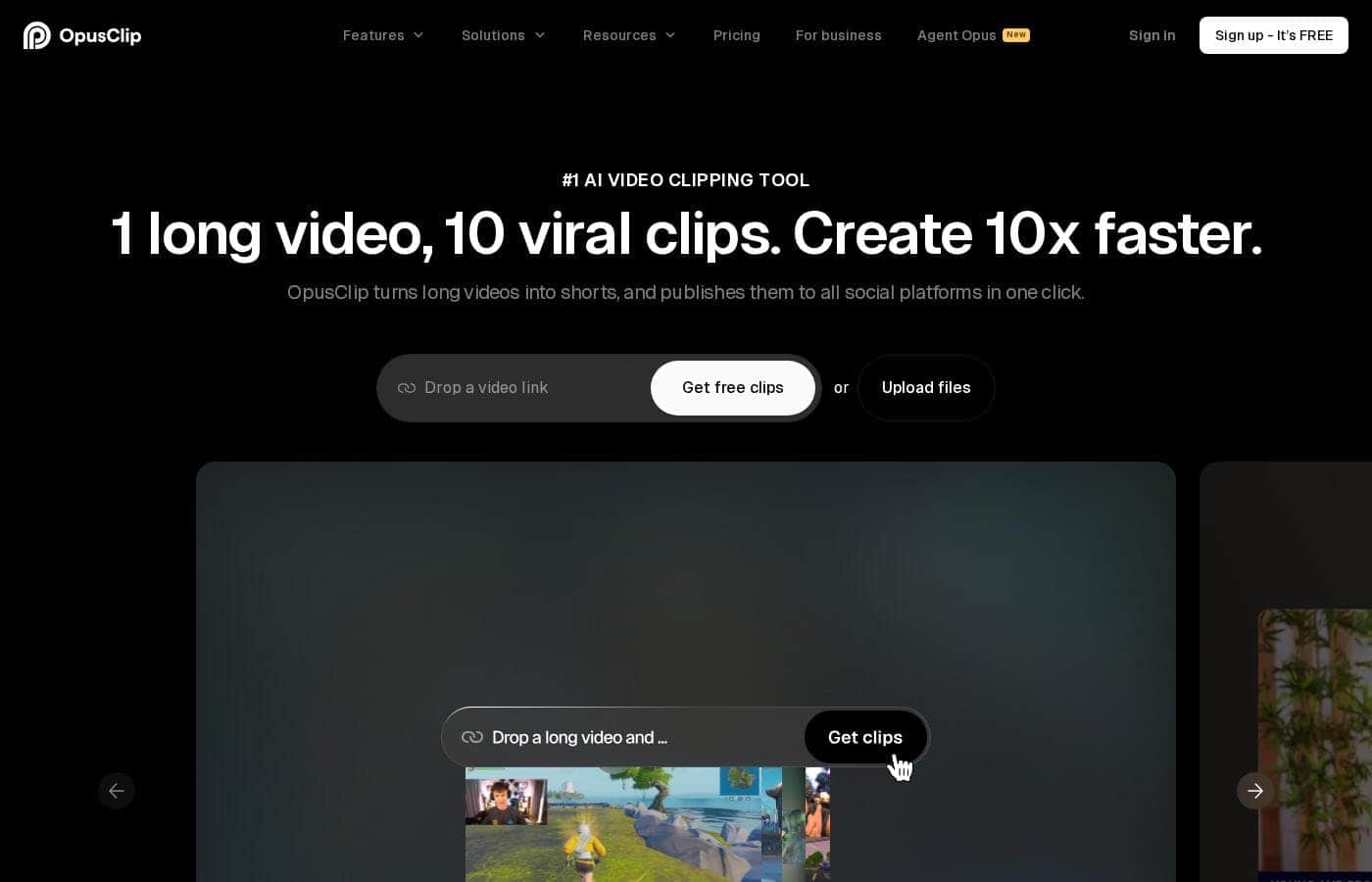
Opus Clip homepage screenshot

At a glance

Quick overview for Opus Clip: rating, pricing summary, key features, and highlights.
Pricing verified Oct 13, 2026

Ciroapp score

4.0/ 5

Opus Clip stands out by clipping almost any video — not just talking-head podcasts — using plain-language prompts, accurate captions, and AI reframing. Free-plan limits and storage caps push heavy users toward Pro. Overall, it's a solid pick for creators and teams who need steady shorts without living in an editor.

Pros

  • Pros:ClipAnything reads visuals, audio, and sentiment — not just dialogue — so it can clip vlogs, gaming, sports, and interviews where most AI clippers that only handle talking-head podcasts fail.
  • Pros:Plain-language prompts let you request one specific moment from a long video instead of settling for whatever highlights the AI picks automatically.
  • Pros:ReframeAnything resizes videos for any platform using AI object tracking to keep moving subjects centered, with a manual tracking mode for full control.

Cons

  • Cons:The free plan watermarks animated captions, blocks watermark-free exports, and expires both clips and storage after 3 days, with only 60 processing minutes per month — heavy publishers will burn through it fast.
  • Cons:Starter restricts MP4 exports to a 30-day window and media storage to 29 days, and omits bulk export entirely.
  • Cons:Pro caps uploads at 30GB per video and storage at a fixed 100GB, with team workspaces limited to 2 seats (expandable to 4); unlimited seats and storage require contacting sales for custom Business pricing.
Best for
  • Podcasters turning long episodes into daily short clips
  • Creators repurposing vlogs, gaming, or sports footage into vertical shorts
  • Marketing teams producing video-first brand content
Free trial
Yes — 7 days
This section is a summary. Detailed sections about features, use cases, pricing, and reviews follow below.

What is Opus Clip?

Cutting one long video into a dozen shorts eats hours you don't have. OpusClip uses AI to find the best moments, add captions, and resize clips for any platform in one click — so you can post more often without living inside a video editor.

OpusClip is a web-based AI tool that turns long videos into short, vertical clips for social media. Its ClipAnything model handles almost any video type — podcasts, vlogs, gaming, sports, interviews, even footage with little dialogue. It picks highlight moments, adds captions, and reframes clips for different platforms.

It's built for creators, podcasters, and businesses. The site reports over 16 million users and brands.

Should you choose Opus Clip?

Quick buyer guidance before you compare plans or click through.

Choose it if

  • You have long-form videos sitting unused that could become shorts
  • You post short-form video regularly and need steady volume
  • You work with a team and want shared templates and workspaces
  • You create content in one of the 25+ supported languages
  • You want to test AI clipping with a free plan before paying

Skip it if

  • yearly costs before committing
  • The free plan caps you at 60 processing minutes per month; heavy publishers will need paid upload credits
  • API automation requires development work to connect your CMS and other tools
  • If your main output is long-form video, this is a clipping tool — not a full editing suite

Next steps before buying

  1. 1Start the 7-day Pro trial (90 minutes, roughly 30 clips) or the free-forever plan with 60 monthly minutes.
  2. 2Test ClipAnything with one of your real videos — including non-podcast footage — to judge clip quality yourself.
  3. 3Confirm your content language appears in the 25+ supported languages list.
  4. 4Compare it against other AI clipping tools, and send questions to the Discord community or [email protected].

Ease of use

Setup looks simple. It's a web app, so there's nothing to install. You upload a video and the AI clips it; natural-language prompts let you request specific moments. Captions are automatic and editable. A free trial and free plan lower the risk of testing it, and support is available through Discord and email at [email protected].

Opus Clip Key Features

🎬 ClipAnything: clip any genre, not just podcasts

Most AI clippers only understand talking heads. ClipAnything reads the whole video — visuals, audio, and sentiment — so it can clip vlogs, gaming, sports, interviews, and footage with little dialogue. Type a plain-language prompt to grab one specific moment, or let it find highlights in a click.

Either way, the picks actually make sense.

✨ ReframeAnything: framing that fits every platform

Cropping a wide video for vertical feeds usually means guesswork. ReframeAnything resizes any video for any platform and uses AI object tracking to keep moving subjects centered. Prefer control?

Switch to manual tracking and tell it exactly what to follow. Your clips come out framed right the first time.

✨ An AI editor that edits with you

Take full editing control, or let the AI take over — either way, it's effortless. Captions are added automatically with over 97% accuracy, and you're free to change the text. Each clip gets polished with AI re-layout, smooth transitions, and a strong call-to-action.

It works across 25+ languages, including Spanish, Japanese, and German.

🤝 Your video workflow, on autopilot

Create and publish up to 5x faster with the web app and API, so content keeps rolling even when you're away.

  • Brand templates lock in your fonts, colors, logo, and intro & outro
  • Team workspace lets members collaborate and manage creative projects together
  • Workflow integration connects the API to your CMS and other tools

Use Cases

🎙️ Podcasters: One Episode, Many Clips

You record a long episode. OpusClip finds the standout moments, adds captions, and resizes everything for vertical feeds. Post daily without opening an editor.

Expected outcome: A week of shorts from a single upload — no editor required.

🎮 Creators: Clip Any Genre, Not Just Podcasts

Gaming, vlogs, sports, interviews — ClipAnything reads visuals, audio, and sentiment to pick moments that make sense. Type a plain-language prompt to grab one specific scene. > Tip: Test it on footage with little dialogue; that's where many tools fail.

🎨 Teams: Stay On Brand at Scale

Build brand templates with your fonts, colors, logo, and intros. Then work together in a shared team workspace so every clip ships on brand. Expected outcome: Faster output with consistent formatting across the whole team.

⚙️ Businesses: Put Clipping on Autopilot

Connect OpusClip to your CMS through the API or Zapier. Clips get created and published without anyone touching a timeline. Expected outcome: A steady content pipeline that keeps running, even when your team is heads-down.

Opus Clip pricing

From$15/mo

  • 4 plans
  • Free plan available

Prices checked on Oct 13, 2026 from Opus Clip's pricing page

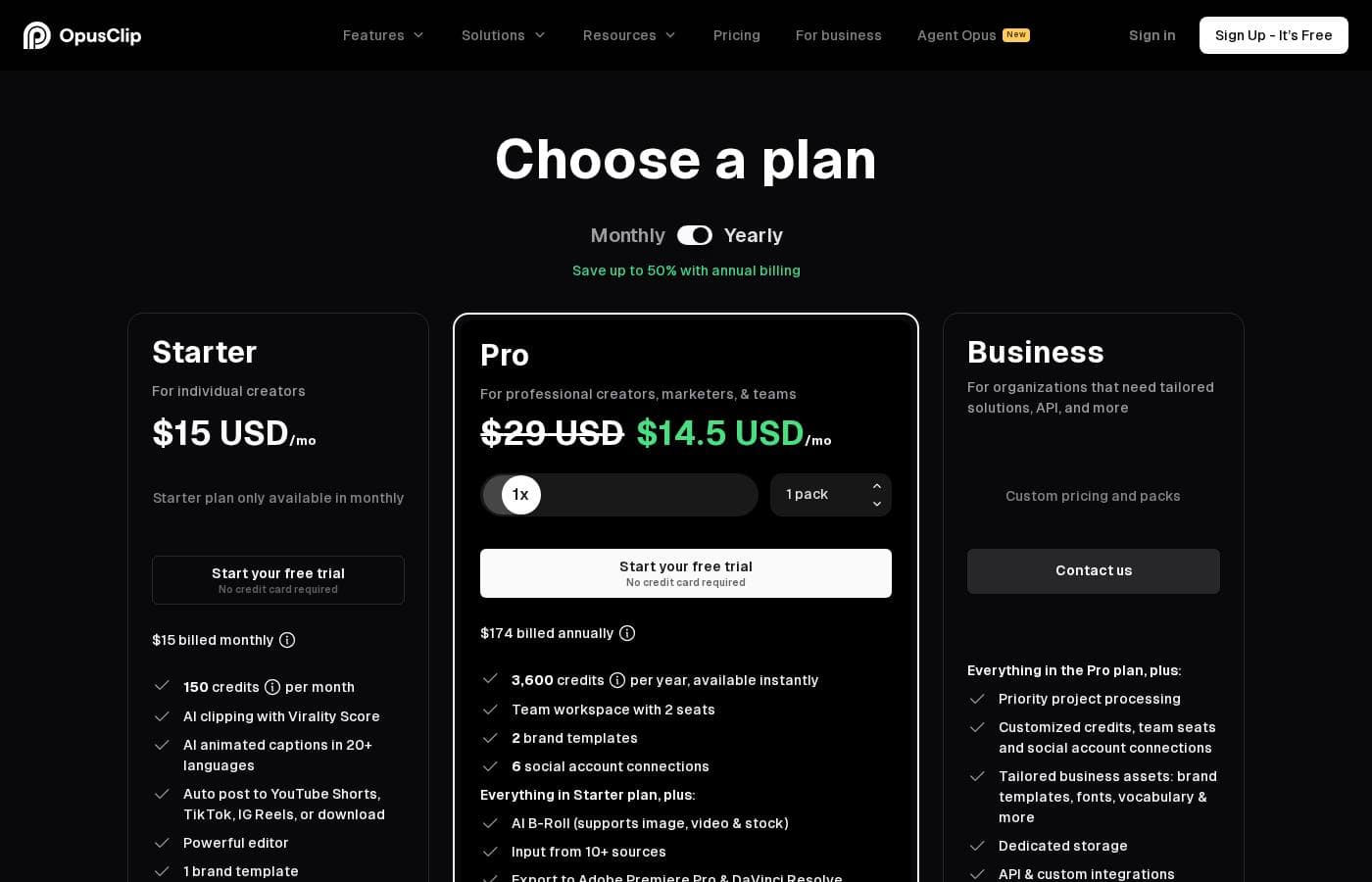
Opus Clip pricing page screenshotView pricing page screenshot
PlanBilled monthlyBilled annuallyIncludes
Free
Free
—
Watermarked captions, no watermark-free export, storage expires after 3 days
  • AI clipping at regular speed
  • Local video imports up to 10GB
  • Animated caption templates (with watermark)
  • MP4 export with 3-day limit, up to 1080p
  • Media storage expires after 3 days
Starter
$15/mo
—
MP4 export limited to 30 days, media storage expires after 29 days, no bulk export
  • Faster processing than Free
  • Auto video import from verified YouTube accounts
  • Virality score and reprompt clipping
  • Watermark-free video export
  • Text & timeline-based editing, AI voice-over (20/day), video upscaling
Pro
$29/mo
—
Uploads capped at 30GB per video, storage fixed at 100GB, no 4K scheduling
  • 100GB fixed storage
  • Aspect ratios: 9:16, 1:1, 16:9
  • AI video B-Roll, dubbing, and sound effects
  • Unlimited MP4 export, bulk export, Premiere Pro & DaVinci Resolve export
  • Team workspace with 2 seats (up to 4), APIs, Zapier up to 300 credits/mo
Business
See vendor page
See vendor page
Custom storage and pricing set with the sales team
  • Unlimited member seats and unlimited storage
  • SSO and Software License Management (SLM)
  • Clip analytics and real-time trend analysis
  • Priority support with dedicated Slack channel
  • Custom onboarding, invoicing and ACH payment, CMS integration

Price history

Tracking prices since Oct 1, 2026. No price change detected yet.

Pricing types: Free plan, Free trial, Monthly subscription, Yearly subscription

Pricing notes

Opus Clip offers a free plan plus paid subscriptions starting at $15/month. Starter costs $15/month, Pro is $29/month, and Business pricing is custom.

New users also get a 7-day free trial of the Pro plan.

Opus Clip costs between $0 and $29 per month with four plans: Free at $0, Starter at $15 per month, Pro at $29 per month, and Business at custom pricing.

Here's what each tier includes, so you can pick the right fit.

Free

Price: $0 Other Features:

  • AI clipping at regular speed
  • Local video imports up to 10GB
  • Animated caption templates (with watermark)
  • MP4 export with a 3-day limit, up to 1080p
  • Media storage that expires after 3 days

This plan works well if you're just testing the waters. You get core clipping tools, auto captions, and 9:16 exports without paying anything. It's a smart way to see how the AI handles your videos first.

Starter

Price: $15/month Other Features:

  • Faster processing than Free
  • Auto video import from verified YouTube accounts
  • Virality score and reprompt clipping
  • Watermark-free exports (30-day MP4 limit)
  • Media storage for 29 days

Pick Starter if you're a solo creator posting clips regularly. You unlock watermark-free videos, a virality score, and quicker turnaround. Text and timeline editing, AI voice-over (20 per day), and video upscaling come standard here too.

Pro

Price: $29/month Other Features:

  • 100GB fixed storage
  • Aspect ratios: 9:16, 1:1, and 16:9
  • AI video B-Roll, dubbing, and sound effects
  • Bulk export plus Adobe Premiere Pro & DaVinci Resolve export
  • Team workspace with 2 seats, expandable to 4 users

Pro is the sweet spot for serious creators and small teams. You get 30GB video imports, unlimited MP4 exports, moving-object tracking, and API access with up to 300 Zapier credits per month. Intercom live chat support is included as well.

Business

Price: Custom Other Features:

  • Unlimited member seats and unlimited storage
  • Single Sign-On (SSO) and Software License Management
  • Clip analytics and real-time trend analysis
  • Priority support with a dedicated Slack channel
  • Custom onboarding, invoicing, and ACH payment

Business fits agencies and enterprises that need scale and security. You'll run on a dedicated queue for the fastest processing, with 4K scheduling and CMS integration. It's built for teams where many people create content at once.

New users get a 7-day free trial of the Pro Plan, which includes 90 minutes of processing time (about 30 downloadable clips). After that, you can stay on the free-forever plan with 60 minutes refreshed monthly or upgrade. Yearly billing is offered alongside monthly, but only monthly rates are shown here — so confirm the annual price before you commit.
Cost calculator

Estimate what Opus Clip costs for your team.

Billing
Per month
$15
Per year
$180

Starter states no user limit: shown as one price for the whole account. Check the price for 5 users with the vendor. Estimate based on published list prices, before taxes, add-ons and discounts.

How to pay less for Opus Clip

  • Start on the free plan and upgrade only when you hit its limits.
  • Use the 7-day free trial before you pay.
Start free trial

Email me when Opus Clip changes price

One email when we detect a price change on the vendor's pricing page. No newsletter, no deals. Unsubscribe in one click.

User Reviews

No reviews yet.

Write a Review

Write a Review for Opus Clip
0/100 characters
0/2000 characters

Why use Opus Clip?

Most AI clippers only understand talking-head podcasts. OpusClip built models that read the whole video — visuals, audio, and sentiment — so the clips it picks actually make sense.

  • Clip any genre, not just podcasts. ClipAnything turns vlogs, gaming, sports, and explainer videos into clips in one click. You can even use plain-language prompts to grab a specific moment.
  • Auto-captions you can trust and edit. Captions are added automatically with over 97% accuracy, and you're free to change the text.
  • Framing that fits every platform. ReframeAnything resizes any video and uses AI object tracking to keep moving subjects centered. Prefer control? Use manual tracking to tell it exactly what to follow.
  • Put production on autopilot. The web app and API help you create and publish up to 5x faster, and the API connects with your CMS and other tools.
  • Stay on brand as a team. Build brand templates with your fonts, colors, logos, and intros, then collaborate in a shared team workspace.
  • Try before you pay. A 7-day Pro trial includes 90 minutes of processing (about 30 clips), and a free-forever plan refreshes 60 minutes monthly.

Opus Clip alternatives

Other tools in the Video Repurposing category

View all Video Repurposing tools
Exemplary AI

Exemplary AI

Video Repurposing3.6/5

Exemplary AI is a powerful platform dedicated to instant content creation. It specifically uses AI to automate the demanding task of video repurposing. You simply upload your longer video content, and the system easily handles the complex conversions. It generates many crucial written assets, including detailed show notes, complete summaries, and accurate transcripts. This efficient system ensures you gain the maximum value from every video asset quickly.

Wisecut

Wisecut

Video Repurposing3.9/5

Wisecut is an automatic AI video editor that transforms your recordings into polished, professional results. It’s trusted by over one million creators and media teams today. This platform specializes in converting long videos into powerful, engaging short-form content. It works like having a personal editor who knows exactly what will resonate with your audience.

Munch

Munch

Video Repurposing3.9/5

Munch is an advanced AI platform built to revolutionize content repurposing. It transforms your ready-made long-form content into engaging, stand-alone clips ✨. Instead of just randomly chopping up videos, Munch uses smart algorithms to identify the most engaging moments with context intact. For those needing a full marketing solution, Munch also offers Munch Studio. This new product plans, creates, and posts content for you, ensuring everything is always on-brand. Munch is ideal for Brands, Digital Marketers, Media Agencies, Social Media Managers, and Content Creators.

Vizard.ai

Vizard.ai

Video Repurposing3.8/5

Vizard.ai is an intelligent tool that automates video clipping. It turns your long-form video content into short, ready-to-post clips for channels like TikTok, Instagram, and YouTube Shorts. This platform is built for a wide range of users, including creators, podcasters, successful coaches, marketers, and busy agencies. The process is simple: upload your video, and Vizard handles the transcription, speaker cutout, and processing using its proprietary AI. You just click “Get AI clips,” and the work is done.

Submagic

Submagic

Video repurposing4.1/5

Submagic is an all-in-one platform for effortless short-form video creation. It’s the new, fast way to edit videos and create captivating shorts that drive conversions. This powerful AI tool is widely trusted, used by over three million creators, and loved by established companies. ✅ Submagic is specifically designed to give teams and businesses everything they need to create professional and viral content much faster.

Klap

Klap

Video repurposing3.9/5

Klap is a powerful, AI-driven video editor designed for streamlined content repurposing. It serves content creators, brands, and anyone looking to maximize their audience potential. The process is simple: upload a video file or paste a YouTube link. Klap's AI then extracts the most critical topics, applies intelligent framing, and quickly gives you multiple high-resolution clips suitable for Reels, TikToks, or Shorts. It works optimally for spoken content, such as interviews or podcasts, due to the reliance on speech detection.

Minvo

Minvo

Video repurposing4/5

Minvo is an intuitive platform built for over 10,000 creators and businesses who need effective audience engagement. It handles the difficult parts of video editing using smart AI tools. Whether you’re cutting clips for TikTok or generating transcripts for LinkedIn, Minvo puts robust creation power right at your fingertips. 💡 It offers flexibility for every user. You choose how to edit: simply highlight text to cut content, just like editing a word document, or use the precision timeline editing meant for more advanced professionals.

Cheapest Video Repurposing software for 1 to 25 users

Opus Clip FAQ

How much does Opus Clip cost?

Opus Clip's cheapest paid plan, Starter, costs $15 per month. Paid plans range from $15 to $29 per month. Prices checked on Oct 13, 2026 from the vendor's pricing page.

Does Opus Clip have a free plan?

Yes. Opus Clip has a free plan (Free); paid plans start at $15 per month.

Does Opus Clip offer a free trial or a money-back guarantee?

Opus Clip offers a 7-day free trial.

Has Opus Clip's price changed recently?

No. We have not detected a price change since we started tracking on Oct 1, 2026.

Which tools can I connect OpusClip to?

Pro unlocks Adobe Premiere Pro and DaVinci Resolve exports, APIs, and Zapier with up to 300 credits monthly. Business adds CMS integration. Starter can auto-import videos from verified YouTube accounts.

Is OpusClip secure enough for business or client footage?

Yes. Every plan, including Free, is SOC II Type 2 compliant and uses email OTP login. Business plans add Single Sign-On and Software License Management, which matters for larger teams.

How long does OpusClip keep my clips?

Storage varies by plan. Free clips expire after 3 days, Starter's after 29 days. Pro gives you a fixed 100GB, and Business offers unlimited storage.

What kind of support can I expect?

Free and Starter plans get Discord AI chat. Pro adds Intercom live chat. Business includes priority support through a dedicated Slack channel, plus custom onboarding for your team.

Ready to try Opus Clip? Check out the official site or pricing.

Are you Opus Clip? Claim this listing · Get the badge