Vizard.ai

Vizard.ai review

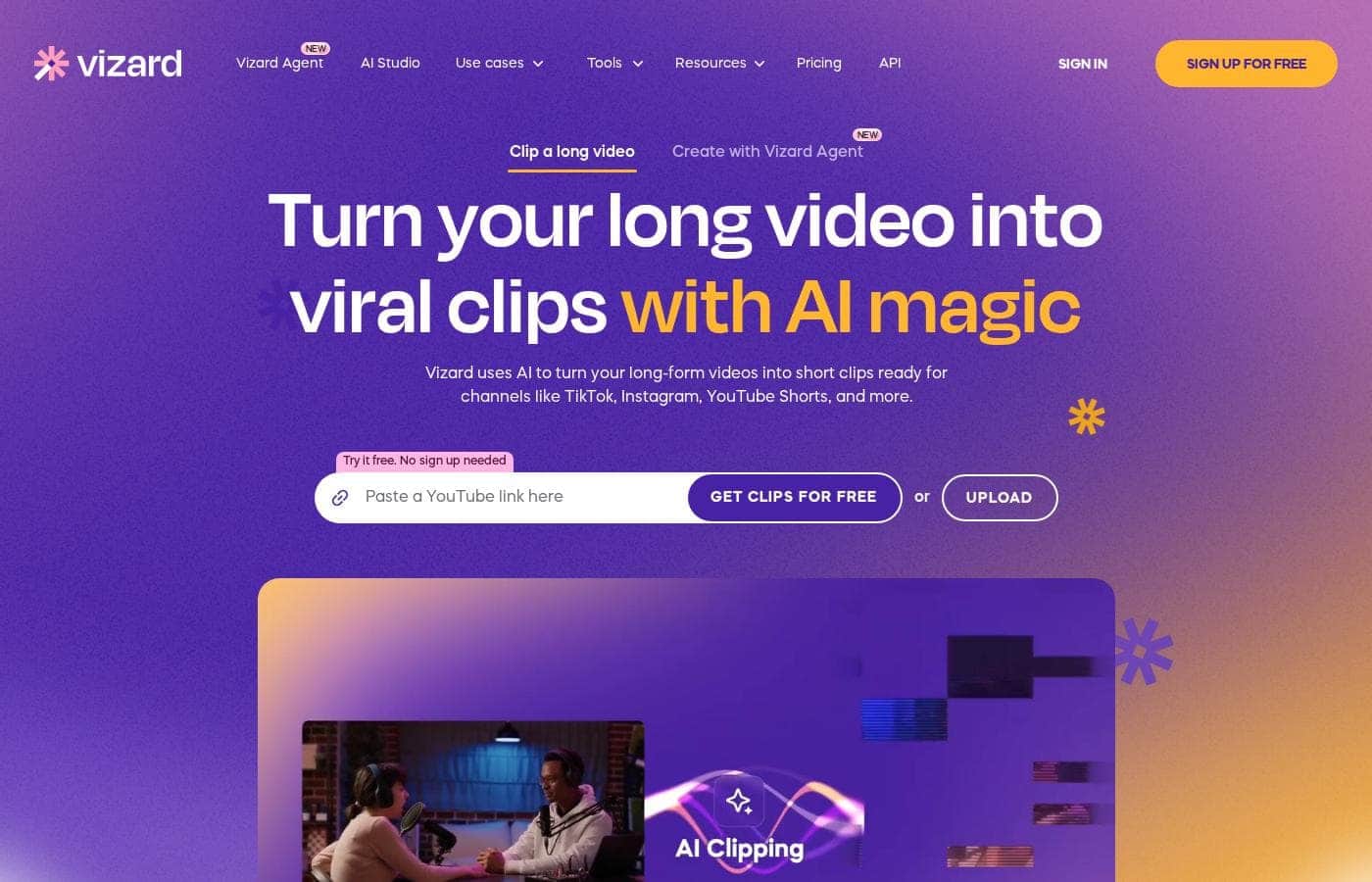
Turn one long video into dozens of social-ready clips with AI-powered transcription and automatic editing.

By Ciroapp Editorial Team · Updated Sep 17, 2026

Commission may apply at no extra cost

Vizard.ai homepage screenshot

At a glance

Quick overview for Vizard.ai: rating, pricing summary, key features, and highlights.
Vendor page checked Oct 12, 2026

Ciroapp score

3.8/ 5

Vizard.ai takes long-form videos — podcasts, webinars, interviews — and automatically turns them into short, vertical-ready clips for TikTok, Instagram, and YouTube Shorts. The automated pipeline is a real time-saver for non-editors, though AI picks still need a human eye and heavy usage can raise costs. Overall, it's a practical pick for anyone publishing clips consistently.

Pros

  • Pros:Fully automated pipeline — transcription, highlight selection, speaker cutout, and processing all happen without manual editing
  • Pros:Clips come out formatted for the specific platforms that matter (TikTok, Instagram, YouTube Shorts), so no reformatting step is needed
  • Pros:The three-step workflow (upload, click "Get AI clips," review) is usable by people with zero video editing experience

Cons

  • Cons:AI-selected clips may not always match your editorial judgment, so you still need to review and curate the output
  • Cons:Heavy clip-production volume can push costs up — pricing ranges from a free plan to usage-based and subscription tiers that scale with output
  • Cons:The tool depends on spoken content quality; recordings with poor audio or rambling structure may produce weaker clip suggestions
Best for
  • Podcasters who publish long episodes regularly and want each one converted into promotional short clips
  • Coaches and course creators who record webinars and training sessions and need consistent short-form content
  • Marketing teams and agencies managing short-form video across multiple client accounts on TikTok, Instagram, and YouTube Shorts
This section is a summary. Detailed sections about features, use cases, pricing, and reviews follow below.

What is Vizard.ai?

Most creators sit on hours of podcast episodes, webinars, and interviews that never get repurposed because clipping them manually takes too long. Vizard.ai addresses this by automating the entire clip-production workflow: you upload a video, and the platform transcribes it, identifies the strongest moments, and cuts them into vertical-ready short clips. Instead of spending an afternoon in a video editor, you click "Get AI clips" and review the results.

Vizard.ai is an AI-powered video repurposing tool. It takes long-form video content — podcasts, webinars, interviews, coaching sessions, live streams — and automatically generates short clips formatted for platforms like TikTok, Instagram Reels, and YouTube Shorts. The platform handles transcription, speaker cutout, and clip processing with its proprietary AI, so users don't need editing experience to produce shareable content.
Should you choose Vizard.ai?

Quick buyer guidance before you compare plans or click through.

Choose it if

  • Podcasters who publish long episodes regularly and want each one converted into promotional short clips
  • Coaches and course creators who record webinars and training sessions and need consistent short-form content
  • Marketing teams and agencies managing short-form video across multiple client accounts on TikTok, Instagram, and YouTube Shorts
  • Solo creators with no video editing background who need an automated clipping workflow

Skip it if

  • Teams that need precise, hand-tuned editorial control over every cut — AI clip selection still requires human review
  • Projects centered on content without spoken audio, since the clip selection relies on transcription of speech
  • Users who only need occasional clips and would be better served by the free plan rather than a paid subscription

Next steps before buying

  1. 1Create a free account at vizard.ai to access the free plan and test the platform with your own footage
  2. 2Upload a long-form video — a podcast episode, webinar, or interview recording
  3. 3Click "Get AI clips" and let the platform transcribe, cut, and process the video automatically
  4. 4Review the generated clips, select the strongest ones, and export them for posting to TikTok, Instagram, or YouTube Shorts
  5. 5If the output volume you need exceeds the free plan, compare the monthly, yearly, and usage-based paid options

Vizard.ai Key Features

✨ Automated AI Clip Generation

Upload a long-form video and click "Get AI clips" — Vizard's proprietary AI analyzes the content, identifies the most engaging moments, and cuts them into standalone short clips. This removes the manual scrubbing and selection work that typically makes repurposing videos a bottleneck.

✨ Automatic Transcription

Every uploaded video is transcribed automatically, giving you a text record of the content. The transcription also powers the clip-selection process, since the AI uses the spoken content to identify coherent, shareable segments rather than cutting at arbitrary timestamps.

✨ Speaker Cutout and Processing

Vizard handles speaker cutout automatically, isolating the active speaker in the frame so clips are formatted correctly for vertical, mobile-first platforms. Processing happens on the platform side, so you don't need editing software or a powerful machine to produce polished output.

✨ Multi-Platform Export for Social Channels

Clips are produced ready to post on TikTok, Instagram, and YouTube Shorts. Rather than exporting generic footage and reformatting it yourself, you get platform-appropriate short videos that can go straight into your publishing workflow.

Use Cases

💡 Podcasters Repurposing Episodes

A podcaster publishing weekly hour-long episodes can upload each recording to Vizard and receive a set of short clips pulled from the conversation. Those clips become TikToks, Reels, and YouTube Shorts that drive new listeners back to the full episode without requiring an editor on staff.

💡 Coaches and Course Creators Scaling Content

Coaches who record webinars, group calls, or training sessions can turn a single session into a week's worth of social content. The speaker cutout feature keeps the focus on the coach, producing clean vertical clips suitable for building an audience on short-form platforms.

💡 Marketing Teams and Agencies Managing Multiple Channels

Agencies and in-house marketers handling video content for several brands can use Vizard to convert client webinars, interviews, and event recordings into platform-ready clips at scale. The automated pipeline reduces per-client production time, making short-form publishing sustainable across multiple accounts.

💡 Creators Repurposing Live Streams and Interviews

Streamers and interview hosts can feed recorded live sessions into Vizard to extract highlight moments automatically. Instead of manually reviewing hours of footage, they review the AI-selected clips and publish the best ones the same day.

Vizard.ai pricing

Prices not verified yet — see the vendor page.

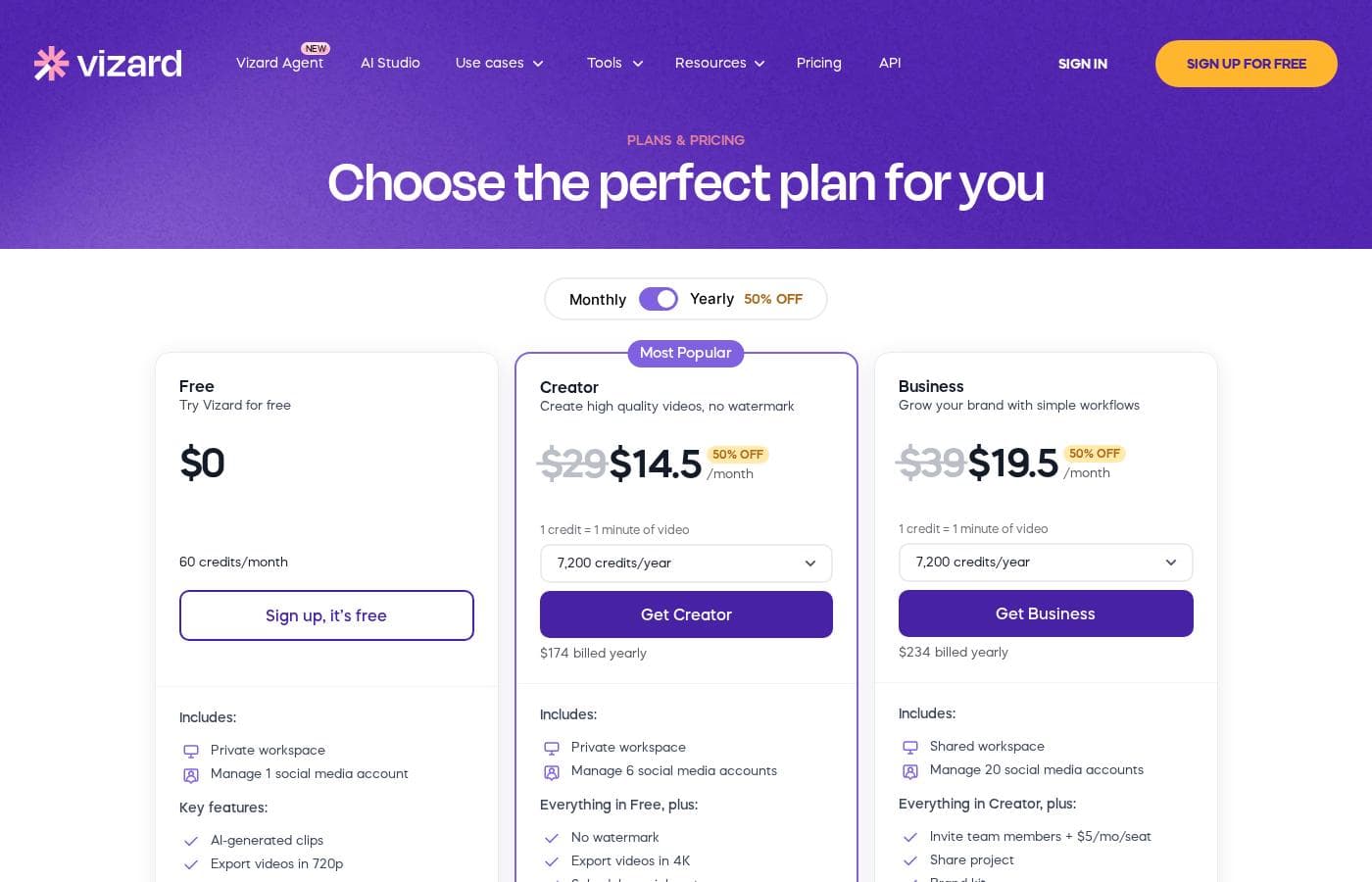
Vizard.ai's pricing page

Vizard.ai pricing page screenshotView pricing page screenshot

Price history

Tracking prices since Oct 1, 2026. No price change detected yet.

Pricing types: Free plan, Monthly subscription, Yearly subscription, Usage-based pricing

Pricing notes

Vizard.ai pricing: Plans from $0/year Billing options: Free plan, Monthly subscription, Yearly subscription, Usage-based pricing

Email me when Vizard.ai changes price

One email when we detect a price change on the vendor's pricing page. No newsletter, no deals. Unsubscribe in one click.

User Reviews

No reviews yet.

Write a Review

Write a Review for Vizard.ai
0/100 characters
0/2000 characters

Why use Vizard.ai?

Short-form video drives the most reach on social platforms today, but extracting clips from long recordings is one of the most time-consuming tasks in a content workflow. Vizard removes the manual work of scrubbing through footage, finding highlights, cutting them out, reframing them vertically, and adding speaker framing.

For creators and teams publishing across multiple channels, this turns a multi-hour editing job into a review-and-approve step, letting one piece of long-form content feed a week of social posts.

Vizard.ai alternatives

Other tools in the Video Repurposing category

View all Video Repurposing tools
Opus Clip

Opus Clip

Video Repurposing4/5

OpusClip is an advanced AI editor built to automate your video workflow. It analyzes your long video and uses big data to identify the most viral-worthy moments. The AI then re-arranges those moments into high-quality shorts. These clips are automatically polished with dynamic captions and smooth transitions. You can take full editing control or let the AI take over; either way, it's made effortless. Team workspaces are also available to help your business scale creative output without scaling overhead.

Munch

Munch

Video Repurposing3.9/5

Munch is an advanced AI platform built to revolutionize content repurposing. It transforms your ready-made long-form content into engaging, stand-alone clips ✨. Instead of just randomly chopping up videos, Munch uses smart algorithms to identify the most engaging moments with context intact. For those needing a full marketing solution, Munch also offers Munch Studio. This new product plans, creates, and posts content for you, ensuring everything is always on-brand. Munch is ideal for Brands, Digital Marketers, Media Agencies, Social Media Managers, and Content Creators.

Wisecut

Wisecut

Video Repurposing3.9/5

Wisecut is an automatic AI video editor that transforms your recordings into polished, professional results. It’s trusted by over one million creators and media teams today. This platform specializes in converting long videos into powerful, engaging short-form content. It works like having a personal editor who knows exactly what will resonate with your audience.

Exemplary AI

Exemplary AI

Video Repurposing3.6/5

Exemplary AI is a powerful platform dedicated to instant content creation. It specifically uses AI to automate the demanding task of video repurposing. You simply upload your longer video content, and the system easily handles the complex conversions. It generates many crucial written assets, including detailed show notes, complete summaries, and accurate transcripts. This efficient system ensures you gain the maximum value from every video asset quickly.

Cheapest Video Repurposing software for 1 to 25 users

Vizard.ai FAQ

How does Vizard.ai turn a long video into short clips?

You upload your long-form video, and Vizard's proprietary AI transcribes it, analyzes the content to identify engaging segments, performs speaker cutout, and processes each selected moment into a short clip formatted for TikTok, Instagram, and YouTube Shorts. The whole process runs from a single click — "Get AI clips" — after which you review the generated clips.

Does Vizard.ai have a free plan?

Yes. Vizard.ai offers a free plan, so you can upload a video and evaluate the quality of the AI-generated clips before committing to a paid subscription. Paid options include monthly and yearly subscriptions as well as usage-based billing for higher volumes.

Do I need video editing experience to use Vizard.ai?

No. The platform is designed so that the technical work — transcription, cutting, speaker framing, and formatting — is handled automatically. Your job is to upload the source video, trigger clip generation, and pick which of the resulting clips to publish.

Who is Vizard.ai built for?

Vizard.ai targets creators, podcasters, coaches, marketers, and agencies — anyone who produces long-form video regularly and needs a steady supply of short clips for social platforms but lacks the time or editing staff to cut them manually.

Ready to try Vizard.ai? Check out the official site or pricing.

Are you Vizard.ai? Claim this listing · Get the badge