MobileTrans

MobileTrans

The Best Phone Data Transfer and Backup Solution

#3 dans Data Recovery
2 min read · Updated 10/3/2025
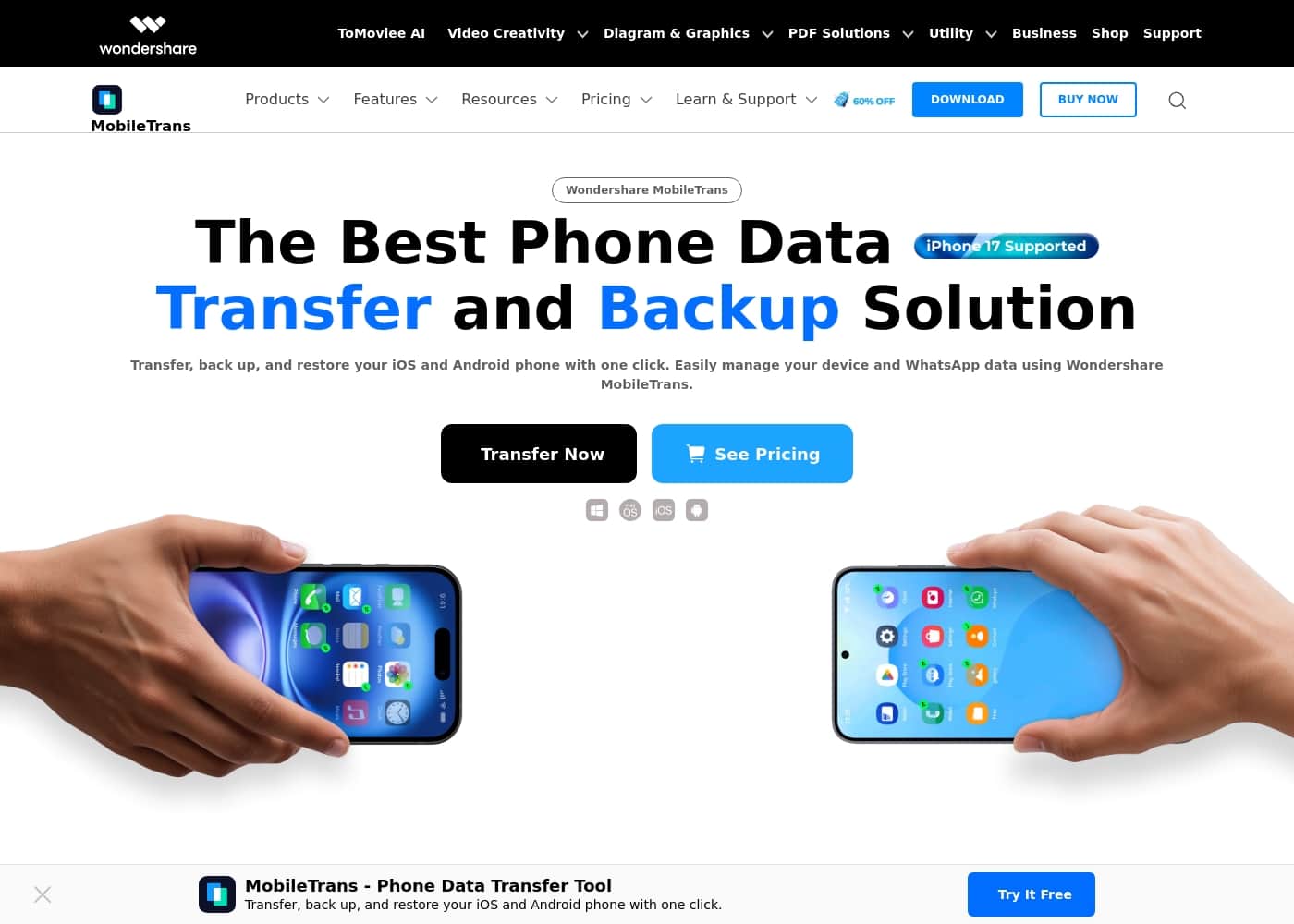
MobileTrans homepage screenshot

At a glance

Quick overview for MobileTrans: rating, pricing summary, key features, and highlights.

Ciroapp review

4.6
The ultimate cross-platform data migrator.

We found MobileTrans to be an exceptionally reliable solution for complex data transfers, especially cross-OS movement of specialized app data like WhatsApp. While setup can occasionally be frustrating, its performance in succeeding where native tools fail is outstanding. Overall, we recommend MobileTrans for users needing robust, secure data migration between mobile platforms.

Pros

  • Pro:Solves complex cross-platform WhatsApp migration (iOS to Android and vice versa).
  • Pro:High success rate when official transfer tools fail.
  • Pro:Transfers comprehensive WhatsApp data, including group status and call history.
  • Pro:Guarantees 100% privacy protection with end-to-end encryption.

Cons

  • Con:Photo transfers lose original timestamp metadata.
  • Con:Setup instructions sometimes lack clarity, requiring multiple user attempts.
  • Con:Minor issues reported with transferring full WhatsApp Business features (labels/quick replies).
  • Con:Users noted aggressive upselling attempts within the application.
Free trial
Yes
Money-back guarantee
Yes — 7 days
Range: $29.99/month – $49.99 (One-time)Free plan, Free trial, Monthly subscription, Yearly subscription, One-time payment
This section is a summary. Detailed sections about features, use cases, pricing, and reviews follow below.

MobileTrans review, pricing, features, pros & cons

Switching phones often means facing complicated, frustrating data migration issues. This is especially true when moving chats between operating systems. MobileTrans solves this common frustration.

It helps you transfer, back up, and restore your Android and iOS data with just one click, ensuring seamless data management. ✨

What is MobileTrans?

Wondershare MobileTrans is a comprehensive tool built for easy phone data and WhatsApp management. It's designed for users needing to move large amounts of data between iOS, Android, and PC. This powerful solution supports over 6000 devices and manages more than 18 File Formats.

You can enjoy fast, secure transfers directly on your computer or using our mobile app, Mutsapper. đź’ˇ

MobileTrans Key Features

✨ One-Click Phone Data Transfer

Quickly move all your essential data when upgrading devices. MobileTrans transfers up to 18 types of data seamlessly across platforms. It works perfectly whether you are moving data between two Android phones or shifting from iOS to Android.

This robust capability saves you significant time and ensures simple device management. You can transfer apps across operating systems, or even move your iCloud data directly onto a new device. Use the software on your computer or utilize our specialized mobile app, Mutsapper, for easy transfers.

✨ Comprehensive WhatsApp Migration Expertise

MobileTrans is designed to help you take control of your social chat history when switching operating systems. It lets you transfer and merge all your WhatsApp content effortlessly. This includes messages, videos, stickers, contacts, photos, and files.

The latest version offers blazing speeds for this complex data. WhatsApp transfers are now generally 96.32% faster than previous versions. You can even restore your WhatsApp data from Google Drive directly onto an iPhone, solving a common migration challenge.

✨ Expanded Messaging App Support

You need to migrate more than just standard WhatsApp data, and MobileTrans can help. This tool supports transferring data for several other popular messaging platforms. This ensures all your important professional and personal chats move with you easily.

Migration support is included for WhatsApp Business, LINE, Kik, and Viber. Your entire messaging history is safe and ready on your new phone.

✨ Effortless Data Backup and Restore

Protect your valuable mobile files by routinely backing them up to your computer. You can back up essential data types like photos, videos, contacts, and all related WhatsApp data.

If you ever need it, you can easily restore this backed-up data from your computer. MobileTrans also helps you restore data using existing iTunes files. For sensitive situations, you can recover deleted WhatsApp and WhatsApp Business chats directly back onto your device.

✨ Superior Compatibility and Performance

Enjoy highly accessible technology and seamless performance regardless of your current device fleet. MobileTrans is compatible with over 6000 devices across various models and brands. It manages transfers for more than 18 different file formats.

This broad support ensures universal compatibility for almost any cross-platform move. It eliminates the frustration often linked with changing operating systems, making large data moves fast and simple.

✨ Integrated Utility Tools for Data Optimization

MobileTrans provides helpful utility tools packaged within the software to optimize your data before or after a transfer. These specialized features streamline device preparation and organization.

Key helper tools include:

  • HEIC Converter: Convert multiple HEIC images to JPG format effortlessly while preserving the image quality.
  • Contact Management: Easily manage and merge duplicate contacts, and convert formats for seamless organization.
  • WhatsApp Tracker: Track multi-contacts’ WhatsApp activity and get instant online/offline status notifications.

🤝 Guaranteed Privacy and Dedicated Support

Your sensitive personal data remains secure and private throughout the entire migration process. MobileTrans uses end-to-end encryption technology for transfers. This guarantees 100% Privacy Protection.

Because we use no cloud access, your private information is secure from third parties. Should you have any questions or encounter an issue, 24-Hour Customer Service is available. An AI bot and organized global staff team are ready to answer your queries immediately 🤝.

Use Cases

🔄 Seamless Cross-Platform Migration

You just bought a new iPhone, but your old Android holds years of contacts, videos, and apps. Switching operating systems often means facing complicated, frustrating data migration issues. MobileTrans solves this problem, supporting over 6000 devices and 18 file formats for a smooth transfer.

Use the Phone Data Transfer tool to move everything securely in one click. You can even move apps and essential iCloud data directly onto your new device. This saves you significant time and ensures seamless data management right from your computer or the Mutsapper app.

đź’¬ High-Speed WhatsApp Transfer and Merging

It's common to lose critical WhatsApp chats when moving between iOS and Android. MobileTrans provides the expertise needed to migrate all your messages, stickers, photos, and files. The latest version features blazing speeds, making the WhatsApp transfer process generally 96.32% faster than previous methods.

More importantly, MobileTrans can merge chat histories. If you're switching back to a previous OS, the software can combine your recent chats with older data from 3+ years ago, ensuring you keep every conversation.

Tip: Follow the straightforward on-screen instructions during the initial setup to ensure a perfect merge.

đź”’ Secure, Offline Data Backup

You need a robust, secure copy of your phone contents, but you prefer to keep private files off the cloud. The Phone Backup & Restore feature allows you to securely back up photos, contacts, videos, and WhatsApp data directly to your computer.

Because MobileTrans uses end-to-end encryption and ensures no cloud access, you benefit from 100% Privacy Protection. This ensures that no third party, including MobileTrans, can view your sensitive files.

đź’ľ Restoring Chats from Various Sources

Whether you lost your old phone or accidentally deleted crucial messages, MobileTrans helps you get your data back. You can restore data from backups already stored on your computer or an old iTunes backup file.

This tool also features unique restoration capabilities. You can directly restore WhatsApp from Google Drive to an iPhone, and even recover deleted WhatsApp and WhatsApp Business data right back to your phone.

đź’Ľ Managing Business and Auxiliary Chat Data

Your professional life often relies on specialized communication tools beyond standard WhatsApp. MobileTrans is a powerful solution for those needs. It effortlessly migrates and merges chat data for specialized messaging apps.

This includes crucial information from WhatsApp Business, LINE, Kik, and Viber. This means you can upgrade your device without losing essential customer conversations or workflow history.

đź§ą Cleaning Up and Organizing Media & Contacts

MobileTrans offers handy features to keep your phone perfectly organized. Use the Contact Management tool to effortlessly organize your address book. It helps you manage and merge any duplicate contacts, keeping your list clean.

The HEIC Converter is also available for media users. It converts multiple HEIC photos to the widely compatible JPG file format, all while preserving the original image quality for stunning results.

Pricing Overview for MobileTrans

Pricing range
$29.99/month – $49.99 (One-time)
Pricing types
Free plan, Free trial, Monthly subscription, Yearly subscription, One-time payment
Money-back guarantee
Yes — 7 days

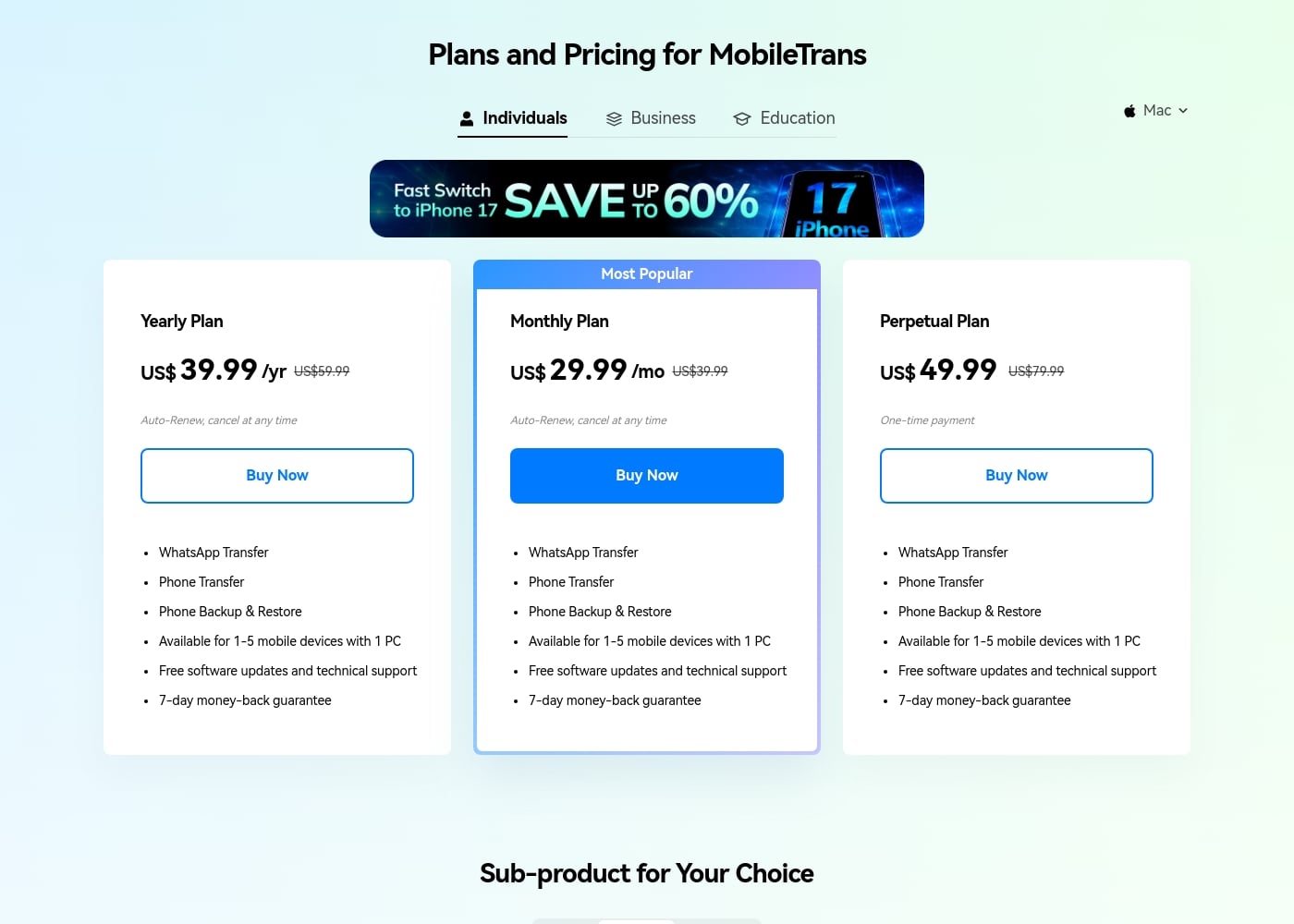
MobileTrans offers flexible licensing options for individuals, including monthly, annual, and one-time purchase plans, starting at US$29.99 per month. All full feature plans cover up to five mobile devices used with one computer license.

Plans & Pricing

Yearly Plan

YearlyUS$ 39.99
Available for 1–5 mobile devices with 1 PC
  • WhatsApp Transfer
  • Phone Transfer
  • Phone Backup & Restore
  • Free software updates and technical support
  • 7-day money-back guarantee

Monthly Plan

MonthlyUS$ 29.99
Available for 1–5 mobile devices with 1 PC
  • WhatsApp Transfer
  • Phone Transfer
  • Phone Backup & Restore
  • Free software updates and technical support
  • 7-day money-back guarantee

Perpetual Plan

Contact for pricing
Available for 1–5 mobile devices with 1 PC
  • WhatsApp Transfer
  • Phone Transfer
  • Phone Backup & Restore
  • Free software updates and technical support
  • 7-day money-back guarantee

MobileTrans costs between US$ 39.99 and US$ 49.99 per year or one-time, with three major plans: Yearly Plan at US$ 39.99/yr, Monthly Plan at US$ 29.99/mo, and Perpetual Plan at US$ 49.99 (one-time).

Review the options below to find the individual license that best fits your data transfer requirements today.

Yearly Plan

Price: US$ 39.99 /yr (Auto-Renew) Websites Supported: Not explicitly stated Best For: Individuals needing long-term reliable data management. Refund Policy: 7-day money-back guarantee Other Features:

  • WhatsApp Transfer
  • Phone Transfer
  • Phone Backup & Restore
  • Supports 1–5 mobile devices with 1 PC
  • Includes free software updates and technical support

If you frequently need to move data or switch devices, the Yearly Plan offers excellent convenience and yearly savings. You can cancel the auto-renewal at any time if your usage patterns or device needs change later on.

Monthly Plan

Price: US$ 29.99 /mo (Auto-Renew) Websites Supported: Not explicitly stated Best For: Individuals needing temporary or short-term assistance with a data migration. Refund Policy: 7-day money-back guarantee Other Features:

  • WhatsApp Transfer
  • Phone Transfer
  • Phone Backup & Restore
  • Supports 1–5 mobile devices with 1 PC
  • Includes free software updates and technical support

The Monthly Plan is identified as the most popular choice, perfect if you only need the full features for a single, immediate data project. It provides you with quick, comprehensive access without committing to a full year.

Perpetual Plan

Price: US$ 49.99 (One-time payment) Websites Supported: Not explicitly stated Best For: Individuals who want lifetime access without recurring fees. Refund Policy: 7-day money-back guarantee Other Features:

  • WhatsApp Transfer
  • Phone Transfer
  • Phone Backup & Restore
  • Supports 1–5 mobile devices with 1 PC
  • Includes free software updates and technical support

Consider the Perpetual Plan if you want to eliminate subscription fees completely and permanently access the software. For this single one-time payment, you receive all core MobileTrans data transfer and backup features permanently. 🤩

MobileTrans also offers a "Try for Free" option, allowing you to sample the software's capabilities with limitations like 10 free photos for certain restore functions. For all paid licenses, Wondershare provides a clear 7-day money-back guarantee. They value your privacy and offer technical support and free software updates within the license period.
User Reviews

MobileTrans maintains an Excellent (4.5/5) Trustpilot rating across over a thousand reviews, primarily earning praise for solving the complex issue of cross-platform WhatsApp data migration. Users frequently celebrate its effectiveness when official tools like Apple’s 'Move to iOS' or native methods fail, successfully handling massive transfers—sometimes over 70 GB—between iOS and Android devices. Reviewers were relieved that the tool transferred comprehensive chat history, including call logs, group statuses, and starred messages, without needing a full factory reset. When issues arose, live chat support was often commended for its rapid response time. 🤝

However, the user experience is sometimes inconsistent. Several users, including those self-identifying as tech-savvy, reported needing to repeat the transfer process multiple times to achieve success, indicating potential difficulty with initial setup or unclear instructions. A significant technical drawback noted by several customers is the loss of original photo timestamps/metadata during transfer, causing all stored images to share the same date. Minor frustrations include complexities during the purchase phase and continuous upselling attempts within the application.

What users say elsewhere

Sarah J.
· Trustpilot
5.0 / 5

This tool saved me after Apple’s own transfer method failed to move my data. I recovered years of chat history without any problems, and it didn't require a factory reset first. Such a relief!

Kyle M.
· Trustpilot
5.0 / 5

The software handled a huge transfer of over 15,000 WhatsApp messages between my iPhones without losing a single one. It captured everything perfectly, including my starred messages.

No reviews yet.

Write a Review

Write a Review for MobileTrans
0/100 characters
0/2000 characters

Why use MobileTrans?

Choosing the right transfer tool means prioritizing speed and security for your most valuable files. MobileTrans excels in making cross-platform migrations simple and safe. It eliminates the frustration often linked with changing operating systems.

Here are some key reasons to choose MobileTrans:

  • Blazing Speed: The latest version upgraded WhatsApp transfer speeds significantly. This process is generally 96.32% Faster than before.
  • Total Privacy: It guarantees 100% Privacy Protection using end-to-end encryption. Since there is no cloud access, your private data is secure from third parties.
  • Universal Compatibility: MobileTrans supports cross-platform data transfers between iOS and Android. It easily moves your iCloud data or transfers apps across operating systems.
  • WhatsApp Expertise: Effortlessly transfer and merge WhatsApp messages, photos, and files. You can even migrate data for WhatsApp Business, LINE, Kik, and Viber.
  • Robust Support: Enjoy the confidence of 24-Hour Customer Service. An AI bot and always-online global staff are available to answer your queries immediately. 🤝

Ready to transform your workflow with MobileTrans?

Frequently Asked Questions

What exactly does the license limit of "1–5 mobile devices with 1 PC" mean?

This means you are authorized to install MobileTrans on one computer, either PC or Mac. That single computer license can then be used to connect and process data transfers for up to five different mobile phones.

Is one license purchase valid for both a Windows PC and a Mac computer?

No. You must purchase the specific license version for your operating system. If you switch from a Windows PC to a Mac, you cannot transfer or activate your existing license on the new platform.

How does MobileTrans ensure the security and privacy of my data during transfer?

MobileTrans guarantees 100% privacy using end-to-end encryption. Crucially, your private data is never accessed via the cloud, which ensures that no third party, including MobileTrans, can view your files.

Does the software support transferring data for applications besides standard WhatsApp?

Yes, MobileTrans is powerful enough to handle several specialized cross-app migrations. You can transfer data for WhatsApp Business, LINE, Kik, and Viber between your devices.

If I purchase a subscription, what is the policy regarding automatic renewal or cancellation?

Yearly and Monthly plans are set to auto-renew, but you control the process. You can easily cancel the automatic renewal at any time if your device needs change.

I only need the software for a single, immediate transfer. Which plan is best for me?

The Monthly Plan is designed for one-time projects or temporary assistance with data migration. If you want permanent access for future needs, the Perpetual Plan offers a single, one-time payment.

What are the specific content limitations of the 'Try for Free' option?

The free version lets you test the software's capabilities with specific limits. For example, certain restoration functions and phone-to-phone data transfers are limited to a small number of items, such as 10 or 20 free photos.

If the software doesn't work for me, what is the money-back guarantee policy?

MobileTrans stands by its product with a 7-day money-back guarantee applicable to all paid licenses. Refunds are approved under accepted circumstances if the tool fails to meet certain needs.

How quickly can I expect a response if I need technical support?

They offer 24-Hour Customer Service supported by an AI bot and global staff. You should receive a response via instant live chat or email within 24 hours, regardless of your time zone.

Are there different pricing options available for businesses or multiple users?

Yes, MobileTrans offers specialized licensing tiers beyond the Individual plans. You can select plans intended for Business or Education use for commercial purposes.

What should I be aware of during the setup phase of the transfer process?

Users highly recommend paying close attention to the instructions provided during setup. For Android transfers, the process often requires you to manually enable settings like Developer Options and USB debugging.

Which specific groups of users will gain the most value from MobileTrans?

The software is perfect for anyone struggling with cross-platform data transfers, especially between iOS and Android. It is the most valuable if you frequently switch phones or need to migrate large, complex WhatsApp chat histories.

Ready to try MobileTrans? Check out the official site or pricing.