AnyTrans

AnyTrans review

Transfer, manage, and back up everything on your iPhone, iPad, iTunes, and iCloud β€” on your terms, from Windows or Mac.

AnyTrans costs from $3.33/mo Β· 4 plans Β· prices checked Oct 17, 2026

By Ciroapp Editorial Team Β· Updated Oct 17, 2026

Commission may apply at no extra cost

Prices in this video were checked Oct 17, 2026

At a glance

Quick overview for AnyTrans: rating, pricing summary, key features, and highlights.
Pricing verified Oct 17, 2026

Ciroapp score

4.1/ 5

AnyTrans manages 27 types of iOS data across iPhone, iPad, iTunes, iCloud, and your computer, with flexible backups, selective restore, and Android-to-iPhone migration. It's iOS-focused and the monthly plan is poor value next to the $39.99 yearly plan. Overall, it's a strong pick for iPhone owners who want full control of their data, backed by a 60-day money-back guarantee.

Pros

  • Manages 27 types of iOS content β€” photos, music, messages, contacts, notes, apps, WhatsApp, and more β€” from one desktop app.
  • Transfers freely between iPhone, iPad, iPod, iTunes, iCloud, and computer, including adding music to an iPhone without erasing existing songs.
  • Backs up 10 more types of files than iTunes, per the vendor, with incremental backups and scheduled automatic wireless backups.

Cons

  • AnyTrans is an iOS manager β€” Android phones are only supported as a source for moving data to iPhone, and full Android management needs a separate iMobie product.
  • The 1-Month Subscription ($35.99/month) costs almost as much as a full year ($39.99/year), so the monthly plan is poor value unless you truly need just a few weeks.
  • Subscriptions auto-renew by default, so you need to cancel if you only wanted a single billing period.
Best for
  • iPhone owners upgrading to a new iPhone who want photos, messages, contacts, and apps moved in one go
  • Android users switching to iPhone who want WhatsApp chats and messages to come along
  • People frustrated by iTunes restrictions who want to move music freely between devices and computers
Money-back guarantee
60-day money-back guarantee β€” 100% full refund within 60 days of purchase (7 days for the 1-Month Subscription)
This section is a summary. Detailed sections about features, use cases, pricing, and reviews follow below.

What is AnyTrans?

Moving photos off an iPhone, adding music without wiping your library, or switching to a new phone shouldn't depend on iTunes rules. AnyTrans is a desktop app for Windows and Mac that lets you transfer, manage, and back up iOS data across iPhone, iPad, iPod, iTunes, iCloud, and your computer. It covers 27 types of data, from photos and messages to apps and WhatsApp chats.

This review looks at what it does well, where it falls short, and which plan makes sense.

AnyTrans is an iOS data manager from iMobie, a company that has made mobile software since 2011. You install it on a Windows or Mac computer and use it to transfer, manage, and back up content on iPhone, iPad, and iPod touch, as well as in iTunes and iCloud. It covers all iOS devices running iOS 5 and above and handles 27 types of data.

It's aimed at everyday iPhone owners β€” the vendor says even novices can use it without tech skills.
Should you choose AnyTrans?

Quick buyer guidance before you compare plans or click through.

Choose it if

  • You want one desktop tool to manage iPhone, iPad, iPod, iTunes, and iCloud content
  • You need to export or print iPhone messages along with attachments
  • You want to preview backups and extract specific files instead of doing a full restore
  • You manage apps for several iOS devices and want to install them in batches from a computer
  • You prefer a lifetime license over an ongoing subscription

Skip it if

  • Android-only households β€” AnyTrans manages iOS devices, and Android management is a separate iMobie product
  • Buyers who only need a month of use, since the monthly plan costs nearly as much as a full year
  • Anyone who wants a no-cost, all-in-one plan β€” all listed plans are paid
  • Users with several computers on a standard license, which covers only 1 computer

Next steps before buying

  1. 1Download AnyTrans for free on Windows or Mac from imobie.com/anytrans
  2. 2Connect your iPhone, iPad, or iPod touch and explore the transfer, backup, and management tools
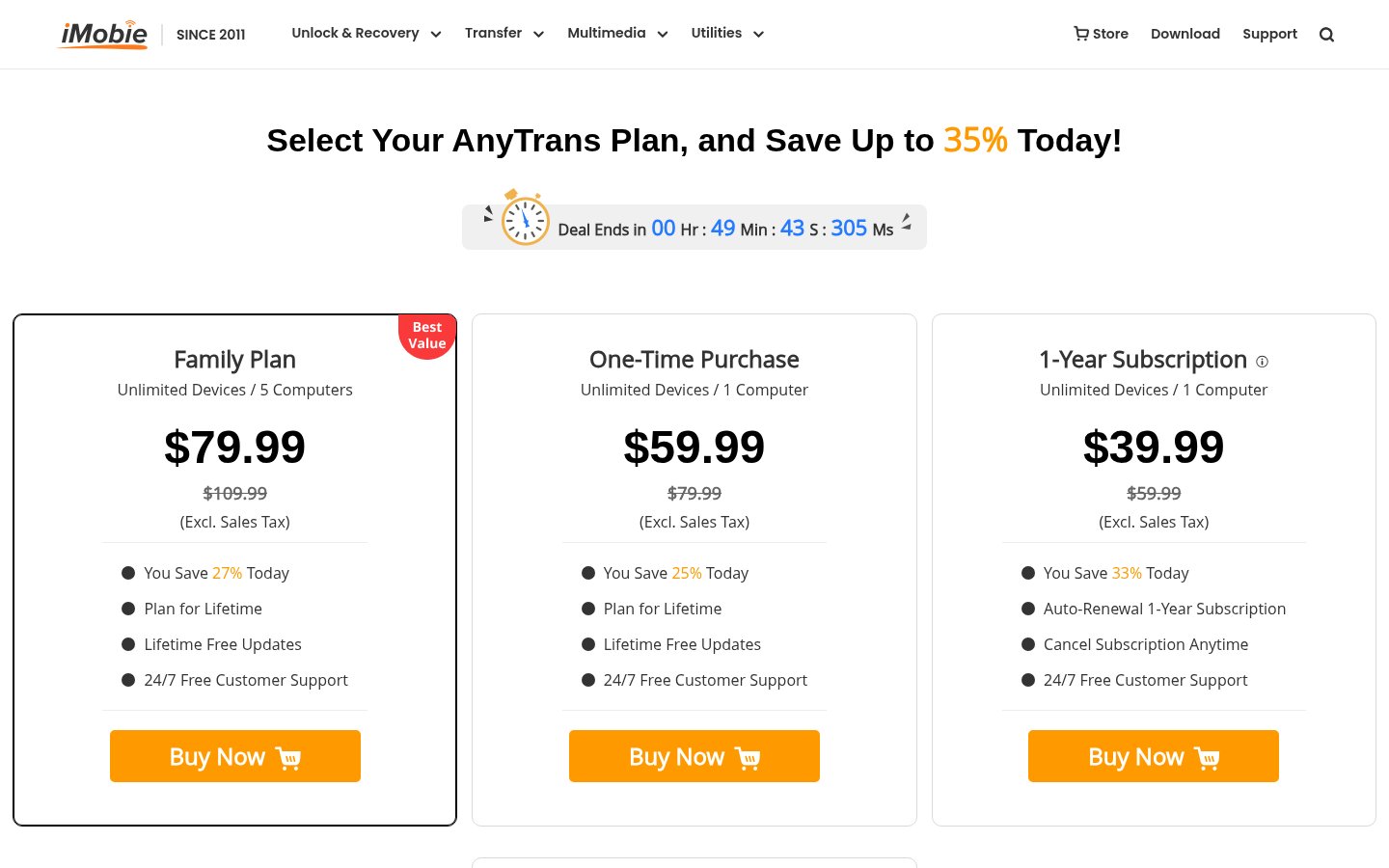
  3. 3Pick a plan β€” $35.99/month, $39.99/year, $59.99 One-Time Purchase, or the $79.99 Family Plan for 5 computers
  4. 4Activate your plan right after purchase and set up scheduled or incremental backups
  5. 5Test your main tasks within 60 days so you can still use the money-back guarantee if needed

Ease of use

Ease of use is a core part of the pitch: iMobie says no tech knowledge or skills are required and that even grandparents or novices can get things done through the intuitive interface. Batch import and export work with one click, and photos are sorted into categories like Live Photos, Selfies, and Slo-Mos. AnyTrans is a free download for Windows and Mac, purchases activate instantly, and all plans include 24/7 free customer support.

AnyTrans Key Features

πŸ”„ Transfer Anything, Anywhere

iTunes decides where your content can go. AnyTrans removes those sync boundaries, letting you move data freely across iPhone, iPad, iPod, iTunes, iCloud, and your computer. It manages 27 types of iOS content from one place, and batch import or export of all or selected data takes a single click.

🎡 Photos and Music Without iTunes Limits

Finding specific photos among thousands is tedious. AnyTrans sorts them into folders like Live Photos, Selfies, Slo-Mos, Time-lapses, and your own albums, so you can export a whole category to your computer in one click. For music, you can export songs from an iPod to a computer or iTunes library and add tracks to an iPhone without erasing existing songs β€” even from multiple computers.

πŸ’¬ Messages and WhatsApp, Kept Safe

Messages can be precious memories or important evidence. AnyTrans exports them to your computer or prints them out, along with attachments such as photos, videos, music, voice recordings, and Animoji/Memoji/Emoji stickers. WhatsApp chats and attachments can be backed up to a computer or moved to a new iPhone, and the vendor says LINE and Viber are covered too.

πŸ“² Move to a New iPhone at One Go

Changing phones? AnyTrans migrates photos, music, contacts, messages, and apps to a new iPhone in one click β€” whether you're coming from an old iPhone or an Android phone. It can also move data from a backup or from iCloud to the iPhone.

Apps come along too, so you don't waste time and bandwidth re-downloading them one by one.

πŸ›‘οΈ Flexible Backup and Selective Restore

AnyTrans backs up 10 more types of files than iTunes, according to iMobie. Choose incremental backup to copy only new or changed data, or set a schedule for automatic wireless backups daily or weekly. When something goes missing, preview any backup made by iTunes or AnyTrans and extract just what you need without erasing existing content β€” or run a full restore.

🧰 Extra Tools for Everyday Use

Beyond transfers, AnyTrans includes a ringtone maker for turning songs into ringtones or text tones, screen mirroring to mirror, record, or capture your iPhone, iPad, or iPod touch screen, an iTunes library manager, and an iCloud manager for handling iCloud data and files. Batch app management also lets you download apps once and install them across your family's devices.

Use Cases

πŸ“± You just bought a new iPhone

A new iPhone should feel like yours on day one. Connect the old and new devices to AnyTrans on your computer and migrate photos, music, contacts, messages, and apps in one click. Expected outcome: Your new iPhone is ready without re-downloading apps one by one.

πŸ€– You're switching from Android to iPhone

Leaving Android usually means leaving chats behind. AnyTrans moves WhatsApp, messages, and other data from an Android phone to your iPhone in a tap. Expected outcome: Your conversations and key data arrive on the iPhone with you.

πŸ“Έ Your iPhone storage is full of photos

Thousands of photos are eating your storage. AnyTrans sorts them into categories like Selfies and Live Photos, so you can export exactly the sets you want to your computer. Expected outcome: Photos stay safe on your computer and your iPhone gets space back.

πŸ—‚οΈ You lost something and need it from a backup

You need data back but aren't sure which backup has it. AnyTrans previews every item in your iTunes or AnyTrans backups and extracts only what you choose, without erasing what's on the phone. Tip: Set up scheduled wireless backups so there's always a recent copy.

AnyTrans pricing

From$3.33/mo

  • 4 plans

Prices checked on Oct 17, 2026 from AnyTrans's pricing page

AnyTrans pricing page screenshotView pricing page screenshot
PlanBilled monthlyBilled annuallyIncludes
1-Month Subscription
$35.99/mo
β€”
Unlimited devices, 1 computer; auto-renews monthly, cancel anytime; 24/7 free customer support; excl. sales tax; 7-day money-back guarantee (60 days on the other plans).
1-Year Subscription
β€”
$3.33/mo
$39.99 per year
Unlimited devices, 1 computer; auto-renews yearly, cancel anytime; 24/7 free customer support; excl. sales tax; 60-day money-back guarantee.
One-Time Purchase
$59.99
β€”
Unlimited devices, 1 computer; plan for lifetime with lifetime free updates; 24/7 free customer support; excl. sales tax; 60-day money-back guarantee.
Family Plan
$79.99
β€”
Unlimited devices, 5 computers; plan for lifetime with lifetime free updates; 24/7 free customer support; excl. sales tax; 60-day money-back guarantee.

Pricing types: Monthly subscription, Yearly subscription, One-time payment

Pricing notes

AnyTrans is offered as a 1-Month Subscription at $35.99/month, a 1-Year Subscription at $39.99/year, a One-Time Purchase at $59.99 for 1 computer, and a Family Plan at $79.99 one-time for 5 computers. All plans cover unlimited devices and exclude sales tax.

The 1-Year, One-Time and Family plans carry a 60-day money-back guarantee; the 1-Month Subscription has a 7-day one.

AnyTrans pricing: Plans from $35.99/month Billing options: Monthly subscription, Yearly subscription, One-time payment

Cost calculator

Estimate what AnyTrans costs for your team.

Billing
Per month
$35.99
Per year
$431.88

1-Month Subscription has a flat price: the number of seats does not change the total. Estimate based on published list prices, before taxes, add-ons and discounts.

Email me when AnyTrans changes price

One email when we detect a price change on the vendor's pricing page. No newsletter, no deals. Unsubscribe in one click.

User Reviews

No reviews yet.

Write a Review

Write a Review for AnyTrans
0/100 characters
0/2000 characters

Why use AnyTrans?

Apple's own tools sync on their own terms: iTunes restricts where music can go, and restoring a backup usually means replacing what's on the phone. AnyTrans is built to remove those limits. Based on what iMobie publishes, here's where it stands out:

  • Full-way transfer β€” move content freely across iPhone, iPad, iPod, iTunes, iCloud, and computer.
  • 27 types of data β€” manage almost everything that matters day to day from one place.
  • Flexible backup β€” choose full or incremental backups, or schedule automatic wireless backups.
  • Selective restore β€” preview any iTunes or AnyTrans backup and extract only what you need, without erasing existing content.
  • 1-click quick transfer β€” batch import or export all or selected iOS data.
  • Established track record β€” the vendor reports 10+ million users and a 4.7/5 rating based on 306 customer reviews.

AnyTrans alternatives

Other tools in the Data Recovery category

View all Data Recovery tools
Recoverit

Recoverit

Data Recovery4/5

Wondershare Recoverit is a powerful data recovery expert trusted by over 100 million users worldwide. They've been recovery experts since 2003, with more than 21 years of experience and 35 patents in this field. It's available for both Windows and Mac users. This software is designed to save you from losing photos, videos, and documents after accidental deletion, system crashes, or device failures. It’s incredibly easy to use and offers recovery of unlimited data. The core technology behind Recoverit V14.0 is its innovative AI power, the industry’s first exclusive AI recovery solution. This intelligence allows for precise identification across over 1 million devices and professional solutions for over 10,000 loss scenarios.

PhoneRescue

PhoneRescue

Data Recovery3.9/5

PhoneRescue is a comprehensive, all-around data recovery solution for both iOS and Android devices. It’s built for anyone who has experienced unexpected data loss. This software ensures you never lose a single byte ever again. βœ… The operation is completely straightforward, using an intuitive UI and step-by-step wizard. PhoneRescue asks for no technical knowledge at all. Even your grandparents can easily get back what was lost entirely by themselves, making complicated recovery simple.

Dr.Fone

Dr.Fone

Data Recovery4/5

Wondershare Dr.Fone is an all-in-one desktop toolkit for iOS and Android phones, covering data recovery, screen unlock, system repair, WhatsApp transfer, phone transfer, data erasure, and GPS location changing. It's built for anyone who has lost data, been locked out of a device, or needs to move everything to a new phone. πŸ“± You can buy the Full Toolkit or just the single module you need, on monthly, annual, or perpetual terms. A Dr.Fone Basic edition handles everyday jobs like backup, data management, and screen mirroring from a Windows PC or Mac.

MobileTrans

MobileTrans

Data Recovery3.9/5

Wondershare MobileTrans is a comprehensive tool built for easy phone data and WhatsApp management. It's designed for users needing to move large amounts of data between iOS, Android, and PC. This powerful solution supports over 6000 devices and manages more than 18 File Formats. You can enjoy fast, secure transfers directly on your computer or using our mobile app, Mutsapper.

Stellar Data Recovery

Stellar Data Recovery

Data Recovery4/5

Stellar Data Recovery is a fast, highly customizable file recovery tool. It’s easy to use and can help reconstruct and recover deleted data. A Mac version exists and is described as a good program that digs deep to help recover deleted data.

EaseUS

EaseUS

Data Recovery4/5

EaseUS is a prominent global technology corporation focused on creating robust data management solutions. They serve a massive audience, having earned the trust of over 530 million users globally. This platform is built for everyone, from home users managing personal photos to businesses requiring advanced backup and recovery strategies. EaseUS concentrates on delivering high value through trustworthy, cohesive products. They ensure your sensitive data is always secure and accessible.

Cheapest Data Recovery software for 1 to 25 users

AnyTrans FAQ

How much does AnyTrans cost?

AnyTrans's cheapest paid plan, 1-Year Subscription, costs $3.33 per month. Paid plans range from $3.33 to $35.99 per month. Prices checked on Oct 17, 2026 from the vendor's pricing page.

Does AnyTrans have a free plan?

No. AnyTrans lists no free plan; the cheapest paid plan starts at $3.33 per month.

Is there a refund policy or a way to try AnyTrans first?

Yes. iMobie advertises a 60-day money-back guarantee with a 100% full refund within 60 days of purchase; for the 1-Month Subscription the window is 7 days. You can also download AnyTrans for free on Windows or Mac before buying, and your plan is activated instantly after purchase.

Can AnyTrans move data from Android or transfer WhatsApp?

Yes. AnyTrans can migrate data from an Android phone to an iPhone, including WhatsApp chats and messages. WhatsApp transfer and backup also work between iPhones and to a computer, and the vendor says the same tools cover LINE and Viber. For managing Android phones themselves, iMobie points to a separate Android manager.

Which devices and computers does AnyTrans support?

AnyTrans covers all models of iPhone, iPad, and iPod touch running iOS 5 and above (the vendor also lists current iOS/iPadOS releases). It runs on Windows and Mac computers. Each plan covers unlimited iOS devices; the number of computers depends on the plan, with the Family Plan covering 5.

Ready to try AnyTrans? Check out the official site or pricing.

Are you AnyTrans? Claim this listing Β· Get the badge