PhoneRescue

PhoneRescue review

Get back lost photos, messages, and files from your iPhone or Android — before they're gone for good.

By Ciroapp Editorial Team · Updated Sep 16, 2026

Commission may apply at no extra cost

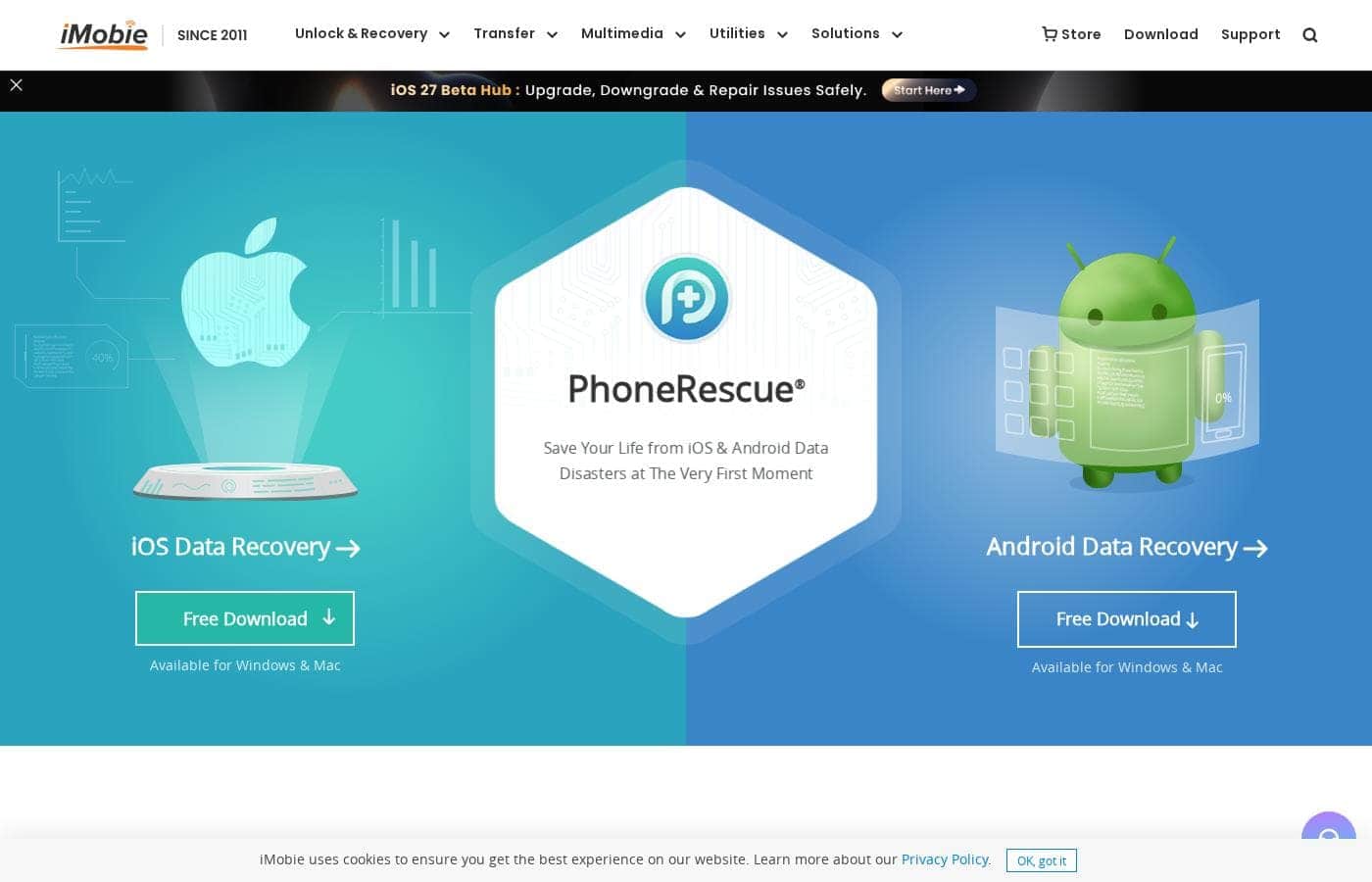
PhoneRescue homepage screenshot

At a glance

Quick overview for PhoneRescue: rating, pricing summary, key features, and highlights.
Vendor page checked Oct 12, 2026

Ciroapp score

3.9/ 5

PhoneRescue scans your iPhone or Android from a Windows or Mac, previews what it finds, and — per the vendor — recovers up to 31 file types through a click-through wizard. Recovery isn't guaranteed, and iOS and Android need separate editions. Overall, it's a solid pick if you act quickly and check the store for pricing first.

Pros

  • Pros:Scans for up to 31 file types — including photos, messages, and notes — so one tool can check for everything that vanished, per the vendor.
  • Pros:Free to download on Windows and Mac, letting you run a scan and preview found files before spending anything.
  • Pros:Shows a preview of every located file before recovery, so you restore only what you actually need instead of cluttering your phone.

Cons

  • Cons:iOS and Android recovery are sold as separate editions, so buying the wrong one for your device means an extra purchase.
  • Cons:Requires a Windows or Mac computer — there is no phone-only option, which is inconvenient if your computer isn't nearby.
  • Cons:Recovery isn't guaranteed — results depend on how data was lost, and continued phone use can overwrite recoverable files before you scan.
Best for
  • iPhone or iPad owners who accidentally deleted photos, messages, or notes
  • Android users trying to recover old photos or files after deletion
  • Non-technical buyers who want a guided, click-through recovery process
This section is a summary. Detailed sections about features, use cases, pricing, and reviews follow below.

What is PhoneRescue?

Deleted photos or messages you can't replace? PhoneRescue is a desktop app that scans your iPhone or Android to bring lost files back. It previews what it finds first, so you recover only what you need.

Both editions are free to download for Windows and Mac.

PhoneRescue is data recovery software from iMobie, a company that has made mobile tools since 2011. It comes in two editions: one for iOS devices like iPhone and iPad, and one for Android. You install it on a Windows or Mac computer, connect your phone, and scan for lost data.

It's built for everyday phone owners — the vendor says the process needs no technical knowledge.
Should you choose PhoneRescue?

Quick buyer guidance before you compare plans or click through.

Choose it if

  • You need broad file coverage — the vendor lists up to 31 recoverable file types
  • You prefer software that runs locally on your own Windows or Mac computer
  • You value privacy — iMobie states you're the only person who can access your recovered data
  • You want an established vendor; iMobie has operated since 2011 with published media coverage
  • You need to act fast, since the company emphasizes recovering files before they're overwritten

Skip it if

  • iOS and Android recovery are separate editions — confirm you're getting the right one before buying
  • You'll need a Windows or Mac computer; this isn't a phone-only app
  • Pricing, license, and refund terms aren't shown on the main page, so review the store first
  • Recovery isn't guaranteed — the vendor's success-rate claims are its own, and results depend on how data was lost
  • The 4.6/5 rating is based on only 77 reviews, which is a small sample

Next steps before buying

  1. 1Pick the right edition — iOS for iPhone, iPad, or iPod touch; Android for Android phones
  2. 2Download the free Windows or Mac version and run a scan to see if your lost files are found
  3. 3Check the iMobie store for current pricing, license details, and any refund policy before purchasing
  4. 4Compare with alternative recovery tools to confirm the file types you need are covered
  5. 5Use the phone as little as possible before recovery, since new data can overwrite recoverable files

Ease of use

Simplicity is the site's main selling point: an intuitive interface, a step-by-step wizard, and a workflow the vendor says requires no technical knowledge. Downloads for Windows and Mac are free, so you can test the process before paying. A Support Center, how-to articles, and contact options exist, and one reviewer praised the team's quick, patient answers.

PhoneRescue Key Features

✨ Wide Coverage of What You've Lost

Losing one photo hurts. Losing a whole camera roll hurts more. PhoneRescue scans your iPhone, iPad, or Android phone for up to 31 file types — photos, messages, notes, and other essentials.

That wide coverage helps when you're not sure what survived and what's gone. One tool checks it all for you.

👀 Preview First, Recover Only What You Need

You don't have to restore everything a scan finds. PhoneRescue shows you the files it located before anything is recovered. You sift through the results and pick only the items you want back.

That keeps recovery quick and avoids filling your phone's storage with files you didn't miss.

✨ A Few Clicks, No Tech Skills

Recovery shouldn't feel like a chore. PhoneRescue pairs an intuitive interface with a step-by-step wizard, turning a complicated job into plain clicks. iMobie says it asks no tech knowledge at all, so everyday phone owners can work through it alone.

The basic flow looks like this:

⚡ Built for Speed and Privacy

When data disappears, speed matters. Lost files can be overwritten as you keep using your phone, so PhoneRescue applies technologies built for the fastest scan, instant preview, and quick recovery. Privacy matters too: iMobie states your recovered data stays yours — you're the only person who can access it.

✨ More Than One Way Back

Not every data loss looks the same. That's why PhoneRescue offers multiple recovery solutions, which iMobie says retrieve files under different conditions. And because iOS and Android are covered by separate editions, you pick the one that matches your device — handy for households with both.

Use Cases

📸 You deleted photos by accident

Swipe the wrong way and precious pictures vanish. Connect your iPhone or iPad to your Windows or Mac, run a scan, and preview what's found. Then pick only the photos you want back.

Expected outcome: Your chosen photos are recovered — nothing else gets restored.

💬 You lost texts or notes you need

Messages often hold things you can't replace. PhoneRescue's iOS edition scans for deleted texts and notes, then previews everything first. You restore just the threads that matter.

Expected outcome: Lost conversations come back without cluttering your phone with files you don't need.

🤖 You want years-old Android photos

One user recovered Android photos deleted two years earlier. Install the Android edition on your computer, connect your phone, and scan. Speed matters, though — new data can overwrite what's still there.

Tip: Use your phone as little as possible before you scan.

🧭 You're not a technical person

No tech skills? No problem. A step-by-step wizard walks you through recovery in a few clicks — the site says even grandparents can do it.

Both editions download free, so you can test whether your files turn up before paying.

PhoneRescue pricing

Prices not verified yet — see the vendor page.

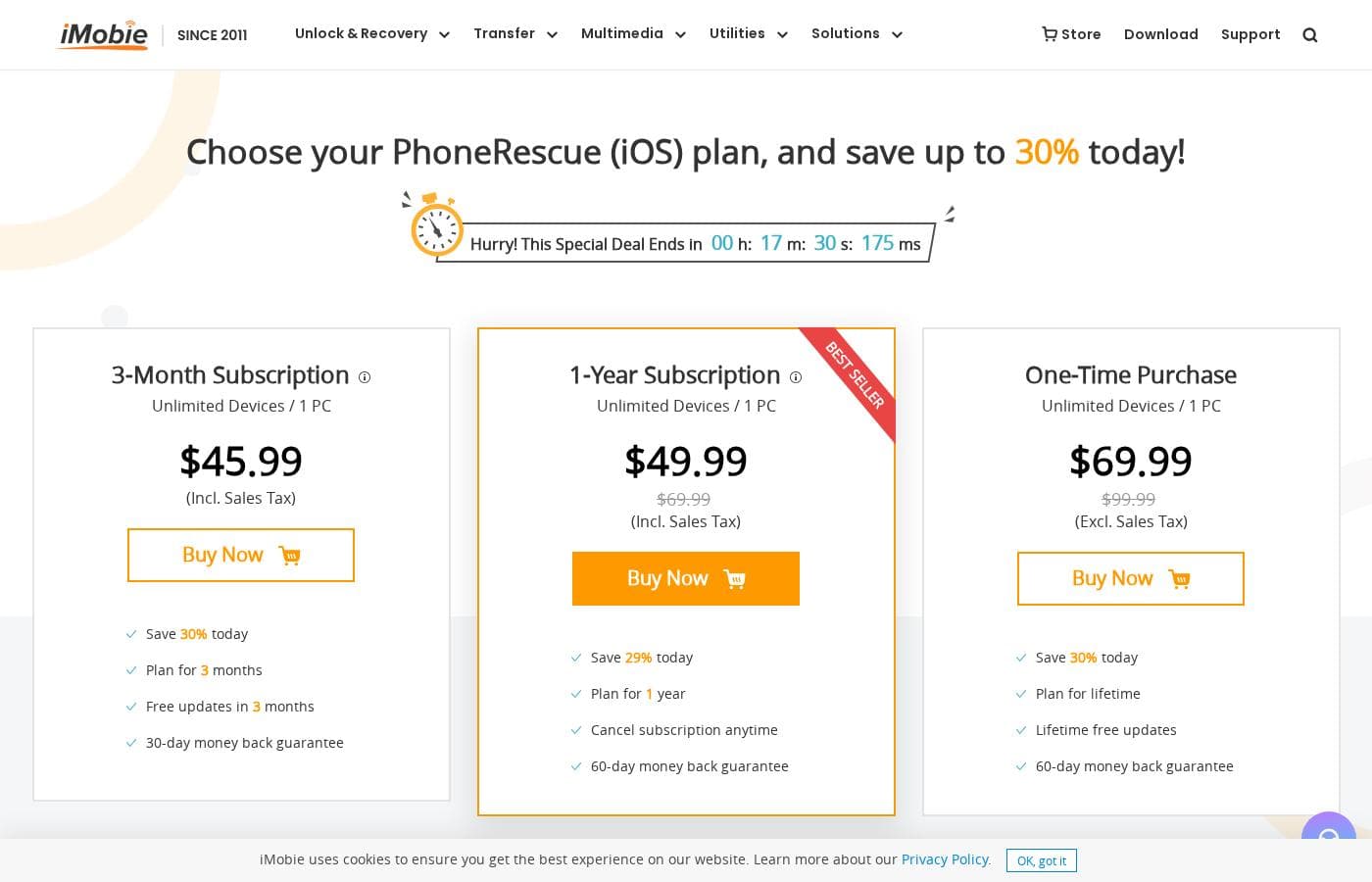
PhoneRescue's pricing page

PhoneRescue pricing page screenshotView pricing page screenshot

Price history

Tracking prices since Oct 9, 2026. No price change detected yet.

Pricing types: Free plan, Monthly subscription, Yearly subscription, One-time payment

Pricing notes

PhoneRescue pricing: Plans from $0 Billing options: Free plan, Monthly subscription, Yearly subscription, One-time payment

Email me when PhoneRescue changes price

One email when we detect a price change on the vendor's pricing page. No newsletter, no deals. Unsubscribe in one click.

User Reviews

No reviews yet.

Write a Review

Write a Review for PhoneRescue
0/100 characters
0/2000 characters

Why use PhoneRescue?

When data disappears, speed matters. iMobie notes that lost files can be overwritten, so acting fast gives you the best shot at recovery. Based on what the company publishes, here's where PhoneRescue stands out:

  • Broad coverage — the vendor says it recovers up to 31 file types, including photos, messages, and notes.
  • Preview before you recover — sift through found files and select only the ones you need, saving time and storage.
  • No tech skills needed — a step-by-step wizard walks you through recovery in a few clicks.
  • Fast scan and retrieval — the company applies technologies designed to find data before it's overwritten and gone.
  • Multiple recovery solutions — iMobie states several methods are available to retrieve files under different conditions.
  • Established track record — the vendor reports over 5,700,000 iOS and Android users helped, with a 4.6/5 rating from 77 reviews.

PhoneRescue alternatives

Other tools in the Data Recovery category

View all Data Recovery tools
Stellar Data Recovery

Stellar Data Recovery

Data Recovery4/5

Stellar Data Recovery is a fast, highly customizable file recovery tool. It’s easy to use and can help reconstruct and recover deleted data. A Mac version exists and is described as a good program that digs deep to help recover deleted data.

Recoverit

Recoverit

Data Recovery4/5

Wondershare Recoverit is a powerful data recovery expert trusted by over 100 million users worldwide. They've been recovery experts since 2003, with more than 21 years of experience and 35 patents in this field. It's available for both Windows and Mac users. This software is designed to save you from losing photos, videos, and documents after accidental deletion, system crashes, or device failures. It’s incredibly easy to use and offers recovery of unlimited data. The core technology behind Recoverit V14.0 is its innovative AI power, the industry’s first exclusive AI recovery solution. This intelligence allows for precise identification across over 1 million devices and professional solutions for over 10,000 loss scenarios.

EaseUS

EaseUS

Data Recovery4/5

EaseUS is a prominent global technology corporation focused on creating robust data management solutions. They serve a massive audience, having earned the trust of over 530 million users globally. This platform is built for everyone, from home users managing personal photos to businesses requiring advanced backup and recovery strategies. EaseUS concentrates on delivering high value through trustworthy, cohesive products. They ensure your sensitive data is always secure and accessible.

MobileTrans

MobileTrans

Data Recovery3.9/5

Wondershare MobileTrans is a comprehensive tool built for easy phone data and WhatsApp management. It's designed for users needing to move large amounts of data between iOS, Android, and PC. This powerful solution supports over 6000 devices and manages more than 18 File Formats. You can enjoy fast, secure transfers directly on your computer or using our mobile app, Mutsapper.

PhoneRescue FAQ

What's the difference between a subscription and a one-time purchase?

Subscriptions renew yearly or quarterly — a reminder email arrives before each renewal, and you can cancel anytime. One-time purchases last a lifetime with free updates. Most licenses cover unlimited devices on one computer; family plans cover five.

Can I get a refund if the recovery doesn't work?

Most plans include a 60-day money-back guarantee — contact iMobie for a full refund if you're not satisfied. Three-month subscriptions get 30 days instead. There are no extra fees, though you're responsible for your home state's taxes.

Can I try PhoneRescue before paying?

Yes. Both editions are free to download for Windows and Mac, so you can scan and preview found files before paying. After purchase, your activation code arrives by email for instant access.

What support and languages does iMobie offer?

Purchases include 24/7/365 customer support and lifetime free updates. One reviewer noted the team answers questions quickly and patiently. The site supports 13 languages, including English, Spanish, French, German, Japanese, and Arabic.

Ready to try PhoneRescue? Check out the official site or pricing.

Are you PhoneRescue? Claim this listing · Get the badge