GoTo Webinar

GoTo Webinar review

All-in-one webinar hosting that takes events from first invite to final report.

By Ciroapp Editorial Team · Updated Sep 8, 2026

Commission may apply at no extra cost

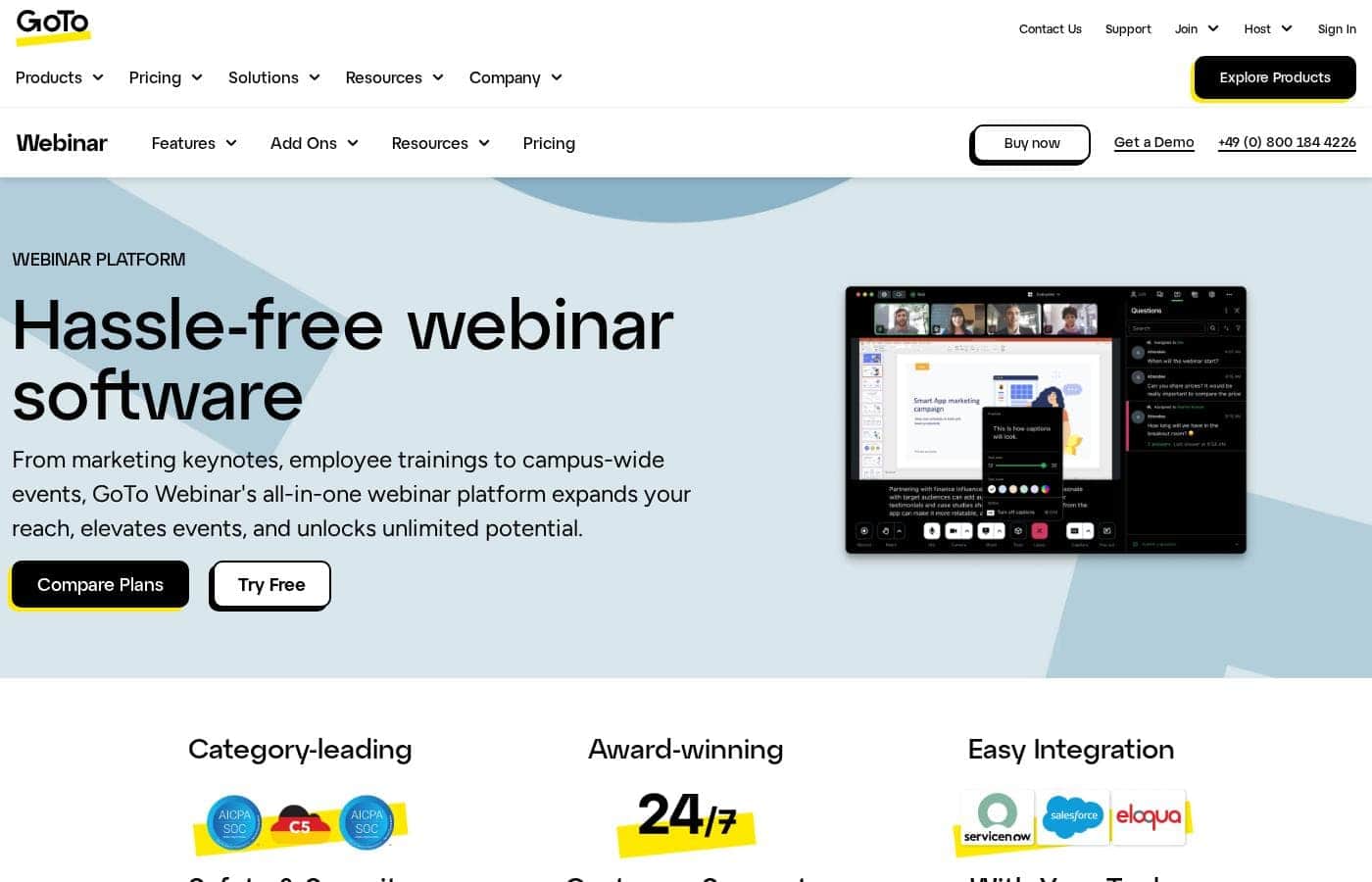
GoTo Webinar homepage screenshot

At a glance

Quick overview for GoTo Webinar: rating, pricing summary, key features, and highlights.
Vendor page checked Oct 13, 2026

Ciroapp score

4.0/ 5

GoTo Webinar bundles registration, hosting, engagement, and reporting into one platform, with Simulive, Practice Mode, and solid CRM integrations doing the heavy lifting. Prices aren't shown up front, though, and large broadcasts may need paid add-ons. Overall, it's a strong pick for regular webinar hosts — test it through the free trial before you commit.

Pros

  • Pros:Simulive playback lets you air pre-recorded content while running live polls and Q&A alongside it, delivering edited polish with real-time interaction — useful for repeated trainings and cross-time-zone audiences
  • Pros:Practice Mode gives organizers a private rehearsal space before going live, which lowers the stakes for first-time hosts and high-profile events
  • Pros:Secure in-platform payments support paid events and certification courses without bolting on a separate payment tool

Cons

  • Cons:Dollar amounts aren't shown on the product page — Reach and Elevate are billed annually per month at unpublished rates, and Complete requires contacting sales for custom pricing, so budget planning demands an extra step
  • Cons:Large broadcasts may require paid Webcasting or Event Services add-ons on top of your subscription, and attendee capacity varies by tier (500 on Reach, 1,000 on Elevate, 3,000 on Complete) so limits must be verified on the compare page before committing
  • Cons:The marketing integrations story centers on HubSpot, Marketo, and Salesforce Pardot — if your CRM or marketing automation stack is anything else, you'll need to confirm compatibility before relying on data sync
Best for
  • Marketing teams that run lead-generation webinars and need CRM sync
  • Schools and universities hosting lectures, certification courses, and staff-wide classes
  • Internal communications teams running town halls and company-wide events
Free trial
Yes
This section is a summary. Detailed sections about features, use cases, pricing, and reviews follow below.

What is GoTo Webinar?

Coordinating registration pages, reminder emails, and live tech while trying to present is a lot to juggle. GoTo Webinar pulls scheduling, branded registration, automated reminders, and live engagement into one dashboard. You can rehearse in Practice Mode, go live with 24/7 support behind you, and sync attendee data to your CRM afterward.

GoTo Webinar is an all-in-one webinar and virtual conference platform from GoTo. It covers the full event lifecycle: registration, live hosting, engagement, and analytics. It's built for marketers, educators, internal communicators, and event teams running everything from employee training and student lectures to global conferences.

GoTo says it powers more than 2.8 million events a year, with customers including Deloitte, Equifax, and Saint John's University.

Should you choose GoTo Webinar?

Quick buyer guidance before you compare plans or click through.

Choose it if

  • Teams that want registration, reminders, hosting, and reporting in one platform
  • Presenters who want to rehearse privately with Practice Mode before going live
  • Buyers who prioritize security features like session encryption and GDPR compliance
  • Educators who need recorded, on-demand sessions with captions and screen reader support
  • Companies already using HubSpot, Marketo, or Salesforce Pardot

Skip it if

  • Plan prices aren't shown on this page, so budget-focused buyers must check the pricing page or talk to sales before committing
  • Attendee capacity limits aren't spelled out here, so verify them if you're planning large town halls or conferences
  • Large broadcasts may require paid Webcasting or Event Services add-ons, which adds cost and planning time
  • Marketing value leans on integrations; if your CRM isn't HubSpot, Marketo, or Salesforce Pardot, confirm support first
  • Some basics, like whether attendees need to download software, aren't answered on this page, so check support docs before you buy

Next steps before buying

  1. 1Compare the Reach, Elevate, and Unlimited plans on GoTo's pricing page, and confirm which plans include Simulive
  2. 2Start the free trial and test scheduling, registration pages, and Practice Mode with a small event
  3. 3Check the integrations directory for your CRM and marketing tools before relying on data sync
  4. 4Review trial and refund terms, and ask sales about webcasting or event services if you're planning a large broadcast
  5. 5Shortlist one or two alternatives and compare attendee limits and support options before you commit

Ease of use

On paper, it's approachable. GoTo highlights quick setup, an intuitive dashboard, and Practice Mode rehearsals, and it promotes award-winning 24/7 support. A free trial and demo lower the risk of finding out for yourself. Expect the learning curve to sit with larger, branded events rather than everyday hosting.

GoTo Webinar Key Features

✨ Run the whole event from one dashboard

GoTo Webinar handles the full event lifecycle, so you're not juggling separate tools. Schedule sessions, build branded registration pages, and automate invitations, confirmations, and reminders from a single dashboard. It fits any recurring event — trainings, classes, or keynotes.

The payoff: less time on logistics and a professional setup every time.

✨ Keep your audience actively involved

Engagement tools turn passive viewers into participants. Run live polls, collect questions through Q&A, split attendees into breakout rooms, and let people react in real time. Use them during product demos, lectures, or town halls, then check post-session reports for attendance and engagement — so your next event is informed by real data.

🎬 Go live without being live with Simulive

Simulive lets you pre-record content, then play it back while you run live polls and Q&A alongside it. You get the polish of an edited recording with the interaction of a live session. It's ideal for repeated trainings, certification courses, or reaching audiences across time zones.

✨ Prep and promote before anyone joins

Registration and rehearsal tools do the heavy lifting before your event starts:

• Rehearse privately in Practice Mode before going live. • Build custom branded registration pages and forms that capture lead data. • Accept payments securely for paid events and certifications.

🔒 Scale securely with support behind you

Enterprise-grade security, session encryption, secure logins, and GDPR compliance protect every session, from small trainings to global conferences. Closed captioning and screen reader support widen access. If something goes wrong, award-winning 24/7 support is there.

Integrations with HubSpot, Marketo, and Salesforce Pardot sync registrant data back to your CRM for a complete customer view.

Use Cases

📈 Lead-gen webinars that feed your CRM

You run regular webinars to attract leads. Build a branded registration page, automate reminders, and sync registrants to HubSpot, Marketo, or Salesforce Pardot. Post-session reports show what worked.

Expected outcome: attendee data flows straight into your marketing stack.

🎓 Classes and lectures for every student

Schools host lectures and certification courses on one platform. Staff get licenses to run classes, and recorded sessions support on-demand learning. Closed captioning and screen reader support keep things accessible.

Expected outcome: attendance and engagement tracked in post-session reports.

🏢 Town halls your whole company can join

Internal comms teams run company-wide town halls on the Unlimited plan, built for when a seat cap isn't an option. Schedule, brand, and rehearse with Practice Mode, then go live with 24/7 support. > Tip: confirm attendee limits on the compare page first.

🌍 Global conferences without the studio

Event teams run global, multilingual conferences with the Interprefy integration and Webcast Mode. Enterprise-grade security, GDPR compliance, and around-the-clock support back every session. > Tip: large broadcasts may need paid Webcasting or Event Services add-ons, so ask sales early.

GoTo Webinar pricing

  • 3 plans

Prices not verified yet — see the vendor page.

GoTo Webinar's pricing page

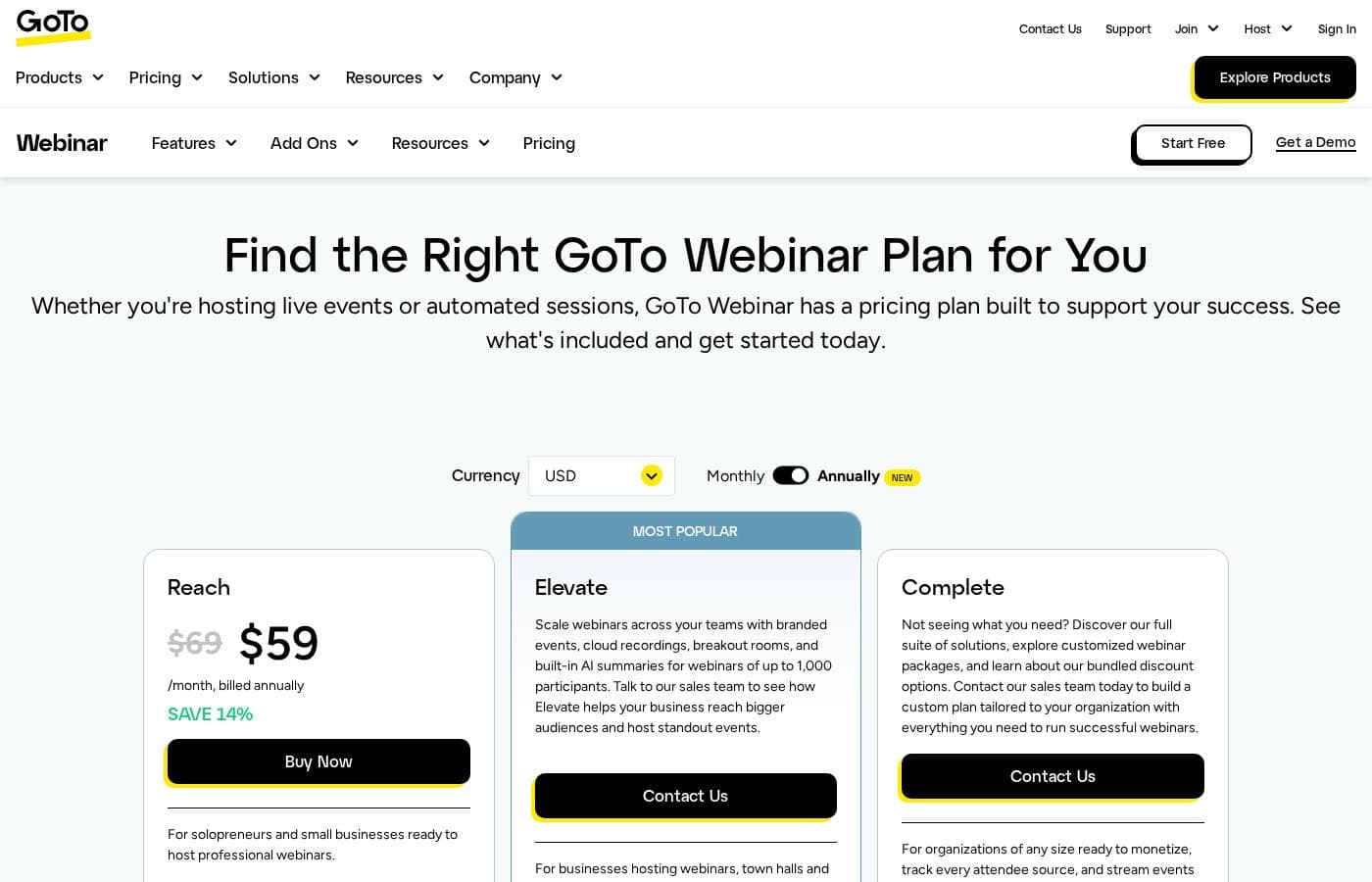
GoTo Webinar pricing page screenshotView pricing page screenshot
PlanBilled monthlyBilled annuallyIncludes
Reach
See vendor page
See vendor page
For solopreneurs and small businesses; includes 1 organizer seat, up to 500 participants, reporting & analytics, automated emails, polls & Live Q&A, and mobile app. Price number not visible on page.
Elevate
See vendor page
See vendor page
Most Popular. For businesses hosting webinars, town halls and events; up to 1,000 participants, branded webinars, cloud recordings, AI summaries & transcripts, breakout rooms. Contact sales for pricing.
Complete
See vendor page
See vendor page
For organizations of any size; custom organizer seats, up to 3,000 participants, live streaming to unlimited attendees, paid events, GoTo Meeting license included, source tracking. Contact sales for custom plan.

Price history

Tracking prices since Sep 8, 2026. No price change detected yet.

Pricing range: Varies by plan — see GoTo's pricing page

Pricing types: Free trial

Pricing notes

GoTo Webinar offers three plans: Reach, Elevate, and Complete. Reach is billed annually per month with no visible price shown, while Elevate and Complete require contacting sales.

GoTo Webinar offers three subscription plans — Reach, Elevate, and Unlimited — that scale with your audience size, and you can try the platform free before you buy.

Prices aren't printed on the product page itself, but GoTo's pricing page lays out the full comparison so you can see rates and plan limits side by side. Every tier runs on the same core platform: branded registration pages, automated invitations and reminders, live polls and Q&A, breakout rooms, analytics, and integrations with tools like Salesforce and HubSpot. Here's how the three plans differ.

Reach

Reach is the starting point in the lineup. It suits teams that are newer to webinars — think internal trainings, product demos, or customer sessions with a modest crowd. Setup stays simple, which helps while you're learning what your audience responds to. If your events are occasional and you want to keep things lean, this tier is a sensible first step.

Elevate

Elevate is the middle option for programs that are picking up steam. Marketers who run regular lead-gen events and educators who host weekly classes tend to fit here. It's the natural pick when Reach feels tight but you don't need enterprise scale yet. You keep the same easy setup, just with more room to grow.

Unlimited

Unlimited is the heavyweight tier for organizations where a seat cap isn't an option. Town halls, campus-wide lectures, and global broadcasts are its home turf. Big moments get backup from enterprise-grade security, closed captioning, and 24/7 customer support. If large audiences are the norm for you, this is the plan built for it.

One practical tip before you choose: confirm attendee limits and which plans include Simulive and Webcast Mode, since GoTo spells out those differences on its compare page.

There's no need to decide blind. A free trial is available right from the website, so you can host a real test event before paying anything. When you're ready to commit, read the billing and renewal terms carefully — that's where the final numbers live.
How to pay less for GoTo Webinar

  • A free trial is available: test it before you pay.
Start free trial

Email me when GoTo Webinar changes price

One email when we detect a price change on the vendor's pricing page. No newsletter, no deals. Unsubscribe in one click.

User Reviews

No reviews yet.

Write a Review

Write a Review for GoTo Webinar
0/100 characters
0/2000 characters

Why use GoTo Webinar?

Running a webinar shouldn't feel like running a broadcast studio. GoTo Webinar condenses the whole event — invites, stage, follow-up — into one platform, so you spend less time on logistics and more time on your message.

  • Handle everything in one place: Schedule sessions, build branded registration pages, automate invitations and reminders, and rehearse in Practice Mode before anyone joins.
  • Keep audiences engaged: Live polls, Q&A, breakout rooms, and reactions make sessions interactive, while post-session reports show what worked.
  • Look polished without going live: Simulive lets you play pre-recorded content while running live polls and Q&A.
  • Monetize your events: Securely accept payments for paid events and certification courses without extra tools.
  • Keep your data connected: Integrations with HubSpot, Marketo, Salesforce Pardot, and others sync registrant data for a full customer view.
  • Scale with confidence: Enterprise-grade security, GDPR compliance, and around-the-clock support back sessions from small trainings to global conferences.

GoTo Webinar alternatives

Other tools in the Webinar category

View all Webinar tools
Crowdcast

Crowdcast

Webinar4.2/5

Crowdcast is a groundbreaking new experience designed specifically for creators who need a dynamic online stage. After bringing together over 10 million attendees, the platform has been completely re-designed and engineered. Whether you host live shows, teach courses online, or run a virtual summit, Crowdcast provides the perfect environment for you. It is built to seamlessly handle everything from engagement tools to e-commerce functions. It’s truly your stage, your way.

WebinarJam

WebinarJam

Webinar4.1/5

WebinarJam is a live webinar platform from Genesis Digital for hosting live, interactive webinars and online events with chat, polls, offers and replays.

Zoom

Zoom

Webinar4.1/5

Zoom is an AI-first Unified Communications as a Service (UCaaS) solution built for modern teams. It is a single platform dedicated entirely to collaboration. This integrated system, called Zoom Workplace, streamlines essential communication tools like Meetings, Chat, and Docs. It’s designed for any business that needs to strengthen its organizational culture and effectively engage a hybrid workforce. Zoom also supports critical customer-facing functions, offering specialized AI-first contact center and Customer Experience (CX) solutions. This level of connection helps your entire team work together without friction.

Livestorm

Livestorm

Webinar4.1/5

Livestorm is a powerful, unified platform offering dynamic discussions for any kind of online event. It is designed to be the webinar leader, ready for immediate use. You access Livestorm right through your browser, which means there is no software to install and no credit card required to start. This accessibility ensures you can achieve maximum participation every time. This platform serves thousands of customers, scaling easily from startups to large enterprises.

Demio

Demio

Webinar4.1/5

Demio is an all-in-one webinar platform focused on maximizing revenue and simplifying the hosting experience. It moves beyond standard virtual events to offer powerful tools designed specifically for business growth. You can easily automate events, capture essential lead data using custom registration fields, and make your brand highly memorable. This platform allows you to use your logo and color palette across the dedicated registration page, email notifications, and even the webinar room. Demio is built to take the worry out of hosting. The user interface is simple and intuitive, ensuring you can rely on the platform to ‘just work’ so you can focus only on your content. Marketers use it to improve lead generation, Sales uses it to automate demos, and Customer Success uses it to retain customers and reduce churn.

BigMarker

BigMarker

Webinar3.9/5

BigMarker is a robust platform connecting professionals through virtual and hybrid events. 💡 It specializes in hosting interactive streams, helping organizations run impactful webinars that achieve real business outcomes. This solution supports comprehensive event planning, whether you are managing a small webinar series or planning a large annual customer conference. BigMarker gives event planners and marketers the tools needed to stand out from the crowd.

GoTo Webinar FAQ

Is there a free trial, and what can I test with it?

Yes. You can start a free trial right from the website. Use it to test scheduling, branded registration pages, automated reminders, and Practice Mode with a small event before you pay anything.

How does GoTo Webinar handle security and data privacy?

Sessions get enterprise-grade security, secure logins, and session encryption. The platform is GDPR compliant, and GoTo positions it for scaling from small trainings to global conferences with data privacy you can trust.

Does GoTo Webinar support other languages or regions?

The website is offered in English, German, Spanish, French, Italian, and Portuguese. For multilingual live events, GoTo integrates with Interprefy, which adds real-time interpretation for your attendees.

What billing details should I confirm before buying?

Check the pricing page for rates, then verify attendee limits and which plans include Simulive or Webcast Mode on the compare page. Large broadcasts may need paid Webcasting or Event Services add-ons, so ask sales first.

Ready to try GoTo Webinar? Check out the official site or pricing.

Are you GoTo Webinar? Claim this listing · Get the badge