Zoom

Zoom review

One AI-first platform for meetings, chat, docs, webinars, and customer experience

By Ciroapp Editorial Team · Updated Sep 16, 2026

Commission may apply at no extra cost

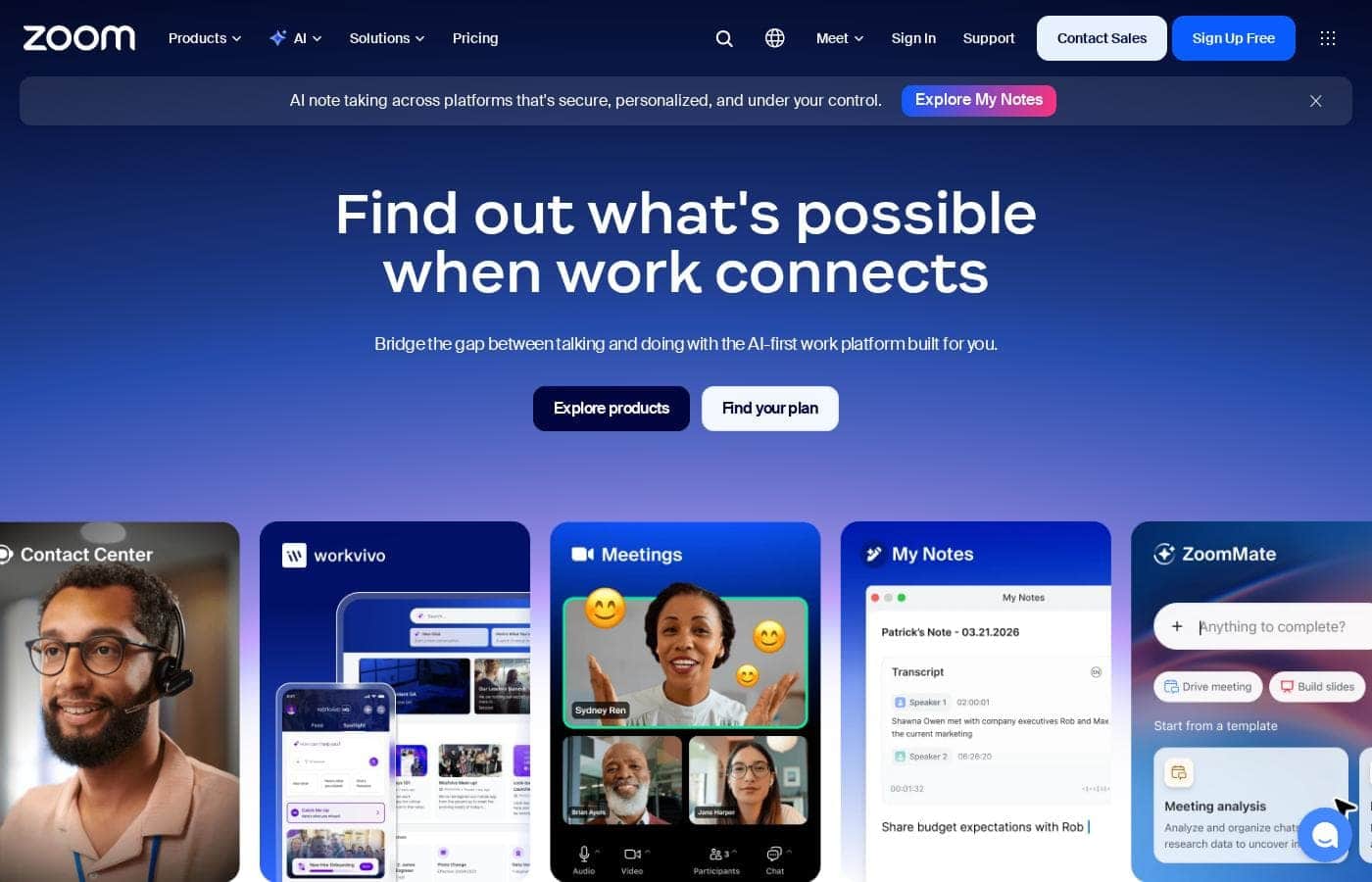
Zoom homepage screenshot

At a glance

Quick overview for Zoom: rating, pricing summary, key features, and highlights.

Ciroapp score

4.1/ 5

Zoom pulls meetings, chat, docs, webinars, and even contact center tools into one AI-first platform, which makes it a strong consolidation play for hybrid teams. Docs may feel lighter than dedicated tools, and itemized plan pricing isn't easy to find. Overall, it's a dependable communication backbone for companies that want fewer vendors and one familiar interface.

Pros

  • Pros:Genuinely consolidates meetings, chat, and docs into one application, cutting down on tool-switching and overlapping subscriptions
  • Pros:AI is treated as a foundational layer across the platform rather than a premium add-on, which helps distributed teams stay informed without attending every call
  • Pros:Covers both internal collaboration and customer-facing work with contact center and CX solutions, allowing one vendor for the full communication stack

Cons

  • Cons:The breadth of the suite can be overkill for small teams or solo users who only need occasional video calls, potentially paying for capabilities they never touch
  • Cons:Bundled tools like Docs may lack the depth of dedicated best-of-breed alternatives, which matters for teams with heavy document-editing workflows
  • Cons:Organizations already standardized on Microsoft 365 or Google Workspace risk running a parallel, partially redundant chat and document ecosystem
Best for
  • Hybrid and distributed teams that want meetings, chat, and docs unified in one application instead of spread across separate tools
  • Organizations that run frequent all-hands meetings, training sessions, or external webinars and want one platform for both team calls and large-audience events
  • Businesses looking to consolidate internal collaboration and customer support (contact center, CX) under a single vendor
This section is a summary. Detailed sections about features, use cases, pricing, and reviews follow below.

What is Zoom?

Zoom has grown well beyond its video meeting roots into an AI-first Unified Communications as a Service platform built around Zoom Workplace, a single environment that ties together Meetings, Chat, and Docs. It targets organizations of any size that need to keep hybrid and distributed teams connected, and it extends into customer-facing territory with a dedicated AI-first contact center and CX suite. For teams tired of stitching together separate tools for video, messaging, documents, and webinars, Zoom offers one of the most consolidated communication stacks available.

Zoom is a Unified Communications as a Service (UCaaS) solution designed as an all-in-one collaboration hub. Its core system, Zoom Workplace, integrates video meetings, team chat, and collaborative docs into a single platform, with AI positioned as a first-class layer rather than an add-on. Beyond internal collaboration, Zoom sells AI-first contact center and Customer Experience (CX) solutions for support and engagement teams, and it supports webinars and large-audience events, making it relevant for both employee communication and external customer interaction.
Should you choose Zoom?

Quick buyer guidance before you compare plans or click through.

Choose it if

  • Hybrid and distributed teams that want meetings, chat, and docs unified in one application instead of spread across separate tools
  • Organizations that run frequent all-hands meetings, training sessions, or external webinars and want one platform for both team calls and large-audience events
  • Businesses looking to consolidate internal collaboration and customer support (contact center, CX) under a single vendor
  • Mid-size to large companies standardizing communications across departments to reduce license overlap and vendor sprawl

Skip it if

  • Teams deeply embedded in Microsoft Teams or Google Workspace that would end up maintaining a redundant parallel chat and document ecosystem
  • Solo users or very small teams whose needs are limited to occasional video calls and who would find the full Workplace suite unnecessary
  • Buyers seeking only a lightweight, low-cost webinar tool with no interest in the broader communications platform

Next steps before buying

  1. 1Sign up for the free plan at zoom.us and run your day-to-day meetings through it for one or two weeks to evaluate reliability and the Workplace interface
  2. 2Audit your current communication stack (video, chat, docs, webinars, contact center) and map which tools Zoom Workplace could realistically replace
  3. 3Pilot Zoom Workplace with a single team or department, including its AI features and Docs, before negotiating a paid monthly or yearly plan
  4. 4If customer support is in scope, schedule a demo of the AI-first Contact Center and CX solutions to assess fit against your current support tooling
  5. 5Plan a phased rollout: move meetings first, then chat and docs, then webinars or contact center, so users are not forced to change everything at once

Zoom Key Features

✨ Zoom Workplace: A Unified Collaboration Hub

Zoom Workplace is the integrated system at the heart of the platform, streamlining essential communication tools like Meetings, Chat, and Docs into one place. Rather than juggling separate applications for video calls, persistent messaging, and document collaboration, users move between these functions inside a single client. This unified design reduces context switching, keeps conversations and documents connected to the meetings they came from, and gives administrators one system to deploy and manage instead of several.

✨ AI-First Design Across the Platform

Zoom positions artificial intelligence as a foundational layer of the product, not a feature bolted on after the fact. The AI-first approach applies across the platform's communications tools, helping teams absorb information faster and stay aligned across time zones and schedules. For hybrid organizations where not everyone can attend every call or follow every chat thread, this built-in intelligence is what separates Zoom Workplace from older, meeting-only video tools.

✨ Webinars and Large-Scale Events

As a webinar-capable platform, Zoom supports broadcasting to large audiences beyond the limits of a standard team meeting. Organizations can run town halls, training sessions, product launches, and external marketing webinars from the same environment their teams already use daily. This means hosts, panelists, and attendees work with a familiar interface, and event output feeds back into the same Workplace ecosystem rather than living in a disconnected tool.

✨ AI-First Contact Center and CX Solutions

Zoom extends beyond internal collaboration with dedicated AI-first contact center and Customer Experience (CX) solutions. Support and engagement teams get purpose-built tooling for handling customer conversations, backed by the same AI foundation that powers internal communication. For businesses that want to unify employee and customer communication under one vendor, this eliminates the common split between a collaboration platform and a separate contact center provider.

Use Cases

💡 Connecting a Hybrid Workforce

Zoom Workplace is designed for businesses that need to strengthen organizational culture and engage a hybrid workforce. Employees split between office and home can join the same meetings, continue discussions in persistent chat, and collaborate on docs without friction or a different toolset depending on location. The AI-first layer helps people who missed a live session stay informed, which reduces the meeting burden that often plagues distributed teams.

💡 Company All-Hands and External Webinars

Organizations that regularly broadcast to large audiences, whether internally for all-hands meetings or externally for marketing and training webinars, can run those events from the same platform their teams use every day. This keeps production workflows, host training, and attendee experience consistent, and avoids the cost and complexity of maintaining a separate webinar product alongside the everyday communication stack.

💡 Customer Support and Experience Operations

Support and customer success teams can run their operations on Zoom's AI-first Contact Center and CX solutions instead of a standalone contact center product. Because customer-facing conversations happen on the same platform employees use for internal collaboration, escalation paths, context sharing, and administration become simpler. Mid-size and larger organizations consolidating vendors benefit most from this combined coverage.

💡 Standardizing Communications After Tool Sprawl

Teams that have accumulated separate subscriptions for video calls, messaging, document editing, and webinars can use Zoom Workplace as a consolidation target. Migrating to one integrated platform reduces license overlap, cuts down on the security review burden of multiple vendors, and gives IT a single point of control. The free plan and monthly billing options make it practical to pilot the consolidation with one department before a company-wide rollout.

Zoom pricing

Prices not verified yet — see the vendor page.

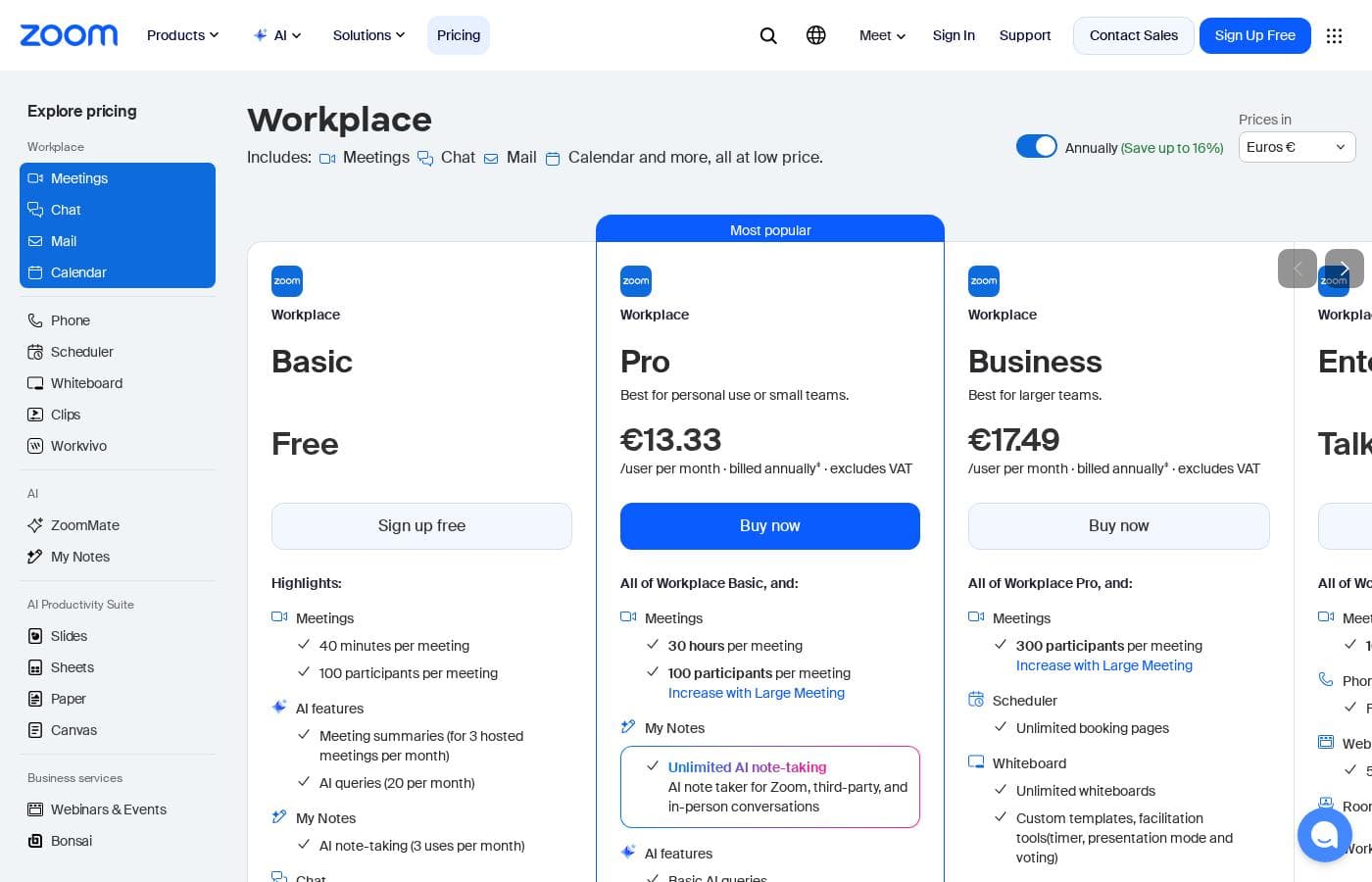
Zoom's pricing page

Zoom pricing page screenshotView pricing page screenshot

Pricing types: Free plan, Monthly subscription, Yearly subscription

Pricing notes

Zoom pricing: Billing options: Free plan, Monthly subscription, Yearly subscription

Email me when Zoom changes price

One email when we detect a price change on the vendor's pricing page. No newsletter, no deals. Unsubscribe in one click.

User Reviews

No reviews yet.

Write a Review

Write a Review for Zoom
0/100 characters
0/2000 characters

Why use Zoom?

The main reason to choose Zoom is consolidation: instead of paying for and switching between separate apps for meetings, chat, documents, and webinars, everything lives in one client with a consistent interface and shared context. Its AI-first design helps distributed teams stay aligned, letting people catch up on conversations and decisions they missed without sitting through every call.

Because the same vendor covers everyday teamwork, large-scale webinars, and customer-facing contact center operations, organizations can standardize their entire communication infrastructure on a single platform, simplifying administration, security, and vendor management.

Zoom alternatives

Other tools in the Webinar category

View all Webinar tools
Crowdcast

Crowdcast

Webinar4.2/5

Crowdcast is a groundbreaking new experience designed specifically for creators who need a dynamic online stage. After bringing together over 10 million attendees, the platform has been completely re-designed and engineered. Whether you host live shows, teach courses online, or run a virtual summit, Crowdcast provides the perfect environment for you. It is built to seamlessly handle everything from engagement tools to e-commerce functions. It’s truly your stage, your way.

Demio

Demio

Webinar4.1/5

Demio is an all-in-one webinar platform focused on maximizing revenue and simplifying the hosting experience. It moves beyond standard virtual events to offer powerful tools designed specifically for business growth. You can easily automate events, capture essential lead data using custom registration fields, and make your brand highly memorable. This platform allows you to use your logo and color palette across the dedicated registration page, email notifications, and even the webinar room. Demio is built to take the worry out of hosting. The user interface is simple and intuitive, ensuring you can rely on the platform to ‘just work’ so you can focus only on your content. Marketers use it to improve lead generation, Sales uses it to automate demos, and Customer Success uses it to retain customers and reduce churn.

Livestorm

Livestorm

Webinar4.1/5

Livestorm is a powerful, unified platform offering dynamic discussions for any kind of online event. It is designed to be the webinar leader, ready for immediate use. You access Livestorm right through your browser, which means there is no software to install and no credit card required to start. This accessibility ensures you can achieve maximum participation every time. This platform serves thousands of customers, scaling easily from startups to large enterprises.

GoTo Webinar

GoTo Webinar

Webinar4/5

GoTo Webinar is designed as an all-in-one platform for hosting virtual events of any size. It makes events easy, whether you are running remote staff trainings or complex multi-day conferences. Setup takes just minutes, and managing your ongoing events is simple. You don't even need dedicated IT support to make it work! The system is built with enterprise-grade security to keep all attendee data safe and your events uninterrupted.

BigMarker

BigMarker

Webinar3.9/5

BigMarker is a robust platform connecting professionals through virtual and hybrid events. 💡 It specializes in hosting interactive streams, helping organizations run impactful webinars that achieve real business outcomes. This solution supports comprehensive event planning, whether you are managing a small webinar series or planning a large annual customer conference. BigMarker gives event planners and marketers the tools needed to stand out from the crowd.

Zoom FAQ

Is there a free version of Zoom?

Yes. Zoom offers a free plan, and paid access is available through both monthly and yearly subscriptions. The free tier lets individuals and small teams test the core meeting and Workplace functionality before deciding whether an upgrade is worth it, which makes piloting the platform low-risk.

What is Zoom Workplace?

Zoom Workplace is the name of Zoom's integrated collaboration system. It bundles the platform's essential communication tools, including Meetings, Chat, and Docs, into a single environment so teams do not have to juggle separate applications for everyday communication. It is the core of Zoom's AI-first UCaaS offering.

Can Zoom handle customer-facing teams, not just internal meetings?

Yes. Beyond internal collaboration, Zoom offers an AI-first Contact Center and Customer Experience (CX) solutions built for support and engagement teams. This means a business can run employee communication and customer support operations on the same vendor and platform family.

How does Zoom support hybrid work specifically?

Zoom is designed for businesses that need to strengthen organizational culture and engage a hybrid workforce. The combination of unified meetings, persistent chat, and collaborative docs means in-office and remote employees work from the same toolset, while the AI-first layer helps anyone who missed a live discussion catch up without friction.

Ready to try Zoom? Check out the official site or pricing.

Are you Zoom? Claim this listing · Get the badge