BigMarker

BigMarker review

A browser-based webinar platform for live, automated, and hybrid events with deep marketing integrations

By Ciroapp Editorial Team · Updated Sep 16, 2026

Commission may apply at no extra cost

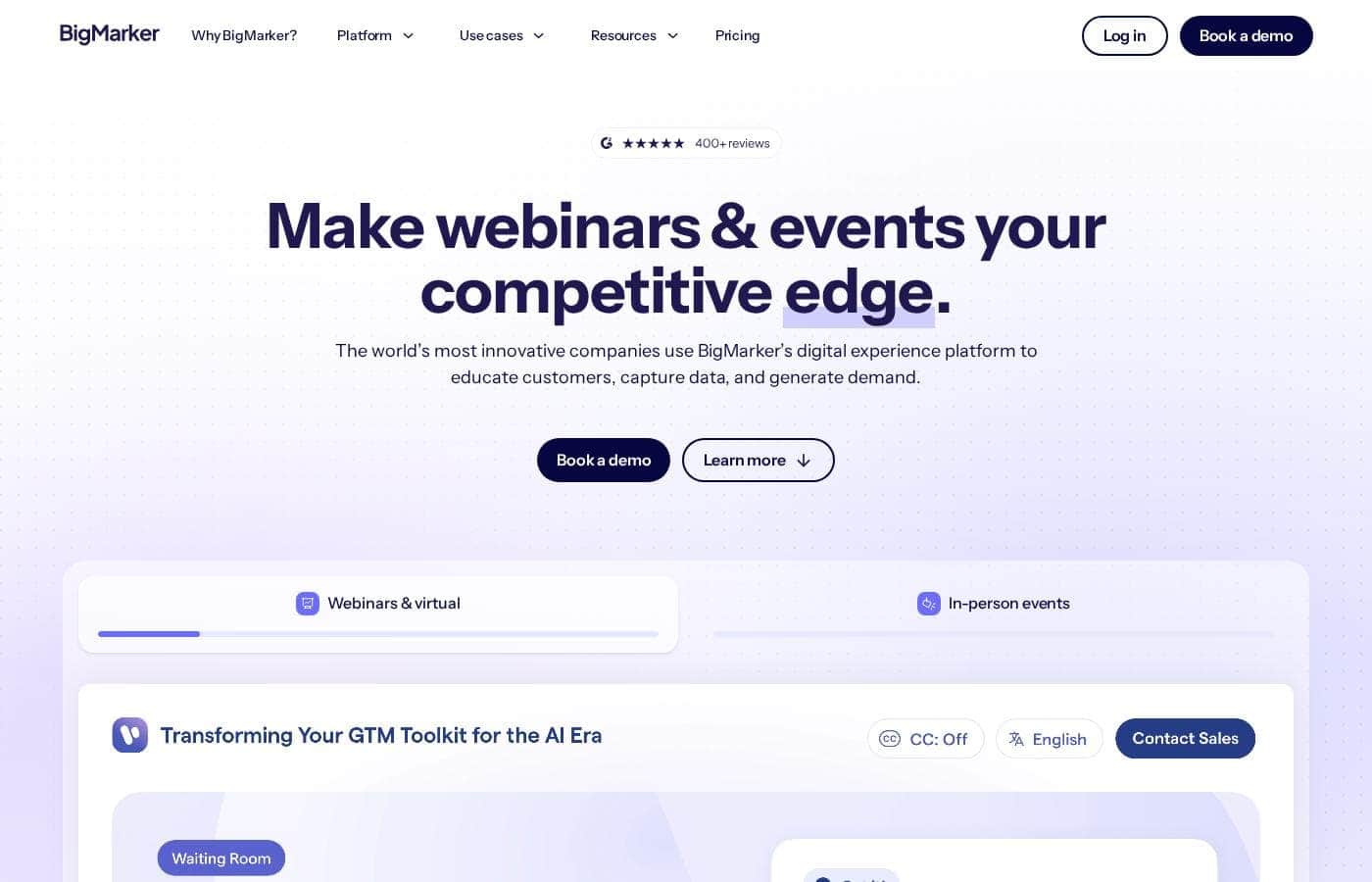
BigMarker homepage screenshot

At a glance

Quick overview for BigMarker: rating, pricing summary, key features, and highlights.
Vendor page checked Oct 13, 2026

Ciroapp score

3.9/ 5

BigMarker packs live, automated, and hybrid webinars into a browser-based platform with white-label branding, engagement tools, and deep CRM integrations, though top plans climb to roughly $68,893 and the feature set takes real setup time to master. Overall, it's a strong pick for B2B teams that treat webinars as a revenue channel, while buyers wanting a simple streamer will be overserved.

Pros

  • Pros:Attendees and hosts join through the browser with no software download, which reduces the drop-off that hurts webinar attendance rates
  • Pros:Native integrations with HubSpot, Marketo, and Salesforce, plus a REST API and webhooks, keep registration and engagement data flowing into existing marketing workflows
  • Pros:White-label controls cover registration pages, custom URLs, colors, logos, and website embeds, so events never send traffic to a third-party-branded experience

Cons

  • Cons:Upper-tier plans in the published pricing range reach about $68,893, a significant investment that small teams may struggle to justify if they only need basic live webinars
  • Cons:The breadth of features for automation, hybrid streaming, and branding creates a learning curve, and teams should expect setup and training time before running polished events
  • Cons:Getting full value from automated and evergreen formats depends on investing in quality recordings upfront, which adds production work compared to simply going live
Best for
  • B2B marketing and demand-gen teams that run webinars as a recurring lead-generation channel and need attendance data synced to HubSpot, Marketo, or Salesforce
  • Growth teams building evergreen automated webinar funnels from pre-recorded presentations
  • Event managers organizing multi-session virtual conferences or hybrid events with both in-person and remote audiences
This section is a summary. Detailed sections about features, use cases, pricing, and reviews follow below.

What is BigMarker?

BigMarker is a webinar and virtual event platform built for organizations that treat online events as a core business channel rather than an occasional meeting. It covers the full event lifecycle, from registration pages and promotional emails to live interaction, follow-up analytics, and on-demand replays. Because it supports everything from a single webinar to a multi-session annual conference, it serves both marketing teams and dedicated event planners.

This review covers where it performs well and which buyers should look elsewhere.

BigMarker is a web-based platform for hosting live, automated, on-demand, and hybrid events without requiring attendees to install software. Hosts can build branded registration pages, run interactive sessions with polls, Q&A, chat, and calls-to-action, and reuse recordings through webinar channels and content hubs. The platform connects to CRMs and marketing automation systems through native integrations and a REST API, so registration and attendance data flows into existing workflows.
Should you choose BigMarker?

Quick buyer guidance before you compare plans or click through.

Choose it if

  • B2B marketing and demand-gen teams that run webinars as a recurring lead-generation channel and need attendance data synced to HubSpot, Marketo, or Salesforce
  • Growth teams building evergreen automated webinar funnels from pre-recorded presentations
  • Event managers organizing multi-session virtual conferences or hybrid events with both in-person and remote audiences
  • Customer education and success teams that want a branded, searchable library of training webinars

Skip it if

  • Small teams or solo creators who only need an occasional basic live stream and would not use the automation, hybrid, or deep integration features that drive the higher pricing tiers
  • Buyers looking for a lightweight internal video meeting tool, where a standard video conferencing app is simpler and cheaper
  • Organizations without the resources to produce quality recorded content for automated webinars or to manage a feature-rich event setup

Next steps before buying

  1. 1Sign up on the free entry plan at bigmarker.com and explore the webinar console and dashboard before choosing a paid tier
  2. 2Create your first event: set the title, build a branded registration page, and configure confirmation and reminder emails
  3. 3Connect your CRM or marketing automation tool, then submit a test registration to confirm data flows into your system correctly
  4. 4Run a full practice session with colleagues, testing polls, Q&A, and calls-to-action, then go live and review the post-event analytics report
  5. 5Once your first live webinar works end to end, record it and repurpose the recording as an automated or on-demand event to extend its value

BigMarker Key Features

✨ Live, Automated, and On-Demand Formats

BigMarker supports real-time presentations, pre-recorded sessions scheduled as automated webinars, and always-available on-demand replays. This lets one recorded presentation power an evergreen registration funnel while live sessions handle launches, Q&As, and training. Attendees join through a browser link, so there is no download step suppressing attendance rates.

✨ Interactive Engagement Tools

During a session, hosts can run polls, moderate Q&A, manage public and private chat, share handouts, and display calls-to-action or offers at chosen moments. These engagement elements serve double duty: they keep audiences attentive and generate per-attendee interaction data that sales and marketing teams can act on after the event.

✨ White-Label Branding and Registration

Webinars can carry your own logo, colors, custom URLs, and fully styled registration and confirmation pages. Events can also be embedded on your website, so the entire experience, from signup to replay, stays inside your own domain rather than sending traffic to a third-party-branded page.

✨ Marketing Integrations and API

Native connectors for platforms such as HubSpot, Marketo, and Salesforce sync registrants, attendance, and engagement activity into your CRM and automation workflows. For custom stacks, BigMarker exposes a REST API and webhooks, allowing event data to trigger nurture sequences, lead scoring updates, or internal notifications automatically.

✨ Channels, Hubs, and Hybrid Event Support

Webinar channels group related sessions into a persistent branded portal, useful for content series, customer education libraries, and multi-day virtual conferences. For hybrid formats, sessions can be streamed to in-person venues and remote audiences simultaneously, extending a single event to viewers on social platforms and other destinations.

✨ Analytics and Reporting

After each event, BigMarker reports registration sources, attendance duration, poll responses, link clicks, and Q&A participation at the individual contact level. These reports export to CSV and sync to integrated systems, making it possible to attribute pipeline and measure which sessions or topics produce engaged leads.

Use Cases

💡 Lead Generation Webinars

Marketing teams use BigMarker's branded registration pages, email reminders, and CRM integrations to turn webinars into a repeatable pipeline source. Attendance and engagement data syncs to HubSpot, Marketo, or Salesforce, so sales can prioritize follow-up based on who attended and how they interacted.

💡 Evergreen Automated Webinar Funnels

A single recorded presentation can be scheduled as an automated webinar with recurring time slots or on-demand access. This supports always-on lead capture without a presenter present, while registration and viewing analytics continue flowing into marketing systems for scoring and nurture.

💡 Virtual and Hybrid Conferences

Organizations running annual customer conferences or multi-session summits use channels to present a branded agenda and content library. Hybrid streaming extends keynote and breakout sessions to remote attendees, consolidating registration and engagement reporting in one place.

💡 Customer Education and Training

Customer success and product teams build webinar series that onboard and educate users at scale. Persistent channels act as a searchable library of past sessions, reducing repeated one-off training requests and giving product teams data on which topics customers actually watch.

💡 Product Demos and Sales Enablement

Sales teams run targeted demo webinars for prospect segments, using CTAs and offers inside the room to drive next steps. Interaction data helps reps qualify interest before the follow-up call, shortening the path from first touch to booked meeting.

BigMarker pricing

BigMarker doesn't publish prices: pricing is quote-based (contact sales).

BigMarker's pricing page

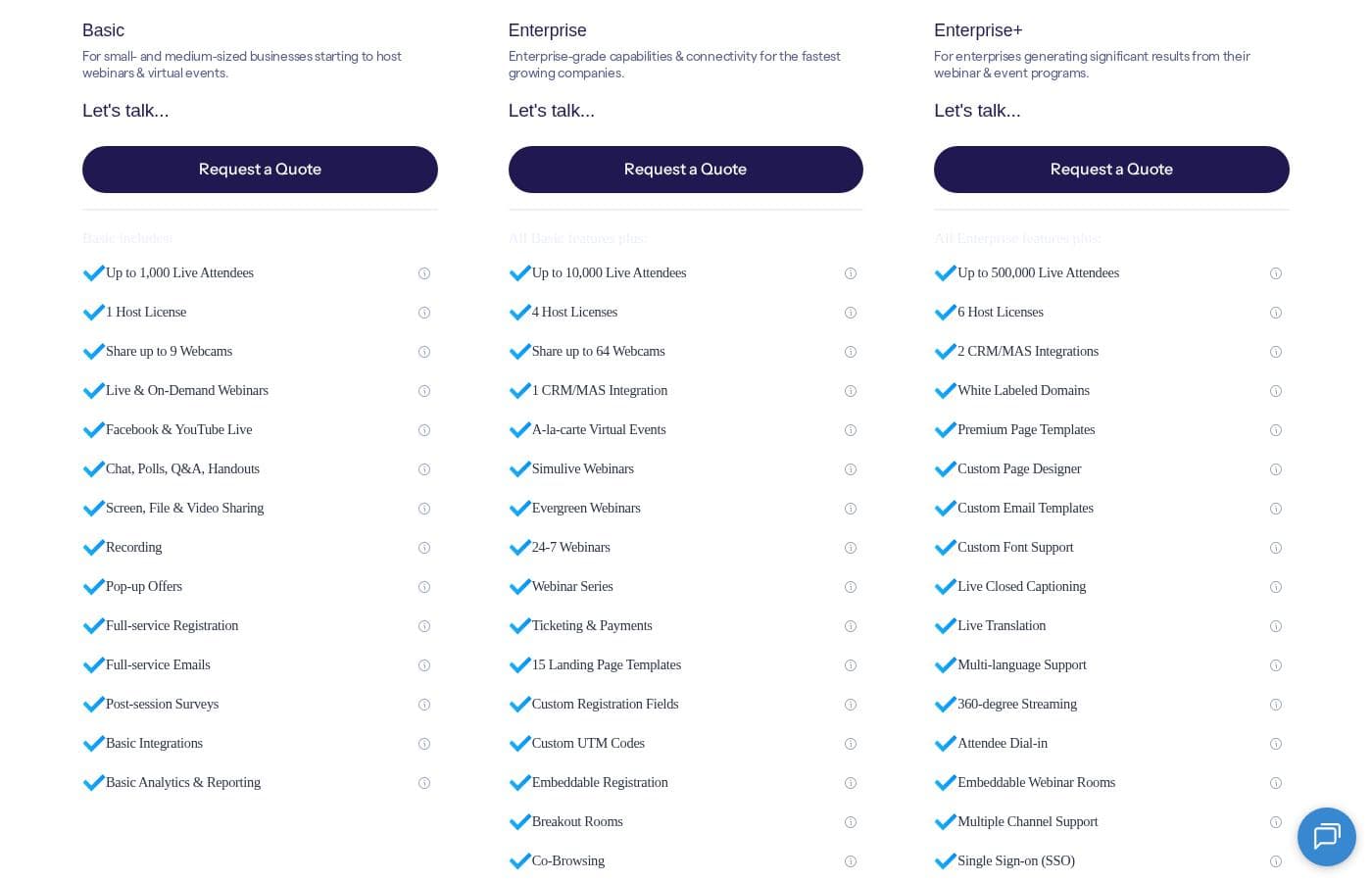
BigMarker pricing page screenshotView pricing page screenshot

Price history

Tracking prices since Oct 1, 2026. No price change detected yet.

Pricing types: Monthly subscription, Yearly subscription, Usage-based pricing

Pricing notes

BigMarker pricing: Billing options: Monthly subscription, Yearly subscription, Usage-based pricing

Email me when BigMarker changes price

One email when we detect a price change on the vendor's pricing page. No newsletter, no deals. Unsubscribe in one click.

User Reviews

No reviews yet.

Write a Review

Write a Review for BigMarker
0/100 characters
0/2000 characters

Why use BigMarker?

Teams choose BigMarker when webinars need to produce measurable business outcomes, not just video broadcasts. Its combination of white-label branding, automation for evergreen webinar funnels, and hybrid event support means a single platform can cover lead generation, customer education, and large conferences.

Native integrations with tools like HubSpot, Marketo, and Salesforce, plus API access, reduce the manual work of syncing attendee data with your marketing stack.

BigMarker alternatives

Other tools in the Webinar category

View all Webinar tools
Crowdcast

Crowdcast

Webinar4.2/5

Crowdcast is a groundbreaking new experience designed specifically for creators who need a dynamic online stage. After bringing together over 10 million attendees, the platform has been completely re-designed and engineered. Whether you host live shows, teach courses online, or run a virtual summit, Crowdcast provides the perfect environment for you. It is built to seamlessly handle everything from engagement tools to e-commerce functions. It’s truly your stage, your way.

WebinarJam

WebinarJam

Webinar4.1/5

WebinarJam is a live webinar platform from Genesis Digital for hosting live, interactive webinars and online events with chat, polls, offers and replays.

Demio

Demio

Webinar4.1/5

Demio is an all-in-one webinar platform focused on maximizing revenue and simplifying the hosting experience. It moves beyond standard virtual events to offer powerful tools designed specifically for business growth. You can easily automate events, capture essential lead data using custom registration fields, and make your brand highly memorable. This platform allows you to use your logo and color palette across the dedicated registration page, email notifications, and even the webinar room. Demio is built to take the worry out of hosting. The user interface is simple and intuitive, ensuring you can rely on the platform to ‘just work’ so you can focus only on your content. Marketers use it to improve lead generation, Sales uses it to automate demos, and Customer Success uses it to retain customers and reduce churn.

Livestorm

Livestorm

Webinar4.1/5

Livestorm is a powerful, unified platform offering dynamic discussions for any kind of online event. It is designed to be the webinar leader, ready for immediate use. You access Livestorm right through your browser, which means there is no software to install and no credit card required to start. This accessibility ensures you can achieve maximum participation every time. This platform serves thousands of customers, scaling easily from startups to large enterprises.

Zoom

Zoom

Webinar4.1/5

Zoom is an AI-first Unified Communications as a Service (UCaaS) solution built for modern teams. It is a single platform dedicated entirely to collaboration. This integrated system, called Zoom Workplace, streamlines essential communication tools like Meetings, Chat, and Docs. It’s designed for any business that needs to strengthen its organizational culture and effectively engage a hybrid workforce. Zoom also supports critical customer-facing functions, offering specialized AI-first contact center and Customer Experience (CX) solutions. This level of connection helps your entire team work together without friction.

GoTo Webinar

GoTo Webinar

Webinar4/5

GoTo Webinar is designed as an all-in-one platform for hosting virtual events of any size. It makes events easy, whether you are running remote staff trainings or complex multi-day conferences. Setup takes just minutes, and managing your ongoing events is simple. You don't even need dedicated IT support to make it work! The system is built with enterprise-grade security to keep all attendee data safe and your events uninterrupted.

BigMarker FAQ

Do attendees need to download software to join a BigMarker webinar?

No. BigMarker runs in the browser, so attendees join through a link without installing an app. This removes a common friction point that reduces live attendance and makes it easier to reach audiences on locked-down corporate machines.

Can BigMarker run automated webinars from pre-recorded content?

Yes. You can take a recorded presentation and schedule it as an automated webinar with recurring sessions or on-demand access. Attendees register through the same branded pages, and you still receive registration and viewing analytics as you would for a live event.

Which marketing tools does BigMarker integrate with?

BigMarker offers native integrations with platforms such as HubSpot, Marketo, and Salesforce, syncing registrant, attendance, and engagement data into your CRM and automation workflows. For custom setups, it provides a REST API and webhooks so event activity can trigger sequences, lead scoring updates, or notifications in other systems.

Is there a free way to try BigMarker?

The published pricing starts at $0, meaning an entry-level free option exists, with billing available monthly, yearly, or usage-based at higher tiers. The free tier lets you test the platform's core webinar flow before committing to a paid plan with larger attendee capacity and advanced features.

Can BigMarker support hybrid events with both in-person and remote audiences?

Yes. BigMarker is built for virtual and hybrid events, letting you stream a session to an in-person venue and remote viewers at the same time. Registration, attendance, and engagement for remote participants are captured in the same reporting as your fully virtual events.

Ready to try BigMarker? Check out the official site or pricing.

Are you BigMarker? Claim this listing · Get the badge