folk

folk review

A team CRM with AI assistants that handle follow-ups, research, and outreach in the background.

folk costs from $30/mo · 3 plans · prices checked Oct 24, 2026

By Ciroapp Editorial Team · Updated Sep 17, 2026

Commission may apply at no extra cost

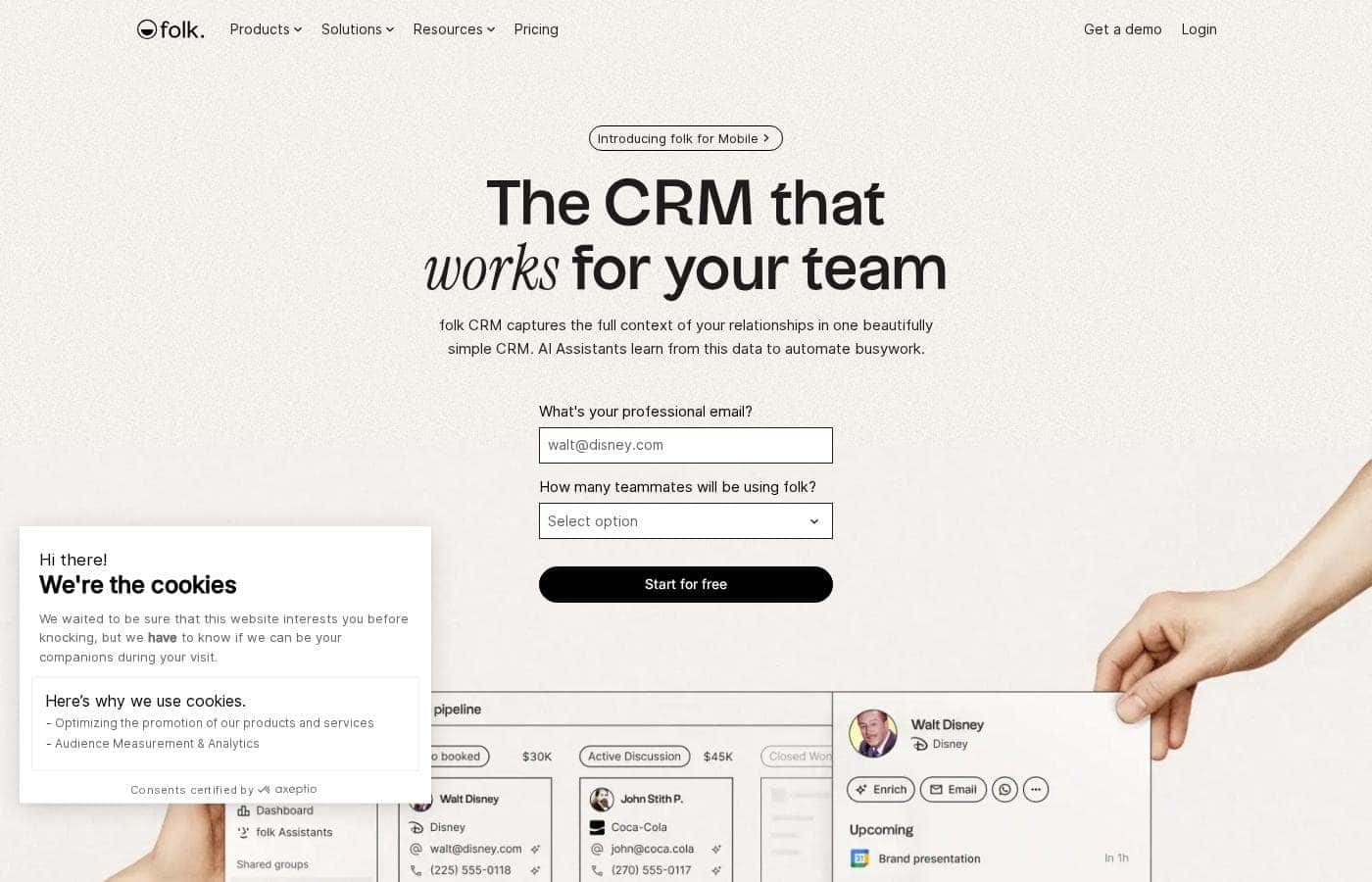
folk homepage screenshot

At a glance

Quick overview for folk: rating, pricing summary, key features, and highlights.
Pricing verified Oct 24, 2026

Ciroapp score

4.1/ 5

folk bundles shared pipelines, AI assistants for follow-ups and research, and one-click LinkedIn lead capture at a clear $24–$80 per-seat price. Monthly usage caps and SOC 2 Type I-only certification may give compliance-minded buyers pause. Overall, it's a well-priced, capable pick for LinkedIn-heavy sales, agency, and partnership teams.

Pros

  • Four dedicated AI assistants (Follow-up, Recap, Research, and Workflow) automate stalled-thread detection, account summaries, company research, and email sequences rather than just offering generic AI chat
  • The folkX Chrome extension imports leads directly from LinkedIn and 7+ other platforms without leaving the page, eliminating manual copy-pasting
  • 1-click waterfall enrichment fills in missing emails and phone numbers automatically, so contact records are complete faster

Cons

  • Usage credits are capped per plan and reset monthly — for example, 500 vs. 1,000 enrichment emails and 2,000 vs. 5,000 messages per member per month on Standard vs. Premium — so high-volume teams may hit limits or need Enterprise
  • Only SOC 2 Type I certification is advertised; organizations requiring SOC 2 Type II or stricter compliance must verify requirements with folk before purchasing
  • No refund terms are displayed, the trial window is only 14 days, and payment is credit-card only with a 7-day grace period before blocked accounts after failed payments
Best for
  • Sales teams that prospect heavily on LinkedIn and want leads captured in one click
  • Agencies that need streamlined, shared client relationship tracking
  • Startups wanting CRM, enrichment, and outreach in a single tool
Free trial
Yes — 14 days
This section is a summary. Detailed sections about features, use cases, pricing, and reviews follow below.

What is folk?

Chasing scattered contact details and forgotten follow-ups wastes selling time. folk puts your contacts, emails, and deals in one CRM, then uses AI assistants to draft follow-ups, summarize relationships, and enrich lead data automatically.

folk is a relationship CRM built for teams that work in LinkedIn, Gmail, Outlook, and WhatsApp. It stores contacts, companies, and deals in one shared workspace. AI assistants then handle the busywork: spotting stalled conversations, summarizing accounts, researching companies, and sending personalized outreach.

The site positions it for sales teams, agencies, startups, and partnership teams, with desktop and mobile apps plus integrations across thousands of tools.

Should you choose folk?

Quick buyer guidance before you compare plans or click through.

Choose it if

  • Gmail, Outlook, or WhatsApp users who want conversations synced into their CRM
  • Sellers who lose momentum on stalled threads and want AI-suggested follow-ups
  • Teams that want prospect research and contact enrichment automated instead of manual
  • Groups that need shared pipelines, roles and permissions, and sales dashboards
  • Buyers who prefer testing first — folk offers a 14-day free trial

Skip it if

  • Organizations with strict compliance demands: folk advertises SOC 2 Type I certification, so verify Type II or other requirements separately
  • Teams dependent on niche native integrations: the site lists 'tens' of direct connections plus 6,000+ tools, but confirm yours before switching

Next steps before buying

  1. 1Review the pricing page and match plan costs to your team size before you commit
  2. 2Confirm your must-have integrations — email provider, calendar, LinkedIn workflow — are supported
  3. 3Start the 14-day free trial and import a small sample of contacts to test capture and enrichment
  4. 4Compare folk against HubSpot, Pipedrive, or Airtable using folk's comparison pages and independent reviews
  5. 5Check the help center and tutorials to gauge setup time for your team

Ease of use

Onboarding looks light-touch: a 14-day free trial, a Chrome extension for one-click lead capture, and video tutorials from the folk team. The homepage markets the product as 'beautifully simple,' and strong review scores on Product Hunt and the Chrome store suggest users agree. Setting up custom data models, workflows, or the API will take more effort, but a help center is available.

folk Key Features

🤖 AI assistants that work while you sell

folk pairs your CRM data with four AI assistants that handle busywork in the background. The Follow-up Assistant flags stalled threads, the Recap Assistant sums up any relationship, the Research Assistant enriches company data, and the Workflow Assistant automates email sequences. They run 24/7, even while you sleep.

✨ Follow-ups that never slip

The Follow-up Assistant watches your email and WhatsApp conversations. When a thread goes quiet with a next step pending, it sends you a personalized draft in your tone of voice. You decide what counts as inactive and which contacts to include, then get nudges in-app, by email, or on contact profiles.

✨ Full context on every relationship

Need a quick brief before a call? The Recap Assistant scans emails, meetings, notes, WhatsApp messages, and LinkedIn activity to summarize any person, company, or deal. You see who last interacted, what was decided, and what's next.

Recaps follow your methodology — MEDDIC, BANT, or custom — and stay private to you.

⚡ Faster lead capture and research

The folkX Chrome extension imports leads from LinkedIn and 7+ other platforms without leaving the page. Smart fields fill in what's missing in one click:

  • Missing emails and phone numbers, found through waterfall enrichment
  • Your lead's strongest connection to the team
  • Company insights imported from the prospect's website with AI

✨ Sell together, reach more people

Shared pipelines keep everyone working the same deals, with customizable roles and permissions. Bulk campaigns and scheduled sequences handle personalized outreach at scale, and each workflow tracks sent, opened, replied, and bounced emails. Dashboards show how your funnel is doing, while email, calendar, WhatsApp, and 6,000+ integrations feed one shared workspace.

Use Cases

⚡ Capture LinkedIn leads in one click

A rep prospecting on LinkedIn saves leads with the folkX Chrome extension, right from the profile page. 1-click enrichment then fills in missing emails and phone numbers. Expected outcome: complete contact records, with no copy-pasting.

🔔 Never lose a stalled thread

When an email or WhatsApp conversation goes quiet with a next step pending, the Follow-up Assistant flags it and drafts a reply in your tone. Expected outcome: deals keep moving because nothing gets forgotten.

🔍 Walk into every call prepared

Before a meeting, ask the Recap Assistant for a brief on any person, company, or deal. Need company facts? The Research Assistant adds industry, size, and funding.

Tip: shape recaps around MEDDIC or BANT.

✉️ Personal outreach on autopilot

A team lead sets a workflow that emails a lead the moment its status becomes "Qualified." The Workflow Assistant writes and sends each personalized message, then tracks opens and replies. Expected outcome: outreach that scales without manual chasing.

folk pricing

From$30/mo

  • 3 plans
  • Save up to 20% with annual billing

Prices checked on Oct 24, 2026 from folk's pricing page

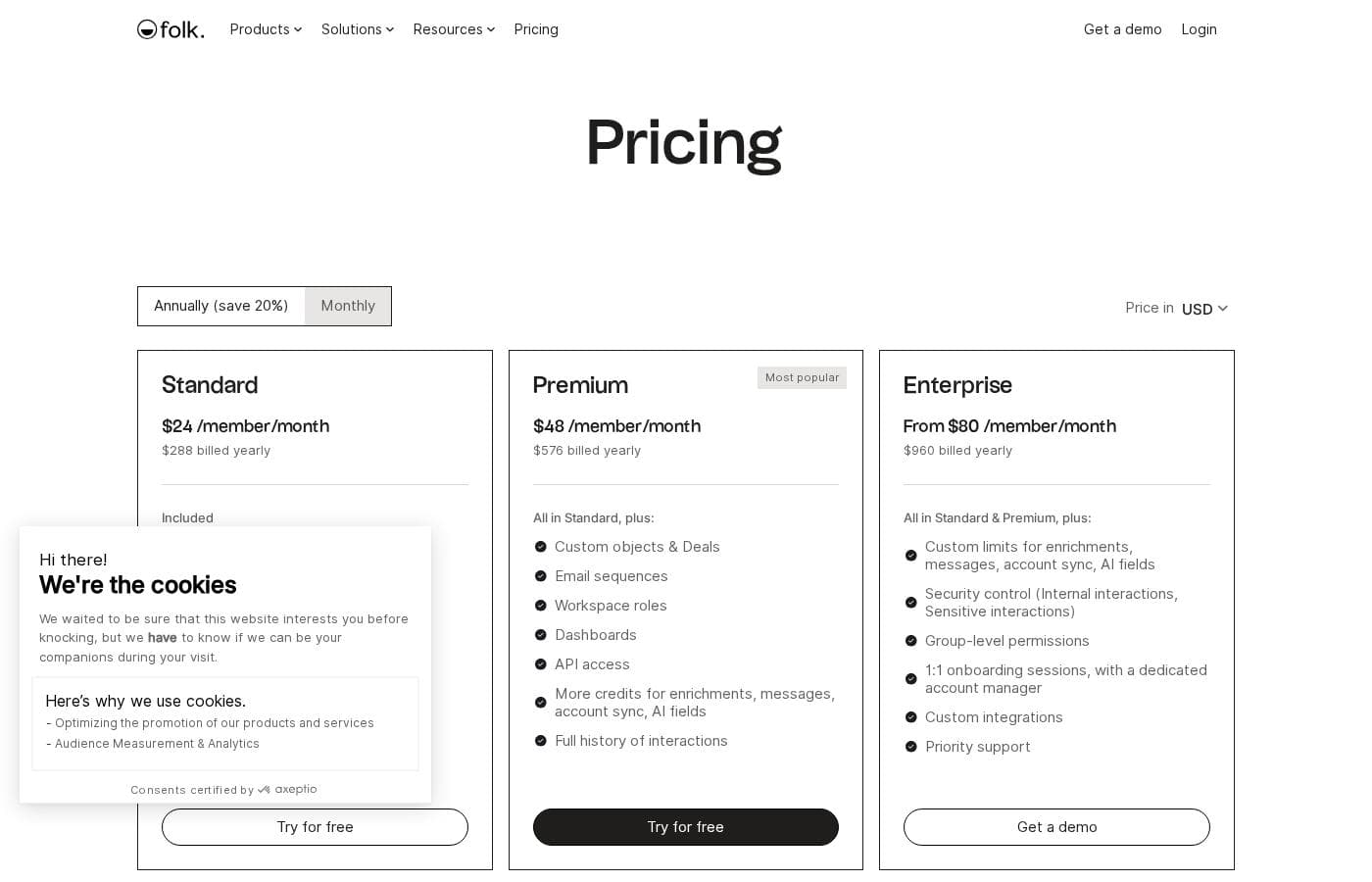
folk pricing page screenshotView pricing page screenshot
PlanBilled monthlyBilled annuallyIncludes
Standard
per user
$30/mo
$24/mo
$288 per year
Save up to 20% with annual billing
500 enrichment emails/month; 2,000 magic fields/month; 2,000 messages per member/month; 1 account sync per member; 200 Research Assistant runs/month; 1,500 Workflow Assistant runs/month; 1 custom domain
  • Pipeline management
  • Email campaigns
  • Contact enrichment
  • AI Assistants
  • Magic fields (AI)
  • +3
Premium
per user
$60/mo
$48/mo
$576 per year
Save up to 20% with annual billing
1,000 enrichment emails/month; 5,000 magic fields/month; 5,000 messages per member/month; 5 account syncs per member; 3 custom domains
  • Everything in Standard
  • Custom objects & Deals
  • Email sequences
  • Workspace roles
  • Dashboards
  • +3
Enterprise
per user
$100/mo
$80/mo
$960 per year
Save up to 20% with annual billing
  • Everything in Standard & Premium
  • Custom limits for enrichments, messages, account sync, AI fields
  • Security controls (internal & sensitive interactions)
  • Group-level permissions
  • 1:1 onboarding sessions with a dedicated account manager
  • +2

Price history

Tracking prices since Oct 1, 2026. No price change detected yet.

Pricing types: Free plan, Free trial, Monthly subscription, Yearly subscription, Per seat pricing

Pricing notes

folk offers three per-seat plans — Standard, Premium, and Enterprise — priced per member. Annual billing starts at $24 per member/month and saves 20% versus paying monthly.

folk costs between $24 and $80 per member per month with three plans: Standard at $24, Premium at $48, and Enterprise from $80 — all based on annual billing.

Here's a closer look at what each plan includes.

Standard

Price: $24 per member/month billed annually ($288/year), or $30 billed monthly Other Features:

  • Pipeline management and email campaigns
  • Contact enrichment (500 emails/month) and AI Assistants
  • Magic fields (2,000/month) and the LinkedIn extension
  • Email, calendar & WhatsApp sync with 5,000+ integrations

Standard is the entry point, but it's far from bare-bones. You get pipelines, bulk messaging, enrichment, and AI help in one workspace. It's a solid fit for small teams and solo operators who want structure without a big bill.

Premium

Price: $48 per member/month billed annually ($576/year), or $60 billed monthly Other Features:

  • Everything in Standard, plus custom objects & Deals
  • Email sequences, dashboards, and workspace roles
  • API access and full history of interactions
  • More credits: 1,000 enrichments and 5,000 AI fields monthly, plus 3 custom domains

Premium is the most popular plan, and the extras explain why. Growing sales teams get sequences, reporting, and more automation headroom. Pick it once you've outgrown basic contact management and want deeper insight.

Enterprise

Price: From $80 per member/month billed annually ($960/year), or from $100 billed monthly Other Features:

  • Everything in Standard & Premium, plus custom usage limits
  • Security controls for internal and sensitive interactions
  • Group-level permissions
  • 1:1 onboarding, a dedicated account manager, custom integrations, and priority support

Enterprise is built for larger organizations with admin and compliance needs. You get custom limits, tighter security, and hands-on onboarding. If your team runs high volumes or handles sensitive data, this tier makes sense. Skipping it is fine if you're a small crew with modest usage.

One tip before you choose: credits for enrichment, messages, and AI reset monthly, so match your expected volume to each plan's limits.

Every new workspace starts with a 14-day free trial that unlocks all premium features — no credit card needed. If you don't upgrade when it ends, your account is blocked, but your data isn't deleted right away. You can cancel a paid plan anytime from settings. 💡

Cost calculator

Estimate what folk costs for your team.

Billing
Per month
$150
Per year
$1,800

Standard is priced per user: price × 5 seats. Estimate based on published list prices, before taxes, add-ons and discounts.

How to pay less for folk

  • Pay annually: saves up to 20% compared with monthly billing.
  • Use the 14-day free trial before you pay.
  • Some plans are priced per user: only pay for seats people actually use.
  • Cheaper tools in this category start at $6.58/mo.
Start free trial

Email me when folk changes price

One email when we detect a price change on the vendor's pricing page. No newsletter, no deals. Unsubscribe in one click.

User Reviews

No reviews yet.

Write a Review

Write a Review for folk
0/100 characters
0/2000 characters

Why use folk?

Most CRMs create busywork. folk tries to remove it, pairing a shared contact and deal database with AI assistants that work while you sell.

  • Four AI assistants with real jobs: the Follow-up Assistant flags inactive threads, the Recap Assistant summarizes any relationship on demand, the Research Assistant enriches company data, and the Workflow Assistant automates email sequences.
  • Capture leads where they are: the folkX Chrome extension imports contacts from LinkedIn and 7+ other platforms without leaving the page.
  • Complete contact data fast: 1-click enrichment finds missing emails and phone numbers through waterfall enrichment.
  • Built for team selling: shared pipelines, customizable roles and permissions, and dashboards keep everyone aligned on the same deals.
  • Connected to your stack: integrations with email, calendar, social platforms, and 6,000+ other tools, plus a public API for custom builds.
  • Proof and safety: used by 5,000+ companies, with SOC 2 Type I, GDPR compliance, and ratings of 4.9 on Product Hunt and 4.8 on the Chrome store.

folk alternatives

Other tools in the CRM category

View all CRM tools
Hubspot

Hubspot

CRM4.2/5

The HubSpot Customer Platform is a comprehensive system built around the Smart CRM. This Smart CRM acts as your single source of truth for all business data. It helps go-to-market teams—marketing, sales, and customer service—work together seamlessly. Over 268,000 customers across more than 135 countries already use it to scale their operations. The platform offers specialized Hubs that connect to everything you need to create content, find leads, close deals, and grow revenue.

Nutshell

Nutshell

CRM4.2/5From $16/mo

We create powerful, easy-to-use sales, marketing, and engagement software that tells teams what’s next at each stage of the sales cycle. Our CRM software supports sales teams, marketing teams, and small business owners at over 5,000 companies.

Salesflare

Salesflare

CRM4.2/5

Salesflare is a simple yet powerful CRM designed for small and medium businesses selling B2B. It helps teams keep track of everything automatically, enrich data, and collaborate with more transparency. It connects with LinkedIn, Gmail, and Outlook to remove copy-paste and keep all details in one place.

Pipedrive

Pipedrive

CRM4.2/5From $14/mo

Pipedrive is a trusted CRM platform already used by over 100,000 companies worldwide. It is designed specifically for sales teams and growing small businesses. The tool helps you easily manage all your leads and deals. It provides a single space for your activities and instant access to crucial sales data. The core benefit is simple: less time managing and more time closing deals.

Demodesk

Demodesk

CRM4.2/5

Demodesk is an AI meeting assistant and sales agent platform for revenue teams. It records online, phone, and in-person meetings, then transcribes and summarizes them in 98 languages. Its AI agents handle summaries, coaching, CRM updates, and deal insights. The company is based in Munich, stores data on EU servers (Azure Frankfurt), and is GDPR-native and ISO 27001:2022 certified. It fits European sales teams that want automation with strict data privacy.

Salesforce

Salesforce

CRM4.2/5

Salesforce is a leading global software company recognized for providing integrated technology solutions. It helps businesses across many sectors, offering specific tools for Financial Services, Retail, Healthcare, and more. This platform focuses on connecting proactively with customers, automating workflows, and unifying data. Importantly, Salesforce incorporates powerful AI agents like Agentforce to improve support, boost productivity, and drive business outcomes. The system aims to give you a single, unified value chain approach. You can also leverage a strong ecosystem through the AppExchange for additional tools and partners.

Cheapest CRM software for 1 to 25 users

folk FAQ

How much does folk cost?

folk's cheapest paid plan, Standard, costs $30 per month. Paid plans range from $30 to $100 per month. Prices checked on Oct 24, 2026 from the vendor's pricing page.

Does folk offer a free trial or a money-back guarantee?

folk offers a 14-day free trial.

How much do you save with annual billing on folk?

Paying annually saves up to 20% compared with monthly billing, based on folk's list prices.

Has folk's price changed recently?

No. We have not detected a price change since we started tracking on Oct 1, 2026.

Is my data secure with folk?

folk is SOC 2 Type I certified, GDPR compliant, and Google security certified. Enterprise plans add controls for internal and sensitive interactions. If your compliance needs require SOC 2 Type II, verify that with folk before purchasing.

How does billing change when I add or remove team members?

Pricing is per member. Adding or removing members triggers a prorated charge on your next bill. folk only accepts credit cards, and failed payments give you 7 days to update details before the account is blocked.

Can I migrate my existing CRM data into folk?

Yes. folk provides a migration service (see its Migrate my CRM page), and every plan includes CSV import/export for contacts. Enterprise customers also get 1:1 onboarding sessions with a dedicated account manager.

Who is folk best for, and what languages does it support?

folk targets sales teams prospecting on LinkedIn, agencies, startups, and partnership teams using Gmail, Outlook, or WhatsApp. The product supports seven languages, including English, French, German, Spanish, Italian, Portuguese, and Dutch.

Ready to try folk? Check out the official site or pricing.

Are you folk? Claim this listing · Get the badge