EverWebinar

EverWebinar review

EverWebinar lets coaches and course creators run automated webinars that keep selling daily.

EverWebinar costs from $79/mo · 4 plans · prices checked Oct 13, 2026

By Ciroapp Editorial Team · Updated Oct 13, 2026
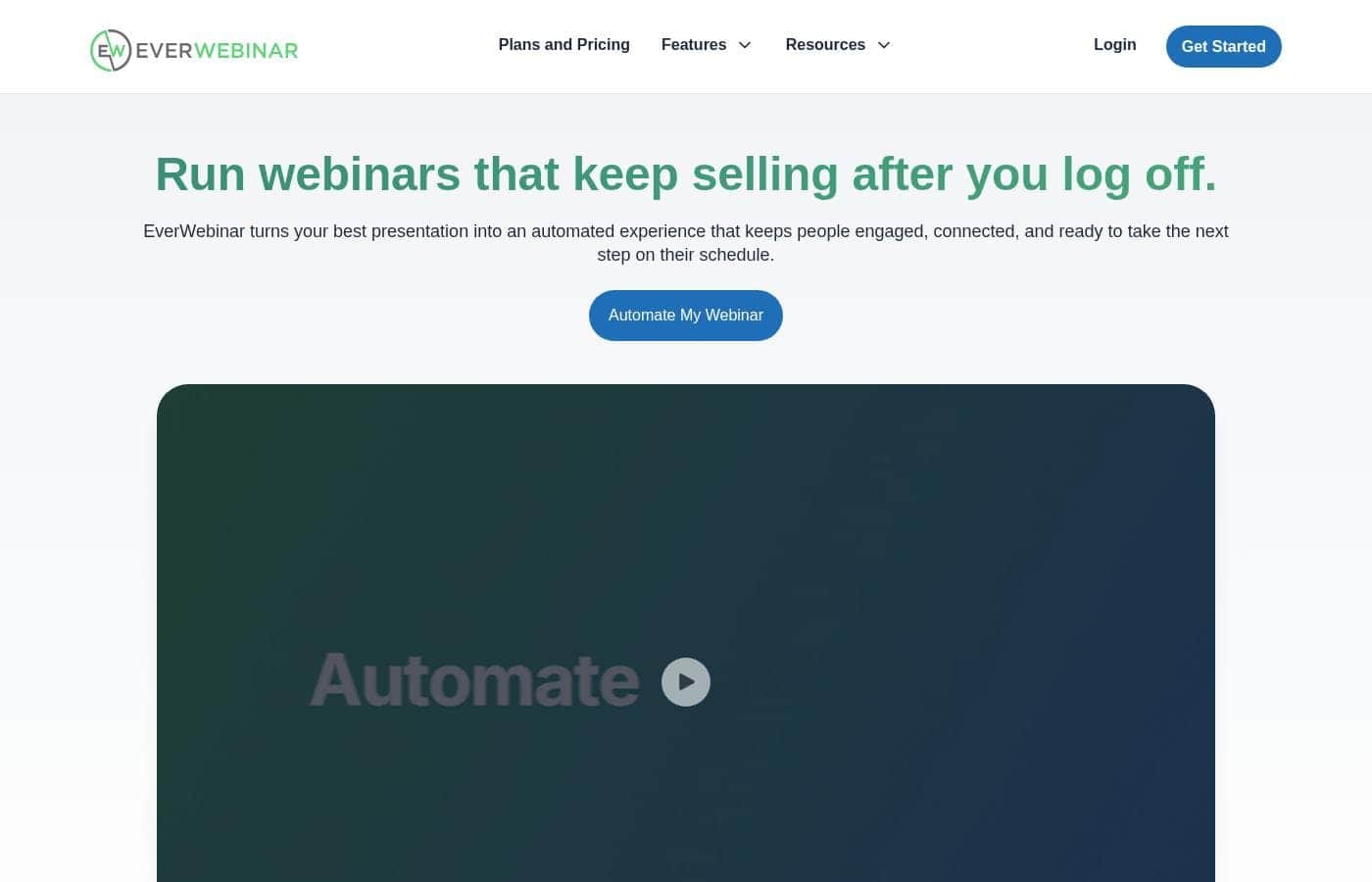
EverWebinar homepage screenshot

At a glance

Quick overview for EverWebinar: rating, pricing summary, key features, and highlights.
Pricing verified Oct 13, 2026

Ciroapp score

3.9/ 5

Sell daily from one recorded webinar

EverWebinar turns a proven recording into an automated session that runs daily, adding timed chat, polls, and offers without extra calendar time. Setup takes some care, import works best with WebinarJam, and the lowest monthly rates need a one- or two-year prepayment. Overall, a strong pick for coaches who already have a webinar that sells.

Pros

  • Pros:Record once and deliver your best session on a daily schedule
  • Pros:Chat messages, polls, and offers appear at the exact moments you choose
  • Pros:Hybrid mode pairs the recording with live chat for a human touch

Cons

  • Cons:The $79/mo and $99/mo rates require paying two years ($1,896) or one year ($1,188) upfront; month-to-month is $199
  • Cons:Full session import depends on using WebinarJam
  • Cons:You need a finished recording or an MP4 before automation can run
Best for
  • Coaches and consultants who run the same webinar repeatedly
  • Course creators who want steady enrollments without live events
  • Service providers selling to leads across different time zones
Free trial
Yes — 14 days
Money-back guarantee
Yes — 30 days
This section is a summary. Detailed sections about features, use cases, pricing, and reviews follow below.

What is EverWebinar?

EverWebinar is software that turns a pre-recorded presentation into an automated webinar. It adds registration pages, email reminders, chat messages timed to your video, polls, and offers that appear at set moments. Sessions can run on a schedule, start a few minutes after someone registers, or play on demand, and hybrid mode pairs the recording with live chat.

It's built for coaches, course creators, consultants, and service providers who want to reach buyers without presenting live each time.

Verdict

Best for Coaches, course creators, consultants, and service providers who already have a webinar that sells and want it running without them..

EverWebinar suits sellers who already have a proven webinar and want it running daily without standing on camera. It fits less well if you'd rather present live every time, or if you need to pay month to month without a big upfront charge. If your recording converts, this is a practical way to multiply your sessions.

Strengths

  • Record once and deliver the session daily
  • Timed chat, polls, and offers keep viewers watching
  • Hybrid mode pairs a recording with live chat

Watch-outs

  • The $79/mo and $99/mo rates require paying two years ($1,896) or one year ($1,188) upfront; month-to-month is $199
  • Full session import depends on using WebinarJam
  • You need a finished recording or an MP4 to start

Pricing trap for EverWebinar: The cheapest rate ($79/mo) is billed $1,896 upfront for two years, so check you will run the webinar that long.

EverWebinar Key Features

🗓️ Scheduling That Fits Every Buyer

Your best webinar shouldn't depend on your calendar. Record it once, then let EverWebinar deliver it automatically. Sessions can run at fixed times, or start a few minutes after someone registers.

That second option, Just-in-Time, gives viewers fast access and a bit of urgency. Most businesses run both, choosing whichever fits where their traffic comes from.

✨ Engagement That Feels Live

The pitch works because of its pacing. EverWebinar rebuilds that pacing by placing chat messages at exact timestamps, running polls mid-presentation, and showing offers when viewers are ready to buy. A dynamic attendee count adds to the live feel.

You set the timing of each element, so the session feels intentional, not like a video link.

🤝 Hybrid Mode Keeps You Human

Not ready to leave the room entirely? Hybrid mode plays your recording while you or your team work the chat live. The video handles the teaching.

You handle questions and objections as they arrive. It suits sellers who want tight delivery without losing the human connection. Viewers get answers, and you skip the presenting grind.

✨ Reuse What Already Converts

If you already run a live webinar that sells, you don't rebuild it. Upload the recording as an MP4 and add chat, polls, and offers yourself. Or, if you use WebinarJam, import the whole session through Replica Replay, with chat timestamps, polls, handouts, and timed offers kept intact.

An imported session can be ready in under 10 minutes.

✨ Test What Drives Action

EverWebinar includes marketing tools for testing what drives action, so you can lean into the version that converts best. Because sessions run again and again, you keep learning from each delivery. You also control how much viewers know about the automation.

Some disclose it up front, while others rely on the live feel. Some viewers notice either way.

Use Cases

🎤 Coaches who are tired of repeating themselves

You're presenting the same webinar twice a week and burning out. Record one version that already sells, then let it run daily. Chat, polls, and timed offers still fire at the right moments, so viewers follow along like it's live.

🎓 Course creators who want enrollments without live events

Enrollments shouldn't depend on your calendar. Load a finished recording, add polls and timed offers, and keep the pitch running while you build the next course. One educator runs five times more sessions than before, even with a slightly lower conversion rate.

🌍 Consultants selling to buyers in other time zones

Scheduled sessions run at set times, so buyers in other regions still catch your pitch. Just-in-Time sessions start five to 15 minutes after someone registers. Most businesses use both.

You pick what fits your traffic.

💬 Teams that still want a human in the room

Hybrid mode plays your recording while you or your team handle live Q&A in chat. The video teaches, you answer questions and objections. > Tip: annual billing costs less than paying monthly, and a 30-day money-back guarantee covers your purchase.

EverWebinar pricing

From$79/mo

  • 4 plans

Prices checked on Oct 13, 2026 from EverWebinar's pricing page

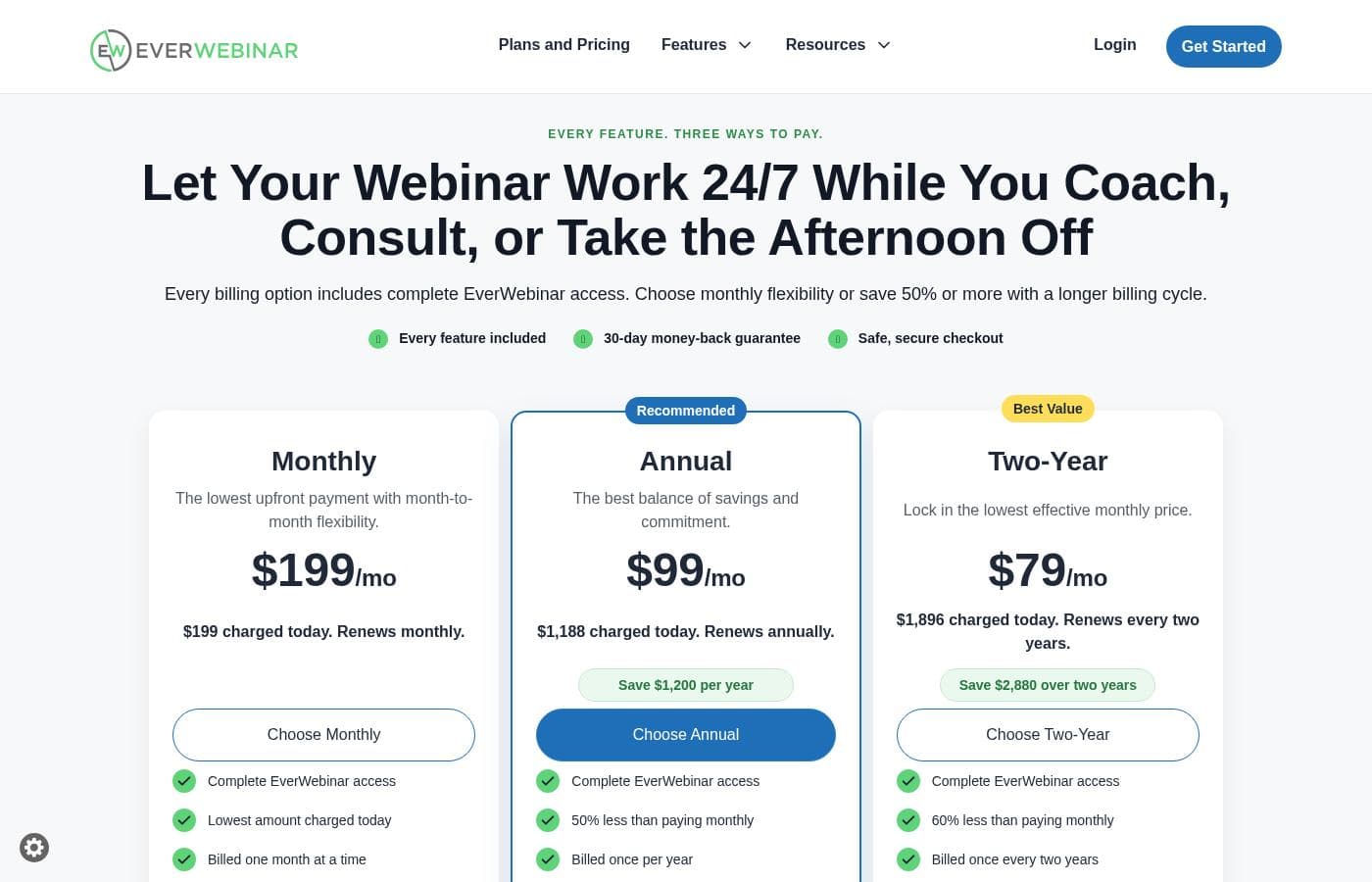
EverWebinar pricing page screenshotView pricing page screenshot
PlanBilled monthlyBilled annuallyIncludes
Monthly Trial
Intro offer $1/mo; list price shown
$199/mo
—
Renews at $199 per month unless cancelled before the trial ends. New customers only, terms apply.
  • Complete EverWebinar access for 14 days
  • 14 days to build and test a webinar
  • Monthly billing starts after the trial
Monthly
$199/mo
—
Renews monthly. New customers only, terms apply.
  • Complete EverWebinar access
  • Lowest amount charged today
  • Billed one month at a time
Annual
Most popular
—
$99/mo
$1,188 per year
$1,188 charged upfront and renews annually. New customers only, terms apply.
  • Complete EverWebinar access
  • 50% less than paying monthly
  • Saves $1,200 per year
  • Billed once per year
Two-Year
$79/mo
—
$1,896 charged upfront and renews every two years. New customers only, terms apply.
  • Complete EverWebinar access
  • 60% less than paying monthly
  • Saves $2,880 over two years
  • Billed once every two years

Price history

Tracking prices since Oct 13, 2026. No price change detected yet.

Pricing types: Free trial, Monthly subscription, Yearly subscription

Pricing notes

EverWebinar runs on a subscription. You can start with a $1, 14-day trial, then choose Monthly at $199/mo, Annual at $99/mo ($1,188 billed yearly), or Two-Year at $79/mo ($1,896 billed every two years).

Every billing option includes the same full platform.

EverWebinar costs between $79 and $199 per month with four billing choices: a $1 two-week trial, Monthly at $199/mo, Annual at $99/mo ($1,188 billed yearly), and Two-Year at $79/mo ($1,896 billed every two years).

Here's how each option breaks down.

Monthly Trial

Price: $1 for 14 days, then $199 per month Best For: Testing the full platform before you commit Refund Policy: 30-day money-back guarantee Other Features:

  • Complete EverWebinar access for 14 days
  • Billing switches to monthly when the trial ends
  • Cancel before the trial ends and you pay nothing more

The trial is the lowest-risk way in. You get every feature for two weeks, which is enough time to load a recording and run a test webinar.

Monthly

Price: $199/mo, billed one month at a time Best For: Teams that want the smallest upfront payment Refund Policy: 30-day money-back guarantee Other Features:

  • Complete EverWebinar access
  • No long-term commitment
  • Lowest amount charged today

Monthly suits you if cash flow matters more than the lowest rate. You pay the most across a full year, but you stay flexible and can cancel whenever you need to.

Annual

Price: $99/mo effective — $1,188 charged today, renews yearly Best For: Steady users who want a balance of savings and commitment Refund Policy: 30-day money-back guarantee Other Features:

  • 50% less than paying monthly
  • Saves $1,200 per year
  • Complete EverWebinar access

Annual is the middle ground. Your effective monthly rate halves, but the full $1,188 is charged upfront, so plan for that renewal each year.

Two-Year

Price: $79/mo effective — $1,896 charged today, renews every two years Best For: Established businesses already running webinars regularly Refund Policy: 30-day money-back guarantee Other Features:

  • 60% less than paying monthly
  • Saves $2,880 over two years
  • Complete EverWebinar access

Two-Year gives the lowest effective monthly rate. It only pays off if you're confident you'll keep using the platform long term, since the whole amount is due at once.

Every billing option includes the same features. You don't unlock extra tools by paying more, and you don't lose anything by paying monthly. Annual and two-year prices appear as effective monthly rates, but the full amount is charged upfront. Subscriptions renew automatically unless you cancel them, prices are in USD, and applicable taxes may be added. These rates are for new customers, and terms apply.

There's no free plan, but the $1 trial gives you 14 days of full access. If the platform isn't right for you, contact support within 30 days of purchase for a refund under the Billing Policy.
Cost calculator

Estimate what EverWebinar costs for your team.

Billing
Per month
$199
Per year
$2,388

Monthly Trial states no user limit: shown as one price for the whole account. Check the price for 5 users with the vendor. Estimate based on published list prices, before taxes, add-ons and discounts.

How to pay less for EverWebinar

  • Use the 14-day free trial before you pay.
  • 30-day money-back guarantee if it does not fit.
  • Cheaper tools in this category start at $45/mo.
Start free trial

Email me when EverWebinar changes price

One email when we detect a price change on the vendor's pricing page. No newsletter, no deals. Unsubscribe in one click.

User Reviews

No reviews yet.

Write a Review

Write a Review for EverWebinar
0/100 characters
0/2000 characters

Why use EverWebinar?

Why people pick EverWebinar

Presenting live twice a week burns people out, and it caps how many leads you can reach. EverWebinar fixes that by turning one strong presentation into a session that runs daily.

  • Record once, deliver daily. Your best webinar plays on a set schedule or starts minutes after someone registers.
  • Engagement that feels live. Chat messages, polls, and offers appear at the exact moments you choose.
  • Hybrid mode keeps you human. The recording teaches while you or your team answer questions in chat.
  • Reuse what already works. Import a WebinarJam session with chat, polls, and offers intact, or upload an MP4 and add engagement yourself.
  • Reach every time zone. Sessions run automatically, so buyers in other regions still see your pitch.
  • A track record to weigh. EverWebinar reports 67,000+ users and 467k+ webinars created.

EverWebinar alternatives

Other tools in the Webinar category

View all Webinar tools
Crowdcast

Crowdcast

Webinar4.2/5From $49/mo

Crowdcast is a groundbreaking new experience designed specifically for creators who need a dynamic online stage. After bringing together over 10 million attendees, the platform has been completely re-designed and engineered. Whether you host live shows, teach courses online, or run a virtual summit, Crowdcast provides the perfect environment for you. It is built to seamlessly handle everything from engagement tools to e-commerce functions. It’s truly your stage, your way.

WebinarJam

WebinarJam

Webinar4.1/5From $49/mo

WebinarJam is a live webinar platform from Genesis Digital for hosting live, interactive webinars and online events with chat, polls, offers and replays.

Zoom

Zoom

Webinar4.1/5

Zoom is an AI-first Unified Communications as a Service (UCaaS) solution built for modern teams. It is a single platform dedicated entirely to collaboration. This integrated system, called Zoom Workplace, streamlines essential communication tools like Meetings, Chat, and Docs. It’s designed for any business that needs to strengthen its organizational culture and effectively engage a hybrid workforce. Zoom also supports critical customer-facing functions, offering specialized AI-first contact center and Customer Experience (CX) solutions. This level of connection helps your entire team work together without friction.

Livestorm

Livestorm

Webinar4.1/5

Livestorm is a powerful, unified platform offering dynamic discussions for any kind of online event. It is designed to be the webinar leader, ready for immediate use. You access Livestorm right through your browser, which means there is no software to install and no credit card required to start. This accessibility ensures you can achieve maximum participation every time. This platform serves thousands of customers, scaling easily from startups to large enterprises.

Demio

Demio

Webinar4.1/5From $45/mo

Demio is an all-in-one webinar platform focused on maximizing revenue and simplifying the hosting experience. It moves beyond standard virtual events to offer powerful tools designed specifically for business growth. You can easily automate events, capture essential lead data using custom registration fields, and make your brand highly memorable. This platform allows you to use your logo and color palette across the dedicated registration page, email notifications, and even the webinar room. Demio is built to take the worry out of hosting. The user interface is simple and intuitive, ensuring you can rely on the platform to ‘just work’ so you can focus only on your content. Marketers use it to improve lead generation, Sales uses it to automate demos, and Customer Success uses it to retain customers and reduce churn.

GoTo Webinar

GoTo Webinar

Webinar4/5

GoTo Webinar is designed as an all-in-one platform for hosting virtual events of any size. It makes events easy, whether you are running remote staff trainings or complex multi-day conferences. Setup takes just minutes, and managing your ongoing events is simple. You don't even need dedicated IT support to make it work! The system is built with enterprise-grade security to keep all attendee data safe and your events uninterrupted.

EverWebinar FAQ

How much does EverWebinar cost?

EverWebinar's cheapest paid plan, Two-Year, costs $79 per month. Paid plans range from $79 to $199 per month. Prices checked on Oct 13, 2026 from the vendor's pricing page.

Does EverWebinar offer a free trial or a money-back guarantee?

EverWebinar offers a 14-day free trial. It has a 30-day money-back guarantee.

Has EverWebinar's price changed recently?

No. We have not detected a price change since we started tracking on Oct 13, 2026.

Can I cancel, and what happens to my billing if I do?

Yes. Cancel before your 14-day trial ends and you pay nothing more. After that, subscriptions renew automatically until you cancel, and the 30-day money-back guarantee covers your purchase.

How do I move an existing webinar into EverWebinar?

If you use WebinarJam, Replica Replay imports a full session with chat, polls, and offers intact, and an import can be ready in under 10 minutes. Otherwise, upload an MP4 and add engagement yourself.

How many attendees can I host at once?

EverWebinar lists one feature set at three billing options (monthly $199, annual $1,188, two-year $1,896), so confirm attendee capacity for your audience with the vendor before you commit.

Who gets the most out of EverWebinar?

Coaches, course creators, consultants, and service providers who already have a webinar that sells. It's a weaker fit if you'd rather present live every time, or have no finished recording to run.

Ready to try EverWebinar? Check out the official site or pricing.

Are you EverWebinar? Claim this listing · Get the badge