Blocksy

Blocksy review

A fast, Gutenberg-ready WordPress theme you can design visually β€” free to start, with Pro plans when you need more.

Blocksy costs from $5.75/mo Β· 6 plans Β· prices checked Oct 17, 2026

By Ciroapp Editorial Team Β· Updated Oct 17, 2026
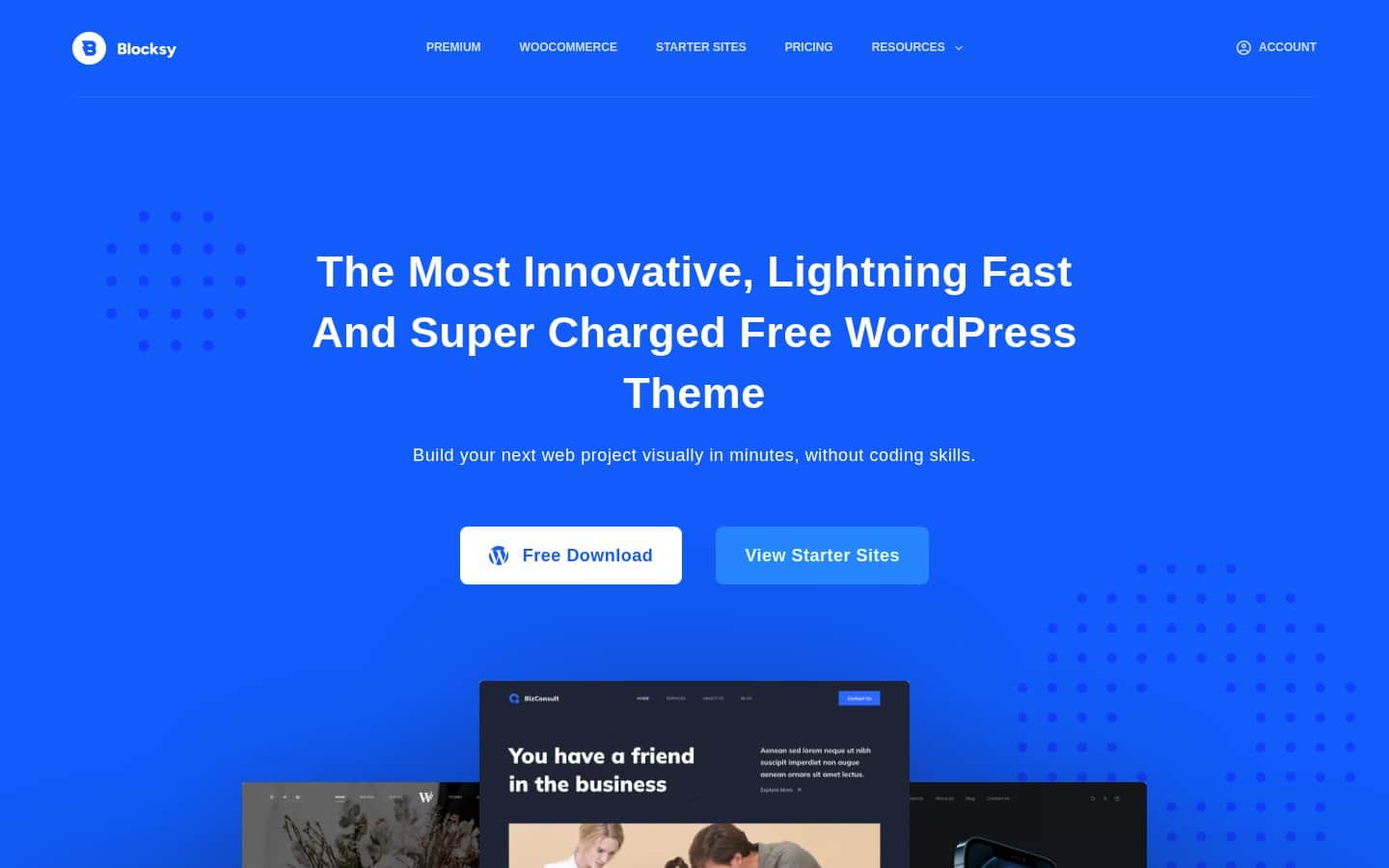
Blocksy homepage screenshot

At a glance

Quick overview for Blocksy: rating, pricing summary, key features, and highlights.
Pricing verified Oct 17, 2026

Ciroapp score

4.2/ 5

Blocksy is a free, Gutenberg-first WordPress theme with a live Customizer, drag-and-drop header builder, and built-in WooCommerce tools, and it works with Elementor, Brizy, and Beaver Builder. Blocksy Pro adds starter sites and extensions from $69/year with a 14-day refund window. Overall, it's a strong pick if you start on the free version and upgrade only when you need Pro features.

Pros

  • The core theme is free and includes a drag-and-drop header builder, live Customizer preview, and WooCommerce integration.
  • Built from scratch for Gutenberg, with support for all block types and wide/full alignments.
  • Works with Elementor, Brizy, and Beaver Builder, so you aren't locked into one editing tool.

Cons

  • Blocksy Pro plans are annual β€” each includes one year of updates and one year of support, so ongoing access to updates means renewing.
  • The pricing page's FAQ asks whether your website breaks if you don't renew, but the answer isn't shown on the page itself β€” check before buying.
  • Lifetime pricing sits behind a separate tab on the pricing page, so you need to switch tabs to compare one-time and annual costs.
Best for
  • Bloggers and small business owners who want a capable free theme without touching code
  • Gutenberg users who want a theme built specifically for the block editor
  • WooCommerce store owners who want quick view, AJAX add to cart, and gallery styles built in
Money-back guarantee
14-day money-back guarantee
This section is a summary. Detailed sections about features, use cases, pricing, and reviews follow below.

What is Blocksy?

Looking for a WordPress theme that's quick, flexible, and free to start? Blocksy is a Gutenberg-ready theme from Creative Themes that lets you build your site visually, without coding. The free version covers headers, layouts, typography, and WooCommerce basics.

Blocksy Pro adds more tools from $69/year.

Blocksy is a WordPress theme from Creative Themes. The free version handles layout, header, footer, sidebar, typography, and color settings through the WordPress Customizer, with changes shown live. Blocksy Pro is a paid upgrade that adds pro starter sites, extensions such as Shop Extra, Post Types Extra, and White Label, and extra theme blocks and content block templates.

It's built with React, webpack, and Babel, and targets anyone from first-time site builders to agencies.
Should you choose Blocksy?

Quick buyer guidance before you compare plans or click through.

Choose it if

  • You want to start free and upgrade only if you need Pro features
  • You already use Elementor, Brizy, Beaver Builder, or Gutenberg and want a theme that works with it
  • You care about page speed and like features such as code splitting and lazy loading
  • You need detailed header and footer control, including separate mobile layouts
  • You manage several sites and want one license that covers 10 or unlimited sites

Skip it if

  • Anyone who wants a one-off purchase without checking the separate Lifetime tab on the pricing page
  • Users who want very few settings β€” Blocksy's options can feel overwhelming at first
  • Buyers who need a long evaluation period after purchase; the refund window is 14 days
  • Site owners who don't use WordPress β€” Blocksy is a WordPress theme only

Next steps before buying

  1. 1Download the free Blocksy theme from the homepage and install it on your WordPress site
  2. 2Browse the starter sites and use the one-click importer if you want a ready-made design
  3. 3Customize your layout, header, colors, and fonts in the Customizer with live preview
  4. 4If you need Pro features, compare the Personal, Business, and Agency plans by site count on the pricing page
  5. 5After buying Blocksy Pro, test it on a real project within 14 days so you can still request a refund

Ease of use

Blocksy is configured through the WordPress Customizer, and changes sync to the live preview in real time without page refreshes. The header builder is drag-and-drop, and a one-click importer loads starter site pages, posts, widgets, and theme options. The range of settings is wide, so expect some time to learn where everything is. Customer reviews on the site praise the documentation and video guides.

Blocksy Key Features

🧱 Made for Gutenberg, Friendly to Page Builders

Blocksy was built from scratch with the Gutenberg editor in mind, so it supports all block types and editor options like wide and full alignments. If you prefer a page builder, the vendor says Blocksy was designed to work with Elementor, Brizy, and Beaver Builder too. You pick the editing tool; the theme fits around it.

✨ Customize Everything, See It Live

Every part of your site can be changed from the WordPress Customizer, and changes appear in the preview in real time β€” no page refreshes. You control layout width (default, narrow, or full), left or right sidebars, header, footer, pagination, and single pages. Color palettes and typography can be set globally or edited locally, with more than 900 Google Fonts to choose from.

✨ Headers and Footers Your Way

The drag-and-drop header builder lets you assemble almost any header in seconds. Each element has advanced options you can adjust per device, and a dedicated mobile header lets you move less important elements into an off-canvas panel. The plan comparison adds Pro tools like multiple conditional headers, a matching footer builder, and extra elements such as a language switcher, wishlist, and compare icons.

⚑ Built to Stay Fast

Blocksy uses webpack's dynamic imports to load JavaScript only when a feature needs it, and a built-in lazy load system skips images visitors haven't scrolled to yet. Options are built with React components, and Babel keeps modern JavaScript running across browsers. Schema markup, SEO-ready code, and GDPR-friendly features are included out of the box.

πŸ›’ Store Tools Built In

WooCommerce is fully integrated, even in the free theme: product quick view, AJAX add to cart, and four product gallery styles. The pricing comparison lists many more store tools across the plans, including variation swatches, an added-to-cart popup, a free shipping bar, a floating cart, off-canvas filters, size guides, custom thank-you pages, and a wishlist.

Use Cases

✍️ You're launching your first blog

You want a good-looking blog without hiring a developer. Install the free theme, choose a color palette and fonts, and build your header by dragging elements into place. Every change shows up live.

Expected outcome: A personal site that looks the way you want, with no code and no spend.

πŸ›οΈ You're building an online store

Blocksy's WooCommerce integration adds quick view, AJAX add to cart, and gallery styles out of the box. Pro plans include the Shop Extra extension for more store tools. Expected outcome: A shop that's quick to browse and easy to buy from.

Tip: Check the comparison table to confirm which store features your plan covers.

🎨 You design with a page builder

Already comfortable with Elementor, Brizy, or Beaver Builder? Blocksy was designed to work with them, so you don't have to relearn your workflow. Use the theme for headers, footers, and global styling while your builder handles page content.

Expected outcome: Your usual design process on a lighter theme foundation.

🏒 You run an agency or freelance studio

Running client sites means juggling licenses. The Business plan covers 10 sites for $99/year, and the Agency plan covers unlimited sites for $149/year, with White Label for personalised branding. Expected outcome: One license and one theme across your whole client list.

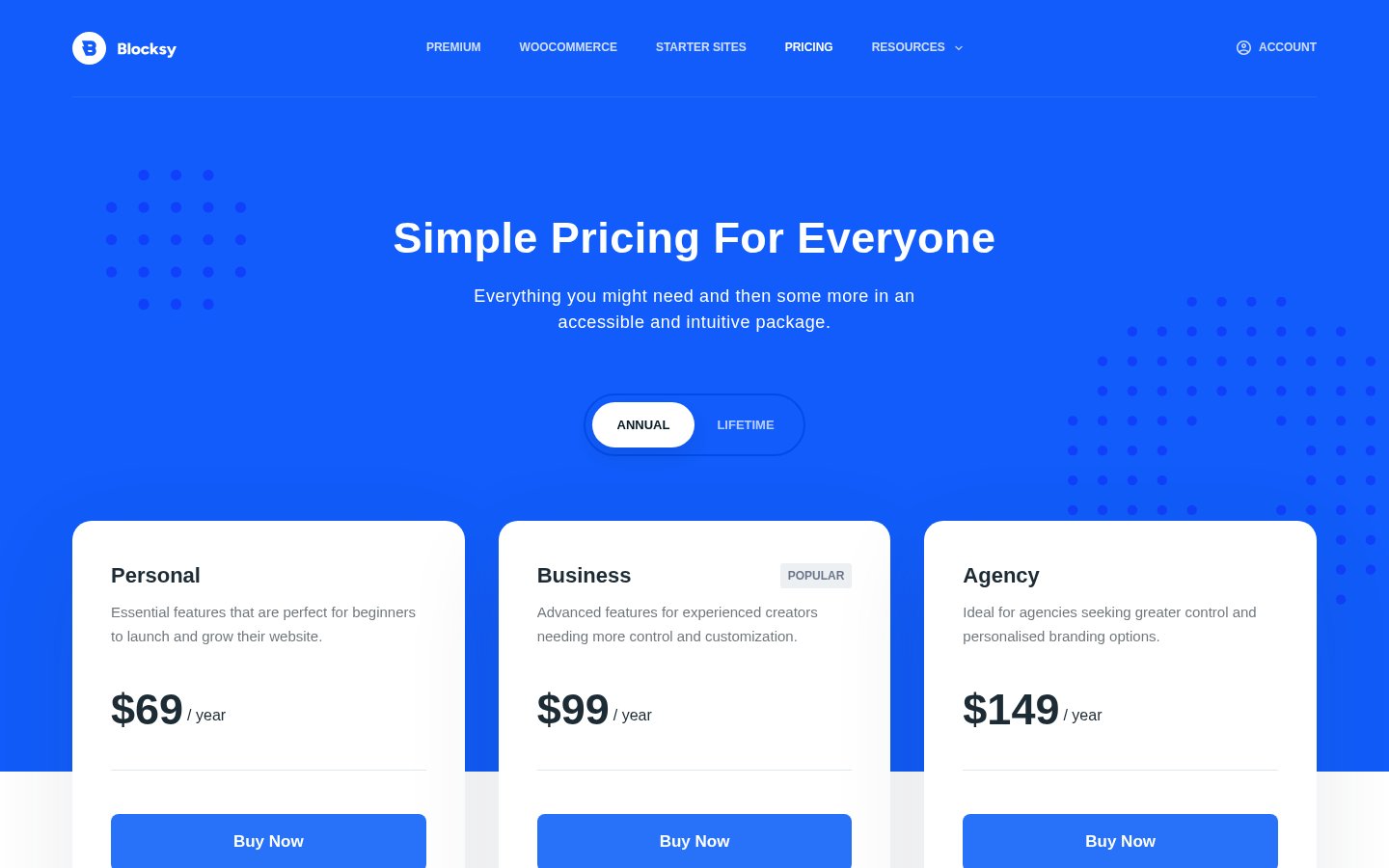
Blocksy pricing

From$5.75/mo

  • 6 plans

Prices checked on Oct 17, 2026 from Blocksy's pricing page

Blocksy pricing page screenshotView pricing page screenshot
PlanBilled monthlyBilled annuallyIncludes
Personal
β€”
$5.75/mo
$69 per year
Blocksy Pro for 1 site; one year of updates and one year of support; all pro starter sites; Shop Extra and Post Types Extra extensions; 14-day money-back guarantee.
Business
β€”
$8.25/mo
$99 per year
Blocksy Pro for 10 sites; marked Popular; one year of updates and one year of support; all pro starter sites; Shop Extra and Post Types Extra extensions; 14-day money-back guarantee.
Agency
β€”
$12.42/mo
$149 per year
Blocksy Pro for unlimited sites; one year of updates and one year of support; all pro starter sites; Shop Extra, Post Types Extra and White Label extensions for personalised branding; 14-day money-back guarantee.
Personal Lifetime
$199
β€”
Use on 1 site; lifetime updates and support; all Pro starter sites and extensions
Business Lifetime
$299
β€”
Use on 10 sites; lifetime updates and support; all Pro starter sites and extensions
Agency Lifetime
$499
β€”
Use on unlimited sites; lifetime updates and support; all Pro starter sites and extensions

Pricing types: Free plan, Yearly subscription, One-time payment

Pricing notes

Blocksy is free to download. Blocksy Pro annual plans are Personal at $69/year (1 site), Business at $99/year (10 sites), and Agency at $149/year (unlimited sites), each with one year of updates and support.

Lifetime licences cost $199 (1 site), $299 (10 sites) and $499 (unlimited sites) with lifetime updates and support. All plans carry a 14-day refund window.

Blocksy pricing: free theme; Blocksy Pro from $69/year (Personal), $99/year (Business), $149/year (Agency), or lifetime from $199 (Personal), $299 (Business), $499 (Agency). Billing options: Free plan, Yearly subscription, One-time payment

Cost calculator

Estimate what Blocksy costs for your team.

Billing

Personal has no published price for this billing cycle.

Personal has a flat price: the number of seats does not change the total. Estimate based on published list prices, before taxes, add-ons and discounts.

How to pay less for Blocksy

  • Cheaper tools in this category start at $4.92/mo.
Visit Blocksy

Email me when Blocksy changes price

One email when we detect a price change on the vendor's pricing page. No newsletter, no deals. Unsubscribe in one click.

User Reviews

No reviews yet.

Write a Review

Write a Review for Blocksy
0/100 characters
0/2000 characters

Why use Blocksy?

Most WordPress themes force a trade-off between looks and speed. Blocksy's pitch is that you don't have to choose. Based on what Creative Themes publishes, here's where it stands out:

  • Free theme with real depth β€” header builder, live preview, WooCommerce integration, and typography controls are available without paying.
  • Built for Gutenberg β€” designed from scratch for the block editor, with support for wide and full alignments.
  • Performance-minded code β€” code splitting via webpack's dynamic imports and built-in lazy loading keep unused scripts and images from slowing pages.
  • Works with your page builder β€” the vendor names Elementor, Brizy, and Beaver Builder alongside Gutenberg.
  • Store-ready β€” WooCommerce extras like quick view, AJAX add to cart, and gallery styles are built in.
  • Clear upgrade path β€” Pro plans differ mainly by site count, from 1 site up to unlimited, with a 14-day refund window.

Blocksy alternatives

Other tools in the WordPress themes category

View all WordPress themes tools
Divi

Divi

WordPress themes4.1/5

Divi is the world’s most popular premium WordPress theme and their flagship visual page builder. It is more than just a theme; it’s a robust website building framework. This tool replaces the standard WordPress post editor with a highly advanced visual editor. πŸ’‘ Whether you are a seasoned design professional or a complete newcomer, Divi gives you the power to create beautiful designs with surprising ease. Freelancers, agencies, and website owners can all jump right into the visual interface.

Astra

Astra

WordPress themes4.1/5

Astra is recognized as the world's most popular WordPress theme. It functions as a complete digital toolkit for anyone who builds on WordPress. This includes everything from the core theme and pre-built templates to advanced AI integrations. Astra focuses on delivering exceptional speed and reliability πŸ’‘. It’s perfect for solo freelance creators, busy web pros, and growing agencies alike.

GeneratePress

GeneratePress

WordPress themes4.1/5From $4.92/mo

GeneratePress is a lightweight WordPress theme and suite of site-building tools from EDGE22 Studios, focused on speed, stability, and accessibility. The theme is used on more than 600,000 websites and has passed 7,273,032 downloads, according to the vendor. Paid add-ons include GP Premium for full site editing, GenerateBlocks Pro for block-based page design, and GenerateCloud for sharing pattern libraries across sites. The GeneratePress One bundle combines all three in a single yearly subscription.

Avada

Avada

WordPress themes4.3/5

Avada is the #1 selling WordPress website builder, trusted by professionals, marketers, and beginners alike. It focuses heavily on usability and high performance, making the website creation process easier. You can launch your website quickly using its intuitive live visual builder and drag-and-drop functionality βœ…. The platform is entirely developed and maintained in-house, ensuring stability without relying on third-party solutions.

F

Flatsome

WordPress themes4.1/5

Flatsome is a premium multi-purpose WordPress theme developed by UX Themes, aimed primarily at eCommerce sites built on WooCommerce. It ships with its own visual editor, the UX Builder, which lets you compose pages by dragging elements onto a live canvas rather than writing code. The package also includes prebuilt demo layouts, a child theme for safe customization, and translation-ready files (.po) for WPML, so it can serve multilingual stores as well as standard brochure-style sites.

Shoptimizer

Shoptimizer

WordPress themes4/5

Shoptimizer is a specialized theme solution built specifically for WooCommerce. It is designed to enhance your online store's performance across several crucial metrics. You can easily see its capabilities in action by viewing the available demo. πŸ’‘ For store owners looking for an immediate upgrade, Shoptimizer is currently offered at an exceptional flash sale price of just $49, a significant reduction from the usual cost of $99.

Blocksy FAQ

How much does Blocksy cost?

Blocksy's cheapest paid plan, Personal, costs $5.75 per month. Paid plans range from $5.75 to $12.42 per month. Prices checked on Oct 17, 2026 from the vendor's pricing page.

Can I get a refund on Blocksy Pro?

Yes. Creative Themes offers a 100% no-risk money-back guarantee: refunds can be requested within 14 days of the purchase date. The full refund policy is linked from the pricing page, so read it before buying.

Does Blocksy work with Gutenberg and page builders?

Blocksy was built from scratch for Gutenberg and supports all block types, including wide and full alignments. The vendor says it was also designed to work with Elementor, Brizy, and Beaver Builder, so you can keep the page builder you already use.

Is Blocksy good for WooCommerce stores?

WooCommerce support is built in even on the free theme, including product quick view, AJAX add to cart, and four product gallery styles. The comparison table lists many more store tools across the plans, such as variation swatches, a floating cart, off-canvas filters, size guides, and a wishlist.

Ready to try Blocksy? Check out the official site or pricing.

Are you Blocksy? Claim this listing Β· Get the badge