Divi

Divi review

Build and edit entire WordPress sites visually, right on the live page.

Divi costs from $7.42/mo Β· 3 plans Β· prices checked Nov 6, 2026

By Ciroapp Editorial Team Β· Updated Sep 16, 2026

Commission may apply at no extra cost

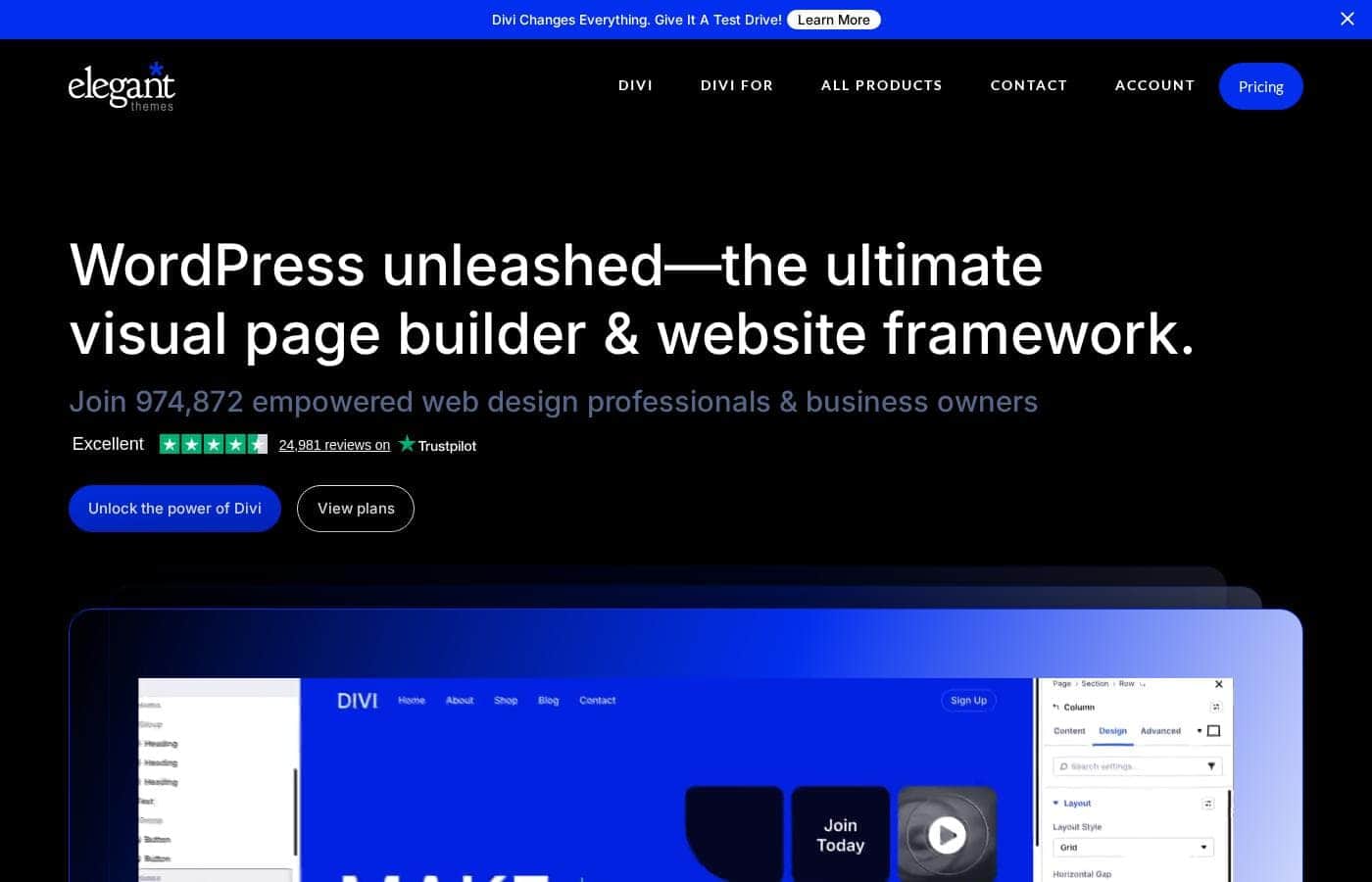
Divi homepage screenshot

At a glance

Quick overview for Divi: rating, pricing summary, key features, and highlights.
Pricing verified Nov 6, 2026

Ciroapp score

4.1/ 5

Divi turns WordPress editing into a click-and-type experience on the live page, backed by layout packs, global elements, and built-in A/B testing. Its shortcode storage and front-end weight mean real lock-in and performance trade-offs. Overall, it's a strong pick if you build WordPress sites regularly and plan to stay put.

Pros

  • True front-end editing β€” you modify text, layout, and styling directly on the rendered page rather than in a backend abstraction.
  • Works both as a complete theme and as a standalone builder plugin, so it can be carried across different WordPress projects and themes.
  • Split testing (Divi Leads) is built in, covering A/B testing without a third-party tool.

Cons

  • Content is stored in Divi's own shortcode format, so leaving Divi later leaves shortcode clutter and broken layouts that require cleanup.
  • The builder adds notable front-end weight; content-heavy sites often need caching and optimization work to keep load times competitive.
  • The sheer number of options and settings creates a learning curve, and the interface can feel heavy for simple edits.
Best for
  • Freelance designers and developers who build multiple WordPress sites per year and want reusable layout systems
  • Agencies that need client-editable sites with controlled permissions and exportable design libraries
  • Small business owners who want to build and maintain their own site without hiring a developer
Money-back guarantee
30-day full refund, no questions asked
This section is a summary. Detailed sections about features, use cases, pricing, and reviews follow below.

What is Divi?

Divi, developed by Elegant Themes, replaces the standard WordPress editor with a front-end visual builder that shows your changes in real time. It ships as both a full theme and a builder plugin, covering everything from a single landing page to a complete multi-page website. Freelancers, agencies, and first-time site owners can all work in the same drag-and-drop interface, whether they start from a blank canvas or an existing layout pack.

Divi is a premium WordPress theme combined with a visual page-building framework. Instead of editing content in the backend post editor, you click any element directly on the live page and adjust its text, styling, and layout there. The builder is organized around rows, columns, and content modules, and it can also be installed as a standalone plugin that works with other WordPress themes.
Should you choose Divi?

Quick buyer guidance before you compare plans or click through.

Choose it if

  • Freelance designers and developers who build multiple WordPress sites per year and want reusable layout systems
  • Agencies that need client-editable sites with controlled permissions and exportable design libraries
  • Small business owners who want to build and maintain their own site without hiring a developer
  • Marketers who need landing pages with built-in A/B testing and fast iteration

Skip it if

  • Teams committed to Gutenberg-native workflows or code-first development with minimal plugin dependencies
  • Sites that may migrate to a different builder later β€” Divi's shortcode storage makes exits messy
  • Performance-critical, content-heavy publications where every kilobyte of front-end weight matters
  • Users who need a permanently free tool β€” full functionality requires a paid plan

Next steps before buying

  1. 1Create an account at elegantthemes.com and choose a plan; every plan has a 30-day money-back guarantee, so you can evaluate the builder before committing.
  2. 2In WordPress, upload and activate the Divi theme, or install the standalone Divi Builder plugin if you are keeping your current theme.
  3. 3Create a new page, launch the Visual Builder, and load a pre-made layout pack as a starting point.
  4. 4Set site-wide defaults β€” fonts, colors, and header/footer templates in the Theme Builder β€” before building individual pages.
  5. 5Preview in tablet and mobile modes, adjust per-device settings, then publish and run a split test on your key conversion section.

Divi Key Features

✨ Visual Front-End Editing

Divi replaces the WordPress post editor with an interface that runs on the live page. You click text to rewrite it inline, drag modules between columns, and adjust spacing, colors, and typography in a settings panel that updates the design instantly. What you see while editing is the actual rendered page, so there is no separate preview step.

✨ Layout Packs and Module Library

The builder includes a broad set of content modules β€” headings, sliders, forms, galleries, pricing tables, code blocks, and more β€” plus a catalog of full-page and full-site layout packs. You can import a complete design in a few clicks and swap in your own content, which turns a day of blank-page work into an hour of customization. Layouts can be saved, exported, and reused across projects.

✨ Global Elements and Theme Builder

Any module can be converted into a global element, meaning one edit propagates everywhere it appears β€” useful for CTAs, contact blocks, and announcement bars. The Theme Builder extends this to site-wide templates, letting you construct headers, footers, and post templates with the same visual tools and assign them across the site.

✨ Built-In Split Testing

Divi Leads is integrated directly into the builder, letting you create A/B variations of any section, row, or module and track which one performs better. You define a goal β€” a form submission, a click, a page view β€” and Divi distributes traffic and reports results without requiring a third-party testing tool.

✨ Responsive Design Controls

Every design setting can be customized per device, with dedicated editing modes for desktop, tablet, and mobile. You can define custom breakpoints beyond the defaults, hide or rearrange elements per device, and preview each viewport live while you work β€” no manual media queries required.

✨ Portability: Theme or Plugin

Divi installs as a theme with the builder bundled, or the Divi Builder plugin can run alongside a different theme. Designs can be exported and imported into other WordPress installations, which matters for agencies maintaining a library of reusable components across client sites.

Use Cases

πŸ’‘ Client Websites for Freelancers and Agencies

Agencies can standardize on Divi as their build framework: import a base layout, apply client branding through global defaults, and hand over a site the client can safely edit. The role editor restricts which builder capabilities clients can access, protecting critical layout structure while still allowing content changes.

πŸ’‘ Small Business and DIY Sites

Owners without a development background can assemble a professional site from pre-made layout packs and edit text, images, and colors directly on the page. Because editing happens visually, updating hours, services, or promotions does not require touching code or hiring a developer.

πŸ’‘ Landing Pages and Conversion Testing

Marketers can spin up dedicated landing pages from conversion-focused layouts, then use Divi's split testing to refine headlines, forms, and CTAs based on real data. Since testing is native to the builder, there is no additional plugin stack to maintain.

πŸ’‘ Redesigning Existing WordPress Sites

Because the Divi Builder works as a plugin with other themes, teams can introduce visual editing into an existing WordPress site without immediately replacing the theme. This makes incremental modernization practical for sites that already have content and traffic.

Divi pricing

From$7.42/mo

  • 3 plans

Prices checked on Nov 6, 2026 from Divi's pricing page

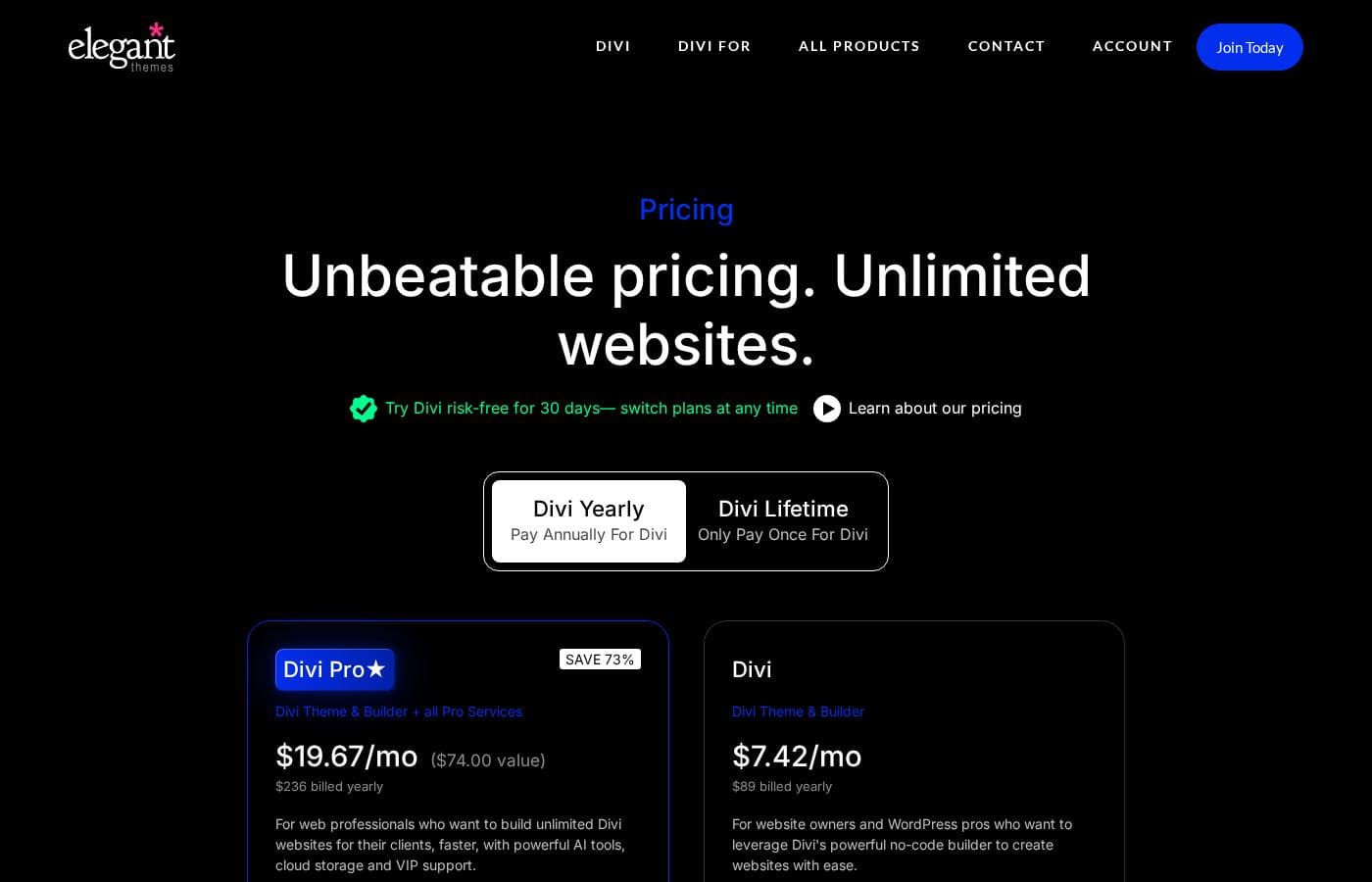
Divi pricing page screenshotView pricing page screenshot
PlanBilled monthlyBilled annuallyIncludes
Divi
β€”
$7.42/mo
$89 per year
Divi theme and builder on unlimited websites; billed yearly
  • Divi Theme & Builder
  • Unlimited websites
  • Product updates and support
  • Divi Marketplace sign-up credit ($50)
Divi Pro
Most popular
β€”
$23.08/mo
$277 per year
Divi plus all Pro services; billed yearly
  • Everything in Divi
  • Divi AI
  • Divi Cloud
  • Divi VIP support
  • Divi Teams
Divi Lifetime + Pro
$297
$297 one-time
One-time $297 for lifetime Divi; Pro services then renew at $212/year
  • Lifetime Divi theme and builder
  • Unlimited websites
  • First year of all Pro services

Price history

Tracking prices since Oct 1, 2026. No price change detected yet.

Pricing types: Yearly subscription, One-time payment

Pricing notes

Divi pricing: Divi $89/year ($7.42/mo billed yearly); Divi Pro $277/year ($23.08/mo billed yearly); Divi Lifetime + Pro $297 one-time, then $212/year for Pro services. No free plan; every plan has a 30-day money-back guarantee.

Cost calculator

Estimate what Divi costs for your team.

Billing

Divi has no published price for this billing cycle.

Divi has a flat price: the number of seats does not change the total. Estimate based on published list prices, before taxes, add-ons and discounts.

How to pay less for Divi

  • Cheaper tools in this category start at $4.92/mo.
Visit Divi

Email me when Divi changes price

One email when we detect a price change on the vendor's pricing page. No newsletter, no deals. Unsubscribe in one click.

User Reviews

No reviews yet.

Write a Review

Write a Review for Divi
0/100 characters
0/2000 characters

Why use Divi?

Many page builders force you to preview changes separately or learn a block system that only partially visualizes the result. Divi edits everything in place, which shortens the feedback loop when iterating on a design.

Add in a large library of ready-made layouts, built-in split testing, and global elements that update site-wide, and it becomes a practical choice for producing polished WordPress sites quickly and repeatedly.

Divi alternatives

Other tools in the WordPress themes category

View all WordPress themes tools
Blocksy

Blocksy

WordPress themes4.2/5From $5.75/mo

Blocksy is a free WordPress theme built from scratch for the Gutenberg block editor, with a premium tier called Blocksy Pro. It's aimed at site owners, freelancers, and agencies who want to design a site visually without writing code. The free theme already includes a drag-and-drop header builder, live Customizer preview, WooCommerce integration, and support for Elementor, Brizy, and Beaver Builder. πŸš€ Blocksy Pro adds pro starter sites, extensions like Shop Extra and Post Types Extra, and more advanced header, footer, and store tools. Annual plans start at $69/year for one site, and every paid plan comes with a 14-day refund window.

GeneratePress

GeneratePress

WordPress themes4.1/5From $4.92/mo

GeneratePress is a lightweight WordPress theme and suite of site-building tools from EDGE22 Studios, focused on speed, stability, and accessibility. The theme is used on more than 600,000 websites and has passed 7,273,032 downloads, according to the vendor. Paid add-ons include GP Premium for full site editing, GenerateBlocks Pro for block-based page design, and GenerateCloud for sharing pattern libraries across sites. The GeneratePress One bundle combines all three in a single yearly subscription.

Astra

Astra

WordPress themes4.1/5

Astra is recognized as the world's most popular WordPress theme. It functions as a complete digital toolkit for anyone who builds on WordPress. This includes everything from the core theme and pre-built templates to advanced AI integrations. Astra focuses on delivering exceptional speed and reliability πŸ’‘. It’s perfect for solo freelance creators, busy web pros, and growing agencies alike.

Avada

Avada

WordPress themes4.3/5

Avada is the #1 selling WordPress website builder, trusted by professionals, marketers, and beginners alike. It focuses heavily on usability and high performance, making the website creation process easier. You can launch your website quickly using its intuitive live visual builder and drag-and-drop functionality βœ…. The platform is entirely developed and maintained in-house, ensuring stability without relying on third-party solutions.

F

Flatsome

WordPress themes4.1/5

Flatsome is a premium multi-purpose WordPress theme developed by UX Themes, aimed primarily at eCommerce sites built on WooCommerce. It ships with its own visual editor, the UX Builder, which lets you compose pages by dragging elements onto a live canvas rather than writing code. The package also includes prebuilt demo layouts, a child theme for safe customization, and translation-ready files (.po) for WPML, so it can serve multilingual stores as well as standard brochure-style sites.

W

Woodmart

WordPress themes4/5

Woodmart is a multipurpose WooCommerce theme for WordPress. It ships with a theme options panel, a library of prebuilt website demos and section templates, and native support for popular page builders. Commerce-focused features such as AJAX product filtering, quick view, off-canvas sidebars, and multiple product page layouts are built into the theme itself rather than requiring separate plugins. Buyers receive it as a standard ThemeForest license that includes six months of item support, extendable for an additional fee at checkout.

Divi FAQ

How much does Divi cost?

Divi's cheapest paid plan, Divi, costs $7.42 per month. Paid plans range from $7.42 to $23.08 per month. Prices checked on Nov 6, 2026 from the vendor's pricing page.

Has Divi's price changed recently?

No. We have not detected a price change since we started tracking on Oct 1, 2026.

Do I need to know how to code to use Divi?

No. Divi is built entirely around visual editing: you write text inline on the page and configure design settings through panels. That said, code modules and custom CSS fields are available throughout the builder for developers who want finer control.

What happens to my content if I stop using Divi?

Your text and images remain in the WordPress database, but Divi stores layout and styling information as its own shortcodes. If you deactivate Divi, pages will display shortcode remnants and lose their structure until you clean them up or rebuild β€” this is the main lock-in trade-off to consider before adopting it.

Is there a free way to try Divi?

There is no free plan, but every Divi purchase comes with a 30-day money-back guarantee, so you can try the builder and get a full refund if it doesn't fit. Plans run from $89/year for Divi to $277/year for Divi Pro, or $297 one-time for lifetime Divi plus a first year of Pro services.

Can I use the Divi Builder with a theme other than Divi?

Yes. Divi ships as a complete theme with the builder bundled, but the Divi Builder is also available as a standalone plugin that works with other WordPress themes. This lets you add visual editing to an existing site without replacing its theme.

Ready to try Divi? Check out the official site or pricing.

Are you Divi? Claim this listing Β· Get the badge