กำลังแปลเต็มรูปแบบเร็วๆ นี้ — แสดงรายละเอียดผลิตภัณฑ์เป็นภาษาอังกฤษ พร้อมการนำทางภาษาท้องถิ่น
SupportBee

รีวิว SupportBee

Email ticketing for collaborative customer service

SupportBee ราคาเริ่มต้น US$17 (≈ ฿576.81)/เดือน · 2 แพ็กเกจ

โดย Ciroapp Editorial Team · อัปเดตแล้ว 17 ก.ย. 2569

อาจมีค่าคอมมิชชั่นโดยไม่มีค่าใช้จ่ายเพิ่มเติม

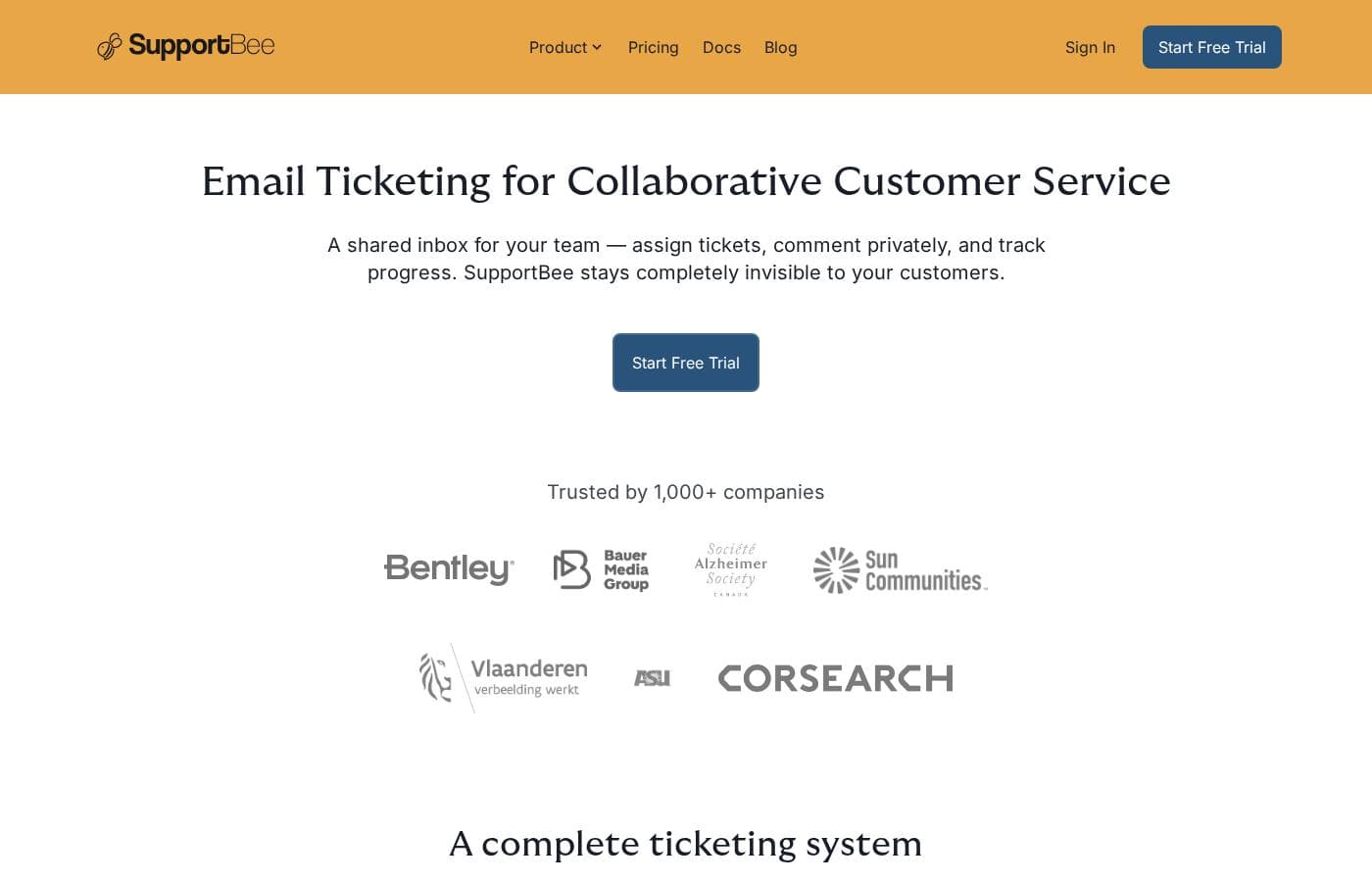
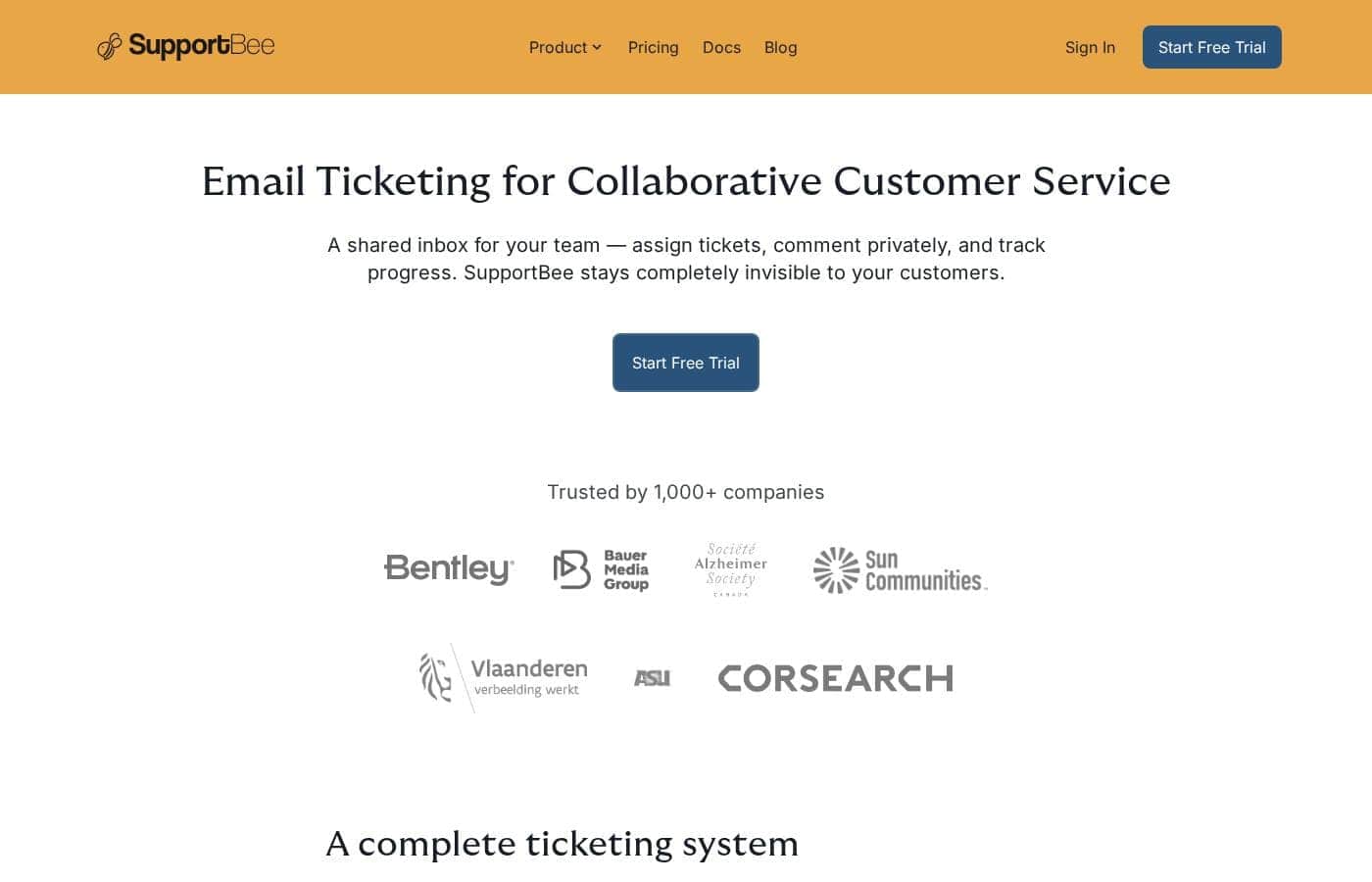
ภาพหน้าจอหลักของ SupportBee

สรุปอย่างรวดเร็ว

ภาพรวมอย่างรวดเร็วของ SupportBee: คะแนน สรุปราคา ฟีเจอร์หลัก และจุดเด่น
ตรวจสอบหน้าผู้ให้บริการเมื่อ 27 พ.ย. 2569

คะแนน Ciroapp

3.7/ 5

SupportBee turns customer emails into trackable tickets, with a shared inbox, private comments and draft replies, a knowledge base, and a customer portal. Setup looks genuinely quick, but pricing isn't published, no refund terms appear, and integrations beyond email aren't listed. Overall, it's a solid pick for email-first teams who test it free and confirm costs before paying.

ข้อดี

  • Converts incoming emails into assignable tickets from a shared team inbox, so every message gets a clear owner instead of getting lost in a busy mailbox.
  • Supports private internal comments and draft replies that teammates can review before sending, letting new agents get feedback without customers seeing internal discussion.
  • Bundles a public knowledge base and a customer portal, so customers can self-serve answers to common questions and track their own tickets online.

ข้อเสีย

  • Pricing is not published on the site — no plan names, dollar amounts, or usage limits are visible, so you must go through signup or contact sales to learn costs.
  • No refund policy is stated anywhere in the reviewed material, which makes it harder to assess financial risk before committing.
  • Native integrations beyond email connectivity aren't listed, so teams relying on specific tools (CRM, Slack, etc.) need to verify compatibility before buying.
เหมาะที่สุดสำหรับ
  • Small and growing businesses replacing a chaotic shared inbox
  • Support teams that need private internal comments and reply reviews
  • Companies wanting self-service via a knowledge base and customer portal
ทดลองใช้ฟรี
Yes
ส่วนนี้เป็นสรุป รายละเอียดเกี่ยวกับฟีเจอร์ กรณีการใช้งาน ราคา และรีวิวจะแสดงต่อด้านล่าง

SupportBee คืออะไร?

Managing customer support through a shared inbox gets messy fast. Emails slip through, replies overlap, and no one knows who owns what. SupportBee turns those emails into trackable tickets, so your team can assign work, share private notes, and keep customers informed without confusion.

SupportBee is an email ticketing system built for teams that handle customer service together. It converts incoming emails into tickets your team can assign, discuss, and track from a shared inbox. It suits growing businesses that want a simple help desk without a heavy setup or an IT department.

ควรเลือก SupportBee หรือไม่?

คำแนะนำสั้นๆ ก่อนเปรียบเทียบแผนหรือกดไปยังเว็บไซต์

เลือกถ้า

  • Teams already working primarily over email who want structure without changing habits
  • Organizations that value collaboration, like shared drafts and private discussion on tickets
  • Businesses that want customer satisfaction ratings and audit trails for accountability
  • Groups that need flexible access across desktop, mobile, and email notifications
  • Teams that want a tool that stays invisible to customers

ข้ามถ้า

  • Buyers who need detailed public pricing upfront — the site points to a free trial and signup rather than published plan costs
  • Teams requiring deep native integrations — confirm your specific tools connect before committing
  • Organizations wanting phone, chat, or social media support channels — the product centers on email ticketing
  • Enterprises needing complex customization, since the pitch emphasizes simplicity and quick setup instead
  • Shoppers comparing alternatives — the site doesn't list competitor comparisons or refund terms, so check before purchase

ขั้นตอนถัดไปก่อนซื้อ

  1. 1Start the free trial to see if the email-style workflow fits your team before paying.
  2. 2Confirm SupportBee connects with your current email setup and any tools you rely on.
  3. 3Check current pricing and plan details during signup, since costs aren't published on the main page.
  4. 4Compare it against one or two alternatives to make sure email-first ticketing covers all your channels.
  5. 5Review any trial limits or refund terms so you know what happens when the trial ends.

ความง่ายในการใช้งาน

Signals point to a very low learning curve. The workflow mirrors email, offers Gmail-compatible shortcuts, and the site claims setup takes minutes without IT involvement. Access across desktop, mobile, and email client notifications adds everyday convenience.

SupportBee คุณสมบัติหลัก

✨ Team Inbox: Every Email Becomes a Trackable Ticket

Shared inboxes get messy. Emails slip through, replies overlap, and no one knows who owns what. SupportBee turns incoming emails into tickets so each team member has a clear view of their assigned work.

You'll always know what's open and who's handling it.

✨ Collaborate Without Confusing Customers

Discuss an issue privately with internal comments, or share draft replies for review before anything goes out. Customers never see the tool — SupportBee stays completely invisible to them. Use labels to spot patterns in customer inquiries and group similar tickets together.

✨ Works Like Email, So There's Little to Learn

The workflow mirrors email, which means there's no steep learning curve. Gmail-compatible keyboard shortcuts and real-time updates keep things moving quickly. Setup takes minutes: connect your email, add your team, and start working tickets right away — no IT department needed.

✨ Self-Service That Cuts Repeat Questions

SupportBee includes two tools that reduce back-and-forth: a Knowledge Base and a Customer Portal. Together, they let customers find answers and manage tickets on their own. You can:

✨ Reports That Reveal What's Working

Built-in reporting shows performance for agents, teams, and labels, so you can spot bottlenecks early. Customer satisfaction ratings help you gauge support quality, and an audit trail tracks each ticket's progress. It's an easy way to keep your team accountable as you grow.

กรณีการใช้งาน

📥 Replace a messy shared inbox

Your team shares one inbox. Emails get missed, replies overlap, and nobody owns anything. SupportBee turns each email into a ticket you can assign, so someone's always on it.

Expected outcome: Every email gets an owner — nothing slips through.

Tip: Label tickets to spot patterns in customer questions.

✍️ Review replies before they go out

A new agent drafts a reply. A teammate reviews it with private comments before anything is sent. You get a second pair of eyes on tricky tickets.

Expected outcome: Polished, consistent answers — even from new hires.

📚 Let customers help themselves

Publish answers to common questions in a knowledge base, then link articles right inside your replies. Customers can also track their own tickets in the portal.

Expected outcome: Fewer repetitive questions and faster answers.

Tip: Keep a private knowledge base for internal docs too.

📊 Spot bottlenecks with reports

Track performance by agent, team, and label. Customer satisfaction ratings show how support feels, while the audit trail keeps everyone accountable.

Expected outcome: Clear data to find and fix slowdowns.

ราคา SupportBee

เริ่มต้นUS$17/เดือน≈ ฿576.81

  • จากหน้าราคาของผู้ให้บริการ ตรวจสอบเมื่อ 27 พ.ย. 2569
  • 2 แพ็กเกจ

ตรวจสอบหน้าผู้ให้บริการเมื่อ 27 พ.ย. 2569 โปรดยืนยันราคาปัจจุบันที่ หน้าราคาของ SupportBee

ภาพหน้าจอหน้าราคาของ SupportBeeดูภาพหน้าจอหน้าราคา
แพ็กเกจรายเดือนรายปีรวม
Startup
ต่อผู้ใช้
—
US$17/เดือน
≈ ฿576.81
US$204 ต่อปี
per user
Enterprise
ต่อผู้ใช้
—
US$21/เดือน
≈ ฿712.53
US$252 ต่อปี
per user

แปลงตามอัตราอ้างอิงของ ECB วันที่ 27 พ.ย. 2569 ผู้ให้บริการอาจเรียกเก็บราคาท้องถิ่นที่ต่างออกไป

ประวัติราคา

ติดตามราคาตั้งแต่ 9 ต.ค. 2569 ยังไม่พบการเปลี่ยนแปลงราคา

ประเภทราคา: Free trial

หมายเหตุเรื่องราคา

SupportBee is a subscription product with a free trial, so you can test it before paying. Specific plan names and prices aren't shown in the page we reviewed, so check SupportBee's live pricing page for current rates.

SupportBee is subscription-based software for email ticketing, and you can try it free before you pay anything.

Here's what we found on SupportBee's site — plus what you'll want to double-check before you buy.

What you're paying for

SupportBee is a shared inbox that turns customer emails into tickets. Your team can assign tickets, leave private comments, and track progress together. Customers never see the tool — it stays completely invisible to them.

The product bundles three main pieces. The Team Inbox gives every agent a clear view of their assigned tickets. The Knowledge Base publishes answers to common questions, either publicly or as a private wiki for your team. The Customer Portal lets customers send, track, and manage their own tickets online.

Setup is quick, too. SupportBee says you can connect your email, add your team, and start working tickets in minutes — no IT department needed.

Plans and pricing

We didn't find specific plan names, prices, or usage limits in the material reviewed here. That's an important gap, so treat this as buyer guidance: confirm current plan tiers, license limits, and billing terms on SupportBee's pricing page before you buy.

What the site does show is who the product fits. It's built for growing businesses that want collaboration features like draft replies, labels, and performance reports for agents and teams. If you only need a simple shared email address with no workflow, a lighter tool may suit you better.

Try before you buy

SupportBee does offer a free trial. The site's main call to action invites you to sign up and get started, so you can test the inbox, knowledge base, and portal before spending anything. 🎉

No refund policy appears in the content we reviewed, so it's worth asking about one while you're still in your trial.

เครื่องคำนวณค่าใช้จ่าย

ประเมินค่าใช้จ่าย SupportBee สำหรับทีมของคุณ

รอบการชำระเงิน

Startup ไม่มีราคาที่เผยแพร่สำหรับรอบการชำระนี้

Startup คิดราคาต่อผู้ใช้: ราคา × 5 ที่นั่ง ค่าประมาณจากราคาที่เผยแพร่ ไม่รวมภาษี ส่วนเสริม และส่วนลด

วิธีจ่ายค่า SupportBee ให้น้อยลง

  • มีช่วงทดลองใช้ฟรี: ลองก่อนจ่าย
  • บางแพ็กเกจคิดราคาต่อผู้ใช้: จ่ายเฉพาะที่นั่งที่ใช้งานจริง
  • เครื่องมือที่ถูกกว่าในหมวดนี้เริ่มต้นที่ US$1.50/เดือน
เริ่มทดลองใช้ฟรี

แจ้งเตือนทางอีเมลเมื่อ SupportBee เปลี่ยนราคา

อีเมลหนึ่งฉบับเมื่อเราตรวจพบการเปลี่ยนแปลงบนหน้าราคาของผู้ให้บริการ ไม่มีจดหมายข่าว ไม่มีโปรโมชัน ยกเลิกได้ในคลิกเดียว

รีวิวผู้ใช้

ยังไม่มีรีวิว

เขียนรีวิว

เขียนรีวิวสำหรับ SupportBee
0/100 ตัวอักษร
0/2000 ตัวอักษร

ทำไมต้องใช้ SupportBee?

Most ticketing tools demand days of setup and training. SupportBee takes a different path: it works like email, so your team can start helping customers in minutes.

  • Fast setup — Connect your email, add your team, and start working tickets right away. No IT department needed.
  • Email-style workflow — The interface mirrors email, with Gmail-compatible keyboard shortcuts and real-time updates, so there's little to learn.
  • True team visibility — Every member sees assigned tickets clearly, with private comments and draft replies for review before anything goes out.
  • Self-service options — Publish a public knowledge base to answer common questions, or keep a private one for internal docs.
  • Customer portal — Let customers send, track, and manage tickets online, with group-based visibility for whole organizations.
  • Built-in reporting — Performance reports, satisfaction ratings, and an audit trail help you spot bottlenecks and stay accountable.

ทางเลือกของ SupportBee

เครื่องมืออื่นๆ ในหมวดหมู่ เดสก์ช่วยเหลือ

ดูเครื่องมือ เดสก์ช่วยเหลือ ทั้งหมด
NinjaOne

NinjaOne

Help Desk4.2/5เริ่มต้น US$1.50/เดือน (≈ ฿50.89)

แพลตฟอร์มดำเนินงานไอทีแบบรวมศูนย์ไว้ในที่เดียว ครบทั้งการจัดการ endpoint แพตชิง การสำรองข้อมูล และการเข้าถึงระยะไกล

Hiver

Hiver

Help Desk4.2/5

ระบบแชร์กล่องจดหมายที่ใช้งานง่าย แต่มีระบบการสมัครสมาชิกที่ซับซ้อน

บริการลูกค้าที่ขับเคลื่อนด้วย AI โดยให้ความสำคัญกับผู้คนเป็นอันดับแรก

Deskpro

Deskpro

Help Desk3.9/5

การซัพพอร์ตที่สร้างผลกระทบที่ยิ่งใหญ่

HelpDesk

HelpDesk

Help Desk3.6/5

ระบบจัดการตั๋วสำหรับการสนับสนุนลูกค้าที่ง่ายและคล่องตัว

ซอฟต์แวร์เดสก์ช่วยเหลือที่ถูกที่สุดสำหรับผู้ใช้ 1 ถึง 25 คน

คำถามที่พบบ่อยเกี่ยวกับ SupportBee

SupportBee ราคาเท่าไร?

แพ็กเกจแบบชำระเงินที่ถูกที่สุดของ SupportBee คือ Startup ราคา US$17 (≈ ฿576.81) ต่อเดือน แพ็กเกจแบบชำระเงินมีราคาตั้งแต่ US$17 ถึง US$21 ต่อเดือน

SupportBee มีแพ็กเกจฟรีหรือไม่?

ไม่มี SupportBee ไม่ได้ระบุแพ็กเกจฟรี แพ็กเกจแบบชำระเงินที่ถูกที่สุดเริ่มต้นที่ US$17 (≈ ฿576.81) ต่อเดือน

SupportBee มีช่วงทดลองใช้ฟรีหรือการรับประกันคืนเงินหรือไม่?

SupportBee มีช่วงทดลองใช้ฟรี

ราคาของ SupportBee เปลี่ยนแปลงเมื่อเร็ว ๆ นี้หรือไม่?

ไม่ เราไม่พบการเปลี่ยนแปลงราคาตั้งแต่เริ่มติดตามเมื่อ 9 ต.ค. 2569

Which tools does SupportBee integrate with?

The site confirms it connects with your email, and it offers Gmail-compatible keyboard shortcuts. Other native integrations aren't listed, so check that your must-have tools connect before you commit.

How do I get my team started or migrate from another help desk?

Connect your email address, invite your team, and you're ticketing in minutes — no IT help needed. For moving ticket history from another tool, confirm migration options with SupportBee before you buy.

พร้อมทดลองใช้ SupportBee หรือยัง? ดูเว็บไซต์ทางการหรือราคา

คุณคือ SupportBee ใช่ไหม? อ้างสิทธิ์รายการนี้ · รับป้าย