Ycode

Ycode

Ycode: Build professional websites easy, fast, and affordable.

#5 dans Website Builder
2 min read · Updated 10/6/2025
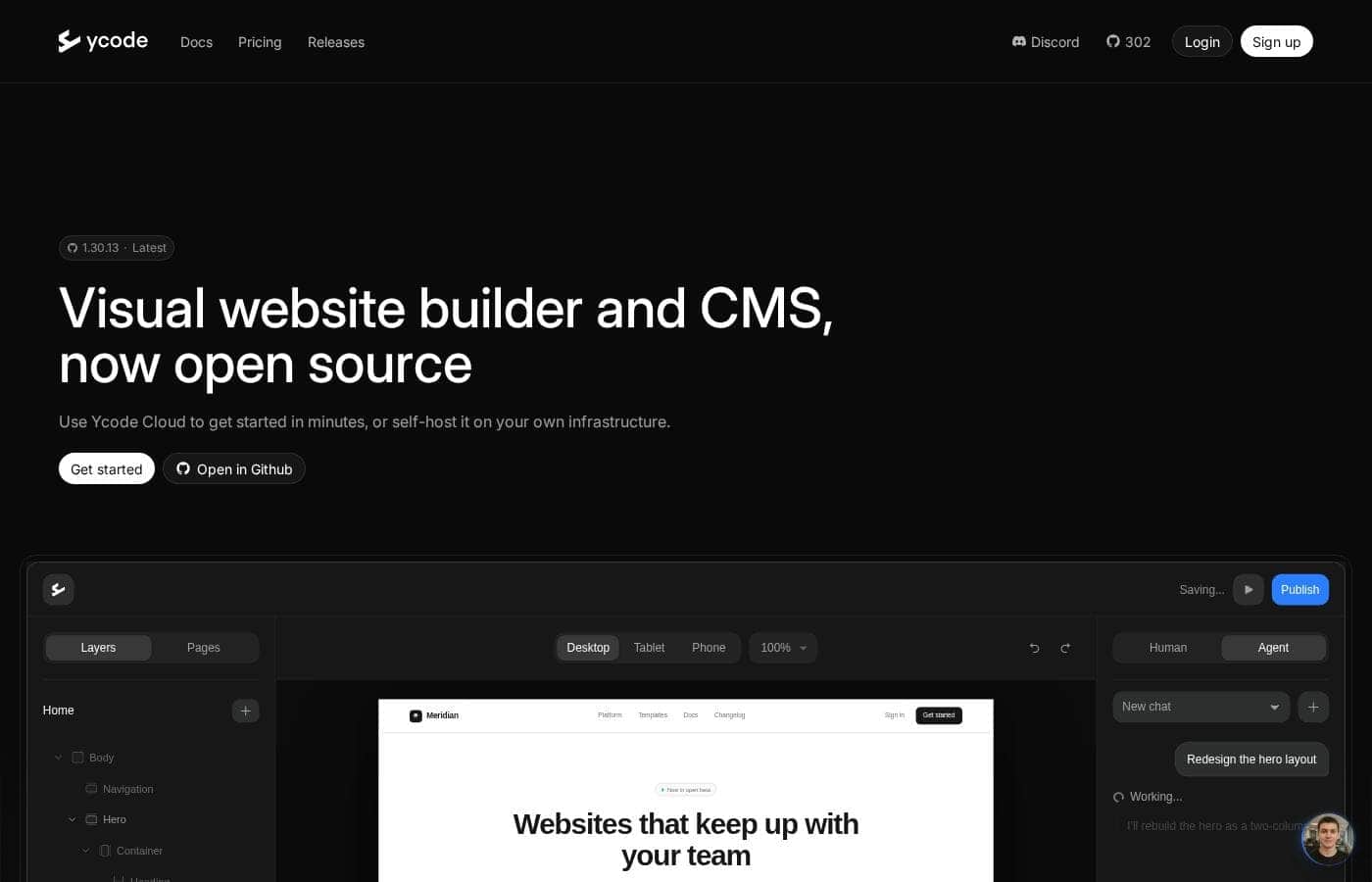
Ycode homepage screenshot

At a glance

Quick overview for Ycode: rating, pricing summary, key features, and highlights.

Ciroapp review

4.3
Powerful visual editor with smart pricing.

We see Ycode successfully bridges the gap between powerful design tools and affordability, offering extensive features like an integrated CMS and team collaboration without excessive cost. Overall, this platform presents a compelling alternative for designers and founders seeking complete control over their complex projects.

Pros

  • Pro:Extremely competitive pricing structure beginning at $5/month annually.
  • Pro:Comprehensive Free plan perfect for development and testing new projects.
  • Pro:Total design autonomy via an intuitive visual editor, requiring no code.
  • Pro:Integrated CMS simplifies content structuring and data management.

Cons

  • Con:Custom code integration is restricted to Basic and Pro plans.
  • Con:The Mini plan is significantly limited in scope (only 5 published pages).
  • Con:No explicit refund policy or money-back guarantee is provided.
Range: $5–$25/monthFree plan, Monthly subscription, Yearly subscription
This section is a summary. Detailed sections about features, use cases, pricing, and reviews follow below.

Ycode review, pricing, features, pros & cons

It’s hard when website building tools are either too complex or drain your budget. Ycode cuts through this frustration by combining powerful features with a truly user-friendly interface. You can now design, manage, and grow a professional site without sacrificing quality or breaking the bank.

It's the smart, all-in-one solution you've been waiting for. ✨

What is Ycode?

Ycode is a comprehensive, all-in-one website builder and integrated CMS. It's built specifically for designers, creators, and founders who want professional results without relying on code. Using its intuitive visual editor, you gain complete design control to craft beautiful, fully responsive websites.

You can publish your creations instantly and manage everything easily from one reliable platform. ✅

Ycode Key Features

✨ Total Design Autonomy with the Visual Editor

Your designs should always be spectacular and high-impact. Ycode provides a powerful visual editor that grants you total design autonomy. This lets you craft stunning, professional websites without needing to write any custom code.

You also build fully responsive sites right from the start, ensuring they look great on all devices.

✨ Dynamic Interactions Built-in

You can easily elevate your site by adding impressive, dynamic interactions. These robust features let you create complex effects without ever touching code. You manage all professional interactions directly through the visual platform. Use them to provide a stellar user experience and high visual impact.

Key interaction types include:

  • Page load and click actions.
  • Effects that happen while scrolling.
  • Specific scroll-into-view triggers.

✨ Integrated Content Management System (CMS)

Managing large amounts of data is simple with the integrated CMS. This user-friendly tool helps you keep your content always fresh and up to date. You can effectively structure content for your specific needs and organize all your critical data.

Updating the CMS is easy, whether you input data manually or use simple bulk import functions.

✨ Seamless Team Collaboration

Collaboration features mean your team can work together productively in real-time. You can publish updates and changes instantly, dramatically speeding up project delivery. Managing who has access and control is simple using flexible roles and permissions.

Ycode does not charge extra user seat fees, which enhances overall team productivity without inflating your budget.

✨ Global Localization Made Easy

Are you targeting a global audience? Ycode allows you to easily design, build, and manage localized sites. You can handle content and design experiences in any language needed.

This feature is key to ensuring you provide the best possible user experience for visitors all over the world.

✨ Optimized Hosting and SEO Tools

We focus on getting your site seen and launched quickly. You can launch instantly on a scalable cloud platform, ensuring fast loading speeds. The platform includes optimized controls and flexible CMS management tools that actively boost your website’s search engine optimization (SEO).

Plus, you can track your site’s growth right away using built-in analytics.

Use Cases

🎨 Design a High-Impact Portfolio or Brand Site

A designer wants complete control over their site's look and feel, but without the complexity of traditional coding. Ycode's intuitive visual editor provides total design autonomy. You craft spectacular, responsive designs that seamlessly adapt to any device.

You can also elevate the user experience instantly by adding complex interactions. Implement subtle effects like scroll-into-view triggers, hover states, and page-load animations—all without writing a single line of code. It truly lets you focus on creativity.

🌍 Launching a Multi-Language Marketing Campaign

You need to quickly deploy a professional marketing site tailored for different global markets. Ycode makes this process efficient and affordable.

First, you design the core site layout. Next, you use the localization feature to manage and translate content into multiple languages, ensuring accurate delivery for every visitor. With unlimited collaborators, your translation team works simultaneously without incurring extra user fees.

🗃️ Efficiently Managing a Content-Heavy Directory

Problem: Your new service or marketplace requires constant data updates and strong content organization. Relying on static pages or a complex database limits your growth and efficiency.

Approach: You use the integrated CMS to structure and organize all your data collections. You manage initial items through bulk imports, simplifying the setup process significantly. Daily updates are then handled easily through the user-friendly interface. This flexible system makes iteration faster.

Expected outcome: Your content remains fresh and scalable, and visitors can easily filter content to find exactly what they need.

🤝 Seamless Team Collaboration and Publishing

Design and content teams often struggle with version control and slow publishing cycles. Ycode is built for seamless teamwork. You can work together in real-time on your projects, improving overall productivity.

For internal security, you manage user access easily with flexible roles and permissions. Once content is finalized, you can publish updates instantly, keeping your development sprints short and effective. There are never any fees for adding team members.

🚀 Switching to an Affordable, Powerful Alternative

Many founders and agencies seek powerful design features without high platform costs. If you find platforms like Webflow too expensive or complex, Ycode offers a smart alternative. You gain strong animation capabilities and a superior user interface, all at competitive pricing.

Tip: Use the permanent Free plan for early development and testing. This lets you build out complex sites before you switch to a paid plan for custom domain hosting.

Pricing Overview for Ycode

Pricing range
$5–$25/month
Pricing types
Free plan, Monthly subscription, Yearly subscription

Ycode offers four subscription tiers, starting with a powerful Free plan for development and testing. Paid plans begin at $5/month when billed yearly, offering deep discounts compared to the monthly rates which range from $10 to $30.

Plans & Pricing

Free

Monthly$0
Yearly$0
Cannot publish to a Custom domain.
  • Publish to ycode.site
  • Unlimited pages
  • 100 CMS items
  • 10 CMS collections
  • 2 languages
  • 1GB bandwidth
  • 1K monthly visits
  • Unlimited form entries
  • + 1 more features

Mini

Monthly$10
Yearly$5
Limited to 5 pages.
  • Custom domain
  • 5 pages
  • 100 CMS items
  • 10 CMS collections
  • 2 languages
  • 1GB bandwidth
  • 1K monthly visits
  • Unlimited form entries
  • + 1 more features

Basic

Monthly$20
Yearly$15
Not explicitly stated beyond resource caps (traffic, CMS items).
  • Custom domain
  • Unlimited pages
  • 2,000 CMS items
  • 20 CMS collections
  • 3 languages
  • 10GB bandwidth
  • 250K monthly visits
  • Unlimited form entries
  • + 4 more features

Pro

Monthly$30
Yearly$25
Not explicitly stated beyond resource caps (traffic, CMS items).
  • Custom domain
  • Unlimited pages
  • 12,000 CMS items
  • 40 CMS collections
  • Unlimited languages
  • 100GB bandwidth
  • 300K monthly visits
  • Unlimited form entries
  • + 4 more features

Ycode costs between $0 and $30 per month, with four plans: Free at $0, Mini at $5/month (billed yearly), Basic at $15/month (billed yearly), and Pro at $25/month (billed yearly).

Here’s a breakdown of what each tier offers so you can choose the best fit for your project.

Free

Price: $0 Websites Supported: Not explicitly stated Best For: development and testing Refund Policy: Not explicitly stated Other Features: Unlimited pages on a ycode.site domain, 100 CMS items, 10 CMS collections, 2 languages, 1K monthly visits.

This plan is perfect for beginners who want to test out Ycode's features or for building complex sites before hitting the launch button. You can work on your site indefinitely without paying anything.

Mini

Price: $5/month (billed yearly) or $10/month (billed monthly) Websites Supported: Not explicitly stated Best For: landing pages and small websites Refund Policy: Not explicitly stated Other Features: Custom domain, 5 pages, 100 CMS items, 10 CMS collections, 2 languages, 1K monthly visits, 1GB bandwidth.

The Mini plan is the ideal choice if you only need a small, focused website or a powerful landing page. It gives you the necessary resources, like a custom domain, without overpaying for features you don't need.

Basic

Price: $15/month (billed yearly) or $20/month (billed monthly) Websites Supported: Not explicitly stated Best For: most business websites Refund Policy: Not explicitly stated Other Features: Custom domain, Unlimited pages, 2,000 CMS items, 20 CMS collections, 3 languages, 250K monthly visits, 10GB bandwidth.

Most small to medium businesses will find the Basic plan provides plenty of room to grow. You get more CMS capacity and a much higher traffic limit to handle increased demand.

Pro

Price: $25/month (billed yearly) or $30/month (billed monthly) Websites Supported: Not explicitly stated Best For: growing advanced websites Refund Policy: Not explicitly stated Other Features: Custom domain, Unlimited pages, 12,000 CMS items, 40 CMS collections, Unlimited languages, 300K monthly visits, 100GB bandwidth, Custom code, Unlimited redirects.

The Pro plan is built for large projects or agencies that manage complex sites requiring maximum power and localization freedom. It unlocks custom code and powerful features needed for advanced, high-traffic web applications.

Ycode offers a permanent Free plan, allowing you to start building right away without any financial commitment. Since a free tier is provided, there is no separate free trial period for the paid plans mentioned.

User Reviews

Ycode is strongly positioned as a high-value and professional alternative to established web development platforms, frequently emphasizing user satisfaction and powerful design capabilities. The company maintains that thousands of users worldwide praise its innovation and supportive environment.

This platform aims to cut through complexity by combining powerful features with an intuitive, user-friendly interface. Key themes promoted internally include superior user interface design and competitive pricing compared to rivals like Webflow, alongside strong functionality for animation and visual effects.

Ycode offers comprehensive design autonomy through its visual editor, allowing users to build fully responsive websites without needing to write code. Furthermore, it highlights efficient content structuring via an integrated CMS and features that promote seamless team collaboration, notably offering unlimited collaborators across all plans.

It also boasts built-in capabilities for global success, including optimized SEO controls and extensive localization support available right up to the Pro tier. 💡

No reviews yet.

Write a Review

Write a Review for Ycode
0/100 characters
0/2000 characters

Why use Ycode?

Ycode excels by delivering immense power in an approachable package. You no longer need to manage complex platform setups or pay high fees for basic functionality. Instead, you get a highly scalable system praised by thousands of users worldwide for innovation and support. Here’s why Ycode is redefining modern web development:

  • Total Design Autonomy: Gain full control with the visual editor. Craft spectacular, high-impact designs and add complex interactions—like scroll effects and hover states—all without touching a single line of code.
  • Efficient Content Structuring: The integrated CMS is user-friendly, allowing you to easily structure and organize your site content. You can update data quickly through manual input or simple bulk imports, keeping your site fresh.
  • Seamless Team Collaboration: Work in real-time with your team, publish updates instantly, and manage user access with flexible roles and permissions. Ycode enhances team productivity without requiring extra user seat fees.
  • Built for Global Success: Easily design and manage localized sites in any language, ensuring a great user experience regardless of location. The platform is also built with optimized controls and fast hosting to boost your SEO.
  • The Smart Alternative: Many users switch to Ycode from platforms like Webflow due to its superior user interface, competitive pricing, and strong animation capabilities. It truly offers exceptional value and ease of use. 💡

Ready to transform your workflow with Ycode?

Ycode Alternatives

Other tools in the Website Builder category

Frequently Asked Questions

Does Ycode offer a free trial or a money-back guarantee for paid subscriptions?

Ycode provides a permanent Free plan for developing and testing sites, eliminating the need for a separate free trial. However, the official site does not explicitly state a refund policy or offer a specific money-back guarantee for paid tiers.

How are collaborators and team members charged on Ycode?

Ycode follows a per-usage model rather than a per-seat model. All subscription tiers, including the paid plans, allow you to invite an unlimited number of collaborators to your projects at no extra cost.

Can I use custom or third-party code, like HTML or JavaScript?

Custom code functionality is restricted to the higher tiers. You will need to subscribe to either the Basic or Pro plan to integrate your own HTML, CSS, or JavaScript into your project.

What happens if my website exceeds the monthly traffic or bandwidth limits?

Every plan has specific limits for monthly visits and bandwidth usage, such as 1K visits on the Mini plan. Details regarding overage fees or service interruptions if you exceed these resource caps are not explicitly stated on the pricing page.

What kind of customer support is included with the different plans?

All plans include access to both community resources and email support services. While many users praise the timely response, the platform does not publish a specific Service Level Agreement (SLA).

Where can I find details about integrations with external services like Zapier?

The platform asserts that you can connect Ycode with your favorite external tools. While a Developer API is mentioned, specific details about partnerships like Zapier or third-party integration libraries are not detailed on the main features page.

What are the limitations on language localization across the different tiers?

The restriction on localization varies greatly by plan. Free and Mini plans are limited to two languages, Basic allows three, and the Pro plan unlocks unlimited languages for global scaling.

Who is the Mini plan best suited for, given its page limit?

The Mini plan is best for small, focused projects like custom landing pages or fundamental business sites. It includes a custom domain, but users should note the strict limit of five published pages.

How is the pricing structured regarding monthly versus yearly billing?

If you pay annually, you save substantially, sometimes up to 50% depending on the plan you choose. For example, the Mini plan is $10 monthly but drops to $5 per month when billed yearly.

What security features are available in Ycode and do they meet compliance standards?

Ycode supports key security features like password protection for sites, available on the Basic and Pro plans. Furthermore, several users endorse the platform’s compliance with GDPR standards.

Do I have a limit on the number of projects or websites I can build under one account?

The pricing structure lists resource limitations like CMS items and collections per site. However, the maximum number of individual projects an account can create or manage concurrently is not specified.

If I am on the free plan, can I use a custom domain name?

No, the Free plan is strictly for development and testing. To publish your site under a custom domain name, you must upgrade to the Mini plan or higher.

Ready to try Ycode? Check out the official site or pricing.