StreamYard

StreamYard review

Browser-based live streaming and recording, with multistreaming built in.

StreamYard costs from $44.99/mo · 3 plans · Free plan available · prices checked Nov 5, 2026

By Ciroapp Editorial Team · Updated Sep 16, 2026

Commission may apply at no extra cost

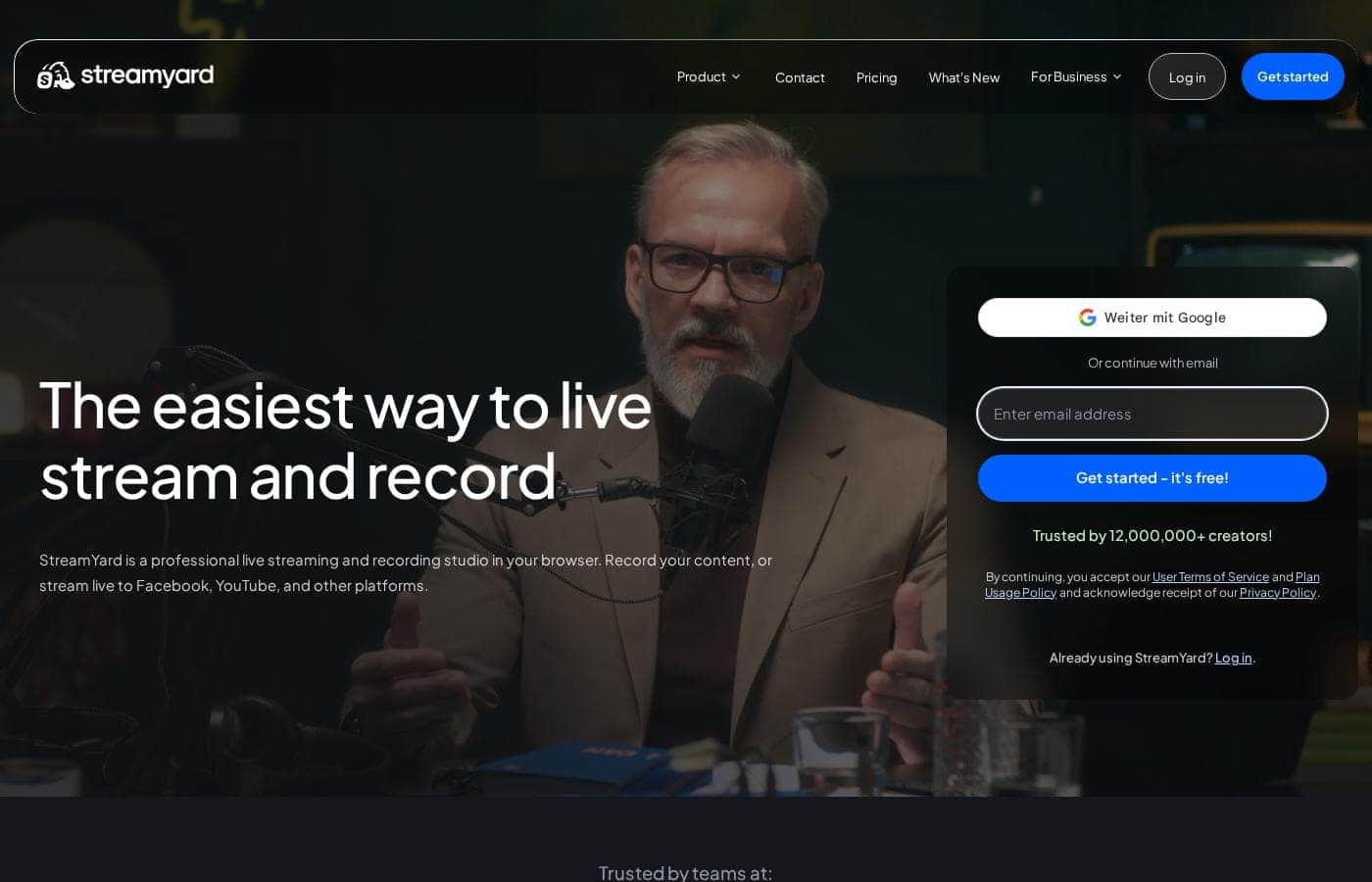
StreamYard homepage screenshot

At a glance

Quick overview for StreamYard: rating, pricing summary, key features, and highlights.
Pricing verified Nov 5, 2026

Ciroapp score

4.2/ 5

StreamYard packs a full live streaming studio into your browser, with link-based guests, multistreaming, and local recordings that survive shaky Wi-Fi. The free plan is genuinely usable, but paid tiers are individual-only and the advertised prices are promotional. Overall, it's an easy, low-risk pick for solo creators and podcasters.

Pros

  • Simulcasts one stream to Facebook, YouTube, Instagram, LinkedIn, X, and Twitch from a single browser studio, with custom RTMP destinations available on paid plans
  • Local recordings save separate audio and video files on each participant's device, so one guest's weak Wi-Fi doesn't degrade the whole show
  • Guests join from a browser link or phone in a few clicks with no downloads, which cuts down on technical no-shows during remote interviews

Cons

  • The Free plan burns in a StreamYard logo on your streams and caps local recordings at 2 hours per month with 6 on-screen participants
  • Core and Advanced plans are strictly for individual use — companies and organizations must buy the separate business option instead of sharing a seat
  • Multistreaming requires you to already hold accounts on every destination platform, and each must be connected separately
Best for
  • Podcasters recording interviews with remote guests
  • Creators simulcasting one show to several platforms at once
  • Small teams running weekly streams without a production crew
Money-back guarantee
Yes — 7 days
This section is a summary. Detailed sections about features, use cases, pricing, and reviews follow below.

What is StreamYard?

Live streaming usually means juggling encoders, software downloads, and tech glitches right before you go live. StreamYard puts a full studio in your browser instead. You can stream to multiple platforms at once, record clean local files, and invite guests with just a link.

No installs, no complicated setup.

StreamYard is a live streaming and recording studio that runs entirely in your browser. It's built for creators, podcasters, and teams who want professional-looking shows without production gear or technical know-how. You can broadcast to Facebook, YouTube, LinkedIn, Twitch, and more, record interviews with remote guests, and brand your show with logos, colors, and overlays.

The company reports over 12 million creators have used it.

Should you choose StreamYard?

Quick buyer guidance before you compare plans or click through.

Choose it if

  • Creators who prefer a browser-based workflow with nothing to install
  • Shows that need guests to join easily from a browser or phone
  • Streamers worried about unstable internet ruining recordings
  • Brands wanting a consistent on-screen identity with logos, colors, and overlays
  • Teams that want shared access — user testimonials describe multiple people backing each other up on one stream

Skip it if

  • Free-tier limits aren't published in the visible content; confirm exactly what the free plan includes before relying on it
  • You still need accounts on each destination platform (Facebook, YouTube, Twitch, and so on) to multistream
  • Buyers who need a desktop app or offline studio workflow may find the browser-only model limiting

Next steps before buying

  1. 1Open StreamYard's pricing page and match plan costs to your streaming volume before signing up.
  2. 2List every platform you want to stream to and confirm StreamYard supports each one.
  3. 3Use the free signup to explore the studio and record a private test session.
  4. 4Read the User Terms of Service and Plan Usage Policy so you know each plan's limits.
  5. 5Run one full test stream with a guest before going live to check audio, video, and branding.

Ease of use

Simplicity is StreamYard's core pitch, and the visible signals support it. Signup works with Google or email, the studio runs in a browser, and guests join without downloads. Multiple on-site testimonials describe the platform as easy, and one user reports recovering a recording after a mid-session computer reboot. This is source-based rather than hands-on, but the onboarding flow appears deliberately low-friction.

StreamYard Key Features

🎥 Multistream to every major platform at once

One live show can reach audiences everywhere. StreamYard simulcasts to Facebook, YouTube, Instagram, LinkedIn, X, Twitch, and more from a single studio. You can pull viewer comments from each platform onto your screen so people feel seen.

It's handy for weekly shows that want to grow on several networks without extra work.

🎙️ Studio-quality recordings, even on shaky Wi-Fi

Bad internet shouldn't ruin your footage. StreamYard's local recordings save a separate audio and video file on each participant's device, so one guest's weak connection won't blur the whole show. If you record podcasts or interviews with remote guests, you'll end up with clean tracks to edit from.

✨ Guests join in clicks, not downloads

Inviting guests is a link, not a support ticket. They open your invite in a browser or on a phone and join in a few clicks — no software to install. Fewer tech hurdles mean fewer no-shows, which matters when you're booking interviews back to back.

✨ Brand your show without design skills

Your stream should look like yours, not a template. In the studio you can apply your identity in a few clicks, then reuse it every episode for a consistent on-screen look:

  • Add your logo and colors
  • Layer on overlays
  • Open and close with intro and outro videos

✨ Webinars with StreamYard On-Air

StreamYard On-Air extends the studio into a dedicated webinar platform built around stability, simplicity, and production quality. You can embed it on your own website for a fully white-label experience. Reach for it when you want webinars that match your brand without a separate production setup.

Use Cases

🎙️ Record podcast interviews with remote guests

Send guests a link. They join from a browser or phone—no downloads. Local recordings save separate audio and video files on each device, so weak Wi-Fi won't blur your episode.

Expected outcome: Clean tracks, even when a connection wobbles.

Tip: Run a private test session with a guest before going live.

📡 Simulcast one show to every platform

Stream to Facebook, YouTube, LinkedIn, Twitch, and more from one browser tab. Pull viewer comments on screen so your audience feels part of the show.

Expected outcome: One stream, several platforms, no extra gear.

🎨 Run a weekly show without a production crew

Host solo and still look polished. Add your logo, colors, overlays, and intro videos—no design skills needed. Testimonials describe hosts running multi-platform talk shows without a backend person.

Expected outcome: A consistent, branded look every week.

🖥️ Move webinars to StreamYard On-Air

Shift webinars to On-Air and embed it on your own site for a white-label experience. The Advanced plan supports up to 100 viewers.

Tip: Check the pricing page first—plan limits vary.

StreamYard pricing

From$44.99/mo

  • 3 plans
  • Free plan available

Prices checked on Nov 5, 2026 from StreamYard's pricing page

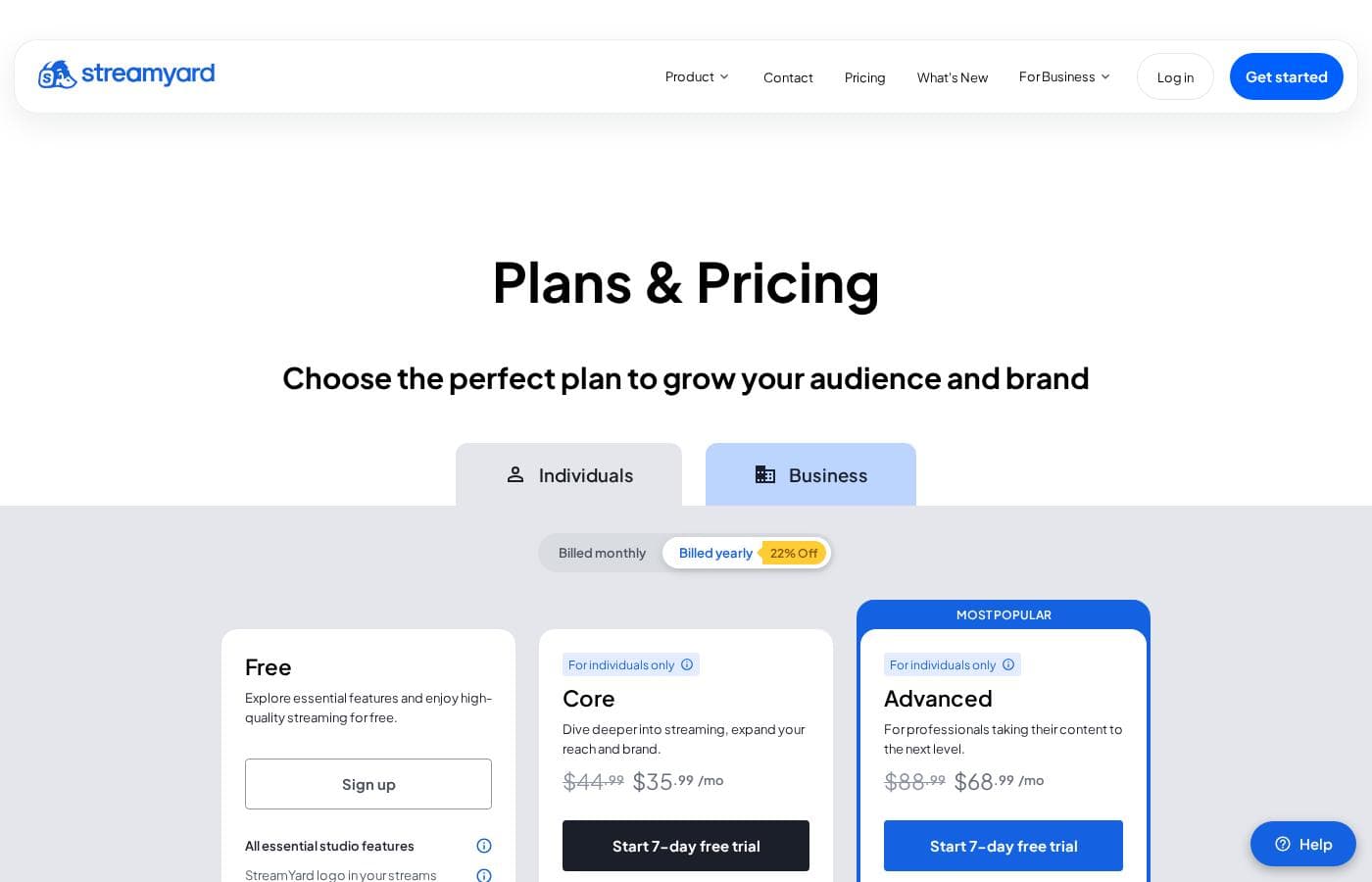
StreamYard pricing page screenshotView pricing page screenshot
PlanBilled monthlyBilled annuallyIncludes
Free
Free
—
StreamYard logo on streams, streaming limits, and limited storage; for individuals only
  • All essential studio features
  • Dark mode
  • Local recordings – 2 hours/month
  • 6 on-screen participants
  • 1 seat
Core
Intro offer $35.99/mo; list price shown
$44.99/mo
—
10 on-screen participants, pre-recorded streams up to 2 hours, individual use only
  • Full HD (1080p) streaming with no StreamYard logo
  • Multistream to 3 destinations
  • Unlimited streaming, recording, and local recordings
  • 50 hours of permanent storage plus cloud recording
  • Logos, overlays, video clips, backgrounds, 16+ custom layouts, AI clips, AI backgrounds
Advanced
Intro offer $68.99/mo; list price shown
$88.99/mo
—
Pre-recorded streams up to 4 hours, individual use only
  • Everything in Core
  • 4K (2160p) local recordings
  • Multistream to 8 destinations
  • Extra camera and 15 backstage participants
  • On-Air webinars with up to 100 viewers, custom fonts, downloadable transcripts

Price history

Tracking prices since Oct 1, 2026. No price change detected yet.

Pricing types: Free plan, Monthly subscription

Pricing notes

StreamYard offers a genuinely free plan plus two paid tiers: Core at $35.99/month and Advanced at $68.99/month, with higher regular prices ($44.99 and $88.99) also shown. Both paid plans are for individual use, and prices can shift with promotions and renewal terms.

StreamYard costs between $0 and $68.99 per month with three plans: Free at $0, Core at $35.99/month (marked down from $44.99), and Advanced at $68.99/month (marked down from $88.99). Here's a quick look at what each plan includes, so you can pick the right fit.

Free

Price: Free Best For: Individuals who want to explore streaming without paying Other Features:

  • All essential studio features
  • Local recordings, 2 hours per month
  • 6 on-screen participants and 1 seat
  • Dark mode
  • StreamYard logo on streams, with streaming and storage limits

The Free plan is a real tool, not a demo. You can stream and record with the core studio features and see if StreamYard fits your workflow. The logo and limits are what set it apart from the paid tiers.

Core

Price: $35.99/month (marked down from $44.99) Best For: Individual creators who want branded, full-quality streams Other Features:

  • Full HD (1080p) streaming with no StreamYard logo
  • Multistream to 3 destinations
  • Unlimited streaming, recording, and local recordings
  • 50 hours of permanent storage, plus cloud recording
  • Branding tools: logos, overlays, video clips, backgrounds, 16+ custom layouts
  • AI clips, AI backgrounds, intro and outro videos, chat overlay

Core is the most popular plan, and it's easy to see why. You get clean, watermark-free streams in Full HD, with room for 10 on-screen participants. If you're a podcaster or a regular streamer, this plan covers most needs.

Advanced

Price: $68.99/month (marked down from $88.99) Best For: Professionals taking their content to the next level Other Features:

  • Everything in Core
  • 4K (2160p) local recordings
  • Multistream to 8 destinations
  • Extra camera and 15 backstage participants
  • Pre-recorded streams up to 4 hours
  • On-Air webinars with up to 100 viewers, custom fonts, downloadable transcripts

Advanced builds on Core for people who stream for a living. Pick it if you need 4K recordings, more destinations, or webinars. Bigger teams should skip both paid tiers, though, because Core and Advanced are for individual use only; companies and organizations need the separate business option instead.

Good news if you're on the fence: there's a free plan, so you can test the studio before spending anything. If you do pay, StreamYard backs your purchase with a 7-day money-back guarantee on your first charge, and you can cancel anytime — you keep paid features until the end of the billing cycle, then return to Free. Prices can change with promotions, seasonal deals, and renewal terms, so confirm the renewal price before you commit. Payment is accepted in USD or Indian Rupees.

Cost calculator

Estimate what StreamYard costs for your team.

Billing
Per month
$44.99
Per year
$539.88

Core has a flat price: the number of seats does not change the total. Estimate based on published list prices, before taxes, add-ons and discounts.

How to pay less for StreamYard

  • Start on the free plan and upgrade only when you hit its limits.
  • 7-day money-back guarantee if it does not fit.
  • Cheaper tools in this category start at $16/mo.
Visit StreamYard

Email me when StreamYard changes price

One email when we detect a price change on the vendor's pricing page. No newsletter, no deals. Unsubscribe in one click.

User Reviews

No reviews yet.

Write a Review

Write a Review for StreamYard
0/100 characters
0/2000 characters

Why use StreamYard?

Most streaming setups force a choice: simple tools that look amateur, or pro gear that takes weeks to learn. Judging by StreamYard's site, you may not have to pick.

  • Simulcast everywhere at once — Stream to Facebook, YouTube, Instagram, LinkedIn, X, Twitch, and more, and feature viewer comments on screen to keep your audience engaged.
  • Recordings that survive bad Wi-Fi — Local recordings save separate audio and video files on each person's device, so one guest's weak connection won't blur the whole show.
  • Zero-friction guests — Invitees join from a browser or phone in a few clicks. No downloads means fewer technical no-shows.
  • Your brand, not a template — Add your logo, colors, overlays, and intro or outro videos without design skills.
  • Webinars without the headaches — StreamYard On-Air adds a dedicated webinar platform you can embed on your own site for a white-label experience.
  • Free to start — You can sign up at no cost, and the site reports 60 million-plus streams and recordings created on the platform.

StreamYard alternatives

Other tools in the Live streaming category

View all Live streaming tools
Wave.video

Wave.video

Live streaming3.8/5From $16/mo

Wave.video is an industry-leading online video solution designed for creators who want effective tools at their fingertips. It's built to simplify the entire video workflow, providing a bundle of powerful tools for the price of one. You get a robust Video Editor, a customizable Live Streaming Studio, secure Video Hosting, and a free Thumbnail Maker all in one place. 💡 This comprehensive platform makes video production truly accessible and effective for growth.

Restream

Restream

Live streaming4.3/5From $19/mo

Restream is a powerful live streaming service that allows you to broadcast live content to multiple streaming channels simultaneously.

Switcher Studio

Switcher Studio

Live streaming4.2/5

Switcher Studio is a user-friendly, multi-camera live streaming platform designed for accessibility and quality 💡. It’s a tool that takes your iPhones, iPads, and existing cameras and transforms them into a high-quality production suite. This system allows you to switch between up to nine different camera angles instantly and create professional productions with real-time editing. Everything is simplified so you can focus on your mission, message, and community impact.

StreamYard FAQ

How much does StreamYard cost?

StreamYard's cheapest paid plan, Core, costs $44.99 per month. Paid plans range from $44.99 to $88.99 per month. Prices checked on Nov 5, 2026 from the vendor's pricing page.

Does StreamYard have a free plan?

Yes. StreamYard has a free plan (Free); paid plans start at $44.99 per month.

Does StreamYard offer a free trial or a money-back guarantee?

It has a 7-day money-back guarantee.

Has StreamYard's price changed recently?

No. We have not detected a price change since we started tracking on Oct 1, 2026.

Which platforms can I stream to with StreamYard?

You can simulcast to Facebook, YouTube, Instagram, LinkedIn, X (Twitter), Twitch, and more. Paid plans add custom RTMP destinations. You'll need your own account on each platform you connect.

How does StreamYard protect my recordings and data?

Local recordings save separate audio and video files on each person's device, so weak Wi-Fi won't ruin footage. StreamYard also publishes a Security Statement covering its technical and organizational measures.

Can my whole team share one paid plan?

Each plan includes one seat, and Core and Advanced are for individual use only. Companies and organizations need StreamYard's separate business option instead.

Ready to try StreamYard? Check out the official site or pricing.

Are you StreamYard? Claim this listing · Get the badge