Wave.video

Wave.video review

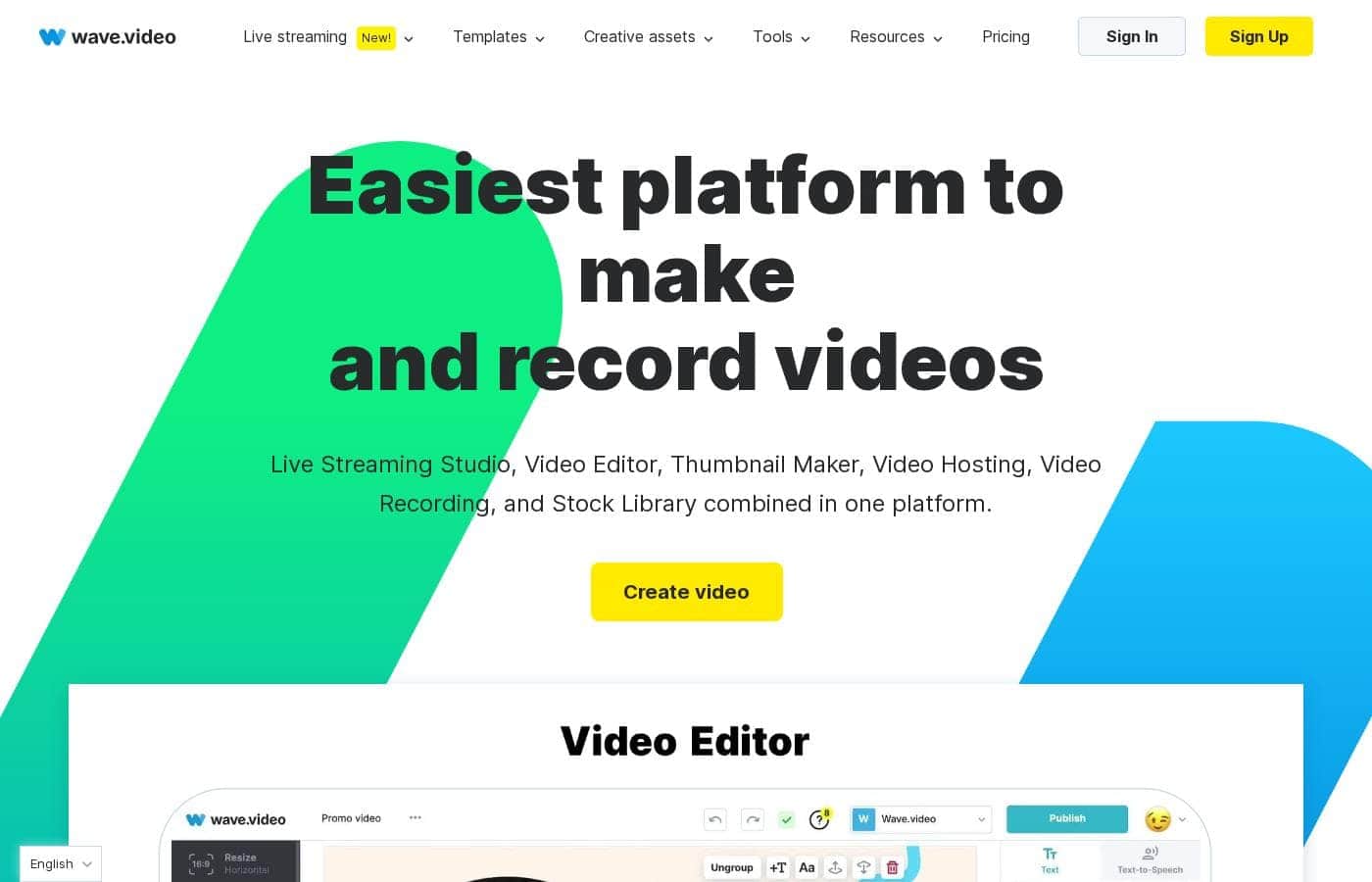
An all-in-one browser studio for editing, recording, multistreaming, hosting, and thumbnails.

Wave.video costs from $16/mo Β· 4 plans Β· Free plan available Β· prices checked Oct 12, 2026

By Ciroapp Editorial Team Β· Updated Sep 16, 2026

Commission may apply at no extra cost

Wave.video homepage screenshot

At a glance

Quick overview for Wave.video: rating, pricing summary, key features, and highlights.
Pricing verified Oct 12, 2026

Ciroapp score

3.8/ 5

Wave.video bundles editing, screen recording, multistreaming, hosting, and thumbnails into one browser platform. Pricing is clear and runs $0 to $48 per month, with a genuinely free plan to test things out. Watermarks stick around until Creator, though, and there's no published refund policy. Overall, it's a smart consolidation pick for weekly publishers who check the caps first.

Pros

  • Pros:Five tools in one subscription β€” editor, multistreaming studio, recorder, hosting, and thumbnail maker β€” starting at $0
  • Pros:Genuinely usable free plan with unlimited video creation, direct social publishing, and no trial countdown
  • Pros:Generous streaming ceilings on higher tiers β€” Business supports 12-hour broadcasts at 1080p with 12 guests across 10 channels

Cons

  • Cons:Watermarks on edited videos, live streams, and recordings on every plan below Creator ($24/month)
  • Cons:Hard caps per tier β€” Streamer edits stop at 5 minutes with 1-hour 720p streams, and even Business edits top out at 2 hours at 60fps
  • Cons:No published refund policy or money-back guarantee, so an ill-fitting paid plan is a real risk
Best for
  • Solo creators and small brands publishing short-form video weekly who want editing, thumbnails, and multistreaming without juggling separate subscriptions
  • Marketers running webinars, launches, and branded shows who need guest invitations, custom scenes, and pre-recorded 'live' broadcasts
  • Podcasters and interview shows recording remote guests with screen and tab sharing directly in the browser
This section is a summary. Detailed sections about features, use cases, pricing, and reviews follow below.

What is Wave.video?

Wave.video is an online video platform covering five jobs in one place: editing, camera and screen recording, multistreaming to multiple channels, video hosting with embeds and analytics, and thumbnail creation. Everything runs in the browser, supported by a stock library (2M assets on lower tiers, 200M on Creator and above) and AI helpers like text-to-video, auto captions, and background removal. A single project can flow into resized social exports, a branded live broadcast, and an embeddable hosted player.

Verdict

good-at-core-consolidation, unverified-elsewhere

Wave.video Key Features

βœ‚οΈ Edit anything, without the learning curve

Publish anywhere without re-editing from scratch. Resize and trim clips, combine footage, and change layouts in a few clicks. Add text animations, stickers, transitions, and auto-generated captions that make videos work on mute.

Start from a template, a blog post, or a blank canvas β€” it's editing without the learning curve.

🎬 Stream live to every channel your audience uses

The streaming studio lets you broadcast to multiple platforms at once β€” no coding needed. Invite guests, switch between scenes, or play a pre-recorded video as if it were live. Add your branding, and your stream looks polished everywhere your audience happens to be.

✨ Hosting that puts your videos to work

Upload your videos once, then put them to work. Hosted videos come with tools that help them travel and perform:

  • Build easy-to-edit video landing pages
  • Personalize the player and embed videos on blogs or websites
  • Track video analytics to see what's landing

✨ Record once, polish it fast

Skip the back-and-forth of fixing raw footage. Record your screen, share tabs, and invite guests to pre-record podcasts or shows β€” layouts and scenes are planned upfront. Then pull from the built-in stock library of videos, images, and audio to finish.

Need a cover? The thumbnail maker adds catchy titles and removes photo backgrounds.

Use Cases

πŸ“± Make one video fit every platform

You've shot one great clip, but every feed needs a different size. Resize and trim it once, add captions, and export a version for each channel. Expected outcome: consistent posts everywhere without redoing the work.

πŸŽ₯ Host live events from one studio

Run webinars, shows, or launches right in your browser. Invite guests, brand your scenes, and stream live or pre-recorded video to several channels at once. No code required.

Tip: pre-recorded broadcasts are a lifesaver on shaky Wi-Fi.

πŸŽ™οΈ Record podcasts and interviews remotely

Invite guests, share your screen or tabs, and record episodes in the browser. Plan your scenes ahead so recording day stays calm and quick. Expected outcome: a ready-to-edit episode file, no studio booked.

πŸ“Š Embed videos people actually watch

Upload once, then embed on your blog or website with a personalized player. Build video landing pages, check analytics, and see what your audience really watches. It's hosting and insight in one place.

Wave.video pricing

From$16/mo

  • 4 plans
  • Free plan available

Prices checked on Oct 12, 2026 from Wave.video's pricing page

Wave.video pricing page screenshotView pricing page screenshot
PlanBilled monthlyBilled annuallyIncludes
Free
Free
β€”
Videos up to 15 minutes with watermark; 5 embeds; 10GB monthly traffic; 10GB storage; no extra bandwidth or storage purchases
  • Basic video editor (videos up to 15 minutes with watermark)
  • Thumbnail maker
  • Stock library of 2M assets and templates
  • Live streaming with watermark
  • Video hosting with watermark: 5 embeds, 10GB traffic/month, 10GB storage
Streamer
$16/mo
β€”
Edits capped at 5 minutes; streams up to 1 hour at 720p; 1 camera and screen share per guest; recorded videos carry a watermark
  • Videos and GIFs up to 5 minutes
  • Thumbnail maker
  • Stock library of 2M assets and templates
  • Live streaming: 2 channels, 6 guests, up to 1 hour/stream at 720p
  • Video recording with watermark up to 15 minutes
Creator
$24/mo
β€”
Edits capped at 30 minutes; streams up to 4 hours at 1080p; 20 embeds; 150GB monthly traffic; 30GB storage; no extra storage purchases
  • Video editing up to 30 minutes
  • Stock library of 200M assets and templates
  • Stylish captions and subtitles, image background removal, text to speech
  • Live streaming: 5 channels, 10 guests, up to 4 hours/stream at 1080p, webinars and pre-recorded streaming
  • 20 embeds, 150GB traffic/month, 30GB storage
Business
$48/mo
β€”
Streams up to 12 hours; 200 free embeds then 20Β’/month each; 500GB monthly traffic then 1Β’/GB; 500GB storage then 10Β’/GB; 200 free captioning minutes/month then 5Β’/minute
  • Video editing up to 2 hours at 60fps
  • Shared login for team collaboration
  • Live streaming: 10 channels, 12 guests, up to 12 hours/stream at 1080p, 4 cameras per guest
  • Advanced permissions and streaming scenes, presentations, webinars
  • Advanced hosting: 200 embeds, 500GB traffic/month, 500GB storage

Price history

Tracking prices since Oct 1, 2026. No price change detected yet.

Pricing types: Free plan, Monthly subscription, Yearly subscription, Usage-based pricing

Pricing notes

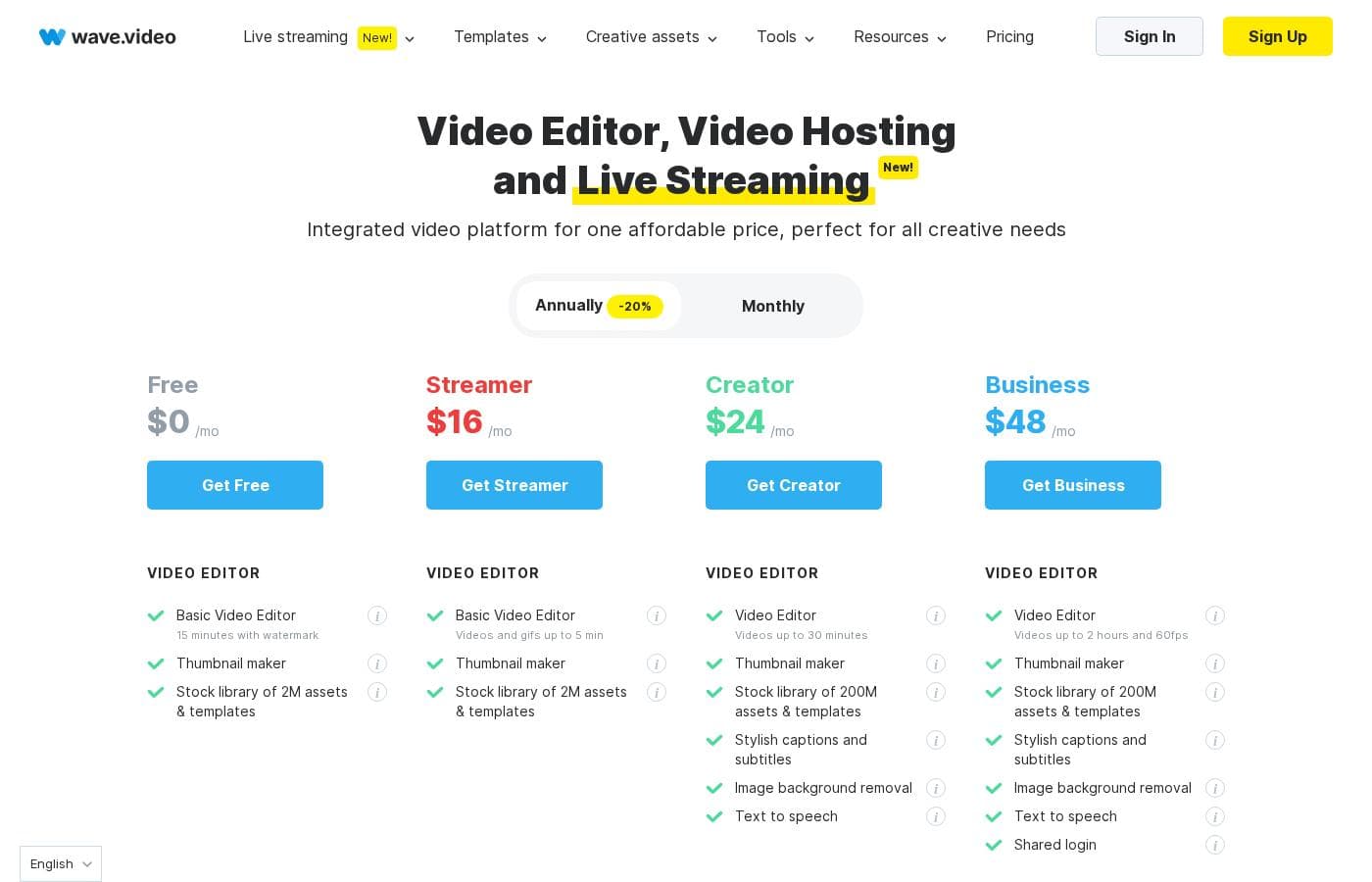
Wave.video offers four plans: a Free plan at $0, Streamer at $16/month, Creator at $24/month, and Business at $48/month. Annual billing saves you 20%, and each tier scales up with longer videos, bigger live streams, and more hosting.

Wave.video costs between $0 and $48 per month with 4 plans: Free at $0, Streamer at $16, Creator at $24, and Business at $48. Annual billing saves you 20%.

Here's what each plan includes. πŸ‘‡

Free

Price: $0/mo Other Features:

  • Basic video editor β€” videos up to 15 minutes with watermark
  • Thumbnail maker plus a stock library of 2M assets and templates
  • Live streaming with a watermark
  • Video hosting with watermark: 5 embeds, 10GB traffic/month, 10GB storage

The Free plan is a solid way to test the waters. You can create unlimited videos and post them straight to social platforms without paying a cent. Just remember the Wave.video watermark stays on until you upgrade.

Streamer

Price: $16/mo Other Features:

  • Edit videos and GIFs up to 5 minutes
  • Thumbnail maker and the 2M asset stock library
  • Live streaming to 2 channels with 6 guests, up to 1 hour per stream at 720p
  • 1 camera and screen share per guest
  • Video recording with watermark up to 15 minutes

Streamer suits solo creators making short-form videos and dipping a toe into live streaming. If your broadcasts are brief and your audience is small, it's an easy, affordable entry point.

Creator

Price: $24/mo Other Features:

  • Edit videos up to 30 minutes
  • Full stock library of 200M assets and templates
  • Stylish captions and subtitles, image background removal, and text to speech
  • Live streaming to 5 channels with 10 guests, up to 4 hours per stream at 1080p
  • 20 embeds, 150GB traffic/month, and 30GB storage

Creator is the sweet spot for marketers and content creators who publish regularly. You lose the watermark, gain longer edits, and get real streaming tools like webinars, presentations, and pre-recorded broadcasts. It's the plan most growing brands land on.

Business

Price: $48/mo Other Features:

  • Edit videos up to 2 hours at 60fps
  • Shared login for team collaboration
  • Live streaming to 10 channels with 12 guests, up to 12 hours per stream
  • 4 cameras and 4 screen/video shares per guest, plus advanced permissions
  • Advanced hosting with 200 embeds, 500GB traffic/month, and 500GB storage

Business is built for teams and agencies producing video at scale. You get marketing tools for hosted videos, heavy-duty streaming, and unlimited embedded videos (the first 200 are free). If you only publish a clip or two a week, Creator will likely serve you better and cost less.

A few things worth knowing before you choose. Every plan lets you create unlimited videos, and all paid plans include.mp4 downloads. Hosting overages cost about 1Β’ per extra GB of traffic, and Business pays 10Β’ per extra GB of storage plus 20Β’ per month for each embedded video past 200. Business also includes 200 minutes of free captioning each month, then 5Β’ per minute after that.

There's a genuinely free plan here β€” no trial hoops, so you can explore before spending anything. Upgrades are prorated automatically, and billing runs through Stripe with all major cards. Before committing to a tier, confirm the video length and streaming limits match how you actually work. 🎬
Cost calculator

Estimate what Wave.video costs for your team.

Billing
Per month
$16
Per year
$192

Streamer states no user limit: shown as one price for the whole account. Check the price for 5 users with the vendor. Estimate based on published list prices, before taxes, add-ons and discounts.

How to pay less for Wave.video

  • Start on the free plan and upgrade only when you hit its limits.
Visit Wave.video

Email me when Wave.video changes price

One email when we detect a price change on the vendor's pricing page. No newsletter, no deals. Unsubscribe in one click.

User Reviews

No reviews yet.

Write a Review

Write a Review for Wave.video
0/100 characters
0/2000 characters

Why use Wave.video?

The core argument is consolidation: instead of subscribing to an editor, a streaming tool, and a host separately, one plan covers all three, starting at $0. The free plan has no trial countdown, so you can test the editor and thumbnail maker on real work before spending anything, and upgrades prorate automatically.

For anyone publishing video weekly across several channels, Creator at $24/month removes watermarks and adds captions, background removal, and 4-hour 1080p streams β€” replacing multiple single-purpose subscriptions.

Wave.video alternatives

Other tools in the Live streaming category

View all Live streaming tools
StreamYard

StreamYard

Live streaming4.2/5

StreamYard is the definitive professional studio for live streaming and recording, housed entirely within your browser. This platform is designed to produce polished, branded content without needing advanced design or production expertise. It removes the technical friction that often accompanies high-quality content creation. Trusted by over 12 million creators, StreamYard enables you to stream simultaneously to major platforms like Facebook, YouTube, LinkedIn, and Twitch. You can manage multiple remote guests and streams seamlessly from one central location. βœ… This simple elegance makes the system reliable and understandable for everyone.

Switcher Studio

Switcher Studio

Live streaming4.2/5

Switcher Studio is a user-friendly, multi-camera live streaming platform designed for accessibility and quality πŸ’‘. It’s a tool that takes your iPhones, iPads, and existing cameras and transforms them into a high-quality production suite. This system allows you to switch between up to nine different camera angles instantly and create professional productions with real-time editing. Everything is simplified so you can focus on your mission, message, and community impact.

Wave.video FAQ

How much does Wave.video cost?

Wave.video's cheapest paid plan, Streamer, costs $16 per month. Paid plans range from $16 to $48 per month. Prices checked on Oct 12, 2026 from the vendor's pricing page.

Does Wave.video have a free plan?

Yes. Wave.video has a free plan (Free); paid plans start at $16 per month.

Has Wave.video's price changed recently?

No. We have not detected a price change since we started tracking on Oct 1, 2026.

Can I host long videos if my plan can't edit them?

Yes. You can upload videos of any length for hosting and sharing on every plan. Only editing is capped β€” it tops out at 2 hours and 60fps on Business.

Does Wave.video offer refunds or a money-back guarantee?

There's no money-back guarantee or refund policy published on the pricing pages. Before your first paid month, it's smart to confirm the cancellation and refund terms so you know your options.

Ready to try Wave.video? Check out the official site or pricing.

Are you Wave.video? Claim this listing Β· Get the badge