Snagit

Snagit

The best snipping tool for Mac and Windows

#2 dans Screen recorder
1 min read · Updated 10/3/2025
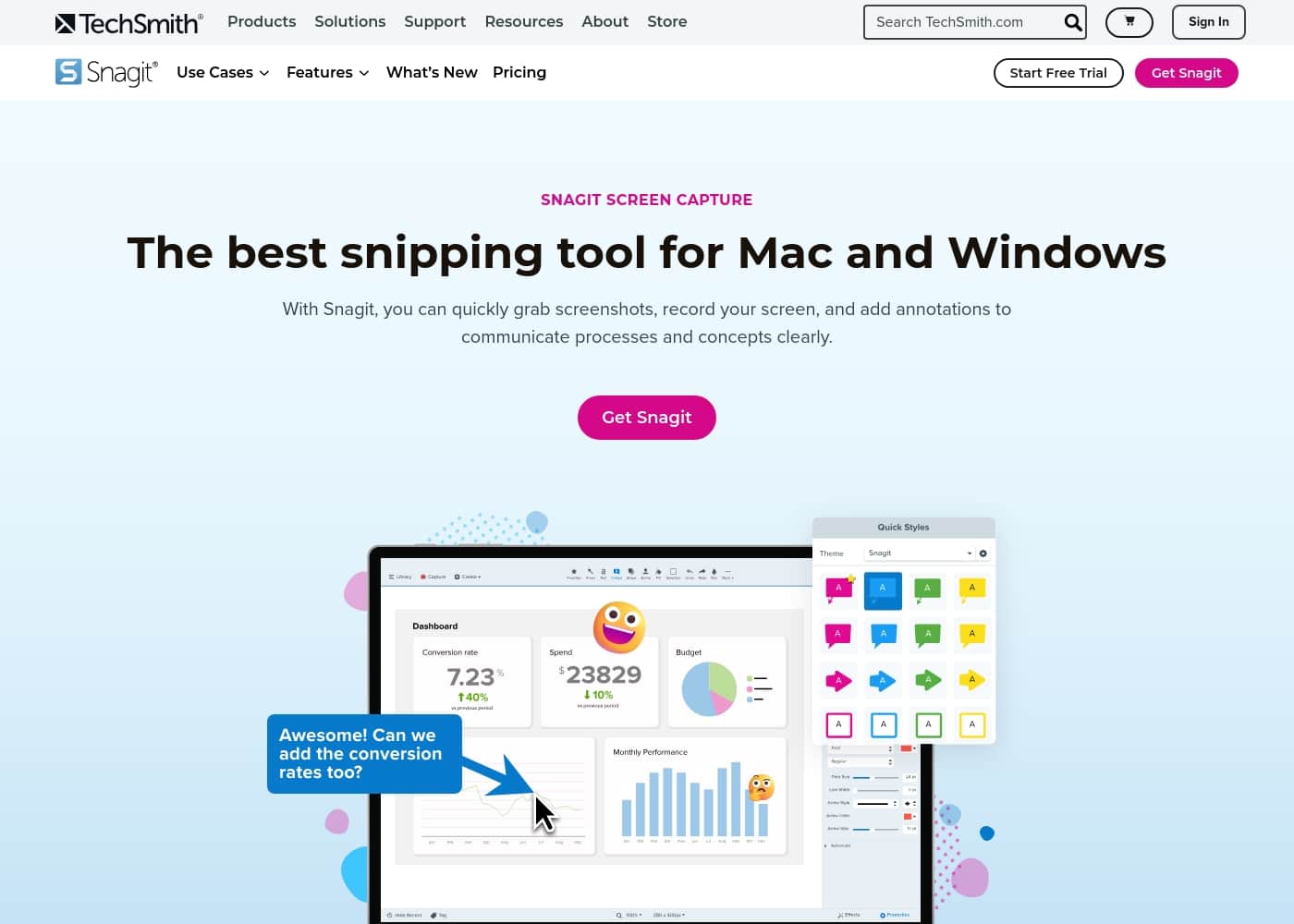
Snagit homepage screenshot

At a glance

Quick overview for Snagit: rating, pricing summary, key features, and highlights.

Ciroapp review

4.0
Industry-standard capture, marred by licensing.

We find Snagit is truly the industry standard for screen capture and annotation on both Mac and Windows, offering professional quality and great simplicity. Its powerful features dramatically simplify complex communication, making the tool invaluable for documentation. Overall, the software quality is exceptional, although recent mandatory subscription changes may frustrate long-term users.

Pros

  • Pro:Dramatically simpler and easier to use than comparable desktop tools.
  • Pro:Deep feature set supports complex projects and professional annotation.
  • Pro:The software is considered an industry-standard, essential tool by users.
  • Pro:Customer support is often reported as very good, responsive, and quick to resolve issues.

Cons

  • Con:Recent shift to a mandatory annual subscription frustrates long-time perpetual license holders.
  • Con:Individual licenses enforce a strict one-sign-in limit, making device switching cumbersome.
  • Con:Support experiences are inconsistent, with some users reporting unhelpful staff or long waits.
  • Con:Requires purchasing the more expensive 'Teams' license for flexible multi-device access.
Free trial
Yes — 14 days
Money-back guarantee
Yes — 14 days
Range: $39.00/yearYearly subscription, Per seat pricing
This section is a summary. Detailed sections about features, use cases, pricing, and reviews follow below.

Snagit review, pricing, features, pros & cons

It can be frustrating when you need to share a complex idea or process, but your current tools fall short. Getting your message across needs more than a simple screenshot. ✨ Snagit Screen Capture addresses this common challenge.

It helps you quickly grab visuals, record video, and ensure your concepts are shared clearly.

What is Snagit?

Snagit is hailed as the best snipping tool available for both Mac and Windows users. It’s a powerful application designed to simplify how you capture and share information. You get tools to quickly capture screenshots and record your screen directly.

It's built for anyone who needs to clearly communicate processes or complex concepts. This unified approach makes your entire workflow much smoother. 💡

Snagit Key Features

✨ Quick and High-Quality Screen Capture

Getting your crucial message across needs more than a simple screenshot. Snagit helps you quickly grab the exact visuals you need with speed. You can capture high-quality images whenever they are necessary for your documentation. This capability solves the frustration that arises when your current tools fall short.

Snagit is designed to ensure that those complex concepts you need to share are always communicated perfectly. It is a powerful application built to simplify how you capture and share critical information. You get the tool you need to quickly grab visuals fast, every single time.

🎥 Easy Screen Recording

Snagit isn't just optimized for still images; you can also record your screen easily. This key feature lets you capture video directly when a static image just won't suffice. You can quickly demonstrate specific actions, software processes, or complex workflows.

Recording your screen ensures that detailed steps are instantly understandable for your audience. It helps you quickly document actions or flows with minimal effort. This process provides a clear path for anyone needing to follow your instructions.

✨ Ensure Clarity with Annotations

Clarity is highly essential when you are sharing complex ideas or processes. Snagit gives you the power to add detailed annotations immediately to your captured images. This function helps you make every documented step instantly understandable for your viewers.

You achieve professional output that communicates processes effectively. The core tools in Snagit help you simplify how you capture and share important information. You can ensure every step is clear and immediately effective.

Key tools help you achieve these outcomes:

  • Add detailed annotations to images.
  • Clarify complex flows easily.
  • Document processes professionally.

✨ Tools for Your Entire Workflow 🚀

Snagit offers streamlined Sidekicks tools tailored for your entire workflow needs. When all elements work together, creating and sharing professional content becomes much faster and easier. This ensures your conceptual ideas are shared clearly and accurately.

This unified approach makes your entire documentation process both smoother and much more effective. Sharing complex ideas is simpler when you use these specialized workflow tools. You can streamline your process using Snagit's comprehensive workflow tools quickly.

✨ Cross-Platform Excellence

Snagit is specifically hailed as the best snipping tool available today for screen capture. It offers robust platform compatibility for both Mac and Windows users effectively. You do not require separate, limited tools for different operating systems.

This unified experience ensures you enjoy the same powerful benefits regardless of your primary device. Using the application allows you to enjoy the best snipping tool experience on both Mac and Windows platforms. It’s built to ensure clarity and professional output whenever you need it.

Use Cases

💡 Clarifying Complex Processes

It's frustrating when you need to share a complex idea or a process flow, but simple text descriptions fail. Snagit helps you quickly grab visuals of every necessary screen. You can then ensure clarity by adding detailed annotations to each image. This allows you to communicate multi-step processes effectively, making the entire procedure instantly understandable to your audience.

Expected outcome: High-quality, professional documentation created much faster and with greater accuracy.

🎥 Expediting User Training

If you need to show users or new hires how to perform an action, writing instructions takes too long. Quickly record your screen to demonstrate actions or flows in motion. This ability to capture video easily is perfect for creating fast, clear tutorials.

It ensures that every step you document is instantly consumable.

✍️ Giving Clear Team Feedback

Providing visual feedback on designs or documents often requires more than simple circles. With Snagit, you grab a high-quality screenshot fast. You use the tools to add specific, detailed annotations. This ensures your colleagues instantly understand exactly what changes you recommend.

Tip: Use the annotation tools to clearly highlight priority items, streamlining your feedback loop.

💬 Enhancing Daily Communication

Do you need to quickly settle a question that requires a visual reference? Stop writing detailed, lengthy emails that describe what you're seeing.

Approach:

  1. Quickly capture the screen content.
  2. Annotate the capture to draw attention to the problem.
  3. Share the visual instantly.

This simple approach streamlines your entire workflow and gets your message across clearly.

💻 Achieving Cross-Platform Consistency

Many professionals switch between Mac and Windows operating systems throughout their workday. Snagit is built specifically to be the best snipping tool across both platforms. You maintain a unified screen capture approach regardless of which device you are using.

This ensures your workflow is smooth and consistent every time you capture content.

Pricing Overview for Snagit

Pricing range
$39.00/year
Pricing types
Yearly subscription, Per seat pricing
Money-back guarantee
Yes — 14 days

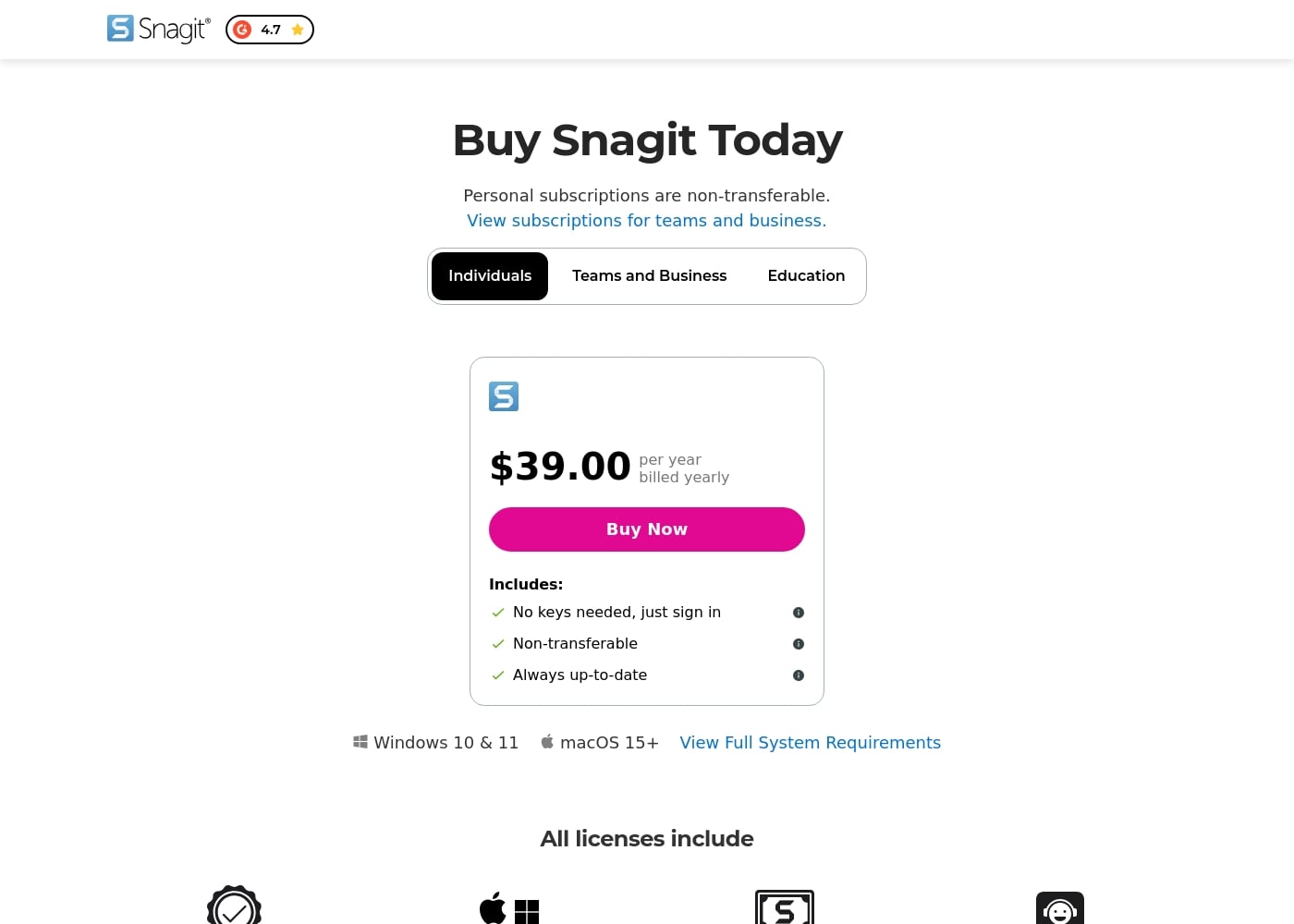
Snagit offers an annual subscription for individuals priced at $39.00, billed yearly. This single personal license includes full platform compatibility and essential support resources.

Plans & Pricing

Individuals

Yearly$39.00
Non-transferable subscription
  • No keys needed, just sign in
  • Always up-to-date software and features
  • Mac and Windows compatibility
  • Snagit Certification
  • Live support
  • 14-day money-back guarantee

Snagit costs $39.00 per year with one explicitly priced plan visible: the Individuals subscription priced at $39.00 annually.

Here’s a deeper look at what is included in the available subscription options.

Individuals

Price: $39.00 per year, billed yearly Websites Supported: Not explicitly stated Best For: Personal use Refund Policy: 14-day money-back guarantee Other Features:

  • No physical keys needed; unlock software via account sign-in
  • Always up-to-date access to the latest features and versions
  • Compatibility for both Mac and Windows systems
  • Includes Snagit Certification and Live support

This annual subscription is the perfect solution if you need Snagit primarily for your own productivity and personal projects. Since the license is non-transferable, it's best suited for single users who don't need to share access.

Teams and Business

Price: Not explicitly stated Websites Supported: Not explicitly stated Best For: Teams and business needing transferable licenses Refund Policy: 14-day money-back guarantee Other Features:

  • Compatibility with Mac and Windows operating systems
  • Snagit Certification and Live support
  • Ability to transfer to another user (implied, by contrasting with Individual plan)

If you are purchasing Snagit for a group, or if you need the flexibility to transfer the license between employees, you should explore the Teams and Business option. This ensures your organization maintains control over the software access.

Education

Price: Not explicitly stated Websites Supported: Not explicitly stated Best For: Education users Refund Policy: 14-day money-back guarantee Other Features:

  • Compatibility with Mac and Windows operating systems
  • Snagit Certification and Live support

Educational users likely qualify for special pricing under this specific tier, which maintains the core benefits like live support and broad compatibility.

Every Snagit license includes a variety of helpful resources, like full Mac and Windows compatibility and access to Snagit Certification. You can start with a 14-day money-back guarantee on your purchase, giving you plenty of time to ensure it’s the right fit for your screen capture needs. TechSmith explicitly mentions all licenses include a 14-day free trial, giving you time to test before you commit.
User Reviews

Reviewers consistently recognize Snagit as an industry-standard tool. Users frequently praise the software's deep feature set, clarity, and ease of use, noting that it is much faster and simpler than comparable, more complex alternatives. Long-time customers, however, express significant frustration over the shift from perpetual licenses to a mandatory annual subscription model. This change is seen as an unnecessary profit driver that introduces considerable overhead, especially for professionals needing to switch between multiple devices.

The new licensing structure strictly limits individual subscriptions to one sign-in at a time, requiring users to repeatedly sign out and sign in, or forcing expensive upgrades to the 'Teams' tier for flexible access. Customer support also receives mixed reviews; while many customers report positive experiences, noting quick fixes and responsive staff within 24 hours (sometimes via live chat), others complain about unhelpful service, lack of follow-up, and receiving generic, automated-sounding answers. Despite these operational headaches, the general consensus remains that Snagit is an awesome, essential piece of software that many users 'can't live without.' 🤩

What users say elsewhere

Robert K.
· Trustpilot · September 27, 2025
5.0 / 5

This is a great product. It's dramatically simpler than comparable capture tools like those from Adobe, yet it has a deep feature set. We use the product for complex projects all the time and love the functionality.

Martin S.
· Trustpilot · August 17, 2025
2.0 / 5

Snagit is the best tool for my workflow; I can't live without it and it's in constant use. However, the new subscription model is annoying. I have to sign in repeatedly when switching between my primary work machines which slows everything down.

No reviews yet.

Write a Review

Write a Review for Snagit
0/100 characters
0/2000 characters

Why use Snagit?

Choosing the right screen capture tool means prioritizing speed and professional output. Snagit gives you the power to capture, annotate, and communicate clearly. This solution makes your work faster and much more effective. It ensures every step you document is instantly understandable.

  • ✅ Capture visuals fast. You can quickly grab high-quality screenshots whenever you need them.
  • 🎥 Record your screen easily to quickly demonstrate actions or flows.
  • ✍️ Ensure clarity by adding detailed annotations to your images.
  • 💻 Enjoy the best snipping tool experience on both Mac and Windows platforms.
  • 🚀 Streamline your entire process using Snagit's workflow tools. Creating and sharing professional content is now easier and much faster.

Ready to transform your workflow with Snagit?

Snagit Alternatives

Other tools in the Screen recorder category

Frequently Asked Questions

Is there a free trial available for Snagit?

Yes, you can try out the software with a complimentary 14-day free trial. If you proceed with a purchase, all new licenses are also protected by a 14-day money-back guarantee.

What happens if I purchase Snagit but decide to cancel later?

If you are within 14 days of your initial purchase date, you qualify for the money-back guarantee. For subsequent cancellations of the annual subscription, the policy for refunds or prorated amounts is not explicitly stated on the official site.

How flexible is the Individual license regarding device usage?

The $39.00 annual Individual license is strictly non-transferable and intended only for your personal use. While it supports both Mac and Windows systems, flexible access for multiple team members requires the Teams and Business plan.

What is the price for the Teams and Business plan?

Not explicitly stated on the official site. The website directs users to inquire about these subscriptions, but only the $39.00 Individual pricing is openly displayed.

Do I need a license key when I install Snagit?

No, you don't need physical keys. The software is unlocked simply by signing in with the account you created or used during the checkout process.

Do I get support if I purchase the basic Individual subscription?

Yes, live support is included with every license purchase, including the Individual subscription. You also receive access to Snagit Certification resources to help you master the features.

Does Snagit offer educational discounts?

A dedicated Education tier is listed alongside the Individual and Teams options. However, the specific pricing details or discounts for academic users are not explicitly stated on the official site.

Are there limits on how many screen captures or videos I can record?

Not explicitly stated on the official site regarding quotas for screen captures or recordings. The main limitation is related to user licensing, which prevents transferring the Individual subscription to someone else.

Does Snagit integrate with standard workplace tools like Slack or Google Drive?

Not explicitly stated on the official site. The product is designed to streamline your workflow for creating and sharing professional content, but specific third-party integration names are not listed.

What is the policy regarding data backup or security?

Not explicitly stated on the official site. The provided content focuses on the software’s capturing and sharing functionality, not on security protocols or data storage practices.

Which operating systems are compatible with my license?

Every Snagit license includes compatibility for both Mac and Windows operating systems. This ensures you can use the software regardless of your primary desktop environment.

Who is the Individual plan best suited for?

The Individual plan is specifically designed for personal use and productivity. It is best for single users who do not need to share their access or transfer the license to another employee.

Ready to try Snagit? Check out the official site or pricing.