Loom

Loom

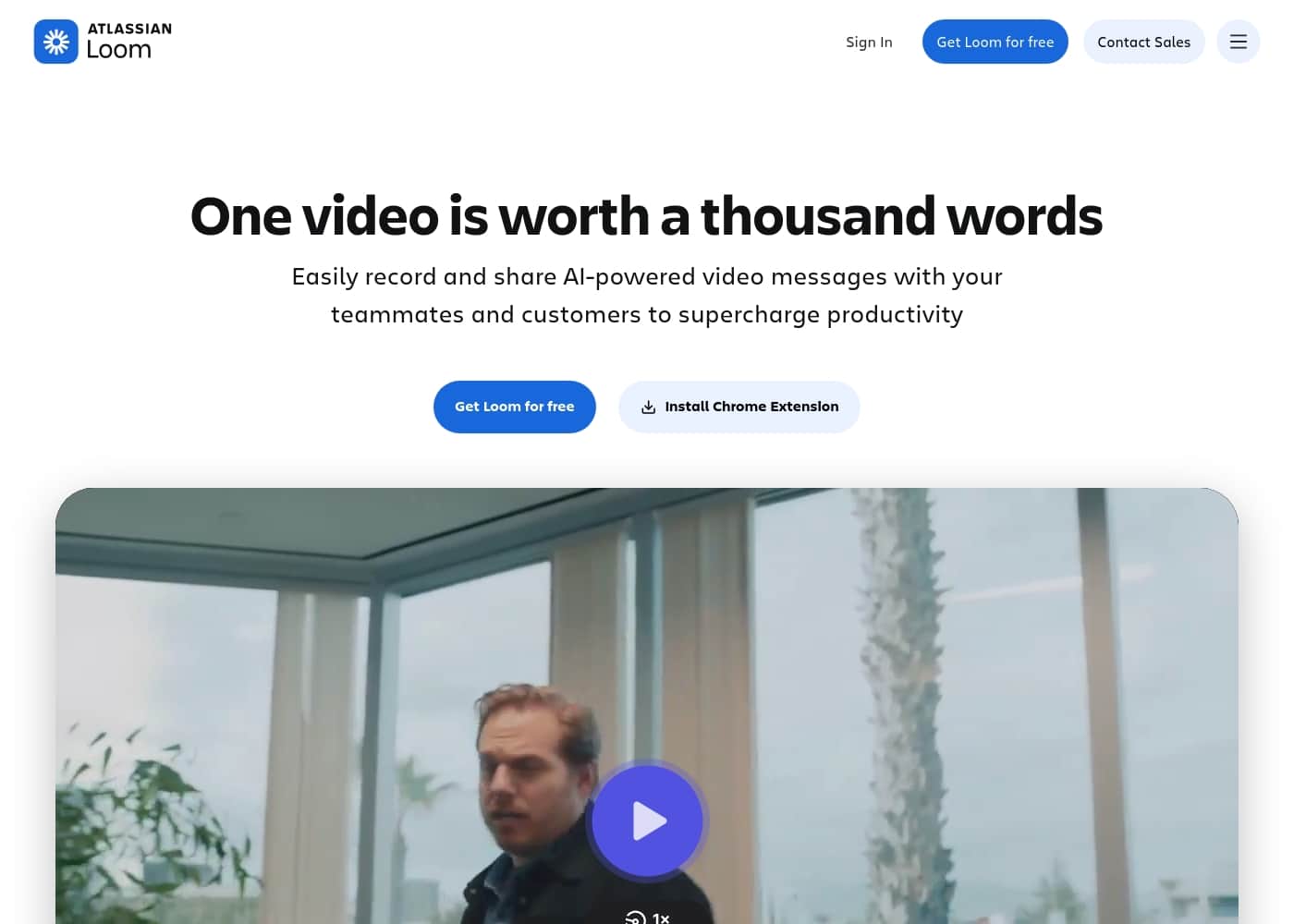
The video messaging tool trusted by millions for better communication.

#3 dans Screen recorder
2 min read · Updated 10/4/2025
Loom homepage screenshot

At a glance

Quick overview for Loom: rating, pricing summary, key features, and highlights.

Ciroapp review

2.5
Essential Video Messaging, Challenging Service.

Loom offers a powerful solution for asynchronous video communication, helping teams replace excessive meetings and emails with personalized recordings. We appreciate the strong feature set, including the new AI suite, but we cannot overlook the severe, frequent complaints regarding billing issues and the failure of customer support to respond to essential inquiries. Overall, its technical promise is undermined by critical operational deficiencies.

Pros

  • Pro:Excellent tool for asynchronous video communication and remote team briefs.
  • Pro:Comprehensive AI features streamline editing, summarizing, and note generation.
  • Pro:Starter plan is free and provides essential recording and sharing tools.
  • Pro:Paid tiers remove recording limits and support unlimited video storage and 4K quality.

Cons

  • Con:Customer service is largely non-existent, unresponsive, and fails to handle billing issues.
  • Con:High subscription price felt unreasonable for features widely available for free elsewhere.
  • Con:Technical instability includes slow website speeds and loss of unstable 4K recordings.
  • Con:Basic features like video download often require an unexpected paid upgrade.
Free trial
Yes — 14 days
Range: $0–$20/user/month (billed annually)Free plan, Free trial, Monthly subscription, Yearly subscription, Per seat pricing
This section is a summary. Detailed sections about features, use cases, pricing, and reviews follow below.

Loom review, pricing, features, pros & cons

Are you tired of time-consuming calls and endless email threads? Long documents and 1-on-1 meetings often slow down team progress. Loom changes this by letting you communicate more personally and efficiently.

It helps you collaborate and share ideas easily, maximizing your team's impact. ✨

What is Loom?

Loom is a communication tool built around asynchronous video. It allows millions of people across 400,000 companies to share detailed information quickly using recordings instead of text. Professionals use Loom to connect personally with others without needing constant live meetings.

It provides a way to amplify your communication with the team like nothing else has. ✅

Loom Key Features

✨ Flexible Recording for Any Workflow

Loom gives you flexible recording options right when you need them. You can easily capture both your screen and your camera feed at the same time. This feature is crucial for explaining complex ideas clearly using visuals.

This simple setup eliminates confusion common in text-only communication. You also have the option to set a custom background, personalizing your presentation. This ensures your message is delivered exactly how you intended, with a professional appearance.

✨ Professional Editing Made Simple

You don't need complicated software to polish your video content. Loom offers professional tools to refine your recordings quickly and easily. You can efficiently trim and stitch video clips together on the platform.

These editing tools help you remove any mistakes or unnecessary pauses effortlessly. The goal is to deliver a high-quality, polished message every single time. Simple editing capabilities help you save time and focus only on the core message itself.

✨ Secure Sharing and Management

Sharing your asynchronous video messages is fast, secure, and flexible. The tool supports easy sharing and embedding directly across various platforms. This makes integrating video into your existing workflow totally seamless.

If you need local copies, you can easily download and upload your videos too. Importantly, Loom includes strong video privacy controls. This reassures you that you can share sensitive information confidently, controlling exactly who can view your content.

✨ Maximize Accessibility with Captions

Loom makes sure your video communication is accessible to everyone in your audience. The platform automatically handles transcriptions and closed captions for you. This allows viewers to follow along regardless of their environment.

If someone is in a noisy office or prefers reading the content, they are covered. This ensures your vital communications reach a wider, more diverse audience effectively. It eliminates barriers common with audio-only or uncaptioned video content.

✨ Measure Your Impact with Insights

It is important to know exactly how your audience engages with your communication. Loom gives you crucial video and viewer insights. These insights help you understand how your essential communications are tracking after you send them.

You can clearly see how your content is being received by others. This information is key to ensuring your Loom messages are impactful and truly understood. Knowing your audience helps you strengthen future communication efforts.

Use Cases

⏰ Boosting Efficiency by Replacing 1-on-1 Meetings

Are you tired of scheduling those impossible 1-on-1 calls just to convey simple information? Loom provides a powerful alternative to managing communication across time zones. It helps you connect personally with people without attempting dozens of live sessions.

By recording a quick video message, you share detailed information instantly. This strategy lets your team absorb essential communications whenever they're ready. Ultimately, this practice helps slash meeting time and saves your team hundreds of productive hours weekly.

💡 Creating Scalable Customer Training and Tutorials

Problem: Customer Success teams often spend too much time repeating basic training instructions live. This constant repetition slows down staff and limits how fast the team can grow.

Approach: Use Loom to create informative video tutorials instead of relying on long emails or individual trainings. You can record your screen while walking customers through necessary steps.

Outcome: Customers receive consistent, high-quality instruction instantly. This method maintains a personal touch while saving huge amounts of staff time. The Customer Success team can now focus on complex issues, not basic explanations.

💬 Giving Clear, Contextual Feedback

Trying to write complex feedback or bug reports in an email can feel like a time suck. When text descriptions are dense, the message often gets misunderstood, forcing a follow-up call.

Steps for Better Feedback:

  1. Stop writing that confusing second paragraph of your email.
  2. Record your screen while walking through the document or software.
  3. Verbally point out exactly what needs attention and why.
  4. Share the video link instantly.

This simple shift amplifies your communication. It ensures clarity and context while eliminating frustrating delays caused by lengthy back-and-forth email chains.

🌍 Aligning Distributed Teams and Maximizing Impact

Distributed companies need efficient ways to collaborate and share complicated ideas across distances. Achieving maximum impact relies on quick, clear communication among all team members. Loom enables this efficiency.

Design leads and engineers record their screens to share updates and detailed specifications easily. This approach helps the whole team progress faster than waiting for synchronous communication. It allows collaboration and idea sharing to happen effectively, regardless of where your team is located.

🕴️ Delivering Personal Communication at Executive Scale

Leaders need effective tools to connect with an expanding workforce without constantly scheduling individual calls. Executives find Loom an essential tool for their communication strategy. It allows them to maintain a personal connection even as the company grows.

By sending a personalized video message, executives can share important vision and complex ideas clearly. This ensures the message retains a human touch that text documents simply cannot replicate. It’s an effective way to amplify leadership communication across the entire organization.

✨ Polishing Professional Video Messages

Producing high-quality videos for clients or company-wide distribution requires professional features. Loom offers tools to ensure your message is sharp and easily consumable the first time.

Users can easily trim video clips to remove unnecessary pauses or mistakes before sharing. For accessibility, you can quickly add closed captions and transcriptions. You also control privacy, making sure only designated viewers can access sensitive content. This allows you to deliver high-quality, polished messages efficiently.

Pricing Overview for Loom

Pricing range
$0–$20/user/month (billed annually)
Pricing types
Free plan, Free trial, Monthly subscription, Yearly subscription, Per seat pricing

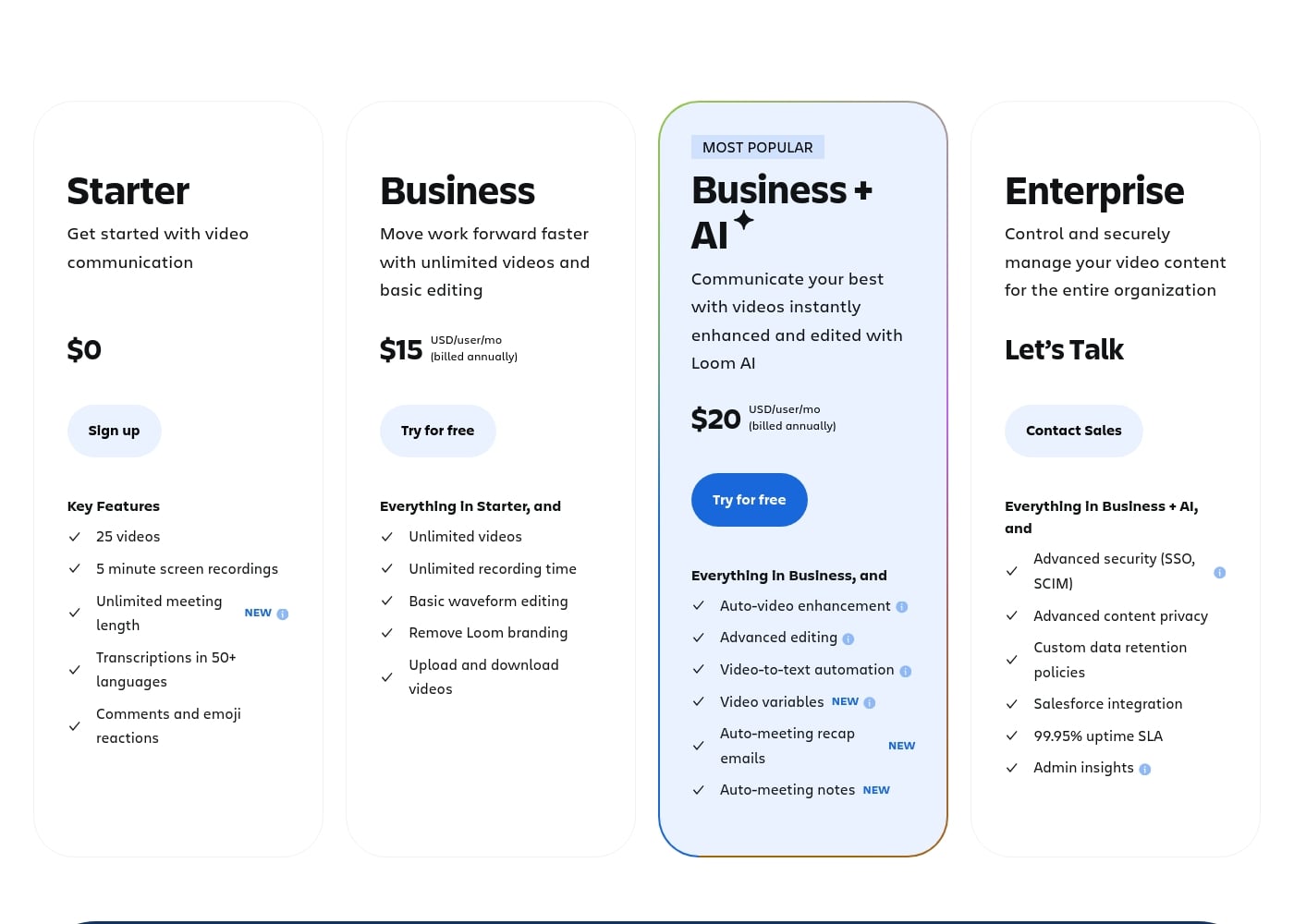
Loom provides four subscription options, including a very capable free tier and three paid tiers designed for growing businesses. Paid plans start at $15 per user per month, requiring annual billing, and offer significant scaling and professional video features.

Plans & Pricing

Starter

Monthly0
Yearly0
Limit of 25 videos per person
  • 5 minute screen recordings
  • Unlimited meeting length
  • Transcriptions in 50+ languages
  • Up to 50 Workspace Members

Business

Monthly15 USD/user
Yearly180 USD/user
Billed annually
  • Unlimited videos and recording time
  • Basic waveform editing
  • Remove Loom branding
  • High-def up to 4k video quality

Business + AI

Monthly20 USD/user
Yearly240 USD/user
Billed annually (14-day free trial available)
  • Auto-video enhancement and advanced editing
  • Video-to-text automation and variables
  • Auto-meeting notes and recap emails
  • Comprehensive Loom AI Suite (Auto CTA, Titles, Summaries, etc.)

Enterprise

Contact for pricing
Contact sales for pricing
  • Advanced security (SSO, SCIM)
  • Advanced content privacy and custom data retention policies
  • 99.95% uptime SLA
  • Dedicated support and account manager

Loom costs between $0 and $20 per user per month (billed annually) with 4 plans: Starter at $0, Business at $15, Business + AI at $20, and Enterprise (custom pricing).

Here’s a breakdown of what each plan offers, helping you pick the right fit for your needs and your team.

Starter

Price: $0 Websites Supported: Not explicitly stated Best For: Getting started with video communication Refund Policy: Not applicable (free) Other Features:

  • 25 videos
  • 5 minute screen recordings
  • Unlimited meeting length
  • Transcriptions in 50+ languages
  • Up to 50 team members

This is the perfect place to begin using video for communication. It’s ideal for new users or small teams who only need to share a few short videos. You get essential recording tools and basic sharing features completely free. 🎉

Business

Price: $15 USD/user/mo (billed annually) Websites Supported: Not explicitly stated Best For: Moving work forward faster with unlimited videos and basic editing Refund Policy: Not explicitly stated Other Features:

  • Unlimited videos and recording time
  • Basic waveform editing
  • Remove Loom branding
  • High-def up to 4k video quality
  • Exportable engagement insights

If your team relies heavily on video communication, upgrade to Business. This plan removes key limitations like video capacity and recording length. It also adds professional features like high-definition 4K video and tools for managing video content effectively within your team.

Business + AI (MOST POPULAR)

Price: $20 USD/user/mo (billed annually) Websites Supported: Not explicitly stated Best For: Communicating your best with videos instantly enhanced and edited with Loom AI Refund Policy: Not explicitly stated Other Features:

  • Everything in Business
  • Auto-video enhancement and advanced editing
  • Video-to-text automation and variables
  • Auto-meeting notes and recap emails (NEW)
  • Dozens of AI workflows (e.g., Auto CTA, Filler Word Removal)

Choosing the Business + AI plan means integrating powerful AI tools directly into your workflow. This tier is built for maximizing efficiency, automatically generating summaries, notes, and titles so you can spend less time polishing content and more time communicating. It’s the top choice for teams serious about efficiency.

Enterprise

Price: Contact Sales (Let's Talk) Websites Supported: Not explicitly stated Best For: Control and securely managing video content for the entire organization Refund Policy: Not explicitly stated Other Features:

  • Everything in Business + AI
  • Advanced security (SSO, SCIM)
  • Custom data retention policies
  • 99.95% uptime SLA
  • Dedicated support and account manager

Large organizations needing specialized control, heightened security, and guaranteed uptime should choose Enterprise. This plan provides the administrative tools and custom policies required to manage video content securely across your whole company. You'll also receive dedicated onboarding and support tailored to your unique needs.

Ready to try a paid plan? You can start a free 14-day trial of the Business + AI plan to test drive its speed and efficiency. The Starter plan is always free, offering a no-risk way to explore Loom’s core features before you commit to a subscription.
User Reviews

The external feedback for Loom is starkly divided, reflected in a very low Trustpilot rating (1.8). While some long-term Pro users find it reliable and essential for team briefs, the overwhelming negative sentiment focuses heavily on pricing and customer support responsiveness.

Many users feel the value is low, noting that Loom charges a high annual price for basic recorder features available for free elsewhere. The company also faces strong criticism regarding billing, with multiple reports of unauthorized charges continuing after cancellation and prices allegedly changing without warning.

A major point of failure is non-existent customer service; users report being unable to receive responses and struggling with ineffective chatbots instead of live support. Furthermore, users struggle with technical issues, including slow website performance, unreliable 4K recording capabilities, and overly aggressive, distracting AI feature pushes.

😟

What users say elsewhere

Maria K.
· Trustpilot
1.0 / 5

We canceled our account several months ago, but the charges kept appearing. Despite multiple attempts, customer service never responded. This lack of support is how good products eventually fail.

Tom R.
· Trustpilot
5.0 / 5

This is an essential tool for us at work. We use the Pro version several times a day, and it's always reliable for sharing team briefs. The platform continues to add more valuable features.

No reviews yet.

Write a Review

Write a Review for Loom
0/100 characters
0/2000 characters

Why use Loom?

Why settle for endless email chains and scheduling headaches? Loom provides a powerful alternative, turning what might be a "time suck" into an efficient video message. This tool is built to save you time while making your communication much stronger. 💡

Here’s why users love integrating video into their daily workflow:

  • Maximize Impact: Easily collaborate and share ideas, enabling distributed companies to work together more effectively.
  • Slash Meeting Time: Replace those impossible 1-on-1 calls and lengthy emails, saving your team hundreds of productive hours.
  • Personal Connection at Scale: Maintain a personal touch in your communication even as your team or customer base grows.
  • Professional Video Tools: Easily trim video clips, ensure privacy, and add closed captions to deliver high-quality, polished messages.
  • Know Your Audience: See video and viewer insights to understand how your essential communications are landing with others.

Ready to transform your workflow with Loom?

Loom Alternatives

Other tools in the Screen recorder category

Frequently Asked Questions

What systems does Loom integrate with to fit into our existing workflows?

Loom integrates with many popular tools like Slack, Jira, GitHub, and Gmail. You can also embed Looms into documents and sites like Notion, FigJam, Intercom, and Zendesk. Enterprise plans add specialized integration with Salesforce.

What happens if I deactivate or downgrade a member on a paid plan?

If you are on a paid plan and deactivate a Creator, the seat is forfeited immediately. You will lose access to that seat and all corresponding fees for the remainder of the billing cycle. If a Creator is only downgraded, they retain paid access until the end of the current cycle.

How are paid plans calculated, and is there a discount for annual billing?

Paid plans (Business and higher) are priced per user per month. Customers save 17% overall by choosing the annual billing option instead of monthly. The Enterprise plan requires direct contact with the sales team for custom pricing.

Can I try the full feature set, including AI, before committing to a paid subscription?

Yes, Loom offers a free 14-day trial of the Business + AI plan. This lets you thoroughly test the advanced editing and AI enhancement tools before you purchase. If you need to trial the Enterprise plan, you must contact sales directly.

What security features are included for large organizations on the Enterprise plan?

The Enterprise plan includes advanced security features ideal for large companies. These include enforced Single Sign-On (SSO) and SCIM provisioning via Atlassian Guard. You also get advanced privacy controls and custom data retention policies.

How is my transcript data handled when Loom uses AI tools to generate summaries or notes?

OpenAI receives transcript data as text files only to generate summaries, titles, and notes. Loom ensures that full videos or audio files are never sent during this process. Data is only shared with third-party sub-processors subject to strict security protocols.

Does Loom offer transcription in languages other than English?

Yes, all Loom plans, including the free Starter plan, include transcriptions in over 50 languages. This feature helps provide accessibility and expands global communication options.

What are the limitations on the free Starter plan regarding recording length and video storage?

The Starter plan is limited to 25 videos per person. Each individual video recording cannot exceed 5 minutes in length. You may also have up to 50 members in your workspace on this plan.

What is the key difference in member management and billing between purchasing on Loom.com versus Atlassian.com?

When purchasing on Loom.com, you are billed based on the distinct number of paid users. However, purchases made on Atlassian.com are billed based on user tiers—you pay for the tier closest to your total user count.

Can I upload pre-recorded videos I made outside of Loom, and can I download my finished Looms?

Yes, video upload and download capabilities are included starting with the Business plan. These features are not explicitly listed in the free Starter plan.

What level of support responsiveness can I expect, especially for the Enterprise tier?

Business and Business + AI customers receive Priority Support. Enterprise customers receive the highest level of service, which includes dedicated support, an account manager, custom onboarding, and a guaranteed 99.95% uptime SLA.

What payment methods does Loom accept for subscriptions?

Loom currently accepts credit card payments for subscriptions. If you are interested in paying via ACH (Automated Clearing House), you must reach out to the sales team to confirm your eligibility.

Ready to try Loom? Check out the official site or pricing.