Screen Studio

Screen Studio

Engaging screen recordings. Created in minutes.

#4 dans Screen recorder
2 min read Β· Updated 11/21/2025
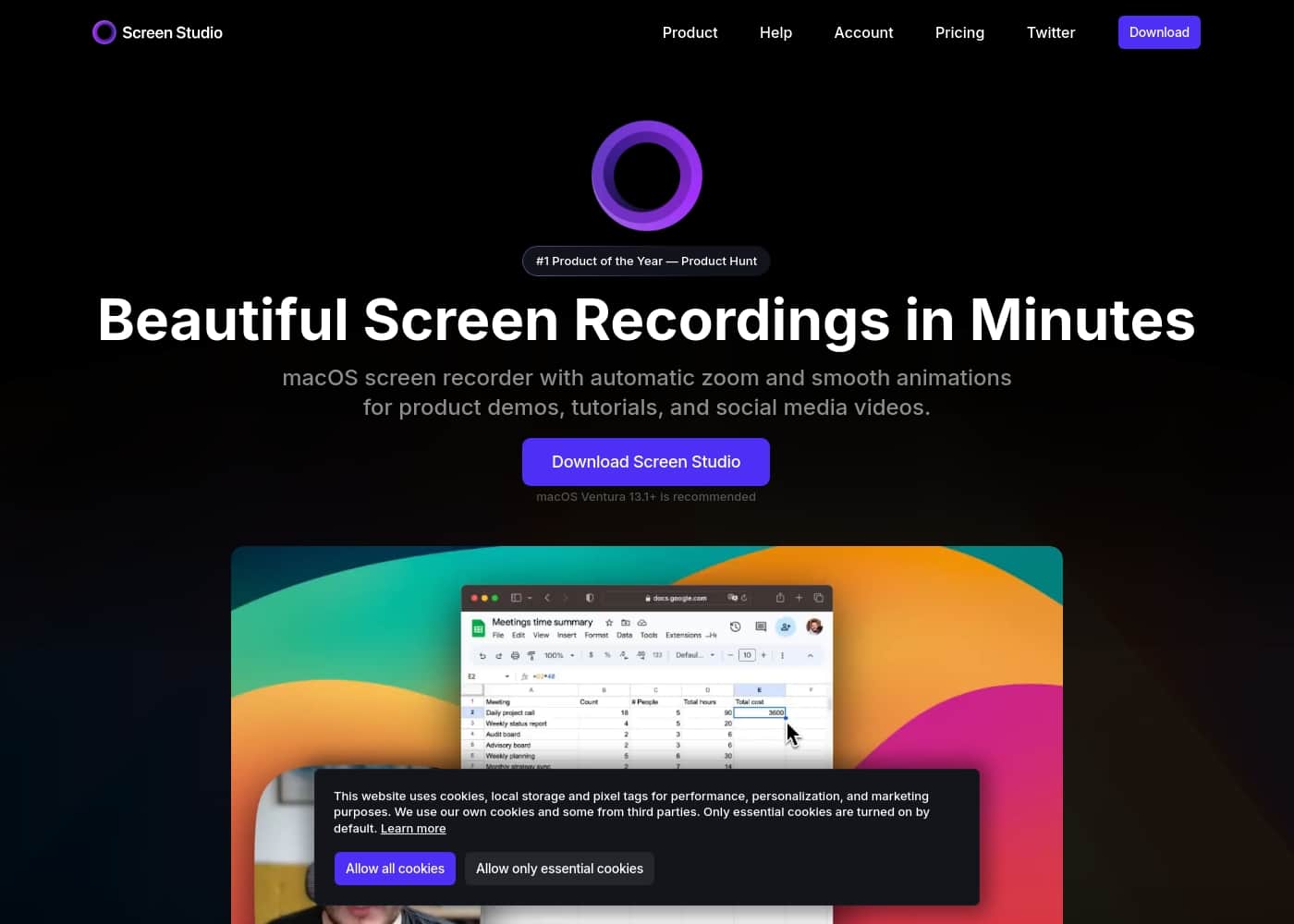
Screen Studio homepage screenshot

At a glance

Quick overview for Screen Studio: rating, pricing summary, key features, and highlights.
Range: $9–$20/monthMonthly subscription, Yearly subscription
This section is a summary. Detailed sections about features, use cases, pricing, and reviews follow below.

Screen Studio review, pricing, features, pros & cons

It's frustrating when creating engaging product videos requires hours of manual zooming and editing. Most screen recordings feel shaky and boring. Screen Studio solves this common problem.

This tool automatically handles the heavy lifting, ensuring your videos look beautiful and professional in minutes. You produce polished videos instantly. ✨

What is Screen Studio?

Screen Studio is an opinionated screen recorder designed specifically for macOS. Thousands of people use it to record polished product demos, courses, and tutorials. It automatically creates professional animations by default.

Effects that would usually take hours of manual work are generated instantly. This robust tool simplifies your entire video creation process. πŸ’‘

Screen Studio Key Features

✨ Beautiful, professional videos in minutes

Screen Studio makes your demos look beautiful and professional in minutes. It handles the heavy lifting automatically, so you produce polished videos with less effort.

Automatic focus and motion features keep viewers engaged. It zooms to the main action, smooths cursor movement, and adjusts zooms for vertical exports so your videos shine on social feeds. ✨

✨ Automatic focus, motion, and cursor

Automatic Focus zooms in on the action, making demos easier to follow. It also adjusts zooms automatically when you output in vertical mode for social media.

Flawless motion includes a smooth cursor and motion blur, so movement looks natural. Screen Studio automatically animates all the zooms for you, reducing manual tweaks.

✨ Branding, backgrounds, and device frames

Add your style with branding options like changing the background and outer spacing, and fine-tune shadows and insets to match your video. You can also adjust how your video sits on the screen with background and spacing changes.

Customize device frames and colors for mobile demos, and let Screen Studio detect your iPhone or iPad model to tailor the look automatically.

✨ Capture, editing, and on-device processing

Screen Studio records webcam, microphone, and system audio in one place. Audio quality is enhanced automatically, with voice volume normalized and background noise removed.

Editing is easy: drag zooms on the timeline, and the heavy lifting is handled automatically. You can generate a transcript on your machine, and all processing stays on your deviceβ€”no data is sent to servers.

✨ Export, sharing, and outputs

Export your videos in up to 4K 60fps or as highly optimized GIFs. Generate shareable links or copy the video to your clipboard for quick posting.

With one click, switch between horizontal and vertical outputs; export presets and optimal settings are baked in to simplify publishing.

Use Cases

✨ Creating Professional Product Demos

You need an amazing video to demonstrate a new product feature. Recording manually often results in shaky movements and messy zooms that distract viewers. Screen Studio takes care of the hard work automatically.

It smooths your cursor movement and zooms in instantly on important actions. This ensures your final video looks professional and engaging, created in minutes instead of hours.

πŸ“š Producing High-Quality Online Courses

When teaching an in-depth course, high production value is essential for viewer retention. You can record your screen while simultaneously capturing your webcam overlay. Screen Studio handles complex audio enhancements automatically.

It removes background noise and normalizes your voice volume so your students hear you perfectly. You can also generate a full transcript and add subtitles directly to your video for better accessibility.

πŸ“± Generating Content for Vertical Social Media

Problem: How do you turn a standard desktop tutorial into engaging content for platforms like Instagram or TikTok? Exporting often requires manual resizing and re-cropping. Approach: Record your workflow once within Screen Studio.

Select the option to export in vertical mode. The tool automatically adjusts all the zooms and animations to fit the optimal vertical viewing experience. Outcome: Highly optimized videos or GIFs perfect for social media sharing.

🍎 Building Flawless Mobile App Demos

It's difficult to record a polished demonstration of an iOS app without specialized tools. Screen Studio simplifies the process dramatically. Connect your iPhone or iPad using a USB cable to your Mac.

The application automatically detects your device model and color. You can then add automatic zooms and customize the device frame effortlessly, delivering sharp mobile app demos.

πŸš€ Sharing Quick Internal Communication and Updates

Your team needs a fast update showing a specific work-in-progress design change. You can't waste time on extensive editing or rendering. Simply record the change, use the easy cut feature to trim any pauses, and quickly copy the final video to your clipboard.

You can paste the professional footage instantly into a chat service or internal document. You could also generate a shareable link in seconds for wider collaboration.

πŸ’» Creating Detailed Technical Tutorials

Creating tutorials for technical users requires absolute clarity on inputs and steps. Screen Studio records your keyboard shortcuts and displays them in the video automatically. You can maintain complete focus by using the crop feature to focus on a specific UI element.

You may also hide your desktop icons to avoid distractions during recording. This results in a cleaner, more focused educational experience.

Pricing Overview for Screen Studio

Pricing range
$9–$20/month
Pricing types
Monthly subscription, Yearly subscription

Screen Studio offers straightforward subscription pricing based on how you choose to pay. You can subscribe monthly for maximum flexibility or choose the annual plan to receive a significant discount.

Plans & Pricing

Monthly Screen Studio

Monthly$20
  • All Screen Studio features
  • Shareable links
  • 3 personal macOS devices

Yearly Screen Studio

Yearly$108
  • All Screen Studio features
  • Shareable links
  • 3 personal macOS devices

Screen Studio costs between $9 and $20 per month with 2 plans: Yearly Screen Studio at $9/month (billed annually) and Monthly Screen Studio at $20/month.

Let's look closely at what each subscription tier includes for your video creation workflow.

Monthly Screen Studio

Price: $20/month Websites Supported: Not explicitly stated Best For: Not explicitly stated Refund Policy: Not explicitly stated Other Features:

  • All Screen Studio features
  • Shareable links
  • 3 personal macOS devices

This plan provides the most flexibility since you only commit month-to-month. It's great if you only need the software for a short project or prefer paying a lower amount more frequently. You can easily switch to the yearly billing option anytime you want.

Yearly Screen Studio

Price: $9/month (Per month billed yearly) Websites Supported: Not explicitly stated Best For: Not explicitly stated Refund Policy: Not explicitly stated Other Features:

  • All Screen Studio features
  • Shareable links
  • 3 personal macOS devices

If you plan on using Screen Studio often, this annual commitment is definitely the best value. By paying yearly, you save significantly over the monthly rate, securing the full feature set for just $9 per month. This is the perfect choice for full-time content creators and detailed tutorial makers. πŸ‘

There is no explicit free tier or free trial mentioned on the pricing page. However, both plans offer complete access to every Screen Studio feature. Both options are licensed for three personal macOS devices, ensuring coverage across your essential setup.

User Reviews

No reviews yet.

Write a Review

Write a Review for Screen Studio
0/100 characters
0/2000 characters

Why use Screen Studio?

Choosing Screen Studio lets you focus on your content, moving complex editing to the background. This powerful software ensures your audience remains focused and engaged with what you are showing.

  • βœ… Automatic Focus: Make your demos much easier to follow using automatic zoom. Screen Studio focuses on the main action you perform on the screen. It also adjusts all zooms automatically when outputting in vertical mode for social media.
  • βœ… Flawless Motion: Shaky or rapid cursor movement is instantly transformed into a smooth and beautiful glide. Movement in your videos will also look more natural thanks to motion blur.
  • βœ… Instant Branding: Easily match your brand by changing the background and outer spacing. You can fully adjust subtle details like shadow and inset to fine-tune your video's appearance.
  • βœ… Enhanced Capture: Record everything you need from one place. Screen Studio handles webcam, microphone, and system audio capture. Audio quality is enhanced automatically; voice volume is normalized, and background noise is removed.
  • βœ… Mobile Demos Made Easy: Connect your iPhone or iPad using a USB cable to start recording immediately. Screen Studio detects the device model and lets you customize the device frame and color effortlessly.
  • βœ… Seamless Sharing: Optimal export settings are automatically selected for you. Export high-quality videos in up to 4K 60fps or highly optimized GIFs. You can also generate shareable links or copy the video directly to your clipboard for quick pasting. πŸš€

Ready to transform your workflow with Screen Studio?

Screen Studio Alternatives

Other tools in the Screen recorder category

Frequently Asked Questions

Is Screen Studio available for Windows, Linux, or other non-Mac operating systems?

Screen Studio is an opinionated screen recorder designed specifically for macOS devices. The official site does not indicate a version is currently ready or available for Windows or Linux users.

How many computers can I install and use Screen Studio on with a single subscription?

Both the Monthly and Yearly subscription plans cover use on up to three personal macOS devices. These three devices share the same full feature set under one license.

Is the cost based on the number of videos I create or is it a flat subscription rate?

Screen Studio uses a flat monthly or annual subscription fee. You pay $20 a month or $9 a month (billed annually), regardless of how many videos you export.

Does Screen Studio offer a free trial period before I commit to a paid plan?

Not explicitly stated on the official site. The pricing page only lists the two paid subscription plans, which both offer complete access to every feature.

How does Screen Studio protect the privacy of my recorded videos and generated transcripts?

The application ensures strong data privacy for sensitive functions like transcription. Generating a transcript and subtitles happens locally on your machine, and no data is sent to external servers.

If I purchase the yearly subscription, what is the refund policy?

Not explicitly stated on the official site. There is no mention of a money-back guarantee, so you should review the official terms or contact support for refund details.

Can I record demos of mobile applications like an iPhone or iPad?

Yes, you can easily record your iPhone or iPad screen by connecting the device to your Mac using a USB cable. The app automatically detects the device model and gives you options to customize the frame.

Where exactly can I go to manage my subscription details or switch between monthly and yearly billing?

The website confirms that users can manage their subscription details, but the specific customer portal link is not provided. You should look for subscription management options after you complete your initial purchase.

Who is the ideal user for Screen Studio?

It's perfect for anyone creating professional tutorials, product courses, or polished product demos. The automatic editing features save hours for content creators and marketers.

Does the app offer integrations with other tools like cloud storage or video hosting sites?

Not explicitly stated on the official site. Sharing focuses on generating quick shareable links, copying the file to the clipboard, or exporting high-quality video files up to 4K 60fps.

Is there a specific minimum macOS version required to use this application?

The site lists this as a frequent customer question. Not explicitly stated on the official site; users should check the detailed requirements on the download page before installation.

Are educational or non-profit discounts available?

Not explicitly stated on the official site. The pricing page only outlines the standard Monthly ($20) and Yearly ($108 total) subscription tiers for all users.

If I purchased a previous one-time license, how does the new subscription model affect me?

Screen Studio acknowledges questions regarding past one-time purchases, suggesting specific migration information is available. You should check their support document for details about existing lifetime license holders.

Ready to try Screen Studio? Check out the official site or pricing.