Screen Studio vs Snagit
Screen Studio and Snagit offer very different approaches to visual communication needs. Screen Studio is the premium macOS tool for highly polished video tutorials with heavy automation. Snagit is the industry standard for fast, effective cross-platform screen capture and clear annotation. Your platform and output needs definitely determine the right choice here.
Best for: Professional Mac users creating product marketing videos., Developers needing polished iOS or iPad app demos.
Best for: Teams needing a unified screen capture solution across Mac and Windows devices., Users who rely heavily on detailed annotation for technical documentation.
Pros
Cons
Industry-standard capture, marred by licensing.
We find Snagit is truly the industry standard for screen capture and annotation on both Mac and Windows, offering professional quality and great simplicity. Its powerful features dramatically simplify complex communication, making the tool invaluable for documentation. Overall, the software quality is exceptional, although recent mandatory subscription changes may frustrate long-term users.
Pros
- Dramatically simpler and easier to use than comparable desktop tools.
- Deep feature set supports complex projects and professional annotation.
- The software is considered an industry-standard, essential tool by users.
- Customer support is often reported as very good, responsive, and quick to resolve issues.
Cons
- Recent shift to a mandatory annual subscription frustrates long-time perpetual license holders.
- Individual licenses enforce a strict one-sign-in limit, making device switching cumbersome.
- Support experiences are inconsistent, with some users reporting unhelpful staff or long waits.
- Requires purchasing the more expensive 'Teams' license for flexible multi-device access.
AboutScreen Studio
Screen Studio is an opinionated screen recorder and editor for macOS. It's designed for people who need to create product demos, tutorials, courses, or social media posts. The tool works automatically to make your videos look beautiful and easy to follow. 💡
AboutSnagit
Snagit is hailed as the best snipping tool available for both Mac and Windows users. It’s a powerful application designed to simplify how you capture and share information. You get tools to quickly capture screenshots and record your screen directly. It's built for anyone who needs to clearly communicate processes or complex concepts. This unified approach makes your entire workflow much smoother. 💡
Highlights
Feature Comparison
Features Overview
We highlight the main differences and pick a winner for each feature.
Platform Availability
Snagit works great on both Mac and Windows, offering essential cross-platform flexibility. Screen Studio is strictly exclusive to the Apple macOS ecosystem.
Screen Studio is meticulously designed for macOS, leveraging native features for optimal performance. It does not support Windows or Linux systems at all. If you ever use a PC, Screen Studio is immediately out of the running for you. Snagit excels in cross-platform consistency, offering the same strong capture experience on both Mac and Windows. Users switch devices seamlessly without losing familiar tools. Teams working on diverse hardware must choose Snagit for unified documentation. Snagit supports mixed operating environments easily; Screen Studio forces an Apple-only workflow. This platform limitation is Screen Studio’s most significant constraint. Snagit provides guaranteed compatibility regardless of your underlying operating system.
Video Polish & Automation
Screen Studio automates professional video effects and smooth production quality effortlessly. Snagit focuses on simple, reliable real-time screen video recording.
Professional effects happen automatically using Screen Studio, including smooth animations, custom zooms, and motion blur. Users achieve 4K 60fps output quality instantly. Screen Studio reduces editing time by achieving production quality automatically. Snagit provides basic screen recording functionality perfect for quick capture and showing simple processes. It requires significant manual effort for advanced editing or highly polished results. Snagit’s video abilities serve quick communication better than high-end production. Screen Studio’s opinionated editing drastically streamlines the post-production process. This integrated automation is Screen Studio’s single greatest strength. It lets you focus on content, trusting Screen Studio to handle the visuals.
Core Capture Capability
Snagit is the industry gold standard for screenshots and detailed visual annotation needs. Screen Studio focuses almost entirely on polished, animated video creation.
While it records video well, Screen Studio is not designed for fast, high-volume still image capture or quick annotation. Its core strength is the video timeline and automated effects. Screen Studio is overkill if you only need a quick screenshot with an overlay. Snagit's strength lies in quickly grabbing any type of screenshot and adding powerful, detailed annotations immediately. It drastically simplifies complex communication instantly. For documentation relying primarily on annotated still images, Snagit is essential. Snagit simplifies the entire documentation workflow from capture to markup. Screen Studio requires a full video workflow for its features to shine. Users needing rapid visual explanations should select Snagit.
Audio Enhancement
Screen Studio offers powerful automated audio cleanup features and voice normalization. Snagit handles basic audio recording but lacks professional automatic enhancement.
Screen Studio automatically removes background noise through local processing, normalizing voice volumes for clear sound instantly. It records microphone, webcam, and system audio simultaneously. This integrated cleanup is crucial for high-quality tutorials. Users can record audio alongside their screen video capture using Snagit easily. However, advanced post-production cleanup would need to happen in separate, third-party software. Snagit focuses more on visual clarity than on audio perfection. Screen Studio saves time by cleaning up your audio during the recording process. For online courses or professional communication, this feature is invaluable. Snagit requires external tools if your recording environment isn't perfect.
Mobile App Demos
Screen Studio offers seamless integration for professional iPhone/iPad demo recording on a Mac. Snagit does not offer dedicated, polished support for mobile device demonstration.
Connect your device via USB; Screen Studio auto-detects the model and adds a customizable device frame. You can apply automated effects to the mobile recording for a polished look. Producing crisp, professional mobile tutorials is effortless with Screen Studio. Mobile recording in Snagit would likely require mirroring the screen to the desktop first. It lacks the professional framing and integrated editing features built into Screen Studio. Snagit is primarily focused on desktop workflows. This feature makes Screen Studio the go-to tool for software developers who showcase iOS apps often. Snagit cannot compete in this specific, high-end production use case. Screen Studio ensures your mobile presentation is sleek and professional.
Pricing Model & Value
Snagit offers a low, one-time annual purchase for reliable core features. Screen Studio requires a significantly higher monthly or annual subscription fee.
Screen Studio's yearly plan totals $108, focusing on high-production value for pro users on Mac. The $29 monthly fee is expensive for casual use. There is no free trial for Screen Studio explicitly listed. Snagit's Individual plan is just $39 per year, making it far more accessible for budget-conscious users. It also includes a 14-day free trial and money-back guarantee. Snagit offers far better immediate value for money. The Snagit annual price is less than half the yearly cost of Screen Studio. Screen Studio justifies the price with technical automation; Snagit wins on general affordability. Snagit is the clear budget and value winner.
Sharing and Export
Screen Studio excels at optimizing video exports and includes one-click vertical orientation adjustments. Snagit streamlines captured content into sharable formats instantly.
Screen Studio offers powerful 4K 60fps video export and highly optimized GIFs automatically. It adjusts all animations instantly for vertical or horizontal output with one click. Shareable presets ensure consistent output across your team videos. Snagit is designed to quickly output captured images or short videos to internal or external destinations. It features specialized workflow tools for maximum speed. Sharing captured content with maximum clarity is Snagit's priority. Screen Studio provides higher technical export quality and format flexibility for various marketing channels. Snagit aims for quick dissemination of information. Choose Screen Studio for broadcast-quality; choose Snagit for internal communication speed.
Learning Curve
Snagit is instantly familiar and designed for maximum capture speed and annotation clarity. Screen Studio automates complex animation features, reducing manual steps.
Users describe Snagit as dramatically simpler than comparable tools, with a fast learning curve. Its annotation overlays are integrated perfectly into the quick capture workflow. Snagit has been refined for years to minimize friction. Screen Studio’s opinionated design means you learn fewer manual editing steps. Users record, and the software handles the complex animation and polish automatically. The focus is purely on recording great content. Screen Studio automates complexity; Snagit simplifies capturing and marking up information. Both tools require minimal training to begin using effectively. The learning curve is very low for both Screen Studio and Snagit.
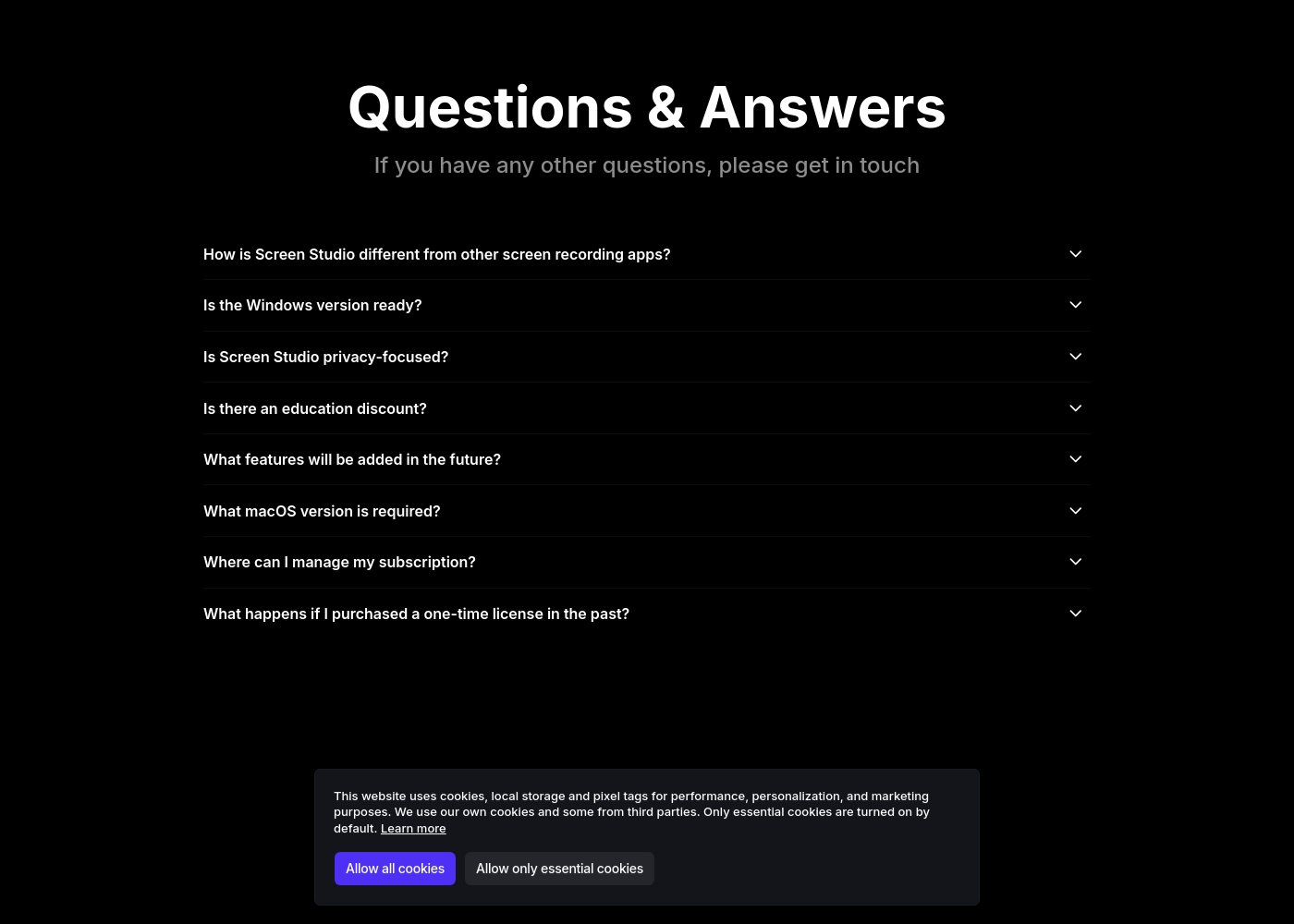
Screen Studio costs between $9 and $20 per month with 2 plans: Monthly Screen Studio at $20/month and Yearly Screen Studio at $9/month.
Choose the plan that best fits your workflow and recording needs.
Monthly Screen Studio
Price: $20 per month Websites Supported: Not explicitly stated Best For: Short-term projects or those who prefer flexible, month-to-month billing Refund Policy: Not explicitly stated Other Features: All Screen Studio features, Shareable links
- All Screen Studio features
- Shareable links
- All Screen Studio features
- Shareable links
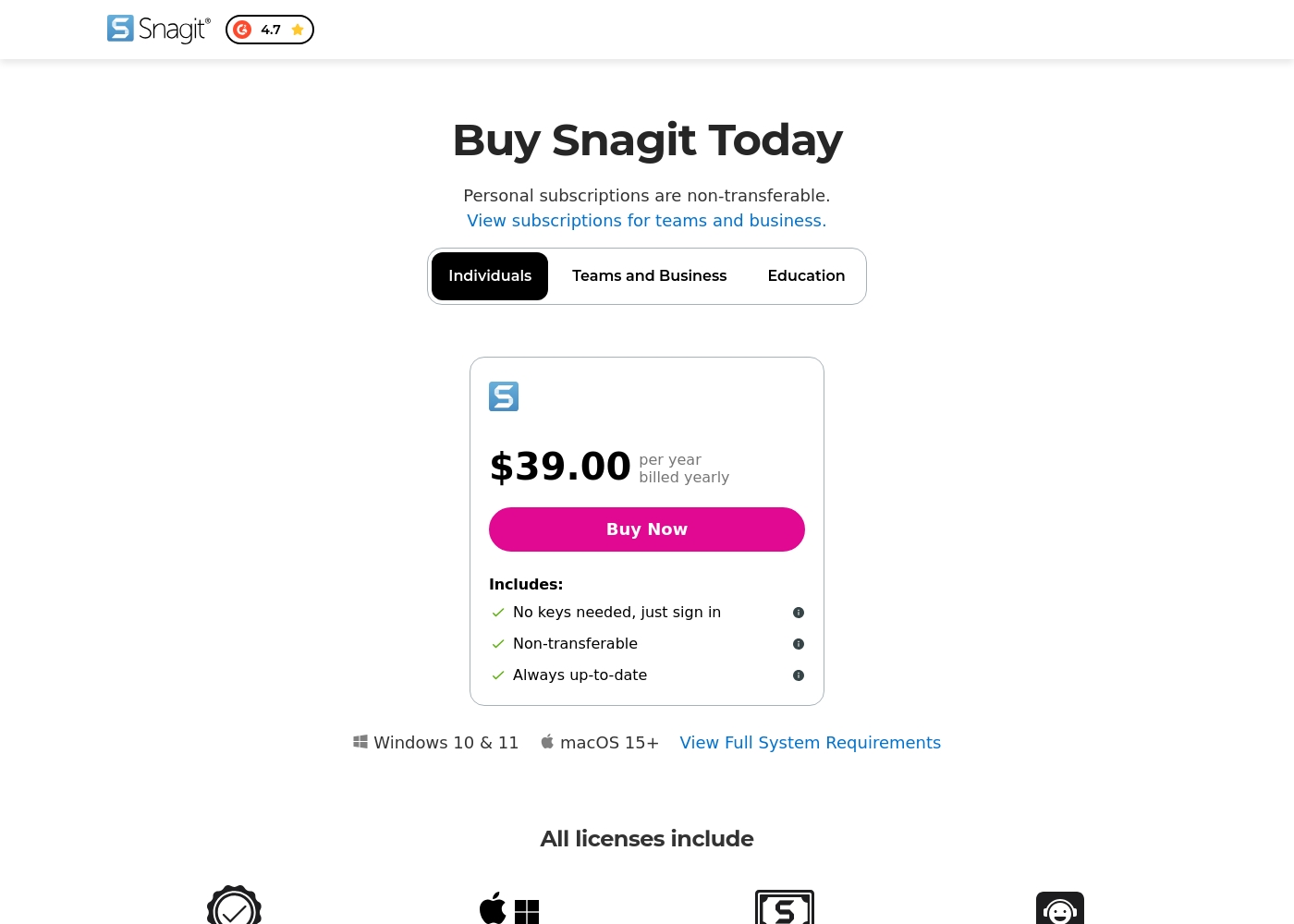
Snagit costs $39.00 per year with one explicitly priced plan visible: the Individuals subscription priced at $39.00 annually.
Here’s a deeper look at what is included in the available subscription options.
Individuals
Price: $39.00 per year, billed yearly Best For: Personal use Refund Policy: 14-day money-back guarantee Other Features:
- No physical keys needed; unlock software via account sign-in
- Always up-to-date access to the latest features and versions
- Compatibility for both Mac and Windows systems
- Includes Snagit Certification and Live support
- No keys needed, just sign in
- Always up-to-date software and features
- Mac and Windows compatibility
- Snagit Certification
- Live support
Pricing Notes
- Snagit's $39 annual price offers significantly better value for basic productivity needs than Screen Studio.
- Screen Studio’s yearly plan ($9/mo equivalent) is over 2.5 times the cost of Snagit’s annual fee for personal use.
- Screen Studio allows installation on 3 personal macOS devices under the individual plan.
- Snagit explicitly offers a 14-day free trial and money-back guarantee, unlike Screen Studio.
- You must purchase the more expensive Snagit Teams plan for flexible, multi-user or transferable access.
Pricing Head-to-Head
User Reviews
Reviewers consistently recognize Snagit as an industry-standard tool. Users frequently praise the software's deep feature set, clarity, and ease of use, noting that it is much faster and simpler than comparable, more complex alternatives. Long-time customers, however, express significant frustration over the shift from perpetual licenses to a mandatory annual subscription model. This change is seen as an unnecessary profit driver that introduces considerable overhead, especially for professionals needing to switch between multiple devices.
The new licensing structure strictly limits individual subscriptions to one sign-in at a time, requiring users to repeatedly sign out and sign in, or forcing expensive upgrades to the 'Teams' tier for flexible access. Customer support also receives mixed reviews; while many customers report positive experiences, noting quick fixes and responsive staff within 24 hours (sometimes via live chat), others complain about unhelpful service, lack of follow-up, and receiving generic, automated-sounding answers. Despite these operational headaches, the general consensus remains that Snagit is an awesome, essential piece of software that many users 'can't live without.' 🤩
This is a great product. It's dramatically simpler than comparable capture tools like those from Adobe, yet it has a deep feature set. We use the product for complex projects all the time and love the functionality.
Our Verdict
This comparison ultimately pits high-end automated video production against utility-focused, cross-platform capture. If you only use Mac and need cinematic-quality demo videos, Screen Studio is your clear choice. If you frequently capture, annotate, and share visuals across different teams and platforms, Snagit remains unbeatable. Screen Studio’s superpower is making you look like a skilled editor without the actual effort. It automates precise zooms, perfect cursor movements, and 4K output effortlessly. Screen Studio is essential for highly polished online courses or high-stakes product marketing demos on macOS. Snagit’s unique strength is its industry-leading ability to annotate and communicate complex ideas fast across platforms. At just $39/year, Snagit delivers unparalleled value for quick captures and detailed documentation on both Mac and Windows systems. Its cross-platform consistency is vital for mixed tech environments. The deciding factor is your budget versus your output requirements. Screen Studio justifies its higher subscription with high-end production quality automation. Snagit wins on ubiquity, low price, and powerful screenshot features. Choose Screen Studio if automated polish and video quality are non-negotiable necessities for your Mac workflow. Choose Snagit if you prioritize quick, cross-platform capture and communication effectiveness. Snagit is the better all-around utility tool for most users.
Frequently Asked Questions
Which is better for small teams: Screen Studio or Snagit?
Snagit is generally better for small, mixed-OS teams due to its Mac/Windows compatibility. Snagit facilitates fast documentation using annotations for easy team sharing. Screen Studio is better suited for a small marketing team focused only on high-quality video production on Mac.
Does Snagit provide the same automated video polish as Screen Studio?
No, Snagit provides basic screen recording without the professional automation features. Screen Studio automatically handles smooth cursor movements, custom zooms, and audio normalization. If you need flawless 4K video polish, Screen Studio is necessary.
Is Screen Studio worth the higher subscription cost compared to Snagit's annual fee?
Screen Studio is worth the cost if your income depends on high-quality video tutorials and marketing content. Snagit is drastically cheaper at $39/year and offers better value for general productivity and documentation needs. High-end video makers benefit most from Screen Studio’s features.
Can Snagit record my iPhone or iPad screen for app demos?
Snagit does not list dedicated support or polished presentation features for mobile device demos. Screen Studio seamlessly integrates with iOS devices via USB on Mac. Screen Studio automatically detects devices and applies customizable device frames.
Which tool works best for Windows users, Screen Studio or Snagit?
Snagit is the only option here, as it is fully compatible with Windows operating systems. Screen Studio is exclusively a macOS application and will not run on any Windows machine. Snagit ensures excellent performance regardless of your host operating system.
Does Screen Studio offer a free trial before I commit to a payment?
Screen Studio does not explicitly detail a free trial on its official pricing pages. Snagit clearly offers a 14-day free trial and backs purchases with a money-back guarantee. You can test Snagit thoroughly before committing financially, but likely not Screen Studio.
Ready to Choose?
Both tools have their strengths. Choose based on your specific needs.