Planday

Planday review

Shift-based teams use Planday to plan rotas, track hours and pay staff.

By Ciroapp Editorial Team · Updated Oct 9, 2026
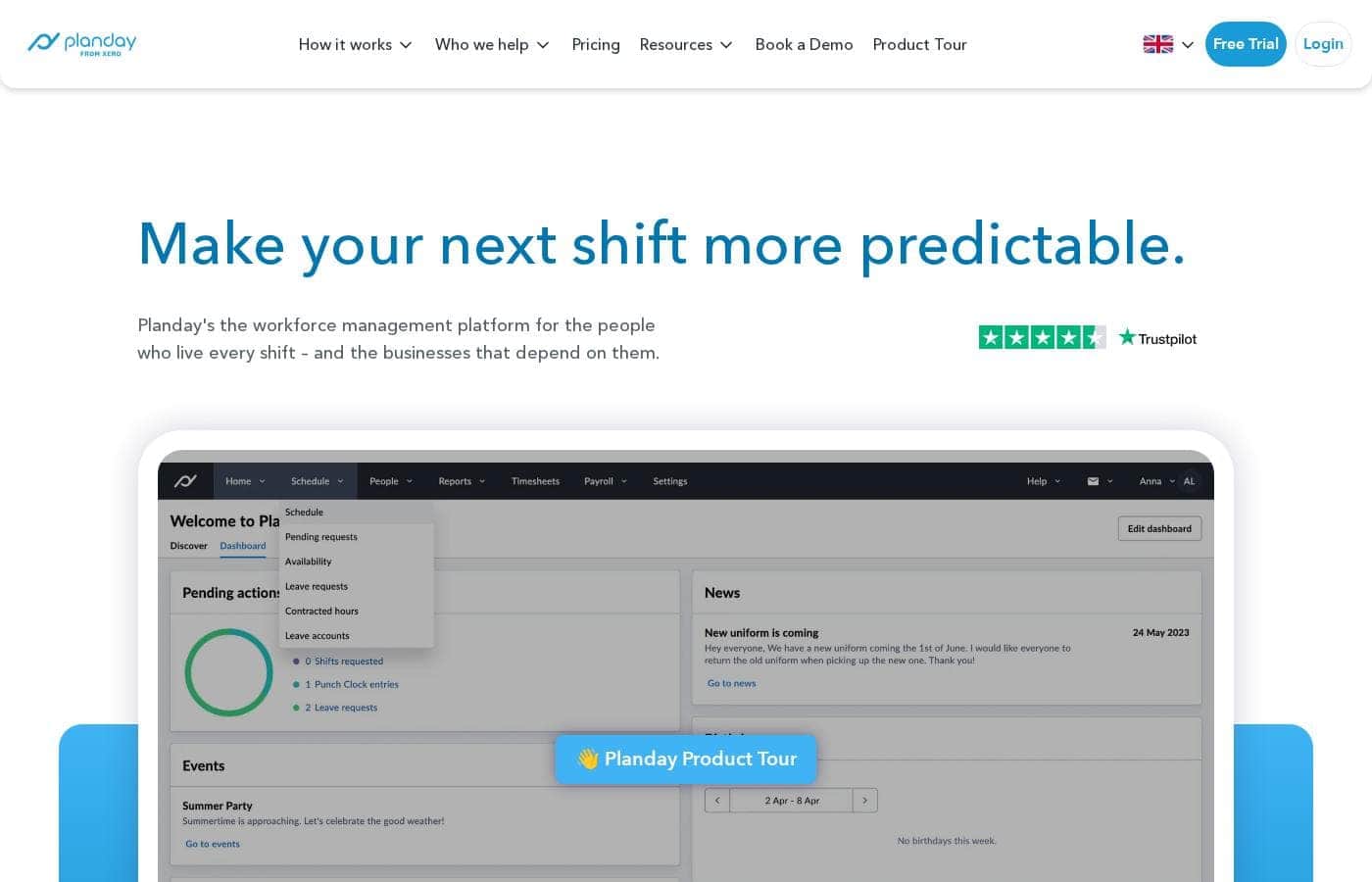
Planday homepage screenshot

At a glance

Quick overview for Planday: rating, pricing summary, key features, and highlights.
Vendor page checked Oct 12, 2026

Ciroapp score

3.9/ 5

Solid rota and payroll hub for shift teams

Planday brings scheduling, time tracking, leave and payroll-ready reporting into one cloud platform, with a free mobile app staff can use to clock in and swap shifts. The catch is that pricing is quote-based, so you won't see a number until you ask. Overall, a strong fit for shift-heavy businesses that confirm cost and payroll links first.

Pros

  • Pros:Scheduling, leave, time tracking and payroll-ready reporting sit in one login
  • Pros:Free iOS and Android app keeps staff shifts, clock-ins and swap requests on their phones
  • Pros:Working time and leave rules trigger alerts when a shift breaks them

Cons

  • Cons:No published per-user prices, so you must request a quote to compare real costs
  • Cons:Payroll hand-off depends on your provider being supported, with Xero named and open APIs for the rest
  • Cons:Working time, overtime and leave rules need entering during setup before alerts are useful
Best for
  • Hospitality operators juggling rotas across a busy floor or several venues
  • Care providers who need consistent shift cover and clear hours records
  • Hotels and multi-site groups coordinating staff across locations
Free trial
Yes — 30 days
This section is a summary. Detailed sections about features, use cases, pricing, and reviews follow below.

What is Planday?

Planday is a cloud-based workforce management platform built for shift-based businesses. It suits hospitality, healthcare, hotels, retail and leisure teams, from a single venue to multi-site groups. Managers build rotas, track time and leave, and pull payroll-ready reports.

Staff use a free iOS and Android app to see shifts, clock in and out, and swap shifts. Nothing needs installing on a server.

Verdict

Best for Shift-based employers in hospitality, care, hotels, retail and leisure, especially multi-site teams outgrowing spreadsheets..

A solid fit for shift-heavy businesses that want rotas, hours and payroll data in one place, as long as you confirm pricing and payroll integration first.

Strengths

  • Scheduling, leave, time tracking and payroll reporting in one cloud platform
  • Free iOS and Android app that staff actually use day to day
  • Working time and leave rules with alerts, plus ISO 27001 certification

Watch-outs

  • Pricing figures sit on the pricing page, so compare costs before the trial ends
  • Payroll hand-off depends on your provider being supported
  • Working time and leave rules need entering before alerts are useful

Planday Key Features

✨ Rotas that build themselves, almost

Build rotas that fit your shifts, instead of starting from a blank grid. Planday's AI-assisted scheduling helps you plan cover and cuts the admin of doing it by hand. You set up teams, locations and your rules first; the platform does the heavy lifting.

The result? A schedule that's ready sooner and easier to adjust when plans change.

📱 Everything in your pocket

The free Planday app runs on iOS and Android, so your team handles the essentials without hunting down a manager:

  • Create and share schedules directly in the app.
  • Clock in and out from a phone.
  • Message, request swaps and hand over shifts.

✨ One place for team messages

Scattered chat apps and paper notes leave people guessing. Planday's communication hub keeps team messages in the same place as the rota, through messenger, SMS and a newsfeed. Managers can send job instructions or updates that land on staff phones straight away.

Everyone sees the same information, so fewer shifts go uncovered.

✨ Reports that spot gaps early

Clear reports show where you're short-staffed on a busy shift and over-staffed on a quiet one. Track staff costs, forecast revenue and review hours and pay across every site from one dashboard. Managers use those numbers to plan cover before the week starts, not after.

Multi-site teams get one picture instead of a spreadsheet per venue.

✨ Rules that look after themselves

Set your working time rules and leave policies once, then let Planday watch the schedule for you. The platform applies those rules to rotas, manages leave balances automatically, and raises an alert when a shift breaks your policy. TOIL and overtime settings keep everyone on the same page, and ISO 27001 certification backs up how your data is handled.

Use Cases

🍽️ Keep a busy floor covered

Hospitality managers build smart, AI-powered rotas for one venue or several. Staff check shifts on the free app, clock in and out, and message the team in one place. Expected outcome: fewer schedule clashes and faster shift cover.

🏥 Consistent cover in care teams

Care providers set working time and leave rules once, then let Planday flag shifts that break them. Leave balances update automatically, so cover stays consistent. > Tip: enter your overtime and TOIL policies during setup so alerts work from day one.

💷 Payroll without the guesswork

Managers pull payroll-ready timesheets once hours are tracked. Teams on Xero report a big drop in payroll admin, because hours flow straight through. Expected outcome: fewer pay queries and less time rebuilding spreadsheets each month.

🏨 One picture across locations

Retail and hotel groups plan across sites from one login. Reports and forecasts show where a shift is short-staffed or over-staffed, so managers move people before costs creep. > Tip: set up teams and locations first, since setup effort grows with each site.

Planday pricing

Prices not verified yet — see the vendor page.

Planday's pricing page

Price history

Tracking prices since Oct 9, 2026. No price change detected yet.

Pricing types: Free trial

Pricing notes

Planday is quoted per business rather than sold at one flat rate, and every plan starts with a free 30-day trial that needs no credit card. The plans are shaped around business size — small, medium and enterprise — so the price reflects your headcount and locations.

Planday is priced per business rather than sold at one flat rate, and every plan begins with a free 30-day trial — no credit card and no commitment.

Here's how the plans are structured and what you get before you pick one.

Planday builds its offering around the size of your business, with dedicated paths for small, medium and enterprise teams. Instead of pushing you into a fixed bundle, the platform is set up to fit the way you already schedule. You can take a product tour or book a demo before you decide.

What the platform is built on

  • A cloud platform with nothing to install, so you and your team can sign in from anywhere.
  • A free iOS and Android app for clocking in, messaging, and requesting shift swaps.
  • Smart, AI-assisted scheduling, time tracking and payroll-ready timesheets that cut admin time.
  • Leave and absence management, including holiday policies, TOIL and overtime rules.
  • Configurable user access control, so each team member sees only what they need.

Who each size of plan suits

Smaller teams — a single cafe, clinic or shop — usually want the essentials: fast rotas, accurate hours, and a schedule everyone can check on their phone. Mid-sized businesses running a few sites tend to need shared visibility across locations, clearer staffing cost reporting, and leave handled in one place. Larger organisations get expert help with setup, plus multi-site oversight, open APIs and integrations for payroll and HR systems.

Because a quote depends on headcount, locations and the modules you need, confirm licence limits and how extra team members are billed before you commit.

Every new customer can put Planday through its paces for 30 days, free, with no credit card and no commitment. You also get a support team, a library of how-to videos, and no complicated installation — it all runs in the cloud. Bigger businesses can lean on consultants to build a setup that matches their operation.
How to pay less for Planday

  • Use the 30-day free trial before you pay.
Start free trial

Email me when Planday changes price

One email when we detect a price change on the vendor's pricing page. No newsletter, no deals. Unsubscribe in one click.

User Reviews

No reviews yet.

Write a Review

Write a Review for Planday
0/100 characters
0/2000 characters

Why use Planday?

Manual rotas, split messaging and guesswork payroll eat the hours you should spend running the business. Planday pulls them into one place that managers and staff both use.

  • Smart, AI-powered rotas cut the admin that comes with building schedules by hand.
  • A free iOS and Android app lets staff check shifts, clock in and out, and request swaps.
  • A built-in communication hub keeps team messages out of scattered chat apps.
  • Reports and forecasts flag where you are short-staffed or over-staffed on a shift.
  • Working time rules and leave policies raise alerts when a shift breaks them, backed by ISO 27001 certification.
  • Time tracking feeds payroll reporting, and Xero users report a big drop in payroll admin.

Planday alternatives

Other tools in the Workforce management category

View all Workforce management tools
Wing Assistant

Wing Assistant

Workforce management4.1/5

Wing Assistant is the largest provider of Virtual Assistants offering talent from across the globe. The Wing Partnership Program offers $1000-$1500 flat commission for every successful referral (i.e. paying customers) to its partners.

Soon.works

Soon.works

Workforce management4/5

Soon is an AI-first workforce management app designed for modern teams. It lets you schedule shifts, manage time off, track intraday operations, and automate planning—all in one place. Built around three core capabilities to help teams schedule smarter, adapt faster, and automate with confidence.

Parim Workforce Software

Parim Workforce Software

Workforce management3.9/5

Parim is a modern workforce management platform for shift-based industries, combining scheduling, time & attendance, compliance, communication and payroll-ready data in one system. It’s scalable, easy to deploy, mobile-first and API-ready—giving partners a powerful, high-retention solution to bring to their customers. The system offers extra bolt on features for Events; Security; Healthcare inc Lone Worker Check Calls, Checkpoints, Incident Reporting and Asset Management

Planday FAQ

Does Planday connect to my payroll and HR tools?

Xero is named directly, and open APIs let larger plans link other payroll and HR systems. Confirm your provider is supported before you commit, because payroll hand-off depends on it.

How does Planday handle data security and staff access?

It holds ISO 27001 certification and gives you configurable user access control, so each person sees only what their role needs. That matters when managers and staff share one system.

How much setup does Planday take before it's useful?

You enter teams, locations, working time and leave rules yourself, so effort grows with each site. A support team, how-to videos and, for larger businesses, consultant-led setup help you get there.

Who gets the most out of Planday, and who should look elsewhere?

Shift-heavy teams in hospitality, care, hotels, retail and leisure, especially multi-site groups outgrowing spreadsheets. Desk-based teams with salaried staff gain little, and buyers wanting published per-user prices must request a quote.

Ready to try Planday? Check out the official site or pricing.

Are you Planday? Claim this listing · Get the badge