PC Matic

PC Matic review

Application allowlisting antivirus that stops viruses, ransomware, and zero-day attacks before they run.

PC Matic costs from $2.50/mo · 6 plans

By Ciroapp Editorial Team · Updated Sep 16, 2026

Commission may apply at no extra cost

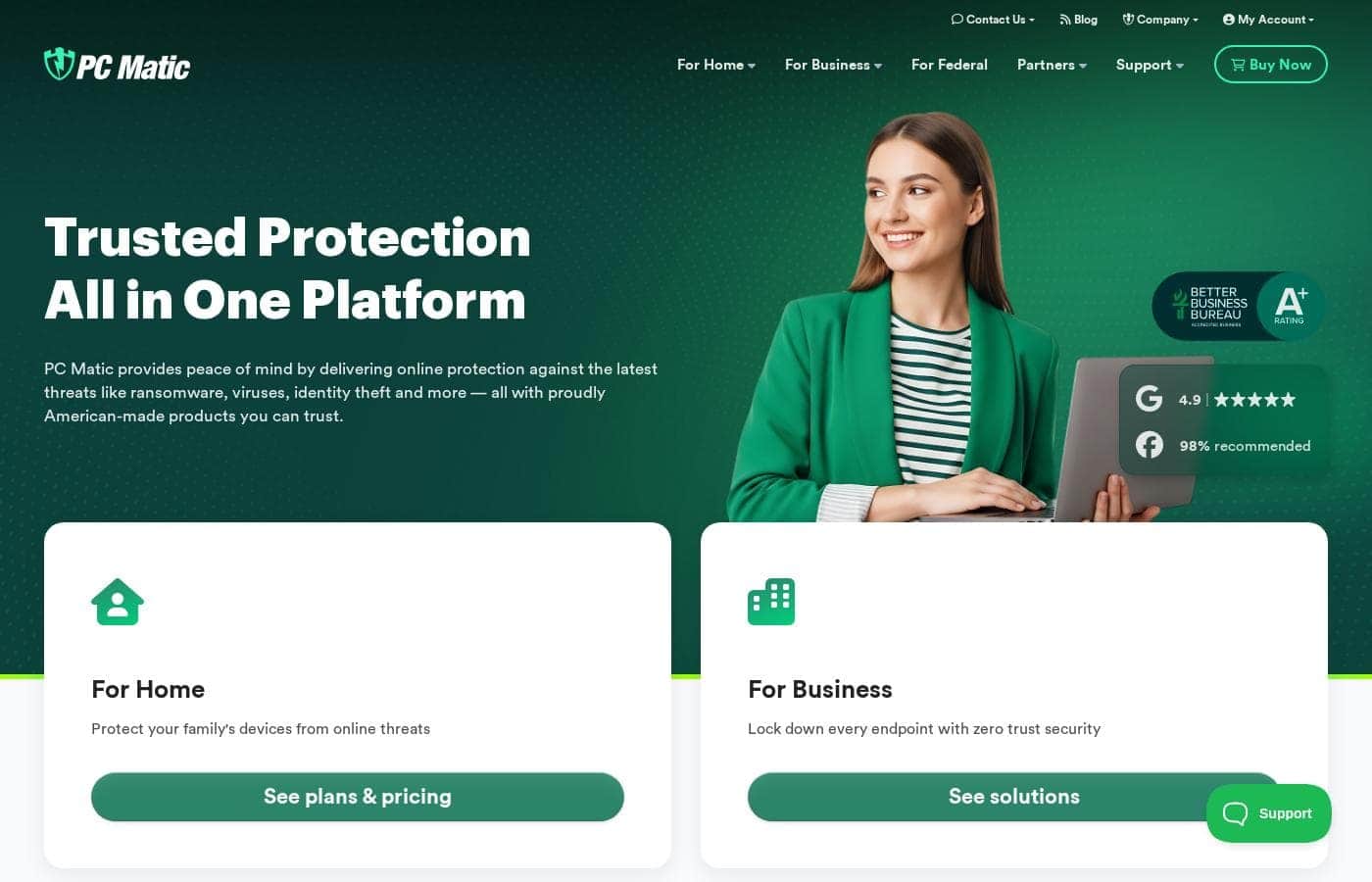
PC Matic homepage screenshot

At a glance

Quick overview for PC Matic: rating, pricing summary, key features, and highlights.
Vendor page checked Oct 13, 2026

Ciroapp score

3.8/ 5

PC Matic swaps signature-matching for application allowlisting, so unknown malware and ransomware are denied before they run — a real structural advantage against zero-day attacks. The trade-offs are possible blocking of legitimate new software, yearly-only billing, and no independent lab results in view. Overall, it's a credible pick for non-technical home users who'll trial the free plan first.

Pros

  • Pros:Allowlisting blocks brand-new and zero-day malware by default — threats with no signature in any database are still denied execution, unlike signature-dependent scanners.
  • Pros:Ransomware defense is structural rather than reactive — an unrecognized encryption process is stopped before it runs, not detected mid-attack.
  • Pros:All-in-one consolidation covers viruses, ransomware, and identity theft in a single product, avoiding the cost and complexity of stacking multiple security tools.

Cons

  • Cons:Allowlisting can block legitimate but not-yet-vetted software, so installing new or niche applications may require manually whitelisting them.
  • Cons:Paid protection is structured around yearly subscriptions; users who prefer month-to-month flexibility should confirm current billing terms with the vendor.
  • Cons:The scope of the free plan is not fully detailed, so verify what it includes before relying on it as full-time protection.
Best for
  • Home users who want a single product covering viruses, ransomware, and identity theft instead of multiple overlapping tools
  • Non-technical users who prefer default-deny protection over responding to constant security alerts
  • Users with irreplaceable files — family photos, tax and financial records — who want ransomware blocked before encryption begins
This section is a summary. Detailed sections about features, use cases, pricing, and reviews follow below.

What is PC Matic?

PC Matic takes a fundamentally different approach to antivirus protection than most mainstream security products. Rather than relying solely on signature databases of known malware, it uses Application Allowlisting technology that only permits vetted, known-good software to run on your PC. That default-deny model is designed to stop viruses, ransomware, and other sophisticated attacks even when they are too new to appear in any threat database.

Sold as an all-in-one online safety platform, it bundles antivirus, ransomware defense, and identity theft protection into a single product.

PC Matic is an all-in-one security platform that combines antivirus, ransomware defense, and identity theft protection in a single product. Its core defense mechanism is application allowlisting: instead of trying to recognize and blacklist every piece of malware ever created, the software maintains a catalog of trusted applications and blocks anything unfamiliar from executing. This inverts the traditional antivirus model, so unknown threats are denied by default rather than caught only after they have been identified and cataloged.

The platform is built to guard against sophisticated cyber attacks, including modern ransomware that mutates faster than signature files can be updated.
Should you choose PC Matic?

Quick buyer guidance before you compare plans or click through.

Choose it if

  • Home users who want a single product covering viruses, ransomware, and identity theft instead of multiple overlapping tools
  • Non-technical users who prefer default-deny protection over responding to constant security alerts
  • Users with irreplaceable files — family photos, tax and financial records — who want ransomware blocked before encryption begins
  • Anyone worried about zero-day or novel malware that signature-based antivirus may miss
  • Budget-conscious buyers who want to test protection via a free plan before a yearly subscription

Skip it if

  • Users who frequently install new, niche, or custom-built software, since unlisted legitimate applications may be blocked until they are manually allowlisted
  • Anyone who needs month-to-month billing flexibility — paid plans are organized around yearly subscriptions, so confirm terms before committing
  • Buyers who rely on published third-party lab scores for purchase decisions, as the vendor's materials emphasize its technology over independent benchmark results

Next steps before buying

  1. 1Go to pcmatic.com/consumer and compare the free plan against the yearly subscription tiers to choose your entry point.
  2. 2Create an account and install PC Matic on the computer you want to protect.
  3. 3Run an initial scan so the allowlisting engine can vet the legitimate applications already on your machine.
  4. 4Review any blocked programs: whitelist legitimate software you use regularly to minimize future interruptions, and leave unknown items blocked.

PC Matic Key Features

✨ Application Allowlisting Engine

PC Matic's defining feature is its default-deny security model. The software maintains a whitelist of verified, known-good applications and blocks anything outside that list from running. This is the opposite of conventional antivirus, which permits everything unless a file matches a known malware signature.

Because brand-new malware variants and zero-day exploits have no signature yet, allowlisting is structurally positioned to stop attacks that slip past traditional scanners.

✨ Ransomware Protection

Ransomware usually strikes as an unfamiliar executable that begins encrypting files within seconds of execution. Under PC Matic's allowlisting model, an unrecognized ransomware process is denied execution before it can touch your files, rather than being detected mid-encryption. The vendor explicitly markets the platform as a defense against ransomware, and this architecture is the mechanism behind that claim.

✨ Identity Theft Protection

Beyond malware, PC Matic positions itself as protection against identity theft, safeguarding the personal and financial data that cybercriminals target. Consolidating this with antivirus and ransomware defense means one platform handles the main categories of consumer cyber risk, instead of requiring separate subscriptions and dashboards for each threat type.

✨ All-in-One Consolidated Security

PC Matic is designed as a single platform for complete online safety rather than a patchwork of utilities. Antivirus, ransomware defense, identity theft protection, and defense against sophisticated attacks all live in one product with one interface. For users who find multi-tool security stacks confusing or costly to maintain, this consolidation reduces both overhead and the chance of a coverage gap between tools.

Use Cases

💡 Households Protecting Irreplaceable Files

Family photos, tax records, and financial documents are exactly what ransomware targets. A user who cannot afford to lose these files benefits from an approach that blocks the encryption process before it starts, rather than relying on detecting a threat that may be newer than the last signature update.

💡 Non-Technical Users Who Want Set-and-Forget Security

Traditional antivirus frequently surfaces alerts asking users to judge whether something is safe — a decision most home users are unequipped to make. Allowlisting flips the default: anything unknown is simply blocked, so the user does not need security expertise to stay protected. This makes PC Matic a fit for relatives and colleagues who click first and think later.

💡 Users Concerned About Zero-Day and Novel Attacks

Sophisticated attacks deliberately exploit the lag between a malware's release and its inclusion in signature databases. Anyone who handles sensitive information — freelancers with client data, remote workers, online banking regulars — gains a layer of protection that does not depend on the threat having been cataloged first.

💡 Shoppers Evaluating Antivirus Without Upfront Cost

With a free plan offered alongside yearly subscriptions, PC Matic suits users who want to run real protection through its paces on their own machine and workload before paying. The free tier serves as a low-risk evaluation path rather than a short, time-boxed demo.

PC Matic pricing

From$2.50/mo

  • From the vendor's pricing page, checked Oct 13, 2026
  • 6 plans

Vendor page checked on Oct 13, 2026; confirm current prices on PC Matic's pricing page

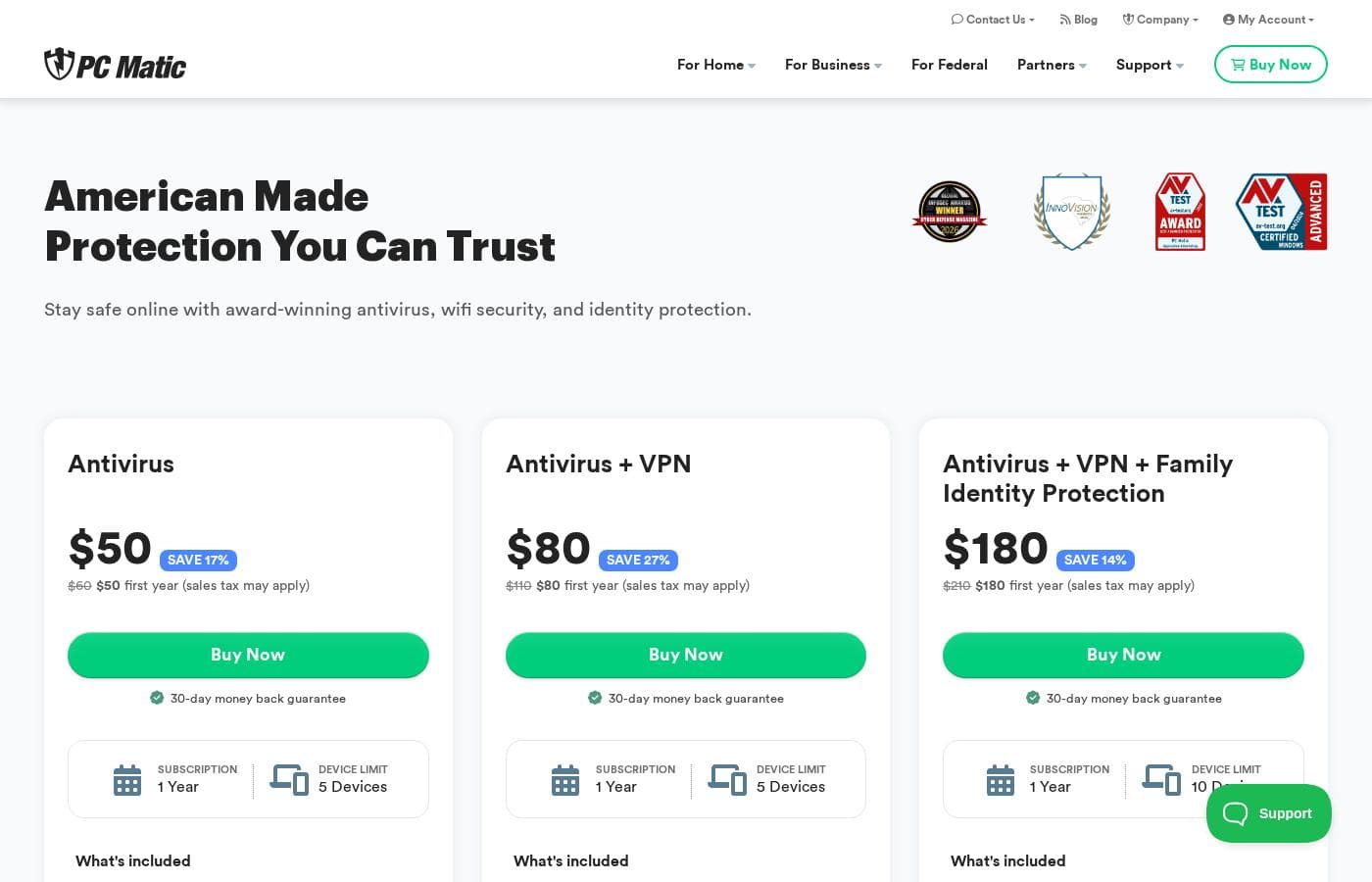
PC Matic pricing page screenshotView pricing page screenshot
PlanBilled monthlyBilled annuallyIncludes
Antivirus
Intro offer $50/yr; list price shown
—
$5/mo
$60 per year
up to 5 devices; 30-day money back guarantee; includes free VPN with 300MB daily use limit
Antivirus + VPN
Intro offer $80/yr; list price shown
—
$9.17/mo
$110 per year
up to 5 devices; includes VPN for unlimited browsing, 25 GB cloud backup, limited US-based phone support; renews after first year at $80/year unless canceled
Antivirus + VPN + Family Identity Protection
Intro offer $180/yr; list price shown
—
$17.50/mo
$210 per year
up to 10 devices; adds family identity protection, advanced fraud monitoring, $1M identity theft insurance, $1M stolen funds reimbursement
PC Matic Privacy (add-on)
—
$2.50/mo
$30 per year
Sales tax may apply; scans and cleans browser data from Chrome, Firefox and Edge
PC Matic Delist (add-on)
—
$5/mo
$60 per year
Sales tax may apply; removes personal information from data brokers, people-search sites and online directories
Support Unlimited (add-on)
—
$8.33/mo
$100 per year
Sales tax may apply; 24/7 phone support and remote assistance for Windows and Mac computers and other devices

Price history

Tracking prices since Oct 1, 2026. No price change detected yet.

Pricing types: Free plan, Yearly subscription, Usage-based pricing

Pricing notes

PC Matic pricing: Plans from $0/year Billing options: Free plan, Yearly subscription, Usage-based pricing

Cost calculator

Estimate what PC Matic costs for your team.

Billing

Antivirus has no published price for this billing cycle.

Antivirus has a flat price: the number of seats does not change the total. Estimate based on published list prices, before taxes, add-ons and discounts.

Email me when PC Matic changes price

One email when we detect a price change on the vendor's pricing page. No newsletter, no deals. Unsubscribe in one click.

User Reviews

No reviews yet.

Write a Review

Write a Review for PC Matic
0/100 characters
0/2000 characters

Why use PC Matic?

Signature-based antivirus only catches threats that have already been discovered, analyzed, and added to a malware database — a gap that new ransomware and zero-day exploits are built to exploit. PC Matic's allowlisting approach closes that gap by refusing to run any application that has not been vetted as legitimate, meaning an unknown threat is stopped before it can execute, encrypt files, or steal data.

Because it is an all-in-one platform, you also avoid stitching together separate tools for viruses, ransomware, and identity theft protection. A free plan makes it possible to evaluate the software on your own machine before committing to a paid yearly subscription.

PC Matic alternatives

Other tools in the Antivirus category

View all Antivirus tools
Webroot

Webroot

Antivirus3.5/5

Webroot provides comprehensive digital life protection. This means keeping all parts of your online world safe. It shields your devices, personal data, privacy, and identity from various online threats. Whether you only need device protection or require comprehensive internet security, Webroot has tailored plans. You can usually find options for every device and every budget.

Malwarebytes

Malwarebytes

Antivirus4.1/5

Malwarebytes is widely known as the leading software for robust malware removal and ongoing protection. Millions of people trust it to keep their digital lives safe and secure. It offers security plans designed to fit your unique needs, whether you are at home or at work. Users praise the service because it consistently delivers powerful, current technology. It is a reliable solution for achieving digital peace of mind.

Bitdefender

Bitdefender

Antivirus4.3/5

Bitdefender is globally recognized as a leader in the cybersecurity industry. They provide robust solutions focusing on threat prevention, detection, and response worldwide. Their products offer leading security efficacy, strong performance, and excellent ease of use. This makes it an ideal fit for consumers, mid-market enterprises, and small to medium businesses alike.

Norton 360 Antivirus Plus is a security solution from Norton that provides real-time protection for a single device across Windows, macOS, Android, and iOS. It features Genie Scam Protection (AI-powered scam detection), a Password Manager, and 2GB Cloud Backup.

PC Matic FAQ

How much does PC Matic cost?

PC Matic's cheapest paid plan, PC Matic Privacy (add-on), costs $2.50 per month. Paid plans range from $2.50 to $17.50 per month.

Has PC Matic's price changed recently?

No. We have not detected a price change since we started tracking on Oct 1, 2026.

How is PC Matic's application allowlisting different from traditional antivirus?

Traditional antivirus works from a blacklist: it allows everything to run unless a file matches a known malware signature, which leaves a gap for brand-new threats. PC Matic inverts that model with application allowlisting — only vetted, known-good applications are permitted to execute, and anything unfamiliar is denied by default. This means a zero-day virus or a never-before-seen ransomware variant can still be blocked even though no signature for it exists yet.

Does PC Matic protect against ransomware?

Yes. Ransomware typically executes as an unfamiliar process and begins encrypting files immediately, which is precisely the scenario allowlisting is designed for. Because the ransomware executable is not on PC Matic's whitelist of trusted applications, it is denied execution before it can encrypt anything, rather than being caught mid-attack. Ransomware defense is one of the platform's explicitly marketed protection areas, alongside viruses and identity theft.

Is there a free version of PC Matic?

PC Matic lists a free plan among its billing options alongside paid yearly subscriptions, which makes it possible to evaluate the software before paying. The free tier's exact feature scope is not fully detailed, so check the vendor's pricing page to confirm what it covers before relying on it as your primary defense.

Who should use PC Matic?

It is a strong fit for home users who want one tool covering viruses, ransomware, and identity theft; non-technical users who benefit from a default-deny model that does not require judging security alerts; and anyone specifically worried about zero-day attacks that signature-based antivirus can miss. Users who frequently install brand-new or niche software should weigh the possibility of legitimate applications being blocked until they are whitelisted.

Ready to try PC Matic? Check out the official site or pricing.

Are you PC Matic? Claim this listing · Get the badge