Webroot

Webroot review

Cloud-based security for your devices, data, privacy, and identity.

By Ciroapp Editorial Team · Updated Sep 16, 2026

Commission may apply at no extra cost

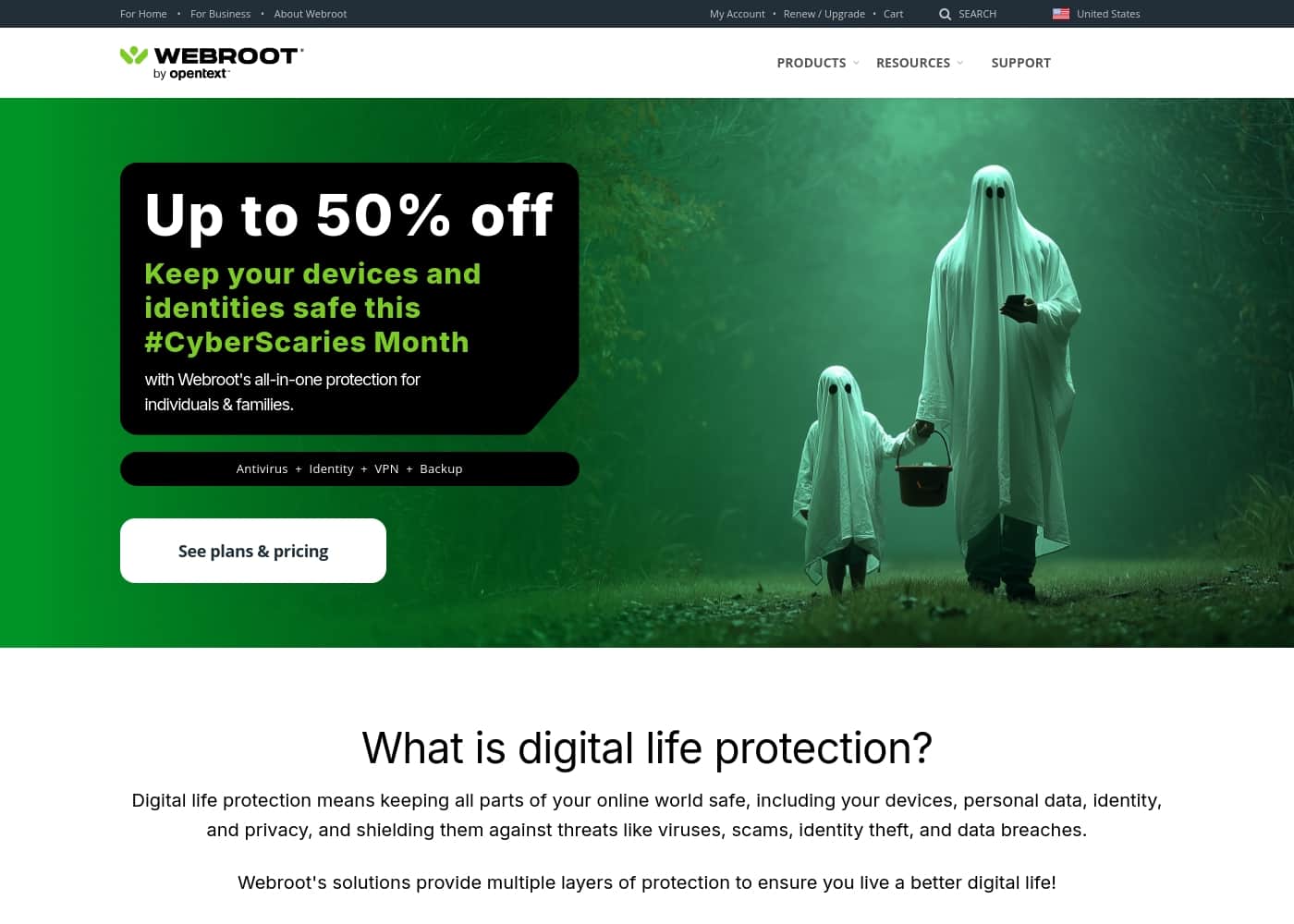
Webroot homepage screenshot

At a glance

Quick overview for Webroot: rating, pricing summary, key features, and highlights.
Vendor page checked Oct 14, 2026

Ciroapp score

3.5/ 5

Webroot keeps its security client tiny by doing most detection work in the cloud, and its tiered plans cover Windows, Mac, and mobile devices. Identity and privacy features sit in higher tiers, though, and the $1-to-$1,920 price spread makes comparison shopping essential. Overall, it's a sensible pick for mixed-device households willing to study the plan details before checkout.

Pros

  • Cloud-assisted scanning keeps the installed client lightweight, so real-time protection does not noticeably slow everyday use or boot times.
  • Coverage extends beyond malware to identity, privacy, and personal data, reducing the need to buy separate security tools for each threat type.
  • Tiered plans let you match protection to your actual device count and budget, from a single machine up to a full household.

Cons

  • The published price range spans $1 to $1,920, which makes it hard to tell what a realistic plan costs without studying the comparison page in detail.
  • Entry-level plans focus on core device protection; identity recovery and premium extras are reserved for higher tiers, so the cheapest option may feel thin.
  • Independent lab certifications and aggregate user-review scores were not available for this review, so third-party validation should be confirmed before purchase.
Best for
  • Households with a mix of Windows, Mac, and mobile devices that want one security provider and one renewal across all of them
  • Owners of older or lower-spec computers who need protection that will not tax system resources
  • People concerned about identity theft and phishing who want those protections bundled with antivirus rather than purchased separately
This section is a summary. Detailed sections about features, use cases, pricing, and reviews follow below.

What is Webroot?

Webroot builds its consumer security lineup around protecting your entire digital life, not just blocking viruses. A subscription aims to cover your devices, the personal data on them, your browsing privacy, and your identity. Plans are tiered so you can start with basic device protection or step up to fuller internet security, with published pricing spanning a $1 entry point up to premium bundles.

That flexibility makes it worth a closer look if your security needs or budget fall somewhere in the middle.

Webroot is a consumer antivirus and internet security suite. Its core engine scans for and blocks malware, while higher tiers add protection for personal data, online privacy, and identity. Threat detection is delivered largely through the cloud, which keeps the software's footprint on your machine small.

Plans scale by device count and feature depth, so the same provider can cover a single PC or an entire household.

Should you choose Webroot?

Quick buyer guidance before you compare plans or click through.

Choose it if

  • Households with a mix of Windows, Mac, and mobile devices that want one security provider and one renewal across all of them
  • Owners of older or lower-spec computers who need protection that will not tax system resources
  • People concerned about identity theft and phishing who want those protections bundled with antivirus rather than purchased separately
  • Budget-conscious buyers who want to start with a low-cost plan and upgrade only if their needs grow

Skip it if

  • Buyers who expect a VPN, password manager, and every premium extra bundled into the cheapest plan, since those features sit in higher tiers or separate products
  • Users who will not purchase security software without current independent lab scores and large-scale user-review data, neither of which was available for this review
  • Organizations needing centralized endpoint management and reporting, which the consumer lineup covered here is not designed to provide

Next steps before buying

  1. 1Go to Webroot's product comparison page and match each plan's device coverage and features against the devices you actually own
  2. 2Choose a subscription term (yearly billing is the standard option) and complete checkout on webroot.com
  3. 3Download the installer, create or sign in to your account, and run the first scan immediately after installation
  4. 4Review the protection settings and, on higher tiers, switch on the identity and privacy features so they are active from day one

Webroot Key Features

✨ Cloud-Based Threat Detection

Webroot's core protection runs primarily through its cloud, which means the software installed on your device stays small while threat intelligence updates continuously. This design keeps scans quick and reduces the performance drag traditionally associated with antivirus suites, making it easier to leave real-time protection enabled at all times.

✨ Identity and Privacy Protection

Beyond malware blocking, Webroot's broader plans extend coverage to your personal data, online privacy, and identity. This includes defenses against the phishing attempts and data-harvesting tactics commonly used to steal credentials and financial details, consolidating what would otherwise require several standalone tools.

✨ Multi-Device, Multi-Platform Coverage

Webroot offers protection for Windows PCs and Macs, with mobile coverage available in plans that include multiple devices. Plans are sized to different device counts, so a solo user and a family can each find a tier that matches their actual hardware without overpaying for unused licenses.

✨ Tailored, Tiered Plans

Rather than a single one-size-fits-all product, Webroot structures its lineup so you can choose between basic device protection and comprehensive internet security. Billing is handled through yearly subscriptions, and the tiered approach lets you start small and upgrade as your device count or security needs grow.

Use Cases

💡 Securing a Family's Mixed Device Lineup

A household running a Windows desktop, a Mac laptop, and several phones does not need three different security vendors. Webroot's multi-device plans consolidate that coverage under one subscription and one renewal date, with higher tiers adding the identity and privacy protections that matter when children and shared accounts are in the picture.

💡 Protecting an Older or Low-Spec Computer

Traditional antivirus suites can bog down machines with limited RAM or older processors. Because Webroot's detection work happens largely in the cloud, the local client stays small and light, making it a reasonable choice for keeping an aging PC protected without sacrificing usable performance.

💡 Guarding Personal and Financial Identity Online

Users who bank, shop, and manage accounts online face phishing pages and credential-harvesting schemes that plain antivirus alone may not address. Webroot's upper-tier plans bundle identity and privacy protection with core malware defense, targeting the full chain of an attack rather than just the payload.

💡 Scaling Protection as Needs Grow

Someone starting with a single laptop can begin on an entry-level plan and move up as they add devices or want deeper coverage. The tiered structure makes Webroot workable for buyers on tight budgets today who expect their security requirements to expand over time.

Webroot pricing

Prices not verified yet — see the vendor page.

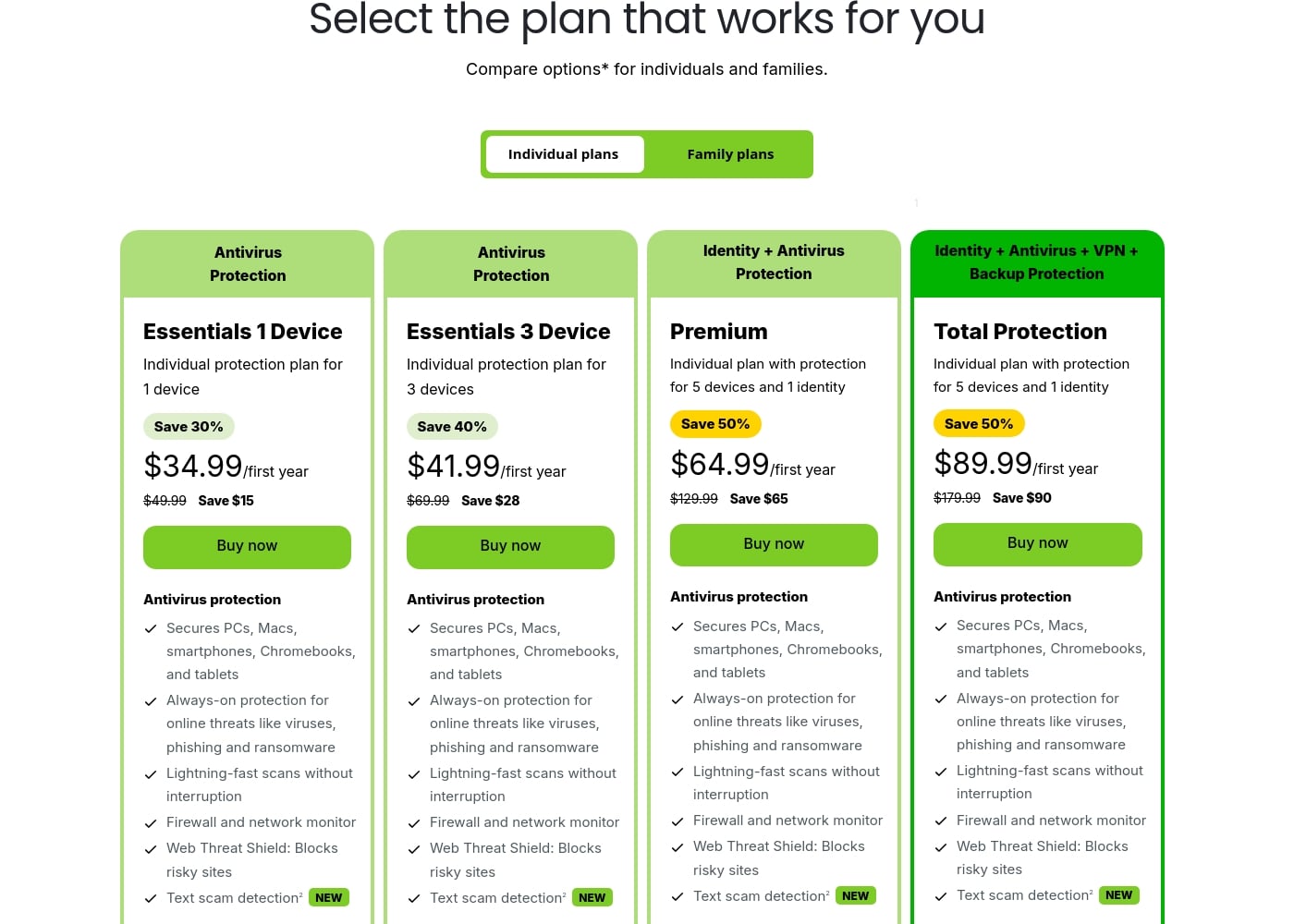
Webroot's pricing page

Webroot pricing page screenshotView pricing page screenshot

Price history

Tracking prices since Oct 1, 2026. No price change detected yet.

Pricing range: See vendor pricing

Pricing types: Yearly subscription, Usage-based pricing

Pricing notes

Plans from $1

Webroot pricing: Plans from $1 Plans range: $1–$1920 Billing options: Yearly subscription, Usage-based pricing

Email me when Webroot changes price

One email when we detect a price change on the vendor's pricing page. No newsletter, no deals. Unsubscribe in one click.

User Reviews

No reviews yet.

Write a Review

Write a Review for Webroot
0/100 characters
0/2000 characters

Why use Webroot?

Modern threats go well beyond classic viruses: phishing sites, identity theft, and data harvesting are now routine parts of the threat landscape. Webroot bundles defenses against all of these into one subscription instead of making you assemble separate tools.

Its cloud-assisted approach is designed to keep scans fast and light on system resources, which matters on older hardware. Tiered plans also mean you are not paying for protection levels you do not actually need.

Webroot alternatives

Other tools in the Antivirus category

View all Antivirus tools
Bitdefender

Bitdefender

Antivirus4.3/5

Bitdefender is globally recognized as a leader in the cybersecurity industry. They provide robust solutions focusing on threat prevention, detection, and response worldwide. Their products offer leading security efficacy, strong performance, and excellent ease of use. This makes it an ideal fit for consumers, mid-market enterprises, and small to medium businesses alike.

ESET North America

ESET North America

Antivirus4.2/5

ESET is a cybersecurity provider for both homes and businesses. For home users, it sells three annual plans—Essential, Premium, and Ultimate—that stack antivirus, VPN, encryption, and identity protection. For businesses, it offers endpoint and server protection, patch management, full disk encryption, plus optional XDR and 24/7 MDR services, all managed from one console.

Malwarebytes

Malwarebytes

Antivirus4.1/5

Malwarebytes is widely known as the leading software for robust malware removal and ongoing protection. Millions of people trust it to keep their digital lives safe and secure. It offers security plans designed to fit your unique needs, whether you are at home or at work. Users praise the service because it consistently delivers powerful, current technology. It is a reliable solution for achieving digital peace of mind.

PC Matic

PC Matic

Antivirus3.8/5

PC Matic is an all-in-one platform designed for complete online safety. It delivers robust protection specifically against today’s threats, including viruses, identity theft, and ransomware. This comprehensive system helps guard users against even the most sophisticated cyber attacks. It leverages powerful Application Allowlisting technology for effective defense.

Trend Micro

Trend Micro

Antivirus3.8/5

Trend Micro is a publicly listed global cybersecurity company. Today it operates as the parent of a focused portfolio of security businesses. TrendAI serves enterprises that need to manage AI-driven risks. TrendLife protects personal digital life—devices, identity, and privacy at home and on mobile. The company reports serving 25,000 enterprise organizations across 185 countries. It suits buyers who want an established, globally accountable security vendor rather than a niche tool.

Norton 360 Antivirus Plus is a security solution from Norton that provides real-time protection for a single device across Windows, macOS, Android, and iOS. It features Genie Scam Protection (AI-powered scam detection), a Password Manager, and 2GB Cloud Backup.

Webroot FAQ

What does Webroot actually protect against?

Webroot defends against malware, ransomware, and phishing, and its broader plans extend protection to personal data, online privacy, and identity. Detection runs through its cloud, so the software on your device stays small while protection intelligence updates continuously in the background.

How much does Webroot cost?

Published pricing starts at $1 and the full range extends to $1,920, with yearly subscription and usage-based billing options depending on the plan. The cheapest entry points typically correspond to introductory or single-device tiers, so it is worth comparing all plans on Webroot's official pricing page before buying.

Which devices and platforms does Webroot support?

Webroot covers Windows PCs and Macs, with mobile protection for Android and iOS available in plans that include multiple devices. Check the plan comparison page to confirm which platforms your chosen tier includes, since device coverage varies between tiers.

Can I start with a basic plan and upgrade later?

Yes. Webroot's lineup is deliberately tiered so you can begin with core device protection on a single machine and move up to comprehensive internet security as you add devices or want identity and privacy coverage. Yearly subscription billing makes the transition a matter of changing plans at renewal.

Ready to try Webroot? Check out the official site or pricing.

Are you Webroot? Claim this listing · Get the badge