Opera

Opera

Your personal browser: Faster, safer, and smarter.

#5 dans Web Browser
1 min read · Updated 11/17/2025
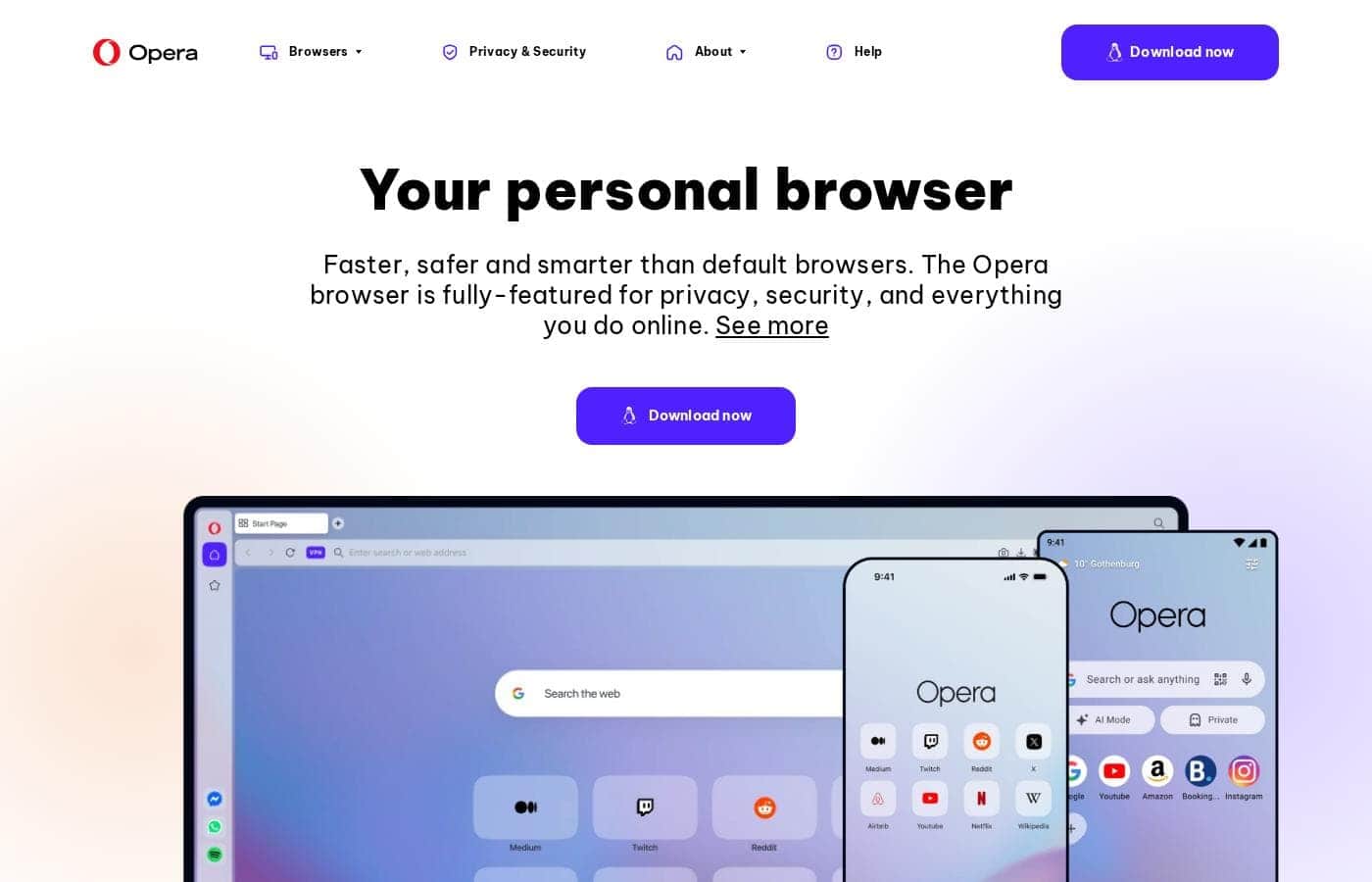
Opera homepage screenshot

At a glance

Quick overview for Opera: rating, pricing summary, key features, and highlights.

Ciroapp review

2.5
Feature-rich browser, marred by instability.

We found Opera impressive for its density of free, built-in features like a VPN and AI assistant, offering high perceived value compared to default browsers. Overall, we must caution users about significant instability issues reported during updates and serious user concerns regarding data privacy and ownership.

Pros

  • Pro:Includes a free, built-in VPN and integrated AI assistant (Aria).
  • Pro:Built-in Ad Blocker provides faster, distraction-free browsing.
  • Pro:High level of customization and intuitive user interface.
  • Pro:Tab Islands feature aids in productivity and organization.

Cons

  • Con:Frequent crashing and reliability issues, causing permanent loss of open tabs after updates.
  • Con:Significant user concerns regarding company ownership, data privacy, and security.
  • Con:Built-in VPN often fails to work with major streaming services.
  • Con:Updates are intrusive, auto-changing settings or adding unwanted shortcuts.
Range: FreeFree plan
This section is a summary. Detailed sections about features, use cases, pricing, and reviews follow below.

Opera review, pricing, features, pros & cons

Are you tired of feeling forced to use the default browser that came pre-installed on your devices? Default browsers often lack the necessary speed, security, and smart features you need today. Opera offers a superior solution, delivering a fully-featured web experience focused on your privacy 🛡️ and superior performance.

What is Opera?

Opera Browser positions itself as your personal digital hub 💡, moving beyond the limitations of standard programs like Chrome or Edge. It is designed for users who prioritize performance, security, and organization in their online lives.

For over 25 years, Opera has focused on expanding browser technology, ensuring you get the highest levels of flexibility and privacy available. It's a complete web experience that's easy to take on the go with specific mobile versions for Android and iOS.

Opera Key Features

✨ Effortless, Distraction-Free Browsing

You deserve a better online experience than what default browsers offer. Opera is built to be faster, safer, and smarter, delivering consistently superior performance. It is the browser of choice for hundreds of millions of users who prioritize speed and responsiveness.

The browser includes a powerful, built-in Ad Blocker. This key feature ensures that your browsing is smooth and free from distractions. By stopping intrusive advertisements, pages often load much faster, significantly improving your overall web experience.

🛡️ Built-in Security and Advanced Privacy Options

Security has been a top priority for Opera for over 25 years. We focus on expanding browser technology to ensure you have the highest standards of privacy and flexibility online. You can rely on Opera to secure your activities wherever you go.

Opera offers great tools to protect your data while browsing. A free VPN is seamlessly built right into the browser, helping protect your privacy without extra downloads or costs. For enhanced protection, you can opt for VPN Pro, which extends security across your entire devices.

✨ Smart Organization with Tab Islands and Sidebar Messaging

It’s easy for your browser to quickly become cluttered with dozens of open pages. Opera solves the problem of digital mess using a unique feature called Tab Islands. This intuitive tool helps keep your tabs neatly arranged.

Tab Islands group related pages into separate, manageable sections. This enables contextual browsing, meaning you can maintain focus on one work project or research topic at a time. Organization also extends to your communication: you can access built-in messaging services directly from the sidebar. This integration makes it easy to chat without opening new windows and breaking your focus.

✨ Future-Proof Innovation: AI and Beyond

Opera is actively shaping the web in unexpected ways by providing free access to advanced, innovative features. This focus on future-proofing means you always have the latest technology integrated into your browsing experience.

You can chat with the browser's integrated AI assistant for free. Opera gives you free access to these powerful AI and Web3 technologies, positioning itself as a forward-thinking tool for the modern internet. It builds on the idea that users should have the flexibility of advanced capabilities.

✨ The Opera One Experience

Opera One is the latest version of the browser, designed to provide the most forward-thinking browsing experience to date. It features a clean modular design paired with smooth animations, creating a modern and efficient digital hub.

This update incorporates several core features, including the new browser AI and the organizational power of Tab Islands. Opera One is designed to deliver comprehensive performance, security, and smart features in one cohesive, superior package.

Use Cases

🧠 Achieving Deep Focus for Complex Research

When you are trying to focus on complex research, bouncing between tabs and seeing constant ads breaks concentration. Opera solves this using built-in tools. First, the Ad Blocker removes visual noise for a smoother experience.

Then, you can use Tab Islands to group all related research papers and videos into one designated area. This keeps your workspace clean and efficient. It prevents clutter and helps you maintain context across detailed topics.

🛡️ Securing Your Connection on the Go

Public Wi-Fi networks in airports or cafes often lack proper security, putting your data at risk. Opera offers immediate protection without requiring extra apps or configuration.

Use the free, built-in VPN whenever you connect to an untrusted public hot spot. This ensures your privacy is protected instantly. Optional VPN Pro is also available if you need protection that covers your entire device, beyond just the browser window.

Tip: Activating the free VPN can also help you browse faster and without unnecessary speed limits.

💡 Integrating AI and Innovation into Daily Browsing

Opera provides integrated and free access to advanced artificial intelligence directly in the browser. Use the unlimited Aria AI chat if you need instant summaries or help generating context.

This built-in AI delivers smart assistance whenever you need it, making your experience smarter and more responsive. It also positions Opera as a leader in future technology, giving you easy access to innovations like Web3 from one reliable tool.

💬 Maintaining Communication Without Losing Focus

You don't need to switch applications just to reply to a quick message or check a social update. Opera includes popular messengers from services like WhatsApp and Instagram right in the sidebar.

This feature lets you stay responsive to personal or team chats without minimizing your main work window. You can easily manage communication and your workflow simultaneously for increased efficiency.

📲 Harmonizing Workflow Across Devices

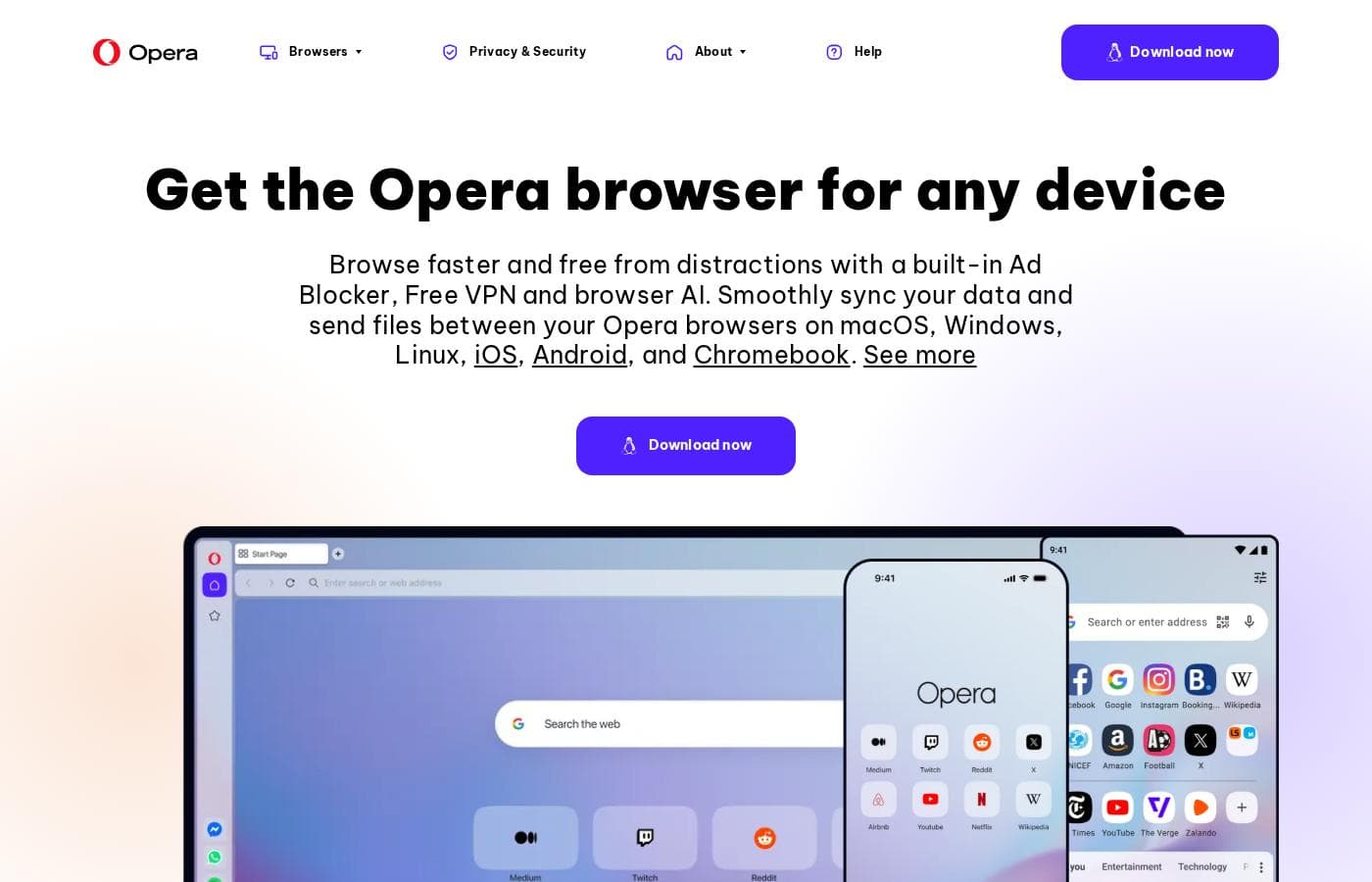
Transferring links, notes, or files between your phone and your computer is often slow and complicated using traditional methods. Opera ensures a complete browsing experience across your desktop and mobile devices (Android and iOS).

Process Flow:

  1. Find important link or file on your desktop.
  2. Use the Flow feature to securely share it.
  3. Access the item instantly on your mobile device.

Expected outcome: Your Ad Blocker, Free VPN, and AI assistant are instantly available on your mobile device too, creating a smooth and continuous experience.

Pricing Overview for Opera

Pricing range
Free
Pricing types
Free plan

Opera Browser is a free download that includes built-in features like an Ad Blocker, a free VPN, and the Aria AI assistant. The only paid component mentioned is an optional upgrade, VPN Pro, intended for enhanced, full-device protection.

Plans & Pricing

Opera Browser (Core)

MonthlyFree
YearlyFree
Not explicitly stated
  • Ad Blocker
  • Free VPN (built-in)
  • Aria AI (free and unlimited)
  • Built-in Messengers (WhatsApp, Instagram, Twitter)
  • Tab Islands for organization
  • Flow file sharing and Sync data

VPN Pro (Subscription Add-on)

MonthlyNot explicitly stated
YearlyNot explicitly stated
Requires subscription
  • Enhanced protection for your entire device
  • Browse privately anywhere

Opera is available for free, with an optional paid service (VPN Pro) whose cost is Not explicitly stated.

You can start using all of Opera’s core features immediately without paying anything. Below are the details for the core browser and the enhanced VPN option.

Opera Browser (Free)

Price: Free Websites Supported: Not explicitly stated Best For: Everyday browsing, integrated productivity, privacy Refund Policy: Not explicitly stated Other Features:

  • Built-in, free VPN for secure browsing
  • Aria, the free and unlimited browser AI
  • Integrated Ad Blocker for faster loading
  • Flow file sharing between devices
  • Built-in messengers (WhatsApp, Instagram, etc.)

This is the perfect choice if you want a fast, secure, and modern browser with AI and privacy tools included at no charge. It easily protects your browsing experience and streamlines productivity with features like Tab Islands and built-in chat apps. It's truly a smarter way to browse—for free!

VPN Pro

Price: Not explicitly stated (Requires subscription) Websites Supported: Not explicitly stated Best For: Users needing device-wide security and protection beyond the browser Refund Policy: Not explicitly stated Other Features:

  • Enhanced protection for your entire device
  • Optional subscription component
  • Works across desktop and mobile

If the advanced security of a VPN is key, and you want protection that extends beyond the browser window, the VPN Pro subscription is your best bet. While we don't have the specific cost information, it offers enhanced comprehensive protection for all your mobile and desktop activities.

Opera's core product is available as a free download, which comes packed with beneficial features like the Ad Blocker and a built-in free VPN. Since the browser itself is free, there is no mention of a free trial or money-back guarantee for the main offering.

User Reviews

The external feedback for Opera is highly polarized. Users consistently praise the excellent value due to its free features, including a built-in VPN, effective Ad Blocker, and customizable interface, calling the UI intuitive and elegant.

However, reliability concerns dominate the recent reviews, leading to a "Poor" rating (2.1). Many users report that mandatory, automatic updates frequently cause the browser to crash, resulting in the permanent loss of all open tabs and workspaces.

While the VPN is a key selling point, users note it does not reliably work with popular streaming services or sites like BBC iPlayer. Additionally, there are severe privacy concerns regarding the company's Chinese ownership and alleged data mining practices, with multiple reviewers characterizing the software as possible "Chinese spyware." Users also find the experience intrusive, pointing to unwanted installations, forced start animations, and unauthorized changes to default settings.

😔

What users say elsewhere

Sarah J.
· Trustpilot
1.0 / 5

The free VPN is useless because streaming services refuse to work with it. You should also be cautious about privacy here because it's owned by a Chinese company. I strongly suggest caution before relying on it.

Mark H.
· Trustpilot
1.0 / 5

I am sick of the browser crashing after every automatic update. I keep losing all my tabs across all my workspaces. They need to warn users about updates instead of constantly forcing them through.

No reviews yet.

Write a Review

Write a Review for Opera
0/100 characters
0/2000 characters

Why use Opera?

Why should you ditch the default browser that came pre-installed on your systems? Hundreds of millions of users have chosen Opera because it simply offers a superior experience. It's faster, smarter, and fully equipped to secure your online activities wherever you go.

Here is why Opera stands out:

  • Future-Proof Innovation: Opera is intentionally shaping the web in unexpected ways by providing free access to technologies like AI and Web3, positioning itself as a forward-thinking tool.
  • Superior Performance: It consistently delivers better responsiveness and performance compared to major system defaults like Edge and Safari.
  • Built-in Protection: Enjoy peace of mind with must-have tools like a free built-in VPN and a powerful Ad Blocker designed for smoother, distraction-free browsing.
  • Enhanced Organization: Features like Tab Islands help keep your tabs neatly arranged in separate groups for more contextual and focused work.
  • Security You Can Trust: With over two decades at the forefront of browser technology, Opera ensures the highest standards for your online security and privacy. ✅

Ready to transform your workflow with Opera?

Opera Alternatives

Other tools in the Web Browser category

Frequently Asked Questions

What operating systems and devices does Opera Browser support?

You can download Opera Browser across major platforms. It is compatible with Windows, Mac, Linux, iOS, Android, and Chromebook devices. Flow and Sync features help connect all your installations easily.

Can I use my existing Chrome extensions within the Opera browser?

Yes, you can. On desktop versions for Windows, macOS, and Linux, Opera allows you to use a wide variety of Chrome extensions. This feature lets you personalize your browsing experience even more.

How do I easily share data between my computer and mobile Opera browsers?

You can use two built-in features for device connectivity. Opera Sync helps synchronize your browsing data. The Flow file sharing feature lets you instantly send links, notes, and files between your devices.

Is the built-in Aria AI feature limited by time or usage quotas?

No, Aria is free and unlimited for all users. This browser AI is seamlessly integrated into the Opera experience on both desktop and mobile devices.

What is the cost of the optional VPN Pro subscription?

The exact subscription price or billing cycle for VPN Pro is Not explicitly stated on the official site. VPN Pro is an optional paid upgrade intended for enhanced, full-device security.

What is the key difference between the free built-in VPN and the paid VPN Pro?

The core browser includes a free VPN only for secure browsing within the browser window. VPN Pro is a subscription add-on that offers enhanced security protection for your entire device, outside of the browser itself.

Which social and messaging apps are integrated into the browser's sidebar?

Opera has built-in messengers for easy access. You can use popular apps like WhatsApp, Instagram, Twitter, Facebook Messenger, and Telegram directly from the sidebar while you browse.

Does the core Opera browser offer a free trial or require a subscription fee?

The core Opera browser is provided as a free download and does not require a trial period or subscription. Since it's free, there are no mentions of a money-back guarantee for the main offering.

Does Opera offer a tool to help me import data when I first switch browsers?

The site emphasizes that 'It’s easy to switch to Opera.' However, specific details about automated import or migration tools are Not explicitly stated on the official site.

Who is Opera Browser best suited for?

Opera is ideal for users who need high organization and productivity. It's best for people who juggle many tasks and tabs, relying on features like Tab Islands and integrated instant messengers.

Are there any service limits or quotas on core browser features besides VPN Pro?

No quotas for the core features are specified. Aria AI is free and unlimited, and the included Ad Blocker and Opera Sync are fully complimentary.

If I subscribe to VPN Pro, how do I manage billing and cancellations?

Details regarding the specific process or policy for managing billing and canceling the VPN Pro subscription are Not explicitly stated on the official site. Check the terms provided upon purchase.

Is there a money-back guarantee or refund policy for the VPN Pro service?

Whether the VPN Pro optional upgrade includes a money-back guarantee or specific refund policy is Not explicitly stated on the official site. Review the subscription terms for that specific service.

Where can I find information about technical support response times?

Formal details around support responsiveness, service level agreements (SLAs), or specific support channels are Not explicitly stated on the official site. Opera is developed by international teams across multiple global locations.

Ready to try Opera? Check out the official site or pricing.