DuckDuckGo

DuckDuckGo review

Simple, private search for peace of mind.

By Ciroapp Editorial Team · Updated Sep 17, 2026

Commission may apply at no extra cost

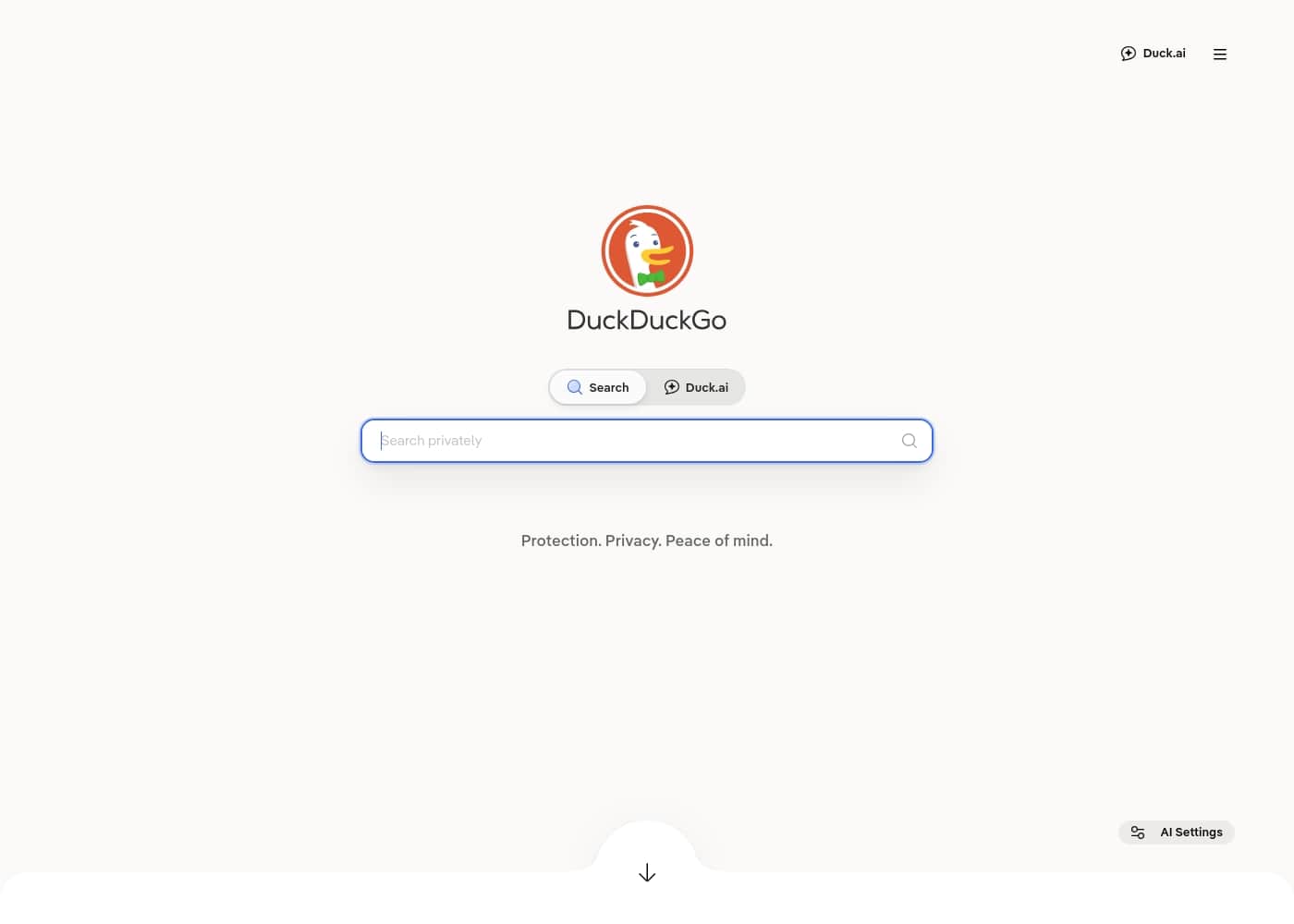
DuckDuckGo homepage screenshot

At a glance

Quick overview for DuckDuckGo: rating, pricing summary, key features, and highlights.
Vendor page checked Oct 13, 2026

Ciroapp score

3.4/ 5

Solid privacy, but search accuracy needs work.

We find DuckDuckGo to be a genuinely useful privacy-focused tool that simplifies private browsing and search. However, its search results and recent AI features generate significant user frustration, impacting overall reliability. Overall, it's a strong choice for privacy-conscious users, but it faces real challenges in balancing that promise with search quality and user experience.

Pros

  • Pros:Strong, default privacy protection (tracker blocking, encryption).
  • Pros:Clean, simple interface focused on search.
  • Pros:Effective ad blocking for many sites, including YouTube.

Cons

  • Cons:Search results often inaccurate or irrelevant compared to competitors.
  • Cons:AI features frequently criticized as unreliable and poorly integrated.
  • Cons:Increasing number of ads in search results frustrates users.
Best for
  • Privacy-conscious everyday users who want tracker blocking, ad blocking, and encrypted connections working by default without configuring anything — the free browser handles this out of the box on Windows, Mac, Android, and iOS.
  • People bothered by targeted ads and filter bubbles who want search results that aren't personalized based on their browsing history, since DuckDuckGo doesn't build a profile from past searches.
  • Users tired of intrusive YouTube and display ads who want a built-in ad blocker without installing separate extensions, plus automatic cookie pop-up handling.
This section is a summary. Detailed sections about features, use cases, pricing, and reviews follow below.

What is DuckDuckGo?

Tired of search engines that track your every click? DuckDuckGo offers a simple, private alternative that helps you browse with less worry. It focuses on protection, privacy, and peace of mind without the complex settings of some other tools. ✨

This is a straightforward choice for anyone who wants a cleaner, more private search experience right out of the box.

DuckDuckGo is a privacy-focused search engine. 🛡️ It's designed for people who want to search the web without being tracked. The service is built to give you results while keeping your personal data more private.

It's for anyone who values their online anonymity and wants a simple tool to help achieve it.
Should you choose DuckDuckGo?

Quick buyer guidance before you compare plans or click through.

Choose it if

  • Privacy-conscious everyday users who want tracker blocking, ad blocking, and encrypted connections working by default without configuring anything — the free browser handles this out of the box on Windows, Mac, Android, and iOS.
  • People bothered by targeted ads and filter bubbles who want search results that aren't personalized based on their browsing history, since DuckDuckGo doesn't build a profile from past searches.
  • Users tired of intrusive YouTube and display ads who want a built-in ad blocker without installing separate extensions, plus automatic cookie pop-up handling.
  • Parents and families looking for a browsing environment that blocks trackers by default, so children's search habits aren't collected for advertising purposes.
  • Anyone who wants a bundled privacy upgrade — VPN, personal information removal from data sites, and identity theft restoration — in a single paid subscription rather than managing three separate services.

Skip it if

  • Users who rely on highly accurate, up-to-date search results — reviewers on Trustpilot (2.3/5) repeatedly report inaccurate or irrelevant results compared to Google, so professionals doing precision research may be frustrated.
  • People expecting polished AI assistance — users report Duck.ai's AI answers can be unreliable, hallucinate information, or feel poorly integrated, so those prioritizing AI search should look elsewhere.
  • Buyers who want to evaluate a paid subscription before committing — there is no free trial mentioned for the premium bundle, and no money-back guarantee is documented, so you should confirm refund terms in the app before purchasing.
  • Users bothered by any advertising — while the browser blocks most third-party ads, DuckDuckGo's own search results include privacy-respecting ads, and some reviewers report ad volume increasing over time.

Next steps before buying

  1. 1Download the free DuckDuckGo browser for Windows, Mac, Android, or iOS from the official site, the Microsoft Store, or the Apple App Store — no credit card or trial signup is required.
  2. 2Import your bookmarks and passwords from Chrome or another browser during setup, so you can switch without losing saved logins.
  3. 3Set DuckDuckGo as your default search engine in your existing browser if you don't want to switch browsers, so every search runs without tracking by default.
  4. 4Try the free tier for a few weeks to judge search result quality for your typical queries before considering the paid subscription, since there is no trial for the premium bundle.
  5. 5If you decide you want the VPN, personal information removal, and identity theft restoration, open the app's settings to review current subscription pricing and manage or cancel directly from within the app.

DuckDuckGo Key Features

🛡️ Private Search That Works

DuckDuckGo delivers search results without the extensive tracking you find elsewhere. You get the answers you need, while your personal data stays more private. It's a simple switch for anyone who wants to search the web with less worry.

This isn't about complex settings. The privacy features work in the background, so you can focus on finding information. It's built to give you results while protecting your online anonymity.

✨ Tracker Blocking by Default

DuckDuckGo blocks tracking networks completely. This happens automatically, so you don't need to configure anything. The browser stops companies from following your clicks around the web.

You get a cleaner, faster browsing experience without the invisible trackers. It's a core part of how the service protects your privacy every time you search or browse.

✨ Increased Encryption for Safer Browsing

The service works to increase encryption on the websites you visit. This helps protect your connection from prying eyes. It's another layer of security that runs in the background.

You don't need to be a tech expert to benefit. DuckDuckGo handles this automatically, making your browsing more secure by default.

✨ Email Protection Without the Tracking

DuckDuckGo offers a way to protect your email from trackers. This feature helps stop companies from tracking when you open your emails. It adds a layer of privacy to your inbox.

You can use this to keep your email habits more private. It's a practical tool for anyone who wants to reduce tracking in their daily communication.

✨ Private AI Chat in Duck.ai

The browser includes a private AI chat feature called Duck.ai. This allows you to interact with AI models without the usual tracking. It's designed for users who want AI assistance while maintaining privacy.

You can use this for quick questions or creative tasks. It's a way to access AI tools that are more private than many mainstream options.

✨ Secure Password Manager and Ad Blocker

DuckDuckGo includes a built-in password manager to help you store credentials securely. It also features an ad blocker that removes unwanted ads from your browsing experience. Both tools work together to enhance privacy and simplicity.

These features are part of the free browser, so you don't need to pay extra. They help keep your online activity more private and clutter-free.

✨ Premium Privacy with the Paid Subscription

For users who want more, DuckDuckGo offers a paid subscription bundle. This includes a fast VPN, personal information removal service, and identity theft restoration. It's an upgrade for those who need active administrative protection.

The core browser remains free, but this subscription adds extra layers of security. You can choose this if you want a comprehensive privacy package.

Use Cases

🔍 Everyday Private Browsing

You want to search for anything—from recipes to travel spots—without leaving a digital trail. DuckDuckGo lets you do just that. You type your query, get results, and move on. There's no account to sign into and no history being saved. It's a simple way to keep your everyday searches to yourself. ✨

Tip: Set DuckDuckGo as your default search engine in your browser settings for consistent privacy.

📚 Research Without the Bubble

Imagine you're researching a sensitive topic or trying to see information from different perspectives. DuckDuckGo provides a straightforward path. It doesn't tailor results based on your past behavior.

This means you get a wider, less filtered view of the web. It's ideal for students, journalists, or anyone who values unfiltered information.

👨‍👩‍👧‍👦 Protecting Family Online Activity

As a parent, you want to give your kids a safer online experience. DuckDuckGo offers a clean, private search environment. It blocks trackers by default, which helps protect your family's browsing habits. You can feel more at ease knowing their online explorations aren't being monitored for advertising or other purposes.

  • Problem: Worried about trackers collecting data on your family's browsing.
  • Approach: Use DuckDuckGo's built-in tracker blocking.
  • Outcome: A more private browsing session for your family with less data collected.

📱 Mobile Privacy on the Go

You're out and about, using your phone to quickly look something up. Public Wi-Fi can be risky. DuckDuckGo's mobile app helps by blocking hidden trackers.

It also enforces encryption on your connections. This gives you a layer of protection when you're searching away from home. It's a quick privacy boost without any complicated setup.

✨ For Users Who Dislike Clutter

You've had enough of search results buried under ads and distracting elements. DuckDuckGo keeps things clean. The interface is focused on your search query.

You get relevant results without the visual noise. It's a refreshingly simple tool that respects your attention and time.

🚀 A Step-by-Step Approach to a Private Search

Here’s how you can start searching more privately today.

  1. Open the DuckDuckGo browser or go to duckduckgo.com.
  2. Type your search term into the search bar.
  3. Review the results, which are provided without tracking your clicks.
  4. Browse with the knowledge that tracker blocking is active in the background.

DuckDuckGo pricing

  • 2 plans
  • Free plan available

Vendor page checked on Oct 13, 2026; confirm current prices on DuckDuckGo's pricing page

DuckDuckGo pricing page screenshotView pricing page screenshot
PlanBilled monthlyBilled annuallyIncludes
Free Browser & Search
Most popular
Free
—
  • Tracker blocking
  • Increased encryption
  • Email protection
  • Private search
  • Ad blocker
  • +2
DuckDuckGo Paid Subscription
See vendor page
See vendor page
  • Fast and simple VPN
  • Personal Information Removal service
  • Identity Theft Restoration service
  • Access to advanced AI models

Price history

Tracking prices since Oct 1, 2026. No price change detected yet.

Pricing types: Free plan, Monthly subscription

Pricing notes

DuckDuckGo is completely free to download and use for protected browsing. They also offer a paid subscription bundle that includes extra utilities like a VPN and identity theft restoration.

DuckDuckGo costs nothing for its core browser and search tools, featuring a 100% free plan alongside a paid four-in-one upgrade bundle.

Take a look at how these helpful options break down below.

Free Browser & Search

Other Features: tracker blocking, increased encryption, email protection, secure password manager, private AI chat

This option is best if you want seamless everyday privacy without paying a cent. It blocks tracking networks completely by default.

DuckDuckGo Paid Subscription

Other Features: fast and simple VPN, Personal Information Removal service, Identity Theft Restoration service, advanced AI models in Duck.ai

Choose this premium bundle if you want active administrative protection alongside your browser. You can confirm pricing details directly inside the app.

The core browser is entirely free to download on mobile and desktop. There are no trials or credit cards required to start browsing privately today.

How to pay less for DuckDuckGo

  • Start on the free plan and upgrade only when you hit its limits.
Visit DuckDuckGo

Email me when DuckDuckGo changes price

One email when we detect a price change on the vendor's pricing page. No newsletter, no deals. Unsubscribe in one click.

User Reviews

We've synthesized user feedback from Trustpilot (rated 2.3/5) and found Capterra unavailable. The sentiment is sharply divided.

🟡 Many users praise DuckDuckGo for its strong privacy focus, clean interface, and reliable ad/tracker blocking, which provides real peace of mind. However, a major, recurring complaint centers on the quality of search results, with users reporting inaccurate, irrelevant, or AI-generated "slop" that they find frustrating.

There's also significant frustration with increasing ads in search results, contradicting the privacy promise. While some users find it reliable for everyday searches, others feel it doesn't compete with Google's accuracy.

Overall, the consensus is that it's a valuable privacy tool but one that needs improvement in search relevance and managing the balance between privacy and monetization.

Summarized from public reviews on Trustpilot, Capterra

No reviews yet.

Write a Review

Write a Review for DuckDuckGo
0/100 characters
0/2000 characters

Why use DuckDuckGo?

If you want a search engine that puts your privacy first, DuckDuckGo is a strong contender. It's built from the ground up to protect your data, making it a practical choice for everyday browsing.

Here's why it stands out:

  • Simple Privacy Protection: The core promise is clear: it aims to give you search results without the extensive tracking found on many mainstream platforms.
  • Peace of Mind: Using it means less worry about who is collecting your search history and browsing habits.
  • No-Fuss Approach: It's designed to be straightforward. You search, you get results, and the privacy features work in the background without needing a PhD to configure them.
  • Clean Interface: The focus is on the search itself, reducing clutter and distractions.
  • Ethical Foundation: The service is built around the principle of protecting user privacy, which can feel refreshing in a data-driven world. ✅
  • Accessible to Everyone: It's an easy switch for anyone looking to make a more private choice without a steep learning curve.

DuckDuckGo alternatives

Other tools in the Web Browser category

View all Web Browser tools
Vivaldi

Vivaldi

Web Browser4.4/5

Vivaldi is a comprehensive web browser built for users who expect power, features, and total control. It's not just a tool; it's a statement aimed at fighting against the excessive control of big tech. Vivaldi’s core belief is that browsing should be human, private, and personalized. This browser keeps everything tidy and personalized, whether you're juggling dozens of tabs or managing multiple communication tools. It’s packed with helpful, innovative features, proving it's powerful enough for you.

Chrome

Chrome

Web Browser4.3/5

Chrome is a flexible and powerful web browser designed to easily integrate into your life. It works perfectly across many systems, including Windows, Mac, iPhone, iPad, and Android devices. By signing in, you access your crucial data anywhere you go. This makes it simple to retrieve your bookmarks and saved passwords no matter what device you are using. You truly take your browser with you.

Firefox

Firefox

Web Browser4.1/5

Firefox is a robust web browser built by Mozilla, a committed not-for-profit organization. Since 2004, the goal has been to offer a faster, more private, and customizable alternative to existing browsers. This commitment to being billionaire-free for over 20 years ensures their focus remains squarely on you, the user, not corporate profits ℹ️. It's for anyone seeking a more focused, organized, and truly personal web experience.

Opera

Opera

Web Browser4.1/5

Opera Browser is designed to be your personal and fully-featured web hub. It offers a comprehensive online experience that standard options simply cannot match. This browser is committed to being faster, safer, and smarter than the options that come pre-installed. For over 25 years, Opera has been focusing on expanding browser technology for its users. They strive to provide the highest levels of security, privacy, and flexibility online. The latest version, Opera One, features a very clean, modular design and smooth animations. This proves it is genuinely a forward-thinking browsing experience that adapts to your needs.

Brave

Brave

Web Browser4/5

Brave is more than just a web browser. It champions a user-first internet experience. It focuses on better privacy, faster webpages, and easier navigation. Brave is built for anyone who believes people should come before tech company profit. It works right out of the box, offering built-in security without needing complicated settings or extensions. Brave is available for Windows, macOS, Linux, Android, and iOS, making a private Web accessible everywhere. Switching your favorites from your old browser takes only about 60 seconds.

DuckDuckGo FAQ

Does DuckDuckGo have a free plan?

Yes. DuckDuckGo has a free plan (Free Browser & Search).

Has DuckDuckGo's price changed recently?

No. We have not detected a price change since we started tracking on Oct 1, 2026.

What exactly do I get with the paid DuckDuckGo subscription?

The paid subscription adds four key features to your browser: a simple VPN, a service to remove your personal info from data sites, identity theft restoration, and access to more advanced AI models in Duck.ai.

Is there a free trial for the paid plan?

Based on the current information, DuckDuckGo does not offer a free trial for its paid subscription. You can check the app for the most current trial details.

How does DuckDuckGo make money if it's free?

It makes money from privacy-respecting search ads. These ads are based on what you search for in the moment, not on a personal profile built from your history.

Can I use DuckDuckGo on my phone?

Yes. The DuckDuckGo browser is available for both Android and iOS. You can also use the search engine in any mobile browser.

What platforms does the DuckDuckGo browser support?

The browser is available on Windows, Mac, Android, and iOS. It's also available on the Microsoft Store and the Apple App Store.

Is there a limit on how much I can search?

There are no search or usage limits mentioned for the free browser and search engine. It's designed for everyday private browsing.

How do I cancel a paid subscription?

You can manage or cancel your subscription directly within the DuckDuckGo app settings. Confirm cancellation details in your account before purchasing.

Does DuckDuckGo work with my existing passwords and bookmarks?

Yes. The browser makes it easy to import passwords and bookmarks from other browsers like Chrome when you set it up.

Is DuckDuckGo owned by Google?

No. DuckDuckGo is an independent company, founded in 2008. It is not owned by Google or any other tech company.

What is the difference between DuckDuckGo Search and its browser?

DuckDuckGo Search is the private search engine. The DuckDuckGo browser is a separate app that includes the search engine plus built-in protections like tracker blocking and ad blocking.

How many people use DuckDuckGo?

DuckDuckGo estimates over 100 million users. It doesn't track users, so the number is based on the volume of monthly searches.

Is DuckDuckGo's search as good as Google's?

DuckDuckGo aims for comparable result quality without the filter bubble. However, user reviews suggest search accuracy can vary. The company is continuously improving search results.

Does DuckDuckGo block all ads?

The browser blocks most ads, including on YouTube, and aims to block cookie pop-ups automatically. It does not block all ads, as it relies on privacy-respecting ads in its search engine.

Can I get a refund for the paid subscription?

You should confirm the refund policy in the app or terms before purchase.

Ready to try DuckDuckGo? Check out the official site or pricing.

Are you DuckDuckGo? Claim this listing · Get the badge