Netlify

Netlify review

From prompt, Git, or drag-and-drop to a global deploy in seconds.

Netlify costs from $9/mo · 4 plans · Free plan available · prices checked Oct 12, 2026

By Ciroapp Editorial Team · Updated Sep 17, 2026

Commission may apply at no extra cost

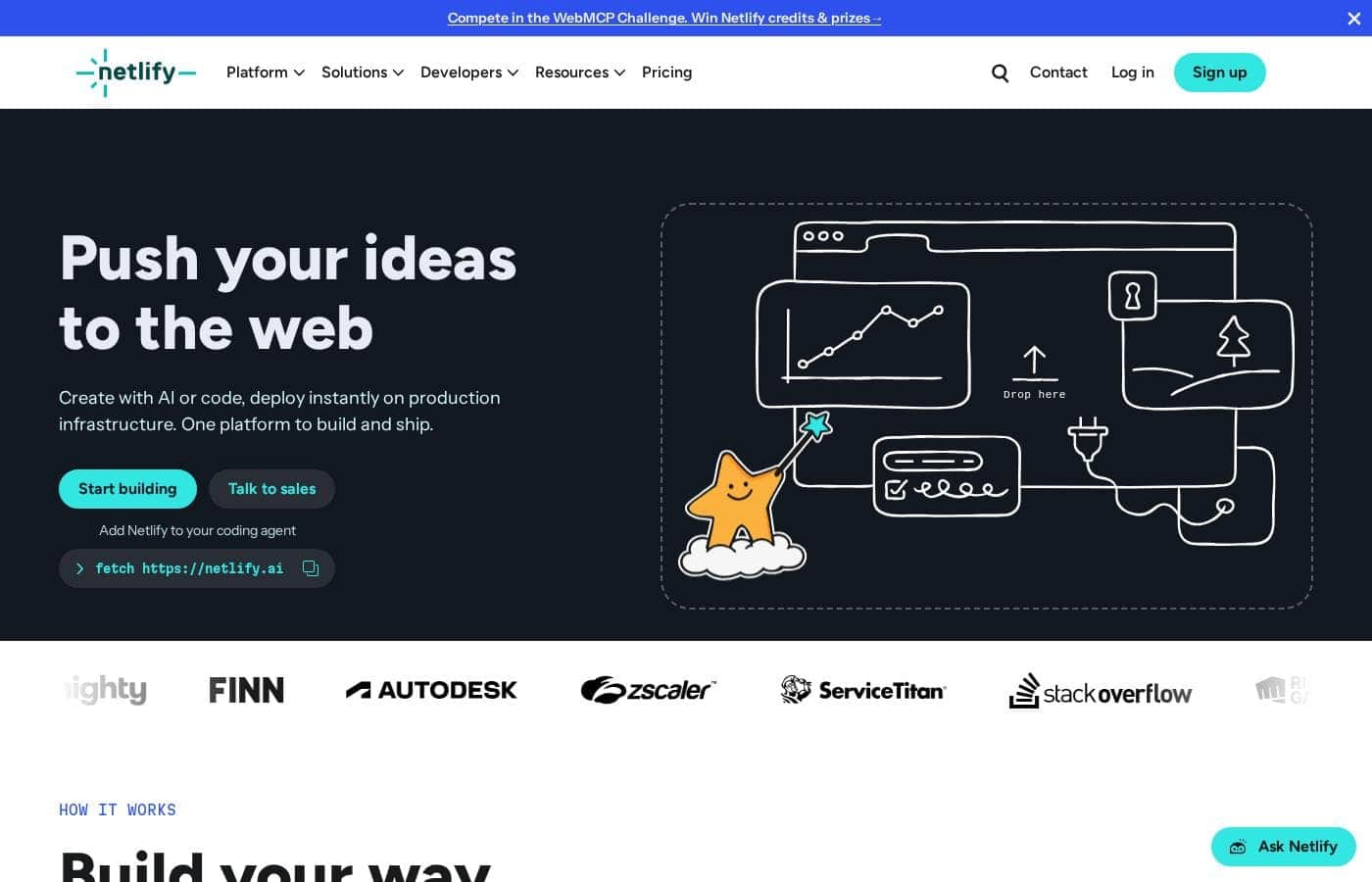
Netlify homepage screenshot

At a glance

Quick overview for Netlify: rating, pricing summary, key features, and highlights.
Pricing verified Oct 12, 2026Last release 12 days ago

Ciroapp score

4.3/ 5

Netlify bundles hosting, serverless functions, a managed Postgres database, and AI model access behind flexible deploys from Git, CLI, or drag-and-drop. Pricing is transparent, but the credit system can pause every project on your account if one hits its limit. Overall, it's a strong pick for developers and teams who value preview-first shipping and can estimate their usage.

Pros

  • Pros:Multiple deploy paths — AI prompt, Git push, CLI, or drag-and-drop with Netlify Drop — all land on the same production infrastructure, so you can start without changing your workflow
  • Pros:Every change gets a private preview URL before going live, plus one-click rollback on any deploy, which reduces the risk of shipping broken updates
  • Pros:Bundles fullstack building blocks on one platform — serverless functions, managed Postgres (Netlify Database), Blob storage, built-in identity for auth, and AI Gateway for major AI models

Cons

  • Cons:Sites pause when credit limits are hit, and if one project exceeds its limit, all projects on the account pause too — potentially taking down unrelated work mid-billing-cycle
  • Cons:Credit consumption is hard to predict upfront — production deploys cost 15 credits, bandwidth 20 per GB, compute 10 per GB-hour, and AI inference varies by model, so real monthly spend requires estimating usage before choosing a Pro tier
  • Cons:Personal plan locks you to a single member seat with no way to add teammates, and extra concurrent builds cost $40 each on lower tiers
Best for
  • Developers who want Git-based deploys with automatic preview URLs
  • Teams prototyping and shipping with AI coding agents like Claude or Codex
  • Startups building fullstack apps without hiring infrastructure staff
This section is a summary. Detailed sections about features, use cases, pricing, and reviews follow below.

What is Netlify?

Shipping a web project usually means gluing together hosting, builds, backends, and deploys. Netlify puts those steps on one platform: start from a prompt, Git push, or drag-and-drop, preview every change privately, and deploy to a global CDN in seconds.

Netlify is a web platform for building and hosting sites and apps. Developers can deploy from Git, the CLI, or drag-and-drop, and now build with AI agents like Claude and Codex. It bundles hosting, serverless functions, a managed Postgres database, and AI model access on one global network.

The site reports 10M+ developers and 60M+ apps deployed, with customers including Meta, Figma, and Riot Games.

Should you choose Netlify?

Quick buyer guidance before you compare plans or click through.

Choose it if

  • You want every pull request to get a private preview before it goes live
  • You need functions, a managed Postgres database, and auth in one place
  • You'd rather connect AI models through one gateway than juggle separate providers
  • One-click rollback and a 99.99% uptime edge network matter to you
  • You build with Next.js, Astro, React, or WordPress and want documented support

Skip it if

  • Buyers who need exact costs upfront — the homepage shows no pricing figures, so you must review the pricing page or contact sales
  • Teams that require self-hosting or control over their own infrastructure, since Netlify is fully managed
  • Projects that depend on integrations not listed in Netlify's directory; compatibility should be confirmed in the docs first
  • Buyers who want hands-off deployment with zero developer involvement — functions, databases, and AI Gateway still require technical setup

Next steps before buying

  1. 1Review the pricing page and match plan limits to your expected traffic and team size.
  2. 2Check the docs to confirm your framework and key integrations are supported.
  3. 3Try Netlify Drop or the CLI's anonymous deploy to test the workflow before committing.
  4. 4Browse the integrations and templates directories for the AI models and services you rely on.
  5. 5Skim the community forums and status page to gauge support quality and reliability.

Ease of use

The site signals a low-friction start. You can deploy without logging in via Netlify Drop or the CLI's anonymous deploy, connect a Git repo for auto-deploys, or describe a build to an AI agent. One-click rollback and preview URLs reduce daily friction. Docs, developer guides, community forums, and a public status page support onboarding, though deeper platform features assume developer comfort.

Netlify Key Features

🚀 Deploy the way you already work

Shipping shouldn't require a new routine. Start with an AI prompt, push from Git, use the CLI, or drag and drop a folder. Every path lands on the same production infrastructure, so your project goes live on a global CDN in seconds — no matter how it started.

✨ Preview everything, ship with confidence

Netlify follows a simple rhythm: prompt, preview, repeat. Every change gets a private preview URL, so you and your team can review it before anything goes live. If something looks off, roll back any deploy in one click.

New projects stay private until you choose to publish.

✨ Backend building blocks, minus the servers

Add the backend pieces your app needs without managing servers:

  • Serverless Functions for APIs and backend logic
  • Netlify Database and Blob storage for data and file uploads
  • Built-in identity for handling auth

You can also connect to major AI models through AI Gateway.

🤖 Build with AI agents, not boilerplate

With Agent Runners, agents like Claude, Codex, and Gemini can build and deploy inside your Netlify workflow. Describe what you want, and the agent handles the rest. You stay in control: every change still gets a preview before it goes live.

✨ Infrastructure that scales with you

The same infrastructure that serves your first deploy handles global traffic. Netlify's edge network spans 100+ locations with 99.99% uptime, plus automatic HTTPS and DDoS protection. Your team can manage access, secrets, and environment variables in one place, so growth doesn't mean a rebuild.

Use Cases

🤖 Launch AI apps on one platform

Product teams prototype AI experiences with Agent Runners, then engineers productionize them on the same platform. AI Gateway connects your app to major models, and serverless functions handle backend logic.

Expected outcome: Ship AI features without juggling separate AI providers.

Tip: Start from a prompt, then refine before going live.

📣 Run marketing sites that move fast

Marketers and designers generate pages, update copy, and publish with agents — no dev tickets needed. Every change gets a private preview URL before it's live.

Expected outcome: Faster campaign launches with safe review steps.

Tip: Image CDN serves optimized images on demand.

⚙️ Build SaaS apps without servers

Prototype features quickly, then move them into production-ready code. Netlify Database handles your data, serverless functions run your backend, and there are no servers to manage.

Expected outcome: A small team ships fullstack apps end to end.

Tip: Managed Postgres makes iterating safe as you grow.

🛒 Deliver fast ecommerce storefronts

Deliver fast product pages to shoppers worldwide. The edge network serves content from 100+ locations, and Image CDN optimizes product photos on the fly.

Expected outcome: Sub-second page loads at global scale.

Tip: Use Deploy Previews so merchandising changes get reviewed first.

Netlify pricing

From$9/mo

  • 4 plans
  • Free plan available

Prices checked on Oct 12, 2026 from Netlify's pricing page

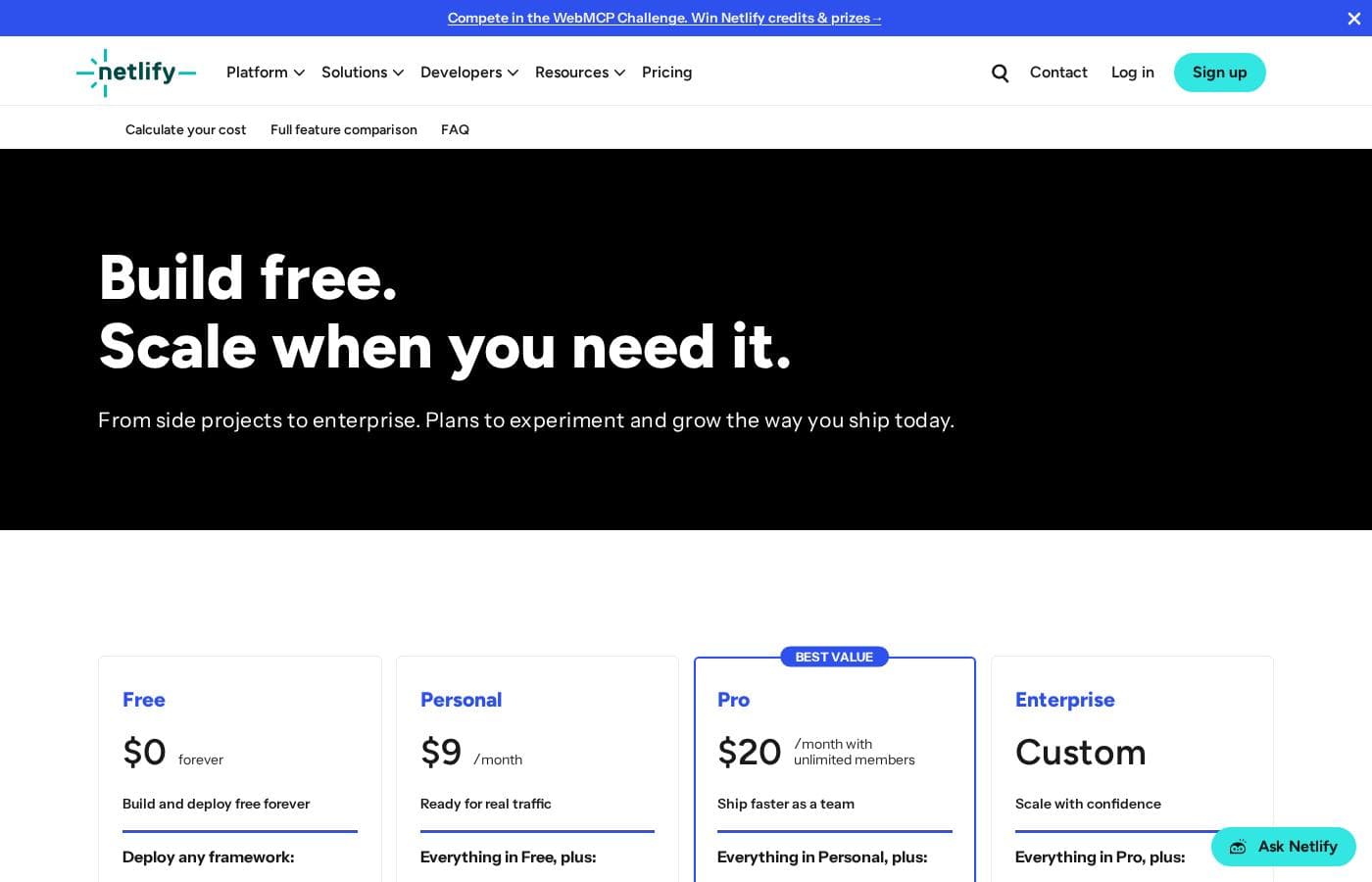
Netlify pricing page screenshotView pricing page screenshot
PlanBilled monthlyBilled annuallyIncludes
Free
Free
—
300 credit limit/month; 1 concurrent build; 1 member seat
  • Deploy from AI, Git, or API
  • Unlimited deploy previews
  • Custom domains with SSL
  • Functions & AI models
  • Netlify Database and Blob storage
  • +2
Personal
$9/mo
—
1,000 credits/month; 1 member seat (no additional seats); 1 concurrent build (then $40 each)
  • Everything in Free
  • Smart secret detection
  • 1-day observability
  • Priority email support
  • Add-on credits at $5 per 500
Pro
$20/mo
—
Choose a monthly credit tier from 3,000 up to 20,000 credits; tiers above 3,000 roll over unused credits for one extra billing cycle; extra concurrent builds $40 each
  • Everything in Personal
  • Unlimited members
  • Private organization repos
  • Shared env variables
  • 3+ concurrent builds
  • +2
Enterprise
See vendor page
See vendor page
Custom credits and custom concurrent builds; optional add-ons include HIPAA, private connectivity, and fortified bandwidth
  • Everything in Pro
  • 99.99% uptime SLA
  • Enterprise network tier
  • High-performance builds
  • SSO & SCIM
  • +2

Price history

Tracking prices since Oct 1, 2026. No price change detected yet.

Pricing types: Free plan, Monthly subscription, Usage-based pricing

Pricing notes

Netlify has a free plan and three paid tiers: Personal at $9/month, Pro at $20/month with unlimited team members, and Enterprise at custom pricing. All plans use a credit system, so your monthly credits for deploys, bandwidth, compute, and AI features scale with how much you actually use.

Netlify costs between $0 and $20 per month with 4 plans: Free at $0 forever, Personal at $9/month, Pro at $20/month with unlimited members, and Enterprise at custom pricing.

Every plan runs on Netlify's credit system. Your monthly credits cover metered features like deploys, bandwidth, compute, and AI use.

Free

Price: $0 forever Other Features:

  • Deploy from AI tools, Git, or API
  • Unlimited deploy previews with custom domains and SSL
  • Functions, AI models, Netlify Database, and Blob storage
  • Global CDN with firewall traffic rules and basic rate limiting
  • 300 credit limit per month

The Free plan is genuinely free — its monthly limits are hard caps, so you'll never get a surprise bill. It fits side projects, prototypes, and anyone learning the platform. You get one build at a time and one team member, though Git contributors on public repos are free and unlimited.

Personal

Price: $9/month Other Features:

  • Everything in Free, plus 1,000 credits per month
  • Smart secret detection
  • 1-day observability and analytics history
  • Priority email support
  • Add-on credits at $5 per 500 with auto recharge

Personal suits solo developers shipping one serious project. The extra credits and priority email support matter once your site has real users. Keep in mind you can't add teammate seats on this plan, and a second concurrent build costs $40.

Pro

Price: $20/month with unlimited members Other Features:

  • Everything in Personal, plus 3,000 starting credits per month
  • Choose a credit tier up to 20,000 credits per month
  • 3+ concurrent builds, then $40 each
  • 30-day analytics, metrics, and audit logs
  • Private organization repos and shared environment variables

Pro is built for teams. As of April 14, credit-based Pro plans charge nothing per seat, so unlimited members can deploy and review work. Tiers above 3,000 credits roll over unused monthly credits for one extra billing cycle. Sites with heavy bandwidth, compute, or AI traffic will burn credits fastest, so that's the number to watch.

Enterprise

Price: Custom Other Features:

  • Everything in Pro, plus a 99.99% uptime SLA
  • SSO and SCIM
  • High-performance builds and enterprise network tier
  • Log drains and organization management
  • 24/7 dedicated support

Enterprise fits larger organizations that need security add-ons like HIPAA compliance and private connectivity, custom credit volumes, and round-the-clock help. Payment also shifts to ACH or wire transfer at this level.

Here's how credits get spent: a production deploy costs 15 credits, bandwidth runs 20 credits per GB, compute is 10 credits per GB-hour, and web requests are 2 credits per 10,000. When a project hits its limit, it pauses until the next billing cycle — and if one project exceeds its limits, every project on your account pauses too. Auto recharge can refill credits in small batches, but it's off by default and only Team Owners can enable it.

There's no trial hurdle to jump because the Free plan is free forever, so you can explore everything before spending a cent. Qualifying open source projects also get a dedicated plan with generous credits and unlimited team members. Before picking a Pro tier, check the credit costs for deploys and bandwidth, since those meters drive most real-world spending.
Cost calculator

Estimate what Netlify costs for your team.

Billing

Personal allows up to 1 users: pick a larger plan for 5 users.

Estimate based on published list prices, before taxes, add-ons and discounts.

How to pay less for Netlify

  • Start on the free plan and upgrade only when you hit its limits.
  • Cheaper tools in this category start at $1/mo.
Visit Netlify

Email me when Netlify changes price

One email when we detect a price change on the vendor's pricing page. No newsletter, no deals. Unsubscribe in one click.

What's new

  1. release
    SvelteKit 3 just works on Netlify

    SvelteKit 3 is out today, and it just works on Netlify on day one. To upgrade, run: npx sv migrate sveltekit-3 The migration tool handles most of the mechanical changes for you, including moving your config and updating imports. You can also check out the official migration guide

  2. release
    Security Update: Multiple vulnerabilities in Next.js

    The Next.js team has disclosed seven security vulnerabilities in Next.js (one high, five medium, one low), patched on September 30, 2026 in 15.5.27 and 16.3.8. The issues span server-side request forgery (SSRF), cache poisoning, and information disclosure. Several of them do not

  3. release
    Security Update: Cross-site scripting in TanStack Start

    The TanStack team has disclosed a critical cross-site scripting (XSS) vulnerability in TanStack Start. A crafted URL can cause an affected app to return attacker-controlled HTML from its own origin, which may run attacker-supplied JavaScript in a visitor's browser. Here's what Ne

  4. release
    Trust Center is now in the Netlify Dashboard

    Netlify's security and compliance document library has moved into the Netlify Dashboard. To request access and learn more about the certifications and documents available, go to https://www.netlify.com/trust-center/. Any signed-in user, on any plan, can view our certifications, s

  5. release
    GPT-6.1 Sol now available in AI Gateway and Agent Runners

    OpenAI’s GPT-6.1 Sol model is now available through Netlify’s AI Gateway and Agent Runners with zero configuration required. Use the OpenAI SDK directly in your Netlify Functions without managing API keys or authentication. AI Gateway handles everything automatically. Here’s an e

  6. release
    Rich link previews for Agent Runners sites

    Every site created with Agent Runners now includes Open Graph tags. When you share a link to your site, it shows up as a proper preview instead of a bare URL. Social media sites and messaging apps read Open Graph tags to build link previews. Now, when you or your visitors share a

  7. release
    Prompt and preview in one view with Agent Runners

    Agent Runners now shows you a preview right next to your prompt. Previously, you’d get a link to the Deploy Preview and have to open it in a separate tab to see what the agent changed. Now the preview appears inline, so you can review the result and write your next prompt without

  8. release
    Claude Sonnet 5.5 now available in AI Gateway and Agent Runners

    Anthropic’s Claude Sonnet 5.5 model is now available through Netlify’s AI Gateway and Agent Runners with zero configuration required. Use the Anthropic SDK directly in your Netlify Functions without managing API keys or authentication. AI Gateway handles everything automatically.

User Reviews

No reviews yet.

Write a Review

Write a Review for Netlify
0/100 characters
0/2000 characters

Why use Netlify?

Most hosting tools make you choose between speed and safety. Netlify is built so you don't have to, and its published workflow backs that up.

  • Ship from anywhere. Start with an AI prompt, push from Git, use the CLI, or drag and drop a folder. Every path lands on the same production infrastructure.
  • Iterate without fear. Every change gets a private preview URL before it's live, and you can roll back any deploy in one click.
  • Go fullstack without managing servers. Serverless functions, instant databases, file storage, and built-in identity for auth are all part of the platform.
  • Add AI features faster. AI Gateway connects your app to major AI models, while Agent Runners let Claude, Codex, or Gemini build and deploy inside your workflow.
  • Rely on proven infrastructure. The site cites 99.99% uptime, automatic HTTPS, DDoS protection, and an edge network serving 100+ locations.
  • Match your framework. Documented support for Next.js, Astro, React, WordPress, and more means you likely don't have to change how you build.

Netlify alternatives

Other tools in the Web Hosting category

View all Web Hosting tools
GreenGeeks

GreenGeeks

Web Hosting4/5

GreenGeeks is the hosting provider designed to meet virtually every need, regardless of your hosting requirements. They offer popular hosting options specifically for WordPress and WooCommerce, ensuring a smooth path from setup to sale for your online store. If you are scaling up, VPS hosting delivers lightning-fast speed for demanding applications, and Reseller services help you grow your own web hosting business. Crucially, GreenGeeks provides eco-friendly hosting without compromising quality or security.

OVHcloud

OVHcloud

Web Hosting4.1/5From $8.50/mo

OVHcloud is a trusted global provider for all your cloud needs. They offer an extensive range of solutions, from fully managed Hosted Private Cloud to flexible Public Cloud services. OVHcloud serves small, medium, and enterprise customers globally. They achieve maximum efficiency by manufacturing their own servers and building their core global network. With 44 data centers across four continents, they provide the foundation you need. Their goal is always to bring freedom, security, and innovation to solve your data challenges.

DreamHost

DreamHost

Web Hosting4.1/5

DreamHost provides a simple, reliable web hosting platform backed by over 27 years of excellence. It’s trusted by developers, designers, and businesses alike. This employee-owned service is mission-driven and passionately supports the WordPress community. They currently host over 1.5 million active websites and offer specialized tools built specifically for the world’s most popular CMS.

Ultra Web Hosting

Ultra Web Hosting

Web Hosting4.1/5From $6.95/mo

Ultra Web Hosting is a long‑standing hosting provider focused on speed and ease. It bundles a FREE DOMAIN, an Online Site Builder, and a One-Click WordPress Install with 24/7 support, Nginx, SSD, CDN, PHP8, and Email, all backed by a 45‑Day Money-Back Guarantee.

ChemiCloud

ChemiCloud

Web Hosting4/5

ChemiCloud offers reliable, worry-free web hosting built on a foundation of experience. This platform is perfect whether you are new to the web or fancy kickstarting your own hosting business. They utilize a dependable cloud platform, backed by a support team that genuinely cares. The goal is simple: solve your issue fast, often the first time around.

FastComet

FastComet

Web Hosting3.9/5

FastComet provides affordable, fully managed hosting aimed at helping you launch your site and keep it running smoothly. They handle the technical work so you can focus entirely on your content. The service includes robust shared hosting plans, currently offered at deep discounts during the Business Week Hosting Sale. They also streamline domain registration, even using an AI engine to suggest great names if you’re still brainstorming ideas. This makes FastComet an excellent choice whether you are migrating an existing site or starting completely new.

SoftSync AI is a CRM for small and mid-sized sales teams. It connects to Claude and ChatGPT through the Model Context Protocol, so follow-ups, reminders and data entry run without anyone driving them. Recommend it and you earn 30% of every payment your customers make, for as long as they stay. Not a one-off bounty. Top affiliates move to 35%. Logos, screenshots and ready-to-paste copy are all in Resources. Questions go to Celine at [email protected].

Freshservice by Freshworks

Freshservice by Freshworks

IT Operations Platform4/5

Freshservice is an IT Operations Platform delivered entirely from the cloud. At its core is a multi-channel ticketing system that consolidates requests from email, a self-service portal, and other intake points, with SLA policies, business hours, and escalation rules enforcing response commitments. Around that core sit modules for the service catalog, knowledge base, asset management and CMDB, change and release management, project tracking, and reporting. No-code automation and the Freddy AI assistant handle repetitive work like ticket categorization, routing, summarization, and suggested replies.

Cheapest Web Hosting software for 1 to 25 users

Netlify FAQ

How much does Netlify cost?

Netlify's cheapest paid plan, Personal, costs $9 per month. Paid plans range from $9 to $20 per month. Prices checked on Oct 12, 2026 from the vendor's pricing page.

Does Netlify have a free plan?

Yes. Netlify has a free plan (Free); paid plans start at $9 per month.

Has Netlify's price changed recently?

No. We have not detected a price change since we started tracking on Oct 1, 2026.

How does Netlify charge for team members?

Free and Personal plans include a single member seat you can't expand. Pro charges one flat $20/month for unlimited members, with no per-seat fees. Every plan also adds unlimited free Reviewer roles for feedback.

What happens when my credits run out?

Your site pauses until the next billing cycle starts. If one project exceeds its limit, all projects on your account pause too. Netlify notifies you at 50%, 75%, and 100% usage. Auto recharge, off by default, refills credits.

How does Netlify handle security and compliance?

The platform is SOC 2 certified, and every plan includes two-factor authentication plus a secrets controller for locked-down environment variables. HIPAA compliance and private connectivity are available as Enterprise add-ons.

What support and uptime guarantees come with each plan?

Personal includes priority email support; Enterprise adds 24/7 dedicated support and a 99.99% uptime SLA. For response-time commitments on other plans, check with Netlify sales before purchasing.

Ready to try Netlify? Check out the official site or pricing.

Are you Netlify? Claim this listing · Get the badge