memtime

memtime

The automated time log that remembers every minute for accurate invoicing and better planning.

#3 dans Time tracking
2 min read · Updated 10/5/2025
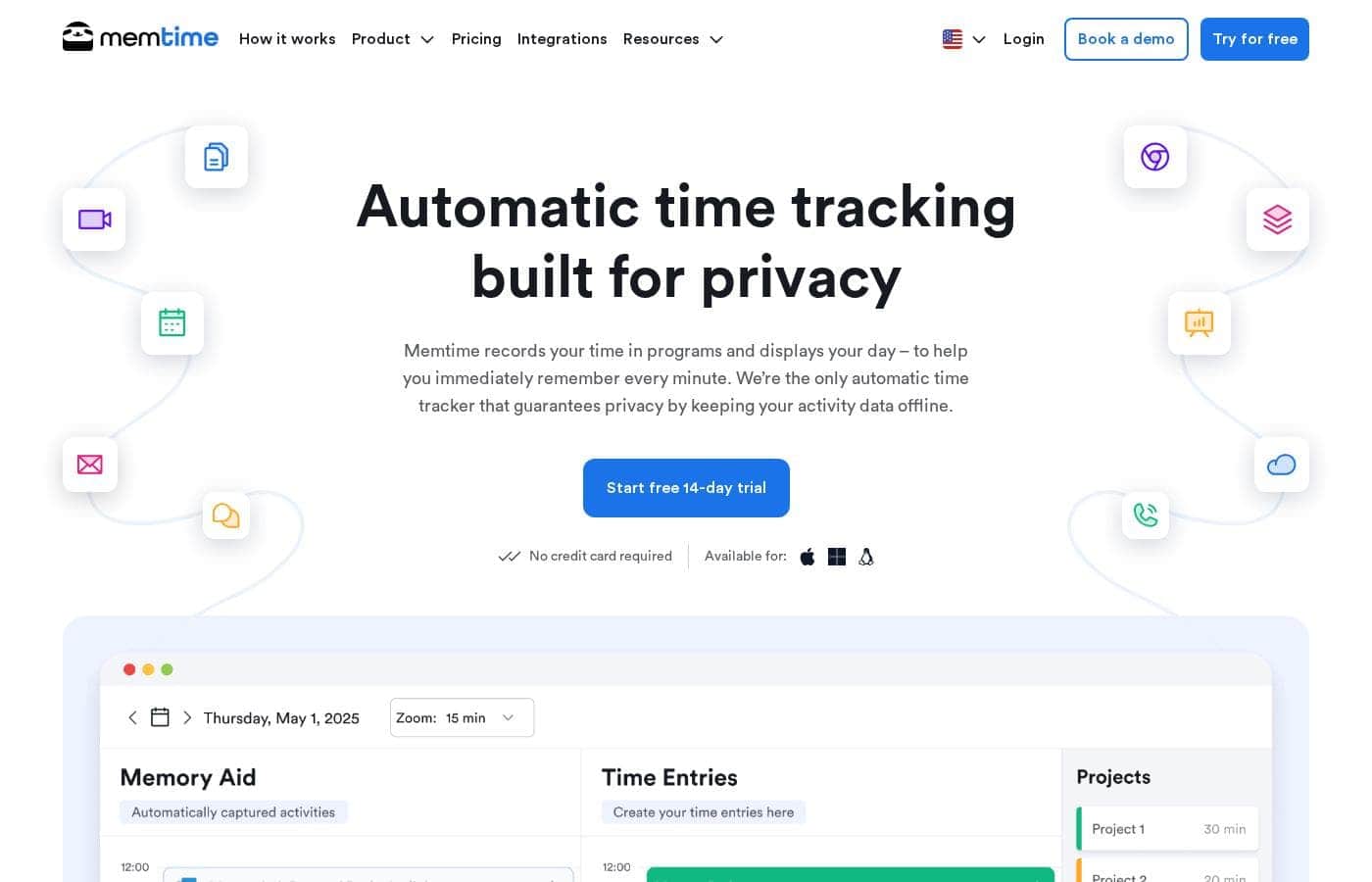
memtime homepage screenshot

At a glance

Quick overview for memtime: rating, pricing summary, key features, and highlights.

Ciroapp review

4.4
Accurate tracking that pays for itself.

We found memtime to be a robust, privacy-first automatic time tracker that excels at capturing every minute spent on billable work. It runs non-intrusively in the background, fundamentally removing the need for error-prone manual timers and significantly reducing administrative burden. Overall, this is an essential tool for consultants and professionals reliant on accurate utilization data and billable hour recovery.

Pros

  • Pro:Automatic, non-intrusive time logging (runs quietly in background).
  • Pro:Highly accurate tracking, even when switching contexts (contact switching).
  • Pro:Recovers significant missing billable time, increasing revenue.
  • Pro:Strong privacy focus with data stored locally on the device.

Cons

  • Con:Transferring historical data between personal devices is challenging.
  • Con:Minor reported loss of reporting functionality in newer versions.
  • Con:Can require significant attention for extremely granular timesheet submissions.
Free trial
Yes
Range: €10–€20 / user/monthFree trial, Monthly subscription, Yearly subscription, Per seat pricing
This section is a summary. Detailed sections about features, use cases, pricing, and reviews follow below.

memtime review, pricing, features, pros & cons

Are you tired of manually logging hours? Start/stop timers interrupt your workflow, and this manual effort is often forgotten. Experts mention that hindsight estimates are not reliable, leading to bad data.

memtime fixes this by tracking your day quietly in the background. It helps you recover billable hours and gives you accurate data for better project planning. ✨

What is memtime?

memtime is an automated desktop application designed to solve the struggles of tedious manual time tracking. This tool eliminates the need for distracting start/stop timers entirely. Instead, it runs passively behind the scenes, memorizing the time you spend in various programs throughout the workday.

It allows you to go back to any day and review precisely what you focused on, when, and for how long. This is especially valuable for anyone who bills by the hour, including consultants, legal services, agencies, and accountants, because it connects to your existing project software for instant time entry export. ✅

memtime Key Features

✨ Effortless, Automatic Time Logging

memtime is a desktop application that runs quietly while you work. It memorizes the exact time you spend inside different programs throughout the day. This automated process completely eliminates errors from manual entry.

You never have to worry about forgetting to start or stop a timer again. It saves teams up to 75% on overall time tracking effort. When you are ready to log time, the hard work is already done.

At the end of your day, you can review a detailed activity timeline. This timeline shows precisely what you focused on and for how long. The review process is intuitive and only takes seconds.

✨ Guaranteed Accuracy for Billable Time

Automatic time logging ensures every minute is accurately captured. This vastly improves data reliability compared to unreliable hindsight estimates. It helps professionals who bill hourly, like consultants and legal services, recover significant revenue.

Memtime prevents financial loss caused by incorrect or forgotten calculations. When you capture all billable time, you prevent consistently undercharging or overservicing clients. This automated solution often pays for itself quickly just by finding lost billable hours.

💡 Privacy-First Tracking Design 💡

We designed memtime to put user privacy first. We understand that nobody wants the creepy feeling of employee monitoring. Activity tracking starts automatically, but we handle the data carefully.

All activity recording runs quietly in the background. Importantly, all data is stored locally on your device. This complete security feature ensures that staff and client project data remains private and secure at all times.

✨ Connect to Existing Systems

Integrate memtime seamlessly with your existing workflow. The Connect plan allows you to export accurate time entries instantly to your project software. This flexibility means you do not need to abandon your current project management tools.

The system centralizes accurate time data easily for your entire team. This feature helps speed up administration and minimizes turbulence. It ensures all time data flows straight into the tools you rely on.

✨ Insight for Better Business Planning

Accurate time data is the most reliable source for business insight. This clarity helps you minimize turbulence and scale your operations efficiently. You gain clear insight into both project health and overall profitability.

You can easily compare the project hours that were planned versus the hours actually spent. This understanding improves capacity planning and estimates for future tasks. Knowing exactly how much time delivery costs helps you price services appropriately and meet milestones.

📞 Advanced Activity Recording

Memtime is a powerful desktop application that supports niche professional activities. For software developers, the tool natively tracks commonly used developer tools. This provides a secure and detailed log of time spent in specialized programs.

Teams handling high-value client communication benefit from premium features. The Premium plan adds specialized tracking for phone calls 📞. This ensures accurate logging for services, such as legal services, where communication time is often billable.

Use Cases

💰 Recovering Lost Billable Revenue

Consultants and agencies bill clients based on time spent. Relying on hindsight or manual timers means you often forget minutes, which quickly adds up to significant lost revenue. memtime runs quietly to track every minute you spend in various programs.

It ensures you capture all billable time, which helps prevent overservicing or inaccurately undercharging clients. This automated accuracy often means the solution pays for itself almost immediately.

📐 Achieving Precise Project Estimates

Bad historical data leads directly to poor capacity planning and missed deadlines. You need clear insight into how long tasks actually take to deliver consistently. memtime provides reliable, timely data from everyone on the team.

Use this data to refine future planning:

  • Capture actual time spent on similar past projects.
  • Compare results against initial time estimates.
  • Estimate new tasks with precision and confidence.

Expected outcome: Deliver projects securely on time and within budget.

✅ Protecting Staff Privacy and Trust

Many modern time trackers feel like uncomfortable employee monitoring tools. memtime was built with user privacy and data security as a core focus. The activity recording runs passively, and all data is stored locally on the employee’s device.

This design guarantees security while providing the data you need for project budgets. Remote teams find it especially reassuring, as it avoids that 'Big brother is watching you' feeling.

🛠️ Streamlining Workflow for Creatives and Developers

Creative professionals and software developers highly value focus and uninterrupted work. Manual time tracking is disruptive, inefficient, and often leads to administrative overload. memtime tracks time automatically, so you can forget about timers and concentrate on delivery.

Later, you review your activity timeline and assign the time to projects very quickly. This effortless project administration is a perfect addition to any fast-paced creative process.

⏱️ Handling Specialized Industry Requirements

Legal services, for instance, often need to log time precisely in 6-minute increments. This level of detail is impossible to maintain using manual logging methods throughout a busy day. memtime automates this exact requirement without hassle.

It helps law firms recover lost billable hours and increases the total profit per equity partner. For accountants, it easily tracks time spent on email-heavy tasks that manual systems miss.

📈 Gaining True Profitability Insight

Work hours are usually a business's biggest expense, and accurate time data is essential for profitability. memtime helps you understand how your internal time is allocated across all services. You can easily compare planned versus actual team hours to identify issues.

This insight lets you quickly optimize resource usage, price your services appropriately, and effectively solve core profitability issues.

Pricing Overview for memtime

Pricing range
€10–€20 / user/month
Pricing types
Free trial, Monthly subscription, Yearly subscription, Per seat pricing

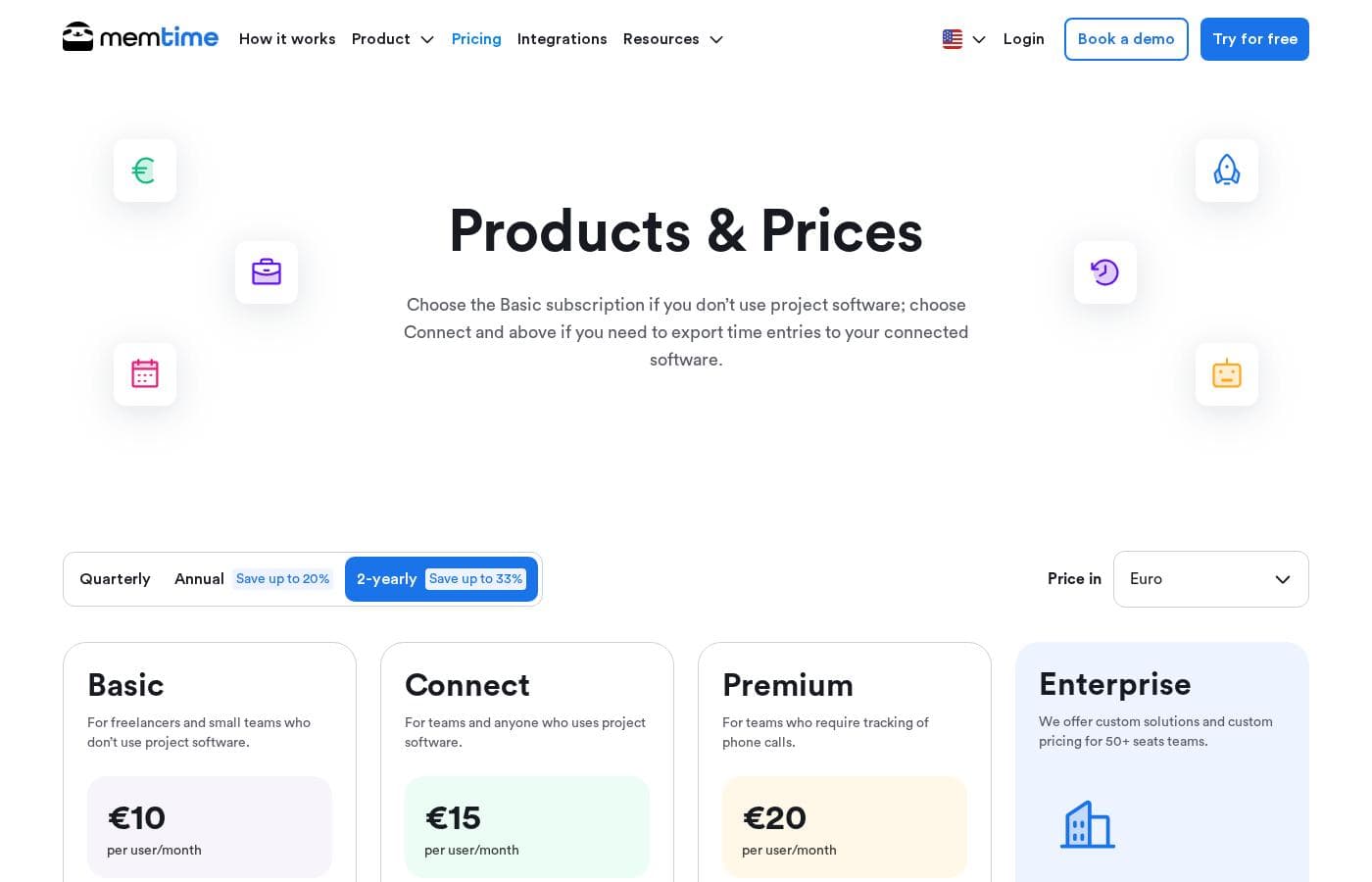
memtime uses a flexible per user/month pricing structure, starting at €10 per user/month when opting for the 2-yearly commitment. Pricing scales based on integration needs, with advanced tiers adding features like project software exports and phone call tracking.

Plans & Pricing

Basic

Monthly€10
Price valid per user/month based on 2-yearly commitment.
  • Automatic time tracking
  • Calendar sync
  • Memtime Projects (create custom local projects)
  • Unlimited devices
  • Unlimited historical data
  • Guaranteed privacy (local storage)

Connect

Monthly€15
Price valid per user/month based on 2-yearly commitment.
  • All Basic features
  • Export time entries to connected project software

Premium

Monthly€20
Price valid per user/month based on 2-yearly commitment.
  • All Connect features
  • Tracking of phone calls

Enterprise

Contact for pricing
Requires 50+ seats.
  • Custom integrations
  • Custom solutions and pricing

memtime costs between €10 and €20 per user/month (when billed 2-yearly) with 4 plans: Basic at €10, Connect at €15, Premium at €20, and Enterprise (custom pricing).

Below are the annual commitment prices per user/month featured on the product page. Note that these rates reflect the 2-yearly commitment discount, saving you up to 33%.

Basic

Price: €10 per user/month Websites Supported: Not explicitly stated Best For: Freelancers and small teams who don't use project software. Refund Policy: Not explicitly stated Other Features:

  • Automatic time tracking and native activity recording
  • Calendar sync functionality
  • Unlimited devices and historical data storage
  • Guaranteed privacy (data stored offline on your device)
  • Create custom local Memtime Projects for free

This plan is perfect if you need robust, privacy-first automatic time tracking but manage projects internally without external software integration. You get all the core safety and tracking systems, helping you recover accurate billable time instantly. It's a great starter option for individuals and smaller operations.

Connect

Price: €15 per user/month Websites Supported: Not explicitly stated Best For: Teams and anyone who uses project software that requires time export. Refund Policy: Not explicitly stated Other Features:

  • Everything included in the Basic plan
  • Ability to export time entries to your connected software

Choose Connect if your workflow relies heavily on exporting time data into existing project management tools. This plan ensures seamless integration, making time logging fast and easy for your entire team. It's the clear choice for teams needing to centralize accurate time data.

Premium

Price: €20 per user/month Websites Supported: Not explicitly stated Best For: Teams who require specialized tracking of phone calls. Refund Policy: Not explicitly stated Other Features:

  • Everything included in the Connect plan
  • Specialized tracking for phone calls

If your team's billable activities frequently involve phone calls 📞, the Premium plan provides the advanced tracking needed to capture that time accurately. Contact sales to discuss activation and optimization for this specific requirement. This plan is designed for high-value services where every minute counts.

Enterprise

Price: Custom pricing Websites Supported: Not explicitly stated Best For: 50+ seats teams requiring custom solutions. Refund Policy: Not explicitly stated Other Features:

  • Custom integrations
  • Custom pricing models

Large organizations with 50 or more seats should select the Enterprise option. This allows us to tailor integrations and pricing models precisely to your specific operational needs and scale. Start by contacting the sales team directly.

Memtime frequently encourages new users to try the software before committing. The Basic and Connect plans both provide a “Try for free” call to action, allowing you to easily test the automatic time tracking features today. The pricing page also shows options for quarterly, annual (save up to 20%), and 2-yearly (save up to 33%) commitments.

User Reviews

memtime receives overwhelmingly positive feedback across review platforms, primarily highlighted by its automatic, non-intrusive operation in the background. Users consistently praise the tool for its exceptional accuracy, noting it effectively captures every minute, making manual timers obsolete.

This silent operation has been described as a "lifesaver" for consultants, accountants, and attorneys who frequently switch between client work, often resulting in significant recovery of lost billable time. Reviewers frequently mention the ease of use, the smooth onboarding process, and the value of its detailed, granular reporting.

Integrations are noted as a strong point, specifically with tools like Teamwork, XPM, and ClickUp, which helps streamline time data export. Customer support is cited as highly responsive, tackling bugs quickly.

While the tool is generally celebrated for its robust value, a small number of users noted minor friction points, such as complex historical data transfer between local PCs or occasional integration hiccups when rapidly switching client systems. Overall, the consistent sentiment is that memtime pays for itself quickly by solving the core problem of forgotten time tracking.

👇

What users say elsewhere

Alex D.
· Trustpilot
5.0 / 5

I used to spend at least 30 minutes daily logging time against external project software. With Memtime, this now takes me less than 10 minutes, making my end-of-day tasks simple. This tool is a huge time-saver and works perfectly for consultants.

Sarah K.
· Trustpilot
5.0 / 5

As an accountant working across multiple jobs and devices, I needed easy and accurate tracking. This is a big timesaver and syncs very well with XPM for invoicing. I no longer miss billable time across different projects.

No reviews yet.

Write a Review

Write a Review for memtime
0/100 characters
0/2000 characters

Why use memtime?

If you are looking to scale your business and boost efficiency, automatic time tracking is the way forward. Relying on reliable data helps you minimize turbulence and gives you clear insight into project profitability.

Here’s how memtime transforms your operation:

  • Recover Missing Billables: Automated logging guarantees accuracy. This means you stop losing minute amounts of billable time, which helps prevent overservicing or consistently undercharging clients.
  • Maximize Planning Precision: Improved data accuracy allows you to make better project estimates and capacity plans. You can estimate tasks with confidence and deliver consistently on time and within budget.
  • Significant Time Savings: You can save up to 75% on time tracking effort. Reviewing your activity timeline and logging time takes only seconds, removing the tedious administration work from your day.
  • Measure True Profitability: Easily compare planned versus actual project hours. Understanding how your time is allocated helps you identify your most profitable services and tackle underlying profitability issues.
  • Privacy-First Design: memtime protects your staff and client data. The activity recording runs quietly in the background, and all data is stored locally on the device, ensuring privacy and avoiding the uncomfortable feeling of employee monitoring. 💡

Recovering billable time alone means this automated solution pays for itself quickly. Start your free trial now.

Ready to transform your workflow with memtime?

Frequently Asked Questions

Where is my automatic activity data stored?

Your automatically recorded activity data always stays offline and is stored locally on your device. This privacy-first design ensures your sensitive project data is secure and that no private activity is uploaded to the cloud.

Which project management tools can I export time entries to?

The Connect plan and above allow you to export time entries directly to your existing project software. Examples of compatible tools mentioned in reviews include Teamwork, XPM, and ClickUp.

How is memtime priced, based on users or usage?

Memtime uses a flexible per-seat, per-user/month subscription model. You only pay for the number of people who need access to the automatic tracking features.

Is there a limit on how much historical data memtime stores?

No, there is no limit on historical data storage. Once you install memtime, unlimited historical activity data is stored offline on your local machine.

Can I use memtime across multiple desktop devices?

Yes, you can use memtime on an unlimited number of devices running Windows, macOS, or Linux. However, activity data does not sync between devices because it remains stored locally for your privacy.

How long is the free trial for memtime?

The Basic and Connect plans both provide a free trial, allowing you to test out the automatic tracking features. The exact duration of the trial period in days is not specified on the official site.

Does memtime offer a money-back guarantee?

A money-back guarantee is not explicitly offered for any plan. The official refund policy is not stated on the pricing material, so you should contact the sales team for details.

What are the different billing commitment options?

You can choose commitment terms of Quarterly, Annual (saving up to 20%), or 2-yearly. The 2-yearly commitment provides the maximum discount, saving you up to 33%.

Who is the Premium plan designed for?

The Premium plan is specifically designed for teams who require specialized tracking for phone calls. It includes all features of the Connect plan plus that specialized tracking ability.

At what point should a team consider the Enterprise plan?

The Enterprise plan is necessary if your team requires 50 or more seats. It offers custom solutions, custom pricing models, and bespoke integration work.

How fast can I get started after installation?

Getting started is quick: you install the desktop app and adjust simple settings, like choosing 5- or 6-minute tracking intervals. Activity recording then begins automatically and passively in the background.

Who benefits the most from memtime's automatic tracking?

It is ideal for consultants, legal services, accountants, and agencies who bill by the hour. Automatic tracking quickly pays for itself by recovering significant amounts of lost billable time.

How do I transfer my recorded data if I get a new computer?

Since all activity data is stored locally for maximum privacy, migration between personal devices is implied to need support. For the best process, you should seek guidance from the memtime support team.

Is customer support available 24/7, or is there a support SLA?

A formal Service Level Agreement or guaranteed support window is not explicitly stated on the official site. Reviews indicate that customer support is highly responsive and quick to handle issues.

Ready to try memtime? Check out the official site or pricing.