MainWP

MainWP review

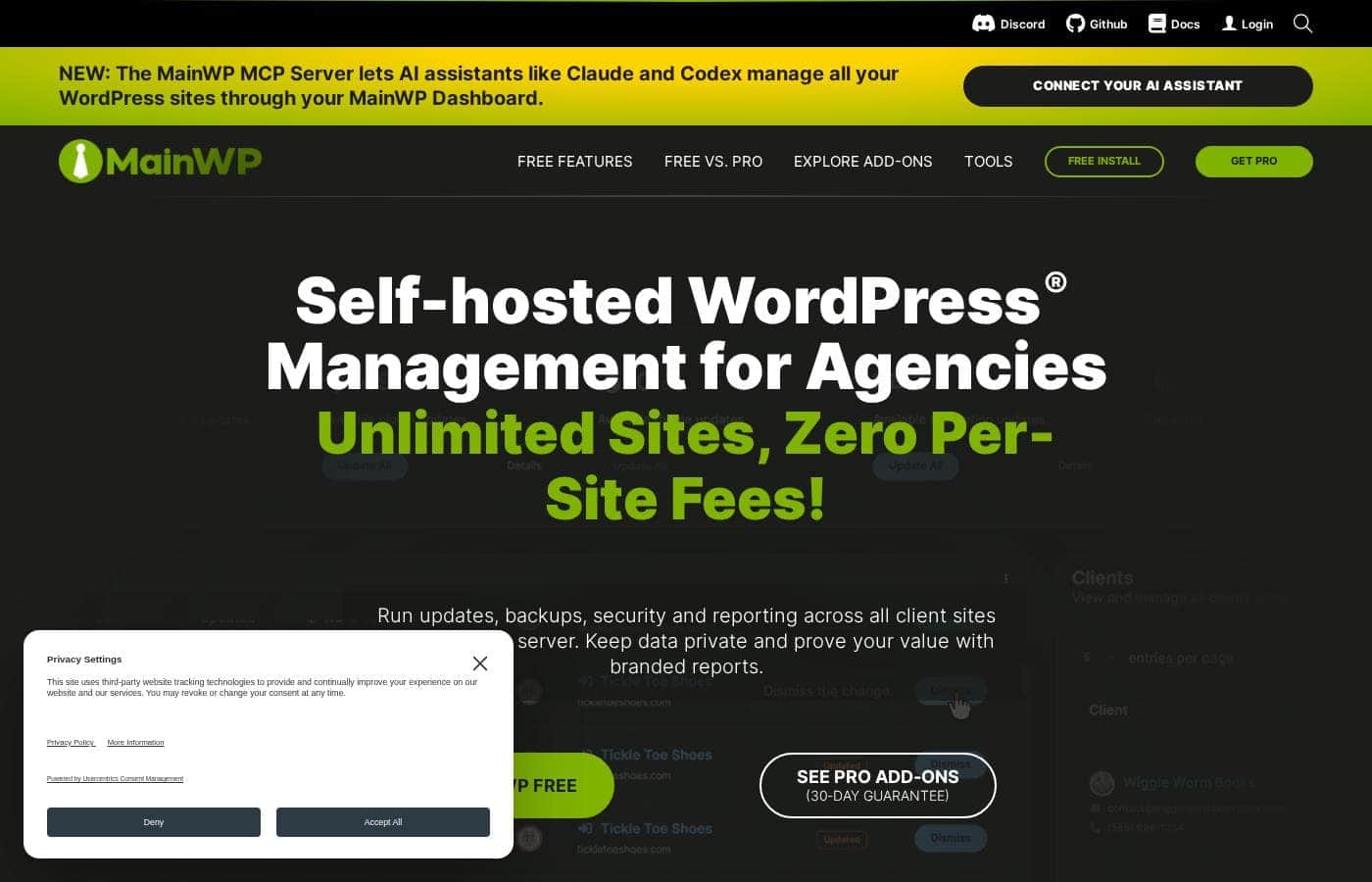
Self-hosted WordPress management for agencies that want full control over client sites

MainWP costs from $16.58/mo · 4 plans · Free plan available · prices checked Oct 13, 2026

By Ciroapp Editorial Team · Updated Sep 17, 2026

Commission may apply at no extra cost

MainWP homepage screenshot

At a glance

Quick overview for MainWP: rating, pricing summary, key features, and highlights.
Pricing verified Oct 13, 2026

Ciroapp score

4.0/ 5

MainWP gives agencies a free, self-hosted dashboard for bulk updates, uptime monitoring, and client reporting, keeping site credentials on infrastructure they own instead of a vendor's cloud. Overall, it's a smart, low-cost pick for multi-site teams, as long as you're comfortable hosting and securing the dashboard yourself and adding paid extensions where you need them.

Pros

  • Pros:Self-hosted architecture means client credentials and site data never pass through a third-party cloud, which is a genuine advantage for agencies with confidentiality obligations
  • Pros:The core Dashboard and Child plugins are free, so you can manage an entire portfolio without an upfront license cost
  • Pros:Installation requires no complex server configuration—it works like any standard WordPress plugin on a host you already use

Cons

  • Cons:You are responsible for hosting, securing, backing up, and updating the dashboard site itself—MainWP does not manage that infrastructure for you
  • Cons:Each managed site requires the MainWP Child plugin, which adds a plugin to every client installation and can raise questions with security-conscious clients
  • Cons:Advanced capabilities depend on paid extensions, so the true cost of a fully equipped setup grows beyond the free core
Best for
  • Agencies managing 10+ client WordPress sites who need bulk updates and centralized monitoring
  • Freelancers selling monthly maintenance retainers who want a private, self-hosted control center
  • In-house teams responsible for several owned WordPress properties that must stay version-consistent
This section is a summary. Detailed sections about features, use cases, pricing, and reviews follow below.

What is MainWP?

Managing dozens of WordPress sites through separate admin logins quickly becomes unsustainable. MainWP addresses this by giving you a single, self-hosted dashboard that connects to every site you maintain. Because the dashboard runs on your own WordPress installation, you keep full ownership of your data and infrastructure.

This makes it a popular choice among agencies, developers, and freelancers who need centralized control without handing client credentials to a third-party cloud service.

MainWP is a self-hosted WordPress management platform built on two components: a Dashboard plugin installed on one WordPress site you control, and a free MainWP Child plugin installed on each managed site. Once connected, the dashboard becomes a private control center for bulk updates to plugins, themes, and WordPress core, plus uptime monitoring, backups, security scans, and client reporting. Setup is as simple as installing any WordPress plugin, with no complex server configuration required.
Should you choose MainWP?

Quick buyer guidance before you compare plans or click through.

Choose it if

  • Agencies managing 10+ client WordPress sites who need bulk updates and centralized monitoring
  • Freelancers selling monthly maintenance retainers who want a private, self-hosted control center
  • In-house teams responsible for several owned WordPress properties that must stay version-consistent
  • Developers who prioritize data sovereignty and prefer tools running on infrastructure they control

Skip it if

  • Solo site owners with only one or two WordPress sites, where a dashboard adds overhead without payoff
  • Teams unwilling to host, secure, and maintain their own dashboard site—hosted SaaS managers handle that for you
  • Non-technical users who want a fully managed vendor relationship with dedicated support for the management layer itself

Next steps before buying

  1. 1Set up a WordPress site to act as your dashboard—this can be a dedicated site on hosting you already control
  2. 2Install the free MainWP Dashboard plugin on that site from the WordPress plugin directory
  3. 3Install the free MainWP Child plugin on each WordPress site you want to manage, then connect each one to your dashboard using its site URL and generated keys
  4. 4Review the extension catalog and add only the paid extensions you need, such as backup or reporting integrations, to build out your maintenance workflow

MainWP Key Features

✨ Centralized Bulk Updates

MainWP lets you update plugins, themes, and WordPress core across all connected child sites from one screen. You can select individual sites or apply updates in bulk, schedule them for off-peak hours, and review update results without logging into each site individually.

✨ Real-Time Site Monitoring

The dashboard monitors the status of every connected site, flagging downtime and available updates as they happen. This turns a scattered collection of client sites into a single health overview you can check each morning instead of chasing problems reactively.

✨ Self-Hosted Data Sovereignty

Because the MainWP Dashboard runs on your own WordPress installation, all management data—site lists, credentials, activity records—remains on infrastructure you control. There is no third-party cloud holding your client credentials, which matters for agencies with strict client confidentiality requirements.

✨ Plugin-Based, No Server Configuration

Installing MainWP works like installing any WordPress plugin: add the Dashboard plugin to one site and the Child plugin to each managed site. No command-line work, cron wizardry, or special server setup is required to get a working multi-site dashboard.

Use Cases

💡 Agency Portfolio Management

An agency maintaining 20–100 client WordPress sites can use MainWP to run weekly update cycles across the entire portfolio from one dashboard. Uptime monitoring catches outages before clients call, and centralized administration removes the need to keep per-site browser bookmarks and password vaults.

💡 Freelancer Maintenance Retainers

A freelancer selling monthly WordPress care plans can connect each client's site as a child site and deliver updates, security checks, and status reports from a single private control center. Because the dashboard is self-hosted, the freelancer can honestly tell clients that credentials never leave their own server.

💡 In-House Multi-Site Brand Management

Organizations running several of their own WordPress properties—regional sites, campaign microsites, or departmental blogs—can use MainWP to keep core, plugin, and theme versions consistent across all of them, reducing the drift that creates security holes.

MainWP pricing

From$16.58/mo

  • From the vendor's pricing page, checked Oct 13, 2026
  • 4 plans
  • Free plan available

Prices checked on Oct 13, 2026 from MainWP's pricing page

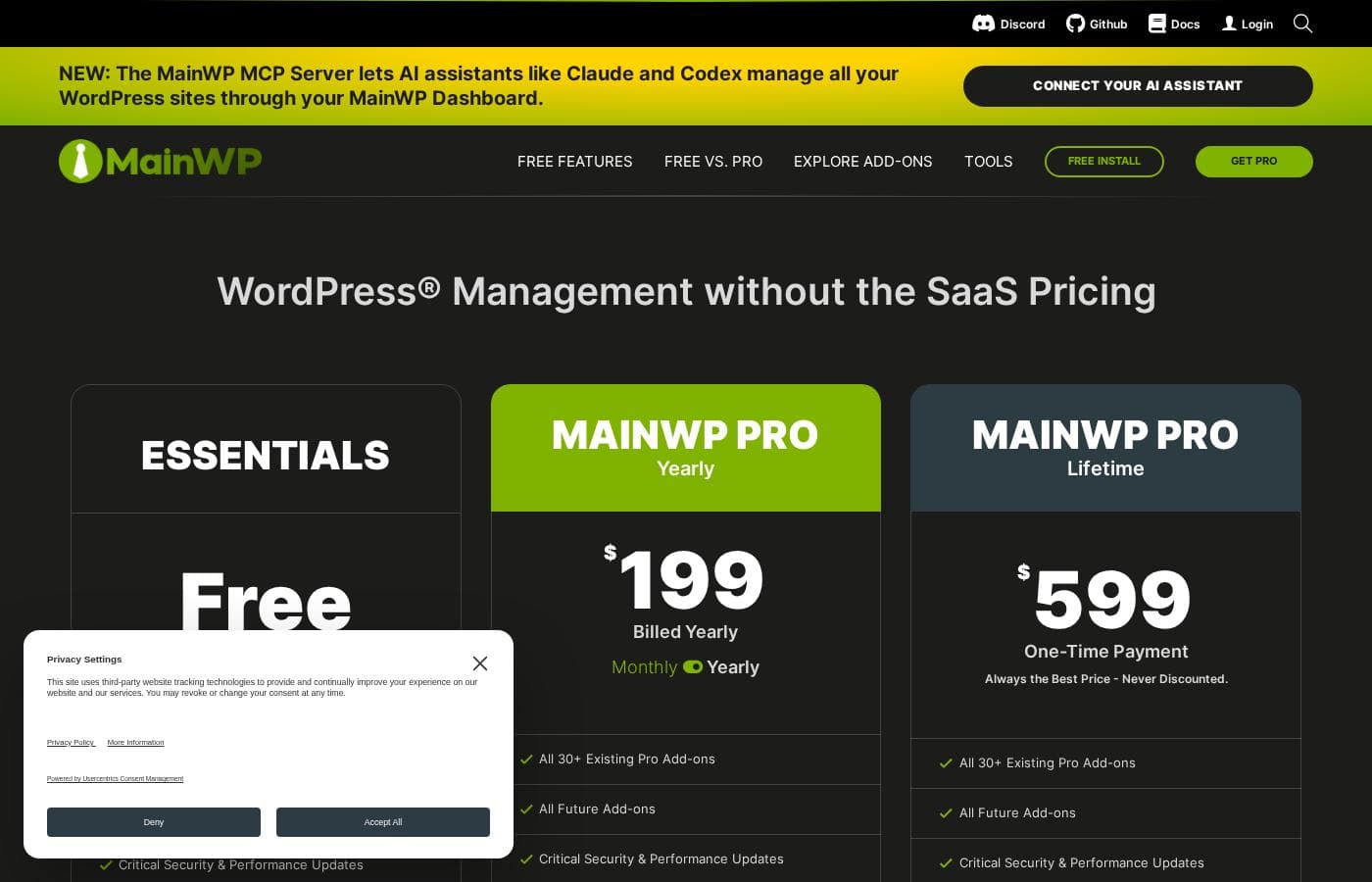
MainWP pricing page screenshotView pricing page screenshot
PlanBilled monthlyBilled annuallyIncludes
MainWP Essentials
Free
—
MainWP Pro Monthly
$29/mo
—
MainWP Pro Yearly
—
$16.58/mo
$199 per year
MainWP Pro Lifetime
$599
—

Price history

Tracking prices since Oct 1, 2026. No price change detected yet.

Pricing types: Free plan, Monthly subscription, One-time payment, Usage-based pricing

Pricing notes

Plans from $1

MainWP pricing: Plans from $1 Billing options: Free plan, Monthly subscription, One-time payment, Usage-based pricing

Cost calculator

Estimate what MainWP costs for your team.

Billing
Per month
$29
Per year
$348

MainWP Pro Monthly states no user limit: shown as one price for the whole account. Check the price for 5 users with the vendor. Estimate based on published list prices, before taxes, add-ons and discounts.

How to pay less for MainWP

  • Start on the free plan and upgrade only when you hit its limits.
  • Cheaper tools in this category start at $4.13/mo.
Visit MainWP

Email me when MainWP changes price

One email when we detect a price change on the vendor's pricing page. No newsletter, no deals. Unsubscribe in one click.

User Reviews

No reviews yet.

Write a Review

Write a Review for MainWP
0/100 characters
0/2000 characters

Why use MainWP?

The main reason to choose MainWP over hosted alternatives is data sovereignty: your site data, credentials, and activity logs stay on your own server rather than on a vendor's cloud. It is also cost-effective, since the core dashboard and child plugins are free, and you only pay for extensions if you need them.

For businesses already comfortable with WordPress, the familiar plugin-based setup removes the learning curve of a separate SaaS platform while still delivering real-time monitoring and one-click bulk actions across an entire client portfolio.

MainWP alternatives

Other tools in the Wordpress Maintenance Service category

View all Wordpress Maintenance Service tools
BlogVault

BlogVault

Wordpress Maintenance Service4.1/5From $4.13/mo

BlogVault is a robust, time-tested backup service specifically designed for WordPress websites. It operates as a plugin that ensures you have safeguarding for your business with zero data loss. Installation is incredibly straightforward; you can install the plugin and have it configured automatically in about 60 seconds. It captures the complete WordPress site, including files, the database, and custom configurations. This solution supports sites of all sizes, handling installations as large as 200 GB. Over 10 years, BlogVault has helped safeguard more than 4 million websites, proving that its reliability is truly battle-tested.

WP Umbrella

WP Umbrella

Wordpress Maintenance Service4.2/5

WP Umbrella is a WordPress management tool designed for agencies and freelancers to manage multiple WordPress sites from one dashboard. It helps you manage dozens of sites with bulk updates and automated backups, while keeping security in check through alerts and checks. It also tracks uptime and performance, including Google PageSpeed, and offers customizable, white-labeled reports to showcase your work.

Modular DS

Modular DS

Wordpress Maintenance Service4.2/5
WP Buffs

WP Buffs

Wordpress Maintenance Service3.9/5

WP Buffs is a professional and highly reliable website team dedicated to consistent maintenance and care. Customers describe them as the most valuable relationship in the website maintenance business. They shine by providing outstanding service, going above and beyond expectations. They are particularly suited for anyone—including agencies—who needs expert assistance managing client websites. If you want to stop worrying about your site's health and maintenance, this team offers the expertise and dedication you need.

MainWP FAQ

How much does MainWP cost?

MainWP's cheapest paid plan, MainWP Pro Yearly, costs $16.58 per month. Paid plans range from $16.58 to $29 per month. Prices checked on Oct 13, 2026 from the vendor's pricing page.

Does MainWP have a free plan?

Yes. MainWP has a free plan (MainWP Essentials); paid plans start at $16.58 per month.

Has MainWP's price changed recently?

No. We have not detected a price change since we started tracking on Oct 1, 2026.

Is MainWP really free to use?

Yes. The MainWP Dashboard plugin and the MainWP Child plugin are both free, and they cover core functionality like bulk updates and site monitoring. MainWP earns revenue through paid extensions that add features such as advanced backup integrations and client reporting, so you can start at zero cost and expand only if you need those extras.

How is MainWP different from hosted WordPress management tools like ManageWP or WP Umbrella?

The key difference is where your data lives. Hosted tools store your site connections and credentials on the vendor's cloud servers, while MainWP runs the dashboard on a WordPress site you own and host yourself. That gives you full data sovereignty and removes vendor lock-in, but it also means you are responsible for keeping the dashboard site online, backed up, and secure.

How many WordPress sites can MainWP manage?

MainWP does not impose a hard cap on the number of connected child sites—the practical limit depends on your hosting resources for the dashboard site. Agencies running large portfolios typically scale the dashboard on appropriately sized hosting, and the self-hosted model means you control that scaling decision rather than buying a higher vendor tier.

Do I need technical expertise to set up MainWP?

Basic WordPress competence is enough. Installing MainWP is the same process as installing any plugin: add the Dashboard plugin to one WordPress site and the Child plugin to each site you want to manage. No command-line access, cron configuration, or special server setup is required for a standard installation.

Ready to try MainWP? Check out the official site or pricing.

Are you MainWP? Claim this listing · Get the badge