WP Umbrella

WP Umbrella

The life-changing WordPress management tool for your agency.

#2 dans Wordpress Maintenance Service
2 min read · Updated 11/17/2025
WP Umbrella homepage screenshot

At a glance

Quick overview for WP Umbrella: rating, pricing summary, key features, and highlights.

Ciroapp review

4.7
Essential Management for Scaling Agencies.

We found WP Umbrella offers an exceptional feature set focused on highly efficient multi-site maintenance, backed by extremely responsive support and transparent pricing. Overall, this is a powerful, modern management tool that significantly streamlines agency workflows and provides outstanding value.

Pros

  • Pro:Excellent, responsive customer support that actively solicits feedback.
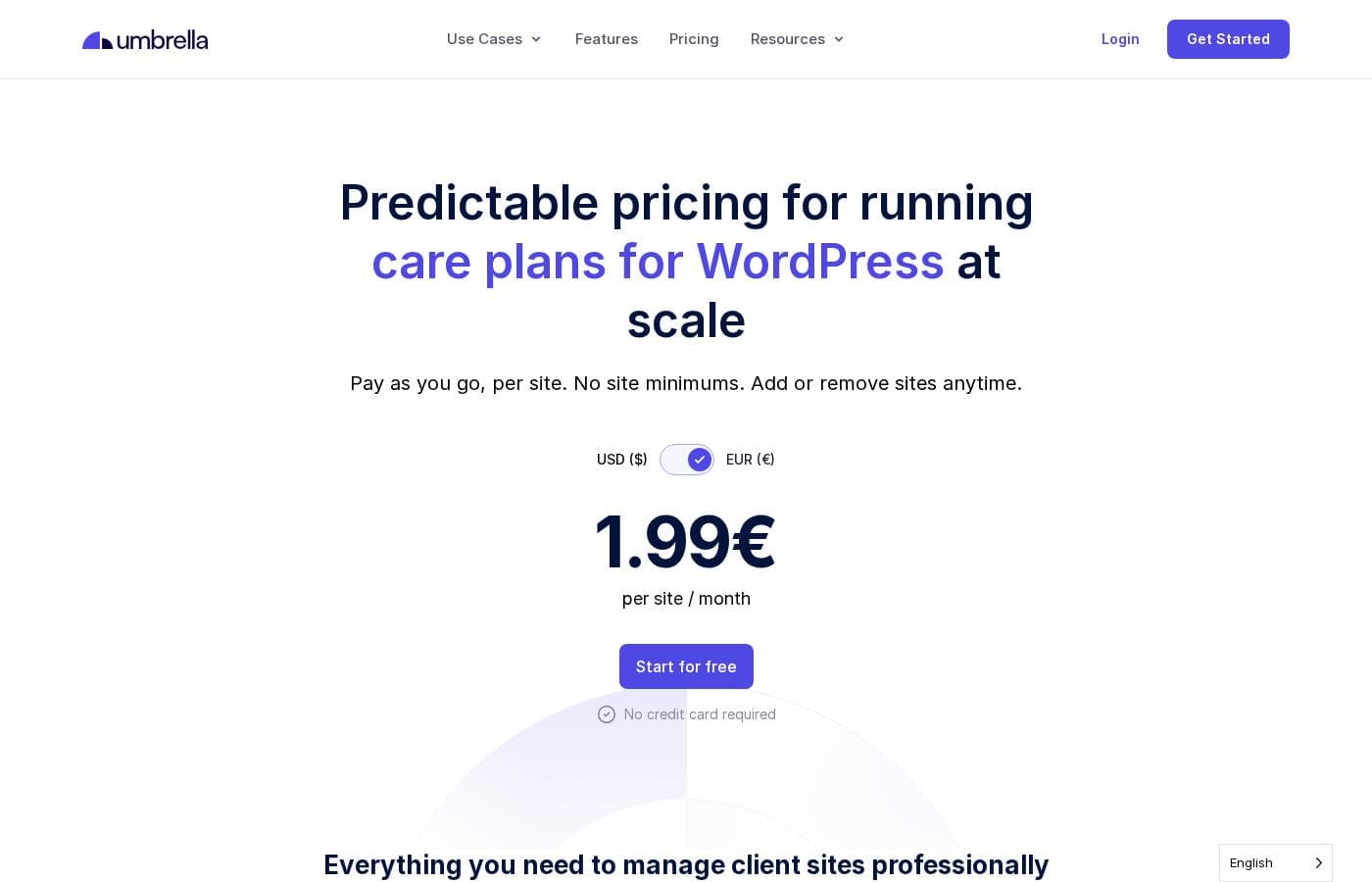
  • Pro:Simple and transparent $1.99 Pay-As-You-Go pricing per site.
  • Pro:Highly intuitive user interface streamlines multi-site bulk actions.
  • Pro:Provides robust white-labeled maintenance reporting for transparency.

Cons

  • Con:One severe user report noted that backups missed critical files (uploads folder).
  • Con:Feature parity with older, massive competitors is still developing.
Free trial
Yes — 14 days
Range: $1.99+/monthFree trial, Monthly subscription, Usage-based pricing
This section is a summary. Detailed sections about features, use cases, pricing, and reviews follow below.

WP Umbrella review, pricing, features, pros & cons

Managing multiple client sites manually is often frustrating and time-consuming. WP Umbrella solves this core issue for agencies and freelancers. It lets you automate maintenance workflows and prove your work value with detailed reports.

This integrated approach reclaims valuable time for your team every month. ✨

What is WP Umbrella?

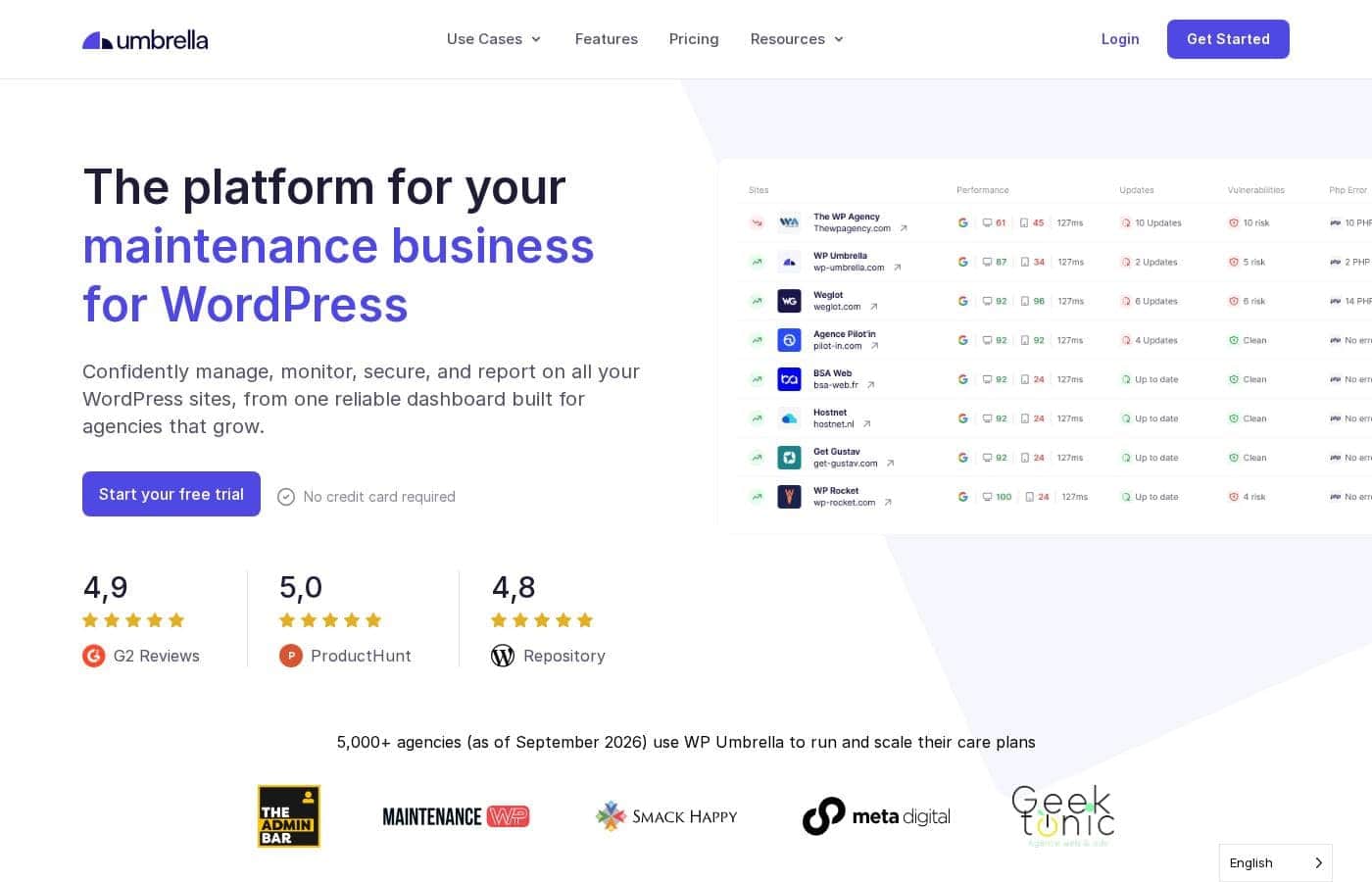
WP Umbrella is a dedicated WordPress management tool essential for professionals handling many client websites. It offers a single, intuitive place to manage all your WordPress sites seamlessly. The platform allows you to fully automate your maintenance workflow and features a dashboard built on a modern, stable tech stack.

It’s designed to be lightweight, meaning the WordPress plugin only requires an API connection. All settings and actions are conveniently handled from the central Umbrella Dashboard. ✅

WP Umbrella Key Features

✨ Effortless Productivity Through Bulk Actions

Managing many client sites requires efficiency. WP Umbrella provides a single, unified, and intuitive dashboard designed specifically for this purpose. You can handle all your client websites from one central location, simplifying your daily tasks.

The dedicated update feature is a major time-saver. It allows you to update all your WordPress core installations, plugins, and themes across every website at once using powerful bulk actions. Users confirm that this functionality saves substantial time and energy every month.

Since the plugin is built to be lightweight, it only requires an API connection on the WordPress side. You manage all settings and actions conveniently from the central Umbrella Dashboard. This simplified approach maintains control while dramatically boosting your team's workflow.

✨ Proactive Monitoring and Instant Alerts

You can keep your systems reliable by mastering site surveillance. WP Umbrella helps you stay proactive by offering comprehensive, instant monitoring across your entire portfolio. You're immediately informed of complications through reliable system alerts.

The platform tracks critical performance indicators constantly. This includes proactive uptime monitoring and tracking hosting response times to ensure service continuity. You also receive monitoring data on your Google PageSpeed score, helping you maintain a high standard of user experience.

Crucially, this monitoring system helps you catch issues like downtime or performance struggles before your clients even notice them. This capability allows you to fix problems quickly and keep your maintenance services running smoothly.

✨ Advanced Security Checks and Cloud Backups

Security is paramount for client trust. WP Umbrella fully automates your maintenance workflow, ensuring immediate protection for every site. You can easily automate your site backups and store them securely in the cloud.

The tool runs comprehensive security checks regularly. It provides timely alerts for numerous potential risks, allowing you to react quickly to emerging threats. This dedication to security keeps your client sites safe and optimized.

Security checks specifically focus on identifying issues like:

✨ Boosting Site Stability with PHP Error Management

Technical health is key to excellent site performance. WP Umbrella offers a specific and essential PHP errors monitoring tool, which is a standout functionality praised by agencies. This feature provides deep insight into your site's codebase stability.

By monitoring PHP errors, you can quickly identify underlying technical problems and address them efficiently. Catching these issues early is vital for boosting site performance and ensuring long-term stability. This technical focus saves valuable diagnostic time for your team.

✨ White-Labeled Reports to Demonstrate Value

Showcasing your work through clear reporting builds strong client relationships. WP Umbrella allows you to generate automated, customizable activity reports that are fully white-labeled. These reports serve as a tangible proof of your continuous maintenance efforts.

The professional reports provide transparent details about every maintenance operation completed. This transparency solidifies client trust and highlights the value your agency delivers every month. Furthermore, the white-label solution applies both to your reports and the plugin interface, enhancing your brand reputation as a professional provider.

Use Cases

⏱️ Saving Hours Through Effortless Bulk Updates

Running updates manually across dozens of client websites takes up valuable time every single month. Instead, managers can use the centralized dashboard to see all pending updates quickly. The dedicated bulk action feature allows you to apply updates to plugins, themes, and WordPress core on all sites at once.

This workflow change moves updates from a burdensome chore to a quick process. Agencies confirm that this ability to use bulk actions saves them significant time. You can dedicate those reclaimed hours to growing your business or focusing on complex client strategy.

🤝 Strengthening Client Trust with Transparent Reports

It can be difficult to show clients the real value of continuous maintenance work. WP Umbrella helps you convert invisible effort into tangible service proof. You can generate custom, professional activity reports that are fully white-labeled to match your brand.

These detailed documents give clear transparency on all maintenance tasks performed. By consistently showcasing your work, you solidify client relationships and enhance your overall brand reputation.

🛡️ Proactive Issue Detection Before Clients Notice

Waiting for a client to call about a broken site damages your agency’s reputation. This tool lets you be proactive with comprehensive monitoring features. You receive instant alerts about issues like abandoned plugins, SSL problems, or sudden performance drops.

Problem: A client site experiences a spike in PHP errors, leading to slow loading times. Approach: The PHP errors monitoring tool instantly flags the site issues in your dashboard. Outcome: Your agency fixes the problem before the client ever experiences the performance degradation or alerts you to the issue. This demonstrates superior service reliability.

☁️ Ensuring Data Safety with Automated Cloud Backups

Data loss is one of the biggest risks in web management. WP Umbrella automates the process of saving site backups to the cloud, ensuring your data is always safe and accessible. These cloud backups provide necessary peace of mind for both you and your clients.

Additionally, the platform runs continuous security checks. You get timely alerts if a plugin risk is detected or if a security vulnerability appears. This holistic approach means you're prepared for major emergencies while catching minor issues early.

✅ Quick Workflows for Onboarding New Client Sites

When you land a new client, you want the setup process to be fast and lightweight. The platform’s WordPress plugin is designed specifically to be lean, requiring only an API connection to start monitoring.

Onboarding Flow:

  1. Install the lightweight plugin on the new client's site.
  2. Configure the API connection inside the plugin.
  3. Manage all settings, monitoring, and actions exclusively from the central Umbrella Dashboard.

This simple setup helps agencies avoid complex configuration steps on the client’s server. It lets you integrate management functionality seamlessly.

💰 Scaling Agency Costs Transparently

Growing agencies need flexible tools that won't punish them with complicated tiered pricing. WP Umbrella uses a straightforward Pay-As-You-Go model. You only pay for the exact number of sites you currently manage each month.

Since the cost is $1.99 per site per month, budgeting becomes incredibly transparent. If you add five sites, your monthly commitment adjusts automatically. If a few sites leave the plan, your subscription adjusts down based on simple usage. This ensures you only pay for active service.

Pricing Overview for WP Umbrella

Pricing range
$1.99+/month
Pricing types
Free trial, Monthly subscription, Usage-based pricing

WP Umbrella uses a straightforward Pay-As-You-Go pricing model, charging a flat rate per site per month. This structure is designed to be fully transparent, ensuring agencies only pay for the client websites they actively manage.

Plans & Pricing

Pay-As-You-Go

Monthly$1.99
Priced per site/month
  • Single dashboard to manage all your websites
  • Safely bulk update WordPress, plugins, & themes
  • Security and vulnerability monitoring
  • Automatic backups stored in the cloud
  • Uptime monitoring
  • Google PageSpeed monitoring
  • Automated maintenance reports
  • 1-Click Access
  • + 5 more features

WP Umbrella costs $1.99 per site per month with one plan: Pay-As-You-Go at $1.99.

This simple, transparent structure means you know exactly what you will pay as your agency scales. Since all WP Umbrella features are included, you get powerful tools for every site you manage.

Pay-As-You-Go

Price: $1.99 per month / site Websites Supported: Scales based on need Best For: Agencies and Freelancers managing multiple client websites Refund Policy: Not explicitly stated Other Features:

  • Security and vulnerability monitoring
  • Automatic backups stored in the cloud
  • 100% White label reports and plugin
  • Reliable alerting systems and PHP error monitoring

This straightforward pricing model lets you only pay for the active websites you manage each month. It's ideal for scaling agencies seeking a full-featured toolset without complicated tier limits or hidden fees. Adding websites is simple, and your subscription automatically adjusts to your usage.

WP Umbrella provides a great opportunity to explore the tool risk-free. You can start a 14 Days Free Trial without needing to provide a credit card. If you decide to cancel later, you can cancel your paid subscription at any moment.

User Reviews

WP Umbrella receives overwhelmingly positive feedback across its user base, reflected in its high 4.5 Trustpilot rating. Users frequently praise the platform's exceptional ease of use, finding it fast, intuitive, and a huge time saver for agencies managing multiple WordPress sites.

It is often cited as a superior, modern alternative to competitors like ManageWP. A recurring theme is the outstanding quality and responsiveness of customer support; users note the team is proactive, personal, and highly effective at resolving complex issues, even handling tricky migrations smoothly.

Key features lauded include reliable bulk update functionality, automated reporting (often white-labeled), and comprehensive monitoring (uptime, PHP errors). The simple, transparent, per-site pricing of $1.99/month is viewed as excellent value.

However, the feedback is not entirely without caution. One serious critique highlighted a critical failure in the backup system, where essential files (like the uploads folder) were not correctly included, leading to concerns about core restoration capability.

Despite this isolated incident, the general sentiment is that WP Umbrella is GDPR compliant and delivers reliable, evolving multi-site management functionality. 👍

What users say elsewhere

Cristian C.
· Trustpilot
5.0 / 5

Before WP Umbrella, managing client sites felt like a chore. Now it is fast, intuitive, and reliable. The reports tool lets me easily generate detailed maintenance reports for clients. I genuinely love how smooth the plugin update process is.

Alex D.
· Trustpilot
5.0 / 5

WP Umbrella is an excellent alternative to ManageWP. The support is amazing and always keen to help out. They genuinely listen to feedback on possible UX improvements. The fixed low monthly fee per site makes it incredibly worthwhile.

No reviews yet.

Write a Review

Write a Review for WP Umbrella
0/100 characters
0/2000 characters

Why use WP Umbrella?

Stop relying on outdated manual processes and choose the reliable platform modern agencies trust. WP Umbrella transforms website maintenance from a burdensome chore into an efficient, value-driven service. It provides the stability, features, and support necessary to successfully grow your maintenance business.

Here’s why it’s becoming the go-to solution for thousands of agencies:

  • Achieve Effortless Productivity with Bulk Actions: Use the dedicated update feature to update all your websites at once. Users confirm that bulk actions save them considerable time monthly compared to handling updates one site at a time.
  • Secure Client Sites and Catch Issues Early: Easily automate cloud backups and run comprehensive security checks. You’ll receive timely alerts for plugin risks, PHP issues, security vulnerabilities, and SSL problems before clients notice them.
  • Strengthen Client Trust with Customizable Reports: Showcase your maintenance value using custom, white-labeled activity reports. These professional reports provide clear transparency on maintenance details, helping solidify your client relationships.
  • Stay Informed with Proactive Monitoring: Be proactive with uptime monitoring and instant system alerts. By tacking hosting response times and Google PageSpeed scores, you ensure site reliability and elevate the overall user experience. You can fix issues before your clients even know they exist.
  • Access Dependable Support and Functionality: Agencies migrating to WP Umbrella praise its better support, better UX, and superior functionalities like the PHP errors monitoring tool. The team focuses solely on helping you manage multiple WordPress sites. 💡

Ready to transform your workflow with WP Umbrella?

WP Umbrella Alternatives

Other tools in the Wordpress Maintenance Service category

Frequently Asked Questions

How does the Pay-As-You-Go pricing model work if I add or remove sites?

Pricing is based strictly on usage at $1.99 per site per month. When you add or remove active websites, your premium subscription automatically updates. The final monthly amount is calculated on a simple pro-rata basis.

When exactly will my agency be charged after starting the paid service?

You are charged once a month, 30 days after you officially become a premium customer. Your invoice will be based on the total number of websites you manage within WP Umbrella during that billing period.

Is the 14-day free trial truly commitment-free?

Yes, you can start the 14-day free trial without needing to provide any credit card details. This allows you to fully test the tool risk-free before moving forward with a paid plan.

Which third-party services can I integrate with WP Umbrella?

WP Umbrella includes built-in integrations to enhance your workflows. Specifically, they offer integrations for Slack and Google Analytics.

Where is client data stored, and is WP Umbrella GDPR compliant?

Yes, WP Umbrella is fully GDPR compliant. All data and servers are hosted within Europe. They explicitly state they only store data strictly necessary for service function and promise never to sell your data.

Are there limits on the number of sites a large agency can manage?

No, there are no fixed limits on the number of sites you can manage. The Pay-As-You-Go structure is designed to scale with your needs, accommodating agencies managing dozens or hundreds of websites.

What is the expected response time for technical support requests?

Support is highly praised for being fast, competent, and efficient by users. However, an official Service Level Agreement (SLA) or specific response time is not explicitly stated on the official site.

What steps are involved in migrating existing websites to WP Umbrella?

You can add new websites directly through your dashboard. For large accounts, testimonials show that the WP Umbrella team can handle quick and flawless bulk migrations from competitors like ManageWP.

Do I get a discount if I choose to pay annually instead of monthly?

Not explicitly stated on the official site. The defined pricing structure is a simple monthly Pay-As-You-Go rate of $1.99 per site.

Does WP Umbrella offer any money-back guarantee or refunds?

Not explicitly stated on the official site. While you can cancel your paid subscription at any moment, the documentation does not detail a policy for refunds on charges already made.

Is the required WordPress plugin resource-heavy or complex to set up?

The WordPress plugin is designed to be very lightweight. It acts only as an API connector, managing all settings and actions conveniently from the central Umbrella Dashboard to reduce site overhead.

Are there any hosting platforms that are incompatible with WP Umbrella?

WP Umbrella is fully independent and works with all hosting providers. They note that you might need to whitelist their IP addresses on certain hosts before starting.

Ready to try WP Umbrella? Check out the official site or pricing.