BlogVault vs WP Umbrella
BlogVault and WP Umbrella both tackle WordPress maintenance from different angles. BlogVault prioritizes guaranteed backups and deep protection for critical sites. WP Umbrella excels at lightning-fast agency site management and low cost per site. Choosing the right one depends entirely on your core business needs.
Best for: High-transaction WooCommerce or e-commerce sites., Businesses requiring guaranteed 100% site restoration resilience.
Best for: Freelancers or agencies managing 20+ WordPress client sites., Organizations needing lightweight, affordable multi-site management.
Strong Features, Stellar Reliability, and Support.
We find BlogVault provides robust, specialized backup capabilities essential for high-value WordPress sites and agencies. Its focus on guaranteed restoration success and real-time e-commerce protection differentiates it from standard backup tools. Overall, we confidently recommend BlogVault for anyone seeking maximum security assurance and high-quality, responsive customer service.
Pros
- Guaranteed 100% restoration success rate for crashed sites.
- Expert and rapid customer support response, praised consistently by users.
- Includes staging feature that allows testing backups before restoring.
- Secure cloud storage and enterprise-level security built-in at no extra cost.
Cons
- Pricing starts higher ($99/year minimum) than basic backup plugins.
- Limited number of public reviews available to analyze on Trustpilot.
Essential Management for Scaling Agencies.
We found WP Umbrella offers an exceptional feature set focused on highly efficient multi-site maintenance, backed by extremely responsive support and transparent pricing. Overall, this is a powerful, modern management tool that significantly streamlines agency workflows and provides outstanding value.
Pros
- Excellent, responsive customer support that actively solicits feedback.
- Simple and transparent $1.99 Pay-As-You-Go pricing per site.
- Highly intuitive user interface streamlines multi-site bulk actions.
- Provides robust white-labeled maintenance reporting for transparency.
Cons
- One severe user report noted that backups missed critical files (uploads folder).
- Feature parity with older, massive competitors is still developing.
AboutBlogVault
BlogVault is a powerful, time-tested solution for robusting your website backups. It is specifically designed for crucial WordPress sites, serving over 400,000 websites across 120 countries. They have been refining this service for over ten years, successfully backing up more than four million websites. BlogVault automatically configures the plugin for you, ensuring your backups happen easily and reliably. For agencies or business owners, it promises uninterrupted operations and zero-data loss assurance. 💡
AboutWP Umbrella
WP Umbrella is a dedicated WordPress management tool essential for professionals handling many client websites. It offers a single, intuitive place to manage all your WordPress sites seamlessly. The platform allows you to fully automate your maintenance workflow and features a dashboard built on a modern, stable tech stack. It’s designed to be lightweight, meaning the WordPress plugin only requires an API connection. All settings and actions are conveniently handled from the central Umbrella Dashboard. ✅
Highlights
Feature Comparison
Features Overview
We highlight the main differences and pick a winner for each feature.
Backup Reliability
BlogVault guarantees 100% recovery; WP Umbrella’s reliability gets mixed external reviews.
BlogVault focuses on absolute data integrity and successful recovery guarantees. They promise a 100% success rate restoring sites, even if WordPress is totally inaccessible. Retention periods go up to 365 days on higher plans. WP Umbrella provides necessary automated cloud backups for maintenance. Some user comments note occasional issues with recovery on certain esoteric hosting environments. Its primary design focus is management simplicity. If recovery guarantee is paramount, BlogVault is the definitive safety net. WP Umbrella offers reliable service but lacks the ironclad assurance. For high-stakes sites, the guaranteed quick resolution from BlogVault is invaluable.
Agency Management & Scale
WP Umbrella is built for bulk updates and agencies; BlogVault focuses on individual site integrity.
BlogVault includes centralized theme and plugin updates. Staging environments enforce safe testing practices before merging changes live. It is focused on update safety. WP Umbrella is optimized for managing dozens of sites efficiently quickly. It offers true bulk updating across platforms in a single click. The dashboard facilitates high volume workflows. For sheer breadth and speed managing a large portfolio, WP Umbrella is the specialized tool. BlogVault offers specialized depth like safe sandbox testing. WP Umbrella saves agencies significant time weekly by batching routine maintenance tasks.
E-commerce Protection
BlogVault offers dedicated real-time hourly backups; WP Umbrella features are generalized maintenance.
BlogVault's Max plan is designed for high-volume WooCommerce sites. It provides real-time, hourly backup and scanning protection. This captures immediate order transactional data. WP Umbrella monitors essential uptime and performance metrics. However, it does not specify high-frequency or transactional-level backup integrity. It's general protection. For stores where losing sales is costly, BlogVault’s data frequency is vastly superior. WP Umbrella provides standard maintenance support. BlogVault ensures minimal data loss during peak sale periods, securing vital customer and order information.
Client Reporting
WP Umbrella includes white-labeled reports; BlogVault does not offer this specific feature.
BlogVault operates primarily as a technical operational assurance tool. The provided features list does not include customizable client reporting functionality. WP Umbrella features fully white-labeled and professional customizable reports. These reports summarize maintenance work, uptime, and performance data. This is essential for client communication. Agencies needing to demonstrate value monthly must choose WP Umbrella seamlessly. BlogVault users would need a third-party reporting solution. Clear reports help clients understand ongoing maintenance value, greatly strengthening agency relationships.
Pricing & Value
WP Umbrella is cost-effective monthly; BlogVault is tiered annual pricing for feature depth.
BlogVault requires an annual commitment, starting at $149/year for basic backup coverage. Pricing scales up to $499/year for hourly backups and guarantees. WP Umbrella costs $1.99 per site per month, offering all features included. This affordable model scales linearly with the site count. For simple, comprehensive management across many client sites, WP Umbrella offers superior entry-level value. BlogVault has higher pricing but unlocks exclusive features. WP Umbrella is ideal for managing dozens of low-risk client sites without breaking the budget.
Development & Testing
BlogVault offers integrated staging; WP Umbrella focuses on live site management tools.
BlogVault Pro and Max plans include seamless one-click staging environments. This creates safe copies for thorough testing of plugin and theme updates. Changes are merged live easily. WP Umbrella provides security checks and monitoring for live production environments. It does not provide the development tool kit of integrated staging. Teams that require frequent, safe pre-live testing will strongly prefer BlogVault. WP Umbrella is optimized for post-deployment maintenance visibility. BlogVault's staging capability significantly reduces the risk of deploying broken code to a live audience.
BlogVault costs between $99 and $499 per year with three main plans: Personal at $99/year, Business at $299/year, and WooCommerce at $499/year.
These annual prices are for a single site bundle, but you can also choose 5-site bundles for better value.
Personal
Price: $99 USD/yr Best For: Basic daily protection and standard users. Refund Policy: 14-day money-back Other Features:
- Automatic Daily Backups
- 30 Days Backup Retention
- Up to 20 GB Website Size
- 1 Day Staging Website
- Standard Support
- Automatic Daily Backups (Every 24 Hours)
- 30 Days Backup Retention
- Website size up to 20 GB
- 1 Day Staging Duration
- 3 On-Demand Backups/Day
- Automatic Backups (Twice Daily / Every 12 Hours)
- 90 Days Backup Retention
- Website size up to 50 GB
- 3 Months Staging Duration
- Multisite Support (Up to 25 Subsites)
- Real-Time Backups (Hourly/Customizable Frequency)
- 365 Days Backup Retention
- Website size up to 100 GB
- 6 Months Staging Duration
- Multisite Support (Up to 100 Subsites)

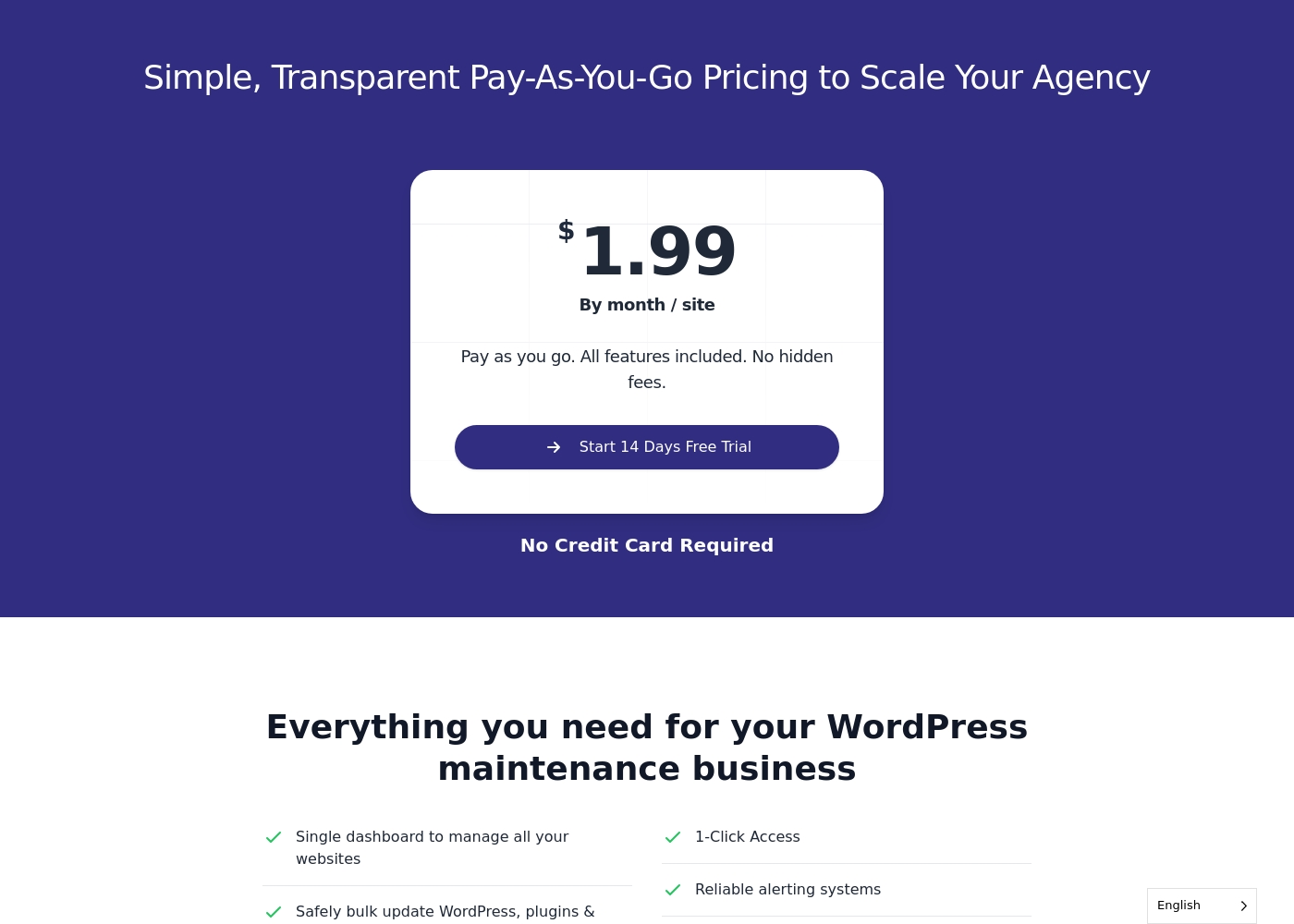
WP Umbrella costs $1.99 per site per month with one plan: Pay-As-You-Go at $1.99.
This simple, transparent structure means you know exactly what you will pay as your agency scales. Since all WP Umbrella features are included, you get powerful tools for every site you manage.
Pay-As-You-Go
- Single dashboard to manage all your websites
- Safely bulk update WordPress, plugins, & themes
- Security and vulnerability monitoring
- Automatic backups stored in the cloud
- Uptime monitoring
Pricing Notes
- WP Umbrella uses a low, flat rate of $1.99 per site per month for all features.
- BlogVault requires an annual commitment and is significantly pricier for the entry tier ($149/year/site bundle).
- BlogVault offers deeper technical features like instant staging and 1-hour backups only on its higher tiers.
- WP Umbrella's monthly pricing model is easier for agencies with fluctuating client site counts.
- BlogVault offers discounted per-site rates when purchasing 5-site or 10-site bundles.
Pricing Head-to-Head
User Reviews
Users consistently praise BlogVault for its exceptional reliability, specifically noting that the service functions as “the best insurance there is for WP.” Reviewers, including agencies managing 30+ sites, rely on BlogVault's accurate backups and seamless one-click restoration features when trouble strikes. A major highlight across all comments is the genuinely outstanding customer support.
Users describe the team as having a personalized, expert, and rapid approach, particularly when dealing with serious issues like malware or hacking. They are thorough, patient, and quick in solving problems.
BlogVault streamlined maintenance for over 30 websites. I’ve relied on their security and customer service for five years, especially after two sites were hacked. Their assistance in quickly removing malware and files was expert and fast. It's truly an investment in quality care.
WP Umbrella receives overwhelmingly positive feedback across its user base, reflected in its high 4.5 Trustpilot rating. Users frequently praise the platform's exceptional ease of use, finding it fast, intuitive, and a huge time saver for agencies managing multiple WordPress sites.
It is often cited as a superior, modern alternative to competitors like ManageWP. A recurring theme is the outstanding quality and responsiveness of customer support; users note the team is proactive, personal, and highly effective at resolving complex issues, even handling tricky migrations smoothly.
Before WP Umbrella, managing client sites felt like a chore. Now it is fast, intuitive, and reliable. The reports tool lets me easily generate detailed maintenance reports for clients. I genuinely love how smooth the plugin update process is.
Our Verdict
The decision between BlogVault and WP Umbrella hinges on your primary operational focus. BlogVault offers deep technical assurance, while WP Umbrella prioritizes agency workflow and speed. Both are excellent tools, but they cater to very distinct needs. BlogVault's superpower is its ironclad data protection guarantee and deep technical toolkit. It promises 100% successfully restored sites, even after a total crash experience. Max plans provide real-time, hourly protection for WooCommerce stores, securing every single order. BlogVault is where you turn when losing data is simply not an option. WP Umbrella’s superpower is making large-scale WordPress maintenance effortless. Its affordable $1.99 per site monthly model is fantastic for agencies. The unified dashboard simplifies managing dozens of clients with quick bulk updates. White-labeled client reports are a key feature for proving maintenance value. The deciding factor is often the trade-off between cost and restoration safety nets. WP Umbrella delivers phenomenal multi-site value at a minimal monthly cost per site. BlogVault demands a slightly higher annual fee but delivers superior technical assurance and staging tools. If you manage 50+ client sites and need streamlined reports, WP Umbrella wins easily. If you run a demanding e-commerce site and need guaranteed hourly backups, BlogVault is the definitive choice. Choose based on whether efficiency or data integrity is your highest priority.
Frequently Asked Questions
Which is better for agencies managing many sites: BlogVault or WP Umbrella?
WP Umbrella is explicitly better designed for high-volume agency management. It offers essential bulk updating and white-labeled client reports. BlogVault focuses more on technical depth and individual site guarantees, lacking the agency reporting tools.
Can I get reliable hourly backups with WP Umbrella like BlogVault?
No, BlogVault's Max plan offers specialized real-time hourly backups for critical sites like WooCommerce stores. WP Umbrella provides standard automated cloud backups, which are sufficient but less frequent than BlogVault’s specialized hourly feature.
Which tool provides faster customer support response times?
BlogVault offers guaranteed official support SLAs, promising expert response times between 6 and 24 hours. While WP Umbrella's support is highly rated, it does not publish an official Service Level Agreement.
Is WP Umbrella worth the extra cost over BlogVault?
WP Umbrella is actually much cheaper, costing only $1.99 per site per month for comprehensive management. BlogVault has a higher starting annual price but includes advanced security and staging features not offered by WP Umbrella.
Which software is better for safely testing major WordPress updates?
BlogVault is superior for safe testing due to its integrated one-click staging environment. This feature allows users to test changes externally before merging them live safely. WP Umbrella does not offer this staging capability.
Does BlogVault offer the same white-labeled reporting as WP Umbrella?
No, white-labeled client reporting is a key competitive advantage for WP Umbrella. BlogVault focuses on operational data and does not offer customizable reports suitable for delivering to clients.
Ready to Choose?
Both tools have their strengths. Choose based on your specific needs.