LiveChat

LiveChat review

Live chat software that connects your team with website visitors in real time.

LiveChat costs from $19/mo · 3 plans · prices checked Oct 12, 2026

By Ciroapp Editorial Team · Updated Sep 16, 2026

Commission may apply at no extra cost

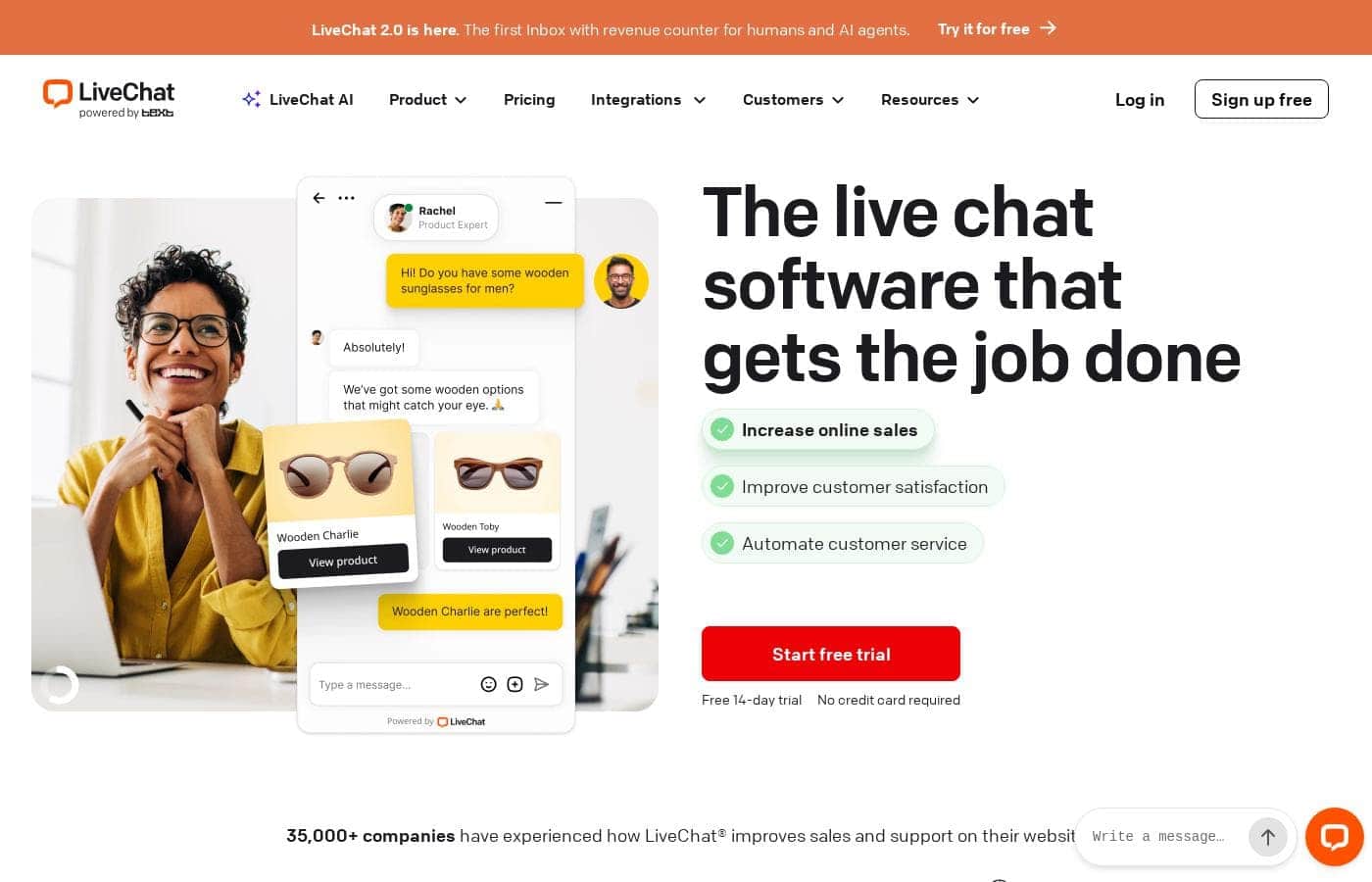
LiveChat homepage screenshot

At a glance

Quick overview for LiveChat: rating, pricing summary, key features, and highlights.
Pricing verified Oct 12, 2026

Ciroapp score

3.9/ 5

LiveChat makes it simple for support and sales teams to talk with website visitors in real time, with quick setup, a no-credit-card 14-day trial, and adoption by more than 35,000 companies. It's live-chat-first, though, so buyers who need phone, email, or social channels should compare carefully. Overall, it's a solid pick for teams focused on real-time website chat.

Pros

  • Pros:Very fast to adopt — the vendor markets it as quick to set up and easy to use, so teams can start chatting with visitors without a lengthy implementation.
  • Pros:The free 14-day trial requires no credit card, letting teams evaluate the full product with zero financial commitment.
  • Pros:Broad market validation, with more than 35,000 companies using the product.

Cons

  • Cons:Per-seat billing means costs grow with every agent added, and the listed plan range extends as high as $93,762/month for the largest tier, so larger teams should model costs carefully.
  • Cons:LiveChat is a live-chat-first product; teams whose support model depends heavily on channels like phone, email ticketing, or social media should verify coverage before choosing it over a broader omnichannel helpdesk.
  • Cons:Third-party review data from G2, Capterra, and Trustpilot was not available for this review, so independent user sentiment could not be independently verified here.
Best for
  • Customer support teams that want to answer website visitor questions in real time instead of relying only on email.
  • E-commerce and SaaS sales teams looking to engage visitors on product and pricing pages to increase conversions.
  • Small businesses and startups that need a live chat tool they can set up quickly without dedicated IT staff.
This section is a summary. Detailed sections about features, use cases, pricing, and reviews follow below.

What is LiveChat?

LiveChat is a live chat platform designed to let support and sales teams talk directly with people browsing their website. The vendor emphasizes fast setup and an intuitive interface, and the product is used by more than 35,000 companies. A free 14-day trial is available without a credit card, which lowers the barrier to evaluating it against alternatives.

LiveChat is customer service software in the live chat category. Its core function is enabling team members to chat with visitors on a website through an embedded chat window, handling questions, issues, and purchase-related conversations as they happen. It is positioned as a tool that both support desks and sales teams can use from a single dashboard.
Should you choose LiveChat?

Quick buyer guidance before you compare plans or click through.

Choose it if

  • Customer support teams that want to answer website visitor questions in real time instead of relying only on email.
  • E-commerce and SaaS sales teams looking to engage visitors on product and pricing pages to increase conversions.
  • Small businesses and startups that need a live chat tool they can set up quickly without dedicated IT staff.
  • Companies that want to trial a chat product risk-free before committing budget.

Skip it if

  • Teams whose primary support channel is phone or voice rather than website chat.
  • Organizations that need a full omnichannel helpdesk covering email, social media, and messaging apps as first-class channels and should verify LiveChat's coverage before committing.
  • Very large support organizations whose projected per-seat costs approach the top of the listed pricing range and need to negotiate enterprise terms carefully.

Next steps before buying

  1. 1Sign up for the free 14-day trial at livechat.com — no credit card is required.
  2. 2Install the LiveChat chat widget on your website so visitors can start conversations.
  3. 3Invite your support and sales agents and assign them to handle incoming chats.
  4. 4Customize the chat window to match your branding and set up your team's availability hours.
  5. 5Run real conversations with visitors during the trial, then choose a monthly or yearly plan before the trial ends.

LiveChat Key Features

✨ Real-Time Website Chat

The core of LiveChat is a chat window embedded on your site through which agents respond to visitors as they browse. Conversations happen in real time, so questions about products, pricing, or account issues can be answered without the visitor leaving the page.

✨ Fast, Simple Setup

LiveChat is marketed as quick to set up and easy to use. Teams add the chat widget to their website and start handling conversations without a heavy configuration process, which makes it practical for small teams without dedicated IT resources.

✨ Support and Sales in One Tool

The vendor positions LiveChat for boosting both sales and support. The same chat channel that helps agents resolve customer issues can also be used to engage visitors who are considering a purchase, so one tool covers two revenue-relevant workflows.

✨ Trial and Plan Options

LiveChat offers a free 14-day trial that requires no credit card, plus a plan structure that includes monthly and yearly subscription options with per-seat and usage-based billing. A free plan tier is also listed, and paid plans scale from small teams up to large enterprise arrangements.

Use Cases

💡 Customer Support

Support teams use LiveChat to answer customer questions in real time instead of routing everything through email tickets. Visitors get immediate help with account, billing, or product issues, which reduces wait times and can deflect repetitive contacts.

💡 Sales and Conversion

Sales teams use chat to engage visitors who are on pricing or product pages. Answering objections while the visitor is still on the site helps move hesitant buyers toward a purchase, which is how the vendor frames the tool's role in boosting sales.

💡 Lead Qualification for B2B Sites

B2B companies can use the chat window to identify and qualify visitors, answer pre-sales questions, and route serious prospects to the right person. This turns passive website traffic into an active pipeline of conversations.

💡 Small Team Onboarding

Because setup is quick and the interface is designed to be intuitive, small businesses and startups can adopt LiveChat without a dedicated administrator. A few agents can be up and answering chats shortly after signing up for the trial.

LiveChat pricing

From$19/mo

  • From the vendor's pricing page, checked Oct 12, 2026
  • 3 plans

Prices checked on Oct 12, 2026 from LiveChat's pricing page

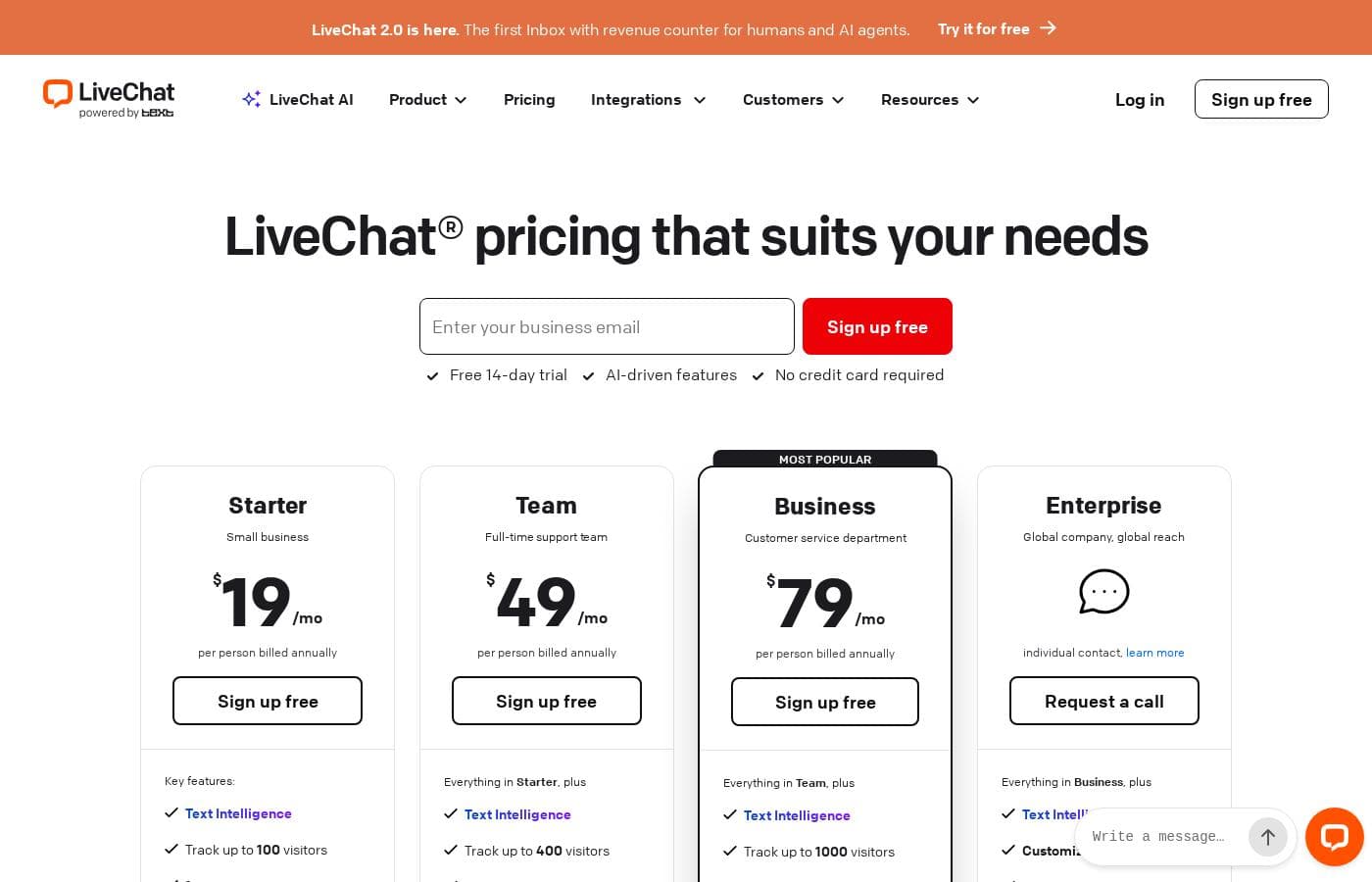
LiveChat pricing page screenshotView pricing page screenshot
PlanBilled monthlyBilled annuallyIncludes
Essential
per user
$19/mo
—
per user
Growth
per user
$79/mo
—
per user
Compare all features and plans
per user
$19/mo
—
per user

Price history

Tracking prices since Sep 30, 2026. No price change detected yet.

Pricing types: Free plan, Free trial, Monthly subscription, Yearly subscription, One-time payment, Per seat pricing, Usage-based pricing

Pricing notes

LiveChat pricing: Plans from $0/month Billing options: Free plan, Free trial, Monthly subscription, Yearly subscription, One-time payment, Per seat pricing, Usage-based pricing

Cost calculator

Estimate what LiveChat costs for your team.

Billing
Per month
$95
Per year
$1,140

Essential is priced per user: price × 5 seats. Estimate based on published list prices, before taxes, add-ons and discounts.

How to pay less for LiveChat

  • Some plans are priced per user: only pay for seats people actually use.
  • Cheaper tools in this category start at $4/mo.
Visit LiveChat

Email me when LiveChat changes price

One email when we detect a price change on the vendor's pricing page. No newsletter, no deals. Unsubscribe in one click.

User Reviews

No reviews yet.

Write a Review

Write a Review for LiveChat
0/100 characters
0/2000 characters

Why use LiveChat?

Website visitors who have to send an email and wait for a reply often leave without converting. A live chat tool like LiveChat addresses this by letting agents answer questions while the visitor is still on the page, which can shorten resolution times and recover sales that would otherwise be lost.

The vendor's claim of quick setup also means teams can typically start chatting without a lengthy implementation project.

LiveChat alternatives

Other tools in the Live Chat category

View all Live Chat tools
JivoChat

JivoChat

Live Chat3.9/5From $4/mo

JivoChat is a comprehensive communication hub trusted by over 200,000 businesses globally. This platform is designed for organizations seeking to centralize all customer interactions into a single, efficient application. Your team gains the toolkit required to provide fast and helpful responses, regardless of how the customer reaches out. 💡 It’s built to ensure operators can combine all incoming messages from various sources into one clean stream. This approach maintains high quality service by letting your team communicate effectively from one simple interface.

Gist

Gist

Live Chat3.9/5

Gist is an ecosystem designed specifically to improve your customer service and prospect engagement efforts. Users recognize it as a comprehensive tool that streamlines communication efficiently. You won't need to be a programmer to get started, either. One user noted that installing the key features, like live chat, was very easy to set up without technical help. It’s built to be accessible, helping any serious business owner manage conversations better.

Froged

Froged

Live Chat4.1/5

FROGED is a complete communication stack built for the future. It is an omnichannel platform designed for customer service, allowing you to manage all channels in one place—not twenty. This solution is specifically made for modern businesses that want to scale and improve efficiency. FROGED combines the benefits of robust AI technology with necessary human expertise to drive growth throughout the customer journey. You get corporate technology available for businesses of all sizes 💡.

Ruby

Ruby

Live Chat3.9/5

Ruby provides expert live receptionist services, focusing on meaningful human connections. They are purpose-built for small businesses that deeply value personalized, professional communication. Relying on highly trained people—not just automated machines—Ruby ensures every caller experiences professional, friendly interaction. Its effectiveness is proven by the fact that they handle over 1.1 million conversations monthly for busy professionals. This comprehensive administration of service solves problems quickly and handles questions effectively, often with genuine delight.

T

Tidio

Live Chat3.7/5

What is it? A complete customer service stack in one platform. Tidio blends Lyro AI Agent with a Help Desk and real-time Live Chat, plus Flows to streamline conversations. It's built for brands and service teams who want AI to augment humans, not replace them. The system supports 120+ tool integrations and a full-suite approach to service.

Cheapest Live Chat software for 1 to 25 users

LiveChat FAQ

How much does LiveChat cost?

LiveChat's cheapest paid plan, Essential, costs $19 per month. Paid plans range from $19 to $79 per month. Prices checked on Oct 12, 2026 from the vendor's pricing page.

Has LiveChat's price changed recently?

No. We have not detected a price change since we started tracking on Sep 30, 2026.

Does LiveChat offer a free trial?

Yes. LiveChat offers a free 14-day trial and does not require a credit card to sign up, so you can test the product with your real website and team before paying anything.

Who uses LiveChat?

According to the vendor, more than 35,000 companies use LiveChat to chat with their website visitors, spanning support teams that answer customer questions and sales teams that engage prospective buyers.

How quickly can we start using LiveChat?

LiveChat is positioned as quick to set up and easy to use. The typical path is to sign up for the trial, add the chat widget to your website, and invite your agents — many teams can be handling real visitor conversations within the first day rather than after a weeks-long implementation.

Ready to try LiveChat? Check out the official site or pricing.

Are you LiveChat? Claim this listing · Get the badge