Fotor

Fotor

AI photo editor simplifies complex edits.

#2 dans Photo editing
2 min read · Updated 10/5/2025
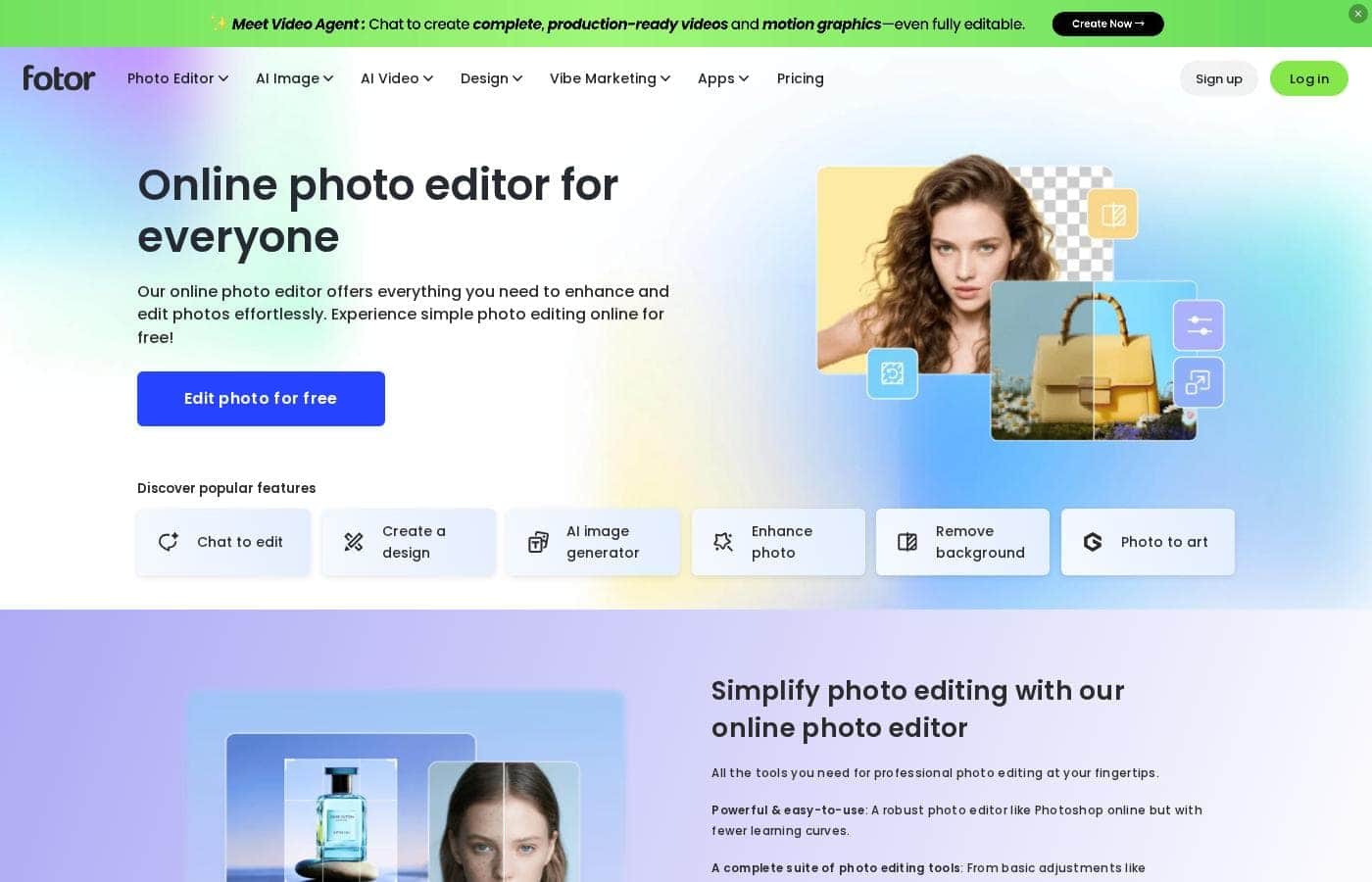
Fotor homepage screenshot

At a glance

Quick overview for Fotor: rating, pricing summary, key features, and highlights.

Ciroapp review

3.8
Powerful AI tools, usability offsets billing friction.

We find Fotor offers robust AI tools for simplified photo and video creation, making high-end editing highly accessible for beginners. However, the paid experience is frequently marred by ambiguous payment policies and pressure from the restrictive credit system. Overall, Fotor is a powerful editor best suited for high-volume hobbyists who tolerate navigating the premium paywalls.

Pros

  • Pro:Excellent user-friendliness and easy learning curve for all users.
  • Pro:Robust AI generator for images and videos with high-quality results.
  • Pro:Effective tools for quick edits, object removal, and background replacement.
  • Pro:Includes specialized high-end features like AI Slides and batch editing (Pro+).

Cons

  • Con:Frequent user complaints about unexpected billing and unclear refund/cancellation policies.
  • Con:Restrictive credit and points system bothers many users who want unlimited use.
  • Con:Some reviewers find the platform less ideal for complex professional work.
  • Con:Suspected use of incentives to gain positive reviews via a credit system.
Range: $0Free plan, Monthly subscription, Yearly subscription
This section is a summary. Detailed sections about features, use cases, pricing, and reviews follow below.

Fotor review, pricing, features, pros & cons

Do you struggle to make your digital photos look truly professional? Many powerful editing tools are often too complex or require specialized skills. Fotor changes that.

It helps you quickly improve and edit images without needing advanced knowledge. You can achieve stunning results with minimal effort, making complex photo enhancements easy. ✨

What is Fotor?

Fotor is a user-friendly online photo editor designed for everyone. It works well for both amateurs and more seasoned professionals. Unlike complex traditional software, Fotor provides powerful editing features within a highly intuitive interface. You can easily edit your photos online in just three simple steps: Upload, Edit, and Download.

It’s also incredibly flexible. You can use Fotor on Windows, Mac, iOS, and Android devices. This availability means you can enhance your pictures anytime, anywhere, all managed with a single account. 💡

Fotor Key Features

✨ Intuitive, Simplified Editing Workflow

Fotor helps you quickly improve and edit images without needing complex knowledge. The editor provides powerful features using a highly intuitive interface. This design simplifies demanding tasks that usually require specialized expertise.

Editing your photos online is a straightforward three-step process. You simply Upload your image, perform your Edits, and then Download the result. This workflow makes achieving stunning photo enhancements simple and efficient.

✨ Precise Cleanup and Seamless Object Removal

You can clean up your pictures perfectly by removing unwanted objects in seconds. The online editor is your best choice for quickly eliminating distractions. You don't need specialized Photoshop expertise to use this capability.

Hazards like people, distracting text, or watermarks can be removed instantly. This tool provides an easy way to restore focus to your subject and prepare your images for presentation.

✨ Advanced AI Background Control

The AI photo editor lets you effortlessly edit and perfect your image backgrounds. You have several tools to modify the setting and control the depth of field. Use the Blur Tool, for instance, to highlight the main subject and create a professional depth of field effect.

Fotor simplifies powerful background modifications, including replacement and removal:

✨ AI Background Tools

  • Use the background eraser to get a transparent background automatically.
  • Replace the background by using Fotor’s AI generator.
  • Generate professional new backdrops for any occasion, including product photos.

✨ Creative Customization and Text Effects

Quickly add custom text to any picture using the online editor. After inserting the text, you can change the font, size, color, and spacing to customize the look. For a unique creative touch, you can also curve the text.

You can further personalize your work by adding various creative elements. Customization tools allow you to apply stickers, photo frames, and overlays to enhance your finished image.

✨ Foundational Adjustments and Quality Improvement

Fotor includes all the essential tools you need to digitally enhance your images. With just a few simple clicks, you can adjust primary elements like color, exposure, brightness, and contrast. These adjustments help you improve overall image quality easily.

The editor also handles basic requirements like cropping and resizing. You can quickly tailor your photos to fit any necessary dimensions or publication format.

✨ Total Cross-Platform Flexibility

Our user-friendly online editor is designed to work wherever you are. You can use Fotor across all major platforms, including Windows, Mac, iOS, and Android devices. This ensures maximum accessibility for your workflow.

Your single account syncs across all devices, allowing you to edit and enhance pictures anytime, anywhere. Furthermore, users on top-tier plans benefit from high-volume batch processing capabilities, including batch background removal and batch upscaling for up to 50 images at once.

Use Cases

🛍️ Creating Flawless E-commerce Product Shots

E-commerce sellers often struggle to get consistent, professional backgrounds. Fotor makes this easy. You can automatically remove the existing background using the background eraser to get a transparent image.

For better presentation, quickly replace it using the AI background generator. You can generate professional backdrops designed specifically for product images. This simplifies your workflow and ensures every product photo looks polished and prepared for sale.

🧹 Cleaning Up Distracting Elements

Have you ever taken a great photo only to find unwanted elements like text or people in the background? Fotor lets you cleanup your picture easily in seconds. You do not need traditional Photoshop knowledge to master this task.

Simply identify the object—whether it's an annoying watermark or a distracting sign—and remove it instantly. This tool provides impressive high-quality results for perfect, clean images.

📣 Designing Quick Social Media Content

Social media users need to create engaging graphics fast. Fotor allows you to quickly adjust your visual content and prepare it for sharing. You can upload an image and apply effects, stickers, or photo frames right away.

Tip: To make your posts stand out, use the text tool to customize your message. You're able to change the font, size, and color, and even curve the text for a unique creative touch.

💡 Optimizing Photos for Quality and Focus

Sometimes photos simply need professional adjustments before final use. Fotor simplifies tasks like color correction and exposure control. You can adjust lighting, color, and exposure to quickly improve overall image quality.

If you want to draw viewer attention, try using the Blur Tool. This creates a depth of field effect by blurring the background, making your main subject truly stand out.

⚡ Managing High-Volume Photo Workflows

For professionals dealing with many images, efficiency is crucial. Fotor’s Pro+ tier offers advanced batch processing to save significant time. You can handle demanding tasks on multiple photos at once.

This includes the ability to process up to 50 images simultaneously using tools like the batch background remover and the batch AI upscaler. This specialized functionality ensures maximum capacity and speed for large projects.

💻 Seamless Editing Across All Devices

It's important to edit wherever you happen to be working. Fotor provides total accessibility, allowing you to edit and enhance photos from anywhere and at any time. Your single account works perfectly across PC and mobile devices.

You can easily start editing on your laptop and finish the final adjustments on your phone. Fotor is available across Windows, Mac, iOS, and Android platforms, linking your digital workflow effortlessly.

Pricing Overview for Fotor

Pricing range
$0
Pricing types
Free plan, Monthly subscription, Yearly subscription

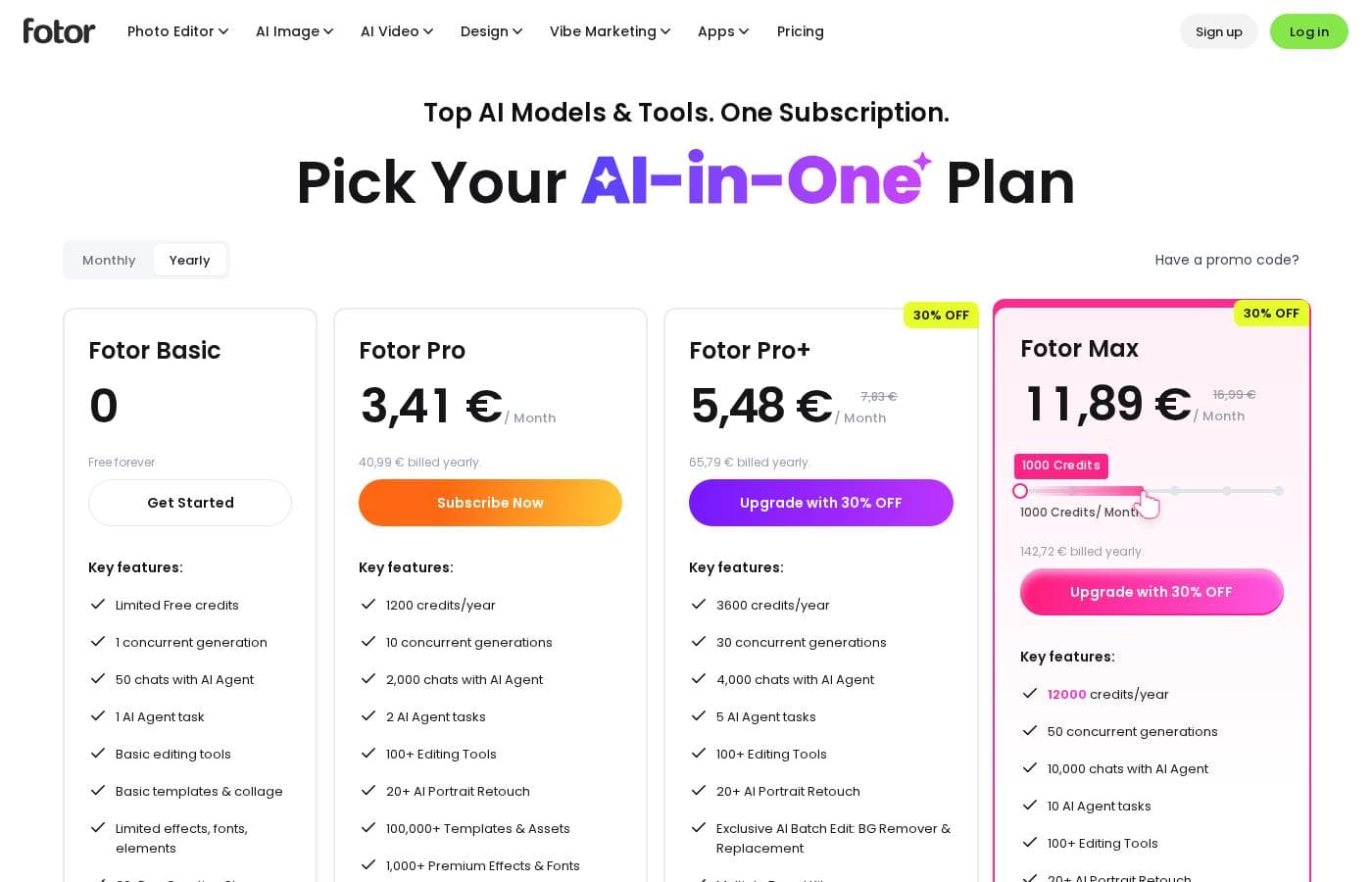
Fotor operates on a freemium model, offering a robust free Basic plan alongside two powerful premium tiers, Pro and Pro+. While the exact costs for the premium plans are not listed in the available overview, the US$0 Basic plan offers essential editing features for casual use.

Plans & Pricing

Fotor Basic

MonthlyUS$ 0
Ad-supported, not watermark-free, no canvas resize, batch editing limited to 3 images at once.
  • Basic editing features
  • Basic design & collage templates (1000+)
  • Limited effects, fonts, elements
  • Normal JPG & PNG download file format
  • Limited free Fotor credits
  • 512 MB cloud storage

Fotor Pro

Contact for pricing
Limited to 100 generative credits per month.
  • Advanced editing & AI tools
  • Watermark-free, Ad-free
  • HD JPG & PNG downloads
  • Premium design & collage templates (100,000+)
  • Full access elements, fonts, backgrounds
  • 100 credits/month and eligible to buy retail credits
  • 2 GB cloud storage, 100 folders
  • Priority ticket handling
  • + 1 more features

Fotor Pro+

Contact for pricing
Limited to 300 generative credits per month.
  • Everything in Fotor Pro
  • AI Slides, AI Write, AI Image/Video Generation, AI Video Editing tools
  • AI face & portrait tools
  • Batch background remover, Batch AI upscaler
  • 300 credits/month and eligible to buy retail credits
  • 100 GB cloud storage, 200 folders
  • Brand kits

Fotor costs between US$0 and Not explicitly stated per Not explicitly stated with 3 plans: Fotor Basic at US$ 0, Fotor Pro at Not explicitly stated, Fotor Pro+ at Not explicitly stated.

Fotor offers a variety of plans designed for different levels of usage. You should pick the tier that best matches your design volume and required AI tools. Take a look at the features included in each tier below.

Fotor Basic

Price: US$ 0 (Free forever) Websites Supported: Not explicitly stated Best For: Casual users or beginners Refund Policy: Not explicitly stated Other Features: Basic editing, 1000+ templates, Normal JPG & PNG downloads, Limited free Fotor credits, 512 MB cloud storage.

The Basic plan is a fantastic starting point for anyone. It's free forever, letting you handle fundamental photo adjustments and design layouts. However, be aware that features like image resizing, AI tools, and watermarking removal require an upgrade. It’s perfect if you just need light editing capacity.

Fotor Pro

Price: Not explicitly stated Websites Supported: Not explicitly stated Best For: Regular creators, small businesses, and hobbyists needing advanced features Refund Policy: Not explicitly stated Other Features: Watermark-free, Ad-free, 100,000+ templates, 100 credits/month, Advanced & AI editing, Full access to elements and fonts, Priority ticket handling.

Fotor Pro unlocks substantial productivity improvements over the Basic plan. You receive 100 creative generative AI credits each month and can download high-definition (HD) results. Crucially, this plan removes ads and watermarks, providing a professional workflow. It’s ideal for users who perform consistent editing and utilize AI features often.

Fotor Pro+

Price: Not explicitly stated Websites Supported: Not explicitly stated Best For: High-volume professionals and advanced AI users Refund Policy: Not explicitly stated Other Features: 300 credits/month, 100 GB cloud storage, AI slides, AI write, Batch background remover, Batch AI upscaler, 50 images at once batch editing, 200 folders.

Fotor Pro+ represents the highest tier of powerful tools and generous limits. You benefit from significantly more AI credits and massive cloud storage (100 GB) for large projects. This plan also includes specialized, high-end AI utilities like AI slides and enhanced batch processing tools. If you are running complex campaigns or dealing with corporate branding (Brand kits are included), this plan gives you maximum capacity and speed.

If you want to try Fotor, you can start immediately with the free Basic plan and edit photos without watermarks. Although specific premium pricing is not displayed here, Fotor Pro and Pro+ plans offer comprehensive toolsets, generous credits, and professional support for serious creation.

User Reviews

Fotor’s user reception is sharply divided, but praise for the application’s functionality is strong. Users consistently highlight the platform's exceptional ease of use, finding it quick for editing photos and generating AI images and videos.

Many appreciate the comprehensive variety of powerful AI features, noting the solid quality of results. The tool is often described as perfect for beginners, quick edits, and social media posting, providing excellent value for money.

However, a significant fraction of users reports major friction points concerning business practices. Customers frequently cite severe concerns regarding the confusing credit and points system, feeling pressure to write reviews just to earn credits.

There are also reports of unexpected charges and unclear subscription, cancellation, and refund policies, leading some to claim the advertised 'free trial' is misleading. While the software excels in speed and functionality, users needing dedicated professional tools find it less suitable.

For creative enthusiasts on a budget, Fotor is effective but be wary of the payment structure. 👀

What users say elsewhere

Alex S.
· Trustpilot
5.0 / 5

The site is incredibly fast and truly easy to use. It has so many features which could seem daunting, but it doesn't take long to master the basics. You can do so many things with photo editing and AI video creations with just one site!

Maria K.
· Trustpilot
4.0 / 5

The AI tool is amazing and the image results are great. I really love this service, especially since there isn't much need to upgrade to premium for basic needs. However, the points system for AI generation bothers me a bit.

No reviews yet.

Write a Review

Write a Review for Fotor
0/100 characters
0/2000 characters

Why use Fotor?

Choosing the right editing tool means finding comprehensive power without the headache. Fotor simplifies demanding tasks that usually require specialized expertise. Our editor is less complex than traditional professional software, but it still gives you impressively high-quality results.

Here is why Fotor is the smart choice for quick, stunning enhancements:

  • Clean Up Photos Effortlessly: Remove unwanted objects like people, text, or watermarks in seconds. You don't need traditional Photoshop expertise to clean up your pictures perfectly.
  • Master Backgrounds Easily: Use the background eraser to automatically get a transparent background. You can also quickly replace the background by using Fotor’s AI to generate professional backdrops, even for product photos.
  • 💡 Accessibility Across Devices: Edit and enhance photos from anywhere. Your single account works across PC and mobile platforms, including Windows, Mac, iOS, and Android.
  • 🎨 Creative Customization: Quickly add text to pictures, customizing the font, size, and color. You can even curve the text for a unique and creative touch.
  • 🖼️ Free Access Guaranteed: Start editing immediately using the robust free plan. You can edit as many images as you want and export them without frustrating watermarks.

Ready to transform your workflow with Fotor?

Fotor Alternatives

Other tools in the Photo editing category

Frequently Asked Questions

How does Fotor's generative AI credit system work across the plans?

Premium plans include a set number of monthly credits specifically for generative AI tools. The Pro plan grants you 100 credits per month. If you choose Pro+, you receive 300 credits monthly; all paid users can buy additional retail credits if needed.

Does Fotor offer a risk-free free trial for the Pro or Pro+ membership tiers?

The official pricing explicitly states there is no traditional free trial for the premium tiers. However, you can start using the robust Fotor Basic plan immediately. This free plan allows you to test fundamental editing tools forever.

What kind of customer support is included when I upgrade to a paid account?

Basic users access assistance through the Help center and tutorials only. Both Pro and Pro+ subscribers qualify for Priority ticket handling, ensuring you receive faster customer service response times.

What are the storage limits for cloud data across the different Fotor plans?

Cloud storage capacity increases dramatically with each tier. The free Basic plan includes 512 MB. Upgrading to Pro gives you 2 GB, while the Pro+ plan provides a substantial 100 GB of cloud storage.

Is the Fotor subscription priced per user, or is it based on usage capacity?

The pricing structure seems designed for a single user focused on maximizing production. Plans are differentiated mainly by monthly quota limits, such as generative AI credits and cloud storage capacity.

What is the maximum number of images I can edit at once using the batch processing tools?

The capability for batch editing changes significantly with your plan. Basic users are limited to processing 3 images concurrently. Both the Pro and Pro+ plans allow you to edit up to 50 images in a single batch operation.

Where can I find Fotor's official refund or money-back guarantee policy details?

Not explicitly stated on the official site. Public feedback suggests that refund and cancellation policies are often unclear to users. We advise you to review the terms of service carefully before purchasing a premium subscription.

Which plan is best for high-volume work or users needing specialized AI features?

The Pro+ plan is designed for high-volume professionals and advanced AI users. It features the maximum 300 AI credits, 100 GB of storage, Brand kits, AI Slides, and batch background removal tools.

Does Fotor offer an API or specific plans for connecting Fotor services with other software?

Yes, a plan option labeled 'API Plans' is visible on the pricing structure page. However, specific details about cost, functionality, or documentation related to the API are not available in the plan comparison.

How do I cancel my Fotor premium subscription, and are there penalties?

Not explicitly stated on the official site. External user feedback frequently cites concerns about ambiguous processes and friction when attempting to cancel premium subscriptions.

Does Fotor specify its data privacy policies or security measures for uploaded images?

Not explicitly stated on the official site. You should seek out their dedicated security or privacy policy pages to understand how Fotor handles your sensitive data and image files.

Ready to try Fotor? Check out the official site or pricing.