Fotor vs Palette.fm
Fotor and Palette.fm are potent AI image tools, but they serve totally different masters. Fotor is the comprehensive, all-in-one AI content studio for daily tasks and general editing. Palette.fm is a highly focused specialist built only for fast, realistic photo colorization.
Best for: Content creators needing an all-in-one tool for quick social media graphics, E-commerce sellers requiring fast background removal and AI product backdrops
Best for: Archivists or historians colorizing large collections of historical photos, Professional photo restorers who require specialized control over color fidelity
Powerful AI tools, usability offsets billing friction.
We find Fotor offers robust AI tools for simplified photo and video creation, making high-end editing highly accessible for beginners. However, the paid experience is frequently marred by ambiguous payment policies and pressure from the restrictive credit system. Overall, Fotor is a powerful editor best suited for high-volume hobbyists who tolerate navigating the premium paywalls.
Pros
- Excellent user-friendliness and easy learning curve for all users.
- Robust AI generator for images and videos with high-quality results.
- Effective tools for quick edits, object removal, and background replacement.
- Includes specialized high-end features like AI Slides and batch editing (Pro+).
Cons
- Frequent user complaints about unexpected billing and unclear refund/cancellation policies.
- Restrictive credit and points system bothers many users who want unlimited use.
- Some reviewers find the platform less ideal for complex professional work.
- Suspected use of incentives to gain positive reviews via a credit system.
Pros
Cons
AboutFotor
Fotor is a user-friendly online photo editor designed for everyone. It works well for both amateurs and more seasoned professionals. Unlike complex traditional software, Fotor provides powerful editing features within a highly intuitive interface. You can easily edit your photos online in just three simple steps: Upload, Edit, and Download.
It’s also incredibly flexible. You can use Fotor on Windows, Mac, iOS, and Android devices. This availability means you can enhance your pictures anytime, anywhere, all managed with a single account. 💡
AboutPalette.fm
Palette.fm is an AI-powered colorization tool designed for anyone with black and white photos. It's perfect for photographers, creators, and anyone wanting to restore family history. The service promises accurate colors and simple controls, trusted by over 2.8 million users. 💡
Highlights
Feature Comparison
Features Overview
We highlight the main differences and pick a winner for each feature.
Primary Focus
Fotor is a broad editor; Palette.fm is deeply focused only on professional colorization.
Fotor is an all-in-one creative suite for general editing, AI generation, and design work. It provides robust tools to handle object removal, background changes, and creative templates easily. Palette.fm is highly specialized for realistic AI photo colorization and historical restoration. Its entire workflow is tuned to convert grayscale photos into vibrant, lifelike images instantly. Fotor offers breadth for creators, but Palette.fm offers intense depth in its single specialization. This difference determines which tool is ultimately right for your main task.
AI Capabilities
Fotor’s AI is general and creative; Palette.fm’s AI is specialized for color perfection.
Fotor uses robust AI for generating images, videos, and specialized tools like AI Slides and AI Write. Pro+ users get 300 generative credits monthly for these diverse creation tasks. The AI engine in Palette.fm is tuned perfectly for realistic, high-fidelity colorization. It uses 21+ color filters and complex keyword tweaks for exceptional color control. Fotor wins if you need to create entirely new content from scratch or require advanced video tools. Palette.fm wins for superior control over color restoration or archival work.
Batch Processing
Fotor processes high-volume functional edits; Palette.fm handles batch colorization only.
Fotor's Pro+ plan allows batch editing of up to 50 images at one time. This includes powerful functions like batch background removal and AI upscaling for massive efficiency gains. Palette.fm lets you upload all photos for a large project at once to preview and colorize them sequentially. Pro workflows in Palette.fm are allegedly up to 10x faster for quick turnaround times. Fotor offers essential functional batch features, making it ideal for tasks like e-commerce product preparation. Palette.fm's batch feature is limited strictly to colorization.
Output Resolution
Palette.fm offers massive resolution exports, clearly superior to Fotor's standard HD outputs.
Fotor's paid plans offer high-quality downloads in HD JPG and PNG formats. This resolution is easily sufficient for most common web and social media applications. Palette.fm unlocks ultra-high professional resolution up to 5000x5000 pixels with the use of paid credits. This capacity is vital for users needing images for very large prints or detailed archival purposes. Fotor focuses on general quality across many formats; Palette.fm prioritizes maximum pixel density for one use case. If you print large format photos, Palette.fm is the unmatched choice here.
Credit System Clarity
Palette.fm’s credit system is transparent; Fotor’s credit system draws widespread negative user feedback.
Fotor users frequently complain about the restrictive points system and unclear billing practices for generative features. Reviewers cite friction and confusion when dealing with Fotor’s monthly credit allotment. Palette.fm's credit system is clearer: one credit colorizes one photo in full resolution, and unused credits roll over. Palette.fm's policy guarantees credit rollovers up to five times the monthly amount. This transparency means users know exactly what they are paying for with Palette.fm.
Platform Accessibility
Fotor works everywhere with synced accounts; Palette.fm focuses mainly on the web browser.
Fotor provides total cross-platform flexibility across Windows, Mac, iOS, and Android devices. Your single account syncs your work and assets across all devices automatically. Palette.fm is designed primarily around its specialized web interface, enabling powerful in-browser colorization. Fotor is clearly superior for users who frequently jump between mobile devices and desktop computers. If you only operate on a desktop or laptop, either Fotor or Palette.fm will meet your needs.
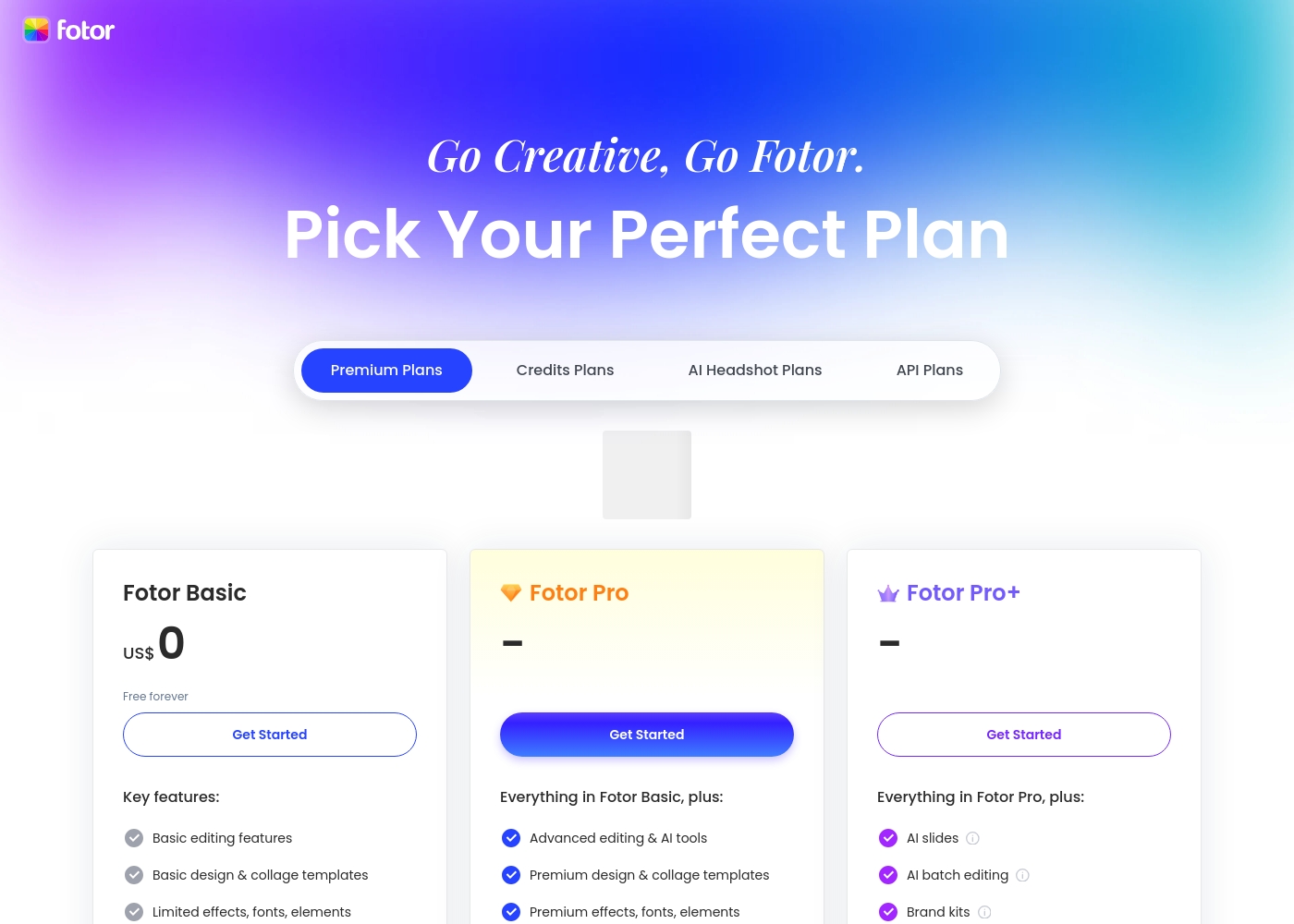
Fotor offers a variety of plans designed for different levels of usage. You should pick the tier that best matches your design volume and required AI tools. Take a look at the features included in each tier below.
Fotor Basic
Price: US$ 0 (Free forever) Best For: Casual users or beginners Other Features: Basic editing, 1000+ templates, Normal JPG & PNG downloads, Limited free Fotor credits, 512 MB cloud storage.
The Basic plan is a fantastic starting point for anyone. It's free forever, letting you handle fundamental photo adjustments and design layouts. However, be aware that features like image resizing, AI tools, and watermarking removal require an upgrade. It’s perfect if you just need light editing capacity.
- Basic editing features
- Basic design & collage templates (1000+)
- Limited effects, fonts, elements
- Normal JPG & PNG download file format
- Limited free Fotor credits
- Advanced editing & AI tools
- Watermark-free, Ad-free
- HD JPG & PNG downloads
- Premium design & collage templates (100,000+)
- Full access elements, fonts, backgrounds
- Everything in Fotor Pro
- AI Slides, AI Write, AI Image/Video Generation, AI Video Editing tools
- AI face & portrait tools
- Batch background remover, Batch AI upscaler
- 300 credits/month and eligible to buy retail credits
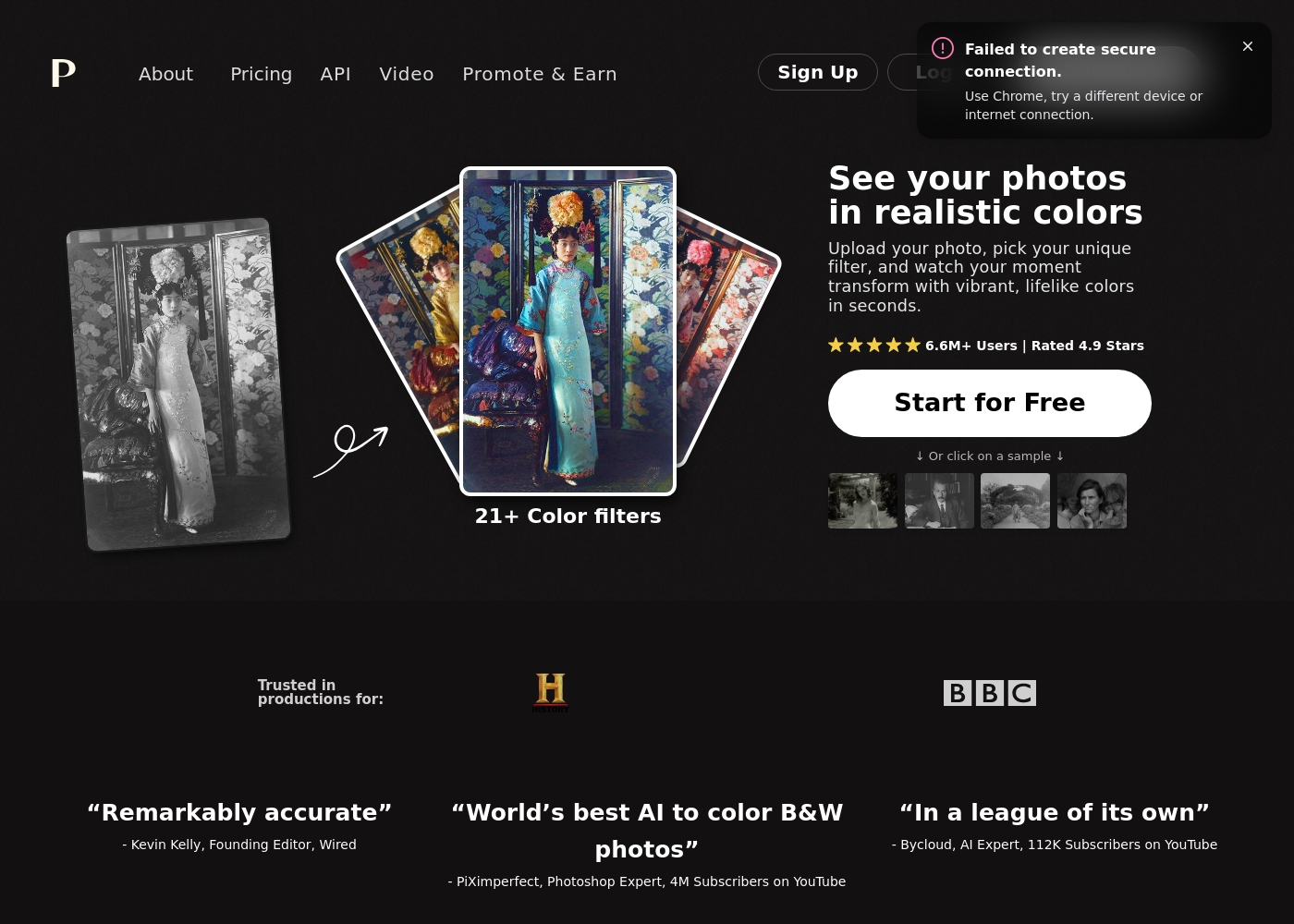
Palette.fm pricing: Palette.fm offers modular pricing ranging from free previews to subscription and one-time credit bundles. You can start for free with watermarked images or upgrade to a paid plan for high-resolution, logo-free downloads.
balance. Enjoy flexibility with credits that roll over and the ability to cancel subscriptions any time.
balance. Enjoy flexibility with credits that roll over and the ability to cancel subscriptions any time.
Pricing Notes
- Fotor offers a robust unlimited free Basic plan, but there is no traditional free trial for its paid Pro tiers.
- Palette.fm offers greater pricing flexibility, including usage-based and one-time payment options for credits.
- Fotor's pricing is tiered based on generative AI credits, cloud storage (up to 100 GB), and advanced tools.
- Palette.fm's costs are strictly based on colorization credits, which offer generous monthly rollover.
- User reviews frequently flag Fotor for confusing subscription management and unclear cancellation policies.
Pricing Head-to-Head
User Reviews
Fotor’s user reception is sharply divided, but praise for the application’s functionality is strong. Users consistently highlight the platform's exceptional ease of use, finding it quick for editing photos and generating AI images and videos.
Many appreciate the comprehensive variety of powerful AI features, noting the solid quality of results. The tool is often described as perfect for beginners, quick edits, and social media posting, providing excellent value for money.
The site is incredibly fast and truly easy to use. It has so many features which could seem daunting, but it doesn't take long to master the basics. You can do so many things with photo editing and AI video creations with just one site!
Our Verdict
Deciding between Fotor and Palette.fm is ultimately simple: which type of editor are you? Fotor is the broad, comprehensive AI content studio you need for speed and daily creative output. Palette.fm is a highly focused tool designed for one specific, incredibly difficult task, which it executes flawlessly. You must choose based on your primary workflow requirement. Fotor is the speed champion for general creative work and high-volume asset preparation. It excels at fast object removal, seamless background swaps, and generating diverse AI images instantly. If you need powerful editing synced across your Mac, PC, and mobile phone, Fotor provides the necessary breadth and cloud storage. Palette.fm achieves mastery by focusing only on specialized AI colorization and restoration quality. For realistic, archivable-quality color on historical photos, Palette.fm is unparalleled. It gives you surgical precision using 21 specialized color filters and keyword tweaks for perfect results. Crucially, Palette.fm delivers massive 5000x5000 pixel exports, essential for professional printing. The deciding factor is the required depth versus breadth. Choose Fotor if you need many tools and generative AI to create new marketing content quickly. Choose Palette.fm if your entire workflow relies on color correction and restoration quality. Palette.fm also offers much clearer credit management than Fotor. If you are an e-commerce seller or social media creator, Fotor provides the necessary breadth and cross-platform convenience. If you are a history enthusiast or professional photo restorer, Palette.fm offers superior niche quality and resolution. Both Fotor and Palette.fm are easy to use, but your specific end goal makes the final call.
Frequently Asked Questions
Which is better for general photo editing: Fotor or Palette.fm?
Fotor is significantly better for general photo editing and content creation. Fotor includes object removal, background tools, and design capabilities. Palette.fm is strictly a colorization tool and offers no general editing features.
Can Fotor colorize old photos like Palette.fm?
While Fotor has broad AI imaging capabilities, Palette.fm is purpose-built for specialized colorization. Palette.fm offers 21+ precise color filters and keyword tweaks unlike Fotor. UsePalette.fm for professional-grade color restoration.
Which software offers better high-resolution output?
Palette.fm provides drastically higher resolution, supporting images up to 5000x5000 pixels. Fotor offers HD downloads, which is sufficient for web, but Palette.fm is better for large prints.
Is the credit system clearer in Fotor or Palette.fm?
Palette.fm has a transparent credit system where credits roll over monthly for colorization. Fotor’s generative AI credit system frequently leads to user complaints about confusion and unclear costs.
Does Fotor offer better batch processing capacity than Palette.fm?
Fotor offers superior batch functionality in its Pro+ plan, enabling up to 50 images for upscaling or background removal. Palette.fm efficiently handles batch uploads, but only for colorization processing.
Who should choose Palette.fm instead of Fotor?
Choose Palette.fm if your main goal is accurate, high-resolution colorization of historical images. If you are an archivist or print professional, Palette.fm’s niche quality and control are unmatched by Fotor.
Ready to Choose?
Both tools have their strengths. Choose based on your specific needs.