Formidable Forms

Formidable Forms review

More than a form plugin — a WordPress application builder. Create complex multi-page forms with calculations, then turn submitted entries into live site content.

Formidable Forms costs from $6.58/mo · 5 plans · prices checked Oct 13, 2026

By Ciroapp Editorial Team · Updated Sep 16, 2026

Commission may apply at no extra cost

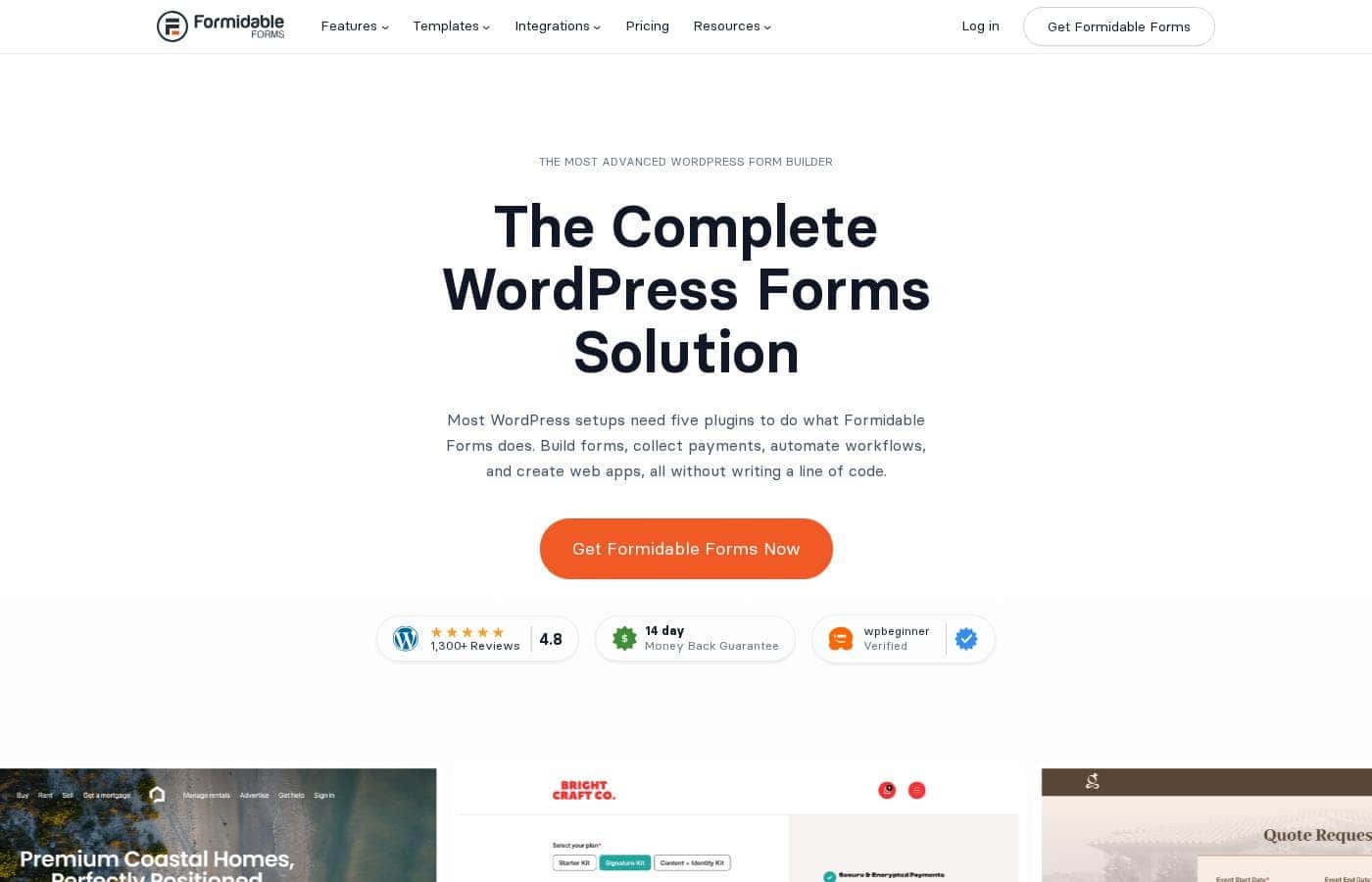
Formidable Forms homepage screenshot

At a glance

Quick overview for Formidable Forms: rating, pricing summary, key features, and highlights.
Pricing verified Oct 13, 2026

Ciroapp score

4.0/ 5

Formidable Forms goes beyond contact forms with multi-page flows, live calculations, and Views that publish submissions as directories or listings, all stored in your own WordPress database. The catch is that its best features are paid, and advanced setups take more work than simpler plugins. Overall, it's a strong pick for WordPress users who need forms that do real work.

Pros

  • Pros:Goes beyond basic contact forms — multi-page flows, conditional logic, and calculated fields let one plugin handle applications, quotes, and registrations.
  • Pros:Views turn submitted entries into live pages, tables, and directories — a capability most competing form plugins simply do not have.
  • Pros:Form data stays in your own WordPress database rather than a vendor's cloud, which fits neatly into existing backup and compliance routines.

Cons

  • Cons:The features that justify the platform positioning — Views, advanced fields, payment and marketing integrations — sit behind paid tiers, so the free plan is essentially a trial of the core builder.
  • Cons:The pricing range tops out near $28,000 per year for the largest agency-level licenses, a serious line item compared with simpler form plugins.
  • Cons:The breadth of options carries a learning curve; building calculated or multi-page forms takes noticeably more setup than a bare-bones contact plugin.
Best for
  • WordPress agencies and freelancers shipping many client sites per year who need reusable forms, calculators, and data-driven listings across projects.
  • Small businesses that want self-service tools on their site — instant quotes, registrations, applications — without paying a developer for custom code.
  • Site owners building directories, job boards, review sections, or member-submitted content where form entries must become public pages.
This section is a summary. Detailed sections about features, use cases, pricing, and reviews follow below.

What is Formidable Forms?

Formidable Forms is a WordPress form builder that positions itself as more than a way to collect messages: it is an application builder aimed at professional sites. The same plugin covers a first contact form and the complex, multi-page forms with calculations that agencies build into dozens of client sites a year. Its most distinctive capability is turning what visitors submit into live site content — listings, directories, tables — rather than leaving entries locked in an admin inbox.

Formidable Forms is a WordPress plugin for building forms of any complexity through a drag-and-drop interface. Basic use cases include contact, registration, and survey forms; advanced use cases include multi-page applications, conditional question flows, and forms that perform live calculations such as quotes or cost estimates. Beyond collection, the plugin can display submitted data on the front end of your site, so a form becomes the front door to a directory, listing page, or member-generated content.

Everything runs inside your WordPress install, with entries stored in your own database.
Should you choose Formidable Forms?

Quick buyer guidance before you compare plans or click through.

Choose it if

  • WordPress agencies and freelancers shipping many client sites per year who need reusable forms, calculators, and data-driven listings across projects.
  • Small businesses that want self-service tools on their site — instant quotes, registrations, applications — without paying a developer for custom code.
  • Site owners building directories, job boards, review sections, or member-submitted content where form entries must become public pages.
  • Teams that need form data stored in their own WordPress database for backup, compliance, or reporting control.

Skip it if

  • Anyone who needs exactly one simple contact form and wants the smallest possible plugin footprint — a lightweight free alternative may be less overhead.
  • Buyers looking for a standalone, host-agnostic form tool — Formidable is a WordPress plugin and requires a WordPress site.
  • Users on tight budgets who need premium features such as Views or payment collection but cannot justify a paid subscription.

Next steps before buying

  1. 1Install the free Lite version directly from your WordPress dashboard (Plugins → Add New → search for Formidable Forms), or purchase a plan on formidableforms.com and upload the Pro plugin with your license key.
  2. 2Create your first form with the drag-and-drop builder or a prebuilt template, then configure email notifications and the confirmation message.
  3. 3Add the form to a page or post using the Formidable block or shortcode, and submit a test entry to verify notifications and storage.
  4. 4Layer on advanced behavior as needed — multi-page setup, conditional logic, and calculated fields — and, on a paid plan, use Views to publish entries as listings, tables, or directories on the front end.

Formidable Forms Key Features

✨ Drag-and-Drop Form Builder with Templates

Forms are assembled visually by dragging fields into place, with prebuilt templates covering common needs such as contact forms, registration, and surveys. Fields can be arranged in multi-column layouts, and reusable templates keep form design consistent across a site or a whole client portfolio. Because everything runs inside the WordPress admin, there is no external dashboard to learn.

✨ Multi-Page Forms and Conditional Logic

Long forms can be split across multiple pages so visitors are not facing a single wall of fields, with page navigation and per-page validation along the way. Conditional logic shows, hides, or skips questions based on earlier answers, which keeps forms short and relevant. This combination is what lets Formidable handle applications, intake questionnaires, and registration flows that simpler plugins struggle with.

✨ Calculated Fields and Pricing Logic

Numeric fields can drive live calculations — quotes, order totals, mortgage or cost estimators — computed as the visitor fills in the form. Math can reference other fields, dropdown selections, and fixed values, so pricing models can be encoded without writing JavaScript. The calculated result is stored with the submission, giving your team pre-priced leads instead of raw inquiries.

✨ Views: Turning Entries into Site Content

The distinguishing feature is the ability to display submitted entries as live WordPress pages. A form that collects listings, reviews, or user submissions can feed an automatically updating directory, table, or listing page. Data stays in your own database, and Views give you control over exactly how each entry renders on the front end, without custom PHP.

✨ Integrations and Data Control

Submissions land in your WordPress database first, which keeps the data under your control and inside the backup routines you already run. Connections to email marketing services, payment gateways, and automation platforms like Zapier extend what happens after a submission, and CSV export covers migrating or reporting on entries. Anti-spam tools such as honeypots and CAPTCHA options cut down on junk submissions.

Use Cases

💡 Contact Forms and Lead Capture

The baseline use case: styled contact forms with spam protection, email notifications, and custom confirmations. Lead-gen forms can branch with conditional logic so different audiences see different follow-up questions. Every submission is stored in the WordPress admin rather than only forwarded by email, so nothing is lost if a notification fails.

💡 Quote, Pricing, and Cost Calculators

Service businesses use calculated fields to give visitors instant estimates: select options, enter quantities, and see a live total before submitting. Mortgage calculators, order totals, and booking-cost estimators are common patterns. Because the result saves with the entry, sales teams receive qualified, pre-priced leads.

💡 Multi-Step Applications and Intake Forms

Job applications, client onboarding, and grant or patient intake all fit the multi-page pattern: split questions across pages, validate step by step, and use conditional logic to skip irrelevant sections. Long forms see better completion when they do not overwhelm users on one screen. Page-by-page validation reduces abandonment on longer flows.

💡 Directories, Listings, and User-Generated Content

A form paired with Views becomes a submission engine: businesses can collect listings, reviews, or classified ads and publish them automatically as front-end pages. Front-end editing can let users update their own entries without admin access. This is the workflow that turns Formidable from a form tool into a lightweight application platform.

💡 Surveys, Polls, and Quizzes

Prebuilt templates and field types support surveys, polls, and scored quizzes. Results can be displayed on the site or exported for analysis. Conditional follow-ups make it easy to route respondents through different question paths based on their answers.

Formidable Forms pricing

From$6.58/mo

  • From the vendor's pricing page, checked Oct 13, 2026
  • 5 plans

Prices checked on Oct 13, 2026 from Formidable Forms's pricing page

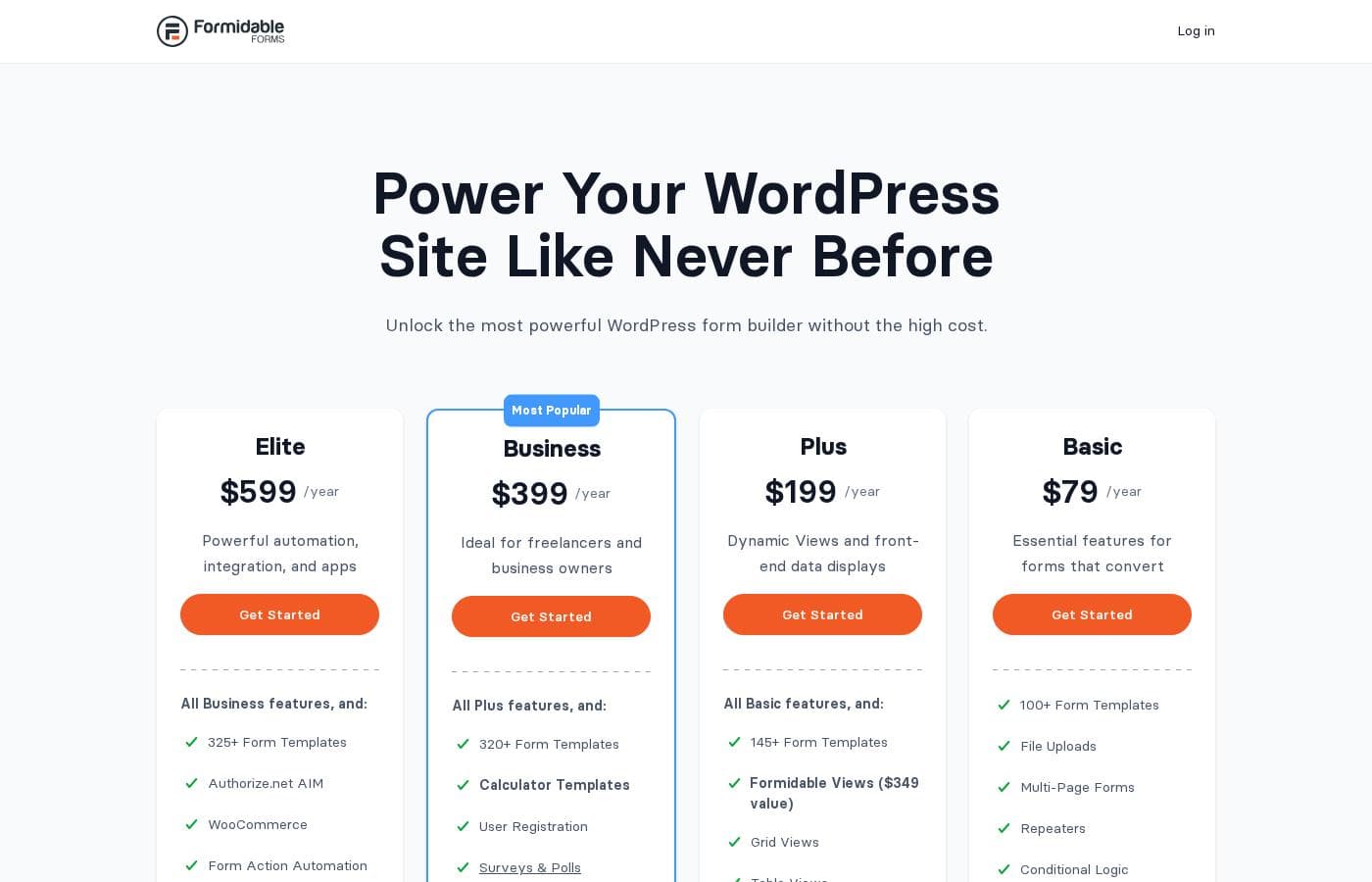
Formidable Forms pricing page screenshotView pricing page screenshot
PlanBilled monthlyBilled annuallyIncludes
Elite
—
$49.92/mo
$599 per year
Business
—
$33.25/mo
$399 per year
Plus
—
$16.58/mo
$199 per year
Basic
—
$6.58/mo
$79 per year
Compare all Form Maker and View features
—
$49.92/mo
$599 per year

Price history

Tracking prices since Oct 1, 2026. No price change detected yet.

Pricing types: Free plan, Monthly subscription, Yearly subscription, One-time payment, Usage-based pricing

Pricing notes

Formidable Forms pricing: Plans from $0/year Billing options: Free plan, Monthly subscription, Yearly subscription, One-time payment, Usage-based pricing

Cost calculator

Estimate what Formidable Forms costs for your team.

Billing

Elite has no published price for this billing cycle.

Elite has a flat price: the number of seats does not change the total. Estimate based on published list prices, before taxes, add-ons and discounts.

How to pay less for Formidable Forms

  • Cheaper tools in this category start at $4.92/mo.
Visit Formidable Forms

Email me when Formidable Forms changes price

One email when we detect a price change on the vendor's pricing page. No newsletter, no deals. Unsubscribe in one click.

User Reviews

No reviews yet.

Write a Review

Write a Review for Formidable Forms
0/100 characters
0/2000 characters

Why use Formidable Forms?

Most form plugins stop at collecting submissions and emailing them to you; Formidable's pitch is that the data should do something. Calculated fields let visitors self-serve quotes and estimates, conditional logic keeps long forms manageable, and Views convert entries into published content without custom development.

Because the data stays in your WordPress database, you keep control of backups and compliance instead of depending on a third-party cloud. For anyone building more than trivial forms — or building many sites — that combination can replace a stack of single-purpose plugins.

Formidable Forms alternatives

Other tools in the WordPress Form Builder category

View all WordPress Form Builder tools
Gravity Forms

Gravity Forms

WordPress Form Builder4.2/5From $4.92/mo

Gravity Forms is the complete WordPress form management plugin you'll ever need. It's designed to help you move beyond simple contact forms and start using your captured data for good. The platform provides an intuitive visual editor, making form creation easy and fast. You can quickly build powerful custom forms from scratch or kickstart your flow using helpful pre-built contact, payment, or survey templates. This solution is trusted by thousands of web professionals and big brands alike.

WPForms

WPForms

WordPress Form Builder4.2/5

WPForms is the ultimate drag & drop WordPress form builder. It’s designed to allow anyone to create professional online forms without needing extensive development skills. This plugin serves millions of professionals across every industry, including eCommerce, non-profits, and educational institutions. Whether you need a simple contact form or a powerful payment portal, WPForms offers the flexibility you need. It even provides over 2,000 pre-built templates to get you started quickly.

Fluent Forms

Fluent Forms

WordPress Form Builder4.1/5

Fluent Forms is a professional WordPress plugin designed to help you create any kind of form swiftly. It powers over 600,000 businesses globally, focusing strongly on speed and functionality. Using the simple Drag & Drop Visual Builder, you can choose from 60+ input fields and numerous pre-built templates. Whether you need a simple contact form or an advanced quiz, Fluent Forms makes it easy for anyone, even without coding knowledge, to publish beautiful, responsive forms.

Ninja Forms

Ninja Forms

WordPress Form Builder4.2/5

Ninja Forms is a robust, reliable WordPress forms plugin. Over 50,000,000 downloads show it is a foundation of the WordPress platform. This tool is built to handle anything from simple contact forms to advanced industrial applications. The drag-and-drop builder makes form creation straightforward and highly customizable. It’s perfect for growing businesses, organizations, and professional developers doing client work.

Formidable Forms FAQ

How much does Formidable Forms cost?

Formidable Forms's cheapest paid plan, Basic, costs $6.58 per month. Paid plans range from $6.58 to $49.92 per month. Prices checked on Oct 13, 2026 from the vendor's pricing page.

Has Formidable Forms's price changed recently?

No. We have not detected a price change since we started tracking on Oct 1, 2026.

Is there a free version of Formidable Forms?

Yes. The Lite version is free on the WordPress.org plugin directory and covers standard contact-form needs. Advanced capabilities — multi-page logic, calculated fields, Views, and premium integrations — require a paid plan, so most serious users start free and upgrade once a project needs those features.

Can I display form submissions on my website?

That is one of Formidable's defining features. With Views, entries collected by a form can be rendered as listing pages, tables, or directories — for example, a user-submitted business directory that updates automatically as new entries arrive, all without writing custom PHP.

Do I need coding skills to use it?

No. Standard forms are built with the drag-and-drop builder and templates, and adding a form to a page uses a WordPress block or shortcode. HTML and CSS knowledge is only useful if you want deeper custom styling or to extend the Views output beyond the provided options.

Ready to try Formidable Forms? Check out the official site or pricing.

Are you Formidable Forms? Claim this listing · Get the badge