Gravity Forms

Gravity Forms

The most powerful solution for building custom forms in WordPress.

#3 dans WordPress Form Builder
2 min read · Updated 10/5/2025
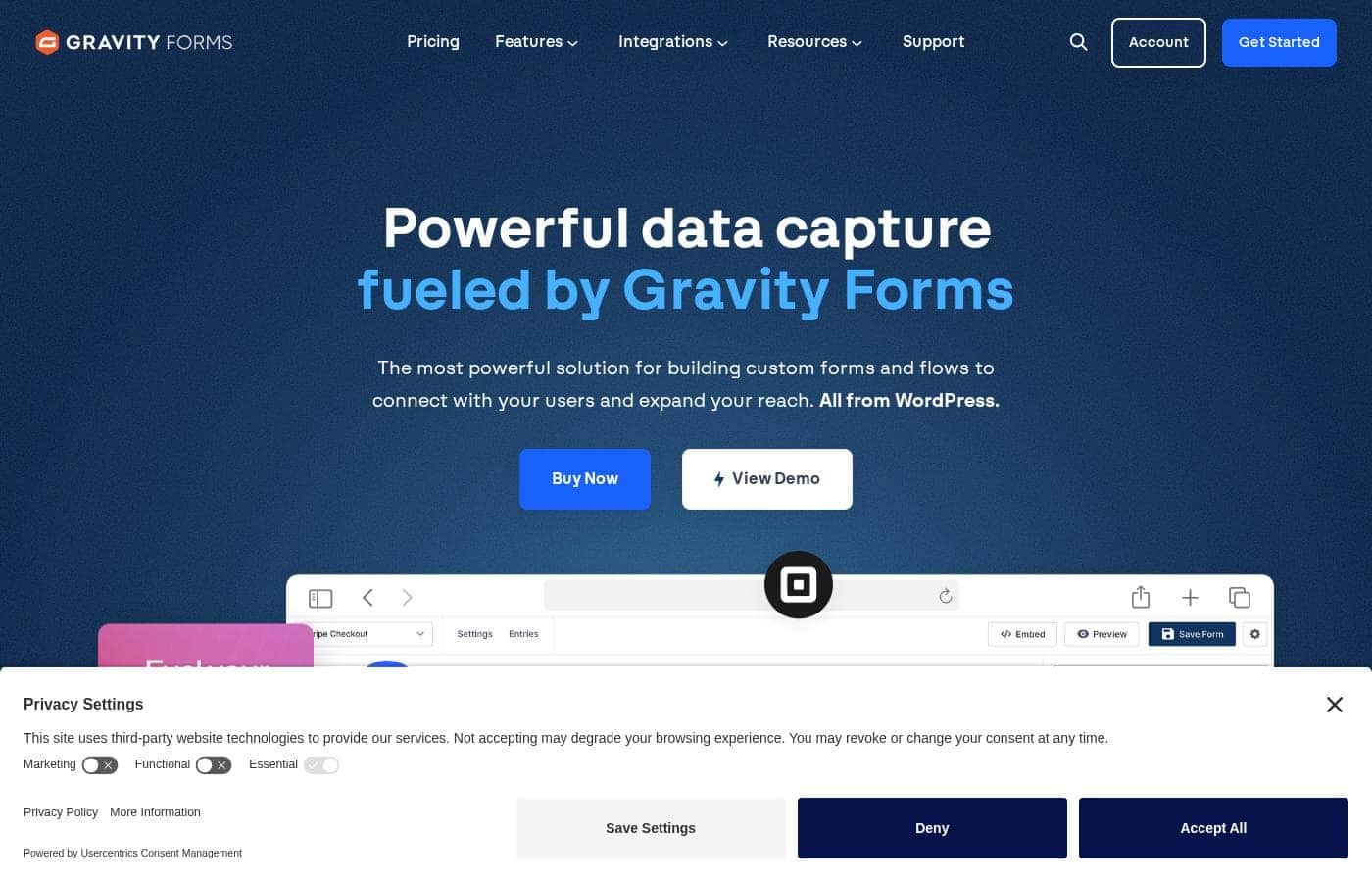
Gravity Forms homepage screenshot

At a glance

Quick overview for Gravity Forms: rating, pricing summary, key features, and highlights.

Ciroapp review

4.7
The Reliable, Robust WordPress Form Workflow.

We found Gravity Forms to be highly effective for users needing complex, reliable data capture and workflow automation within WordPress. The system is known for its versatility and is backed by exceptional, responsive customer support. Overall, this is the premier choice for professional developers and agencies who require powerful form functionality.

Pros

  • Pro:Robust handling of complex workflows and conditional logic.
  • Pro:Highly reliable and consistent performance on various sites.
  • Pro:Exceptional, rapid, and knowledgeable customer support.
  • Pro:Intuitive drag-and-drop interface for effortless form creation.

Cons

  • Con:Limited built-in styling options often require custom CSS modifications.
  • Con:Users request finer control over drag-and-drop widget spacing.
  • Con:Lacks a dedicated, simple text or paragraph description widget.
Money-back guarantee
Yes — 30 days
Range: $59–$259/yearYearly subscription
This section is a summary. Detailed sections about features, use cases, pricing, and reviews follow below.

Gravity Forms review, pricing, features, pros & cons

It can be frustrating when you need powerful data capture but your current forms are rigid and limited.

Gravity Forms cuts through the complexity. It delivers the most powerful solution for connecting with users and expanding your reach. You can capture leads, collect payments, and seamlessly automate workflows all within your WordPress site. ✨

What is Gravity Forms?

Gravity Forms is the complete WordPress form management plugin you'll ever need. It's designed to help you move beyond simple contact forms and start using your captured data for good.

The platform provides an intuitive visual editor, making form creation easy and fast. You can quickly build powerful custom forms from scratch or kickstart your flow using helpful pre-built contact, payment, or survey templates. This solution is trusted by thousands of web professionals and big brands alike. 💡

Gravity Forms Key Features

✨ Visual Design and Drag & Drop Simplicity

You can quickly design and build custom WordPress forms using the intuitive visual editor. This professional editor makes form creation fast and easy for everyone. Just select your needed fields, quickly configure options, and then seamlessly embed forms on your site.

The Drag & Drop Form Builder lets you easily select and organize your form modules. You can visualize your entire workflow using the helpful Preview feature. It’s also simple to customize column layouts for a polished design aesthetic. Choose the number of columns you need, adjust the width, and drag fields into place. This dramatically simplifies the entire form design process.

✨ Building Smarter Forms with Conditional Logic

Move beyond standard collection methods by using powerful conditional logic to improve the user experience. This automated intelligence allows your forms to become more relevant to the specific user filling them out. You can easily tailor the data journey based on the user's specific inputs.

Conditional logic can hide or show specific fields, sections, or even entire pages dynamically. You can also configure form buttons to adjust based on previous selections. This powerful functionality allows you to easily set custom automated workflows for every form you create, automating critical steps.

✨ Securely Collecting Payments and Files

Gravity Forms enables you to manage crucial online transactions directly within your WordPress environment. You can handle everything from registrations and product sales to donations and ongoing subscriptions. This means you only need one tool for both contact forms and complex payment processing.

The platform prioritizes serious security by putting a virtual airlock around your sensitive user data. State-of-the-art security measures keep your mind at ease during data collection. Additionally, you can add file upload fields to efficiently collect necessary documents, photos, or other attachments, saving them directly to your server.

✨ Extensive Integration and Workflow Automation

Gravity Forms connects seamlessly with the apps you already love using official add-ons. These add-ons allow you to integrate key services and add powerful, advanced features to your forms. A range of these essential add-ons is included with your annual subscription, depending on your license tier.

This system allows you to link the platform with many third-party solutions for advanced functionality. You can integrate major marketing tools like Mailchimp and HubSpot, or connect to productivity enhancers like Zapier and Trello. This flexibility ensures your captured data automatically flows directly into your required business services.

✨ Accessibility and Quick Start Templates

It's simple to ensure your published forms are accessible to everyone who needs to use them. Gravity Forms provides all the necessary tools to create forms that are WCAG 2.1AA compliant. This feature helps you reliably serve the widest possible audience.

You do not always have to build forms from zero. You can quickly launch your data capture flow using helpful pre-built templates. These templates instantly set up flows for common requirements:

  • Contact Form
  • Payment Form
  • Survey Form

Starting with a pre-built flow saves significant time and effort for frequent needs.

Use Cases

💡 Qualifying Leads and Automating Follow-Up

It's frustrating when generic forms fill your inbox with unqualified leads. You can use Gravity Forms to save time and streamline your sales process. Start by building a detailed inquiry form using the visual editor. Then, apply conditional logic based on the user's input—like displaying budget fields only for high-value inquiries.

Once the user submits the form, data automatically flows to your essential marketing tools. Use the HubSpot or Mailchimp add-ons to segment new leads instantly. This ensures that the right prospects receive immediate, targeted follow-up communication.

💳 Easy Event Registration and Secure Payment

Managing online transactions for events, subscriptions, or product sales is seamless. Gravity Forms allows you to collect payments using the same secure tool used for contact forms. The Pro License provides direct integrations with major payment gateways.

Step Flow: Setting Up Paid Registration

  1. Use the Drag & Drop Builder to design your registration form.
  2. Configure the payment fields and connect the form to Stripe or PayPal.
  3. Securely collect transaction fees from the user.
  4. Set up an automated confirmation email post-payment.

Expected outcome: Customers register and pay instantly, simplifying your backend bookkeeping.

📁 Streamlining Asset Collection from Clients

Many businesses, like agencies or design firms, require clients to securely submit necessary documents or media. Gravity Forms makes this collection process easy and secure. Simply drag the File Upload field onto your form and configure the required file types.

This uses the platform's state-of-the-art security measures to protect the incoming data. For enhanced organization or backup, integrate the form with Dropbox. You can automatically save large attachments directly to cloud storage, keeping your server clean and files protected.

📊 Gathering Critical Customer Insights (Surveys)

Gaining deep insights into customer satisfaction is vital for growth. Instead of relying on rigid external tools, you can run professional surveys directly on your WordPress site. Use the dedicated Survey add-on (available with the Elite License) to gather structured feedback efficiently.

The collected data is stored in a logical way directly within your WordPress database. This helps you quickly analyze responses and improve your services based on actual user input. You will always own and control your critical customer feedback data.

Tip: Use the Polls add-on for quick voting opportunities, or the Conversational Forms add-on for a more engaging, interactive survey experience.

🚀 Scaling Form Solutions for Agencies (Multisite)

Developers and agencies often manage form solutions for multiple client websites. The Elite License offers a powerful solution for scaling your form deployments. It provides support for unlimited sites and integration with WordPress Multisite.

This license grants access to every official add-on, letting you deploy advanced features like User Registration or Signatures across your entire client base. You consolidate your tools under one single license, backed by priority support. This provides maximum power and flexibility while simplifying ongoing management.

Pricing Overview for Gravity Forms

Pricing range
$59–$259/year
Pricing types
Yearly subscription
Money-back guarantee
Yes — 30 days

Gravity Forms offers three annual license tiers—Basic, Pro, and Elite—ranging from $59 to $259 per year. Each tier supports a different number of sites and unlocks increasing levels of add-on integrations and features.

Plans & Pricing

Basic License

Yearly$59
Not explicitly stated
  • 1 Site
  • Standard Support
  • HubSpot Add-On
  • Mailchimp Add-On
  • Active Campaign Add-On

Pro License

Yearly$159
Not explicitly stated
  • 3 Sites
  • Standard Support
  • Stripe Add-On
  • Dropbox Add-On
  • PayPal Add-On

Elite License

Yearly$259
Not explicitly stated
  • Unlimited Sites
  • Priority Support
  • WordPress Multisite
  • All Add-Ons included
  • User Registration Add-On
  • Conversational Forms

Gravity Forms costs between $59 and $259 per year with three plans: Basic License at $59, Pro License at $159, and Elite License at $259.

Let's break down what each plan offers so you can find the perfect fit for your WordPress website.

Basic License

Price: $59 per year Websites Supported: 1 Site Best For: Single site users needing core marketing tools Refund Policy: 30-day refund guarantee Other Features:

  • Standard Support
  • Integration with essential marketing tools (HubSpot, Mailchimp)
  • Connections for popular email managers (Active Campaign, Campaign Monitor)
  • Access to standard Add-Ons like Akismet and AWeber

If you only need Gravity Forms for one website, the Basic License is a great starting point. It provides strong standard support and key integrations like Mailchimp and HubSpot to help you capture and quickly manage leads. It's an excellent choice for a blogger or small business owner with a single site.

Pro License

Price: $159 per year Websites Supported: 3 Sites Best For: Developers or small agencies needing payment processing Refund Policy: 30-day refund guarantee Other Features:

  • Standard Support
  • All Basic Add-Ons included
  • Payment processing integrations (Stripe, PayPal, Square)
  • Connectivity with productivity tools (Zapier, Trello)
  • Cloud storage integration with Dropbox

The Pro License scales up your site capacity, allowing installation on up to three websites. You gain access to crucial payment gateways like Stripe and PayPal, making it easy to create professional eCommerce forms or process donations. This is a solid choice if you manage a few client sites or run multiple projects.

Elite License

Price: $259 per year Websites Supported: Unlimited Sites Best For: Agencies, developers, and enterprises requiring full functionality Refund Policy: 30-day refund guarantee Other Features:

  • Priority Support
  • All 30+ official Add-Ons included
  • Support for WordPress Multisite 🚀
  • Advanced features like Conversational Forms, Polls, and Surveys
  • User Registration and Partial Entries Add-Ons

For maximum power and flexibility, the Elite License unlocks everything Gravity Forms offers. You get highly responsive priority support and unlimited site installations, which is essential for growing agencies and serious developers. This tier includes advanced tools like Signatures and Coupons, ensuring you have every feature necessary for complex data workflows.

While Gravity Forms does not offer a free version or a classic free trial, you can explore their fully-functioning online demo before committing. You can enjoy peace of mind knowing that every annual purchase is backed by a 30-day refund guarantee, ensuring you can try the plugin risk-free.

User Reviews

Gravity Forms enjoys overwhelmingly positive feedback from its user base, frequently praised for its robustness and reliability. Users, including long-time web developers, confirm that it handles complex needs like conditional logic and detailed surveys better than many competitors.

The platform minimizes form headaches thanks to its intuitive drag-and-drop interface, which makes form creation effortless. A standout feature is the exceptional customer support.

Multiple reviewers highlight staff responsiveness, often receiving quick, knowledgeable email replies within hours or a day, making system transfers and custom approaches seamless. The plugin’s versatility extends to vital process automation via add-ons and secure payment gateway integrations.

While the usability is high, a minor recurring critique focuses on customization limitations; some users wish for easier CSS styling options without the need to write extensive custom code. Overall, the consensus is that Gravity Forms is a powerful, reliable tool, offering excellent value for money and solidifying its position as the go-to WordPress form solution.

💪

What users say elsewhere

Steve W.
· Trustpilot
5.0 / 5

I often have to create complex forms with conditional logic. Gravity Forms is the only plugin I have found that is robust enough to do what I need, and its intuitive interface makes these tasks manageable.

Peter M.
· Trustpilot
5.0 / 5

Your customer service is very personal. Receiving quick email replies from your staff is gratifying and helpful. They made transferring licenses to two separate webmasters seamless, earning my loyalty.

No reviews yet.

Write a Review

Write a Review for Gravity Forms
0/100 characters
0/2000 characters

Why use Gravity Forms?

Stop wrestling with fragmented tools and complicated data processes. Gravity Forms simplifies your data capture and automates critical steps, helping you build your business online effectively. It’s truly "one giant leap for WordPress forms." Here is why you should consider making the switch:

  • Drag & Drop Simplicity: You can easily create and edit your forms using the visual Drag & Drop Form Builder. Quickly select fields or customize column layouts while being able to visualize your entire workflow with the Preview feature.
  • Serious Security & Accessibility: Gravity Forms puts a virtual airlock around your user data. Their state-of-the-art security measures keep your mind at ease. Plus, you have all the tools necessary to create accessible forms that are WCAG 2.1AA compliant. ✅
  • Automated Intelligence: Use powerful conditional logic to tailor the user experience. You can easily set automated workflows that show or hide specific fields, sections, or even entire pages based on the user's input.
  • Collect Payments & Files: Seamlessly manage online transactions—from product sales and subscriptions to donations—using the same tool you use for contact forms. You can also enable file upload fields to let users submit documents or photos, saving those attachments directly to your server.
  • Extensive Integrations: Connect with the apps you love using official add-ons provided with your annual subscription. The ability to link with third-party solutions like Zapier, Stripe, and Mailchimp makes Gravity Forms a preferred plugin for advanced functionality.

Ready to transform your workflow with Gravity Forms?

Gravity Forms Alternatives

Other tools in the WordPress Form Builder category

Frequently Asked Questions

Does Gravity Forms offer a complimentary free trial period?

They do not offer a traditional free trial version. You can, however, explore their fully-functioning online demo to test features before you make a commitment.

What is the refund policy if I am not satisfied with the product?

Every annual license purchase is covered by a 30-day money-back guarantee. This ensures you can try the plugin risk-free for the first month.

How secure is user data collected through the forms?

Gravity Forms prioritizes security using state-of-the-art measures. They describe their approach as putting a 'virtual airlock' around your collected user data to keep it safe.

What is the difference between Standard and Priority Support?

Standard Support is provided with the Basic and Pro licenses. You receive highly responsive Priority Support if you purchase the top-tier Elite license.

Can I run Gravity Forms on a WordPress.com hosted site?

Yes, but you must be on the WordPress.com Business plan or higher. This also requires a custom domain and the installation of the Hello Dolly plugin.

Are there any monthly limits or quotas on form submissions or entries?

Not explicitly stated on the official site. The licensing structure limits only the number of active websites you can install the plugin on.

Which license tier is required to accept payments via Stripe or PayPal?

You need the Pro License or the Elite License to access core payment gateway integrations. This includes Stripe, Square, and PayPal Add-Ons.

Which advanced features are only available with the Elite license?

The Elite license unlocks advanced tools like Conversational Forms, Polls, Surveys, and Partial Entries. It also includes support for WordPress Multisite.

Does Gravity Forms help ensure my forms are accessible?

Yes, the plugin includes all the tools needed to create accessible forms. Gravity Forms is compliant with WCAG 2.1AA standards.

If I need custom development, where can I find support?

The official site provides articles with guidance on who to work with for custom development projects. Check their documentation for more details.

What kind of user is the Basic License intended for?

The Basic License is best suited for single-site users who need core marketing tools. It provides essential integrations like HubSpot and Mailchimp.

How do I submit feedback or ideas for new features?

Active license holders can view and vote on proposed features via the Feature Roadmap. You can also use the support page to raise your own requests.

What happens if Gravity Forms conflicts with my existing theme?

If you experience issues, you will be asked to test with a default WordPress theme. If the problem disappears, you must contact your theme author for troubleshooting.

Is the license based on the number of users or website installations?

The license is solely based on the number of site installations. It supports one, three, or unlimited sites, depending on the plan you choose.

Ready to try Gravity Forms? Check out the official site or pricing.