Datarails

Datarails review

Excel-native FP&A and governed AI for modern finance teams

By Ciroapp Editorial Team · Updated Oct 1, 2026

Commission may apply at no extra cost

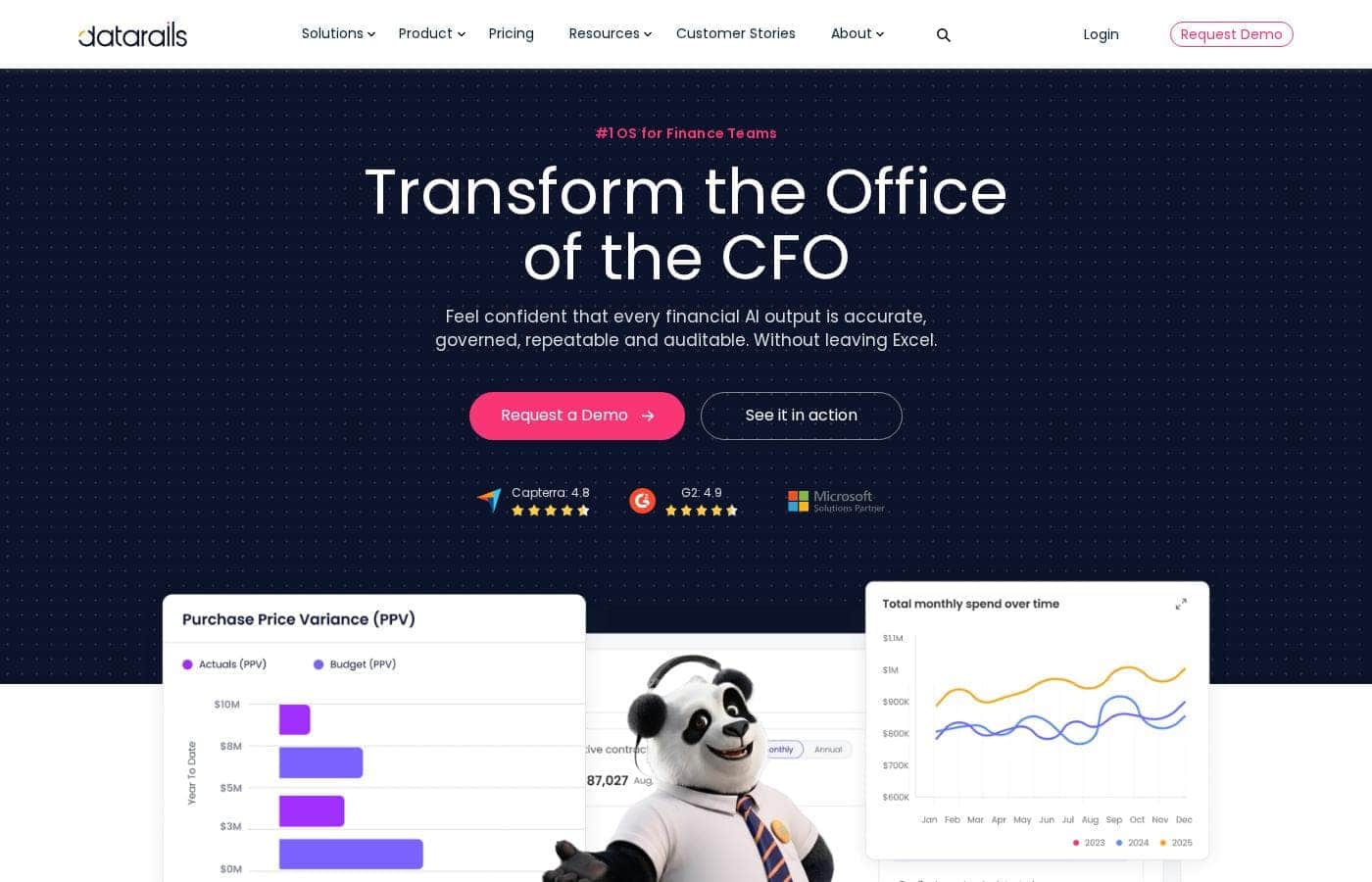
Datarails homepage screenshot

At a glance

Quick overview for Datarails: rating, pricing summary, key features, and highlights.
Vendor page checked Oct 13, 2026

Ciroapp score

4.1/ 5

Excel-native FP&A with governed AI

Datarails keeps your Excel models intact while feeding them live, governed data from 600+ sources, and its AI outputs stay auditable with version control and permissions. It covers FP&A, month-end close, cash, and spend control in one platform, though pricing sits behind a demo call and there's no self-serve trial. Overall, it's a strong fit for Excel-centric finance teams that can live with quote-only pricing.

Pros

  • Pros:Keeps your existing Excel models while adding live data, version control, and audit trails
  • Pros:AI outputs are auditable, backed by permissions, permissions settings, and traceable, repeatable answers
  • Pros:600+ integrations cover ERP, CRM, payroll, and banking tools like NetSuite, QuickBooks, Sage, and Workday

Cons

  • Cons:No public pricing — every quote comes through a demo request and a sales conversation
  • Cons:No self-serve free trial or money-back guarantee is advertised, so evaluation runs through the sales team
  • Cons:Excel-centric workflow means teams that have moved off Excel will see less benefit
Best for
  • CFO offices and finance teams that plan, budget, and report in Excel
  • Companies consolidating multiple entities, currencies, or ERPs
  • Teams replacing manual month-end close checklists and reconciliations
This section is a summary. Detailed sections about features, use cases, pricing, and reviews follow below.

What is Datarails?

Datarails is a financial operating system — branded FinanceOS — for modern finance teams. It consolidates data from your ERP, CRM, payroll, and other sources into a single governed source of truth, then connects it to the AI tools you already use, all without leaving Excel. Finance teams at 2,000+ companies run reporting, planning, consolidation, cash forecasting, spend control, and month-end close on it.

Verdict

Best for CFOs, controllers, and finance teams at roughly 50 to 5,000-employee companies who still work in Excel but need governed, live data behind every number..

Datarails is a credible pick for Excel-centric finance teams that want AI benefits without abandoning familiar models. Its governed-data approach and breadth across planning, close, and cash management stand out. Confirm integrations and pricing before you commit.

Strengths

  • Keeps your existing Excel models while adding live data and automation
  • Governed AI with version control, audit trails, and permissions
  • 600+ integrations spanning ERP, CRM, payroll, and banking

Watch-outs

  • No public pricing — quotes come through demo requests and sales talks
  • No self-serve free trial advertised; evaluation runs through the sales team
  • Value hinges on integrating your ERP, payroll, CRM, and bank data

Pricing trap for Datarails: Pricing isn't published on the site. Budget for a sales conversation to get numbers, and ask about implementation costs alongside license fees.

Datarails Key Features

✨ Keep your Excel models, lose the chaos

You don't have to rebuild anything. Datarails sits on top of the Excel models your team already trusts and adds live data, version control, and audit trails. There's no IT project to launch, so finance teams can get moving without a lengthy rollout.

It's automation that fits the way you already work.

✨ Every AI answer is auditable

AI struggles when data is messy and unmapped. FinanceOS fixes that first. It consolidates data from 600+ sources, maps entities, currencies, and intercompany eliminations, then connects the AI tools you already use through the FinanceOS AI Connector.

Built-in permissions and audit trails keep every output repeatable and traceable — never a black box.

✨ One platform for the whole CFO's office

FinanceOS is the foundation for every workflow in the CFO's office. On top of the governed data core, you can run Datarails FP&A for planning and forecasting, Month-End Close for checklists and reconciliations, Cash for 13-week forecasting, plus Spend Control and Desk for contracts and finance requests.

✨ Close the books with confidence

Month-end doesn't have to be a scramble. Datarails Month-End Close keeps every entity on track and every number traceable. Here's what runs under the hood:

  • Customizable checklists and task workflows
  • Automated reconciliations with approvals and sign-off
  • Audit trails and audit-ready file connectivity

💰 See all your cash in one place

Datarails Cash pulls live balances from every bank into one view, so you always know your real position. Forecast 13 weeks out, work across entities and currencies, and drill into variances when numbers don't match expectations. It's built for teams managing liquidity across multiple banks.

Use Cases

🧩 Consolidate multi-entity books faster

You run several entities with different charts of accounts. Datarails maps and merges everything into one governed source of truth, so consolidation stops eating your month. Customers report going from seven days to one or two.

📊 Plan, budget, and forecast in Excel

Keep the Excel models your team trusts while adding live data from 600+ sources. Model scenarios, refresh forecasts in real time, and share dashboards — no IT project required to get started.

✅ Run a controlled month-end close

Swap manual checklists and reconciliations for close workflows, task management, and sign-offs. Every entity stays on track, and built-in documentation plus audit trails keep each number traceable to its source.

💰 See and control cash and spend

See cash positions across every bank in one place, forecast 13 weeks out, and report in multiple currencies. Track contracts and subscriptions too, so overspend and renewals never surprise you.

Datarails pricing

Prices not verified yet — see the vendor page.

Datarails's pricing page

Datarails pricing page screenshotView pricing page screenshot

Price history

Tracking prices since Oct 1, 2026. No price change detected yet.

Pricing range: $2

Pricing types: Free plan, Monthly subscription, Yearly subscription

Pricing notes

Datarails doesn't show public prices. You'll get a tailored quote after a demo, with costs shaped by your team size and which products you choose — Datarails FP&A, Month-End Close, Cash, Spend Control, and Desk.

Datarails doesn't publish a public price list. The site's main call to action is to request a demo, so you'll get a tailored quote shaped by your team's size and the products you pick.

Here's what's known about how Datarails is packaged and what drives the final number.

How Datarails is packaged

Datarails is one platform with several products you can combine. FinanceOS sits at the core. It pulls data from 600+ sources into a governed layer inside Excel, with version control, audit trails, and permission settings.

On top of that core sit five products:

  • Datarails FP&A — plan, budget, forecast, and report with real-time dashboards, scenario modeling, and AI-powered insights.
  • Datarails Month-End Close — checklists, automated reconciliations, and task workflows that keep every close on track.
  • Datarails Cash — live bank visibility, 13-week cash forecasting, and multi-currency reporting.
  • Datarails Spend Control — track contracts and subscriptions, surface overspend, and manage renewals.
  • Datarails Desk — one queue for finance requests, with AI-drafted responses tied to live data.

What shapes your quote

Datarails is built for finance teams, and the platform already serves 2,000+ companies. Since you're quoting rather than checking out, your cost will depend on things like headcount, the number of entities you consolidate, and which products you switch on. Integrations with tools such as NetSuite, QuickBooks, Xero, Sage, and Workday are part of the package, and no IT project is required to get started. Ask the vendor to spell out license limits and what's bundled in each module — that's how you'll know whether a quote is fair.

Trying Datarails before you buy

You won't find a checkout page here. The path is a demo, and you can also explore the product first through the interactive tour on the site. Once you've seen it in action, the sales team can put together pricing that fits your setup. 📊
Email me when Datarails changes price

One email when we detect a price change on the vendor's pricing page. No newsletter, no deals. Unsubscribe in one click.

User Reviews

No reviews yet.

Write a Review

Write a Review for Datarails
0/100 characters
0/2000 characters

Why use Datarails?

Most AI tools stumble in finance for one reason: they work with messy, unmapped data. Datarails fixes that first, then lets AI do the heavy lifting. Here's what that means for your team:

  • Stay in Excel — Keep the models and workflows your team trusts. Datarails adds live data, version control, and audit trails on top of them.
  • AI you can actually audit — Version control, permission settings, and audit trails back every output, so answers are repeatable and traceable instead of a black box.
  • 600+ integrations — Connect NetSuite, QuickBooks, Sage, Salesforce, Workday, ADP, and more, so everyone works from one consolidated source of truth.
  • Real time savings — Customers report consolidations cut from seven days to one or two, and reports that went from three hours to five minutes.
  • One platform, many jobs — FP&A, month-end close, cash forecasting, spend control, and finance request handling all run through FinanceOS, rather than five disconnected tools.
  • Proven with finance teams — Ratings of 4.8 on Capterra and 4.9 on G2, plus adoption by 2,000+ companies, back up the claims.

Datarails alternatives

Other tools in the Accounting category

View all Accounting tools
Freshbooks

Freshbooks

Accounting4.2/5

FreshBooks is powerful accounting software designed to respect your time. It’s built to automate routine tasks like expense tracking and professional client invoicing. This tool is valuable for various stages of growth, whether you are a freelancer just starting out or a business managing contractors and employees. It organizes your finances so you always know where you stand in real time.

Wave

Wave

Accounting4.1/5

Wave is an all-in-one platform built specifically for small business owners and solopreneurs. It helps you manage your money like a boss. You can easily handle invoicing, accounting, and secure online payments in one cohesive spot. Unlike software built strictly for accountants, Wave is designed for you to use. It's affordable, small business friendly, and aims to make bookkeeping truly painless. Wave helps you be the wiz of your biz.

NetSuite

NetSuite

Accounting4/5

NetSuite is clearly positioned as an AI-powered business management suite. It's known widely as the #1 AI Cloud ERP. This powerful suite is designed to connect key functional areas of your enterprise. It expertly handles everything from ERP/Financials to CRM and ecommerce data. Over 43,000 customers rely on these integrated products to help fuel their essential growth.

Zoho Books

Zoho Books

Accounting4/5

Zoho Books is a comprehensive, cloud-based accounting solution designed for growing businesses and solopreneurs. It brings together invoicing, inventory, expenses, and core financials in one place, with web and mobile access to manage finances from anywhere.

Finaloop

Finaloop

Accounting4/5

Finaloop is real-time accounting software designed for ecommerce businesses. It automatically pulls transactions from platforms like Shopify, Amazon, and payment gateways, categorizes them, and reconciles your books continuously rather than monthly. A core differentiator is its automated inventory and cost-of-goods-sold (COGS) tracking, which is handled automatically rather than through manual journal entries. The service combines its software with human CPA-reviewed bookkeeping, and customers can add on tax return filing handled by Finaloop experts.

Cheapest Accounting software for 1 to 25 users

Datarails FAQ

Which tools does Datarails integrate with?

Datarails connects to 600+ sources, including NetSuite, QuickBooks, Xero, Sage, Workday, ADP, Salesforce, and Microsoft Dynamics 365. Check that your ERP, payroll, CRM, and banks are covered before you buy.

How does Datarails keep my numbers trustworthy?

Your data flows through one governed layer with version control, audit trails, and permission settings. Every AI answer stays traceable and repeatable, so you're never working from a black box.

Is there a free trial?

No self-serve trial is advertised. You can explore an interactive product tour on the site first, then run a sales-led demo using real scenarios like your close checklist or multi-entity consolidation.

What will I actually pay, and how is it billed?

There's no public price list — quotes depend on team size, entities consolidated, and modules you switch on. Ask sales for license limits, implementation costs, and billing and refund terms in writing.

Ready to try Datarails? Check out the official site or pricing.

Are you Datarails? Claim this listing · Get the badge