Aweber

Aweber review

Straightforward, permission-based email marketing with done-for-you migration and trial limits that are spelled out up front.

Aweber costs from $15/mo · 3 plans

By Ciroapp Editorial Team · Updated Sep 16, 2026

Commission may apply at no extra cost

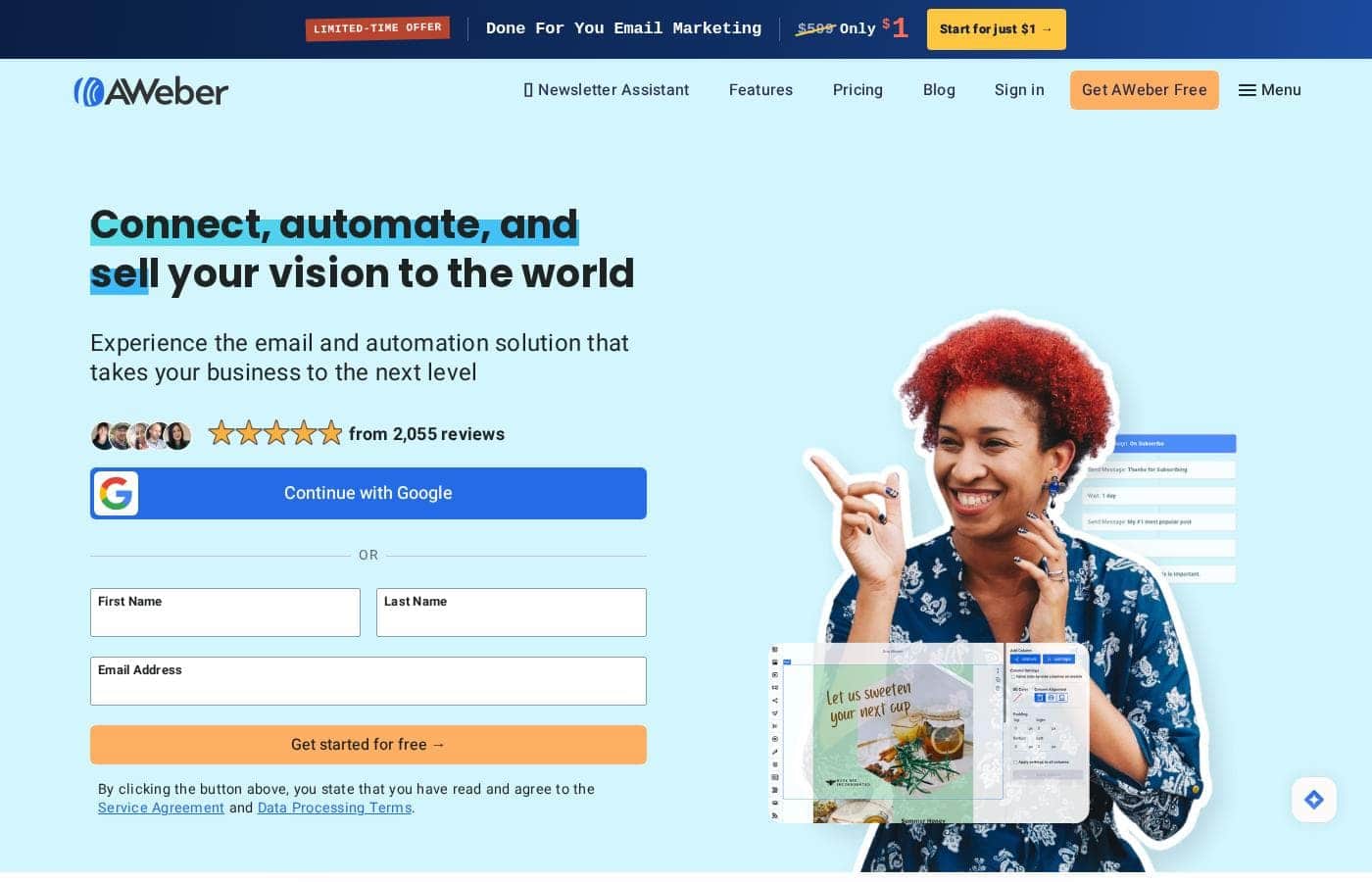
Aweber homepage screenshot

At a glance

Quick overview for Aweber: rating, pricing summary, key features, and highlights.
Vendor page checked Oct 12, 2026

Ciroapp score

4.0/ 5

AWeber stands out for transparency: published trial limits, strict permission rules, and a migration team that moves your list for you. Selling through Stripe on landing pages is handy, but costs climb steeply with list size and Lite is tightly capped. Overall, it's a solid pick for small businesses that value clear rules over deep ecommerce control.

Pros

  • Pros:Done-for-you migration — AWeber's team transfers your list and emails from your previous provider, uses your shared login only for the move, and never retains it afterward.
  • Pros:Trial and sending limits are published up front — 12x your subscriber count per month on Plus and 10x on Lite — so you know exactly what the 14-day trial covers before billing starts.
  • Pros:Ecommerce is built in — you can take payments directly on landing pages via Stripe, with a low 0.6% transaction fee on Plus (1.0% on Lite) and sales tracking included.

Cons

  • Cons:Ecommerce control is limited — Stripe handles payments, refunds, and chargebacks directly, and AWeber adds its own per-transaction fee (1.0% on Lite, 0.6% on Plus) on top of Stripe's charges.
  • Cons:The Lite plan is tightly capped — 1 email list, 3 landing pages, 3 automations, 3 users, and 1 saved segment — and AWeber branding cannot be removed on it.
  • Cons:The permission policy cuts both ways — importing purchased, co-registration, or 'safe list' contacts is strictly prohibited, and violations can mean immediate account termination without a refund.
Best for
  • Small businesses building an email list from genuine opt-ins
  • Creators and sellers taking payments through landing pages via Stripe
  • Teams switching email providers who want the vendor to handle migration
Free trial
Yes — 14 days
This section is a summary. Detailed sections about features, use cases, pricing, and reviews follow below.

What is Aweber?

Choosing an email platform is nerve-wracking when every tool hides the rules that matter. AWeber publishes its policies up front: permission-based sending only, a free trial with published sending limits, and a migration team that moves your list from your old provider for you. If your list is your livelihood, that clarity counts.

AWeber is an email marketing platform aimed at small businesses. It covers email campaigns, sign-up forms, and landing pages, and it supports ecommerce payments through Stripe. The service runs on strict permission-based rules: you email only people who asked to hear from you.

AWeber's team handles migrations from another email provider, and a free trial lets you test sending before you commit to a paid plan.

Should you choose Aweber?

Quick buyer guidance before you compare plans or click through.

Choose it if

  • You only email people who explicitly asked to hear from you
  • You want to trial the platform with published sending limits before paying
  • You'd rather have AWeber's migration team move your existing list and emails
  • You plan to sell products and process payments through the Stripe integration
  • You want written assurance that your leads are never shared with other parties

Skip it if

  • Anyone with purchased, co-registration, or "safe list" contacts — importing them is strictly prohibited, and violations can mean immediate termination without refund
  • Businesses that can't pay in US dollars from a US bank — all payments must be in USD
  • Sellers who need full ecommerce control — Stripe handles payments, refunds, and chargebacks directly, and AWeber adds a per-transaction fee
  • Buyers who expect plan pricing on display — detailed rates weren't visible in the reviewed content, so confirm current pricing first
  • Anyone at risk of lapsing on payment — accounts unpaid 20 days past invoice can be interrupted, and data is deleted after 20 days

Next steps before buying

  1. 1Check current Lite and Plus plan pricing directly on AWeber's site — rates weren't shown in the reviewed content.
  2. 2Estimate your monthly send volume against the trial limits: 12x your subscriber count on Plus, 10x on Lite.
  3. 3Confirm the integrations you rely on — ecommerce runs through Stripe — before you enroll.
  4. 4Compare AWeber against one or two alternatives at your subscriber count.
  5. 5Read the trial, billing, and cancellation terms: cancellation requires a written request, and trial overages trigger billing right away.

Ease of use

Onboarding signals look friendly for beginners: a free trial, a migration team that does the heavy lifting, and documented sign-up forms and landing pages. The reviewed content doesn't show day-to-day interface details, so expect a short learning curve. One watch-out: exceeding trial sending or subscriber limits ends your trial immediately and starts billing.

Aweber Key Features

✨ Permission-Based Sending, Enforced by Design

Your list is only as healthy as the people on it. AWeber lets you email only people who specifically requested information from you. Purchased leads, co-registration lists, and 'safe lists' are banned. Website visitors must trigger sign-ups themselves — scripts can't subscribe them.

It's strict, but it keeps your sending clean and your account in good standing.

🛒 Sell Straight From Your Pages

You can sell directly from your landing pages. Ecommerce payment processing runs through Stripe, so customer payment details pass straight to Stripe — not through AWeber's hands. Stripe handles payment receipts, refunds, and chargebacks.

AWeber collects a fee per transaction, and your ecommerce data stays in your account even if you stop using it.

🚚 A Migration Team That Does the Moving

Switching tools shouldn't stall your momentum. AWeber's migration team does the heavy lifting. You securely share your previous provider's login, and the team transfers your data over.

AWeber doesn't retain those login details afterward — you'll change the password once migration is confirmed complete.

✨ A Trial With Its Rules in Writing

The free trial publishes its limits up front — no surprises when billing starts. Know these before you enroll: - Plus sends up to 12x your subscriber count monthly; Lite gets 10x. - Exceeding a limit ends the trial immediately and starts billing.

  • One trial per account; it can't combine with other offers.

✨ Your List Stays Yours

Your subscriber list is an asset, and AWeber treats it that way. Leads you collect are held strictly confidential and never released to other parties. They're used only to deliver the follow-up messages you design.

Leaving is simple too: cancel in writing at any time with no penalty.

Use Cases

🔁 Switch providers without the headache

You've outgrown your current email tool but dread moving lists and templates. AWeber's migration team transfers your data from your old provider for you. Expected outcome: your campaigns keep running while the switch happens behind the scenes.

💳 Sell straight from your landing pages

You're a creator selling courses or coaching. Build a landing page, take payments through the Stripe integration, and track sales with Plus's 0.6% transaction fee. Tip: confirm Stripe's refund and chargeback handling fits your workflow before you launch.

🌱 Build your first list the right way

Starting from zero? Publish sign-up forms and landing pages to collect genuine opt-ins, then welcome subscribers with a simple automation on Lite. AWeber only permits permission-based sending, so your list grows from people who asked to hear from you.

🛠️ Skip the setup entirely

Too busy to build? With Done For You, AWeber's experts create your branded template, landing page, and workflows within 7 days, then refine with 30 days of unlimited edits. Expected outcome: a working email system without the technical heavy lifting.

Aweber pricing

From$15/mo

  • 3 plans
  • Save up to 33% with annual billing

Vendor page checked on Oct 12, 2026; confirm current prices on Aweber's pricing page

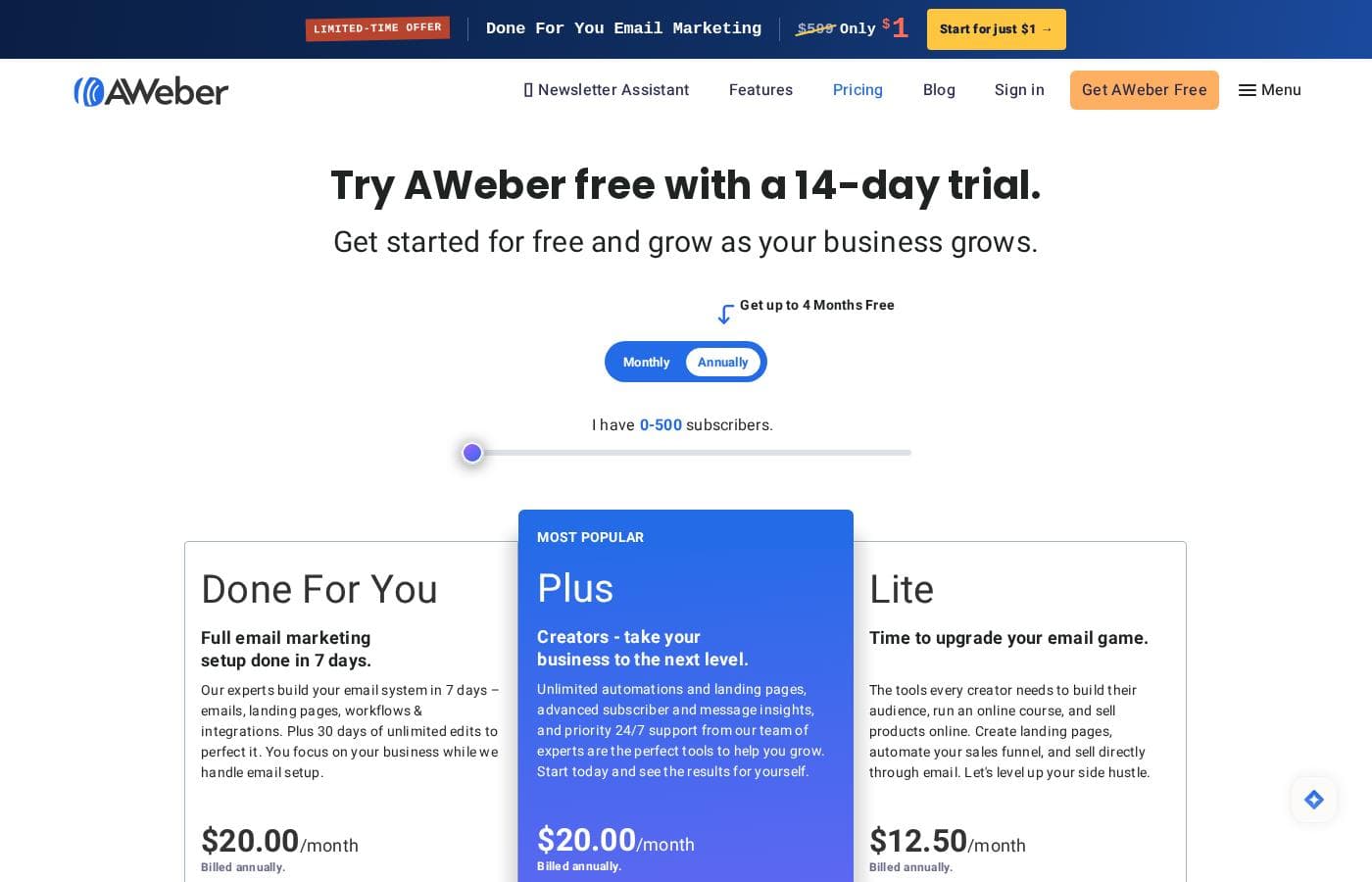
Aweber pricing page screenshotView pricing page screenshot
PlanBilled monthlyBilled annuallyIncludes
Lite
$15/mo
$12.50/mo
$150 per year
Save up to 17% with annual billing
Send up to 10x your subscriber count per month; 1.0% ecommerce transaction fee; AWeber branding cannot be removed
  • 1 email list
  • 3 landing pages
  • 3 email automations
  • 3 users
  • 1 saved custom segment
  • +2
Plus
$30/mo
$20/mo
$240 per year
Save up to 33% with annual billing
Send up to 12x your subscriber count per month
  • Unlimited email lists
  • Unlimited landing pages
  • Unlimited email automations
  • Unlimited custom segments and users
  • Advanced reporting and analytics
  • +3
Done For You
$20.00/month billed annually
$20/mo
$240 per year
Setup completed in 7 days; unlimited edits for 30 days
  • Everything in Plus
  • Expert-built email system in 7 days
  • 1 branded email template
  • 1 landing page, branded thank-you page, and signup form
  • Weekly newsletter drafts
  • +2

Price history

Tracking prices since Oct 1, 2026. No price change detected yet.

Pricing types: Free plan, Free trial, Monthly subscription, Yearly subscription

Pricing notes

AWeber offers three paid plans: Lite at $12.50/month, Plus at $20.00/month, and Done For You at $20.00/month plus a one-time $79 setup fee, all billed annually. Prices scale with your subscriber count, and every paid plan starts with a 14-day free trial.

AWeber costs between $12.50 and $20 per month with three plans: Lite at $12.50/month, Plus at $20.00/month, and Done For You at $20.00/month plus a one-time $79 setup fee. All headline prices are billed annually.

Your exact bill depends on your subscriber count, so here's how each plan breaks down.

Lite

Price: $12.50/month billed annually ($15.00/month billed monthly for 500 subscribers) Best For: New creators and side hustles building a first audience Other Features:

  • 1 email list, 3 landing pages, and 3 email automations
  • 3 users and 1 saved custom segment
  • Advanced message analytics and 24/7 support
  • Send up to 10x your subscriber count each month

Lite keeps things simple and affordable. You get the core tools to build a list, publish landing pages, and automate a basic funnel. If you're just starting out, it covers the essentials without extras you may not need yet.

Plus

Price: $20.00/month billed annually ($30.00/month billed monthly for 500 subscribers) Best For: Growing creators who sell online and need room to scale Other Features:

  • Unlimited lists, landing pages, automations, segments, and users
  • Priority 24/7 support and advanced reporting
  • Sales tracking with low 0.6% transaction fees
  • Remove AWeber branding
  • Send up to 12x your subscriber count each month

Plus lifts almost every limit. You can run unlimited campaigns, segment freely, and sell products with lower fees. If email drives real revenue for you, this is the tier most growing creators choose.

Done For You

Price: $20.00/month billed annually, plus a $79 setup fee (marked down from $599) Best For: Busy owners who want experts to handle setup Other Features:

  • Everything in Plus
  • Experts build your emails, landing pages, and workflows in 7 days
  • Branded template, landing page, thank-you page, and signup form
  • Weekly newsletter drafts and a 1:1 setup call
  • 30 days of unlimited edits

This bundle pairs the Plus plan with hands-on help. AWeber's team builds your system, so you skip the technical work. It suits anyone who'd rather focus on the business than the setup.

Pricing scales with your list. At 10,000 subscribers, Lite runs $100/month and Plus runs $135/month on monthly billing. Rates keep climbing from there, and lists over 100,000 subscribers need custom quotes. Check the tier table and confirm your list size before you commit.

Free trial: AWeber offers a 14-day free trial on paid plans. The trial converts to a paid subscription automatically when it ends, based on the plan you picked and your subscriber count. Exceeding trial send limits ends it early. Annual billing also saves money — AWeber advertises up to 4 months free — and you can cancel in writing at any time with no penalty. The site also advertises a free account for getting started at no cost.
Cost calculator

Estimate what Aweber costs for your team.

Billing
Per month
$15
Per year
$180

Lite states no user limit: shown as one price for the whole account. Check the price for 5 users with the vendor. Estimate based on published list prices, before taxes, add-ons and discounts.

How to pay less for Aweber

  • Pay annually: saves up to 33% compared with monthly billing.
  • Use the 14-day free trial before you pay.
  • Cheaper tools in this category start at $9/mo.
Start free trial

Email me when Aweber changes price

One email when we detect a price change on the vendor's pricing page. No newsletter, no deals. Unsubscribe in one click.

User Reviews

No reviews yet.

Write a Review

Write a Review for Aweber
0/100 characters
0/2000 characters

Why use Aweber?

Most email tools make you dig for the details that actually affect your business. AWeber puts them in writing — and that transparency shapes the whole experience:

  • Permission-first by design. Purchased leads, co-registration lists, and "safe lists" are banned outright. That keeps your account in good standing and your sending clean.
  • A free trial with defined limits. Test the platform at 12x your subscriber count per month on Plus, or 10x on Lite, before you pay anything.
  • Done-for-you migration. AWeber's team helps move your data from your previous email provider, so switching doesn't stall your momentum.
  • Selling built in. Ecommerce payment processing runs through Stripe, so you can take payments on your pages. AWeber discloses it collects a fee per transaction.
  • Your list stays yours. AWeber states that leads are held strictly confidential and never released to other parties.
  • Exit without penalty. You can cancel in writing at any time — no lock-in games.

Aweber alternatives

Other tools in the Email marketing category

View all Email marketing tools
WiseStamp

WiseStamp

Email marketing3.8/5From $9/mo

WiseStamp is an award-winning, enterprise-grade email signature management platform designed to scale with the needs of market-leading organizations. Trusted by over 1.2 million customers worldwide, WiseStamp enables businesses to centrally create, manage, and deploy professional, on-brand email signatures effortlessly. WiseStamp turns every email into a powerful brand asset, enabling enterprises to maintain brand consistency, enhance engagement, and drive business impact at scale.

Pabbly Email Marketing

Pabbly Email Marketing

Email marketing4.1/5

Pabbly Email Marketing is a flexible platform for sending marketing emails and automating responses. You can connect external SMTPs or use Pabbly’s inbuilt SMTP, and you can send instantly or schedule. It supports automation workflows, segmentation, throttling, and a robust API. Campaign reports show sent, opened, clicked, and unsubscribed rates, with country, browser, device, and OS stats. The service is ISO 27001:2022 and SOC2 Type 2 compliant, with live chat, tutorials, and constant support.

GoZen Growth

GoZen Growth

Email marketing3.6/5

GoZen Growth is an all-in-one platform for email marketing, outreach, and automation. It unifies email marketing, cold outreach, email warm-up, and push notifications in one place so teams can automate marketing, sales, and customer support. It also features GoZen DeepAgent, an enterprise-grade AI agent builder that helps automate these tasks.

Mailchimp

Mailchimp

Email marketing4/5

Mailchimp is recognized as the leading platform focused on email marketing and advanced automations. It's built to help businesses boost income by mastering digital outreach. With over 11 million global users and 22 years of experience, it’s a trusted choice for selling more. This robust platform is ideal for businesses seeking seamless conversion tools, including integrated SMS campaigns. You can start sending your first email risk-free, and you don't even need a credit card to begin. Users on Standard or Premium plans may access a personalized product tour to start confidently.

Drip

Drip

Email marketing4/5

As a customer-centric marketing automation platform, Drip empowers brands to understand their customers and boost revenue through the seamless integration of email, popups, and automation. Drip is the go-to platform for streamlining automated marketing!

GetResponse

GetResponse

Email marketing4.2/5

GetResponse is a scalable email marketing and automation platform designed for entrepreneurs, ecommerce stores, and Global Brands. It helps you manage and automate channels you own, like email, your website, landing pages, and SMS. You can use powerful, smart AI tools to personalize campaigns and launch products faster. It's trusted by over 350,000 customers worldwide.

Sender

Sender

Email marketing4.1/5

Sender is an email marketing platform aimed at growing businesses. It combines campaign creation, automation, transactional emails, and landing pages in one dashboard. The vendor says over 180,000 companies use it, from startups to well-known brands. It's built for people who want capable email tools without complicated setup or high costs — and a free plan that keeps premium features unrestricted.

Omnisend

Omnisend

Email marketing4.1/5From $11.20/mo

Omnisend is an integrated platform for email and SMS marketing designed to engage your shoppers wherever they are. It’s an excellent option for small or medium-sized businesses looking to consolidate their marketing efforts. The platform provides intuitive tools, making advanced marketing less intimidating. Every template is 100% customizable, ensuring your customer experience is always on-brand and personalized. You can connect Omnisend to your ecommerce platform with a single click. Switching is easy, and you can even be up and running in 30 minutes.

Cheapest Email marketing software for 1 to 25 users

Aweber FAQ

How much does Aweber cost?

Aweber's cheapest paid plan, Lite, costs $15 per month. Paid plans range from $15 to $30 per month.

Does Aweber offer a free trial or a money-back guarantee?

Aweber offers a 14-day free trial.

How much do you save with annual billing on Aweber?

Paying annually saves up to 33% compared with monthly billing, based on Aweber's list prices.

Has Aweber's price changed recently?

No. We have not detected a price change since we started tracking on Oct 1, 2026.

Which apps and tools does AWeber integrate with?

AWeber lists integrations for Facebook, PayPal, WordPress, Shopify, and WooCommerce, plus hundreds more in its app directory. Developers can also build on its email marketing API. Confirm the specific tools you rely on before you sign up.

Is it safe to share my old email provider's login for migration?

You share your old provider's login securely so AWeber can run the migration. AWeber says it uses that information only for the migration and doesn't retain it. Once your migration is confirmed, change that password.

How do I reach AWeber support when I need help?

All paid plans include 24/7 support. Plus and Done For You get priority chat, email, and phone support. You can also use the knowledge base, video tutorials, and community forum, or call the US toll-free number.

How do I cancel my AWeber account?

You cancel by written request that includes your login email and the answer to your security question. Cancellation takes effect once AWeber confirms receipt, and there's no penalty. Keep that confirmation for your records.

Ready to try Aweber? Check out the official site or pricing.

Are you Aweber? Claim this listing · Get the badge