10Web

10Web review

AI-built WordPress sites with managed hosting and speed optimization in one dashboard

By Ciroapp Editorial Team · Updated Sep 16, 2026

Commission may apply at no extra cost

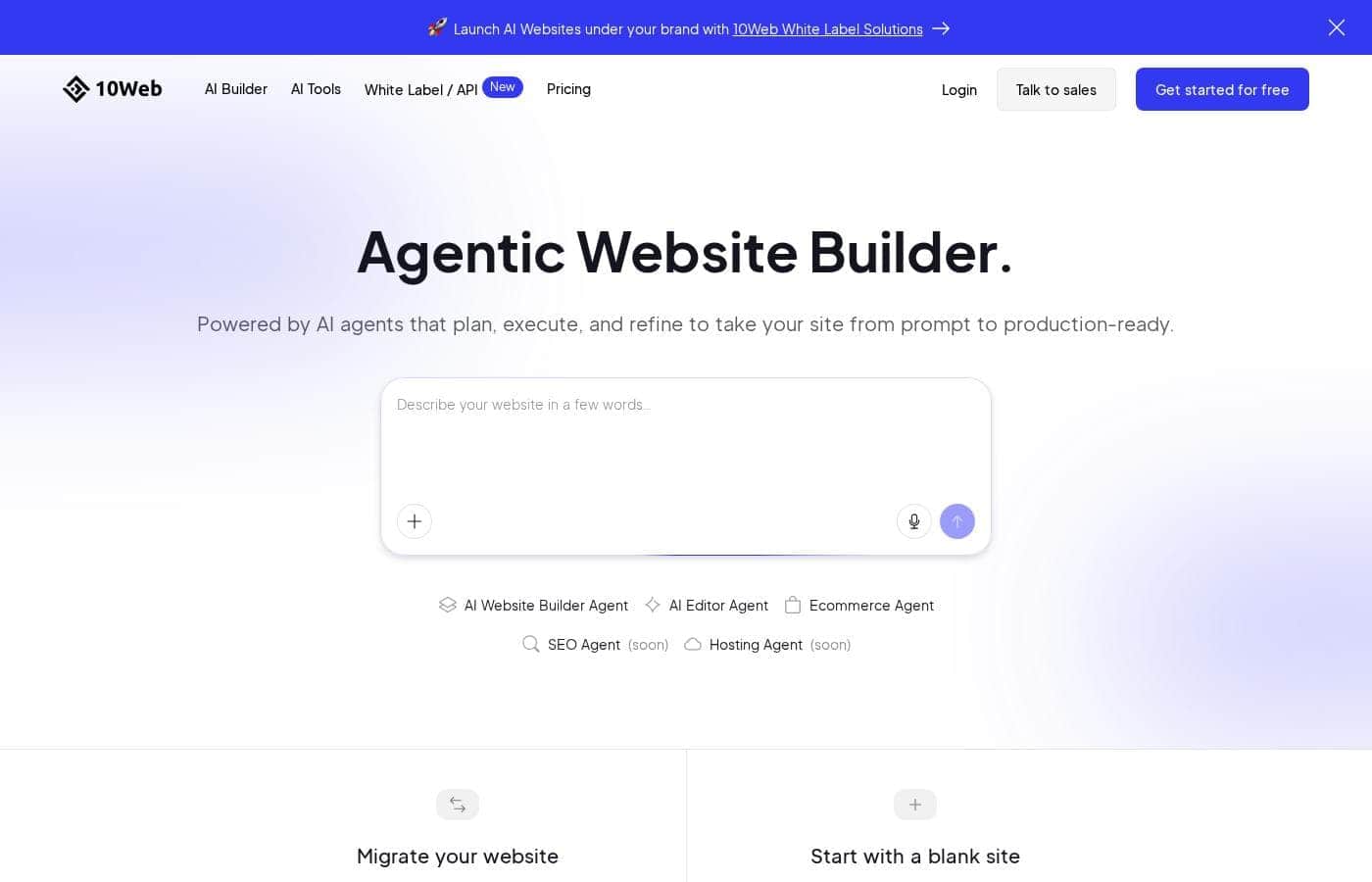
10Web homepage screenshot

At a glance

Quick overview for 10Web: rating, pricing summary, key features, and highlights.

Ciroapp score

4.0/ 5

10Web bundles AI site generation, managed Google Cloud hosting, and automatic PageSpeed optimization in one WordPress dashboard, which cuts tool sprawl for agencies and store owners. The trade-offs are real: AI drafts need cleanup, sites are locked to 10Web hosting, and high-end usage-based pricing is hard to forecast. Overall, it's a solid pick for people who build or manage WordPress sites regularly and want fewer moving parts.

Pros

  • Prompt-based AI generation and URL recreation produce a working WordPress draft in minutes instead of a blank Elementor canvas
  • Hosting, CDN, backups, staging, builder, and speed optimization are consolidated into one dashboard, cutting plugin and vendor sprawl
  • 10Web Booster applies image compression, lazy loading, and CSS/JS tuning automatically with a 90+ PageSpeed target

Cons

  • AI-generated drafts typically need meaningful manual cleanup of design and copy, and rarely match a bespoke design without editing time
  • PageSpeed results depend on your theme and third-party plugins — a heavy plugin stack can still drag scores down despite the Booster
  • The Elementor-based editor adds markup overhead compared with hand-built lightweight sites
Best for
  • Freelancers and small agencies that build multiple WordPress client sites per month and want one dashboard for build, hosting, and optimization
  • WordPress site owners whose pages score poorly on PageSpeed and who want hosting, CDN, and automatic optimization bundled together
  • WooCommerce store owners who want AI-assisted store and product layouts without leaving the WordPress ecosystem
This section is a summary. Detailed sections about features, use cases, pricing, and reviews follow below.

What is 10Web?

10Web is a WordPress platform that bundles AI site generation, a conversational AI Co-Pilot, managed Google Cloud hosting, and automated PageSpeed optimization behind a single dashboard. It is aimed at WordPress users, developers, agencies, and online store owners who want faster pages without stitching together a builder, a host, and a stack of performance plugins. This review covers what the platform actually does, where it fits best, and the trade-offs worth knowing before you commit.

10Web is an all-in-one WordPress platform built around three pillars: an AI Website Builder that produces editable WordPress sites from a text prompt or an existing URL, an AI Co-Pilot for refining content and layout through chat, and managed WordPress hosting with backups, CDN, and migration tooling. It also ships a speed-optimization layer targeting high PageSpeed scores and a Website Builder API for launching sites programmatically. Sites are edited in a drag-and-drop, Elementor-based interface, and WooCommerce is supported for online stores.
Should you choose 10Web?

Quick buyer guidance before you compare plans or click through.

Choose it if

  • Freelancers and small agencies that build multiple WordPress client sites per month and want one dashboard for build, hosting, and optimization
  • WordPress site owners whose pages score poorly on PageSpeed and who want hosting, CDN, and automatic optimization bundled together
  • WooCommerce store owners who want AI-assisted store and product layouts without leaving the WordPress ecosystem
  • Developers and SaaS teams that need to provision WordPress sites programmatically through an API

Skip it if

  • Teams that must self-host or run WordPress on their own infrastructure, since the platform's builder and optimization features are tied to 10Web hosting
  • Projects requiring pixel-perfect bespoke design with no tolerance for post-generation editing, since AI drafts always need cleanup
  • Sites that depend on many niche or heavy plugins, which can conflict with the optimization stack and undermine speed targets
  • Hobbyists who only need bare-bones hosting, as a managed platform costs more than basic shared hosting for a single static-ish site

Next steps before buying

  1. 1Create a free 10Web account to explore the dashboard and AI builder without an upfront payment
  2. 2Generate a first draft by describing your business in the AI builder, or paste an existing site's URL to recreate its structure
  3. 3Refine the draft in the Elementor-based editor, using the AI Co-Pilot to adjust copy and layout, then review everything it generated
  4. 4If you have an existing WordPress site, use the migration tooling to move it rather than rebuilding from scratch
  5. 5Run PageSpeed tests, let the Booster apply image and code optimizations, connect your domain, and choose monthly or yearly billing based on your traffic forecast

10Web Key Features

✨ AI Website Builder and AI Co-Pilot

The builder generates an editable WordPress site from a short business description or by recreating an existing site from its URL, giving you a structured draft instead of a blank page. The AI Co-Pilot then lets you adjust layout, copy, and sections through a chat interface while you edit. Because the output is standard WordPress with an Elementor-based drag-and-drop editor, you can keep refining with familiar tools rather than being locked into a proprietary canvas.

✨ Managed WordPress Hosting and Migration

Hosting runs on Google Cloud infrastructure with a CDN, automated backups, staging environments, and security management handled from the same dashboard as the builder. Migration tools move existing WordPress sites onto the platform, so you can consolidate hosting without rebuilding from scratch. For agencies and developers, the Website Builder API extends this by letting you launch and manage full WordPress sites programmatically from your own dashboard.

✨ PageSpeed Optimization and Booster

10Web includes an optimization layer built around the goal of pushing sites toward 90+ Google PageSpeed scores. It handles image optimization and compression, lazy loading, and CSS and JavaScript tuning automatically rather than requiring you to configure a cache plugin by hand. Results still depend on your theme and third-party plugins, but the optimization is applied consistently across sites you host on the platform.

✨ E-commerce and WooCommerce Support

Online stores are treated as a first-class use case, with AI-assisted generation of store pages and product layouts on top of standard WooCommerce functionality. Store owners get the same hosting, backup, and speed-optimization stack as content sites, which is useful because storefronts tend to be more performance-sensitive. Product management and order handling remain WooCommerce, so you are not migrating to an unfamiliar commerce engine.

✨ Agency and Team Tooling

Multiple sites, clients, and team members can be managed from one dashboard, with white-label options for agencies that do not want to expose the underlying platform to clients. Billing spans a free plan, monthly and yearly subscriptions, and usage-based pricing, so costs can track the number and scale of sites you manage. The published plan range extends from $0 to $19,711 per month, reflecting everything from single-site trials to large-scale agency operations.

Use Cases

💡 Launching Client Sites on a Deadline

Freelancers and small agencies can go from a client brief to an editable WordPress draft in a single working session by describing the business in the AI builder. Hosting, backups, and staging come with the site, so there is no separate provisioning step before the demo. The Co-Pilot and visual editor handle the revision rounds that used to eat the schedule.

💡 Speeding Up an Existing WordPress Site

Site owners whose pages score poorly on PageSpeed can migrate onto 10Web and apply the Booster's image, caching, and code optimizations in one pass. Because the hosting stack and optimization layer are maintained together, there is less risk of plugin conflicts than when assembling caching, image compression, and CDN separately. The migration tooling handles the move without a rebuild.

💡 Standing Up a WooCommerce Store

Store owners can use AI-assisted generation to produce product and category layouts instead of building them by hand, then manage inventory and orders through standard WooCommerce. Hosting and CDN bundled with the builder helps keep storefront pages responsive under traffic. It suits sellers who want WordPress flexibility without assembling a performance stack themselves.

💡 Rebuilding or Redesigning an Existing Site

The URL-to-WordPress generation recreates an existing site's structure as a fresh, editable draft, which is faster than starting from nothing when a redesign is due. Teams can stage the new version, refine it with the Co-Pilot, and swap it in without extended downtime. This works well for outdated sites that need both a visual refresh and modern hosting.

💡 Provisioning Sites at Scale via API

Developers and SaaS teams can use the Website Builder API to launch and manage full WordPress sites programmatically from their own dashboard. This fits scenarios like onboarding flows that create a site per customer or agencies standardizing their build pipeline. Usage-based pricing aligns cost with the number of sites actually launched and run.

10Web pricing

Prices not verified yet — see the vendor page.

10Web's pricing page

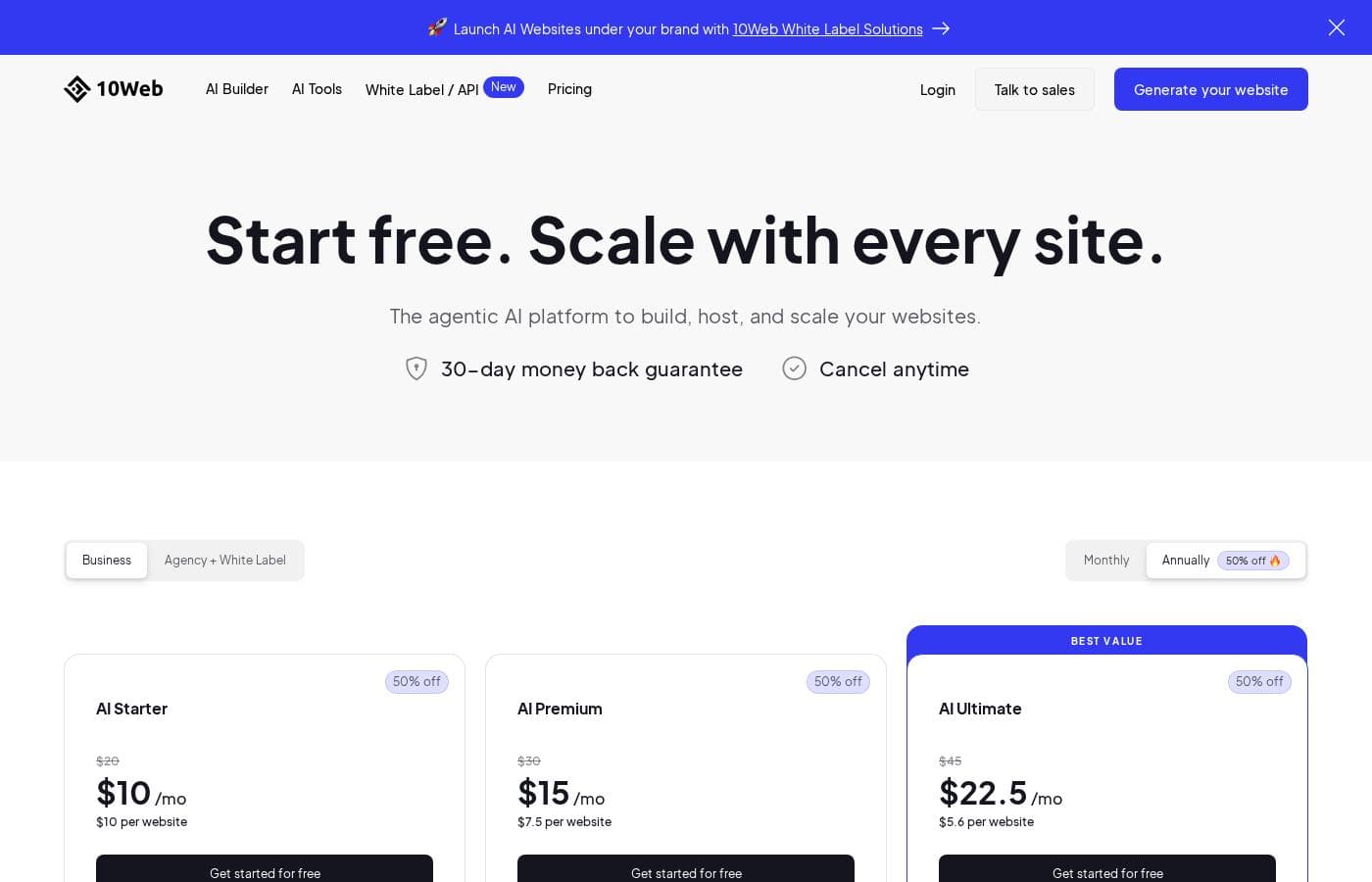
10Web pricing page screenshotView pricing page screenshot

Pricing types: Free plan, Monthly subscription, Yearly subscription, Usage-based pricing

Pricing notes

10Web pricing: Plans from $0/month Billing options: Free plan, Monthly subscription, Yearly subscription, Usage-based pricing

Email me when 10Web changes price

One email when we detect a price change on the vendor's pricing page. No newsletter, no deals. Unsubscribe in one click.

User Reviews

No reviews yet.

Write a Review

Write a Review for 10Web
0/100 characters
0/2000 characters

Why use 10Web?

Most WordPress launches require a separate host, builder, image optimizer, caching plugin, and backup service, each with its own dashboard and failure points. 10Web consolidates those functions, so a draft site, its hosting, its CDN, and its performance tuning live in one place with shared billing and support.

The AI generation step removes the blank-canvas problem by producing a working starting point in minutes, which matters most when you build or migrate sites repeatedly. For teams, the API and client-management features reduce the manual work of provisioning and maintaining many sites at once.

10Web alternatives

Other tools in the Website Builder category

View all Website Builder tools
Webflow

Webflow

Website Builder4.2/5

Webflow is a visual web development platform that lets you design, build, and launch completely custom websites without writing code.

Carrd

Carrd

Website Builder4.1/5

Carrd offers a straightforward solution for building single-page websites. It's designed to be simple and highly accessible to anyone. You can begin with one of many available templates, or choose a clean blank page instead. This flexibility lets you quickly make the site your own. The sites you create are fully responsive right out of the box. This means they automatically look great on phones, tablets, and desktops alike. You can even build up to three sites using all of Carrd’s core features for free! That makes it an excellent tool for anyone needing a fast launch.

Squarespace

Squarespace

Website Builder4.1/5

Squarespace is an all‑in‑one website builder and online store platform that lets you publish a professional site, sell products, take bookings, and collect donations. It’s aimed at entrepreneurs, creatives, consultants, designers, event organizers, and other service providers who want a polished, functional web presence. The platform combines hosting, templates, a design editor, domain registration, payments, and marketing tools in one place.

Zenfolio

Zenfolio

Website Builder4.1/5

Zenfolio is a powerful, yet simple, complete platform favored by photographers for nearly two decades. It's designed specifically for professionals needing to organize, showcase, and sell their work efficiently. This solution offers simplicity meeting power. It is a unified solution, making it easy to manage specialty areas like portrait, wedding, and even volume photography—all in one place. Zenfolio is built to grow with you, providing tools no matter the current size of your business or your future goals.

Duda

Duda

Website Builder4.1/5

Duda is the AI-Ready Website Platform built exclusively for professionals. This includes digital marketing agencies, SaaS companies, and freelance builders. Its workflow is designed to help you build and offer better sites much faster. You'll work within an intuitive no-code editor that uses drag-and-drop simplicity. It leverages built-in AI tools for superior productivity. The infrastructure is rock-solid, too. Sites run on ultra-reliable AWS hosting with enterprise-grade security and automatic backups. You never worry about ongoing technical maintenance again.

Framer

Framer

Website Builder4.1/5

Framer is a powerful visual design tool made for crafting and publishing modern websites. It empowers you to build exactly what you imagine using smooth effects, animations, and interactions. You can craft responsive layouts visually, eliminating the need to write code. The platform helps you skip the blank canvas entirely. Integrated AI can generate sophisticated page layouts and advanced components right away. Collaboration is built in, meaning updates are seamless, and the entire process is completely handoff-free.

Cheapest Website Builder software for 1 to 25 users

10Web FAQ

Does 10Web include hosting, or do I need a separate provider?

10Web includes managed WordPress hosting on Google Cloud infrastructure with a CDN, automated backups, staging, and security management. Hosting is bundled with the builder and accessed from the same dashboard, and migration tools are available for moving existing WordPress sites onto the platform.

Is there a free plan, and how does pricing scale?

Yes, 10Web offers a free plan you can use to try the builder and dashboard before paying.

Can 10Web recreate my existing website?

The AI builder can generate a new editable WordPress draft by analyzing an existing site's URL, recreating its structure and content as a starting point. You can then refine the result with the Elementor-based editor and AI Co-Pilot, or use the migration tooling instead if you want to move the original site rather than recreate it.

Do I need coding skills to use 10Web?

No — sites are built and edited through a drag-and-drop, Elementor-based editor with an AI Co-Pilot for chat-based adjustments. Developers who want programmatic control can use the Website Builder API to launch and manage sites from their own dashboards.

Ready to try 10Web? Check out the official site or pricing.

Are you 10Web? Claim this listing · Get the badge