完全な翻訳は近日公開 — 製品詳細は英語、ナビゲーションは日本語で表示しています。
folk

folk レビュー

A team CRM with AI assistants that handle follow-ups, research, and outreach in the background.

folkは月額$30 (≈ ¥4,772)から · 3プラン · 2026年11月25日に価格を確認

著者 Ciroapp Editorial Team · 更新日 2026年9月17日

追加費用なしでコミッションが発生する場合があります

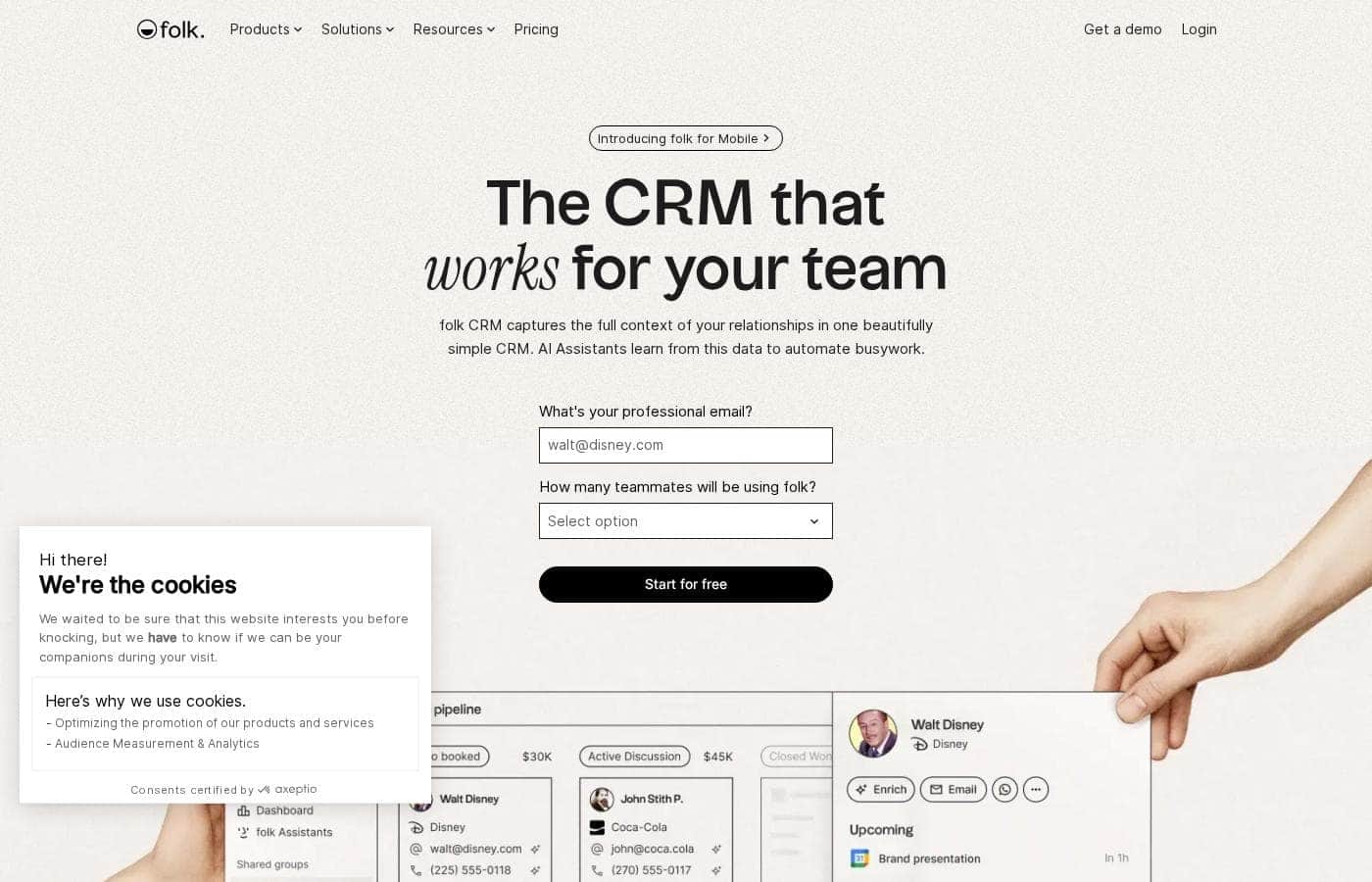
folkのホームページスクリーンショット

概要

folkの評価、価格概要、主な機能、注目ポイントをすばやく確認できます。
料金確認日 2026年11月25日

Ciroappスコア

4.1/ 5

folk bundles shared pipelines, AI assistants for follow-ups and research, and one-click LinkedIn lead capture at a clear $24–$80 per-seat price. Monthly usage caps and SOC 2 Type I-only certification may give compliance-minded buyers pause. Overall, it's a well-priced, capable pick for LinkedIn-heavy sales, agency, and partnership teams.

長所

  • Four dedicated AI assistants (Follow-up, Recap, Research, and Workflow) automate stalled-thread detection, account summaries, company research, and email sequences rather than just offering generic AI chat
  • The folkX Chrome extension imports leads directly from LinkedIn and 7+ other platforms without leaving the page, eliminating manual copy-pasting
  • 1-click waterfall enrichment fills in missing emails and phone numbers automatically, so contact records are complete faster

短所

  • Usage credits are capped per plan and reset monthly — for example, 500 vs. 1,000 enrichment emails and 2,000 vs. 5,000 messages per member per month on Standard vs. Premium — so high-volume teams may hit limits or need Enterprise
  • Only SOC 2 Type I certification is advertised; organizations requiring SOC 2 Type II or stricter compliance must verify requirements with folk before purchasing
  • No refund terms are displayed, the trial window is only 14 days, and payment is credit-card only with a 7-day grace period before blocked accounts after failed payments
最適
  • Sales teams that prospect heavily on LinkedIn and want leads captured in one click
  • Agencies that need streamlined, shared client relationship tracking
  • Startups wanting CRM, enrichment, and outreach in a single tool
無料トライアル
Yes — 14 日間
このセクションは概要です。機能、ユースケース、価格、レビューの詳細は下に続きます。

folkとは?

Chasing scattered contact details and forgotten follow-ups wastes selling time. folk puts your contacts, emails, and deals in one CRM, then uses AI assistants to draft follow-ups, summarize relationships, and enrich lead data automatically.

folk is a relationship CRM built for teams that work in LinkedIn, Gmail, Outlook, and WhatsApp. It stores contacts, companies, and deals in one shared workspace. AI assistants then handle the busywork: spotting stalled conversations, summarizing accounts, researching companies, and sending personalized outreach.

The site positions it for sales teams, agencies, startups, and partnership teams, with desktop and mobile apps plus integrations across thousands of tools.

folkを選ぶべきですか?

プラン比較や公式サイトへ進む前に確認したい購入判断のポイントです。

選ぶべき人

  • Gmail, Outlook, or WhatsApp users who want conversations synced into their CRM
  • Sellers who lose momentum on stalled threads and want AI-suggested follow-ups
  • Teams that want prospect research and contact enrichment automated instead of manual
  • Groups that need shared pipelines, roles and permissions, and sales dashboards
  • Buyers who prefer testing first — folk offers a 14-day free trial

避けるべき人

  • Organizations with strict compliance demands: folk advertises SOC 2 Type I certification, so verify Type II or other requirements separately
  • Teams dependent on niche native integrations: the site lists 'tens' of direct connections plus 6,000+ tools, but confirm yours before switching

購入前の次のステップ

  1. 1Review the pricing page and match plan costs to your team size before you commit
  2. 2Confirm your must-have integrations — email provider, calendar, LinkedIn workflow — are supported
  3. 3Start the 14-day free trial and import a small sample of contacts to test capture and enrichment
  4. 4Compare folk against HubSpot, Pipedrive, or Airtable using folk's comparison pages and independent reviews
  5. 5Check the help center and tutorials to gauge setup time for your team

使いやすさ

Onboarding looks light-touch: a 14-day free trial, a Chrome extension for one-click lead capture, and video tutorials from the folk team. The homepage markets the product as 'beautifully simple,' and strong review scores on Product Hunt and the Chrome store suggest users agree. Setting up custom data models, workflows, or the API will take more effort, but a help center is available.

folk 主な機能

🤖 AI assistants that work while you sell

folk pairs your CRM data with four AI assistants that handle busywork in the background. The Follow-up Assistant flags stalled threads, the Recap Assistant sums up any relationship, the Research Assistant enriches company data, and the Workflow Assistant automates email sequences. They run 24/7, even while you sleep.

✨ Follow-ups that never slip

The Follow-up Assistant watches your email and WhatsApp conversations. When a thread goes quiet with a next step pending, it sends you a personalized draft in your tone of voice. You decide what counts as inactive and which contacts to include, then get nudges in-app, by email, or on contact profiles.

✨ Full context on every relationship

Need a quick brief before a call? The Recap Assistant scans emails, meetings, notes, WhatsApp messages, and LinkedIn activity to summarize any person, company, or deal. You see who last interacted, what was decided, and what's next.

Recaps follow your methodology — MEDDIC, BANT, or custom — and stay private to you.

⚡ Faster lead capture and research

The folkX Chrome extension imports leads from LinkedIn and 7+ other platforms without leaving the page. Smart fields fill in what's missing in one click:

  • Missing emails and phone numbers, found through waterfall enrichment
  • Your lead's strongest connection to the team
  • Company insights imported from the prospect's website with AI

✨ Sell together, reach more people

Shared pipelines keep everyone working the same deals, with customizable roles and permissions. Bulk campaigns and scheduled sequences handle personalized outreach at scale, and each workflow tracks sent, opened, replied, and bounced emails. Dashboards show how your funnel is doing, while email, calendar, WhatsApp, and 6,000+ integrations feed one shared workspace.

使用例

⚡ Capture LinkedIn leads in one click

A rep prospecting on LinkedIn saves leads with the folkX Chrome extension, right from the profile page. 1-click enrichment then fills in missing emails and phone numbers. Expected outcome: complete contact records, with no copy-pasting.

🔔 Never lose a stalled thread

When an email or WhatsApp conversation goes quiet with a next step pending, the Follow-up Assistant flags it and drafts a reply in your tone. Expected outcome: deals keep moving because nothing gets forgotten.

🔍 Walk into every call prepared

Before a meeting, ask the Recap Assistant for a brief on any person, company, or deal. Need company facts? The Research Assistant adds industry, size, and funding.

Tip: shape recaps around MEDDIC or BANT.

✉️ Personal outreach on autopilot

A team lead sets a workflow that emails a lead the moment its status becomes "Qualified." The Workflow Assistant writes and sends each personalized message, then tracks opens and replies. Expected outcome: outreach that scales without manual chasing.

folkの料金

最安$30/月≈ ¥4,772

  • 3プラン
  • 年払いで最大20%お得

2026年11月25日に次のページで価格を確認: folkの料金ページ

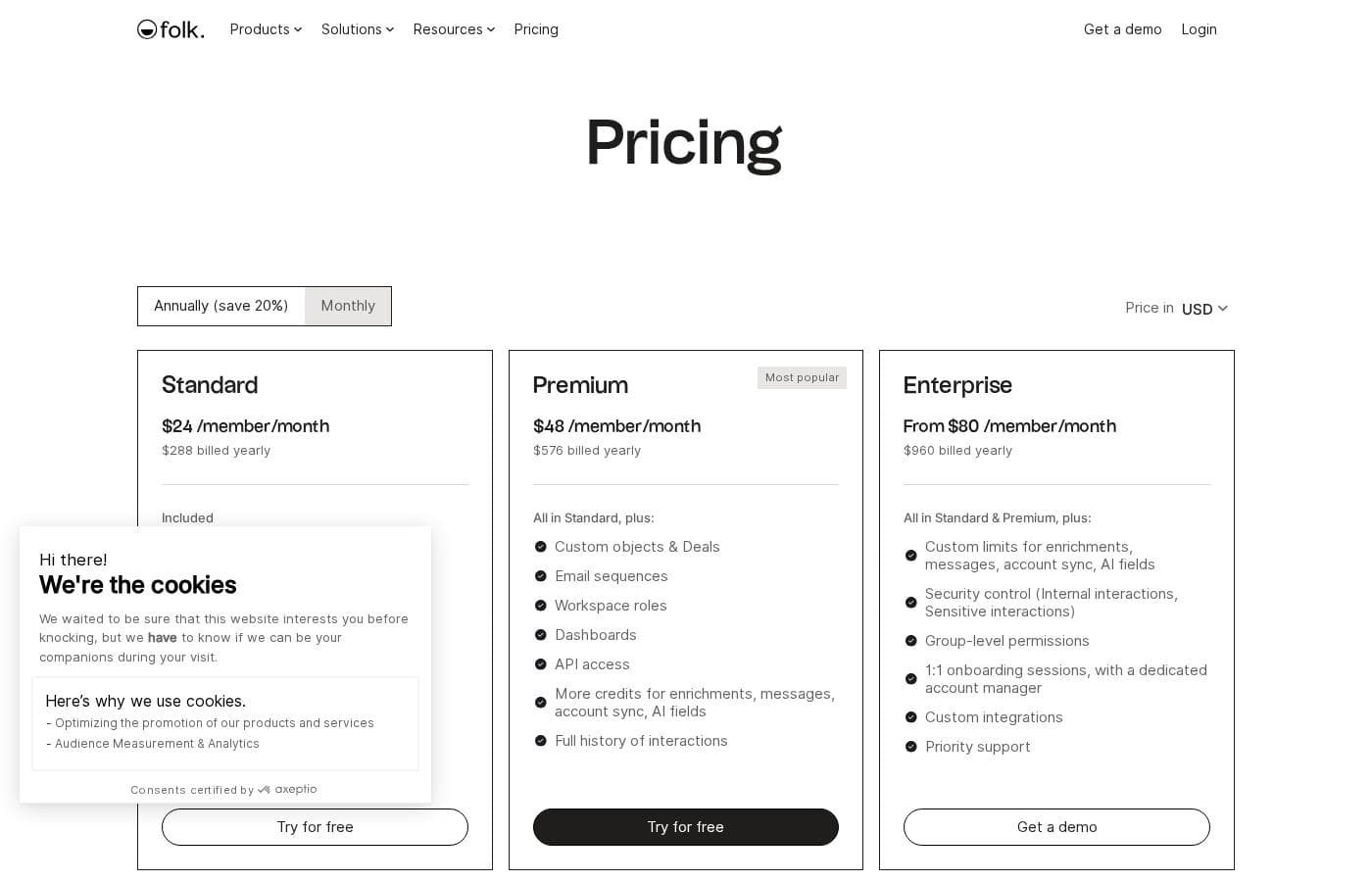
folkの料金ページのスクリーンショット料金ページのスクリーンショットを見る
プラン月払い年払い含まれる機能
Standard
1ユーザーあたり
$30/月
≈ ¥4,772
$24/月
≈ ¥3,818
年額$288
年払いで最大20%お得
500 enrichment emails/month; 2,000 magic fields/month; 2,000 messages per member/month; 1 account sync per member; 200 Research Assistant runs/month; 1,500 Workflow Assistant runs/month; 1 custom domain
  • Pipeline management
  • Email campaigns
  • Contact enrichment
  • AI Assistants
  • Magic fields (AI)
  • +3
Premium
1ユーザーあたり
$60/月
≈ ¥9,544
$48/月
≈ ¥7,635
年額$576
年払いで最大20%お得
1,000 enrichment emails/month; 5,000 magic fields/month; 5,000 messages per member/month; 5 account syncs per member; 3 custom domains
  • Everything in Standard
  • Custom objects & Deals
  • Email sequences
  • Workspace roles
  • Dashboards
  • +3
Enterprise
1ユーザーあたり
$100/月
≈ ¥15,907
$80/月
≈ ¥12,726
年額$960
年払いで最大20%お得
  • Everything in Standard & Premium
  • Custom limits for enrichments, messages, account sync, AI fields
  • Security controls (internal & sensitive interactions)
  • Group-level permissions
  • 1:1 onboarding sessions with a dedicated account manager
  • +2

2026年11月24日のECB参照レートで換算しています。ベンダーの現地価格は異なる場合があります。

価格の推移

2026年10月1日から価格を追跡中。まだ価格変更はありません。

価格タイプ: Free plan, Free trial, Monthly subscription, Yearly subscription, Per seat pricing

料金に関する補足

folk offers three per-seat plans — Standard, Premium, and Enterprise — priced per member. Annual billing starts at $24 per member/month and saves 20% versus paying monthly.

folk costs between $24 and $80 per member per month with three plans: Standard at $24, Premium at $48, and Enterprise from $80 — all based on annual billing.

Here's a closer look at what each plan includes.

Standard

Price: $24 per member/month billed annually ($288/year), or $30 billed monthly Other Features:

  • Pipeline management and email campaigns
  • Contact enrichment (500 emails/month) and AI Assistants
  • Magic fields (2,000/month) and the LinkedIn extension
  • Email, calendar & WhatsApp sync with 5,000+ integrations

Standard is the entry point, but it's far from bare-bones. You get pipelines, bulk messaging, enrichment, and AI help in one workspace. It's a solid fit for small teams and solo operators who want structure without a big bill.

Premium

Price: $48 per member/month billed annually ($576/year), or $60 billed monthly Other Features:

  • Everything in Standard, plus custom objects & Deals
  • Email sequences, dashboards, and workspace roles
  • API access and full history of interactions
  • More credits: 1,000 enrichments and 5,000 AI fields monthly, plus 3 custom domains

Premium is the most popular plan, and the extras explain why. Growing sales teams get sequences, reporting, and more automation headroom. Pick it once you've outgrown basic contact management and want deeper insight.

Enterprise

Price: From $80 per member/month billed annually ($960/year), or from $100 billed monthly Other Features:

  • Everything in Standard & Premium, plus custom usage limits
  • Security controls for internal and sensitive interactions
  • Group-level permissions
  • 1:1 onboarding, a dedicated account manager, custom integrations, and priority support

Enterprise is built for larger organizations with admin and compliance needs. You get custom limits, tighter security, and hands-on onboarding. If your team runs high volumes or handles sensitive data, this tier makes sense. Skipping it is fine if you're a small crew with modest usage.

One tip before you choose: credits for enrichment, messages, and AI reset monthly, so match your expected volume to each plan's limits.

Every new workspace starts with a 14-day free trial that unlocks all premium features — no credit card needed. If you don't upgrade when it ends, your account is blocked, but your data isn't deleted right away. You can cancel a paid plan anytime from settings. 💡

コスト計算ツール

チームでfolkを使う場合の費用を試算します。

支払い方法
月額
$150≈ ¥23,861
年額
$1,800≈ ¥286,329

Standardはユーザー単位の料金です:価格 × 5ユーザー。 公開されている定価に基づく概算です(税・アドオン・割引は含みません)。

2026年11月24日のECB参照レートで換算しています。ベンダーの現地価格は異なる場合があります。

folkを安く使う方法

  • 年払いにすると月払いより最大20%お得です。
  • 支払う前に14日間の無料トライアルを利用しましょう。
  • 一部のプランはユーザー単位の料金です。実際に使う人数分だけ支払いましょう。
  • このカテゴリーのより安いツールは月額$6.58からあります。
無料トライアルを始める

folkの価格が変わったらメールで通知

ベンダーの料金ページで価格の変更を検出したときに1通のメールを送ります。ニュースレターやセール情報はありません。ワンクリックで解除できます。

ユーザーレビュー

まだレビューがありません。

レビューを書く

folkのレビューを書く
0/100文字
0/2000文字

folkを使う理由は?

Most CRMs create busywork. folk tries to remove it, pairing a shared contact and deal database with AI assistants that work while you sell.

  • Four AI assistants with real jobs: the Follow-up Assistant flags inactive threads, the Recap Assistant summarizes any relationship on demand, the Research Assistant enriches company data, and the Workflow Assistant automates email sequences.
  • Capture leads where they are: the folkX Chrome extension imports contacts from LinkedIn and 7+ other platforms without leaving the page.
  • Complete contact data fast: 1-click enrichment finds missing emails and phone numbers through waterfall enrichment.
  • Built for team selling: shared pipelines, customizable roles and permissions, and dashboards keep everyone aligned on the same deals.
  • Connected to your stack: integrations with email, calendar, social platforms, and 6,000+ other tools, plus a public API for custom builds.
  • Proof and safety: used by 5,000+ companies, with SOC 2 Type I, GDPR compliance, and ratings of 4.9 on Product Hunt and 4.8 on the Chrome store.

folk の代替ツール

CRMカテゴリの他のツール

CRMの全ツールを見る
Demodesk

Demodesk

CRM4.2/5

通話を録画し、営業担当をコーチングし、CRMを更新するAI営業エージェント — GDPRネイティブ、ドイツ製。

Salesforce

Salesforce

CRM4.2/5

AI エージェントとチーム全体が信頼できる顧客ビューを共有する統一型 CRM プラットフォーム。

Hubspot

Hubspot

CRM4.2/5

マーケティング・営業・サービスチームが成長するための場所

Salesflare

Salesflare

CRM4.2/5

B2Bの中小企業向け、シンプルかつパワフルなCRM。

Pipedrive

Pipedrive

CRM4.2/5最安 $14/月 (≈ ¥2,227)

営業チームがより多くの成約を達成するのに役立つ、簡単で効果的なCRM。

Close CRM

Close CRM

CRM4.1/5最安 $9/月 (≈ ¥1,432)

電話を中心に据えた営業向けCRM。リードへの応答、フォローアップ、商談設定をこなすAIエージェントを標準搭載しています。

Propovoice

Propovoice

最安 $6.58/月 (≈ ¥1,047)
SmartSuite

SmartSuite

最安 $15/月 (≈ ¥2,386)
1〜25ユーザー向けの最安CRMソフトウェア

folk よくある質問

folkの料金はいくらですか?

folkの最も安い有料プラン「Standard」は月額$30 (≈ ¥4,772)です。 有料プランは月額$30から$100までです。 2026年11月25日にベンダーの料金ページで価格を確認しました。

folkに無料トライアルや返金保証はありますか?

folkには14日間の無料トライアルがあります。

folkを年払いにするといくら節約できますか?

folkの定価に基づくと、年払いにすると月払いより最大20%節約できます。

folkの価格は最近変わりましたか?

いいえ。2026年10月1日に追跡を始めて以来、価格の変更は検出されていません。

Is my data secure with folk?

folk is SOC 2 Type I certified, GDPR compliant, and Google security certified. Enterprise plans add controls for internal and sensitive interactions. If your compliance needs require SOC 2 Type II, verify that with folk before purchasing.

How does billing change when I add or remove team members?

Pricing is per member. Adding or removing members triggers a prorated charge on your next bill. folk only accepts credit cards, and failed payments give you 7 days to update details before the account is blocked.

Can I migrate my existing CRM data into folk?

Yes. folk provides a migration service (see its Migrate my CRM page), and every plan includes CSV import/export for contacts. Enterprise customers also get 1:1 onboarding sessions with a dedicated account manager.

Who is folk best for, and what languages does it support?

folk targets sales teams prospecting on LinkedIn, agencies, startups, and partnership teams using Gmail, Outlook, or WhatsApp. The product supports seven languages, including English, French, German, Spanish, Italian, Portuguese, and Dutch.

folkを試してみる準備はできましたか?公式サイトまたは価格をご覧ください。

folkの担当者ですか? この掲載を申請する · バッジを入手