StreamYard

StreamYard review, pricing, features, pros & cons

A decision-focused review for creators, podcasters, and teams that need a browser-based live streaming studio without hidden workflow surprises.

1 min read · Updated Jun 13, 2026

Commission may apply at no extra cost

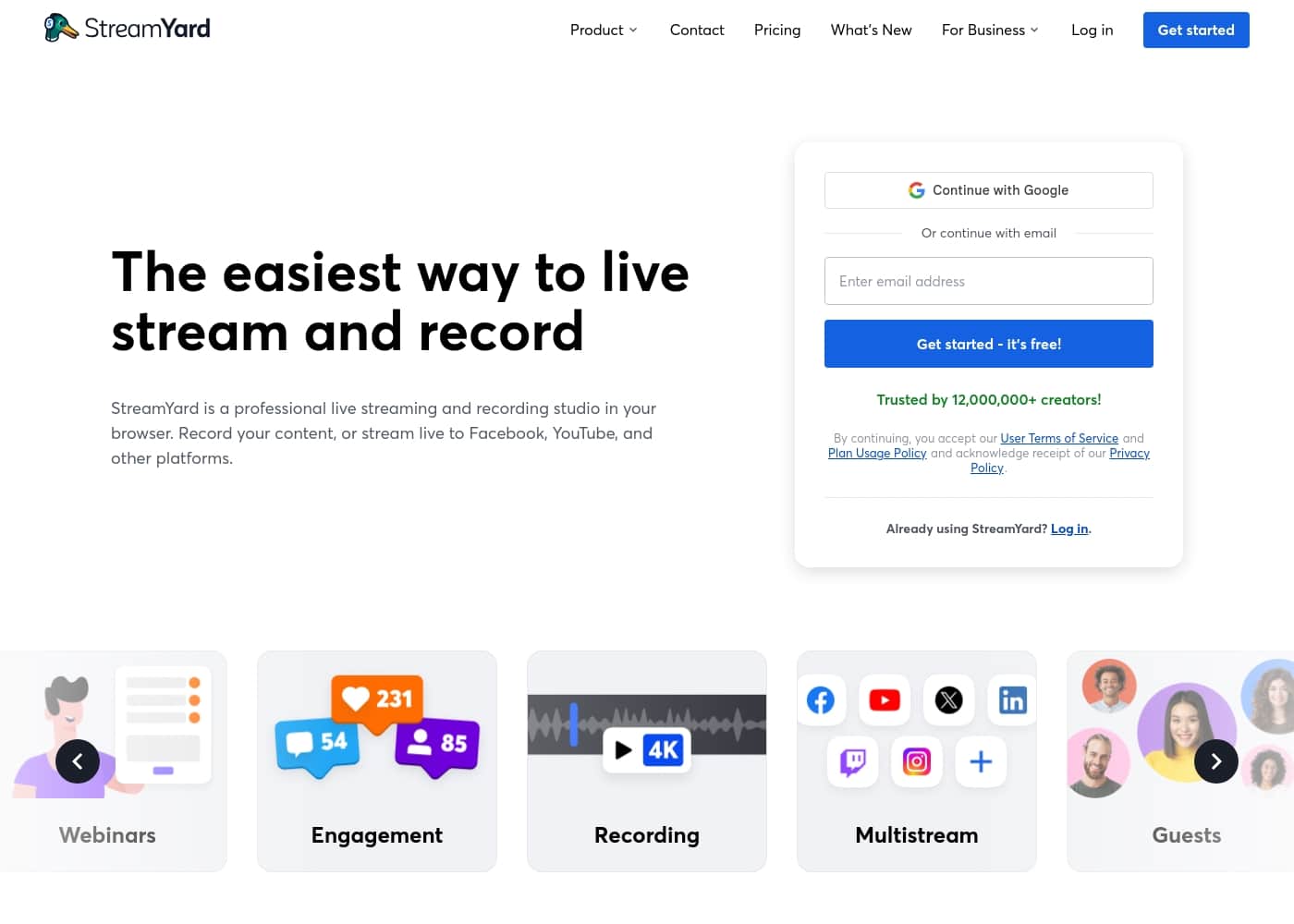
StreamYard homepage screenshot

At a glance

Quick overview for StreamYard: rating, pricing summary, key features, and highlights.

Ciroapp review

2.5
Fast, guest-friendly streaming with plan limits to check

StreamYard is excellent for simple browser-based live shows and remote interviews, but buyers should check watermark, multistreaming, storage, trial, and refund limits before upgrading.

Pros

  • Pros:Very easy browser-based setup for live streams and remote interviews.
  • Pros:Free plan lets creators test the workflow before subscribing.
  • Pros:Paid plans remove branding and add multistreaming, custom overlays, RTMP, AI clips, and better recordings.

Cons

  • Cons:Free plan keeps StreamYard branding and has tight recording/storage limits.
  • Cons:Individual plan pricing may be high for casual creators after recent price changes.
  • Cons:Business or team needs may require higher plans than the public individual tiers.
Best for
Creators who want fast browser-based live streamingPodcasters recording remote guest interviewsYouTubers and social teams that need simple multistreamingWebinar hosts who need branded events without complex production software
Free trial
Yes — 7 days
Money-back guarantee
Conditional — 7 days
Range: Free to $88.99/month for listed individual plans, with annual discounts and business pricing availableFree plan, Monthly subscription, Yearly subscription
This section is a summary. Detailed sections about features, use cases, pricing, and reviews follow below.

StreamYard review, pricing, features, pros & cons

StreamYard is one of the easiest ways to run a live stream, remote interview, podcast recording, or webinar from a browser. Its value comes from speed and reliability: invite guests, brand the studio, stream to social channels, record, and repurpose clips without building a production stack. The buying decision depends on watermark limits, multistreaming destinations, recording storage, resolution, team needs, and refund rules.

What is StreamYard?

StreamYard is a web-based live streaming and recording studio. It helps creators broadcast to platforms such as YouTube and Facebook, bring guests on screen, add overlays and branding, record sessions, use custom RTMP on paid plans, and manage webinars or higher-production events on more advanced tiers.
Compare StreamYard with similar tools and browse the full category before choosing.

View all Live streaming tools

Should you choose StreamYard?

Quick buyer guidance before you compare plans or click through.

Choose it if

  • Solo creators who need fewer technical moving parts
  • Marketing teams running recurring live shows
  • Hosts who invite non-technical guests and need an easy join flow

Skip it if

  • Power users who need deep OBS-level production control
  • Teams that need business governance but want only the individual plan price
  • Creators who need watermark-free streams while staying on the free plan

Next steps before buying

  1. 1Use the free plan to test camera, microphone, destinations, and guest joining.
  2. 2Upgrade to Core when watermark removal and multistreaming become necessary.
  3. 3Choose Advanced only when 4K local recording, webinars, transcripts, or more destinations are required.
  4. 4Review trial, renewal, and refund terms before moving a recurring show onto a paid plan.

StreamYard Key Features

✨ Browser-based studio for fast production

StreamYard is built for quick setup. Hosts can invite guests, control layouts, show comments, add brand assets, and go live from a browser. That makes it easier for non-technical creators than configuring OBS, virtual audio routing, and separate recording tools.

✨ Free plan with visible limits

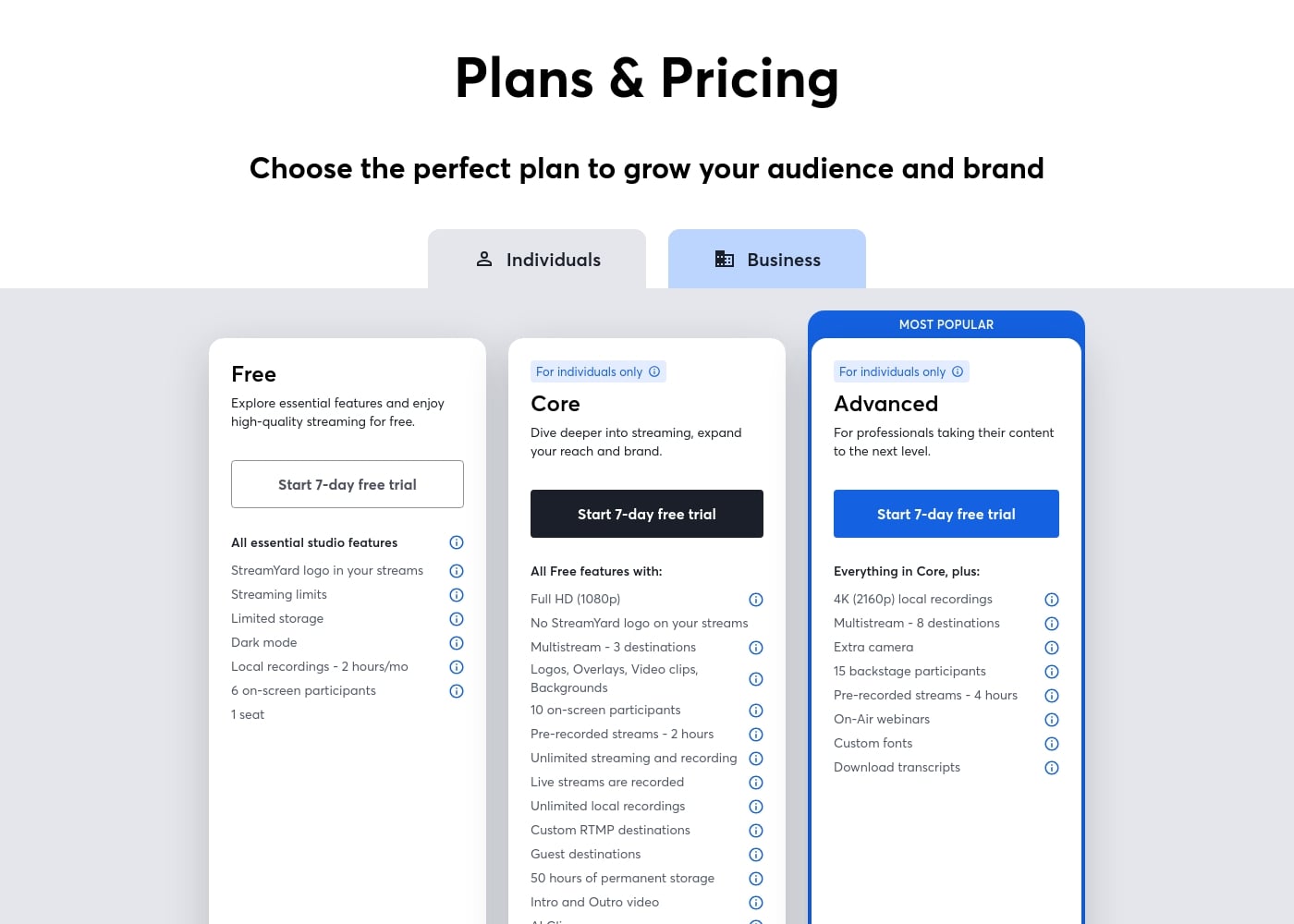
The free plan includes essential studio features, StreamYard branding, streaming limits, limited storage, 2 hours of local recordings per month, 6 on-screen participants, and 1 seat. It is useful for testing the workflow but not ideal for branded or recurring professional shows.

✨ Paid plans unlock branding and reach

The Core plan removes the StreamYard logo, adds Full HD, multistreaming to 3 destinations, overlays, unlimited streaming and recording, custom RTMP, guest destinations, AI clips, and more storage. Advanced increases production options with 4K local recordings, 8 multistream destinations, webinars, custom fonts, and transcript downloads.

✨ Refund and renewal awareness

StreamYard offers paid trials and subscription plans, but cancellation does not automatically mean a past charge is refunded. The refund policy and plan-management steps should be checked before a team commits, especially around trials, welcome offers, renewal terms, and business plans.

Use Cases

💡 Live interviews and podcasts

StreamYard is strong for remote guest shows where the host needs reliable browser access, simple layout control, guest links, and recordings for later editing.

💡 Creator multistreaming

Creators who broadcast to more than one audience can use paid plans for multistreaming. Core supports 3 destinations, while Advanced supports 8 destinations according to the current pricing page.

💡 Branded webinars and events

Advanced features such as webinars, custom fonts, extra camera support, and transcript downloads are better for professional events that need more polish than a basic livestream.

💡 Testing before committing

The free plan and paid trial help users check camera, microphone, guest, and destination workflows before moving a recurring show onto StreamYard.

Pricing Overview for StreamYard

Pricing range
Free to $88.99/month for listed individual plans, with annual discounts and business pricing available
Pricing types
Free plan, Monthly subscription, Yearly subscription
Money-back guarantee
Conditional

Free plan available; paid individual plans currently start at $44.99/month or $35.99/month with annual billing.

Plans & Pricing

Free

Monthly$0
  • StreamYard logo in streams
  • 2 hours of local recordings per month
  • 6 on-screen participants
  • 1 seat

Core

Most Popular
Monthly$44.99/month
Yearly$35.99/month billed annually
  • Full HD 1080p
  • No StreamYard logo
  • Multistream to 3 destinations
  • Unlimited streaming and recording
  • 50 hours permanent storage

Advanced

Monthly$88.99/month
Yearly$68.99/month billed annually
  • 4K local recordings
  • Multistream to 8 destinations
  • On-Air webinars
  • Custom fonts
  • Download transcripts
Pricing Screenshot
Pricing

StreamYard has a free plan and paid self-serve plans for individuals. The pricing page currently shows Core at $44.99/month or $35.99/month billed annually, and Advanced at $88.99/month or $68.99/month billed annually. The page also says subscription prices can vary by promotion, seasonal deals, renewal terms, and custom offers.

Business plans are separate.

User Reviews

StreamYard is a strong choice when ease of production matters more than deep studio customization. The main decision is whether the paid plan unlocks enough branding, multistreaming, and recording value for the show schedule.

What users say elsewhere

James R.
Trustpilot

I highly recommend StreamYard compared to other systems. It works brilliantly for building our podcasting audience and is the best software for a team using the system. The platform is constantly developing and adding new features.

Diane H.
Trustpilot

This software is a brave new world compared to tools like Zoom. As a salesman, I find they make tech truly simple for me to use. I have been extremely happy with the results so far, and it works great.

Susan K.
Trustpilot

The software has some good features, but good luck trying to cancel your subscription. I completed all the required steps, yet they still attempted unauthorized charges multiple times. I will never consider using such a tacky company again.

Michael P.
Trustpilot

I was charged continually for seven months after I confirmed my free trial was canceled. They initially refused to refund the repeated charges, even with documentation. The company needs to be transparent with monthly billing to stop these issues.

No reviews yet.

Write a Review

Write a Review for StreamYard
0/100 characters
0/2000 characters

Why use StreamYard?

Creators choose StreamYard because it reduces technical friction. A solo host can run a professional-looking show without installing heavy broadcast software, and guests can join from a link.

The tradeoff is that advanced production control, local studio customization, and business features are gated by plan level.

Ready to transform your workflow with StreamYard?

StreamYard alternatives

View all Live streaming tools

Other tools in the Live streaming category

Popular comparisons

Wave.video
StreamYard vs Wave.video
Live streaming
Switcher Studio
StreamYard vs Switcher Studio
Live streaming

Similar tools

Wave.video
Wave.video
Live streaming3.4/5

Wave.video is an industry-leading online video solution designed for creators who want effective tools at their fingertips. It's built to simplify the entire video workflow, providing a bundle of powerful tools for the price of one. You get a robust Video Editor, a customizable Live Streaming Studio, secure Video Hosting, and a free Thumbnail Maker all in one place. 💡 This comprehensive platform makes video production truly accessible and effective for growth.

Switcher Studio
Switcher Studio
Live streaming4.5/5

Switcher Studio is a user-friendly, multi-camera live streaming platform designed for accessibility and quality 💡. It’s a tool that takes your iPhones, iPads, and existing cameras and transforms them into a high-quality production suite. This system allows you to switch between up to nine different camera angles instantly and create professional productions with real-time editing. Everything is simplified so you can focus on your mission, message, and community impact.

Frequently Asked Questions

Is StreamYard free?

Yes. StreamYard has a free plan with essential studio features, StreamYard logo branding, streaming limits, limited storage, 2 hours of local recordings per month, 6 on-screen participants, and 1 seat.

How much does StreamYard cost?

The current pricing page lists Core at $44.99/month or $35.99/month annually, and Advanced at $88.99/month or $68.99/month annually. Prices can vary by promotions, renewal terms, and custom offers.

Does StreamYard remove its logo?

Not on the free plan. The current Core plan removes the StreamYard logo and adds Full HD, multistreaming, overlays, custom RTMP, guest destinations, and more storage.

Is StreamYard better than OBS?

StreamYard is easier for browser-based interviews, guests, and social streaming. OBS is better for deep production control, custom scenes, plugins, and users comfortable managing a more technical setup.

Does StreamYard offer refunds?

StreamYard has a refund policy and paid-trial flows, but cancellation does not automatically refund prior charges. Review the current refund window and eligibility before subscribing.

Ready to try StreamYard? Check out the official site or pricing.