GreenGeeks vs Plesk
GreenGeeks is a web host; Plesk is server management software. They're not direct competitors, but serve related roles in your online stack. Your choice depends on whether you need a home for a website or a tool to manage many sites.
Best for: Beginners launching their first website, Small businesses needing affordable, reliable hosting
Best for: Web agencies managing client sites, IT admins overseeing multiple servers
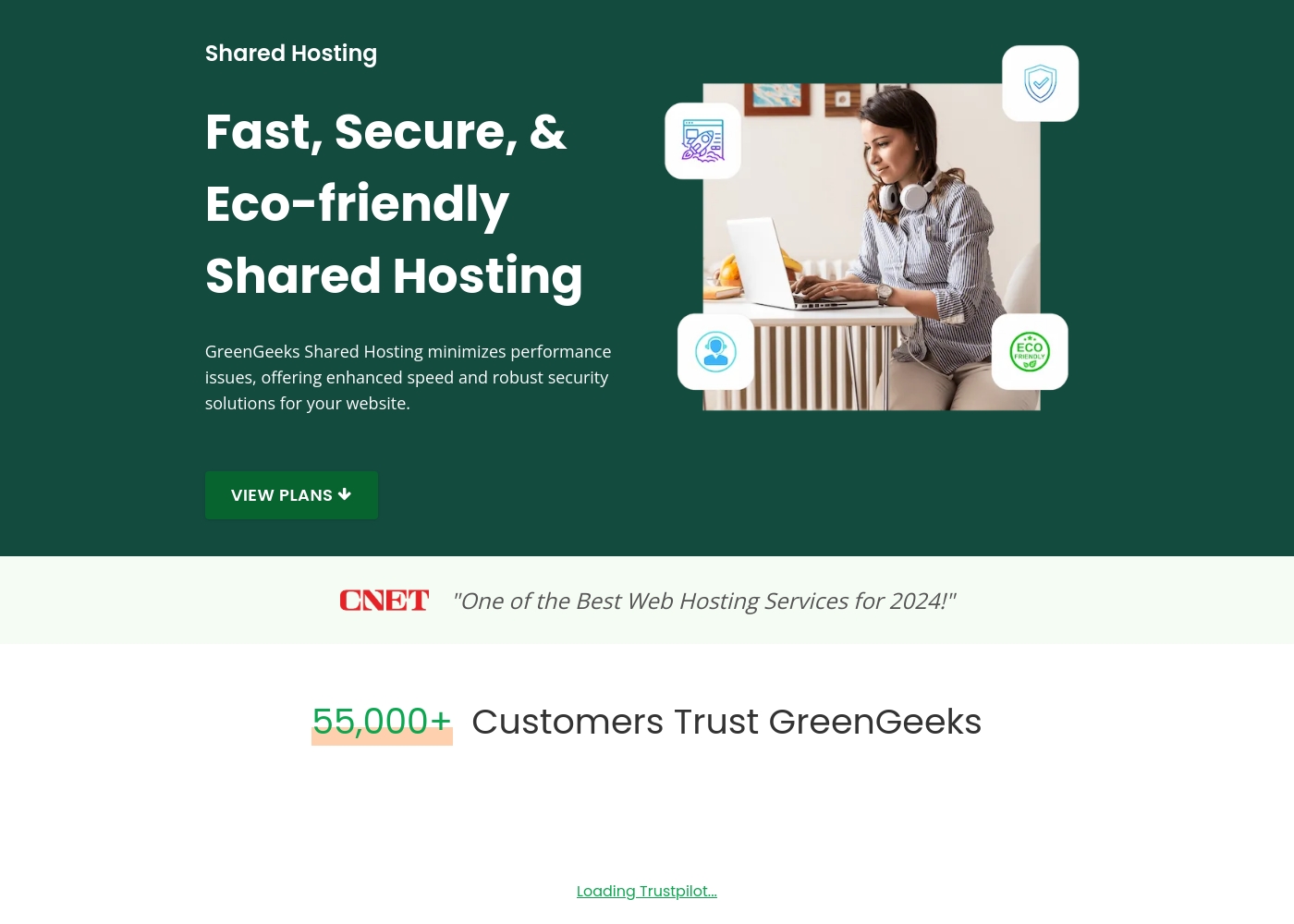
Eco-Friendly Hosting With Elite Support.
We find GreenGeeks stands out by combining genuine environmental commitment with superior technical performance and support. User feedback confirms that their expertise and responsiveness are top-tier, making the platform ideal for both novices and developers who prioritize ethical operation and fast service. Overall, GreenGeeks is a highly recommendable host delivering exceptional value and reliability.
Pros
- Exceptional 24/7 customer support via chat and phone (fast, knowledgeable).
- Strong commitment to sustainability (300% green energy match, tree planting).
- Reliable platform stability with minimal reported downtime (99+% reliability).
- Intuitive, user-friendly interface suitable for beginners and experts.
Cons
- Renewal prices are significantly higher than promotional rates.
- Occasional mixed reports regarding initial chat contact effectiveness.
Powerful panel, check the support.
Plesk is a feature-rich control panel that excels at centralizing server and website management, especially for WordPress. We found it robust and cloud-compatible, but the overall experience can be inconsistent due to reported customer support challenges. Overall, it's a strong contender for technical users who value its toolkit, but we'd advise trying the free trial to test support responsiveness firsthand.
Pros
- Unified dashboard for managing multiple sites and servers
- Powerful, automated WordPress Toolkit for updates and staging
- Broad security features built-in at the OS and app level
- Compatible with all major cloud platforms (AWS, Azure, Google Cloud)
Cons
- Customer support responsiveness is frequently criticized in reviews
- Pricing can be opaque, and some users report billing surprises
- May present a learning curve for users unfamiliar with server admin
- Not ideal for single, simple websites or fully managed, hands-off services
AboutGreenGeeks
GreenGeeks is the hosting provider designed to meet virtually every need, regardless of your hosting requirements. They offer popular hosting options specifically for WordPress and WooCommerce, ensuring a smooth path from setup to sale for your online store. If you are scaling up, VPS hosting delivers lightning-fast speed for demanding applications, and Reseller services help you grow your own web hosting business. Crucially, GreenGeeks provides eco-friendly hosting without compromising quality or security. 💡
AboutPlesk
Plesk is a comprehensive server management platform built for developers, IT admins, and hosting providers. It acts as a centralized control panel for building and managing multiple sites. You get tools for security, performance monitoring, and onboarding new clients from a single place.
Highlights
Feature Comparison
Features Overview
We highlight the main differences and pick a winner for each feature.
Core Purpose
GreenGeeks is a place to host your site; Plesk is a tool to manage servers. It's like buying a house vs. buying a security system for multiple properties.
GreenGeeks provides the complete hosting package. You get server space, a domain, SSL, and support to get your website live. It's an all-in-one solution for your site's home. Plesk is software you install on your own server. It provides a dashboard to manage websites, security, and updates across multiple servers. You need to source the server hardware or cloud instance yourself. The key difference is ownership and scope. GreenGeeks manages the infrastructure for you. Plesk gives you a powerful tool to manage your own infrastructure.
WordPress Management
Plesk's WP Toolkit is a pro-grade command center. GreenGeeks offers standard, solid WordPress hosting.
GreenGeeks provides optimized WordPress hosting with 1-click installs and LiteSpeed caching. It's straightforward and reliable for running a single or multiple WordPress sites. Plesk's WP Toolkit is a specialized, advanced tool. It lets you clone, stage, update, and secure dozens of WordPress sites from one screen. It's built for managing WordPress at scale. If you run a WordPress-heavy agency or portfolio, Plesk's toolkit saves serious time. For a simpler WordPress site, GreenGeeks' hosting is perfectly sufficient and easier.
Ease of Use
GreenGeeks is simpler to start for a single site. Plesk has a learning curve but offers more control for complex setups.
GreenGeeks uses the familiar cPanel interface. Most users find it intuitive for managing files, email, and a single website. The initial setup is very beginner-friendly. Plesk's dashboard is powerful but packed. It's designed for developers and admins who manage multiple domains and servers. New users might need time to learn its full capabilities. Your experience depends on your goal. GreenGeeks gets a new site online in minutes. Plesk is an investment that pays off when managing a large web portfolio.
Security Approach
Both offer robust security, but from different angles. GreenGeeks protects your hosted site; Plesk helps secure your entire server environment.
GreenGeeks includes enterprise firewalls, malware cleanup, and free SSL. Their team proactively monitors and patches threats on their managed servers for you. Plesk provides built-in security for the OS, network, and applications. You can extend it with partners like ImunifyAV or DigiCert SSL via their extension catalog. GreenGeeks offers a hands-off, managed security layer. Plesk gives you tools and control to implement your own security strategy across multiple sites.
Customer Support
GreenGeeks support is a consistent highlight. Plesk's support receives more mixed feedback.
GreenGeeks users rave about 24/7 expert support. Reviews frequently mention fast, helpful chat agents who resolve issues quickly and professionally. Plesk support is included, but user reviews are mixed. Many praise the software itself, but others report challenges getting timely responses, especially for urgent issues. If immediate, reliable support is critical, GreenGeeks has a clear edge. Plesk relies more on its community and documentation for day-to-day problem-solving.
Pricing Model
GreenGeeks is low-cost, predictable hosting. Plesk is a higher investment for server management software.
GreenGeeks shared hosting starts at a promotional $2.95/month. Renewal rates are higher ($12.95-$29.95/mo), but it's a flat fee for a complete hosting service. Plesk licenses start at $15.57/month for up to 10 domains. This is software-only; you still pay separately for server hosting. Pricing scales with domain count and features. You're comparing apples and oranges. GreenGeeks is a budget-friendly host. Plesk is a premium tool for professionals who already manage server infrastructure.
GreenGeeks costs between $2.95 and $8.95 per month with three Shared Hosting plans: Lite at $2.95/month, Pro at $4.95/month, and Premium at $8.95/month.
These special promotional rates apply when you sign up for your initial hosting term.
Lite
Price: $2.95 per month (Regular $12.95 per month) Websites Supported: 1 Website Best For: Small websites or blogs that are just getting started. Refund Policy: 30-Day Money-Back Guarantee Other Features:
- 25 GB Web Space
- Free Domain (1st Year) and Free SSL Certificate
- Unmetered Traffic and Free Email
- Daily Backups
- 1 Website
- 25 GB Web Space
- Unmetered Traffic
- Free Email
- Free SSL Certificate
- Unlimited Websites
- 50 GB Web Space
- On-Demand Backups
- Priority 24/7 Support
- WordPress Repair Tool
- Unlimited Websites
- 100 GB Web Space
- Free Dedicated IP ($48/yr value)
- Free AlphaSSL ($99/yr value)
- Object Caching (Redis)
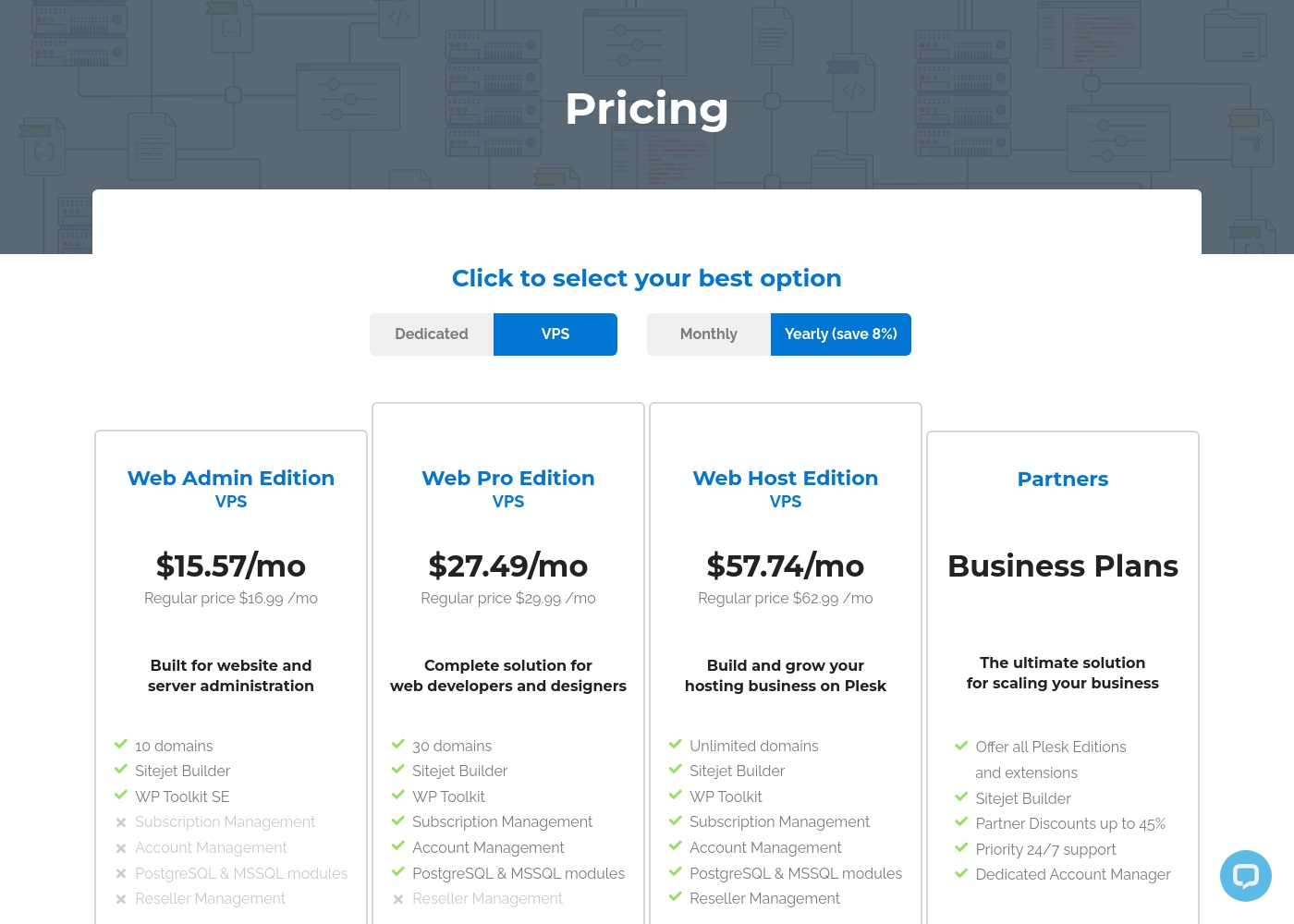
Plesk costs between $15.57 and $57.74 per month with 4 plans: Web Admin Edition at $15.57/mo, Web Pro Edition at $27.49/mo, Web Host Edition at $57.74/mo, and Partners at $250/mo minimum.
You can see how the specific licenses break down below to find the right fit for your server.
Web Admin Edition
Price: $15.57 per month billed annually Websites Supported: 10 domains Best For: Basic website and server administration Other Features: Sitejet Builder, WP Toolkit SE
- 10 domains
- Sitejet Builder
- WP Toolkit SE
- 30 domains
- Sitejet Builder
- WP Toolkit
- Subscription Management
- Account Management
- Unlimited domains
- Sitejet Builder
- WP Toolkit
- Subscription Management
- Account Management
- Offer all Plesk Editions
- Sitejet Builder
- Partner Discounts up to 45%
- Priority 24/7 support
- Dedicated Account Manager
Pricing Notes
- GreenGeeks pricing includes hosting, a domain, and SSL. It's a complete package.
- Plesk pricing is for software only. You must purchase server hosting separately.
- GreenGeeks offers a 30-day money-back guarantee but no free trial.
- Plesk offers a 14-day free trial with no credit card required.
- GreenGeeks renewal rates can be 4-5x the initial promotional price.
- Plesk's Partner Business Plan starts at a $250/month minimum commitment.
Pricing Head-to-Head
User Reviews
GreenGeeks users consistently report having a great hosting experience, evidenced by its high 4.6/5 Trustpilot score. Reviewers overwhelmingly praise the exceptional customer support.
Users highlight staff as knowledgeable, professional, and friendly, noting that the live chat function provides near-instant responses and quick issue resolution, often solving complex problems fast. Long-term clients (some over 10 years) attest to the service’s reliability, fast speeds, and dependable uptime.
The customer service with GreenGeeks was amazing! They helped me with everything, from getting a WordPress plan to migrating my website smoothly. Top-notch service all the way.
We found that user sentiment for Plesk is quite mixed. On Trustpilot, many users praise its user-friendly interface and reliable server management tools, especially the WordPress toolkit.
🛠️ However, a significant number of reviews complain about unresponsive customer support and billing issues, particularly after contract renewals. Some find the software intuitive for basic tasks, while others report it can be unreliable and cause server downtime.
Plesk makes managing my WordPress sites a breeze. The dashboard is intuitive, and the one-click updates save me hours every week. It's the most reliable panel I've used.
Our Verdict
GreenGeeks and Plesk aren't really competitors—they're partners. GreenGeeks is your website's home; Plesk is a toolkit for managing many homes. GreenGeeks shines with affordable, eco-friendly hosting. Their standout is incredible 24/7 support that users absolutely love. It's perfect for getting a single site online with zero hassle. Plesk's superpower is its unified management dashboard. The WordPress Toolkit alone is a game-changer for agencies. It turns managing dozens of sites from a chore into a streamlined workflow. The deciding factor is simple: Do you need hosting or management? Choose GreenGeeks if you want a one-stop shop for a personal or business site. Choose Plesk if you already have servers and need a pro tool to tame the complexity. For most beginners and small businesses, GreenGeeks is the logical, easy choice. For developers, agencies, and IT teams, Plesk is an indispensable power tool. Know what you need, and you'll pick right.
Frequently Asked Questions
Do I need GreenGeeks hosting to use Plesk?
No. Plesk is independent software. You install it on any compatible server from providers like AWS, DigitalOcean, or your own hardware.
Which is better for a single WordPress site?
GreenGeeks is simpler and more affordable. It provides optimized WordPress hosting with support, making it ideal for a standalone site.
Can Plesk replace my current hosting control panel?
Yes. Plesk is a direct alternative to cPanel. It provides a centralized dashboard to replace multiple tools for server and site management.
Which option is better for an agency with 50 client sites?
Plesk is built for this. Its dashboard and WP Toolkit let you manage updates, security, and backups for all 50 sites from one place efficiently.
Is GreenGeeks really eco-friendly?
Yes. GreenGeeks matches energy usage with 300% renewable energy and plants a tree for every new account. It's a core part of their service.
What's the biggest downside of Plesk?
User reviews frequently mention inconsistent customer support and occasional billing complexity. The software itself is powerful, but support can be a pain point.
Ready to Choose?
Both tools have their strengths. Choose based on your specific needs.