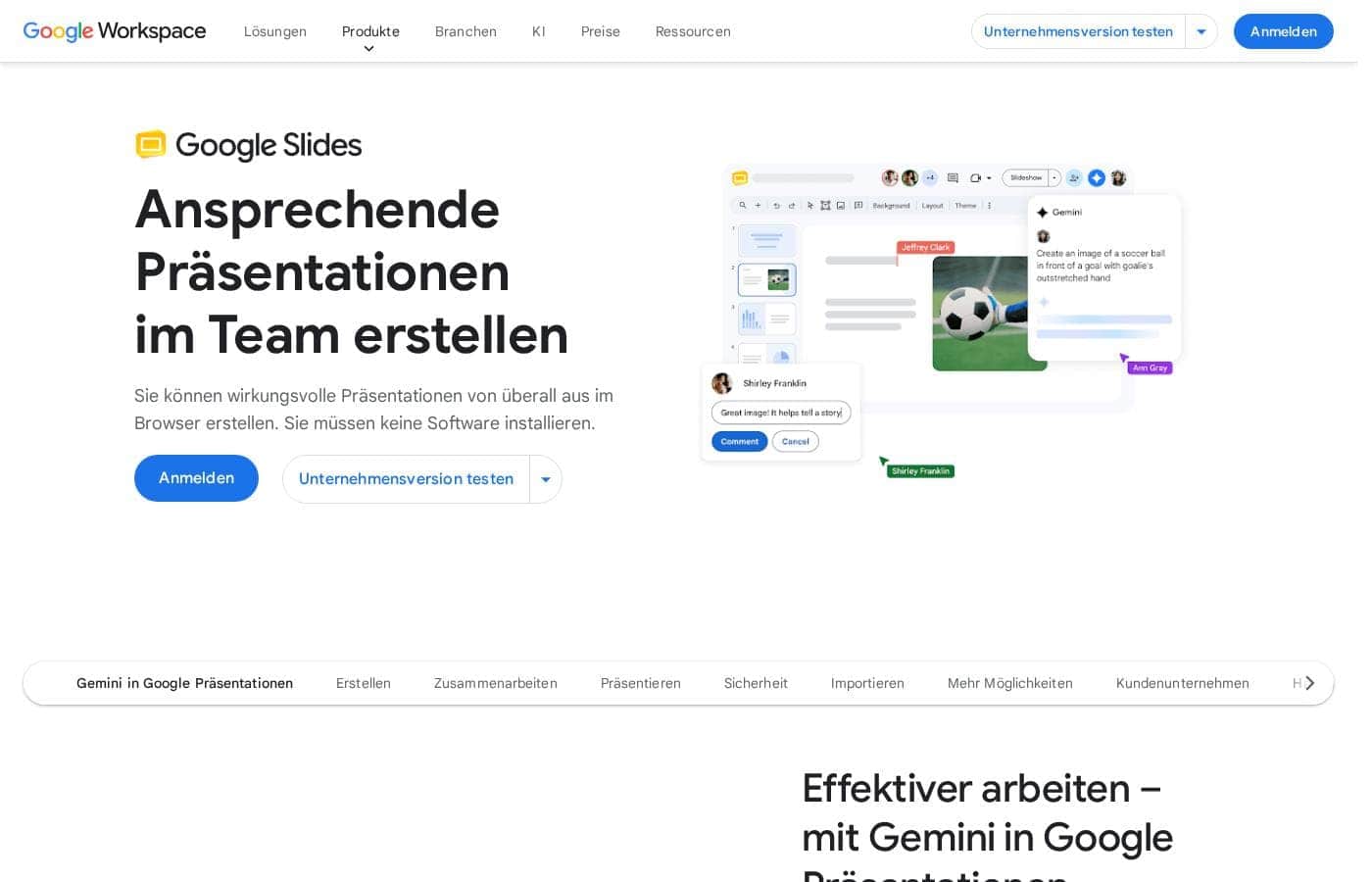
Google Slides ฟรีสำหรับทุกคนที่มีบัญชี Google ทั่วไป ซึ่งช่วยให้สามารถสร้างและทำงานร่วมกันได้ การเข้าถึงฟีเจอร์พรีเมียมเฉพาะทาง เช่น การควบคุมการนำเสนอขั้นสูง และเครื่องมือ AI อันทรงพลังอย่าง Gemini ต้องอัปเกรดเป็นแผน Google Workspace แบบชำระเงิน
Google Slides พร้อมใช้งานฟรีด้วยบัญชี Google แต่ฟีเจอร์ระดับพรีเมียมต้องใช้แผน Google Workspace รายละเอียดราคาเฉพาะสำหรับแผน Workspace ไม่ได้ระบุไว้อย่างชัดเจนที่นี่
การเข้าถึงพื้นฐาน (ผ่านบัญชี Google)
ราคา: ฟรีด้วยบัญชี Google ทั่วไป
รองรับเว็บไซต์: ไม่ได้ระบุไว้อย่างชัดเจน
เหมาะสำหรับ: บุคคลและการทำงานร่วมกันแบบไม่เป็นทางการ
นโยบายการคืนเงิน: ไม่ได้ระบุไว้อย่างชัดเจน
คุณสมบัติอื่นๆ:
- สร้างและนำเสนอสไลด์ในเบราว์เซอร์ของคุณ
- การทำงานร่วมกันที่ยืดหยุ่นด้วยการแก้ไขสดและความคิดเห็น
- นำเข้างานนำเสนอ Microsoft PowerPoint หรือ Canva
- ฟังก์ชันการแก้ไขร่วมกัน
- การเข้าถึงแบบออฟไลน์บนมือถือ
นี่เป็นวิธีที่ยอดเยี่ยมในการเริ่มต้น หากคุณต้องการซอฟต์แวร์นำเสนอที่เชื่อถือได้บนคลาวด์สำหรับโครงการส่วนตัวหรือการทำงานร่วมกันของทีมแบบง่ายๆ คุณจะได้รับคุณสมบัติที่จำเป็นทั้งหมดโดยไม่ต้องเสียเงินแม้แต่บาทเดียว
Google Workspace Individual
ราคา: ไม่ได้ระบุไว้อย่างชัดเจน
รองรับเว็บไซต์: ไม่ได้ระบุไว้อย่างชัดเจน
เหมาะสำหรับ: ผู้เชี่ยวชาญหรือฟรีแลนซ์ที่ต้องการฟีเจอร์ที่ดียิ่งขึ้น
นโยบายการคืนเงิน: ไม่ได้ระบุไว้อย่างชัดเจน
คุณสมบัติอื่นๆ:
- การเข้าถึงคุณสมบัติการนำเสนอระดับพรีเมียมบางอย่าง (โดยนัย)
- การเข้าถึงคุณสมบัติ Gemini A.I. ที่เป็นไปได้ในรูปแบบส่วนเสริม
- เครื่องมือที่ออกแบบมาเพื่อประสิทธิภาพระดับมืออาชีพ
หากคุณเป็นมืออาชีพที่ดำเนินธุรกิจขนาดเล็กหรือต้องการชุดเครื่องมือที่ครอบคลุมนอกเหนือจากเวอร์ชันฟรีมาตรฐาน ให้พิจารณาแผน Google Workspace Individual ตัวเลือกนี้ช่วยให้คุณปลดล็อกการผสานรวมและเครื่องมือเชิงลึกที่ออกแบบมาเพื่อประสิทธิภาพทางธุรกิจ
Google Workspace Business/Enterprise
ราคา: ไม่ได้ระบุไว้อย่างชัดเจน
รองรับเว็บไซต์: ไม่ได้ระบุไว้อย่างชัดเจน
เหมาะสำหรับ: องค์กรที่ต้องการการควบคุมตราสินค้า และการผสานรวม Meet ขั้นสูง
นโยบายการคืนเงิน: ไม่ได้ระบุไว้อย่างชัดเจน
คุณสมบัติอื่นๆ:
- คงความเป็นแบรนด์โดยใช้เทมเพลตโดเมนที่สม่ำเสมอ
- พบปะกันโดยตรงภายในเอกสารของคุณเพื่อการทำงานร่วมกันตามบริบท
- นำเสนออย่างมืออาชีพโดยตรงจาก Google Meet
- ใช้ Speaker Spotlight เพื่อให้โฟกัสอยู่ที่คุณ
- บันทึกและแชร์งานนำเสนอของคุณได้อย่างง่ายดาย
องค์กรขนาดใหญ่ที่ต้องการความปลอดภัยสูงสุด การควบคุมตราสินค้า และการผสานรวมที่แข็งแกร่งกับระบบนิเวศทั้งหมดของ Google ควรเลือกแผนระดับ Enterprise ตัวเลือกที่ทรงพลังเหล่านี้มีคุณสมบัติที่จำเป็นสำหรับการสื่อสารที่มีคุณภาพสูง ปลอดภัย และปรับขนาดใหญ่
สิ่งสำคัญที่ต้องจำไว้คือ Google Slides มีให้ใช้งานฟรีสำหรับทุกคนที่มีบัญชี Google ซึ่งช่วยให้คุณสามารถเข้าถึงการสร้างเนื้อหาหลัก การทำงานร่วมกันที่แข็งแกร่ง และเครื่องมือการแก้ไขได้ หากฟีเจอร์พรีเมียม เช่น Speaker Spotlight หรือเทมเพลตโดเมนเป็นสิ่งจำเป็นสำหรับงานของคุณ คุณจะต้องสมัครแผน Google Workspace แบบชำระเงิน คุณควรไปที่หน้าการกำหนดราคาหลักของ Google Workspace เพื่อดูค่าสมัครสมาชิกที่เฉพาะเจาะจง