Unbounce

Unbounce review

Build, test, and optimize high-converting landing pages without developers.

Unbounce costs from $29/mo · 5 plans · Free plan available · prices checked Oct 13, 2026

By Ciroapp Editorial Team · Updated Sep 16, 2026

Commission may apply at no extra cost

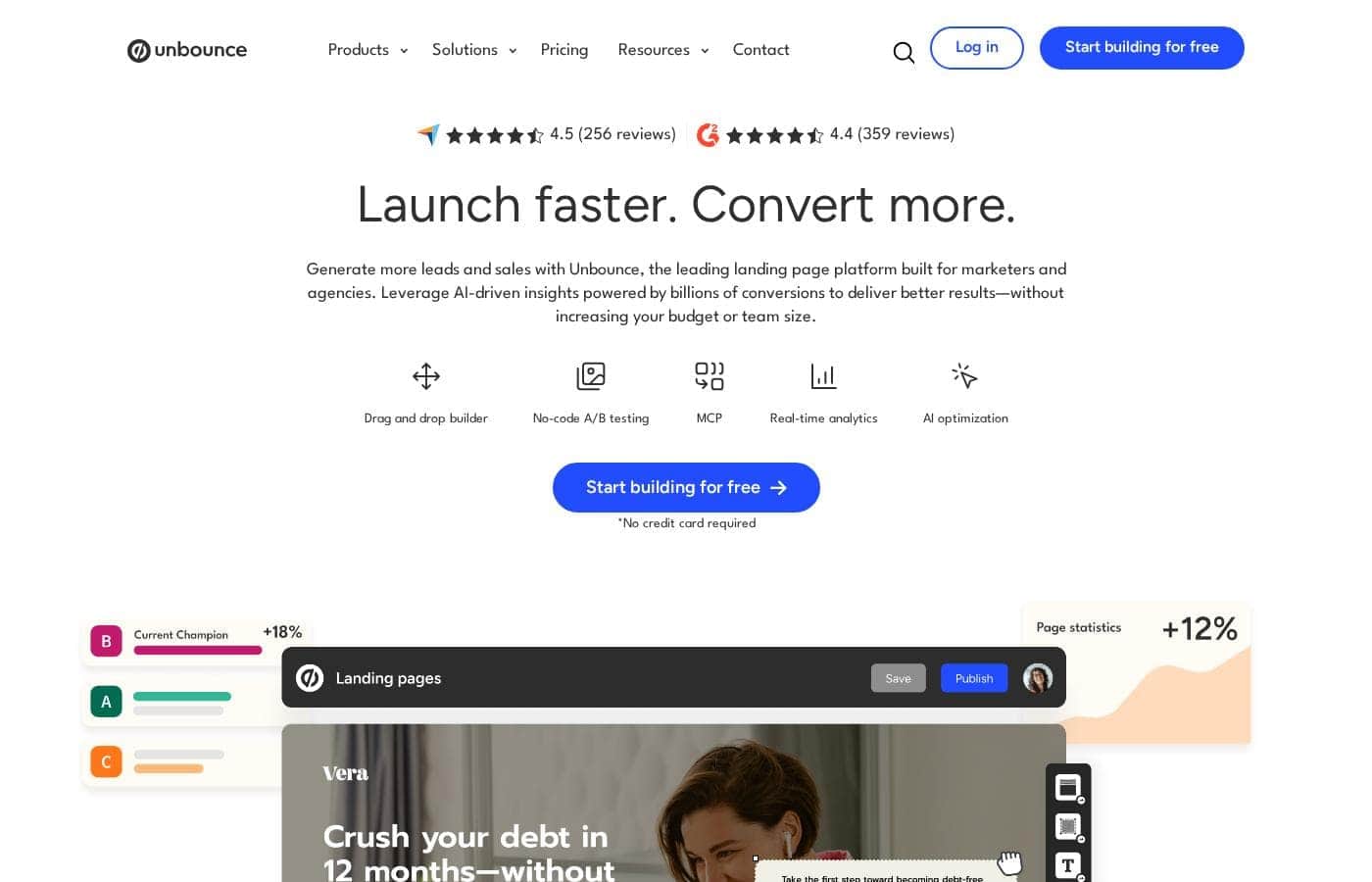
Unbounce homepage screenshot

At a glance

Quick overview for Unbounce: rating, pricing summary, key features, and highlights.
Pricing verified Oct 13, 2026

Ciroapp score

4.0/ 5

Unbounce packs no-code page building, popups, A/B testing, and AI Smart Traffic into one campaign-focused platform, with agency workspaces and white-label options on higher tiers. Overall, it's a strong pick for paid-campaign teams that test seriously, though entry pricing sits above simpler builders and costs climb with traffic and conversion limits.

Pros

  • Pros:Purpose-built for conversion — popups, sticky bars, A/B testing, and AI traffic routing are native features rather than bolt-on plugins.
  • Pros:Fast time-to-launch — the drag-and-drop editor and template library let a marketer ship a campaign page in hours without designers or developers.
  • Pros:Smart Traffic routes visitors to the best-fitting variant from the earliest sessions, reaching conversion lift faster than classic 50/50 splits.

Cons

  • Cons:Entry pricing sits above general-purpose page builders, and plan limits on traffic and conversions push costs up as campaigns scale.
  • Cons:It complements a main website rather than replacing one — you still need a CMS or site builder elsewhere.
  • Cons:Advanced testing and AI features take time to learn, and Smart Traffic needs a reasonable volume of visitors before its optimization becomes statistically meaningful.
Best for
  • Performance marketers running ongoing paid campaigns on Google, Meta, or LinkedIn who need message-matched pages launched fast.
  • Agencies managing landing page builds, testing, and reporting for multiple clients from a single account.
  • B2B and SaaS teams optimizing demo requests, free trials, and webinar signups where conversion rate directly drives revenue.
This section is a summary. Detailed sections about features, use cases, pricing, and reviews follow below.

What is Unbounce?

Unbounce has been a fixture of the conversion marketing world since 2009, and this review looks at what the platform actually delivers today. It focuses on a single job — turning paid and organic traffic into leads and sales — and stacks every tool for that job in one place: a no-code page editor, popups, sticky bars, A/B testing, and AI traffic routing. Whether it earns its price comes down to how much traffic you send and how seriously you take testing.

Unbounce is a conversion platform centered on building landing pages without designers or developers. Marketers assemble pages from templates or scratch in a drag-and-drop editor, layer on popups and sticky bars, connect integrations such as CRMs, email tools, and analytics platforms, and publish to custom domains with SSL. Beyond static pages, Unbounce includes Smart Traffic, an AI feature that routes each visitor to the variant most likely to convert, plus AI copywriting assistance for headlines and ad copy.
Should you choose Unbounce?

Quick buyer guidance before you compare plans or click through.

Choose it if

  • Performance marketers running ongoing paid campaigns on Google, Meta, or LinkedIn who need message-matched pages launched fast.
  • Agencies managing landing page builds, testing, and reporting for multiple clients from a single account.
  • B2B and SaaS teams optimizing demo requests, free trials, and webinar signups where conversion rate directly drives revenue.
  • CRO-minded teams that want A/B testing and AI traffic optimization built into the same platform as the page editor.

Skip it if

  • Teams looking to build a full multi-page website or blog — Unbounce is campaign-focused, not a CMS.
  • Low-traffic sites that cannot feed enough visitors to make A/B tests or Smart Traffic statistically meaningful.
  • Hobbyists or side projects needing a permanently free tool; the platform is priced for businesses whose pages generate measurable revenue.

Next steps before buying

  1. 1Start a free trial on unbounce.com and pick a template closest to your campaign goal rather than building from scratch.
  2. 2Connect your custom domain and core integrations — CRM, email, and analytics — before launch so leads route correctly from day one.
  3. 3Publish your first page alongside the traffic source, confirm conversion tracking fires, then enable Smart Traffic or launch an A/B test.
  4. 4Review results once enough visitors accumulate, and iterate on headlines, form fields, and offers based on what the data shows.

Unbounce Key Features

✨ Drag-and-Drop Landing Page Builder

The core editor lets you build pages from scratch or from a library of ready-made templates using a visual canvas with no coding required. Layout widgets, form blocks, and mobile-responsive controls let a single marketer ship a polished, message-matched page the same day a campaign idea is approved. Custom HTML, CSS, and JavaScript can be added when more advanced behavior is needed.

✨ A/B Testing and Statistical Reporting

Every page can be duplicated into variants and tested head-to-head, with Unbounce tracking conversions and reporting statistical confidence so you know when a result is real rather than random noise. This turns optimization into a repeatable workflow instead of a guessing game, and it works alongside manual split tests without extra tooling.

✨ Smart Traffic AI Optimization

Instead of splitting visitors evenly between variants, Smart Traffic uses machine learning to route each visitor to the variant predicted to fit them best, learning from the first sessions onward. The practical effect is that you can find conversion lift faster than classic 50/50 A/B splits, especially on campaigns with limited traffic budgets.

✨ Popups and Sticky Bars

Unbounce includes popup and sticky bar builders with targeting triggers such as exit intent, scroll depth, and time on page. These let you capture abandoning visitors, promote limited-time offers, and add CTAs to existing pages without rebuilding them, extending the value of traffic you have already paid for.

✨ AI Copywriting

Built-in AI copy generation helps you draft headlines, benefit statements, and CTA variations directly inside the editor. Rather than starting from a blank page, marketers can generate multiple copy directions, edit them for brand voice, and immediately test which version converts.

✨ Integrations and Lead Routing

Unbounce connects to major CRMs, email marketing tools, analytics platforms, and automation services through native integrations, Zapier, and webhooks. Form submissions can be routed to sales tools in real time, and conversion tracking can be wired into the analytics stack you already use, so the platform slots into existing marketing operations.

Use Cases

💡 Paid Advertising Campaigns

The classic Unbounce use case: dedicated landing pages for Google, Meta, and LinkedIn ads that mirror the ad's promise word for word. Message match keeps quality scores and relevance high, and dynamic text replacement plus A/B testing lets you tune each page against real conversion data instead of opinions.

💡 Lead Generation and Webinar Signups

B2B teams use Unbounce to build gated-content, demo-request, and webinar registration pages fast. Popup forms and sticky bars capture visitors who decline the main call to action, while native CRM and email integrations push leads into nurture sequences the moment they submit.

💡 Agency Client Work

Agencies manage landing page builds for multiple clients from one account, with workspace separation and white-label options on higher tiers. Centralized templates and testing workflows let a small team deliver campaign pages for many clients without a development department.

💡 Product and SaaS Launches

Product teams launch waitlist, beta, and free-trial pages without touching the main website codebase. New offers can go live in hours, then be iterated weekly based on conversion analytics — useful when launch timing matters more than pixel-perfect design.

Unbounce pricing

From$29/mo

  • From the vendor's pricing page, checked Oct 13, 2026
  • 5 plans
  • Free plan available
  • Save up to 25% with annual billing

Prices checked on Oct 13, 2026 from Unbounce's pricing page

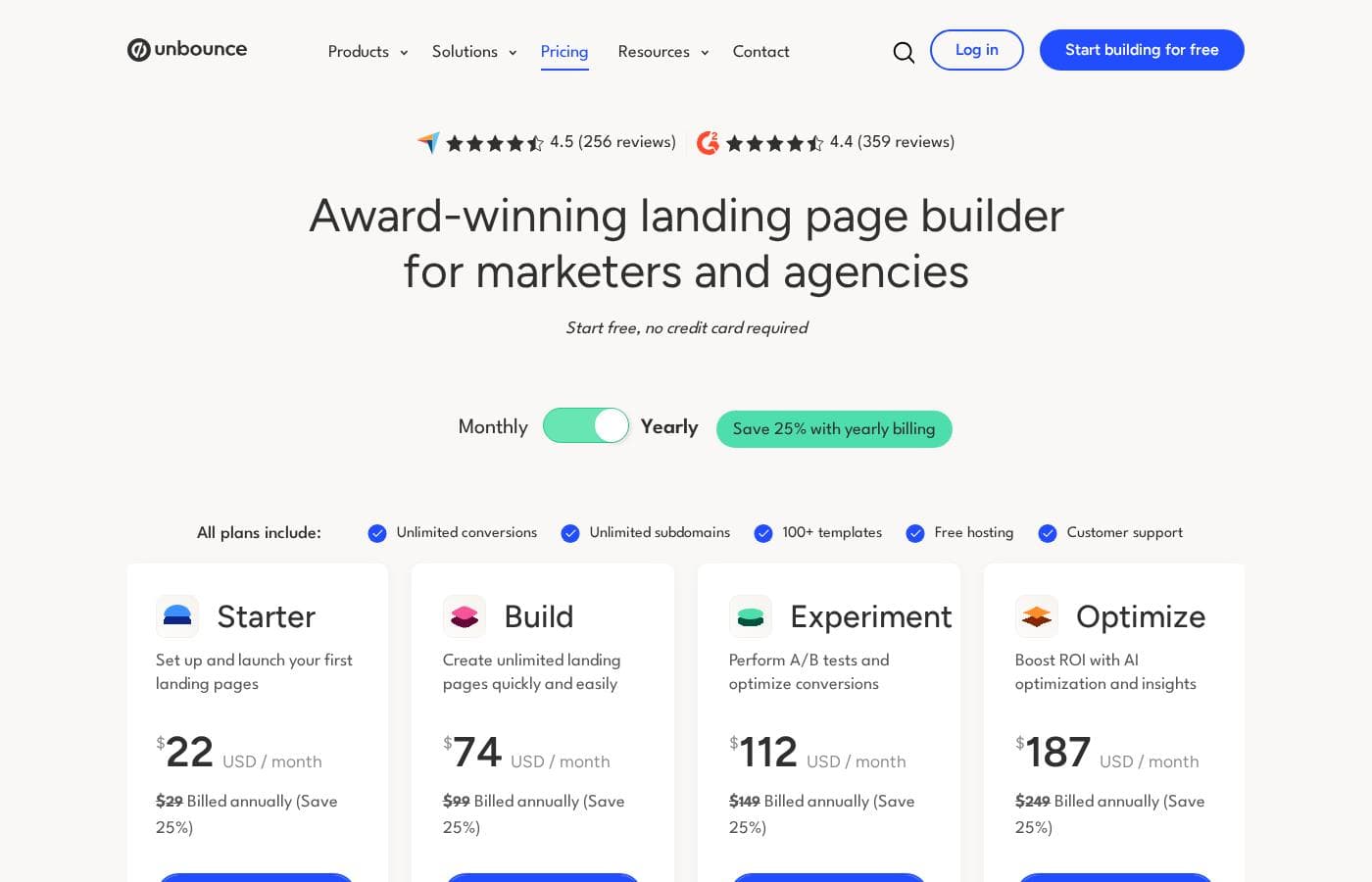
Unbounce pricing page screenshotView pricing page screenshot
PlanBilled monthlyBilled annuallyIncludes
Starter Plan
$29/mo
$22/mo
$264 per year
Save up to 24% with annual billing
Build Plan
$99/mo
$74/mo
$888 per year
Save up to 25% with annual billing
Experiment Plan
$149/mo
$112/mo
$1,344 per year
Save up to 25% with annual billing
Optimize Plan
$249/mo
$187/mo
$2,244 per year
Save up to 25% with annual billing
14-Day Free Trial
Free
—

Price history

Tracking prices since Oct 1, 2026. No price change detected yet.

Pricing types: Free plan, Free trial, Monthly subscription, One-time payment, Usage-based pricing

Pricing notes

Unbounce pricing: Plans from $0 Billing options: Free plan, Free trial, Monthly subscription, One-time payment, Usage-based pricing

Cost calculator

Estimate what Unbounce costs for your team.

Billing
Per month
$29
Per year
$348

Starter Plan states no user limit: shown as one price for the whole account. Check the price for 5 users with the vendor. Estimate based on published list prices, before taxes, add-ons and discounts.

How to pay less for Unbounce

  • Pay annually: saves up to 25% compared with monthly billing.
  • Start on the free plan and upgrade only when you hit its limits.
  • Cheaper tools in this category start at $9.99/mo.
Visit Unbounce

Email me when Unbounce changes price

One email when we detect a price change on the vendor's pricing page. No newsletter, no deals. Unsubscribe in one click.

User Reviews

No reviews yet.

Write a Review

Write a Review for Unbounce
0/100 characters
0/2000 characters

Why use Unbounce?

The case for Unbounce is speed plus testing discipline. Marketers can spin up campaign-specific pages in hours instead of waiting on engineering sprints, and every page can be measured and iterated against real conversion data.

For teams spending heavily on Google, Meta, or LinkedIn ads, even small conversion-rate lifts compound into meaningful cost-per-acquisition savings — which is exactly where a dedicated landing page platform pays for itself.

Unbounce alternatives

Other tools in the Funnel Builder category

View all Funnel Builder tools
Systeme.io

Systeme.io

Funnel Builder4/5From $17/mo

Systeme.io is proudly known as the easiest all-in-one marketing platform available. This comprehensive tool exists specifically for people who want to launch their online business successfully and without unnecessary hassle. You get everything necessary gathered into one single spot, making the entire creation process much less complicated. It truly serves as the only tool you need to manage and grow your venture.

SamCart

SamCart

Funnel Builder4/5

SamCart is an intuitive platform built specifically for businesses of all types. It's designed to streamline your selling process and maximize revenue. You can launch vital assets like landing pages, checkout pages, lead magnets, and even complete microsites in just minutes. Pages built here are powered by AI to ensure optimal performance and speed, meaning your audience gets a great experience every time.

Lightfunnels

Lightfunnels

Funnel Builder3.9/5From $9.99/mo

Lightfunnels is an advanced, yet easy-to-use, all-in-one platform built specifically for ecommerce. It combines a powerful store builder and a market-leading funnel builder. You get a conversion-optimized setup right out of the box, letting you start selling in minutes. The platform is ideal for performance-driven sellers, including those specializing in dropshipping or cash on delivery models. You can easily choose a theme, quickly import products, and launch your funnel or store fast. It’s designed to help you generate revenue sooner rather than later.

Instapage

Instapage

Funnel Builder4.1/5

Instapage simplifies the process of building sophisticated landing pages. It uses an intuitive drag-and-drop editor. You don't need any technical expertise to create beautiful pages that load quickly on any screen. 💡 This platform is ideal for marketing teams and agencies. You can even use the integrated AI to instantly generate content, headlines, and CTAs. This feature optimizes your lead capture strategy without interrupting flow.

ThriveCart

ThriveCart

Funnel Builder4.2/5

ThriveCart is an all-in-one checkout platform built for creators, coaches, and entrepreneurs. 🚀 It lets you launch high-converting checkouts and landing pages in minutes, with unlimited upsells, order bumps, trials, and subscriptions. With 100+ payment methods, an built-in affiliate platform, and ThriveCart Learn, you have a complete system to sell, deliver, and scale your offers.

Leadpages

Leadpages

Funnel Builder4.2/5

Leadpages is a data-driven solution built for creating powerful, high-converting landing pages. It’s designed to be simple so you can avoid long development cycles. Best of all, you don't need to write a single line of code to get started. This tool is powerful and versatile. It offers tailored solutions for Marketing Teams, Agencies, Businesses, and even larger Enterprise groups looking to streamline their marketing stack. Whether you need to scale performance or optimize lead collection, Leadpages empowers your success.

Kartra, WebinarJam & EverWebinar

Kartra, WebinarJam & EverWebinar

All-in-one Marketing3.8/5

Kartra's all-in-one platform is built to help creators and entrepreneurs grow their audience, monetize content, and scale with confidence. WebinarJam & EverWebinar are the most powerful and trusted live and automated webinar platforms worldwide.

Cheapest Funnel Builder software for 1 to 25 users

Unbounce FAQ

How much does Unbounce cost?

Unbounce's cheapest paid plan, Starter Plan, costs $29 per month. Paid plans range from $29 to $249 per month. Prices checked on Oct 13, 2026 from the vendor's pricing page.

Does Unbounce have a free plan?

Yes. Unbounce has a free plan (14-Day Free Trial); paid plans start at $29 per month.

How much do you save with annual billing on Unbounce?

Paying annually saves up to 25% compared with monthly billing, based on Unbounce's list prices.

Has Unbounce's price changed recently?

No. We have not detected a price change since we started tracking on Oct 1, 2026.

Do I need coding or design skills to use Unbounce?

No. The drag-and-drop editor and template library are designed for marketers to build and publish pages on their own. Custom HTML, CSS, and JavaScript can be added if you want advanced behavior, but it is optional rather than required.

What is Smart Traffic and how is it different from a normal A/B test?

Smart Traffic is Unbounce's AI visitor-routing feature. Instead of splitting traffic evenly between variants, it learns from early visitor attributes and sends each visitor to the variant predicted to convert best for them. This usually produces measurable lift faster than a classic 50/50 split test, particularly on campaigns with limited traffic.

Does Unbounce replace my website?

No. Unbounce is built for campaign landing pages, popups, and sticky bars, not for running a full multi-page site. Most teams keep their main website on a CMS and use Unbounce for ads, launches, and lead-gen campaigns.

Can agencies use Unbounce for multiple clients?

Yes. Unbounce offers agency-oriented plans with multi-client workspace management and white-label options, allowing one team to build, test, and report on landing pages across many client accounts.

Ready to try Unbounce? Check out the official site or pricing.

Are you Unbounce? Claim this listing · Get the badge