Soundop Audio Editor

Soundop Audio Editor

Soundop: Intuitive and Professional Audio Editor for Windows

#3 dans Audio Editing
2 min read · Updated 11/21/2025
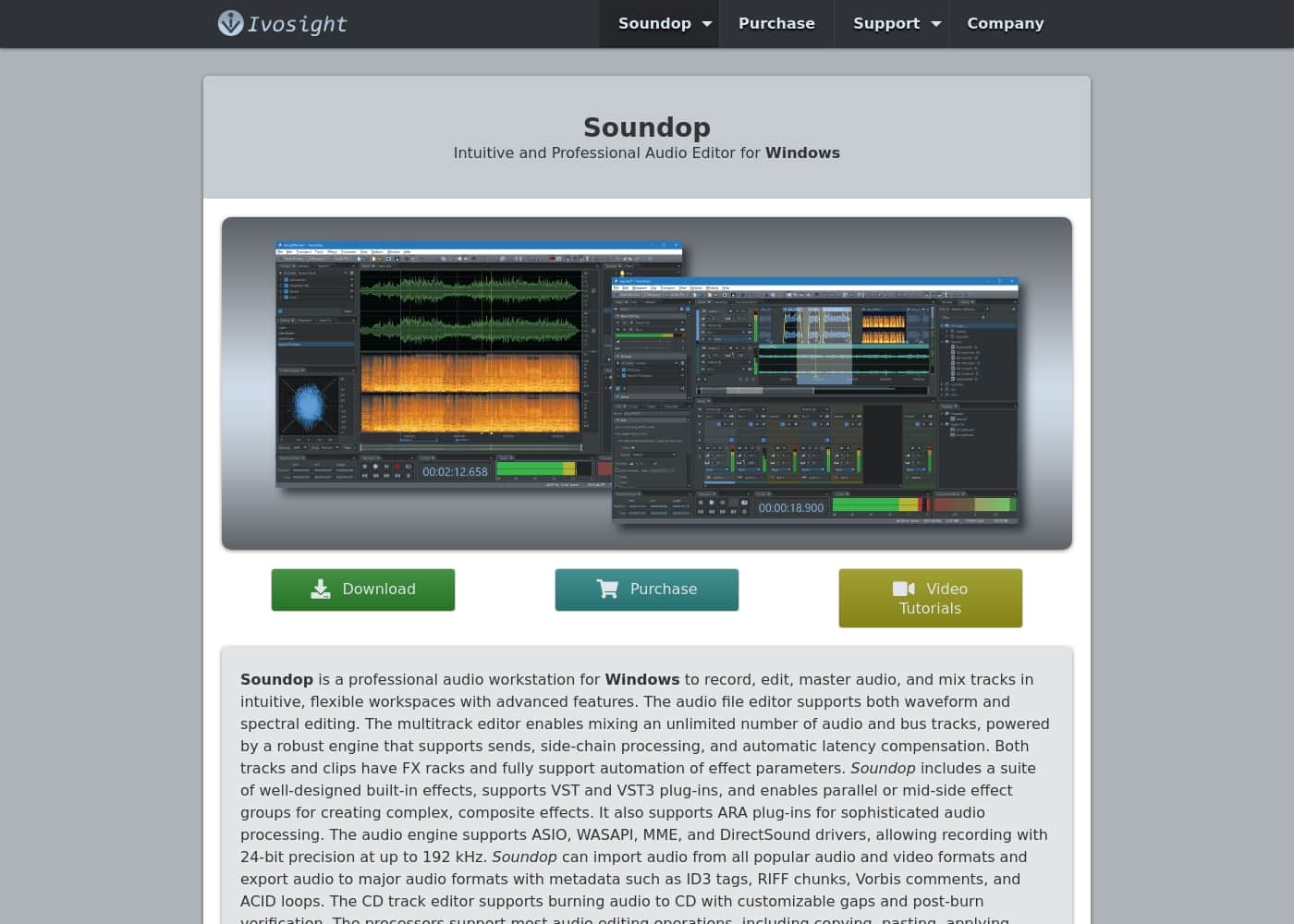
Soundop Audio Editor homepage screenshot

At a glance

Quick overview for Soundop Audio Editor: rating, pricing summary, key features, and highlights.
Range: $2.99–$14.99/monthMonthly subscription, Yearly subscription, One-time payment
This section is a summary. Detailed sections about features, use cases, pricing, and reviews follow below.

Soundop Audio Editor review, pricing, features, pros & cons

Struggling to manage complex audio projects across disjointed tools can be frustrating. You need seamless recording, editing, and mastering. Soundop Audio Editor addresses this by providing a comprehensive, professional workstation in a compact package.

It allows you to record, edit, and master audio within flexible, intuitive workspaces. This approach ensures efficiency in every step of your production process. ✨

What is Soundop Audio Editor?

Soundop is a professional audio workstation built specifically for Windows users. It’s your reliable tool for comprehensive audio creation and production. This software offers two powerful editing modes: a specific audio file editor and a deep multitrack editor.

The audio file editor supports both traditional waveform and highly detailed spectral editing. Meanwhile, the multitrack environment enables mixing an unlimited number of tracks and bus tracks for complex arrangements. It's designed to be your ideal, all-in-one solution. đź’ˇ

Soundop Audio Editor Key Features

✨ Precision Audio Editing for Flawless Results

You can edit audio down to the specific sample level for maximum precision. The audio file editor offers detailed spectral editing alongside traditional waveform view. Spectral editing lets you isolate and work only within selected frequency ranges.

Soundop helps you remove unwanted sonic artifacts at editing boundaries. It features zero-crossing alignment, ensuring time selections snap properly for seamless cuts. Crossfades are applied automatically at editing boundaries, guaranteeing smooth, artifact-free transitions every time. You can also synchronize views across multiple audio files to compare or match edits easily.

✨ Robust Multitrack Mixing Environment

The powerful multitrack editor lets you build complex projects without limitation. It supports mixing an unlimited number of audio and bus tracks. Its professional engine includes comprehensive routing features, such as sending track output to multiple destinations. You can also route track output quickly to the side-chain input of audio effects.

Soundop ensures smooth playback even in dense projects by providing automatic latency compensation. You get flexible automation control over both tracks and clips. Use sophisticated automation modes like read, write, latch, and touch to precisely control effect parameters throughout your mix.

✨ Advanced Effect Organization and Processing

Go beyond standard processing by integrating VST and VST3 plug-ins into your workflow. Soundop allows for advanced effect organization to create highly unique sounds. You can group multiple effects together and arrange them in parallel or utilize a special Mid-Side Splitter.

A powerful suite of high-quality built-in effects is immediately available, including EQ, compressor, limiter, reverb, and chorus. You can apply a sequence of effects using the FX rack on selected audio within the file editor. For efficiency, you can also freeze track and clip effects to optimize crucial CPU resource usage.

🎚️ High-Quality Recording and Professional I/O

Soundop ensures professional-grade audio capture quality. It supports standard high-fidelity drivers, including ASIO, WASAPI, MME, and DirectSound. This allows you to record audio with 24-bit precision at sample rates up to 192 kHz.

During recording, you have several tools designed for efficiency. You can utilize level-activated recording to automatically skip silence. If you need consistent takes, you can loop record multiple takes within a single audio clip. For digital source capture, the WASAPI loopback feature lets you capture system audio directly.

✨ File Compatibility and Video Integration

You can easily import and export across a vast array of file types. Soundop imports audio content from all major audio and video formats, simplifying collaboration and production. Supported export formats include widely used types like MP3, AAC, WAV, AIFF, OGG, and FLAC, complete with editable metadata.

For post-production, Soundop allows you to attach and synchronize the video file within both the audio file and multitrack editors. This alignment is crucial for editing dialogue or sound effects precisely to the action. You can import from a wide range of video formats and export your videos in WMV, MOV, and MP4 formats.

✨ Batch Processing and Workflow Optimization

The dedicated batch processor dramatically improves production speed. You can easily set up the processor to handle multiple audio files flexibly. This tool allows you to run concurrent instances of the batch processor, saving significant time when preparing large volumes of assets.

Soundop features an efficient and customizable user interface. You can save workspace configurations as presets and switch between them using keyboard shortcuts. The History panel tracks every step, letting you undo or redo operations back to a specific editing state with a single click.

✨ Loop Creation and Comprehensive Metadata

The editor provides tools necessary for creating professional loops. You can edit ACID metadata to generate ACID loops directly. When setting up sampler loops, you can adjust marker positions and apply crossfades to ensure seamless playback. The system can even automatically detect the optimal position for sampler loops.

Metadata management is straightforward across various formats. Soundop lets you edit common tags like ID3 tags, RIFF chunks, and Vorbis comments. You can also easily edit cover art for formats such as MP3 and FLAC.

Use Cases

🎚️ Professional Music Mixing and Complex Routing

Soundop makes building dense musical arrangements easier with the robust multitrack editor. You can use an unlimited number of audio and bus tracks for your project. This editor easily handles advanced demands like routing track output to the side-chain input of an effect, perfect for rhythmic compression. The powerful engine uses automatic latency compensation so your complex mixes sound smooth and perfectly aligned during playback.

Automation is key to dynamic mixing. You can easily automate effect parameters on both tracks and individual clips. Use read, write, latch, and touch modes to create a detailed mix envelope. If a track uses many highly resource-intensive effects, you can freeze that track to optimize your computer’s CPU usage.

🔬 Precise Noise Reduction and Spectral Repair

A podcaster needs to quickly clean up noise artifacts from an interview file. Using the audio file editor, they switch to the detailed spectral view. They can visually identify the exact noise frequencies in the spectrogram and easily remove them using the dedicated spectral editing tools. This method ensures repairs focus only on the distracting noise, leaving the essential vocal audio untouched.

For general issues, you can capture a noise profile and remove noise using that custom profile. If smaller issues exist, the interpolation tool can quickly repair audio clicks. You can apply all editing operations with surgical precision to selected channels or limited frequency ranges.

⚡ Rapid Batch Processing and Format Conversion

Preparing large volumes of audio for final delivery usually takes significant time. Soundop's batch processor lets you apply complex processing steps to many files concurrently. This dramatically speeds up production time.

Follow these quick steps to prepare 50 files for an online archive:

  1. Load all source files into the multiple batch processor instances.
  2. Apply a processing sequence (e.g., Normalizing, Sample Rate Conversion).
  3. Define the target format (e.g., OGG) and automatically insert required metadata (Vorbis comments) based on filename presets.

Expected outcome: All files are processed quickly and concurrently. They meet consistent delivery standards and contain complete, correctly formatted metadata.

🎙️ High-Quality Multi-Track Recording

Capture pristine audio quality needed for professional projects. Soundop supports ASIO and WASAPI drivers and records high-quality audio at 24-bit precision up to 192 kHz. You can also capture your system's audio output using WASAPI loopback.

To maximize efficiency, enable level-activated recording to automatically skip silence during the session. For planned events, you can utilize the timed record feature to schedule precise recordings for a future time.

đź”— Creating Custom Effect Racks

Go beyond simple plug-in chains by organizing your effects into advanced arrangements. Soundop supports both VST and VST3 plug-ins, and you can also utilize ARA extensions for sophisticated audio processing. You can create unique composite sounds by arranging effects into parallel groups.

Additionally, utilize the Mid-Side Splitter tool to process only the middle or side elements of a stereo sound independently. You can save these custom effect organization chains as reusable FX Groups, speeding up your workflow for future projects.

🎬 Synchronizing Audio for Video Post-Production

Editing sound for visuals requires absolute timing precision. You can import popular video files, including MP4, WMV, and MOV, and attach them directly to your project’s timeline. This visual synchronization helps align dialogue and sound effects perfectly with the on-screen action.

While working on the timeline, you can adjust the tempo and pitch of audio clips non-destructively in real time. You can also easily bounce tracks or selected clips to a new track when needed.

Pricing Overview for Soundop Audio Editor

Pricing range
$2.99–$14.99/month
Pricing types
Monthly subscription, Yearly subscription, One-time payment

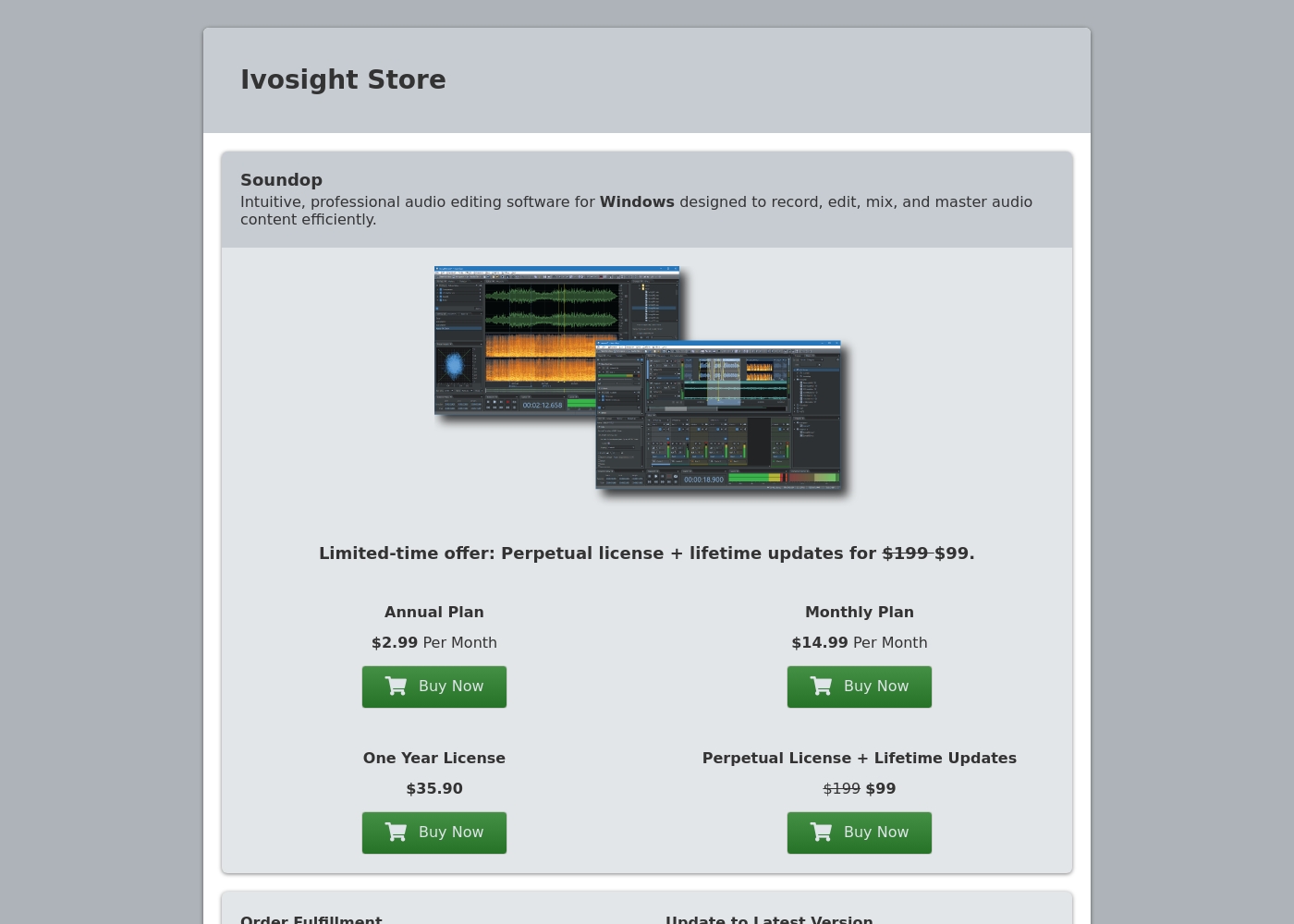
Soundop offers flexible licensing, including monthly subscriptions, annual subscriptions, and a permanent perpetual license option. Subscription costs start at $2.99 per month when billed annually, or you can purchase a lifetime license for a one-time fee of $99.

Plans & Pricing

Annual Plan

Monthly$2.99
YearlyNot explicitly stated
Requires annual commitment (rate is advertised as $2.99 Per Month)
  • Lowest recurring cost
  • License key for activation on two computers

Monthly Plan

Monthly$14.99
  • Flexible month-to-month access
  • License key for activation on two computers

One Year License

Yearly$35.90
  • Single one-time payment for 12 months
  • License key for activation on two computers

Perpetual License + Lifetime Updates

Contact for pricing
  • One-time payment of $99 (limited-time offer)
  • Perpetual software ownership
  • Includes lifetime software updates
  • License key for activation on two computers

Soundop Audio Editor costs between $2.99 and $14.99 per month with 4 licensing options: Annual Plan at $2.99/month, Monthly Plan at $14.99/month, One Year License at $35.90, and Perpetual License at $99.

Review the plans below to see which option works best for your production workflow and budget.

Annual Plan

Price: $2.99 Per Month Websites Supported: Two computers Best For: Users committed to long-term audio work Refund Policy: Not explicitly stated Other Features:

  • Provides the lowest monthly recurring rate
  • License key delivered securely by email
  • Software activation on two devices
  • Order handling managed by trusted reseller FastSpring

This plan provides the most affordable sustained rate for professional Soundop access. If you know you will use the editor consistently throughout the year, this annual commitment offers significant savings compared to the standard monthly option.

Monthly Plan

Price: $14.99 Per Month Websites Supported: Two computers Best For: Short-term projects or flexible scheduling Refund Policy: Not explicitly stated Other Features:

  • Pay month-to-month for maximum flexibility
  • License key delivered instantly via email
  • Easily transfer your license between two authorized devices
  • Secure purchase through FastSpring

The Monthly Plan is ideal if you need powerful editing tools without a long-term commitment. It gives you maximum flexibility for short projects or seasonal use, letting you stop payments whenever necessary.

One Year License

Price: $35.90 Websites Supported: Two computers Best For: Users who prefer a single, fixed annual payment Refund Policy: Not explicitly stated Other Features:

  • A fixed, one-time payment covering a full year of use
  • Allows license activation on up to two computers simultaneously
  • Order fulfillment provided by FastSpring

Opting for the One Year License means you pay one single fee upfront instead of dealing with recurring monthly charges. This simple payment structure ensures you have access to crucial audio editing features for a full 365 days.

Perpetual License + Lifetime Updates

Price: $99 (Limited-time offer, reduced from $199) Websites Supported: Two computers Best For: Professionals seeking permanent software ownership Refund Policy: Not explicitly stated Other Features:

  • One-time payment for permanent ownership
  • Includes continuous lifetime software updates
  • Permanent license for the audio workstation
  • License can be seamlessly transferred between two computers

For maximum long-term value, choose the Perpetual License. This option is a fantastic limited-time deal, granting permanent ownership and all future updates for one low price of $99. It’s the ultimate way to own this professional audio editor without subscription fees.

Soundop provides a download link for its latest version, but a free plan or defined free trial period is not explicitly offered on the purchase page. All purchases are handled securely by FastSpring, their trusted reseller. Remember that every license permits activation on two computers simultaneously, which provides great flexibility regardless of the payment option you select.

User Reviews

No reviews yet.

Write a Review

Write a Review for Soundop Audio Editor
0/100 characters
0/2000 characters

Why use Soundop Audio Editor?

Choose Soundop when you require maximum power and precision without the complexity often found in advanced audio software. It includes an optimized design that truly streamlines your entire workflow.

Here are some key benefits you will gain:

  • Robust Mixing Capabilities: The powerful multitrack editor easily handles side-chain processing and sends. It also features automatic latency compensation, which helps you build dense, complex mixes smoothly and reliably.
  • High-Quality Recording Specs: The audio engine supports standard professional drivers like ASIO and WASAPI. You can easily record audio with 24-bit precision at up to 192 kHz. You can even use the feature to automatically skip silence during recording.
  • Advanced Effect Organization: Go beyond standard processing using VST and VST3 plug-ins. Soundop lets you organize these effects into parallel or mid-side effect groups, helping you create highly unique and complex composite sounds.
  • Seamless Editing Precision: Edit audio down to the sample level, or work within selected frequency ranges using spectral editing. Features like zero-crossing alignment and crossfades automatically help you remove sonic artifacts at editing boundaries.
  • Production and Delivery Efficiency: Soundop supports importing audio from a wide range of audio and video formats. The dedicated batch processor allows you to process multiple files concurrently, saving significant production time before final export. âś…

Ready to transform your workflow with Soundop Audio Editor?

Soundop Audio Editor Alternatives

Other tools in the Audio Editing category

Frequently Asked Questions

Who is Soundop Audio Editor primarily designed for?

It's built specifically for Windows users who need a comprehensive, professional audio workstation. It strongly suits professionals who require precise editing features, like spectral and sample-level work. The Perpetual License option caters well to users seeking permanent software ownership.

How many computers can I install Soundop on with a single license?

All four license types—including monthly, annual, and perpetual—permit activation on up to two computers simultaneously. You get flexibility whether you purchase a subscription or the lifetime license key.

Is a free trial or a free version of Soundop available for testing?

A defined free plan or free trial period is not explicitly offered on the purchase page. A download link for the latest version is visible, but the pre-purchase functionality is not specified.

Does Soundop offer a money-back guarantee or refund policy?

Not explicitly stated on the official site for any of the purchase options. Since FastSpring handles transactions, you should contact their Customer Support Center directly for refund inquiries.

Who manages my payment processing and secures my billing information?

Soundop uses the trusted reseller FastSpring to manage all purchases, order fulfillment, and secure payment handling. Your official license key is delivered securely via email immediately by FastSpring.

If I buy the Perpetual License, am I covered for future updates and new features?

Yes, if you purchase the one-time Perpetual License, it includes continuous software updates for the entire lifetime of the product. This ensures you always receive future improvements.

Where should I go if I have a technical problem or a billing question?

Billing or order-related purchase questions must be directed to FastSpring Customer Support. For technical help or other inquiries related to the software, you can submit a support ticket or email sales@ivosight.com.

How do I transfer my Soundop license from an existing computer to a new one?

To easily transfer the license, you must first deactivate the key on your current device. Once deactivated, you are free to activate the license key successfully on the new computer.

Are there limits on how many tracks I can use or processes I can run simultaneously?

No, the multitrack environment is robust, supporting the mixing of an unlimited number of audio and bus tracks. Additionally, the batch processor allows you to run multiple processing instances concurrently.

Does Soundop support advanced audio plug-ins beyond just VST?

Yes, Soundop supports both standard VST and the newer VST3 plug-in formats. Crucially, it also supports ARA plug-ins for sophisticated, non-destructive editing workflows within the multitrack editor.

Can I use the software if my computer does not have an internet connection?

Yes, Soundop provides a mechanism for license activation when you are offline. You must upload a request file to the specified Offline Activation page to finalize your setup.

What audio and video delivery formats are supported for final export?

You can export audio to all widely used formats like MP3, WAV, FLAC, OGG, and AIFF, including metadata support. It also handles exporting audio embedded in video formats such as MP4, WMV, and MOV.

What is the official policy regarding canceling the monthly or annual subscription plans?

Not explicitly stated on the official site how to initiate a subscription cancellation directly. Because payments are processed by FastSpring, you should contact their Customer Support Center for specific details about canceling recurring plans.

Ready to try Soundop Audio Editor? Check out the official site or pricing.