Auphonic

Auphonic review

Automated audio post-production that cleans, levels, and formats your recordings for you.

By Ciroapp Editorial Team · Updated Sep 16, 2026

Commission may apply at no extra cost

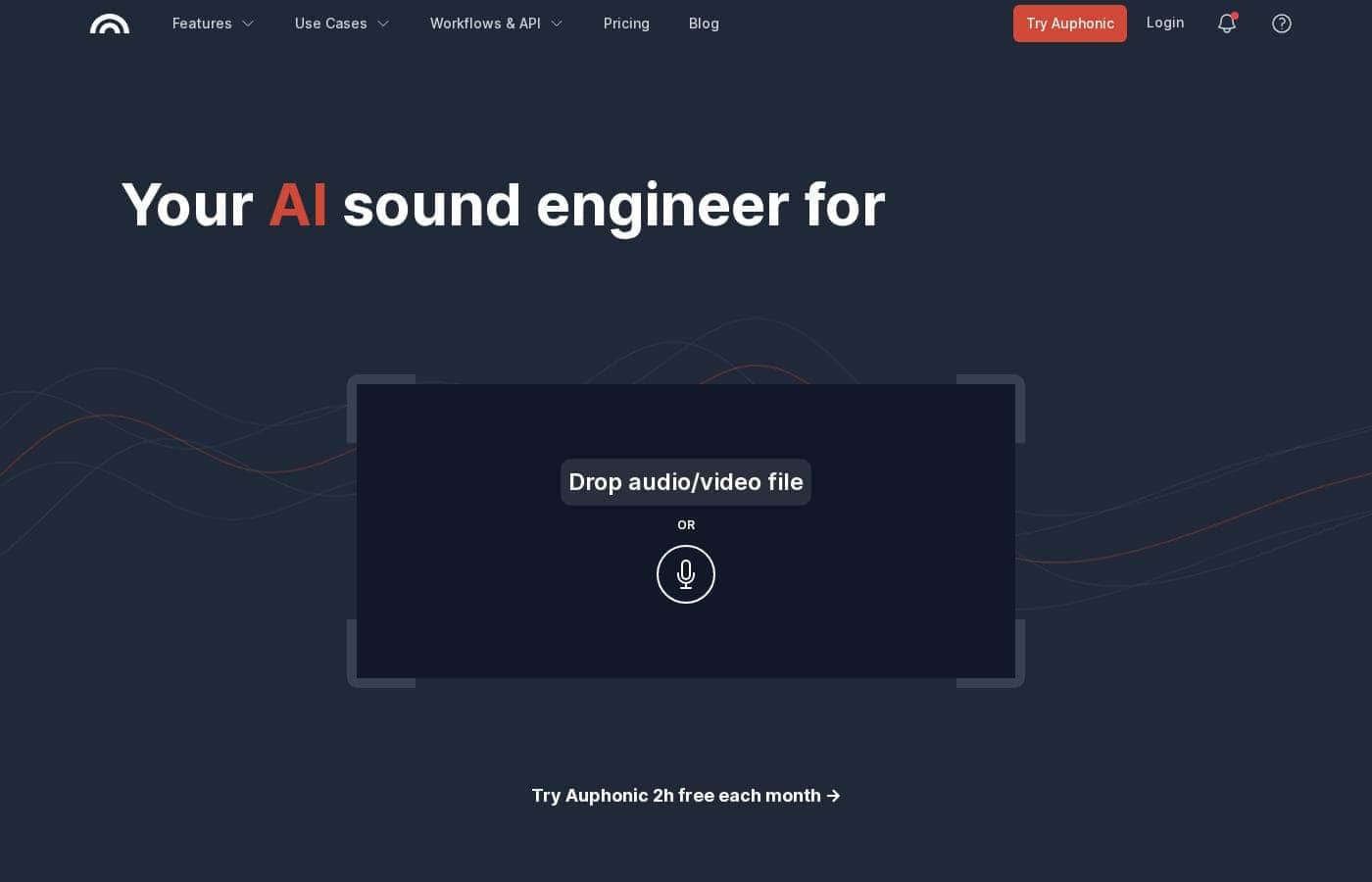
Auphonic homepage screenshot

At a glance

Quick overview for Auphonic: rating, pricing summary, key features, and highlights.
Vendor page checked Oct 12, 2026

Ciroapp score

4.2/ 5

Auphonic automates the tedious parts of audio cleanup — leveling, noise reduction, filler-word cutting, and loudness compliance — with transcripts, shownotes, and video outputs layered on top. The free tier is generous but adds a jingle, credits don't roll over, and exact prices only appear at checkout. Overall, it's a smart pick for regular publishers who'd rather automate editing than master it.

Pros

  • Pros:The intelligent leveler balances voices, music, and speech automatically — the site states no compressor knowledge is required, so non-engineers get consistent levels across speakers
  • Pros:Automatic cutting of silence, pauses, coughs, and filler words like "ah" and "uhm" in multiple languages removes an entire manual editing pass
  • Pros:You set target loudness, true peak limit, and MaxLRA once, and every file meets the same platform spec — keeping a whole series consistent

Cons

  • Cons:Free productions embed an Auphonic jingle, so zero-budget output isn't completely clean
  • Cons:Recurring credits reset monthly and don't roll over, and billing has a 3-minute minimum per production, which penalizes short clips
  • Cons:Time-savers like watch folders, batch productions, speech recognition, and shownotes are locked behind paid plans
Best for
  • Podcasters who want polished sound without learning audio engineering
  • Shows with multiple speakers or music that need balanced, consistent levels
  • Educators and institutions cleaning up lecture recordings
This section is a summary. Detailed sections about features, use cases, pricing, and reviews follow below.

What is Auphonic?

Bad audio drives listeners away, but learning mastering tools takes time most creators don't have. Auphonic automates the hard part: it levels voices, cuts filler words, and hits loudness targets automatically. Based on its site, you upload a file and get a polished result — no audio engineering background needed.

Auphonic is a web-based audio post-production service. It's built for podcasters, broadcasters, educators, and media teams who want consistent, professional sound without deep editing skills. You upload recordings, pick your settings, and the service handles leveling, noise reduction, and loudness compliance.

The company says more than two million people use it, including teams at BBC Radio, Buzzsprout, and iHeartRadio.

Should you choose Auphonic?

Quick buyer guidance before you compare plans or click through.

Choose it if

  • You publish audio regularly and want every episode to meet the same loudness standard
  • You'd rather automate cleanup than edit manually in a DAW
  • You record interviews or panels with uneven levels between speakers
  • You need filler-word and silence removal in multiple languages
  • You want one workflow that outputs audio, video, and captions

Skip it if

  • Free productions include a jingle, so a $0 budget won't get you completely clean output
  • The free tier caps you at 2 hours of audio per month — frequent publishers will need a subscription or one-time credits
  • Time-savers like batch productions and watch folders are reserved for premium users

Next steps before buying

  1. 1Claim the free 2 monthly hours and run one real episode through the service
  2. 2Listen for the jingle on free productions and factor that into your trial verdict
  3. 3Open the pricing page to compare subscriptions and one-time credits before you commit
  4. 4Check the workflows and API page to confirm it connects with your current tools

Ease of use

The site positions Auphonic as a no-expertise tool: sign up with just an email address, upload audio, and the algorithms handle leveling and cleanup. No compressor knowledge is required, and workflow options like watch folders exist for hands-off pipelines. Note that some automation features require a premium plan, so the smoothest experience may depend on upgrading.

Auphonic Key Features

🧹 Cleanup that runs itself

No more hiss, echo, or harsh plosives in your final file. Auphonic removes static and fast-changing noises, and you decide whether to keep or eliminate music. Its filters repair clipping and codec artifacts, then restore missing highs.

Upload the recording and cleanup runs on its own — perfect for less-than-perfect rooms.

✨ Balanced levels without the learning curve

Uneven volume between speakers is distracting. The intelligent leveler balances voices, music, and speech automatically — no compressor knowledge needed. Then you set a target loudness, true peak limit, and MaxLRA once, and every file meets the same spec.

It's an easy way to keep a whole series consistent.

✨ Skip the manual cutting

Manual editing eats hours. Auphonic cuts silent segments, pauses, coughs, and filler words like "ah" and "uhm" in multiple languages, so you can skip that pass entirely. Working with multiple tracks?

Its multitrack algorithms add automatic ducking, a noise gate, and mic bleed removal for an optimized mixdown.

✨ More than clean audio

One upload can produce more than polished sound. Multilingual speech-to-text generates shownotes and chapters, displayed in a shareable transcript editor. The same production can output several formats at once:

  • Audio or video podcast files
  • Burned-in subtitles and waveform audiograms
  • Metadata and chapter data in the formats you need

✨ Automation for repeat work

Dial in your settings once, then let Auphonic take over routine steps. It integrates with other tools for file transfers and automatic publishing, so finished files move along without extra clicks. Watch folders and batch productions handle recurring jobs — handy for weekly episodes, lectures, or large backlogs.

Use Cases

🎙️ Leveling multi-speaker interviews

You record interviews where one guest is quiet and another is loud. Upload the file, and Auphonic's intelligent leveler evens out every speaker. It also cuts filler words and long pauses in multiple languages.

Expected outcome: a balanced episode that sounds consistent, without touching a compressor.

🎓 Cleaning up lecture recordings

Lectures often pick up room noise and reverb. Auphonic reduces both, then levels the voice so it's easy to follow. Speech2Text adds transcripts and subtitles, which supports inclusive learning.

Expected outcome: clear, accessible recordings ready to share with students.

📈 Automating high-volume publishing

You publish daily or manage several shows. Set your target loudness once, then let watch folders and batch productions process every new file the same way. Paid plans add API access for hands-off pipelines.

Expected outcome: consistent, spec-compliant output at scale, with less manual work.

🎬 Turning one recording into more

One recording can become a video podcast with burned-in subtitles, waveform audiograms, chapters, and shownotes. Set it up after upload, and Auphonic produces everything in the formats you need. > Tip: Start with the free 2 hours per month and test it on a real episode.

Auphonic pricing

  • 8 plans

Prices not verified yet — see the vendor page.

Auphonic's pricing page

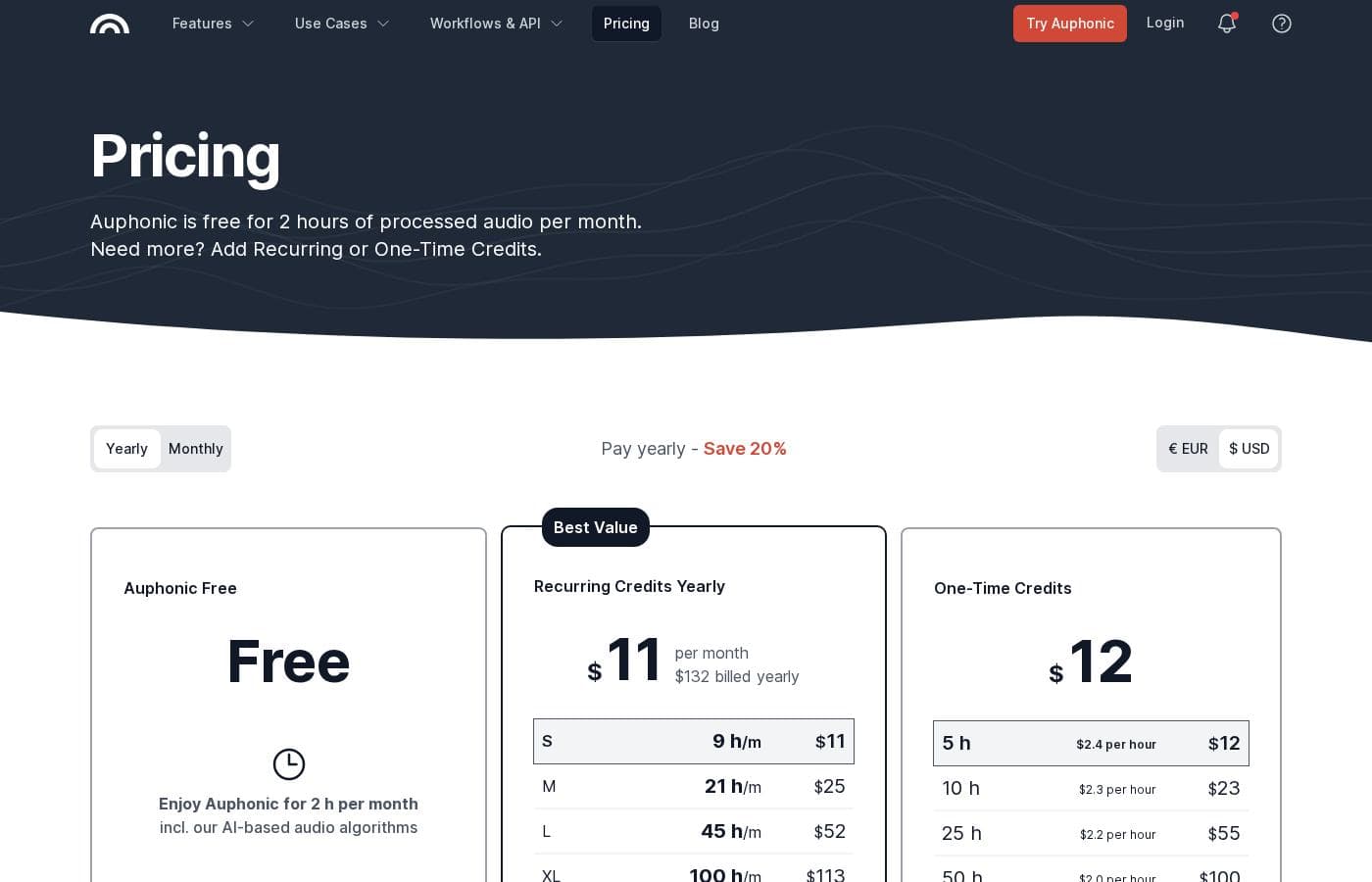
Auphonic pricing page screenshotView pricing page screenshot
PlanBilled monthlyBilled annuallyIncludes
Free
See vendor page
See vendor page
Credits reset monthly; no speech recognition, shownotes, watch folders, or batch productions
  • 2 hours of audio processing per month
  • Core algorithms: leveler, noise and reverb reduction, silence and filler-word cutting
  • Multitrack productions under 20 minutes
  • Outputs include an Auphonic jingle
  • Basic support
Auphonic S
See vendor page
See vendor page
Credits reset monthly; unused credits don't roll over; 3-minute minimum billing per production
  • 9 hours per month
  • Full algorithm set
  • Speech recognition with auto shownotes and chapters
  • Watch folders and batch productions
  • API access
  • +1
Auphonic M
See vendor page
See vendor page
  • 21 hours per month
  • Full algorithm set
  • Speech recognition with auto shownotes and chapters
  • Watch folders and batch productions
  • Early access to new features
  • +1
Auphonic L
See vendor page
See vendor page
  • 45 hours per month
  • Full algorithm set
  • Speech recognition with auto shownotes and chapters
  • Watch folders and batch productions
  • Early access to new features
  • +1
Auphonic XL
See vendor page
See vendor page
  • 100 hours per month
  • Full algorithm set
  • Speech recognition with auto shownotes and chapters
  • Watch folders and batch productions
  • Early access to new features
  • +1
Auphonic XXL
See vendor page
See vendor page
  • 250 hours per month
  • Full algorithm set
  • Speech recognition with auto shownotes and chapters
  • Watch folders and batch productions
  • Early access to new features
  • +1
One-Time Credits
See vendor page
See vendor page
Auto-renew tops up your balance when it falls below 1-10h
  • Packs from 5 to 3,000+ hours
  • Credits never expire
  • Optional auto-renew with cancel anytime
  • Full feature set
  • Used after recurring credits
Business
See vendor page
See vendor page
  • More than 1,000 hours per month
  • Team accounts
  • Priority processing
  • Priority support
  • Manual invoicing
  • +1

Price history

Tracking prices since Oct 1, 2026. No price change detected yet.

Pricing range: See vendor pricing

Pricing types: Free plan, Monthly subscription, Yearly subscription, One-time payment, Usage-based pricing

Pricing notes

Auphonic uses credit-based pricing: a free plan with 2 hours of audio per month, recurring credit to 250 hours monthly, and one-time credit packs that never expire. Custom Business plans cover more than 1,000 hours per month.

Auphonic runs on audio credits: start free with 2 hours per month, choose a recurring plan from 9 to 250 hours, buy one-time credit packs that never expire, or contact sales for Business volumes above 1,000 hours.

Pricing scales with how much audio you process, not how many seats you need. Every paid tier unlocks the full algorithm set, so you're really just picking your monthly volume. Here's the breakdown.

Free

Other Features:

  • 2 hours of audio processing per month
  • Core algorithms: leveler, noise and reverb reduction, silence and filler-word cutting
  • Multitrack productions under 20 minutes
  • Outputs include an Auphonic jingle, plus basic support

The free tier is a genuine test drive. You can sign up with just an email — no payment details needed — and try the algorithms on real episodes. For very light use, it may be all you need.

Auphonic S

Other Features: 9 hours per month, full feature set including speech recognition and auto shownotes, watch folders, batch productions, API access, standard support.

S fits solo podcasters publishing a few episodes each month. You'll gain transcription, shownotes, and automation tools the free plan skips. Just remember that unused credits don't roll over.

Auphonic M

Other Features: 21 hours per month, full feature set, early access to new features, standard support.

M suits weekly shows or small teams with steady output. Twenty-one hours comfortably covers a month of episodes plus extras. If you occasionally run over, one-time credits can top you up.

Auphonic L

Other Features: 45 hours per month, full feature set, standard support.

L works well for daily publishers, interview-heavy shows, or freelancers juggling several clients. The bigger pack keeps your effective per-hour cost lower than the smaller ones.

Auphonic XL

Other Features: 100 hours per month, full feature set, standard support.

XL is aimed at busy production teams and networks processing shows, lectures, or radio segments every week. It absorbs high volume without constant top-ups.

Auphonic XXL

Other Features: 250 hours per month, full feature set, standard support.

XXL serves the heaviest self-serve users — podcast networks, media companies, and universities archiving large recordings. Beyond this tier, you're in Business territory.

One-Time Credits

Other Features:

  • Packs from 5 to 3,000+ hours
  • Credits never expire ("pay as you go")
  • Optional auto-renew refills your balance; cancel anytime
  • Spent after recurring credits

These shine for occasional spikes, like a conference backlog or an archive project. Recurring plans cost less per hour, so regular users should start there and add one-time packs for overflow.

Business

Other Features: more than 1,000 hours per month, team accounts, priority processing, priority support, manual invoicing, custom contracts.

Business is for organizations that need serious volume plus admin control. You get invoicing, custom contracts, and team management the smaller tiers don't include. Reach out to the Auphonic team for a quote.

Worth knowing before you buy. There's no money-back guarantee, but credits are refunded automatically for failed productions via the Refund credits link on the production page. Billing counts output audio duration, with a 3-minute minimum charged per production. Recurring credits reset monthly, yearly billing saves 20%, prices exclude VAT (EU companies can use a VAT ID), and exact per-plan prices in euros or dollars appear at checkout — so confirm them before purchasing.
Email me when Auphonic changes price

One email when we detect a price change on the vendor's pricing page. No newsletter, no deals. Unsubscribe in one click.

User Reviews

No reviews yet.

Write a Review

Write a Review for Auphonic
0/100 characters
0/2000 characters

Why use Auphonic?

Hand-editing audio is slow, technical, and easy to get wrong. Auphonic's answer is automation: one upload in, a professional-sounding file out. Here's what stands out from its public materials:

  • Less manual cleanup. Noise and reverb reduction targets both static and fast-changing noises, while de-essing, de-plosive filtering, and clipping repair address common recording flaws.
  • Balanced sound without expertise. The intelligent leveler evens out speakers, music, and speech — the site says no compressor knowledge is required.
  • Faster editing. It can automatically cut silence, pauses, coughs, and filler words like "ah" and "uhm" across multiple languages.
  • Consistent, spec-compliant output. You set a target loudness and peak limit once, then every file matches platform requirements.
  • More than audio. The same workflow can produce speech-to-text transcripts, shownotes, chapters, subtitles, and video versions.
  • Proven at scale. The site claims 2M+ users, and Blubrry's CEO says he's mastered 1,500+ episodes with it over ten years.

If you publish audio on any schedule, that time savings compounds quickly.

Auphonic alternatives

Other tools in the Audio Editing category

View all Audio Editing tools
Audacity

Audacity

Audio Editing4.3/5

Audacity is the world’s most popular free software designed for recording and editing audio. Whether you're producing music, starting a podcast, or just playing around with sound, it's the perfect tool for you. Audacity is proudly open source and supported by a global community of audio lovers who help keep the application well-loved and constantly improving. It’s the ideal platform for anyone aiming to get creative with sound or needing to quickly edit and export files for any reason.

Soundop Audio Editor

Soundop Audio Editor

Audio Editing4/5

Soundop is a powerful and intuitive audio editor designed specifically for Windows. It functions as a complete audio workstation, ready for recording, editing, and mastering. Whether you are dealing with a single audio file or mixing professional sessions, Soundop provides flexible workspaces. You get both standard waveform editing and precise spectral editing in the audio file editor. Plus, the multitrack editor lets you start mixing right away.

Auphonic FAQ

Does Auphonic connect to the rest of my publishing workflow?

Yes. It integrates with several tools for file transfers, automatic publishing, and workflow automation, plus API and CLI access. Check the workflows page to confirm it fits your hosting or publishing stack.

Do I pay again if I tweak a production?

No. Editing a production is free as long as you use the same input files. Change an input or start a new production, and you're charged again. Failed productions aren't charged at all.

What happens when I run out of credits mid-month?

You can't start new productions until you add more. Buy a subscription or a one-time pack on the pricing page. For occasional overflow, one-time credits stack on top of your recurring plan.

Which languages does Auphonic's speech recognition support?

Auphonic offers multilingual speech-to-text with auto-generated shownotes and chapters. It also cuts filler words like "ah" and "uhm" in multiple languages. Check the features page for the current language list.

Ready to try Auphonic? Check out the official site or pricing.

Are you Auphonic? Claim this listing · Get the badge