Shopmonkey

Shopmonkey review

All-in-one shop software that helps repair teams manage jobs, payments, and customers.

By Ciroapp Editorial Team Β· Updated Oct 9, 2026

Commission may apply at no extra cost

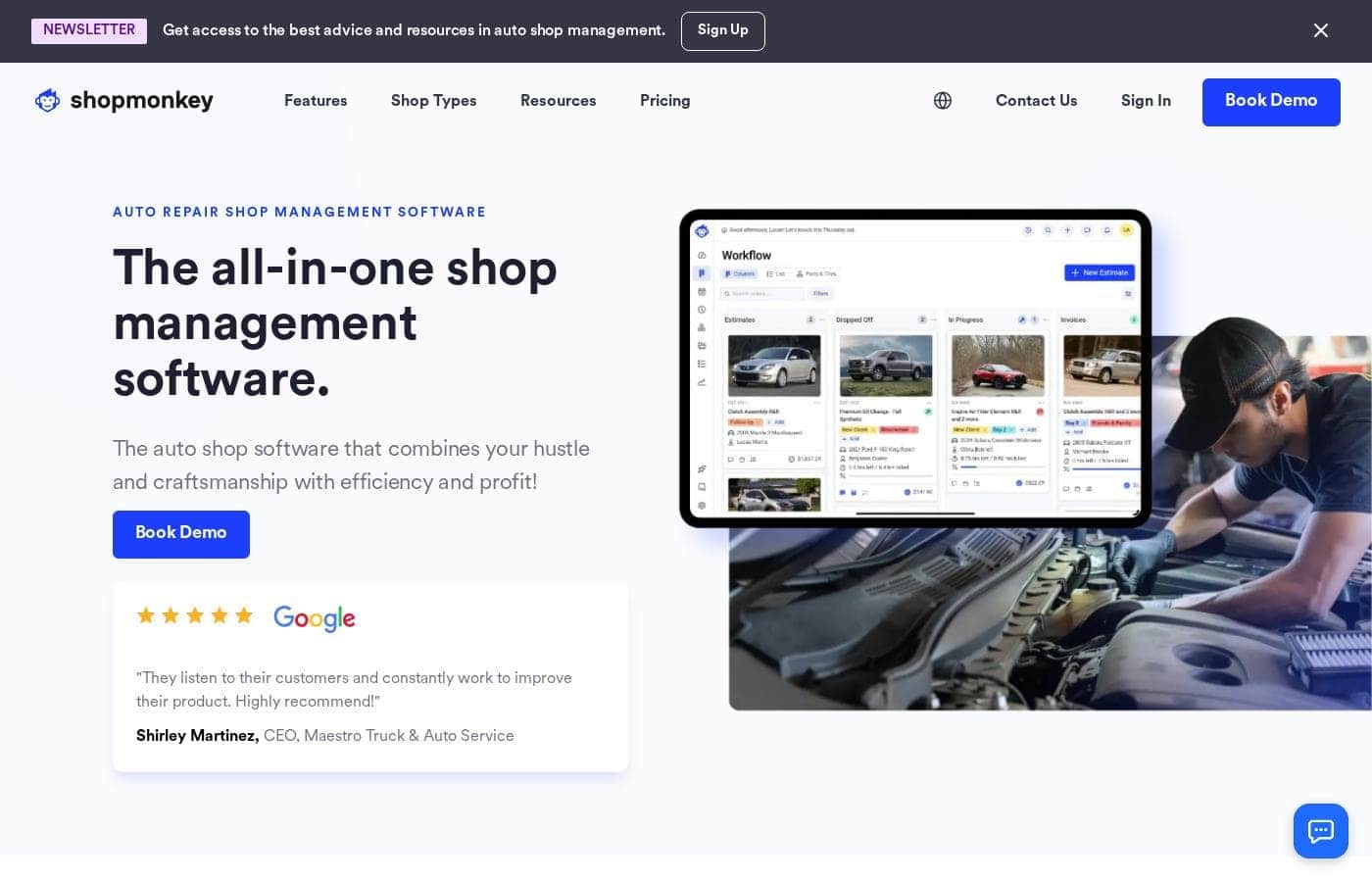
Shopmonkey homepage screenshot

At a glance

Quick overview for Shopmonkey: rating, pricing summary, key features, and highlights.

Ciroapp score

4.0/ 5

One platform for the counter, bays, and books.

Shopmonkey bundles estimates, invoices, payments, inspections, and customer messaging into one system, and it handles multi-shop teams well. Support and data migration soften the switch, but pricing stays behind a demo and no free trial is offered. Overall, a strong fit for repair shops that want fewer tools.

Pros

  • Pros:Estimates, invoices, payments, inspections, and customer messaging all run inside one connected system.
  • Pros:Multi-shop owners can track jobs, technicians, and parts across every location from a single login.
  • Pros:Customers pay online, in person, or through Buy Now, Pay Later, which helps keep cash moving.

Cons

  • Cons:Plan names and rates aren't posted on the main page, so budgeting starts with the pricing page or a demo.
  • Cons:There's no free plan and no free trial, and no money-back guarantee is advertised.
  • Cons:New shops book a demo instead of signing up on their own, so a quick start takes longer.
Best for
  • Independent auto repair shops
  • Tire, quick lube, and heavy duty repair shops
  • Multi-shop owners and franchise groups
This section is a summary. Detailed sections about features, use cases, pricing, and reviews follow below.

What is Shopmonkey?

Shopmonkey is an all-in-one shop management platform for auto repair and related shops. It covers estimates, invoices, payments, digital inspections, appointments, inventory, reporting, and customer messaging. A native accounting solution is included, and you can connect QuickBooks instead.

Multi-shop operations are supported too, so owners can track jobs, technicians, and parts across locations. Tire, quick lube, heavy duty, wrap and detail, and other repair shops use it as well.

Verdict

Best for Independent and multi-location vehicle repair shops that want estimates, payments, and customer communication in one system..

Shopmonkey suits shops that want one platform for the front counter, the bays, and the books. It works for a single location or a multi-shop group, and the support and migration help soften the switch. Start with pricing, then book a demo.

Strengths

  • All-in-one coverage: workflow, estimates, invoices, payments, inspections, inventory, reporting, and CRM in one platform
  • Built for many shop types, from auto repair and tires to heavy duty, marine, and powersports
  • Multi-shop owners can monitor every location, job, and technician from one login

Watch-outs

  • Plan details and prices aren't shown on the main page, so you'll want the pricing page or a demo before you budget
  • New shops begin with a demo request rather than instant self-serve signup
  • Capabilities are described across separate product pages, so confirm exactly what's included at your level

Pricing trap for Shopmonkey: Pricing isn't published on the main page, so plan costs stay unclear until you visit the pricing page or request a demo. Confirm what each tier includes before you commit.

Shopmonkey Key Features

πŸ”§ Run the counter and the bays from one system

Estimates, invoices, payments, inspections, inventory, and messages all live in the same place, so your team stops hopping between apps. You can manage your shop's workflow from anywhere in real time and watch performance with reporting tools. Less chasing, more cars out the door.

✨ Estimates and payments that move fast

Build professional estimates and invoices in a few clicks, then send them by text or email. Customers pay online or in person, including with Buy Now, Pay Later. Run your books end to end with the native accounting solution, or connect your existing QuickBooks account instead.

✨ Inspections and messaging that keep customers close

Technicians run digital inspections on the mobile app and send detailed results to customers, which builds trust and can lift average repair orders. Scheduling and communication sit in the same system:

  • Appointment confirmations and reminders go out automatically to cut no-shows
  • Estimates and updates reach customers by text or email
  • Your team answers questions without leaving Shopmonkey

✨ One view across every location

Owners with more than one shop log in once to see every job, technician, and parts order, which helps keep momentum steady across locations. CRM Essentials covers your online reputation, so you can win new customers and keep them coming back. Over 8,000 shops run on Shopmonkey.

✨ Support, migration, and a clean setup

An in-house support team is with you from start to finish. Advanced data migration pulls your data out of the system you're leaving, and enterprise onboarding handles complex transitions β€” one group brought 75 locations over at once. The platform is designed to work on its own, with no plugins required.

Use Cases

πŸ”§ A busy independent shop

A single-location shop builds estimates and invoices in a few clicks, texts them to customers, and takes payment online or in person. Digital inspections on the mobile app send results straight to the customer. Expected outcome: less back-and-forth at the counter and faster payment.

🏒 Owners running more than one location

Owners with two or more shops log in once to see every job, technician, and parts order across sites. Reporting shows how each location performs in real time. Expected outcome: one consistent view instead of a separate system for each shop.

Tip: ask about multi-shop setup during the demo.

🚚 Specialty and high-volume shops

Tire, quick lube, heavy duty, and wrap-and-detail teams run on the same platform. Heavy duty shops work with multiple fleets and accept batch payments; tire shops keep inventory in check. Expected outcome: a workflow that fits the work you actually do.

πŸ”„ Shops leaving an older system

Teams switching platforms lean on advanced data migration, in-house support, and enterprise onboarding for complex transitions. Bring your daily tools and questions to a demo, then confirm what's included at your shop size. Expected outcome: a smoother move with less rebuilding by hand.

Shopmonkey pricing

Prices not verified yet β€” see the vendor page.

Shopmonkey's pricing page

Shopmonkey pricing page screenshotView pricing page screenshot

Pricing types: Monthly subscription, One-time payment

Pricing notes

Shopmonkey is sold as a subscription to its all-in-one shop management platform, with plan rates shared through a quote or demo rather than posted as fixed numbers. Two paths lead to pricing: the pricing page and a demo request.

Shopmonkey pricing: Shopmonkey is sold as a subscription to its all-in-one shop management platform, with plan rates shared through a quote or demo rather than posted as fixed numbers. Two paths lead to pricing: the pricing page and a demo request. Billing options: Monthly subscription, One-time payment

Email me when Shopmonkey changes price

One email when we detect a price change on the vendor's pricing page. No newsletter, no deals. Unsubscribe in one click.

User Reviews

No reviews yet.

Write a Review

Write a Review for Shopmonkey
0/100 characters
0/2000 characters

Why use Shopmonkey?

Shop owners don't need more tools. They need fewer. Shopmonkey's pitch is simple: run the counter, the bays, and the books from one place.

  • One system instead of five. Estimates, invoices, payments, inspections, and customer messages all live together, so your team stops switching between apps.
  • Faster cash flow. Send estimates and invoices by text or email, then let customers pay online, in person, or through Buy Now, Pay Later.
  • Fewer no-shows. Automatic appointment confirmations and reminders keep your bays booked and your day predictable.
  • A clear view of the business. Reporting tools show shop performance in real time, and multi-shop owners can check every location from one login.
  • Inspections that sell work. Technicians run digital inspections on the mobile app and send detailed results to customers, which helps build trust and lift average repair orders.
  • Accounting that fits how you work. Use the native accounting solution end to end, or connect your existing QuickBooks account.
  • Backing beyond the software. In-house support, advanced data migration, and enterprise onboarding help you move off your old system.
  • Trusted at scale. More than 8,000 shops run on Shopmonkey, with reviews across Google, Capterra, G2, and Trustpilot.

Shopmonkey alternatives

Other tools in the Inventory Management category

View all Inventory Management tools
Notify Me

Notify Me

Inventory Management4.5/5

Notify Me is an all-in-one notification and conversion platform for Shopify merchants. We help stores capture and convert sales they would otherwise lose - whether it’s through Back in Stock alerts, Pre-orders, Wishlists, or Low Stock reminders. Unlike single-feature apps, we bundle these critical tools into one solution, fully integrated with email, SMS, and WhatsApp.

SKU IQ

SKU IQ

Inventory Management3.9/5

SKU IQ is powerful inventory management software designed specifically for small to medium businesses. Its main goal is to simplify connected-retail. The system seamlessly links your physical store (POS) and your online store (eCommerce). It makes sure your inventory counts and sales reports are completely unified. You can manage products, view sales performance, and track sync events instantly from one simple dashboard. Users have ranked SKU IQ as the Best Value and Easiest to Use solution in the inventory management space.

Cheapest Inventory Management software for 1 to 25 users

Shopmonkey FAQ

Who gets the most out of Shopmonkey?

Independent shops and multi-location groups that want estimates, payments, and customer messages in one system. It also fits tire, quick lube, heavy duty, marine, and powersports repair. Businesses outside vehicle service work should look elsewhere.

What does onboarding and data migration involve?

New shops start with a demo rather than instant signup. From there, an in-house support team helps, and advanced data migration plus enterprise onboarding are available for shops leaving an older system. Ask what your shop size qualifies for.

Is there a free trial, refund window, or easy cancellation?

No free plan and no free trial are advertised, and no money-back guarantee appears either. Treat the demo as your test drive, then confirm contract length, renewal terms, and cancellation rules before you sign.

Will it connect with the outside tools my team already uses?

Shopmonkey presents the platform as complete on its own, without extra plugins. If your crew depends on specific outside tools, confirm those integrations are supported before you move your whole operation over.

Ready to try Shopmonkey? Check out the official site or pricing.

Are you Shopmonkey? Claim this listing Β· Get the badge