Commission may apply at no extra cost
Shade

Shade

Media storage that just works better for teams.

software.categoryRank
1 min read · Updated 5/5/2026
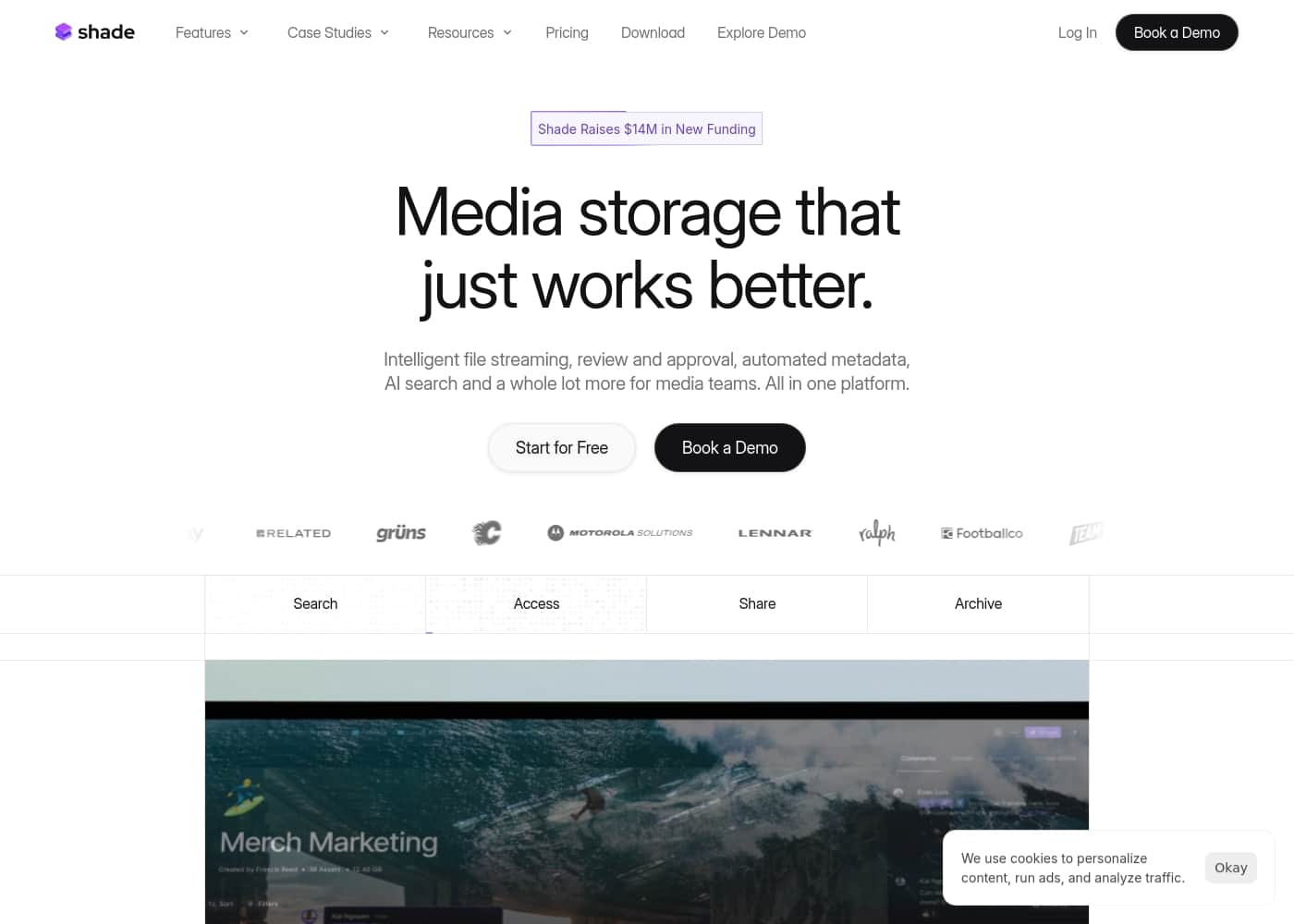
Shade homepage screenshot

At a glance

Quick overview for Shade: rating, pricing summary, key features, and highlights.

Ciroapp review

3.7
Smart search, but pricing is opaque.

We find Shade offers a compelling centralized hub for media teams, with standout AI search and intelligent file streaming. Overall, it's a strong workflow tool, but the lack of public pricing for team plans is a significant drawback for prospective buyers.

Pros

  • Pros:All-in-one platform for storage, review, and approval
  • Pros:Intelligent file streaming for fast access to large files
  • Pros:Powerful AI search and automated metadata
  • Pros:Secure archiving for long-term project storage

Cons

  • Cons:Team and enterprise pricing is not publicly disclosed
  • Cons:Requires a sales demo for detailed quotes and scalability
  • Cons:Limited external review data for deep validation
Range: Not explicitly statedFree plan
This section is a summary. Detailed sections about features, use cases, pricing, and reviews follow below.
Disclosure: this page may contain affiliate links for {name}. If you click these links and make a purchase, Ciroapp may earn a commission at no additional cost to you.

Shade review, pricing, features, pros & cons

Tired of media files scattered across drives, emails, and outdated systems? It's a huge time-sink. Shade brings everything together into one intelligent platform.

It's built specifically for media teams who need fast, reliable access to their files.

What is Shade?

💡 Shade is an all-in-one platform for media storage and management. It's designed for creative and media teams who handle large files daily. It combines intelligent file streaming, review tools, and smart search in a single place.

Shade Key Features

✨ All-in-One Media Hub

Shade is a single, central platform for your entire media library. No more switching between separate tools for storage, review, and search. It brings your team's files, feedback, and organization together in one place.

This hub simplifies your workflow by keeping everything connected.

✨ Intelligent File Streaming

Access the footage you need without the frustrating wait. Shade uses intelligent streaming to get large media files to you quickly. It's designed to cut down on download times so you can start working sooner.

This makes reviewing and editing a much smoother experience.

✨ Streamlined Review & Approval

Give and collect feedback right inside the platform. Shade includes built-in tools for team review and approval. You can manage comments and track decisions without leaving the system.

This helps keep your projects moving forward efficiently.

✨ AI-Powered Search & Organization

Find any file in seconds, not minutes. Shade combines smart, automated metadata with powerful AI search. It helps you tag, categorize, and locate assets instantly.

You can search for files even if you don't remember the exact name.

✨ Secure Archiving

Store your finished projects safely for the long term. Shade provides reliable archiving so your valuable media is protected. You can access archived work whenever you need it.

It's a secure home for your team's creative output.

✨ A Smarter Way to Work

Shade is built specifically for media teams handling large files daily. It replaces scattered drives, emails, and outdated systems. The platform is designed to make your team faster and more organized.

It's storage that understands and adapts to your creative workflow.

Use Cases

⚡ Post-Production Speed Boost

An editor needs a specific B-roll clip from last year's project. They log into Shade. Using AI search, they type "drone shot sunset beach" and find it in seconds.

The intelligent streaming lets them start working on it immediately, no long download wait. It's that simple.

✅ Client Review and Approval

The project lead uploads the final cut to Shade. They share a secure link with the client. The client watches, leaves time-stamped feedback directly on the video, and approves it with one click.

The team gets a clear, organized list of changes. No more chasing emails.

📦 Archive and Find Old Projects

Problem: A studio's digital archive was a maze of external hard drives. Finding assets from five years ago was a guessing game. Approach: They migrated everything to Shade.

Automated metadata tagged files during upload. Outcome: Now, any team member can instantly search for and stream old project files without digging through a storage closet.

🏠 Centralized Media Hub

A marketing team has video, photos, and audio split across cloud drives, email attachments, and local folders. Shade becomes their single source of truth. Everyone uploads to the same place.

They stop wasting time asking, "Where's that file?" and start creating.

🌍 Remote Collaboration

Two editors are working from different cities. They need the same high-res footage. Instead of shipping a hard drive, they both access the project in Shade.

The platform streams the files intelligently, so they can work smoothly without a massive download. Collaboration just works.

🤝 Freelancer Onboarding

A creative director brings on a freelance editor for a week. Instead of sharing a mess of links and files, they add the freelancer to a Shade workspace. The new editor gets instant, organized access to all needed assets.

They start contributing on day one.

Pricing Overview for Shade

Pricing range
Not explicitly stated
Pricing types
Free plan

Shade offers a free starting point for its media storage and artificial intelligence search platform. Paid plan details are not explicitly listed and may require booking a demo for custom team pricing.

Plans & Pricing

Start for Free

Monthly0
Yearly0
Not explicitly stated
  • Intelligent file streaming
  • Review and approval
  • Automated metadata
  • AI search
  • Archive

Shade costs an undisclosed amount with at least 1 plan: Start for Free at $0.

Finding the right plan depends on your team's specific media storage and workflow needs.

Start for Free

Price: $0 Websites Supported: Not explicitly stated Best For: Individuals or small teams exploring AI search Refund Policy: Not explicitly stated Other Features: Intelligent file streaming, review and approval, automated metadata, AI search, media archiving

This plan allows you to test out the core workspace features without any upfront cost. It’s perfect for creators who want to see how the automated metadata and search tools speed up their daily workflow. 🚀

Team/Enterprise

Price: Not explicitly stated Websites Supported: Not explicitly stated Best For: Media teams requiring scale Refund Policy: Not explicitly stated Other Features: Search, Access, Share, Archive

If you have a larger group, you should book a demo to get a tailored quote for your organization. This ensures the platform can handle your specific volume of assets and team members.

Shade offers a free option to help you get started right away. For all other billing and cancellation questions, you can contact their team directly via the demo booking link.
User Reviews

External reviews for Shade show a generally positive sentiment, though the sample size appears small. Users on Capterra highlight the platform's ease of use and its strong AI-powered search functionality, which helps teams quickly find files.

Some reviewers note that the onboarding process was smooth and the customer support was responsive. A few mentions point to the value of the centralized media hub for collaboration.

On Trustpilot, feedback is minimal but touches on the reliability of the storage. However, there are recurring notes about pricing transparency, as full costs aren't public and require a demo.

Overall, the feedback leans toward Shade being a capable tool for media teams, but potential buyers should clarify pricing details upfront.

What users say elsewhere

Sam T.
· Capterra
4.5 / 5

The AI search is a game-changer. We can locate any footage in seconds without digging through endless folders. It has saved our team so much time on projects.

Jordan P.
· Trustpilot
4.0 / 5

Shade is reliable for storing our video files. The streaming is smooth even with large 4K projects. My only wish is that their pricing page had more details for larger teams.

No reviews yet.

Write a Review

Write a Review for Shade
0/100 characters
0/2000 characters

Why use Shade?

Why choose Shade for your media workflow?

It’s not just storage; it’s a smarter way to work. Here’s what it brings to your team:

  • All-in-One Hub: Stop juggling separate tools for storage, review, and search. Shade puts your entire media library in one accessible place.
  • Intelligent Access: Experience fast, intelligent file streaming. Get the footage you need without the long wait times.
  • Streamlined Collaboration: The platform includes built-in review and approval workflows. This makes giving and collecting feedback much smoother.
  • AI-Powered Organization: Automated metadata and AI search help you find any file instantly. No more digging through folders.
  • Secure Archiving: Safely archive your projects knowing they are stored reliably. Your work is protected and always available when you need it.

Ready to transform your workflow with Shade?

Shade alternatives

Other tools in the Media Library category

Popular comparisons

Pngtree
Pngtree vs Shade
Media Library
iStock
iStock vs Shade
Media Library
Vexels
Shade vs Vexels
Media Library
Alamy
Alamy vs Shade
Media Library

Similar tools

Pngtree
Pngtree
Media Library1/5

Pngtree functions as a comprehensive stock image market primarily known for its extensive collection of PNG files. It is recognized as the largest asset site for transparent images online. The platform provides access to millions of creative assets like high-quality backgrounds, templates, text effects, and illustrations. Pngtree supports tens of millions of registered designers worldwide. They also help users stay organized by providing a marketing calendar featuring upcoming major holidays and events. 💡

iStock
iStock
Media Library1.7/5

iStock is the original destination for royalty-free stock content. It offers a huge variety of images, including photos, illustrations, and editable vectors. You can also find affordable HD and 4K video clips. This platform is designed for anyone needing high-quality, dependable visuals for commercial use. Since its beginning, iStock has focused on providing content created by artists for other creatives. This unique focus ensures you always find fresh, unique work. ✅

Vexels
Vexels
Media Library3.8/5

Vexels is the ultimate Print on Demand (POD) merch design tool. It offers an extensive library of high-quality designs and powerful online resources. This platform makes merch creation simple for everyone, whether you are tweaking text or transforming templates. You can use it to upgrade your merch strategy with professional designs and AI-enhanced graphics. It’s built for immediate use with major POD companies, including Etsy, Shopify, Printful, Printify, and Amazon Merch. 💡

Alamy
Alamy
Media Library2/5

Alamy is a comprehensive stock content platform built around authenticity and immense variety. It offers diverse **photography** captured by content creators all around the world. Importantly, you won't find any AI-generated content here—only real images reflecting real life 💡. Beyond powerful photographs, Alamy provides expansive collections for nearly every type of project. You can explore four carefully curated Creative collections, specialized Editorial content, and deep archival records. The platform also features a fresh video library with over 30 million new videos available, thanks to key partnerships.

Frequently Asked Questions

Does Shade integrate with other tools we already use?

The official site does not list specific third-party integrations. For detailed compatibility, you'll need to contact their sales team during a demo.

How secure is my data on Shade?

Shade emphasizes secure archiving and reliable storage. For specifics on encryption, compliance, or data residency, you should request details during a demo.

Are there limits on storage or number of files?

Limits for the free plan are not explicitly stated. Team and enterprise quotas are customized and discussed during the sales process.

How does billing work? Is it per user or per usage?

The pricing model is not publicly detailed. Team pricing is custom and based on a demo; contact sales to understand if it's per-seat, per-usage, or another structure.

Can I get a refund if I'm not satisfied?

A refund policy is not explicitly stated on the official site. You should clarify this with Shade's team before committing to a paid plan.

What does the free plan include, and is there a free trial?

The 'Start for Free' plan is free and includes core features like AI search and streaming. It's not a limited-time trial; it's a permanent free tier to explore the platform.

How long does onboarding or migration take?

The site mentions a smooth onboarding process. For a timeline for migrating large media libraries, you'll need to discuss specifics with their support team.

What kind of support is available, and what's the response time?

Reviews note responsive customer support. However, formal support SLAs or response time guarantees are not listed on the website.

Does Shade support multiple languages or regions?

The website does not specify supported languages or regional data centers. For international requirements, inquire during a demo.

How do I cancel my plan?

Cancellation procedures are not detailed on the site. You should contact Shade's team directly for instructions on how to cancel or modify your subscription.

Who is Shade best suited for?

It's designed for media and creative teams that handle large video files daily. It's ideal for groups needing centralized storage, fast streaming, and collaborative review tools.

Ready to try Shade? Check out the official site or pricing.